shellexy/dsh-webviewgtk
A GTK4 + WebKitGTK 6.0 based web launcher for dsh
项目介绍Project Overview
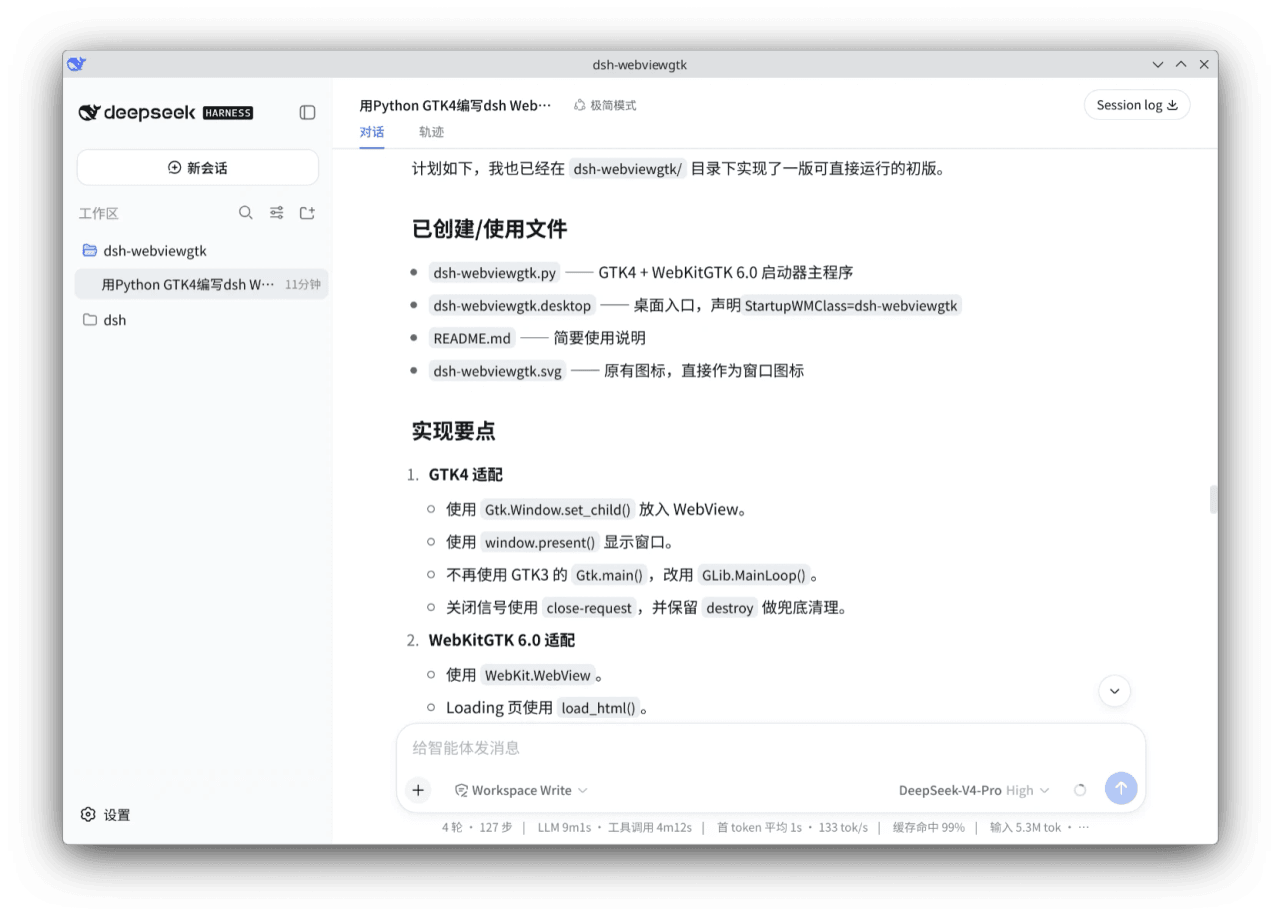
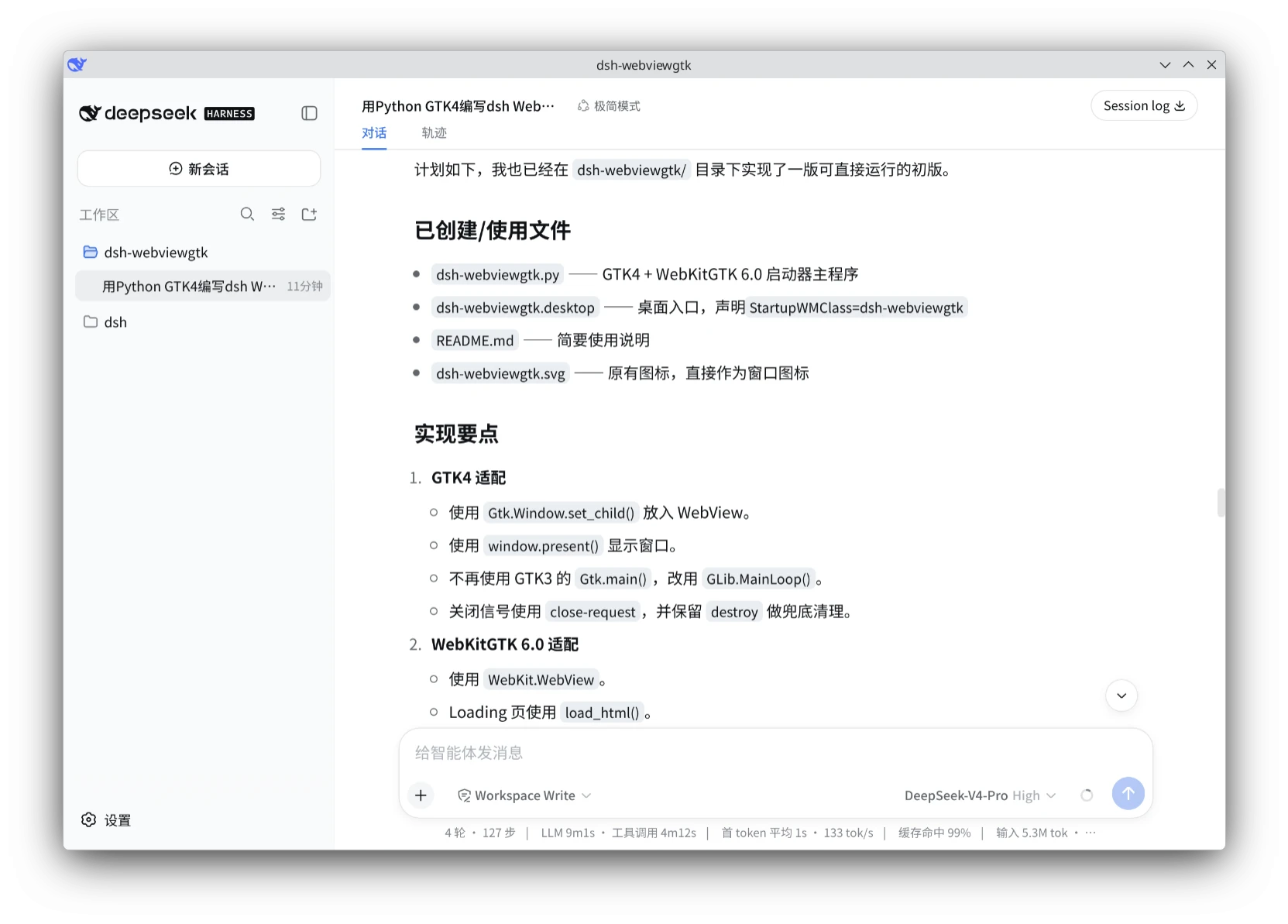
dsh-webviewgtk 是基于 GTK4 与 WebKitGTK 6.0 的 dsh 桌面启动器,用 Python 编写。它通过执行 npx @deepseek-ai/dsh web --no-open --port 3081 拉起官方最新版 dsh,并在原生窗口中加载其 Web 界面,同时把子进程输出显示在加载页和终端。适用于希望以 GTK4 桌面窗口方式使用 dsh 的 Linux 用户,可通过 apt 安装依赖、git 克隆后直接运行或 pip install . 安装获得 dsh-webviewgtk 命令。注意事项:仅作为启动器,本身不包含 dsh、不预装额外插件,且依赖网络以获取最新版本,关闭窗口会终止整个 dsh 进程树。
dsh-webviewgtk is a DSH desktop launcher built with Python, GTK4, and WebKitGTK 6.0. It spawns the official @deepseek-ai/dsh web process on port 3081 via npx and renders the interface inside a native GTK window, mirroring the child process output to the loading screen and terminal. It suits Linux users who want a GTK4 desktop front end for DSH; install dependencies via apt, then run python3 dsh-webviewgtk.py or pip install . to get the dsh-webviewgtk command and desktop entry. Note that it is only a launcher, contains no bundled DSH or plugins, requires network access, and closing the window terminates the entire DSH process tree.
请帮我了解并安装插件:【dsh-webviewgtk】【https://github.com/shellexy/dsh-webviewgtk】把上面这条消息直接发给当前会话里的 DSH,让它帮你了解并安装。安装命令不一定准确,发给 DSH 更稳。Send this message to DSH in your current session. CLI install commands may not be accurate across systems — DSH will figure it out for you.
或使用命令行安装(适合开发者)Or use CLI install (for developers)
命令行安装CLI Install
dsh plugin --profile web add github:shellexy/dsh-webviewgtk把 shellexy/dsh-webviewgtk 加入你的 DSH 配置(web profile)即可启用。
READMEREADME
dsh-webviewgtk
基于 GTK4 + WebKitGTK 6.0 的 dsh web 启动器。
可以作为 deepseek-harness 的 gtk4 desktop 桌面版使用。
注:这只是一个启动器,不包含 dsh,也不预装任何额外插件,
启动时会执行 npx --loglevel verbose --yes @deepseek-ai/dsh web --no-open --port 3081
目的是保证使用的是最新版官方 dsh。
截图
依赖
Debian/Ubuntu:
sudo apt install python3-gi gir1.2-gtk-4.0 gir1.2-webkit-6.0
还需要 npx 命令在 PATH 中。
下载
git clone https://github.com/shellexy/dsh-webviewgtk.git
cd dsh-webviewgtk
直接运行
python3 dsh-webviewgtk.py
启动后会:
- 打开 WebKitGTK 窗口并显示
Loading...; - 以子进程启动
npx --loglevel verbose --yes @deepseek-ai/dsh web --no-open --port 3081; - 把 dsh 的标准输出/错误同时显示在 Loading 页和终端;
- 轮询
http://127.0.0.1:3081,可用后自动加载正式页面; - 网页下载时弹出保存对话框;
- 关闭窗口时结束整个 dsh 进程树。
安装
在仓库目录下执行:
pip install . --break-system-packages
或:
python3 setup.py install --user
安装后会提供 dsh-webviewgtk 命令,并安装:
dsh-webviewgtk启动命令dsh-webviewgtk.svg图标到 hicolor 图标主题dsh-webviewgtk.desktop到 applications 目录
图标与 StartupWMClass
- 窗口图标使用
dsh-webviewgtk.svg。 - 程序名/窗口类设置为
dsh-webviewgtk。 dsh-webviewgtk.desktop中声明了StartupWMClass=dsh-webviewgtk。
相关推荐Related
-
 ccch1mneyyy/dsh-TUI
DSH 官方公众号收录的 TUI 补位插件:Claude Code 风,鲸鱼顶栏/实时状态/流式思考/双击 Esc 回滚/上下文进度+TPS。npm 一键装。 DSH official WeChat featured TUI plugin…
ccch1mneyyy/dsh-TUI
DSH 官方公众号收录的 TUI 补位插件:Claude Code 风,鲸鱼顶栏/实时状态/流式思考/双击 Esc 回滚/上下文进度+TPS。npm 一键装。 DSH official WeChat featured TUI plugin…
-
 ChisaAlter/Deepseek-Harness-Desktop
DSH桌面端,支持主题和背景图等多种个性化配置。Electron desktop shell for DeepSeek Harness web UI
ChisaAlter/Deepseek-Harness-Desktop
DSH桌面端,支持主题和背景图等多种个性化配置。Electron desktop shell for DeepSeek Harness web UI
-
 Hilbert-beinghappy/seektty
Pluggable DeepSeek-colored TUI for DeepSeek Harness
Hilbert-beinghappy/seektty
Pluggable DeepSeek-colored TUI for DeepSeek Harness
-
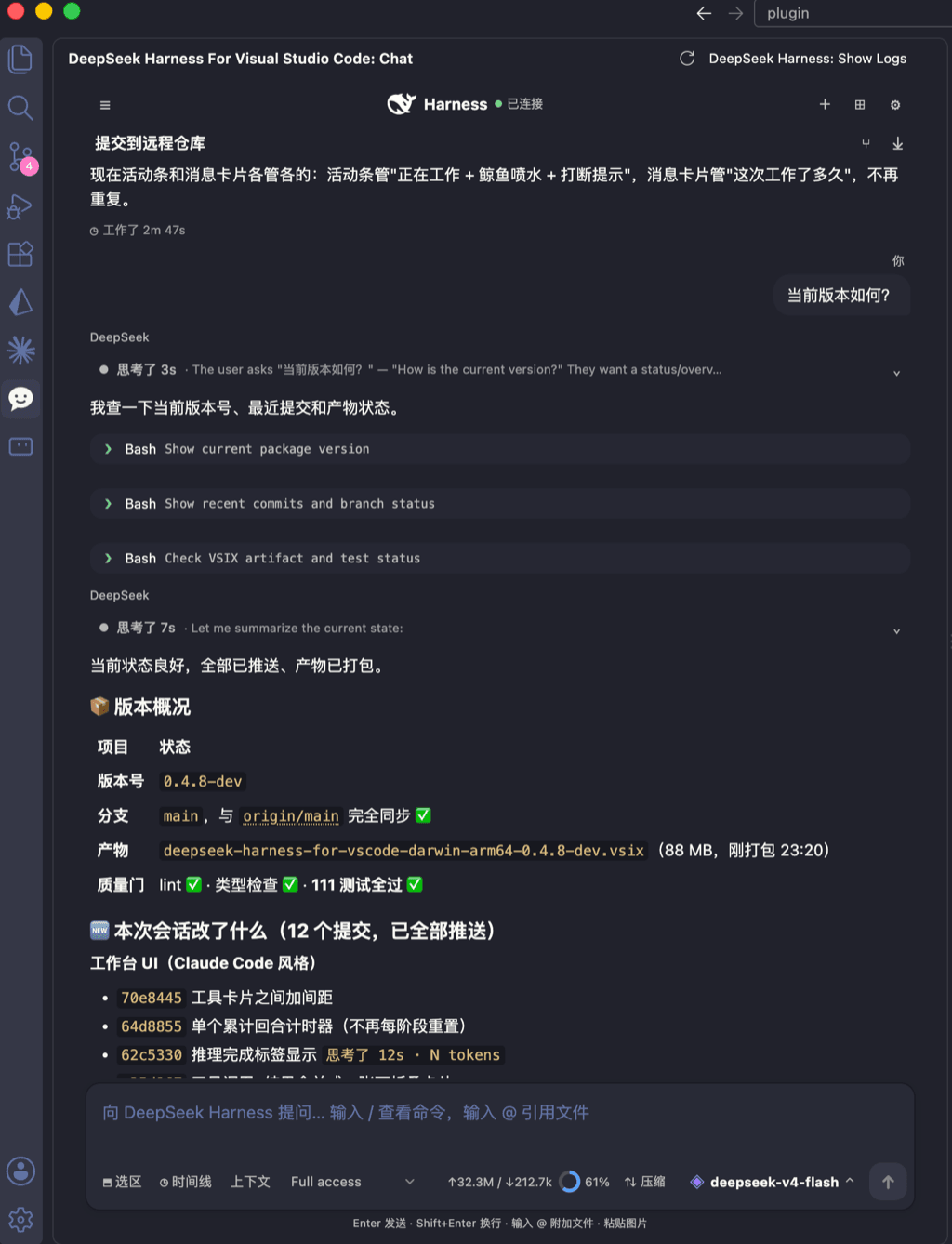 skymecode/deepseek-harness-for-vscode
deepseek-harness for vscode .A native VS Code coding-agent extension for DeepSeek Harness. Streamlined workbench with se…
skymecode/deepseek-harness-for-vscode
deepseek-harness for vscode .A native VS Code coding-agent extension for DeepSeek Harness. Streamlined workbench with se…
-
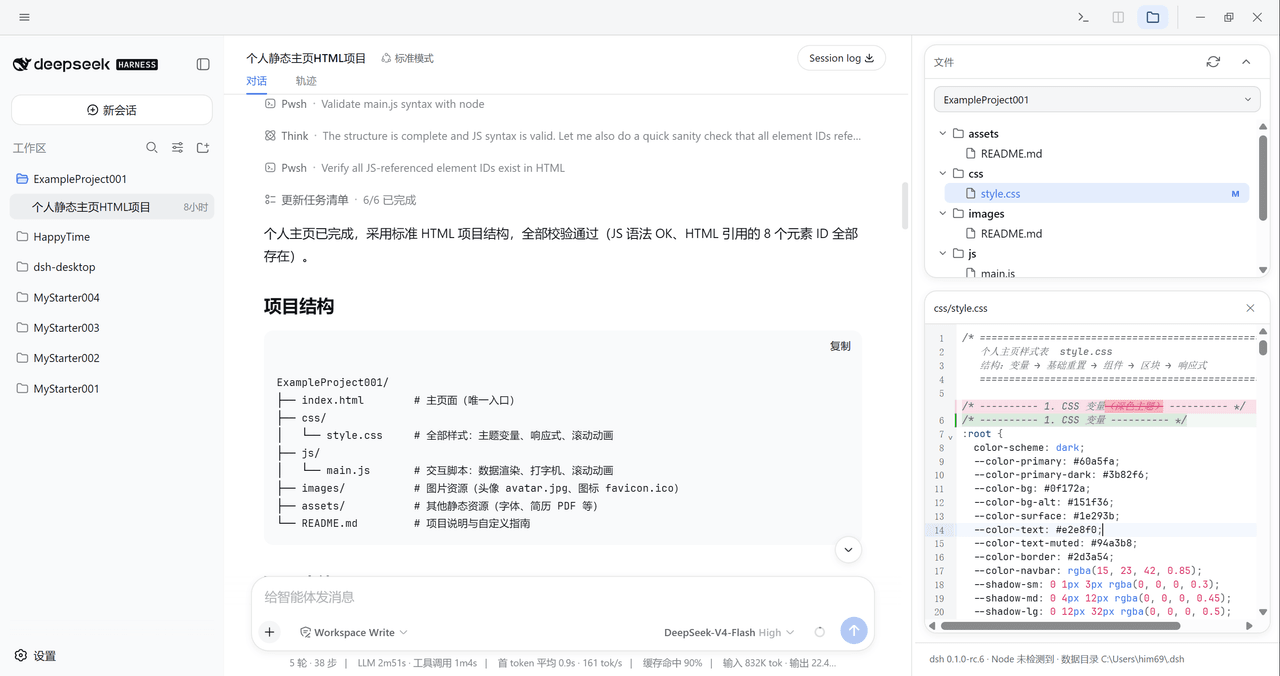 xiincs/deepseek-harness-desktop
DeepSeek Harness 原生桌面版,基于 Tauri 2,内置 Node.js 运行时,一键安装,极速启动,托盘常驻,自动更新。DeepSeek Harness native desktop version: built on T…
xiincs/deepseek-harness-desktop
DeepSeek Harness 原生桌面版,基于 Tauri 2,内置 Node.js 运行时,一键安装,极速启动,托盘常驻,自动更新。DeepSeek Harness native desktop version: built on T…
-
 rison114514/dsh-endfield-ui
Endfield-inspired industrial UI shell for DeepSeek Harness (dsh) — non-official fan theme. Install: dsh plugin --profile…
rison114514/dsh-endfield-ui
Endfield-inspired industrial UI shell for DeepSeek Harness (dsh) — non-official fan theme. Install: dsh plugin --profile…
-
 T-Auto/dsh-ecosystem-spec
deepseek-harness TUI Plugin Access and Implementation Standards / deepseek-harness终端交互生态插件准入规范与实施标准
T-Auto/dsh-ecosystem-spec
deepseek-harness TUI Plugin Access and Implementation Standards / deepseek-harness终端交互生态插件准入规范与实施标准
-
 dsh-tui/dsh-tui
Claude Code-style terminal UI for DeepSeek Harness agents, as an out-of-tree dsh plugin bundle
dsh-tui/dsh-tui
Claude Code-style terminal UI for DeepSeek Harness agents, as an out-of-tree dsh plugin bundle