sixtysevenlf/dsh-cost-guard
面向「只用 API、不自部署」场景的成本插件,装配在 router / mode-boost 之上,不碰 persona (路由归它们),只做「钱」的事。定价口径 = DeepSeek 官方 2026-08-17 峰谷分级(¥/百万 token):
catalog descriptioncatalog 简介 / catalog description:dsh-cost-guard — DeepSeek 成本守卫插件:会话成本核算(官方峰谷费率)、¥ 预算守卫、收敛引导、峰谷错峰队列;附对比测试报告
Project Overview项目介绍
dsh-cost-guard is a DeepSeek API cost-control plugin for DSH. It tracks token spend using official peak/off-peak pricing, enforces budgets as hard caps, queues deferrable tasks for off-peak hours, and adds convergence guidance plus a monitoring panel. Use it for API-only projects that need spending limits. Note: an in-flight request still bills, and hard-cap blocking requires the guard to be enabled.
dsh-cost-guard 是 DeepSeek API 成本守卫插件,按官方峰谷价统计 token 花费,提供预算硬上限、错峰队列、收敛引导与面板监控;适合只用 API、需控费的项目。预算即硬顶,花到即拦截新请求,但飞行中请求仍会计费,且硬顶需守卫开启才生效。
请帮我安装这个 DSH 插件。安装前先完成【兼容性检查 + 安全性检查】,检查通过再动手。

插件:dsh-cost-guard(sixtysevenlf/dsh-cost-guard)
仓库:https://github.com/sixtysevenlf/dsh-cost-guard
本站详情页:https://www.yhbd.top/plugins/sixtysevenlf-dsh-cost-guard/
本站登记:类型 plugin · 归类 原生 DSH 插件 · 许可证 MIT · ⭐ 2 · 最近提交 2026-08-21 · 主语言 JavaScript

按下面顺序执行,每步先把结论告诉我,再进入下一步:

【1 兼容性检查】
① 我这边:DSH 版本、Node 版本、操作系统、当前 profile(web / desktop)。
② 读它的 README、package.json、插件 manifest,列出它要求的 DSH 版本 / Node 版本 / 操作系统 / 外部依赖 / 需要另外先装的运行时。
③ 逐条比对,结论只写「满足 / 不满足 / 未知」三种;不满足的给出可行替代方案。
④ 检查是否和我已装的插件冲突:命令名重复、skill / tool 重名、端口占用、重复注册的 MCP server。

【2 安全性检查】
① 仓库可信度:和上面「本站登记」是否一致;star / fork 数、创建时间、最近提交,是否归档或长期停更。
② 安装脚本:逐行看 package.json 的 preinstall / install / postinstall,以及 install.sh、setup.ps1 之类脚本。出现 curl|bash、下载后直接执行、混淆代码、访问与插件功能无关的域名,立刻停下来告诉我,不要继续装。
③ 依赖:列出新增依赖,标出无人维护、或与知名包拼写近似的可疑包(typosquatting)。
④ 权限与副作用:它会读写哪些目录、访问哪些域名、需要哪些 DSH 权限(filesystem / network / shell / clipboard 等),以及怎么卸载和回滚。
⑤ 如果它要求 sudo / 管理员权限,或权限明显超出功能所需,先停下来问我。

【3 安装】
上面两步没有「不满足」和「高危项」时才执行;用官方推荐方式安装,不要自行提权。

【4 汇报】
用表格输出:检查项 / 结论 / 依据 / 是否需要我决策。拿不准的一律写「未知」并说明要我怎么确认——不要猜,也不要替我决定。
Send this message to DSH in your current session: it verifies compatibility and security first (answering met / not met / unknown item by item) and only installs once everything checks out — it will stop and ask you if it finds a high-risk item. The box scrolls; the copy is the full prompt. CLI install commands may not be accurate across systems, so DSH is the safer route.把上面这条消息直接发给当前会话里的 DSH:它会先核对兼容性与安全性(逐条给「满足 / 不满足 / 未知」),确认没问题再安装,有高危项会停下来问你。框内可滚动,复制到的是完整提示词;安装命令不一定准确,发给 DSH 更稳。
- Only 2 stars - very few users, little community feedback星标只有 2,几乎没人在用,遇到问题缺少社区反馈
DSH walks through these 9 checksDSH 会逐条核对这 9 项
Compatibility兼容性
- DSH, Node, OS and profile requirementsDSH 版本 / Node 版本 / 操作系统 / profile 是否满足要求
- External dependencies and runtimes (Electron / Python / Docker, ...)外部依赖与运行时(Electron / Python / Docker 等)是否齐备
- Conflicts with installed plugins: command names, skill / tool names, ports, duplicate MCP registration与已装插件是否冲突:命令名、skill / tool 重名、端口占用、重复 MCP 注册
Security安全性
- Repo matches the facts registered here; archived or abandoned?仓库是否与页面登记一致,是否归档或长期停更
- Safety of preinstall / install / postinstall and install.sh / setup.ps1preinstall / install / postinstall 与 install.sh、setup.ps1 是否安全
- curl|bash, download-then-execute, obfuscation, unrelated domains → stop immediatelycurl|bash、下载即执行、混淆代码、无关域名 → 立刻停止
- Typosquatting or unmaintained packages among the new dependencies新增依赖里有没有 typosquatting 或无人维护的包
- Requested permissions vs. what the feature actually needs申请了哪些权限、是否超出功能所需(filesystem / network / shell / clipboard)
- Any sudo / admin requirement, plus uninstall and rollback是否要求 sudo / 管理员权限,以及卸载与回滚方式
Anything uncertain must be marked unknown with a note on how to confirm it. This site's signal screen is a static snapshot, not a security audit.拿不准的必须标「未知」并说明要我怎么确认。本站的信号筛查是静态快照,不能替代安全审计。
Or use CLI install (for developers)或使用命令行安装(适合开发者)
CLI Install命令行安装
dsh plugin --profile web add github:sixtysevenlf/dsh-cost-guard把 sixtysevenlf/dsh-cost-guard 加入你的 DSH 配置(web profile)即可启用。
READMEREADME
dsh-cost-guard — DeepSeek V4-Flash-0731 纯 API 省钱守卫
面向「只用 API、不自部署」场景的成本插件,装配在 router / mode-boost 之上,不碰 persona (路由归它们),只做「钱」的事。定价口径 = DeepSeek 官方 2026-08-17 峰谷分级(¥/百万 token):
| Flash-0731 | 缓存命中 | 未命中 | 输出 |
|---|---|---|---|
| 空闲(每日非高峰时段) | ¥0.05 | ¥1.5 | ¥4.5 |
| 高峰(每日 09:00-12:00 / 14:00-18:00) | ¥0.10 | ¥3.0 | ¥9.0 |
同请求「命中:未命中 = 1:30」;高峰 = 空闲 × 2;Pro 为 Flash 的 3 倍。插件按 model id 自动选档。
启动即生效(运行时热装,免重启)
dev_inject_plugin D:\DSH\测试\优化\dsh-cost-guard
持久化(重启后自动恢复):dsh plugin --profile web add <此目录> 或 dev_install_package。
工具
| 工具 | 作用 |
|---|---|
cost_status |
当前项目仪表盘:模型/峰谷/费率/累计用量(输入/输出/缓存命中/缓存写/推理)/已花 ¥/命中率/全命中可省金额/预算/防线阈值/硬上限状态 |
cost_budget {budget} |
设当前项目 ¥ 预算(0 清除)。预算即硬上限:设了就生效,花到预算由 llm/stream 短路拦截不再计费(到顶即停),无需额外开关 |
cost_peak |
当前峰谷状态、下一切换点、错峰建议 |
cost_defer {task, maxTokens?} |
把一次 LLM 任务登记进错峰队列;高峰排队、空闲 daemon 自动执行(10 分钟粒度),结果落 ~/.dsh/cost-guard/results/<id>.json |
cost_deferred |
队列状态:queued/running/done/failed + 结果路径 |
cost_guide {target} |
手动注入收敛/深度/错峰/预算引导(近场、前缀缓存中性) |
原理(一句话)
- 用量:从 durable
assistant/message事件里data.usage折叠(TokenUsage:inputTokens / outputTokens / cacheReadTokens / cacheWriteTokens / reasoningTokens),resume 后仍准确; - 成本:
cached×hit + (input+write)×miss + (output+reasoning)×out(推理按输出价,保守口径); - 缓存纪律:persona 不碰(保持 30× 前缀缓存红利);引导只走
inbox next-step近场(离散事件触发, 不刷屏、不改 system 前缀); - 错峰:
isPeakHour()= 时区小时 ∈ {9,14};daemon 用ctx.setInterval每 10 分钟只跑队列里的 queued 项且仅在空闲时段。
提示词包(与插件互补,任选)
- system 静态区(只加一次,放最前、别随会话变):
Cost discipline: every tool call is billed work — batch reads, reuse prior results, stop when enough information exists, never run environment checks or exhaustive scans; finish each task with a one-line delivery note. - 每条任务末尾的收敛后缀:
(converge) 用能确定完成的最少步骤工作;不重复已做的读取;信息足够就交付。 - 高峰时段的高价值任务前:
It is peak pricing now. Do this in the fewest steps — one deep pass, no
revert loops; register anything deferrable via cost_defer.
与 mode-boost/router 的分工:它们管「用哪种思维模式/风格」;cost-guard 管「钱包」。 不要向 system 注入动态内容(会整会话缓存 miss,吞噬 30× 红利)——动态信号一律走消息尾。
会话级收敛开关(输入框按钮)
消息输入框右侧「收敛」按钮(发送按钮旁)是一个会话级开关:
- 点一次 → 本会话进入收敛模式:注入一次收敛引导("用最少的额外步骤完成当前目标——批量读取、复用上下文已有信息、现在就产出。每次工具调用都是计费动作"),此后该会话持续收敛思考(引导进入上下文后残留影响贯穿本会话后续轮次),按钮变绿显示「收敛中」;
- 再点一次 → 关闭:撤回未消费的引导消息,退出收敛模式;
- 状态持久化(
session-budgets.json的converged字段),跨会话独立、重启后恢复。与守卫开关、自动深度分流无关。
Showing the opening section of the README — the full document lives in the repository以上为 README 开头摘要,完整文档在仓库内 · View the full README on GitHub →在 GitHub 查看完整 README →
Related相关推荐
-
 slywalker2006/dsh-passwords
Server-grade gateway that turns DeepSeek Harness into a multi-tenant platform: remote access + auto HTTPS, subuser permi…
slywalker2006/dsh-passwords
Server-grade gateway that turns DeepSeek Harness into a multi-tenant platform: remote access + auto HTTPS, subuser permi…
-
 Rianico/dsh-better-edit
Hash-anchored read/edit/undo_last_edit tools for DeepSeek Harness (dsh), fewer token consumption, lower cost.
Rianico/dsh-better-edit
Hash-anchored read/edit/undo_last_edit tools for DeepSeek Harness (dsh), fewer token consumption, lower cost.
-
 ai-shushu/dsh-quota-meter
Per-session quota meter for DSH: real-token billing, live progress bar, budget blocking, configurable multi-model pricin…
ai-shushu/dsh-quota-meter
Per-session quota meter for DSH: real-token billing, live progress bar, budget blocking, configurable multi-model pricin…
-
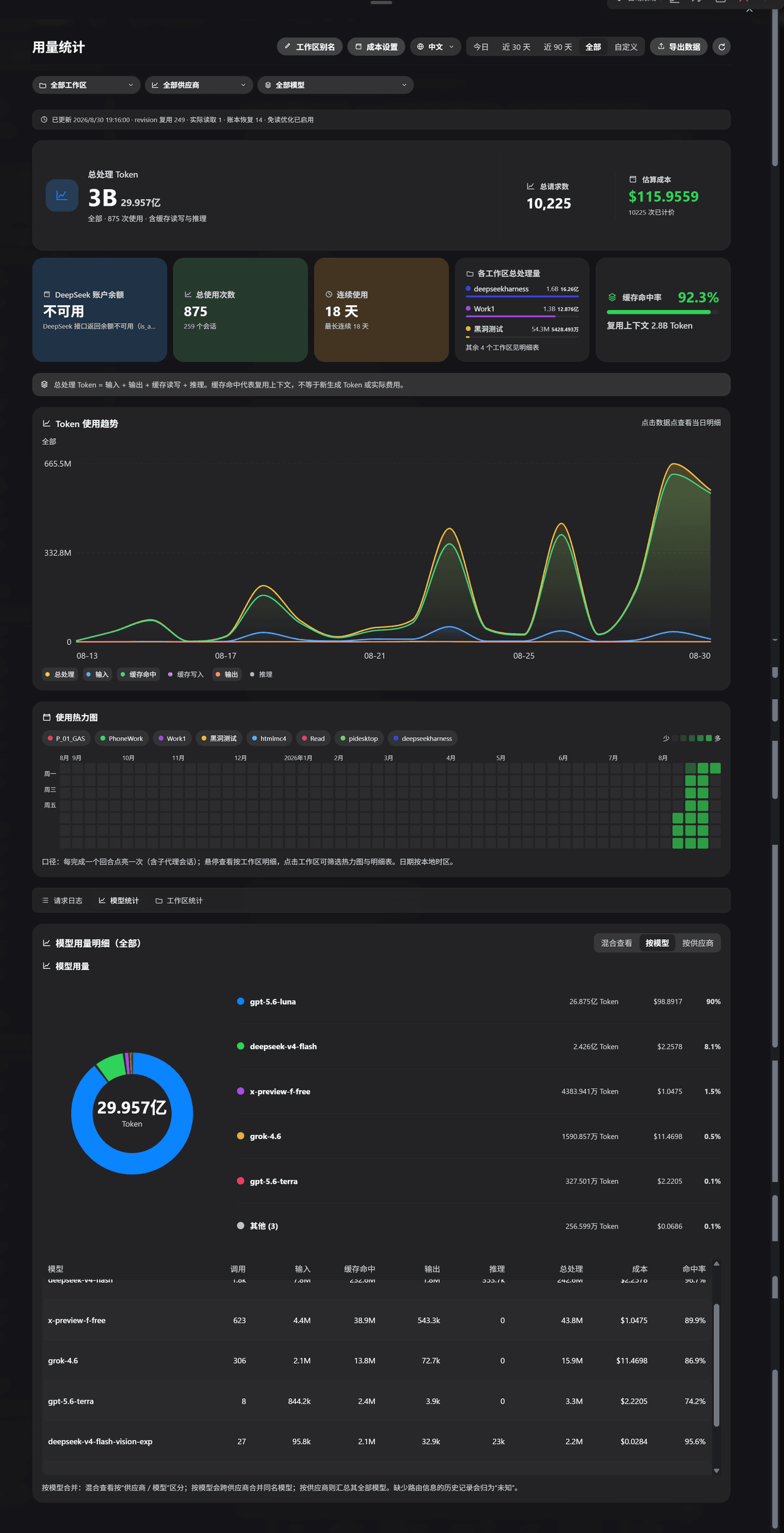 ParticleLight/dsh-all-usage
DeepSeek Harness 用量看板 / Usage dashboard: tokens, cache, model/provider/workspace analytics, DeepSeek balance, heatmap, a…
ParticleLight/dsh-all-usage
DeepSeek Harness 用量看板 / Usage dashboard: tokens, cache, model/provider/workspace analytics, DeepSeek balance, heatmap, a…
-
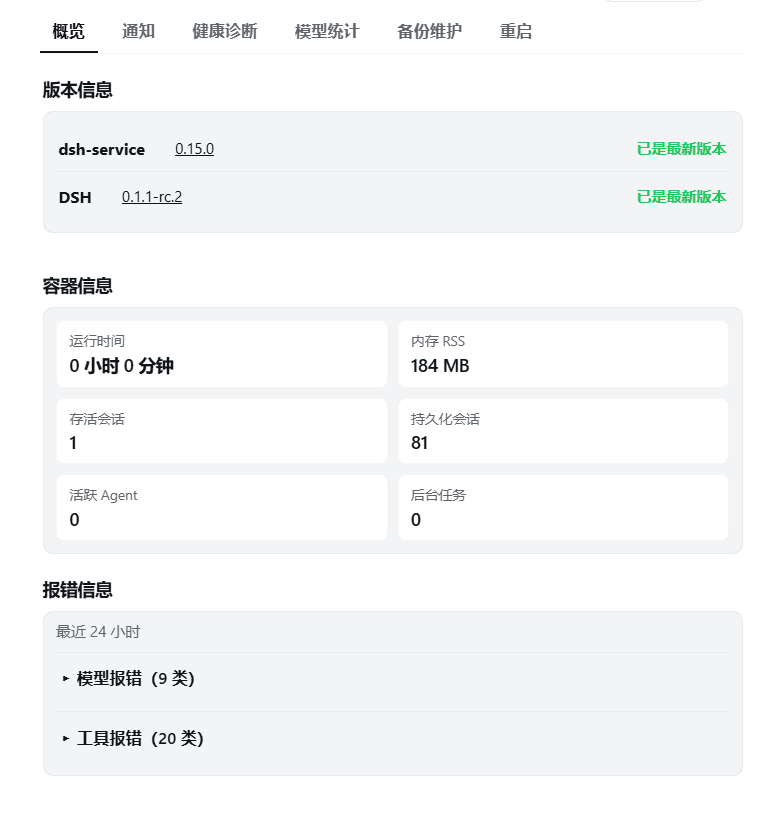 gehennawu/dsh-service
DSH Web 一站式运维面板:安全重启、健康诊断、模型用量与额度查询、会话管理、备份与权限维护、任务通知、技能与子代理模型路由。|All-in-one operations panel for DSH Web: safe restart …
gehennawu/dsh-service
DSH Web 一站式运维面板:安全重启、健康诊断、模型用量与额度查询、会话管理、备份与权限维护、任务通知、技能与子代理模型路由。|All-in-one operations panel for DSH Web: safe restart …
-
 chenzhiyong1994/dsh-cost-guard
Live DSH cost estimates from actual token usage & configurable pricing. / 基于真实 Token 用量与可配置价格的 DSH 开销监控插件。
chenzhiyong1994/dsh-cost-guard
Live DSH cost estimates from actual token usage & configurable pricing. / 基于真实 Token 用量与可配置价格的 DSH 开销监控插件。
- HarcoChen/dsh-intellij-integration DeepSeek Harness (DSH) for JetBrains IDEs — AI coding with native diffs, tool approvals, sessions, Trace analysis, and b…
- aispin-dev/llm-as-a-Verifier-dsh LLM-as-a-Verifier (arXiv:2607.05391) as a dsh plugin — Best-of-N conversation mode: give DeepSeek V4 Flash test-time sca…