Rianico/dsh-better-edit
用于DeepSeek Harness(dsh)的哈希锚定读取/编辑/批量编辑/撤销上次编辑工具——pi-hashline-edit-lsz的dsh移植版
Project Overview项目介绍
dsh-better-edit is a native editing plugin built exclusively for DeepSeek Harness, that replaces the traditional line-based editing anchor system with a content-based hash addressing solution. It solves common problems like anchor drift after inserting content above the target edit zone and reduces the number of tokens consumed by the agent during long editing sessions. You can install it in under 30 seconds directly from GitHub using the official DSH CLI command, which adds the plugin to your active DSH profile automatically after running.
This plugin is designed for developers who need to make multiple structural edits to a single file in a long agent session, and it addresses the silent editing errors that often happen with traditional line-based anchoring. Its typical workflow only requires one read of the target file to generate hash anchors for multiple subsequent edits, and it only refreshes anchors when a true content conflict is detected. Benchmark tests show it reduces token consumption by up to 55.8% compared to the default line-based editing tool included with DSH.
The project is open source under the permissive MIT license, so it is free to use and modify for any purpose. The current stable release is version 0.7.0, which uses SQLite to store per-session session state and has over 1200 unit tests that confirm the core algorithm works as expected. It delivers the most benefit for long editing sessions; it offers near parity with default tools for one-line touch-ups or new file creation.
dsh-better-edit 是一款专为 DeepSeek Harness 开发的原生编辑工具插件,核心采用基于哈希的内容寻址技术替代传统的行号定位,优化大语言模型代理编辑文件时的令牌消耗和锚点偏移问题。它支持一次读取多次编辑,减少冗余令牌输出,降低API使用成本,同时避免文件上方插入内容后下方行号偏移引发的编辑错误。用户可通过 DSH 官方插件命令从 GitHub 一键完成安装。
该插件适合需要在长会话中对单个文件进行多次结构性编辑的开发者,能够解决传统行号编辑模式下容易出现的静默编辑错误问题。典型工作流为:读取文件生成内容哈希锚点,进行多次编辑后无需重复读取整个文件,仅当出现真内容冲突时才会刷新锚点。相比原有的编辑工具,它可以减少最多 55% 的令牌消耗,大幅降低使用成本。
该项目采用 MIT 许可开源,完全免费使用,当前版本为 0.7.0,内置 SQLite 存储会话内容,依赖 pnpm 进行本地开发构建,包含 1222 个单元测试,核心算法经过 23 个用例测试全部通过。它对于单行修改和新建文件收益不大,更适合长会话多轮编辑的场景,用户可以通过官方文档查看基准测试对比数据。
请帮我安装这个 DSH 插件。安装前先完成【兼容性检查 + 安全性检查】,检查通过再动手。

插件:dsh-better-edit(Rianico/dsh-better-edit)
仓库:https://github.com/Rianico/dsh-better-edit
本站详情页:https://www.yhbd.top/plugins/rianico-dsh-better-edit/
本站登记:类型 plugin · 归类 原生 DSH 插件 · 许可证 MIT · ⭐ 34 · 最近提交 2026-09-28 · 主语言 TypeScript

按下面顺序执行,每步先把结论告诉我,再进入下一步:

【1 兼容性检查】
① 我这边:DSH 版本、Node 版本、操作系统、当前 profile(web / desktop)。
② 读它的 README、package.json、插件 manifest,列出它要求的 DSH 版本 / Node 版本 / 操作系统 / 外部依赖 / 需要另外先装的运行时。
③ 逐条比对,结论只写「满足 / 不满足 / 未知」三种;不满足的给出可行替代方案。
④ 检查是否和我已装的插件冲突:命令名重复、skill / tool 重名、端口占用、重复注册的 MCP server。

【2 安全性检查】
① 仓库可信度:和上面「本站登记」是否一致;star / fork 数、创建时间、最近提交,是否归档或长期停更。
② 安装脚本:逐行看 package.json 的 preinstall / install / postinstall,以及 install.sh、setup.ps1 之类脚本。出现 curl|bash、下载后直接执行、混淆代码、访问与插件功能无关的域名,立刻停下来告诉我,不要继续装。
③ 依赖:列出新增依赖,标出无人维护、或与知名包拼写近似的可疑包(typosquatting)。
④ 权限与副作用:它会读写哪些目录、访问哪些域名、需要哪些 DSH 权限(filesystem / network / shell / clipboard 等),以及怎么卸载和回滚。
⑤ 如果它要求 sudo / 管理员权限,或权限明显超出功能所需,先停下来问我。

【3 安装】
上面两步没有「不满足」和「高危项」时才执行;用官方推荐方式安装,不要自行提权。

【4 汇报】
用表格输出:检查项 / 结论 / 依据 / 是否需要我决策。拿不准的一律写「未知」并说明要我怎么确认——不要猜,也不要替我决定。
Send this message to DSH in your current session: it verifies compatibility and security first (answering met / not met / unknown item by item) and only installs once everything checks out — it will stop and ask you if it finds a high-risk item. The box scrolls; the copy is the full prompt. CLI install commands may not be accurate across systems, so DSH is the safer route.把上面这条消息直接发给当前会话里的 DSH:它会先核对兼容性与安全性(逐条给「满足 / 不满足 / 未知」),确认没问题再安装,有高危项会停下来问你。框内可滚动,复制到的是完整提示词;安装命令不一定准确,发给 DSH 更稳。
- 34 stars - an early-stage project星标 34,属于早期项目
DSH walks through these 9 checksDSH 会逐条核对这 9 项
Compatibility兼容性
- DSH, Node, OS and profile requirementsDSH 版本 / Node 版本 / 操作系统 / profile 是否满足要求
- External dependencies and runtimes (Electron / Python / Docker, ...)外部依赖与运行时(Electron / Python / Docker 等)是否齐备
- Conflicts with installed plugins: command names, skill / tool names, ports, duplicate MCP registration与已装插件是否冲突:命令名、skill / tool 重名、端口占用、重复 MCP 注册
Security安全性
- Repo matches the facts registered here; archived or abandoned?仓库是否与页面登记一致,是否归档或长期停更
- Safety of preinstall / install / postinstall and install.sh / setup.ps1preinstall / install / postinstall 与 install.sh、setup.ps1 是否安全
- curl|bash, download-then-execute, obfuscation, unrelated domains → stop immediatelycurl|bash、下载即执行、混淆代码、无关域名 → 立刻停止
- Typosquatting or unmaintained packages among the new dependencies新增依赖里有没有 typosquatting 或无人维护的包
- Requested permissions vs. what the feature actually needs申请了哪些权限、是否超出功能所需(filesystem / network / shell / clipboard)
- Any sudo / admin requirement, plus uninstall and rollback是否要求 sudo / 管理员权限,以及卸载与回滚方式
Anything uncertain must be marked unknown with a note on how to confirm it. This site's signal screen is a static snapshot, not a security audit.拿不准的必须标「未知」并说明要我怎么确认。本站的信号筛查是静态快照,不能替代安全审计。
Or use CLI install (for developers)或使用命令行安装(适合开发者)
CLI Install命令行安装
npx @deepseek-ai/dsh plugin --profile web add dsh-better-edit把 Rianico/dsh-better-edit 加入你的 DSH 配置(web profile)即可启用。
READMEREADME
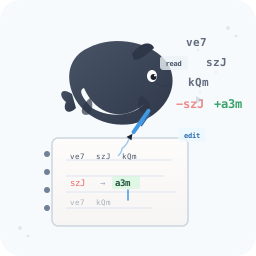
dsh-better-edit
High-precision, hash-anchored file editing for DeepSeek Harness (dsh).
Replaces fragile line numbers and token-wasting code echoes with content-addressed line hashes — 0 silent miswrites, 0 token re-reads.
English · 简体中文



Why You Need It • Core Pillars • Quick Start • Tools • Benchmark • How Anchors Work • Development







What is
dsh-better-edit? A high-precision file editing plugin for DeepSeek Harness (dsh) that replaces volatile line numbers and token-wasting code echoes with immutable, content-addressed 3-character line hashes (szJ│code).Core Philosophy: Local compute is free; the model's context window is the most precious resource. By shifting verification, snapshotting, and alignment to the host,
dsh-better-editslashes output tokens by 40–60%, auto-rebases external file drift (e.g., Prettier, Git), and eliminates silent miswrites without forcing full-file re-reads.
Why You Need It
Showing the opening section of the README — the full document lives in the repository以上为 README 开头摘要,完整文档在仓库内 · View the full README on GitHub →在 GitHub 查看完整 README →
Related相关推荐
-
 ai-shushu/dsh-quota-meter
Per-session quota meter for DSH: real-token billing, live progress bar, budget blocking, configurable multi-model pricin…
ai-shushu/dsh-quota-meter
Per-session quota meter for DSH: real-token billing, live progress bar, budget blocking, configurable multi-model pricin…
-
 Han-1413141/dsh-cost-meter
Cost tracking for DeepSeek Harness: session and model costs, token usage, budgets, provider balances, and coding-plan qu…
Han-1413141/dsh-cost-meter
Cost tracking for DeepSeek Harness: session and model costs, token usage, budgets, provider balances, and coding-plan qu…
-
 wssfk12138/dsh-damage-pulse
DeepSeek Harness Token 余额监控插件:鲸鱼娘待机/扣费/复苏动画、峰谷计费、连续扣费飘字与会话费用统计。
wssfk12138/dsh-damage-pulse
DeepSeek Harness Token 余额监控插件:鲸鱼娘待机/扣费/复苏动画、峰谷计费、连续扣费飘字与会话费用统计。
-
 slywalker2006/dsh-passwords
Server-grade gateway that turns DeepSeek Harness into a multi-tenant platform: remote access + auto HTTPS, subuser permi…
slywalker2006/dsh-passwords
Server-grade gateway that turns DeepSeek Harness into a multi-tenant platform: remote access + auto HTTPS, subuser permi…
-
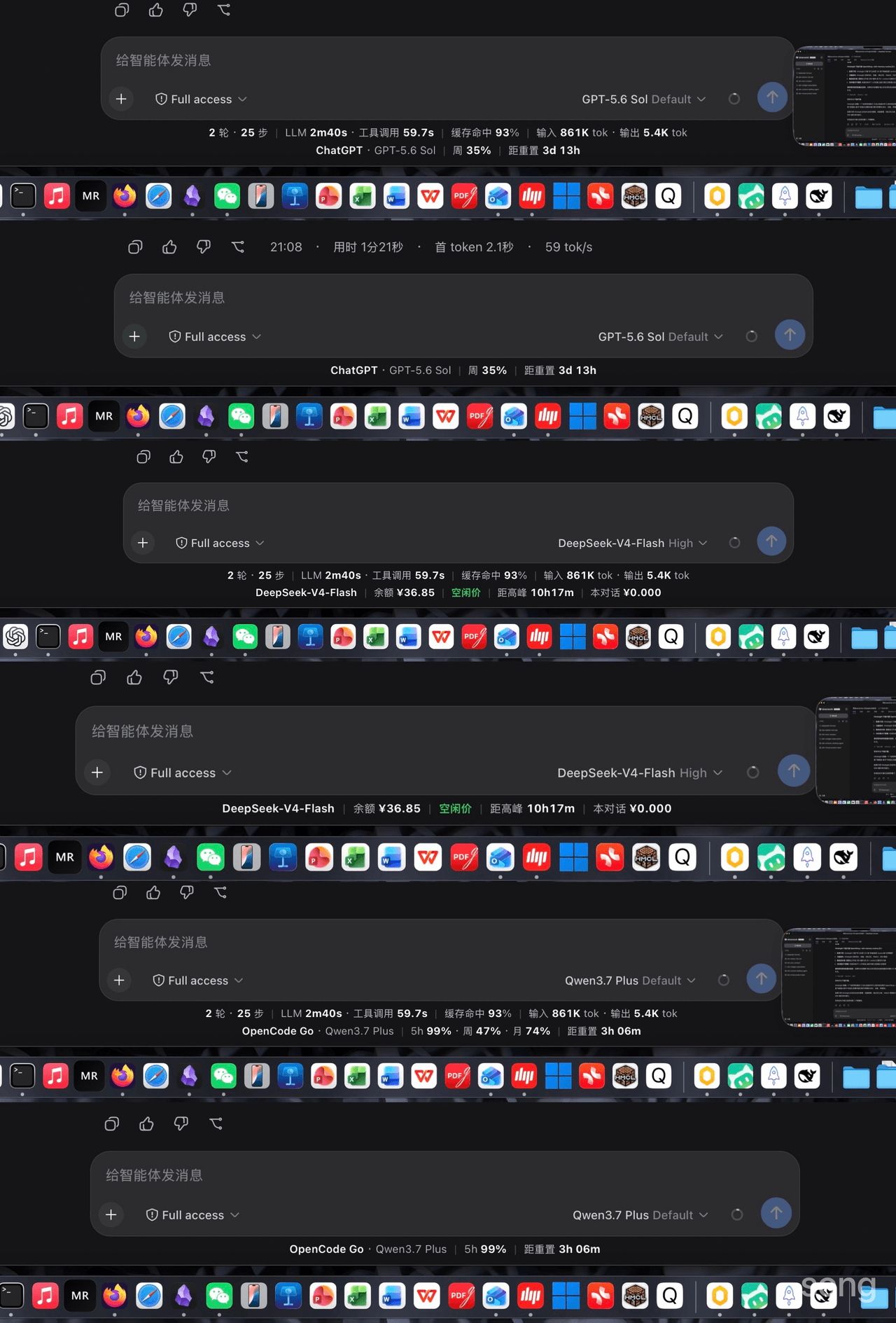 songoao25/dsh-bottom-info-bar
DeepSeek Harness (DSH) plugin: replaces the stats row under the composer with provider and model, balance or subscriptio…
songoao25/dsh-bottom-info-bar
DeepSeek Harness (DSH) plugin: replaces the stats row under the composer with provider and model, balance or subscriptio…
-
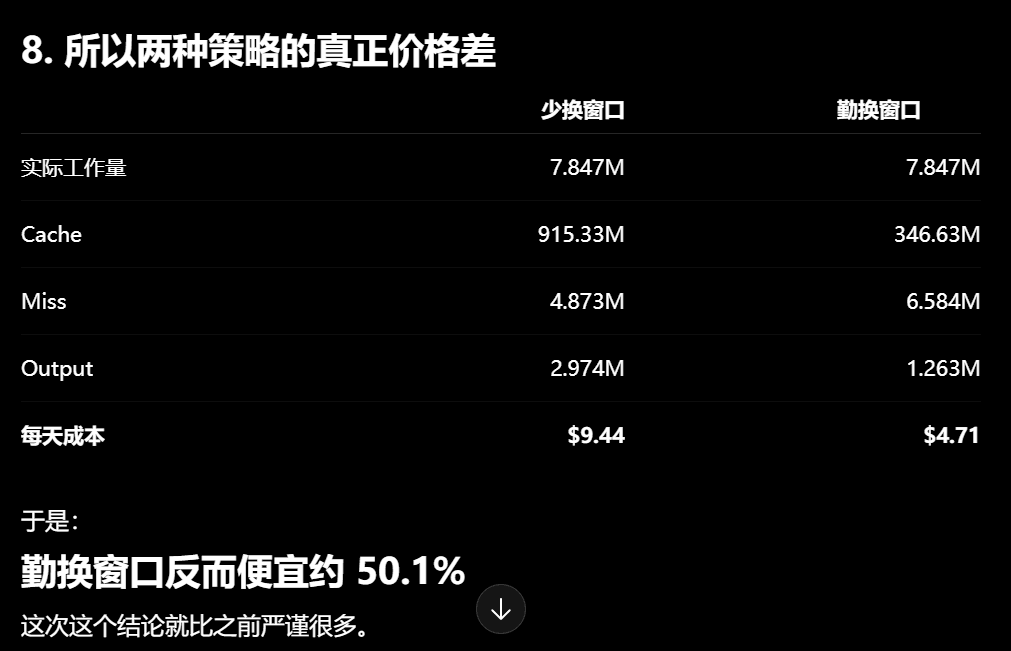 Phant0Meow/dsh-meow-cachebilling
一个能帮你省钱的插件!缓存其实比你想象的贵!换窗口可以省缓存钱,但换窗口有顾虑,或许你懒得重新描述项目和规则,或者你还需要那个上下文。所以这个插件,就是为了告诉你,当前轮,纯粹上下文缓存的部分,到底花了你多少钱。这样你才心里有个底,判断什么…
Phant0Meow/dsh-meow-cachebilling
一个能帮你省钱的插件!缓存其实比你想象的贵!换窗口可以省缓存钱,但换窗口有顾虑,或许你懒得重新描述项目和规则,或者你还需要那个上下文。所以这个插件,就是为了告诉你,当前轮,纯粹上下文缓存的部分,到底花了你多少钱。这样你才心里有个底,判断什么…
-
 Ghost011118/dsh-balance-meter
DeepSeek account balance and session cost readout for the DeepSeek Harness Web GUI
Ghost011118/dsh-balance-meter
DeepSeek account balance and session cost readout for the DeepSeek Harness Web GUI
-
 TwotwoPiggy/dsh-balance
dsh余额插件. A DeepSeek Harness plugin for real-time token tracking and highly accurate session cost estimation, featuring d…
TwotwoPiggy/dsh-balance
dsh余额插件. A DeepSeek Harness plugin for real-time token tracking and highly accurate session cost estimation, featuring d…