SLin-code/dsh-task-notice-board
One installable DeepSeek Harness plugin for managing Workspace → Task → Session collaboration.
Project Overview项目介绍
DSH Task Notice Board is an installable DeepSeek Harness plugin that treats each Task as a long-lived collaboration boundary, delivering bounded objective snapshots and retained updates to assigned Sessions on their next model step. It provides a sidebar control center with a Workspace/Task/Session tree, four-lane status boards, a Needs-you lane surfacing native approvals and questions, and a focused Task long-term memory editor. Caveat: it requires the DSH web profile and Node.js ^22.19.0 or >=24, since Node 23 will fail to load its stage-3 decorator output.
DSH 任务公告板是 DeepSeek Harness 的可安装插件,把 Task 设为长期协作边界,同 Task 的 Session 会在下次模型步骤接收受限目标快照与保留更新,并可发布持久发现、搜索历史更新,避免复制原始会话记录。通过侧边栏的全屏控制中心提供 Workspace/Task/Session 树、四泳道状态板、待办通道以及聚焦的任务长期记忆编辑器。注意事项:依赖 DSH web profile 与 Node ^22.19.0 或 >=24,Node 23 会因装饰器报错。
请帮我了解并安装插件:【dsh-task-notice-board】【https://github.com/SLin-code/dsh-task-notice-board】Send this message to DSH in your current session. CLI install commands may not be accurate across systems — DSH will figure it out for you.把上面这条消息直接发给当前会话里的 DSH,让它帮你了解并安装。安装命令不一定准确,发给 DSH 更稳。
Or use CLI install (for developers)或使用命令行安装(适合开发者)
CLI Install命令行安装
dsh plugin --profile web add github:SLin-code/dsh-task-notice-board把 SLin-code/dsh-task-notice-board 加入你的 DSH 配置(web profile)即可启用。
READMEREADME
DSH Task Notice Board
One installable DeepSeek Harness plugin for managing Workspace → Task → Session collaboration.
This plugin treats a Task as the long-lived collaboration boundary. Sessions assigned to the same Task receive a bounded snapshot of its objective and retained updates on their next model step. Agents can publish durable findings and search older retained updates without copying raw transcripts.
Screenshots
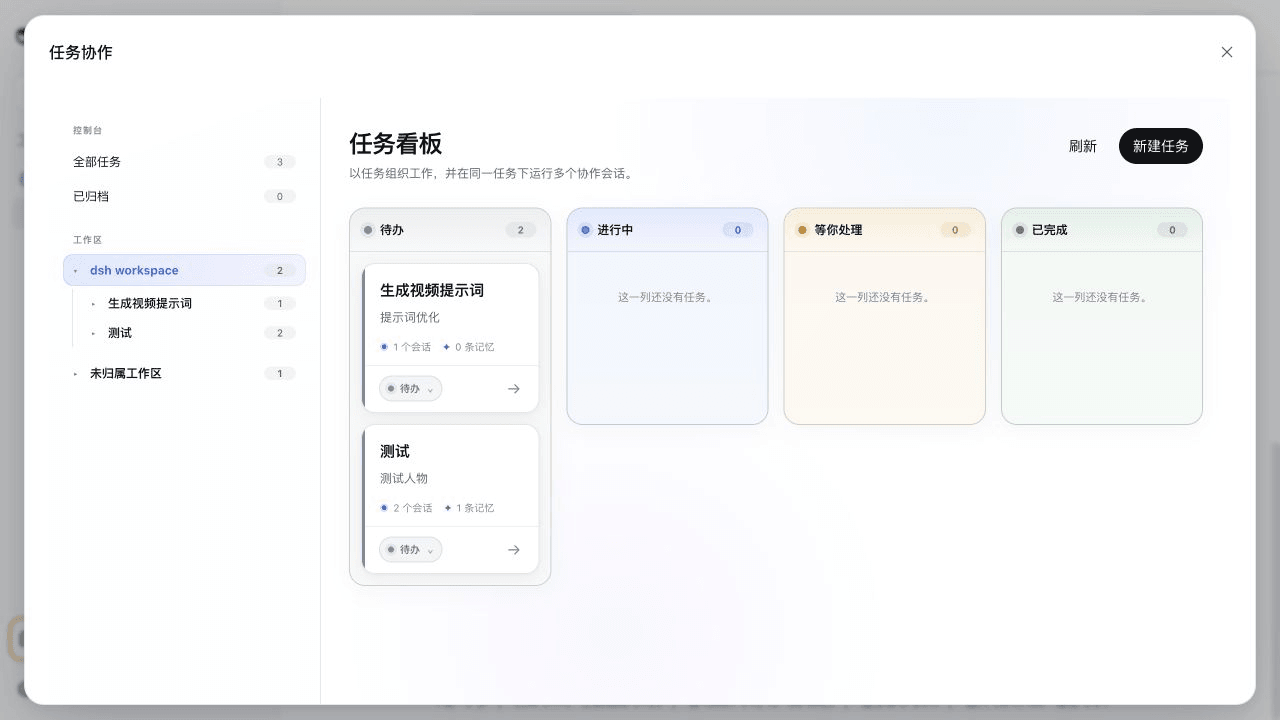
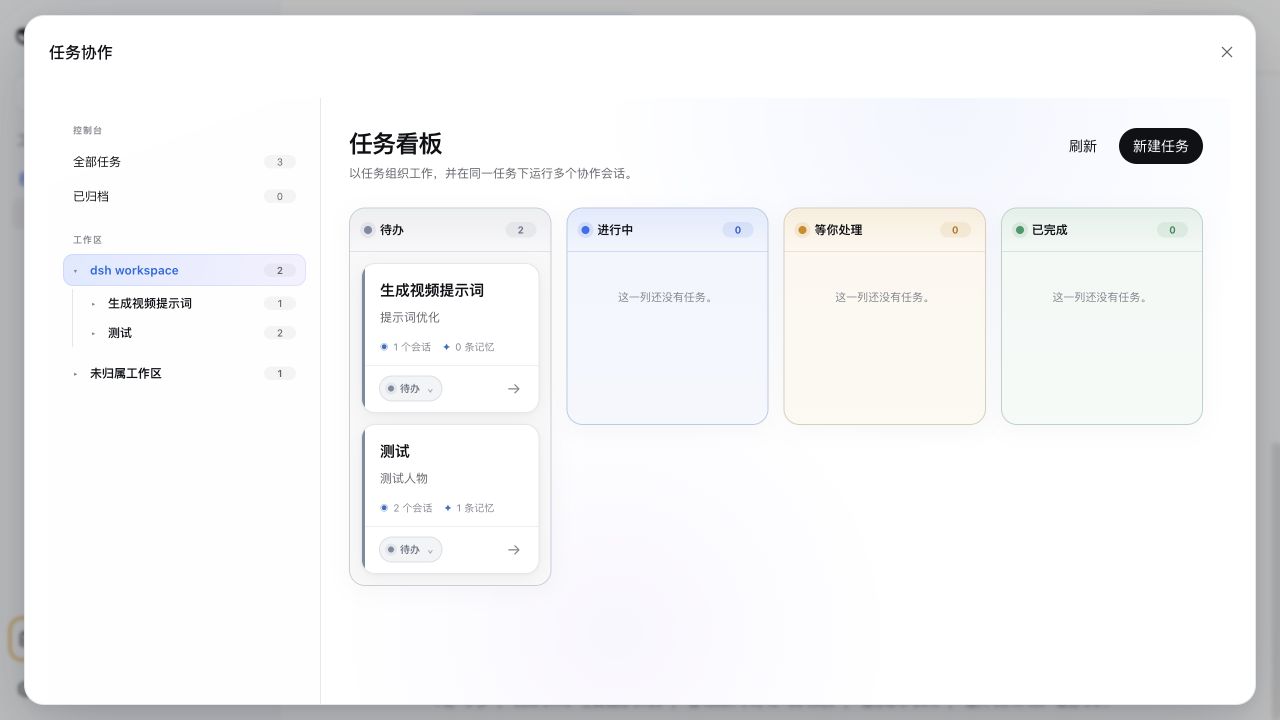
Workspace Task Board
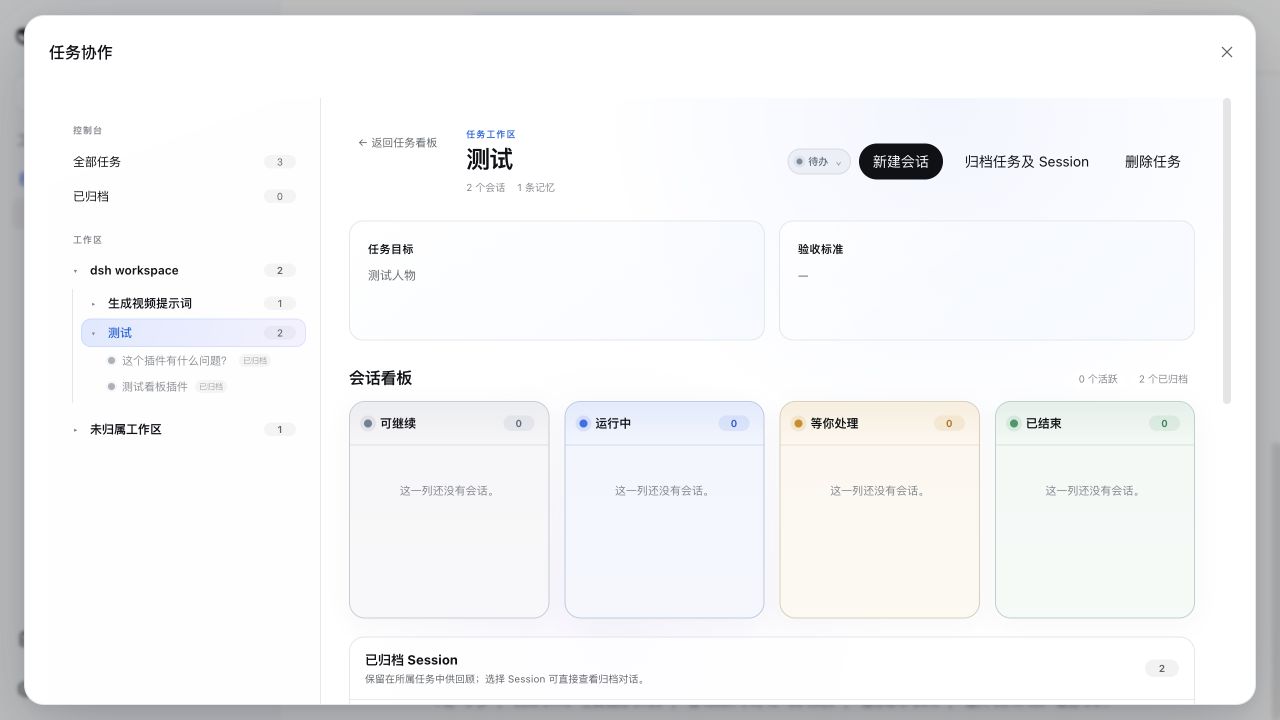
Task workspace and Session Board
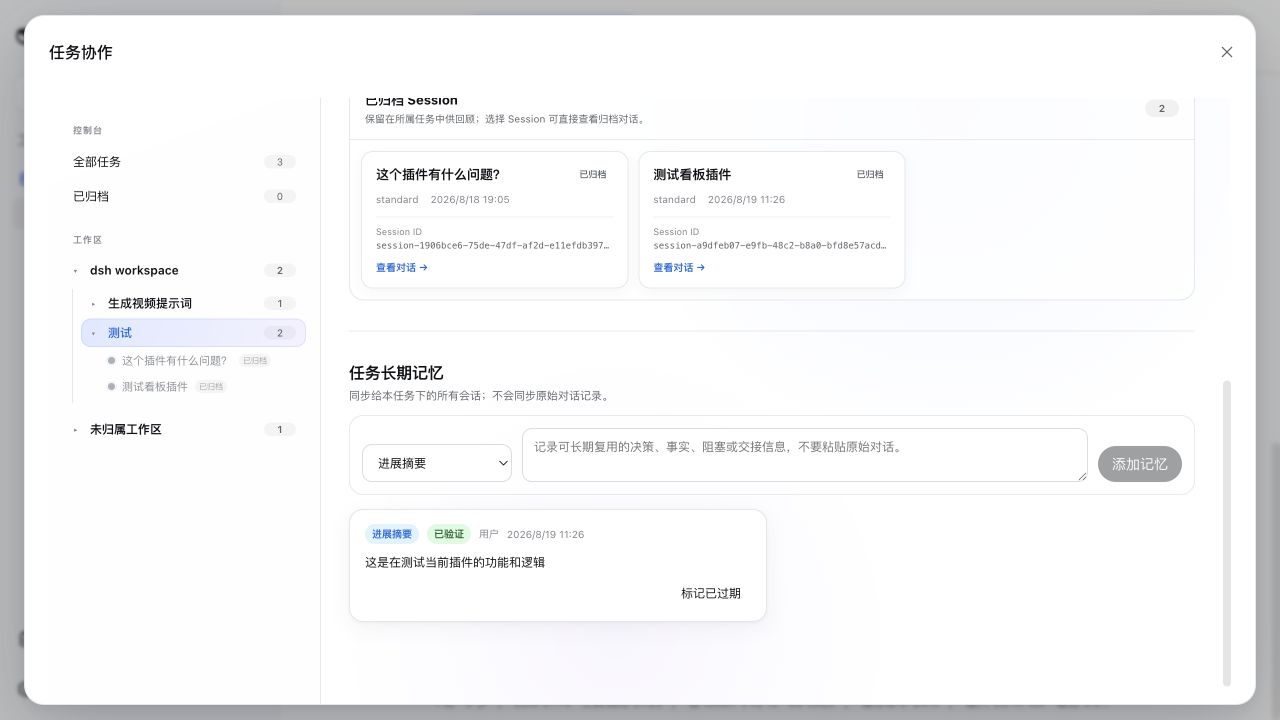
Archived Sessions and Task long-term memory
Current capabilities
- Full-screen control center launched from the DSH sidebar
- Expandable Workspace → Task → Session navigation tree
- Workspace-scoped four-lane Task Board: To do, In progress, Needs you, Done
- Per-Task four-lane Session Board: Ready to continue, Running, Needs you, Ended
- Native DSH approvals, questions, and plan reviews are surfaced directly in the Needs-you lane
- One coherent Task status source: Session links no longer silently move Tasks between lanes; pending Session interactions are the only temporary override
- Human-readable Task cards hide internal storage keys and use compact lane controls
- Create a native DSH Session from a Task, bind it before opening, then return to the native conversation UI
- Every assigned Session shows its owning Task in the native Session header; selecting it reopens the control center directly at that Task
- Strong Session ownership: after the first model step, a Session cannot silently switch Tasks
- Focused Task long-term memory composer: progress summary, key decision, current blocker, and handoff (older finding/evidence records remain readable)
- User-authored memories are verified; Session-authored memories retain source Session and verification state
- Bounded, source-attributed cross-Session context on every next model step
- Idempotent
task_context_publishand boundedtask_context_search - No raw transcript synchronization and no proactive Session wake-up
- Closed Tasks reject new collaborative updates without stopping Sessions
- Archiving commits the Task first so it leaves the active board immediately, then idempotently archives all linked Sessions through DSH
- Archived Sessions remain inside their owning Task with an inline, read-only conversation viewer; partial Session archive failures are shown there with a retry action
- The archived viewer shows human prompts and visible assistant output, while omitting injected context, reasoning, tool arguments, and tool-result contents
- Restoring a Task returns it to To do; DSH Sessions stay archived because the current DSH API has no matching restore operation
- Deleting a Task removes its retained memory and all Session assignments, but never deletes native DSH Sessions or transcripts
Installing the package into the web profile is all it takes. The browser picks up the client bundle through the harness plugin scanner and adds one Task Control Center entry to the sidebar. No DeepSeek Harness source patch or manual UI wiring is required.
Requirements
- DeepSeek Harness
0.1.0-rc.7or newer compatible release - Node.js
^22.19.0or>=24— the plugin ships stage-3 decorators in its compiled artefacts (Typert@Remotemarkers) that Node parses natively only in these versions; Node 23 will refuse to load the entries withSyntaxError: Invalid or unexpected token. - pnpm 10+
- The DSH
webprofile, whose storage services back Task persistence
Install from this checkout
Run this from the plugin directory:
pnpm install
pnpm run build
dsh plugin --profile web add .
Then start DeepSeek Harness normally:
dsh web
To remove it:
dsh plugin --profile web remove dsh-task-notice-board
Install from GitHub
After the repository is published:
dsh plugin --profile web add github:SLin-code/dsh-task-notice-board
Git-hosted installation runs the package prepare script. pnpm may first require you to allow the reviewed tsdown build in the profile's pnpm-workspace.yaml; follow the exact key printed by DSH and repeat the install.
Runtime model
The npm package exposes one Cordis plugin entry. Internally that entry composes three implementation seats:
dsh-task-notice-board/taskowns Task records, Task context, and Session assignments.dsh-task-notice-board/task-context-syncprojects bounded Task memory into the next model step.dsh-task-notice-board/tool-task-contextexposes publish and search tools to assigned Sessions.
The browser reuses native DSH Workspace and Session services. Task creation never creates a second workspace model, and opening a Session always returns to the native DSH conversation surface.
Archived conversation history is read from DSH's durable Session log only when the user selects a Session inside its Task. It is not copied into Task long-term memory, and restoring the Task is not required to read it.
License
MIT. The initial implementation is derived from DeepSeek Harness conventions and APIs; see the repository history for changes.
Related相关推荐
-
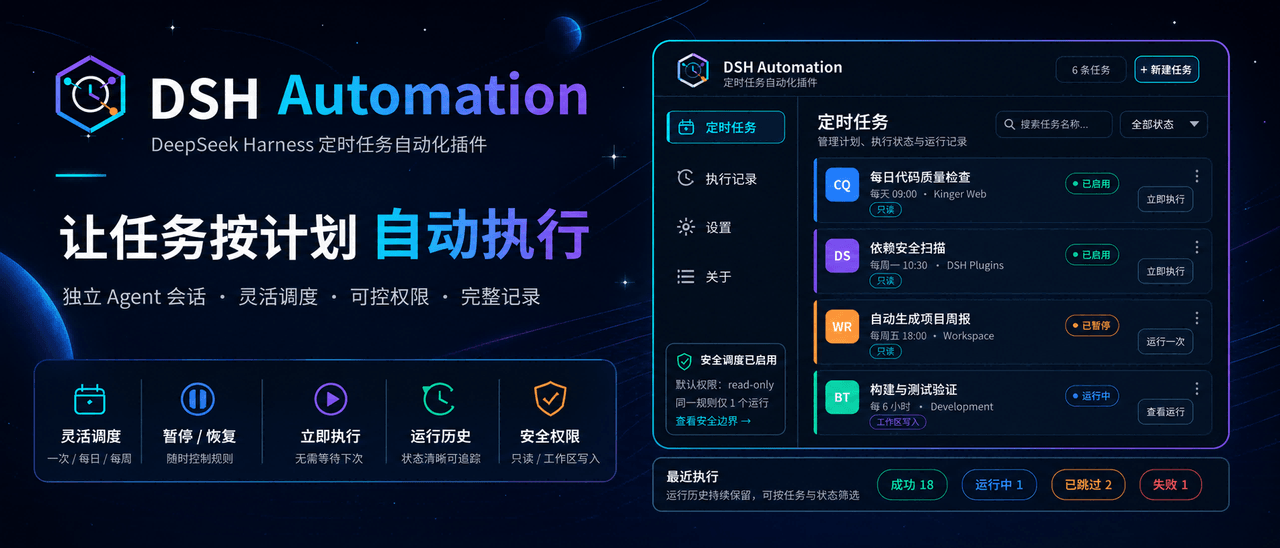 MichengAI/dsh-automation
DSH Automation — 在独立 DSH Session 中按计划执行和管理编码任务 · Schedule and manage coding tasks in isolated DSH sessions
MichengAI/dsh-automation
DSH Automation — 在独立 DSH Session 中按计划执行和管理编码任务 · Schedule and manage coding tasks in isolated DSH sessions
-
 titanwings/dsh-plannotator
DSH 计划批注插件:选中计划原文、逐条批注,并把结构化反馈送回 Agent。 / A DSH plan-review plugin for anchored annotations and structured Agent feedbac…
titanwings/dsh-plannotator
DSH 计划批注插件:选中计划原文、逐条批注,并把结构化反馈送回 Agent。 / A DSH plan-review plugin for anchored annotations and structured Agent feedbac…
-
 AHGGG/dsh-side-chat
Codex-style Side Chat for DeepSeek Harness — select text, ask follow-up questions in a focused side conversation, and ke…
AHGGG/dsh-side-chat
Codex-style Side Chat for DeepSeek Harness — select text, ask follow-up questions in a focused side conversation, and ke…
-
 iyllyt/dsh-btw
个人很喜欢 Claude Code 的 /btw,于是为 DSH 做了复刻:共享当前上下文快速旁路提问,不中断主任务,也不写入主会话历史。
iyllyt/dsh-btw
个人很喜欢 Claude Code 的 /btw,于是为 DSH 做了复刻:共享当前上下文快速旁路提问,不中断主任务,也不写入主会话历史。
-
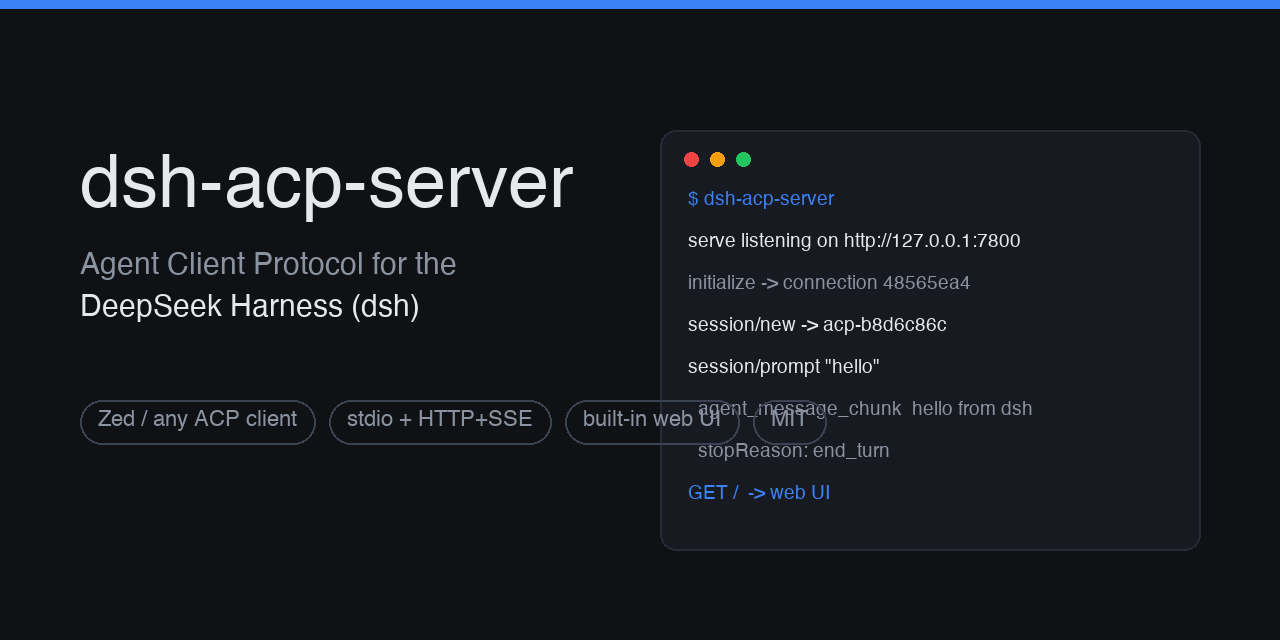 dushaobindoudou/dsh-acp
Agent Client Protocol (ACP) server plugin for the DeepSeek Harness (dsh) - drive dsh agents from Zed, any ACP v1 client,…
dushaobindoudou/dsh-acp
Agent Client Protocol (ACP) server plugin for the DeepSeek Harness (dsh) - drive dsh agents from Zed, any ACP v1 client,…
-
 Electricitysheep/dsh-tool-turbo
Per-round reasoning_effort optimizer for DeepSeek Harness (dsh): auto-downgrades tool-call reasoning for simple tool cha…
Electricitysheep/dsh-tool-turbo
Per-round reasoning_effort optimizer for DeepSeek Harness (dsh): auto-downgrades tool-call reasoning for simple tool cha…
-
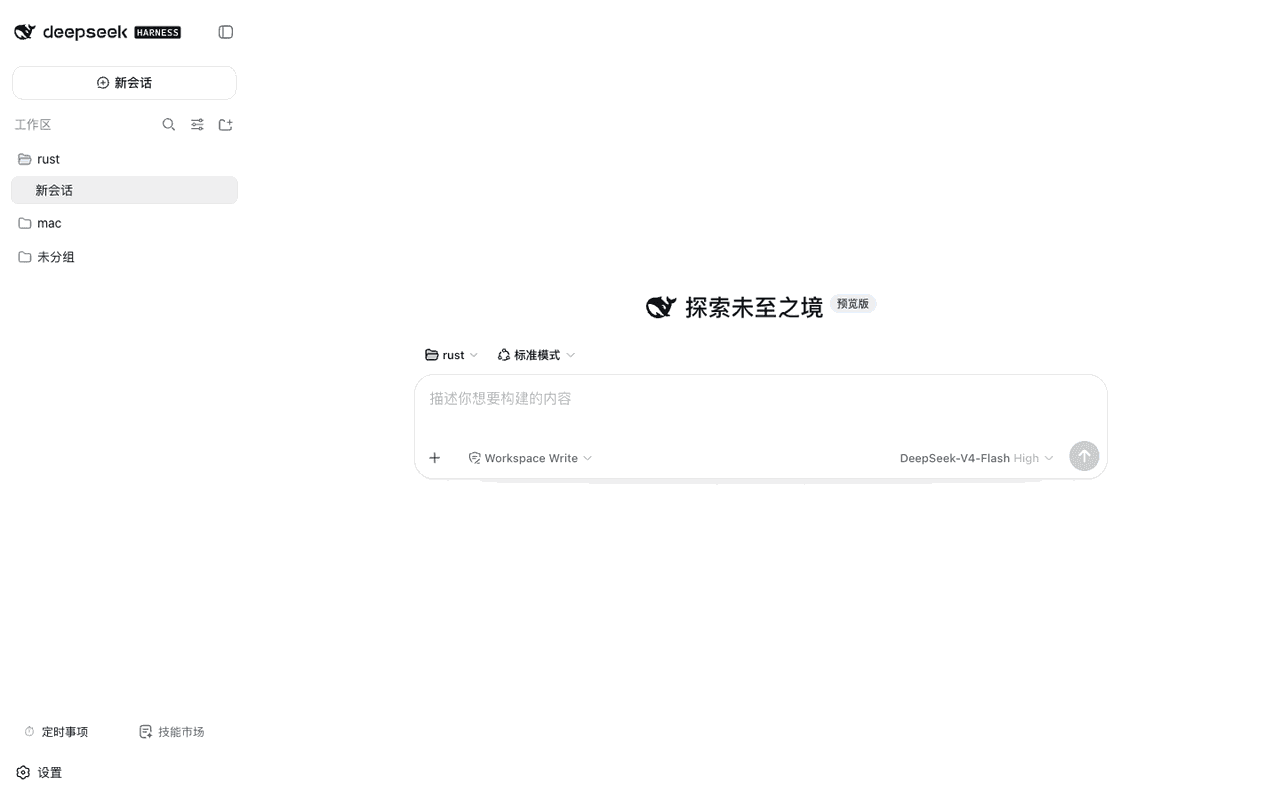 weibaohui/dsh-tasks
DeepSeek Harness 插件:cron 定时事项——定时/立即执行新建 agent 会话提交提示词,全屏管理界面
weibaohui/dsh-tasks
DeepSeek Harness 插件:cron 定时事项——定时/立即执行新建 agent 会话提交提示词,全屏管理界面
-
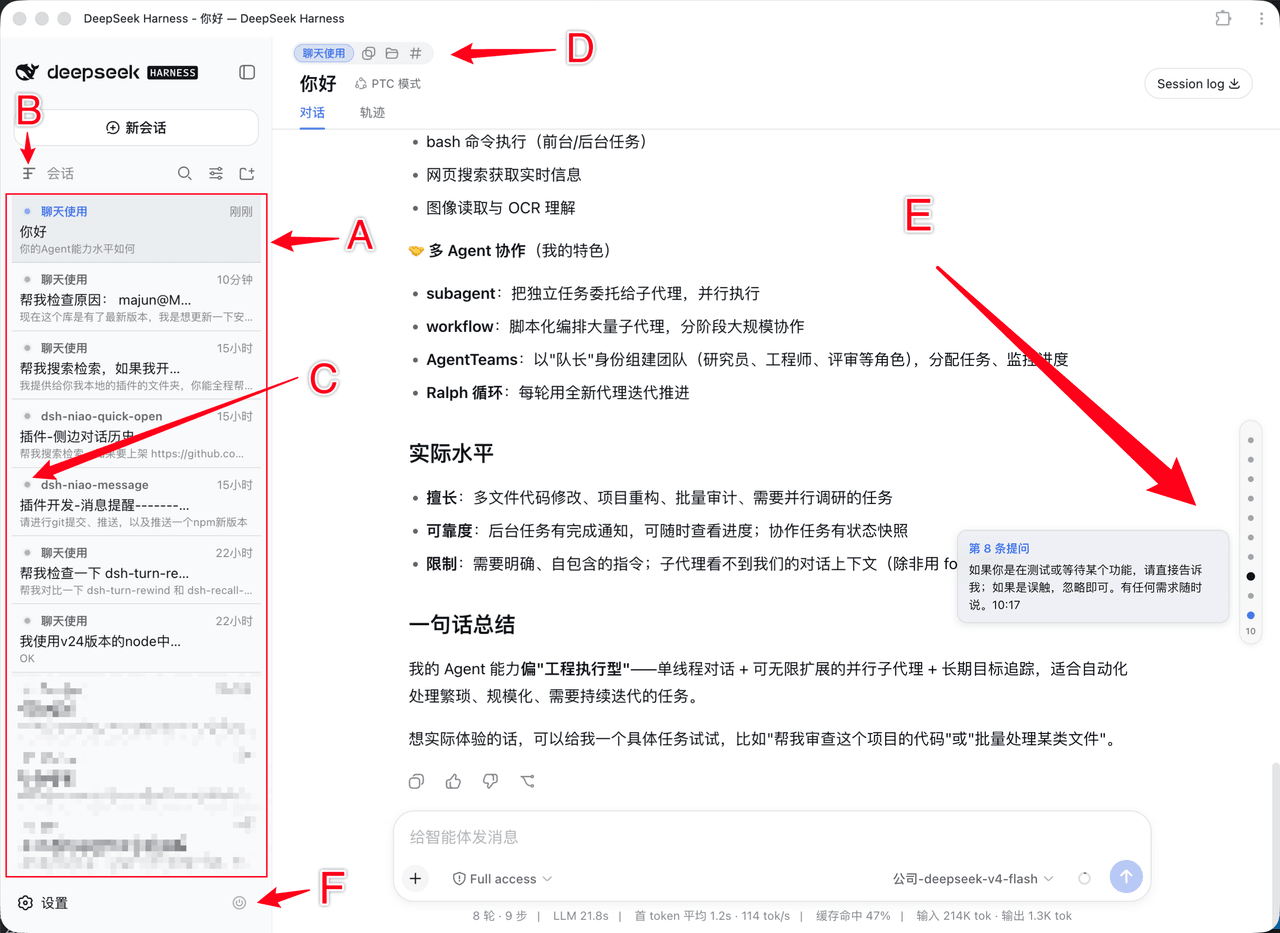 dsh-niao/dsh-niao-quick-open
会话/工作区快捷操作插件:一键打开工作区、编辑器自动发现、DeepSeek 网页版同款用户消息导航条、会话待办标记、硬性重启
dsh-niao/dsh-niao-quick-open
会话/工作区快捷操作插件:一键打开工作区、编辑器自动发现、DeepSeek 网页版同款用户消息导航条、会话待办标记、硬性重启