sliverp/DeepSeek-harness-wecom
WeCom AI 机器人文本与图像桥接,用于 DeepSeek Harness
Project Overview项目介绍
DeepSeek Harness WeCom is an out-of-tree channel plugin that links a WeCom AI Bot to a persistent DeepSeek Harness session through the official @wecom/aibot-node-sdk long-connection SDK. It supports single and group text, mixed text/image input, AES-decrypted image/file/video downloads, per-conversation session continuity, command forwarding such as /compact, /goal, and /plan, and one-shot /approve or /reject flows for tool approvals. Use it to expose vetted agents inside WeCom without rebuilding the harness. Note that a missing Bot ID or Secret leaves the channel dormant and never blocks DSH startup.
DeepSeek Harness WeCom 是一个独立的 DeepSeek Harness 频道插件,通过官方 @wecom/aibot-node-sdk 长连接 SDK,把企微 AI 机器人接入持久化的 Harness 会话。它支持单聊与群聊的文本、图文混排、AES 解密的图片/文件/视频下载,以及按对话保持一个 Harness 会话,可转发 /compact、/goal、/plan 等命令,并通过 /approve 或 /reject 处理工具审批。适用于在企微内部署经审核的 Agent;需注意 Bot ID 与 Secret 必须分别配置于环境与凭证服务,缺一即进入静默启动而不影响 DSH。
请帮我了解并安装插件:【DeepSeek-harness-wecom】【https://github.com/sliverp/DeepSeek-harness-wecom】Send this message to DSH in your current session. CLI install commands may not be accurate across systems — DSH will figure it out for you.把上面这条消息直接发给当前会话里的 DSH,让它帮你了解并安装。安装命令不一定准确,发给 DSH 更稳。
Or use CLI install (for developers)或使用命令行安装(适合开发者)
CLI Install命令行安装
dsh plugin --profile web add github:sliverp/DeepSeek-harness-wecom把 sliverp/DeepSeek-harness-wecom 加入你的 DSH 配置(web profile)即可启用。
READMEREADME
DeepSeek Harness WeCom
中文 | English
An independent out-of-tree DeepSeek Harness channel plugin that connects a WeCom AI Bot to persistent Harness agents through the official WebSocket long-connection SDK.
Features
- Official
@wecom/aibot-node-sdklong connection - Bot ID + Secret authentication, heartbeat, and reconnect handling
- Single-chat and group text messages
- Mixed text/image input
- Official encrypted image, file, and video download with AES decryption
- Durable Harness image attachments
- Decrypted inbound files saved outside the workspace and exposed to Agent tools by absolute path
- Automatic text-only fallback when the selected model cannot accept images
- Text and inline image replies, plus uploaded active image sends for other image formats
- A WeCom-turn-scoped
wecom_send_filetool with workspace containment and file-size checks - WeCom Markdown replies through the official stream response fields
- One persistent Harness session per single or group conversation
- Harness agent-preset composition for the same tools, prompts, and skills as Web sessions
- Safe reuse of a live session already opened by Web, without a second session writer
- Same-conversation
/approve <code>and/reject <code>decisions for one-shot tool approvals /newand/resetrotation to a new durable session while retaining old history- Configurable forwarding of Harness commands registered by the current agent preset;
/compact,/goal, and/planare enabled by default - Per-conversation ordering, duplicate suppression, retries, and bounded timeouts
- Open, allowlist, or disabled access policies for single and group traffic
/bot-ping,/bot-image-test,/bot-file-test,/bot-help,/bot-status, and/bot-cancel- Optional welcome text for the WeCom
enter_chatevent - Secret resolution through the Harness credential service instead of plugin configuration
- Dormant startup when Bot ID or Secret is not configured, so installation alone never blocks DSH
Requirements
- Node.js 22.19 or later
- pnpm 10.33.4
- DeepSeek Harness 0.1.0-rc.7 or later
- A WeCom AI Bot with long connection enabled and a Bot ID/Secret
Install from GitHub
pnpm dsh plugin --profile web add github:sliverp/DeepSeek-harness-wecom
For a local checkout:
pnpm dsh plugin --profile web add /absolute/path/to/DeepSeek-harness-wecom
Configure
Set the Bot ID in the launch environment and store the Secret under the credential reference WECOM_BOT_SECRET. Environment injection is also supported for development:
export WECOM_BOT_ID='your-bot-id'
export WECOM_BOT_SECRET='your-bot-secret'
pnpm dsh --profile web
The bundle reads WECOM_BOT_ID, resolves WECOM_BOT_SECRET through ctx.credentials, and uses the launch directory as the agent working directory. DSH_WECOM_CWD can override the working directory.
Installing the bundle does not require configuring credentials immediately. If the Bot ID is empty or the referenced Secret is absent or blank, the channel logs that it is inactive and lets DSH finish starting. Configure both values and reload or restart DSH to connect. A non-empty but invalid credential leaves only the channel offline; authentication runs in the background and does not fail DSH startup.
For a durable setup, put WECOM_BOT_ID in ~/.dsh/.env and store WECOM_BOT_SECRET with the Harness credential settings surface. Never commit either value.
Override the plugin row in ~/.dsh/profiles/web/cordis.patch.yml to change policy or connection behavior:
- id: wecom-channel
  name: deepseek-harness-wecom
  config:
    botId: !!js process.env.WECOM_BOT_ID
    secretRef: WECOM_BOT_SECRET
    cwd: !!js process.env.DSH_WECOM_CWD ?? process.cwd()
    agentPreset: standard
    scene: 1
    singlePolicy: allowlist
    singleAllowFrom: [zhangsan]
    groupPolicy: open
    allowedHarnessCommands: [compact, goal, plan]
    imageInputMode: auto
    inboundFileDirectory: /var/tmp/deepseek-harness-wecom/inbound
    maxInboundFileBytes: 20971520
    maxOutboundFileBytes: 20971520
    approvalTimeoutMs: 240000
    welcomeText: 您好,我是 DeepSeek Harness 助手。
imageInputMode defaults to auto: image-capable models receive a durable image block, while text-only models receive attachment metadata instead of failing the turn. Use always only with a route known to accept images, or never to force the text fallback.
Inbound files and videos are downloaded and AES-decrypted through the official SDK before the model turn begins. The plugin saves them with owner-only permissions under inboundFileDirectory, records the safe filename, byte count, and absolute local path in the session message, and lets the selected preset's file or shell tools inspect that path. The default directory is the operating system's temporary directory under deepseek-harness-wecom-<uid>/inbound; set an absolute persistent directory if files must survive temporary-directory cleanup. maxInboundFileBytes defaults to the WeCom file limit of 20,971,520 bytes (20 MiB).
WeCom's official SDK defines the replyStream content field as Markdown-capable. The plugin passes assistant Markdown through unchanged, including headings, lists, links, emphasis, quotes, and code. The final payload remains bounded by maxReplyBytes, which defaults to 20,000 bytes.
agentPreset defaults to the Harness deployment's selected default (normally standard). The preset is recorded in the session header and mounted again on resume, so model tool calls are handled by the Harness Agent Loop instead of being exposed as raw DSML text. Sessions created before preset composition use the wecom-v1- namespace; corrected sessions use wecom-v2-, leaving old history untouched. If Web already has the same corrected session live, the WeCom bridge borrows that Agent, waits for its current activity to finish, and does not open a second session writer.
/new and /reset are handled directly by the WeCom plugin. It requests cancellation of the current generation, then creates a new durable session with an incrementing suffix. The old session is retained, and a service restart does not return the conversation to its old context. Other slash commands are never passed to the model as plain text. allowedHarnessCommands selects names that may be forwarded to the Harness command service; it defaults to /compact, /goal, and /plan, and a command must also be registered by the current agent preset. Because /permission can materially broaden agent access, enable it only together with strict singleAllowFrom and groupAllowFrom policies. /export depends on the Web download surface and is unavailable through WeCom. Send /help or /bot-help to list the channel commands.
The scoped wecom_send_file tool lets the agent send an existing file when the current WeCom user asks to receive or download it. Relative paths resolve from cwd; absolute paths must also remain inside cwd. The plugin resolves symlinks, accepts only regular files, and rejects files larger than maxOutboundFileBytes. The default and WeCom protocol maximum are 20,971,520 bytes (20 MiB). The tool is active only during the current WeCom turn, so continuing the same session from Web cannot send a file to the previous WeCom target. Use an allowlist whenever the configured workspace contains non-public data.
When Harness requests tool approval, the plugin sends a requester-bound six-digit code to the originating conversation. Reply /approve <code> to allow that operation once or /reject <code> to deny it. Codes are one-shot, cannot be used from another conversation, bypass ordinary message concurrency while the original turn waits, and fail closed on timeout, cancellation, send failure, or shutdown. approvalTimeoutMs must remain below responseTimeoutMs.
The default WebSocket URL is wss://openws.work.weixin.qq.com, and scene defaults to 1 as required by the WeCom AI Bot long-connection integration. Private deployments can override these values with those shown in their WeCom administration console.
Verify
After the log reports WeCom AI Bot authenticated, send the bot /bot-ping. It should reply:
pong — DeepSeek Harness 企微机器人已连接。
Send /bot-image-test to exercise the official inline-image reply fields without depending on model-generated media. The bot should return a blue PNG and a success message.
Send /bot-file-test to exercise the official temporary-media upload and active file-send APIs without invoking a model. The bot should send wecom-file-test.txt followed by a success message. Then ask the agent to send an existing workspace file, such as Send README.md as a file; the session should contain a wecom_send_file call and WeCom should receive the attachment.
Then send ordinary text, an image, or a mixed text/image message. The plugin appends it to the conversation's durable Harness session and returns the selected default model's response.
Send /new and verify that the bot confirms a fresh conversation. A subsequent question about details from the old conversation must not reuse that context. /compact, /goal, and /plan should display the direct Harness command result instead of a model explanation. Unknown or disabled slash commands must be rejected without reaching the model.
To verify inbound files, send a small text or document file and ask the bot to summarize it. The Agent should call the appropriate file or shell tool using the downloaded local path; it must not answer that the plugin only supports text and images. Quoted files follow the same path.
To verify approval, request an operation that the active permission preset requires approval for. Reply with the exact /approve <code> or /reject <code> shown by the bot; the same turn should continue or stop without using the Web approval panel.
To verify Markdown, request a response containing a heading, list, link, emphasis, quote, and fenced code block. WeCom should render the structures instead of displaying transport markup. To verify tool routing, ask What files are in the current directory?; the Agent should execute the configured filesystem or shell tools and return the result without exposing <||DSML||tool_calls> or <||DSML||invoke> text. Continuing that same wecom-v2- session in Web should preserve normal tool execution.
Development
pnpm install
pnpm run check
Built dist/ artifacts are committed so GitHub installs do not require executing a dependency build script.
License
MIT
Related相关推荐
-
 liustack/modlens
The first vision plugin for DeepSeek Harness, and the vision bridge for every text-only coding agent. Paste an image, ge…
liustack/modlens
The first vision plugin for DeepSeek Harness, and the vision bridge for every text-only coding agent. Paste an image, ge…
-
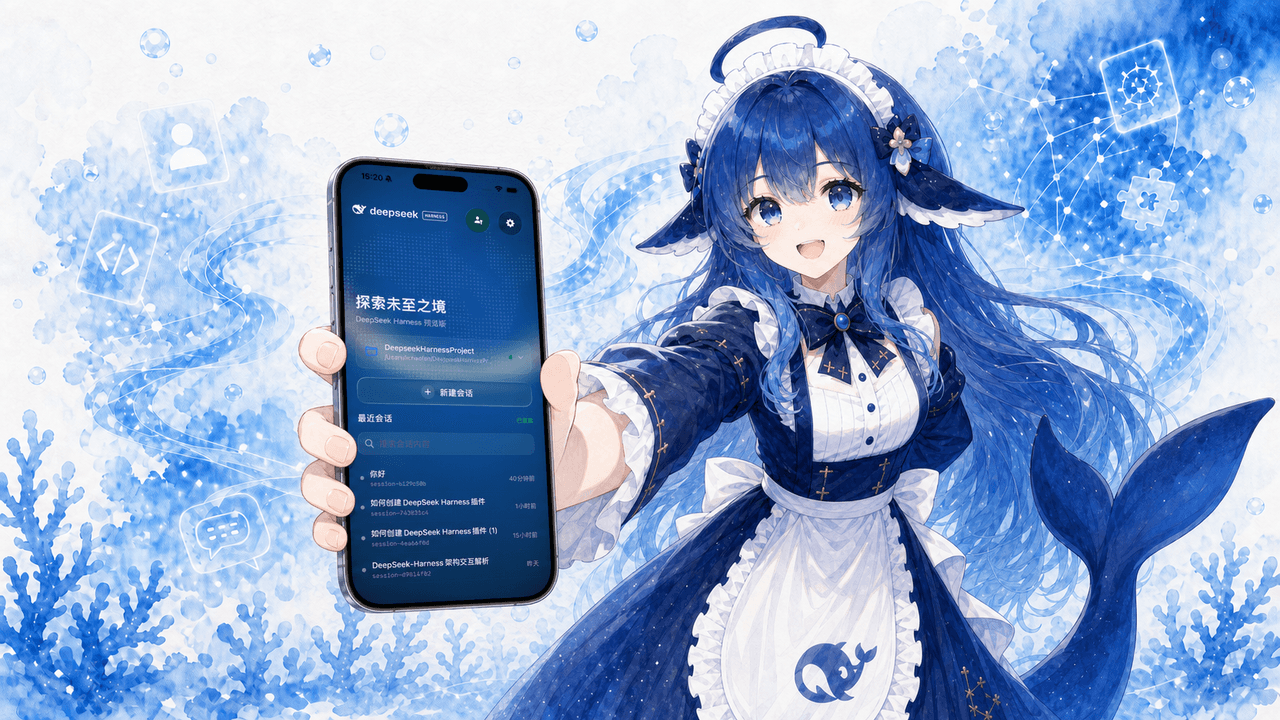 Clarklevis1995/dsh-mobile
DeepSeek Harness Mobile 是一个面向 DeepSeek Harness 的原生 iOS 客户端。它通过 dsh-plugin-mobile-gateway 与 Harness 建立 WebSocket 连接,将工作区、…
Clarklevis1995/dsh-mobile
DeepSeek Harness Mobile 是一个面向 DeepSeek Harness 的原生 iOS 客户端。它通过 dsh-plugin-mobile-gateway 与 Harness 建立 WebSocket 连接,将工作区、…
-
 ZSeven-W/dsh-crew
DeepSeek Harness (DSH) plugin: dispatch work to DSH agents from Claude Code / Codex — native subagent progress, in-host …
ZSeven-W/dsh-crew
DeepSeek Harness (DSH) plugin: dispatch work to DSH agents from Claude Code / Codex — native subagent progress, in-host …
-
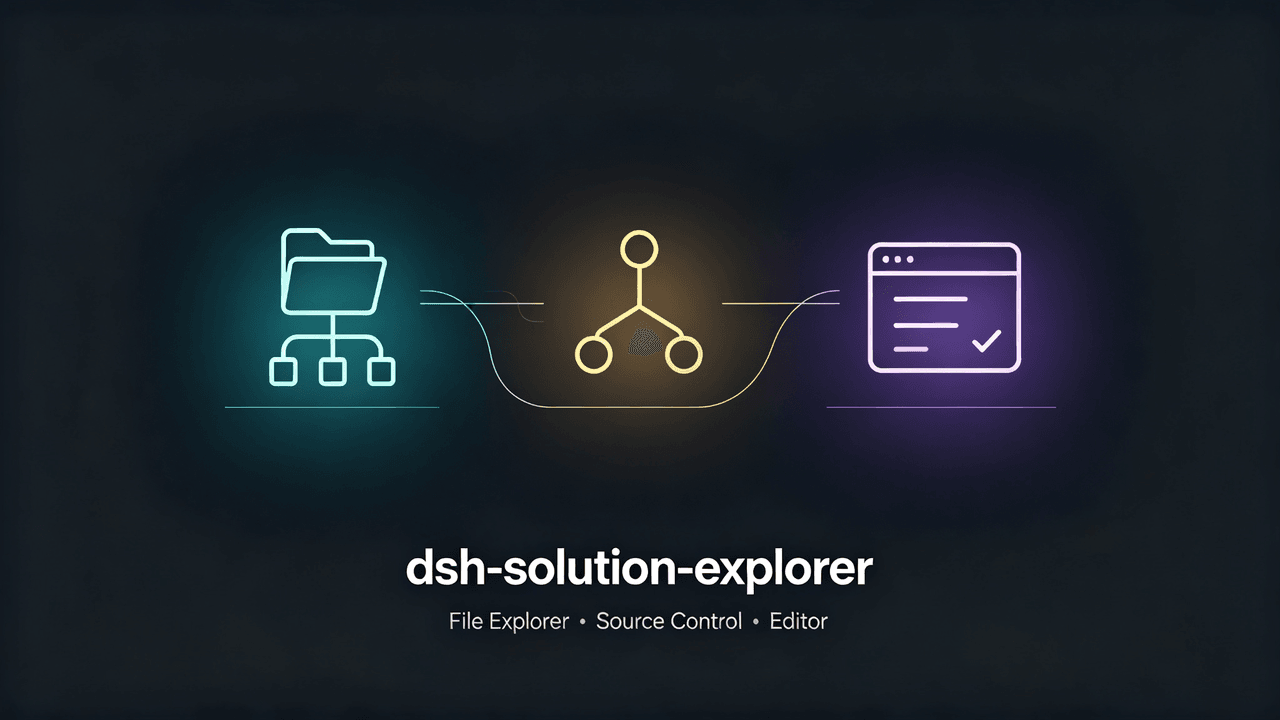 xiaoksio/dsh-solution-explorer
DSH Web GUI right sidebar: VS Code-style file explorer plus source control (git status, stage/unstage/discard, commit, d…
xiaoksio/dsh-solution-explorer
DSH Web GUI right sidebar: VS Code-style file explorer plus source control (git status, stage/unstage/discard, commit, d…
-
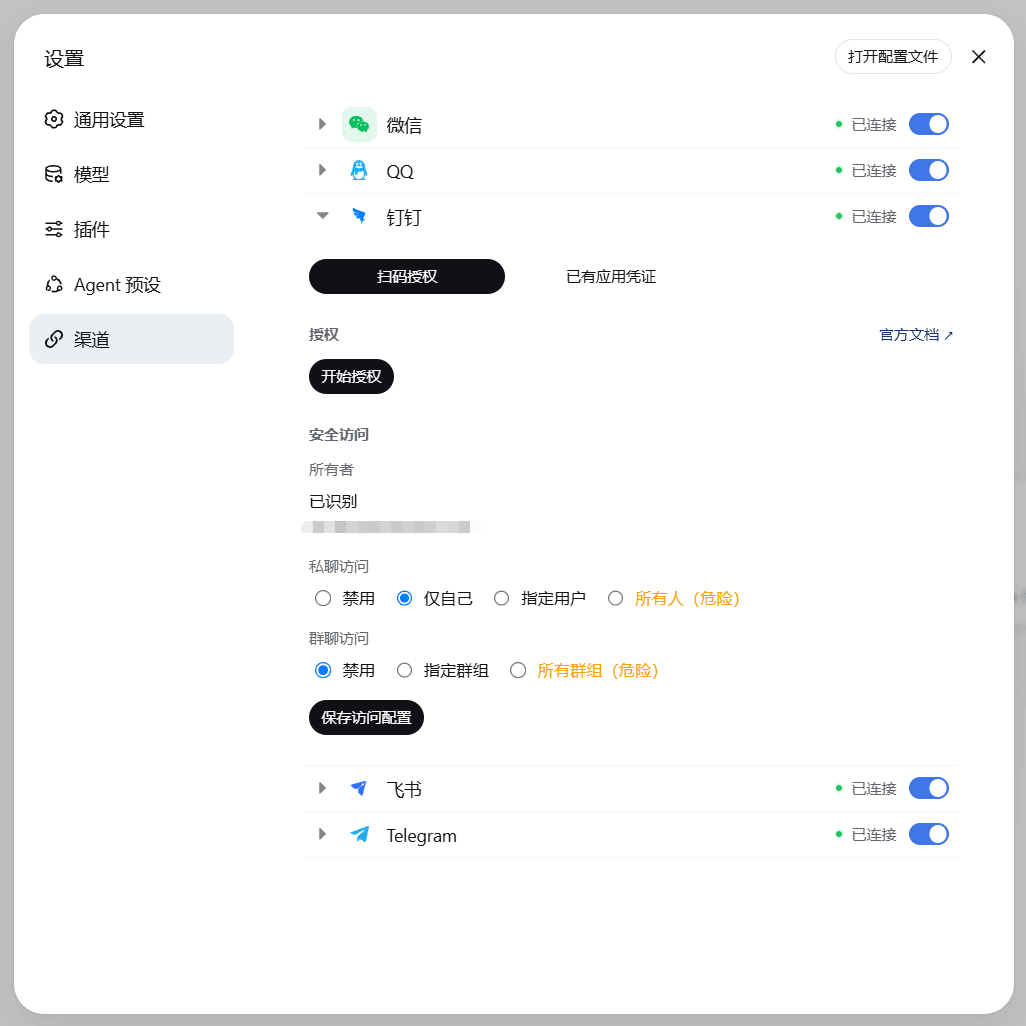 wsz987/dsh-channels
把微信 / QQ / 钉钉 / 飞书 / Telegram 接入 DeepSeek Harness:统一配置、扫码授权,直接在各 IM 与 Agent 对话;支持图片与文件收发,Agent 可读取 PDF、DOCX、XLSX 和文本内容。
wsz987/dsh-channels
把微信 / QQ / 钉钉 / 飞书 / Telegram 接入 DeepSeek Harness:统一配置、扫码授权,直接在各 IM 与 Agent 对话;支持图片与文件收发,Agent 可读取 PDF、DOCX、XLSX 和文本内容。
-
 siegfly/dsh-deepseek-vision
Vision-language gateway plugin for DeepSeek Harness - paste an image, DeepSeek sees text
siegfly/dsh-deepseek-vision
Vision-language gateway plugin for DeepSeek Harness - paste an image, DeepSeek sees text
-
 pan17/dsh-wechat
DSH插件,将微信私聊消息桥接到DSH,支持文本、图片、文件、音视频的双向传输。目标是在微信端还原DSH的原生体验
pan17/dsh-wechat
DSH插件,将微信私聊消息桥接到DSH,支持文本、图片、文件、音视频的双向传输。目标是在微信端还原DSH的原生体验
-
 sliverp/DeepSeek-harness-qqbot
QQ Bot text and image channel plugin for DeepSeek Harness
sliverp/DeepSeek-harness-qqbot
QQ Bot text and image channel plugin for DeepSeek Harness