suiyideali/dsh-selection-toolbar
在 DeepSeek Harness 会话里划选文本,选区上方浮现一个小工具栏: 复制 · 引用 · 询问 · 解释 · 翻译 · 总结 · 自定义。 所有 AI 动作都复用当前会话——选中文本作为普通用户消息注入当前对话, 模型带着完整上下文作答。
Project Overview项目介绍
This is a native plugin built exclusively for DeepSeek Harness (DSH) that adds a context-aware floating toolbar when you select text within a DSH web session. The toolbar includes seven one-click actions: copy selected text to clipboard, insert the selection as a markdown quote into the input box, ask a question about the selection, explain the selection, translate it, summarize it, and trigger the /btw side question feature. By default, all actions except /btw inject the selected text into your current conversation as a user message, using the existing session context for the model to respond, and you can reconfigure any action to use the /btw flow in the plugin settings.
The /btw side question feature addresses three common pain points that users encounter when working with AI agents. It lets you ask a quick question about selected text without adding that question to your main conversation history, which avoids polluting the context for future tasks. It also lets you insert an ad-hoc question while a long main task is running, without interrupting or queueing behind that task, because it uses an independent routing flow. Finally, it delivers a lightweight throwaway answer that only lives in a popup, so it does not create any permanent side effects to your session.
To install the plugin, you can use the DSH CLI to pull it directly from GitHub with the command dsh plugin --profile web add github:suiyideali/dsh-selection-toolbar, or check it out locally, install its dependencies with pnpm install or npm install, then add it via the DSH CLI from your local path. After installation, you will need to restart your DSH web application to load the new client bundle. The plugin stores all its configuration settings in your browser's localStorage, so any changes you make take effect immediately without needing to refresh the page. You can adjust multiple settings including popup delay, enable or disable individual toolbar buttons, and set the number of recent context messages carried by /btw side questions.
这是一款专为 DeepSeek Harness 开发的原生插件,会在用户划选会话内文本后,在选区上方浮现一个小型工具栏,提供复制、引用、询问、解释、翻译、总结、/btw 侧问共七种常用操作。默认情况下,除/btw外所有操作都会将选中文本作为普通用户消息注入当前对话,复用当前会话上下文让模型作答,用户也可在设置中将任意操作改为走/btw侧问流程。
这款插件解决了划词杂问不想污染主线对话、长任务执行中需要随时插问、以及需要即用即弃轻量问答的痛点,/btw侧问功能灵感来自Claude Code的同名功能,答案仅显示在居中弹窗中,不会写入会话历史,也不打断当前正在执行的主任务,符合「顺便问一句」的轻量使用需求。
插件支持自定义弹窗弹出延迟、开关各个功能按钮、设置每个动作的输出去向,还可调整/btw侧问携带的最近上下文条数。所有配置都保存在浏览器localStorage中,修改后即时生效无需刷新页面。安装可通过DSH CLI从GitHub直接拉取,也可本地检出后添加,装完后重启DSH web应用即可加载。
请帮我安装这个 DSH 插件。安装前先完成【兼容性检查 + 安全性检查】,检查通过再动手。

插件:dsh-selection-toolbar(suiyideali/dsh-selection-toolbar)
仓库:https://github.com/suiyideali/dsh-selection-toolbar
本站详情页:https://www.yhbd.top/plugins/suiyideali-dsh-selection-toolbar/
本站登记:类型 plugin · 归类 原生 DSH 插件 · 许可证 MIT · ⭐ 4 · 最近提交 2026-09-30 · 主语言 JavaScript

按下面顺序执行,每步先把结论告诉我,再进入下一步:

【1 兼容性检查】
① 我这边:DSH 版本、Node 版本、操作系统、当前 profile(web / desktop)。
② 读它的 README、package.json、插件 manifest,列出它要求的 DSH 版本 / Node 版本 / 操作系统 / 外部依赖 / 需要另外先装的运行时。
③ 逐条比对,结论只写「满足 / 不满足 / 未知」三种;不满足的给出可行替代方案。
④ 检查是否和我已装的插件冲突:命令名重复、skill / tool 重名、端口占用、重复注册的 MCP server。

【2 安全性检查】
① 仓库可信度:和上面「本站登记」是否一致;star / fork 数、创建时间、最近提交,是否归档或长期停更。
② 安装脚本:逐行看 package.json 的 preinstall / install / postinstall,以及 install.sh、setup.ps1 之类脚本。出现 curl|bash、下载后直接执行、混淆代码、访问与插件功能无关的域名,立刻停下来告诉我,不要继续装。
③ 依赖:列出新增依赖,标出无人维护、或与知名包拼写近似的可疑包(typosquatting)。
④ 权限与副作用:它会读写哪些目录、访问哪些域名、需要哪些 DSH 权限(filesystem / network / shell / clipboard 等),以及怎么卸载和回滚。
⑤ 如果它要求 sudo / 管理员权限,或权限明显超出功能所需,先停下来问我。

【3 安装】
上面两步没有「不满足」和「高危项」时才执行;用官方推荐方式安装,不要自行提权。

【4 汇报】
用表格输出:检查项 / 结论 / 依据 / 是否需要我决策。拿不准的一律写「未知」并说明要我怎么确认——不要猜,也不要替我决定。
Send this message to DSH in your current session: it verifies compatibility and security first (answering met / not met / unknown item by item) and only installs once everything checks out — it will stop and ask you if it finds a high-risk item. The box scrolls; the copy is the full prompt. CLI install commands may not be accurate across systems, so DSH is the safer route.把上面这条消息直接发给当前会话里的 DSH:它会先核对兼容性与安全性(逐条给「满足 / 不满足 / 未知」),确认没问题再安装,有高危项会停下来问你。框内可滚动,复制到的是完整提示词;安装命令不一定准确,发给 DSH 更稳。
- Only 4 stars - very few users, little community feedback星标只有 4,几乎没人在用,遇到问题缺少社区反馈
DSH walks through these 9 checksDSH 会逐条核对这 9 项
Compatibility兼容性
- DSH, Node, OS and profile requirementsDSH 版本 / Node 版本 / 操作系统 / profile 是否满足要求
- External dependencies and runtimes (Electron / Python / Docker, ...)外部依赖与运行时(Electron / Python / Docker 等)是否齐备
- Conflicts with installed plugins: command names, skill / tool names, ports, duplicate MCP registration与已装插件是否冲突:命令名、skill / tool 重名、端口占用、重复 MCP 注册
Security安全性
- Repo matches the facts registered here; archived or abandoned?仓库是否与页面登记一致,是否归档或长期停更
- Safety of preinstall / install / postinstall and install.sh / setup.ps1preinstall / install / postinstall 与 install.sh、setup.ps1 是否安全
- curl|bash, download-then-execute, obfuscation, unrelated domains → stop immediatelycurl|bash、下载即执行、混淆代码、无关域名 → 立刻停止
- Typosquatting or unmaintained packages among the new dependencies新增依赖里有没有 typosquatting 或无人维护的包
- Requested permissions vs. what the feature actually needs申请了哪些权限、是否超出功能所需(filesystem / network / shell / clipboard)
- Any sudo / admin requirement, plus uninstall and rollback是否要求 sudo / 管理员权限,以及卸载与回滚方式
Anything uncertain must be marked unknown with a note on how to confirm it. This site's signal screen is a static snapshot, not a security audit.拿不准的必须标「未知」并说明要我怎么确认。本站的信号筛查是静态快照,不能替代安全审计。
Or use CLI install (for developers)或使用命令行安装(适合开发者)
CLI Install命令行安装
dsh plugin --profile web add github:suiyideali/dsh-selection-toolbar把 suiyideali/dsh-selection-toolbar 加入你的 DSH 配置(web profile)即可启用。
READMEREADME
dsh-selection-toolbar(划词工具栏)


English | 中文
在 DeepSeek Harness 会话里划选文本,选区上方浮现一个小工具栏: 复制 · 引用 · 询问 · 解释 · 翻译 · 总结 · /btw。
AI 动作默认复用当前会话——选中文本作为普通用户消息注入当前对话, 模型带着完整上下文作答;也可以在设置里把任意动作改为走 /btw 侧问。
功能
| 动作 | 行为 |
|---|---|
| 复制 | 选中文本复制到剪贴板。 |
| 引用 | 选中文本以 markdown 引用块(> …)插入输入框光标处;多段落时只有内容行带 > ,空行保持空白(连续空行折叠为一),不会出现一整片孤立的 >。 |
| 询问 | 打开内联输入框,回车发送「你的问题 + 选中文本」;留空则把划选内容作为请求发送(前置一行引导语与一行「仅作素材」说明,划选内容以引用块注入)。 |
| 解释 | 发送「请解释下面这段内容:」+ 选中文本。 |
| 翻译 | 发送「请翻译下面这段内容:」+ 选中文本(不指定目标语言,由模型按源语言判断方向)。 |
| 总结 | 发送「请用简洁的语言总结下面这段内容:」+ 选中文本。 |
| /btw | 顺便问(侧问):点击后按钮行切换为侧问输入框,回车提问。答案由 host 侧基于最近会话内容一次性生成,只显示在弹窗里——不进入对话、不写入会话历史、不使用工具(Claude Code /btw 语义)。主任务执行中也可用:路由独立于会话队列,问完即止,不打断主任务。控制台以居中模态打开,不随页面滚动(输入态高度紧凑自适应,阅读/翻历史时锁定 440×480)。支持复制答案、再问一个、清空历史;输入态历史区最多展示 5 条,回答态不堆叠历史——按 ↑ 即可只读翻阅全部历史(↑/↓ 切换,Backspace / Esc 返回最新)。答案下方显示实际注入的上下文统计(条数 + 字数),注入为空时给出警示。 |
弹窗在 Escape / 滚动 / 点击别处时收起;询问输入框打字期间不会被误关 (聚焦输入框会折叠页面选区,但弹窗逻辑会忽略这次折叠)。
/btw 控制台的例外:控制台不贴着划词位置,而是以居中模态打开
(带半透明遮罩):输入/等待态高度随内容紧凑自适应;阅读答案或翻阅历史时
锁定 440×480(小屏按视口收缩),翻阅不同长度的记录不会跳动。
position: fixed 使它不随页面滚动移动或关闭。点击遮罩或弹窗外、按
Escape 关闭;输入框内 Esc 关闭、↑(空输入时)进入历史翻阅,翻阅时
↑/↓ 切换条目、Backspace 或 Esc 返回最新。答案无论何时关闭都已存入
本会话的侧问历史(localStorage,手动清空)。
/btw 顺便问(侧问)
灵感来自 Claude Code 的 /btw——「子代理的反面」:子代理替你做事,
/btw 只替你看一眼。它不占对话、不动任务,是悬浮在主任务旁边的
一块便签式问答区。
解决的痛点
- 划词杂问不想污染主线:看到一段看不懂的术语、报错或日志,顺手问一句, 但不想让这条「顺便一问」混进对话历史、干扰后续任务的上下文。
- 任务执行中随时插问:agent 正在跑长任务,你盯着中间输出想问 「这一步为什么这么做?」——侧问走独立路由,不排队、不插话、不打断 主任务,问完即止。
- 即用即弃的轻量问答:答案只活在弹窗里,关闭后仅剩一条本地历史, 不产生任何会话副作用。
使用方式
- 划选一段文字(它就是侧问的「划选内容」,会随问题一起交给模型)。
- 点击工具栏的 /btw——按钮行原地切换为侧问控制台。
- 输入问题,回车发送;等待时显示脉冲动画,可随时「取消」。
- 答案就地渲染(支持代码块、加粗、列表、表格),可 复制 原始 markdown、 再问一个 或 清空历史。
- 翻看之前的侧问:输入态点击历史条目(或空输入按 ↑);回答态直接按 ↑。 ↑/↓ 切换条目,Backspace / Esc 返回最新;历史只读,只能整体清空。
- Esc、点击遮罩或弹窗外,随时关闭;再次划词点 /btw 即可重开。
Showing the opening section of the README — the full document lives in the repository以上为 README 开头摘要,完整文档在仓库内 · View the full README on GitHub →在 GitHub 查看完整 README →
Related相关推荐
-
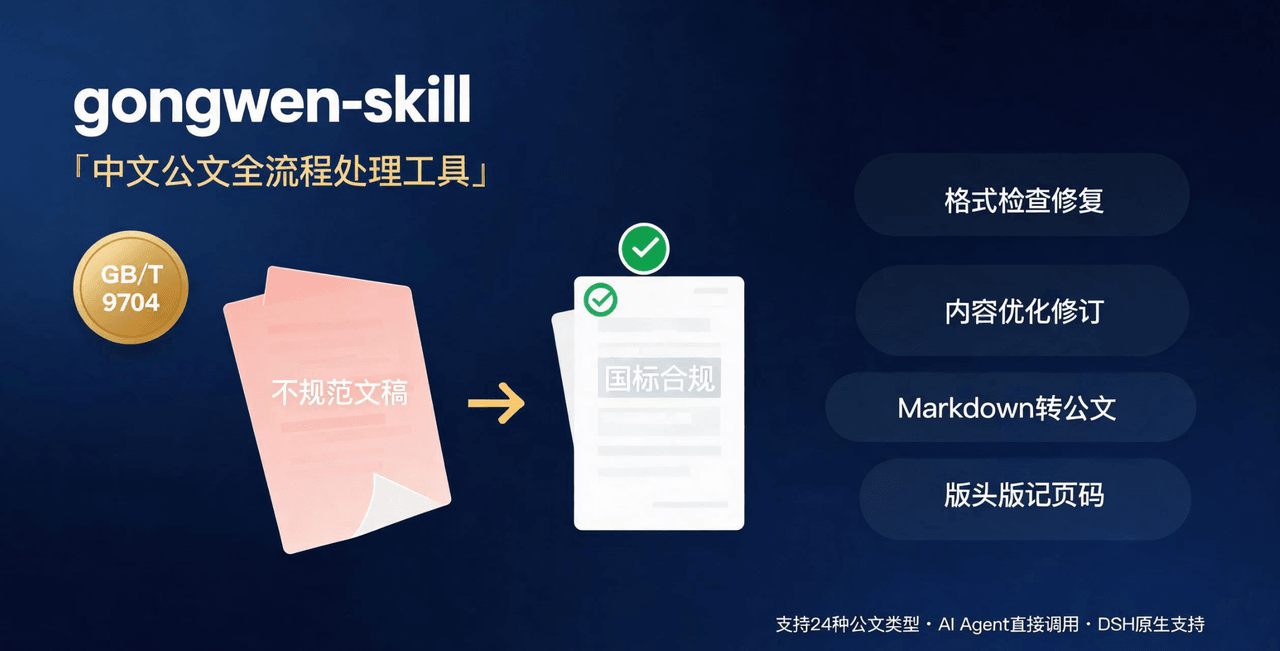 linhut/gongwen-skill
公文全流程处理工具——基于 GB/T 9704《党政机关公文格式》 国家标准,面向公文写作、企事业单位材料编制场景,支持 格式检查与修复、内容优化(Word 原生修订+批注/差异对比版)、模板生成、Markdown 转公文、版头版记页码注入…
linhut/gongwen-skill
公文全流程处理工具——基于 GB/T 9704《党政机关公文格式》 国家标准,面向公文写作、企事业单位材料编制场景,支持 格式检查与修复、内容优化(Word 原生修订+批注/差异对比版)、模板生成、Markdown 转公文、版头版记页码注入…
- xiaobright/dsh-anchored-standard Two-phase DeepSeek Harness preset: Minimal-aligned bootstrap, then full Standard tools (Project2 98/99)
-
 titanwings/dsh-automation
DSH 自动化插件:让 Coding 任务按计划在全新 Agent Session 中运行,并由用户或 Agent 创建和管理定时任务。 / Run coding tasks in fresh Agent sessions and mana…
titanwings/dsh-automation
DSH 自动化插件:让 Coding 任务按计划在全新 Agent Session 中运行,并由用户或 Agent 创建和管理定时任务。 / Run coding tasks in fresh Agent sessions and mana…
-
 akira399/dsh-novel-writer
大肥鱼的小说工坊 — DSH 网络小说创作插件:九阶段门禁式创作流程 + 世界书设定注入 + 本地书籍导入 + AI 一键润色 + 去AI味 + 黄金三章诊断 + 百万字一致性 + 市场调研与模板复制。
akira399/dsh-novel-writer
大肥鱼的小说工坊 — DSH 网络小说创作插件:九阶段门禁式创作流程 + 世界书设定注入 + 本地书籍导入 + AI 一键润色 + 去AI味 + 黄金三章诊断 + 百万字一致性 + 市场调研与模板复制。
-
 hr98w/dsh-memory
融合 Claude Code 的 Auto Memory 与 Codex 的 Session 记忆整理,为 DeepSeek Harness 提供简单、透明、上下文友好的长期记忆。Claude Code-inspired Auto Memo…
hr98w/dsh-memory
融合 Claude Code 的 Auto Memory 与 Codex 的 Session 记忆整理,为 DeepSeek Harness 提供简单、透明、上下文友好的长期记忆。Claude Code-inspired Auto Memo…
-
 Jungod1121/dsh-anchored-standard
Two-phase DeepSeek Harness preset: Minimal-aligned bootstrap (bash+read), then full Standard tools after the first tool …
Jungod1121/dsh-anchored-standard
Two-phase DeepSeek Harness preset: Minimal-aligned bootstrap (bash+read), then full Standard tools after the first tool …
-
 omdsh-dev/dsh-advisor
Advisor - Pair a second model that passively reviews each turn and injects notes. 搭配一个会在每轮对话被动注入见解和审查的副模型。
omdsh-dev/dsh-advisor
Advisor - Pair a second model that passively reviews each turn and injects notes. 搭配一个会在每轮对话被动注入见解和审查的副模型。
-
 shuguang1994/project-blueprint
Make any project AI-agent-ready in one command. Adaptive tech stack detection (7 languages × 14 frameworks × 61 componen…
shuguang1994/project-blueprint
Make any project AI-agent-ready in one command. Adaptive tech stack detection (7 languages × 14 frameworks × 61 componen…