Tasihi89/dsh-talk-map
DeepSeek Harness 可视化对话地图——会话以卡片形式展示在白板上:拖拽排列,双击聊天,画出连线即可注入上下文进行分支。适合 ADHD 用户的空间记忆方式。
Project Overview项目介绍
This is a DSH-native visual conversation map plugin built exclusively for DeepSeek Harness. It turns every conversation session in DSH into a movable card on an infinite whiteboard, with core functionality focused on spatial memory retention instead of relying on the AI’s working memory. To install the plugin, you can run the command dsh plugin --profile web add github:Tasihi89/dsh-talk-map directly in your terminal, and no build step is required because built artifacts are already committed to the repository. After installation, you just need to restart dsh web to see the new map button added to the bottom of the DSH sidebar.
The interaction workflow is designed to be intuitive and straightforward for all users, with special accommodations made for people with ADHD. You can toggle the map visibility by clicking the sidebar map button or pressing the Esc key. Double-click empty canvas space to create a new session right where you clicked, or double-click an existing card to jump straight into that session. Drag cards anywhere on the board to organize them, and drag from a card’s edge to create a new forked session that inherits context from the original. This tool is ideal for anyone who wants to organize multiple related conversations and track their thinking process visually.
All canvas data including card positions, connection edges, and session digests is stored atomically via DSH’s official storage domain, and sessions themselves remain fully managed by DSH. Session digests are generated automatically using your DSH-configured default LLM, with no external requests made outside of DSH’s native channels. The plugin is currently built to be compatible with DSH version 0.1.0-rc.6, and it is released under the open-source MIT license. It has a public roadmap that includes planned features like multi-board support and a timeline view for past sessions.
这是一款面向DeepSeek Harness(DSH)的原生可视化对话地图插件,它会将DSH中的每个会话转换为无限白板上的一张卡片。核心能力是提供空间记忆而非工作记忆,支持卡片自由放置和网格吸附,卡片位置永久保留,专门为ADHD用户设计,也适合所有需要整理会话脉络的用户。可通过DSH命令行直接从GitHub安装,无需额外构建步骤,安装完成后重启dsh web就能在侧边栏底部看到地图入口按钮。
核心交互流程符合直觉,点击侧边栏按钮或按Esc即可快速切换白板显示状态;双击空白处可在点击位置新建会话,双击已有卡片可直接进入对应会话;拖动卡片可调整位置,从卡片右侧手柄向空白处拖动,即可预览并编辑注入的上下文摘要,确认后分叉出继承旧会话上下文的新会话。它适合需要长期管理多个相关会话、梳理思考脉络的用户,尤其对习惯空间记忆的ADHD用户体验优化到位。
所有画布数据(卡片位置、连接边关系、摘要内容)都通过DSH官方存储域保存在$DSH_HOME/storages/talk_map.json,会话本身仍由DSH全权管理,摘要生成调用DSH已配置的默认模型,没有额外的外部请求。当前适配DSH 0.1.0-rc.6版本,rc阶段API可能存在变动,项目采用MIT许可开源免费使用,后续还规划添加多看板、时间线视图等功能。
请帮我安装这个 DSH 插件。安装前先完成【兼容性检查 + 安全性检查】,检查通过再动手。

插件:dsh-talk-map(Tasihi89/dsh-talk-map)
仓库:https://github.com/Tasihi89/dsh-talk-map
本站详情页:https://www.yhbd.top/plugins/tasihi89-dsh-talk-map/
本站登记:类型 plugin · 归类 原生 DSH 插件 · 许可证 MIT · ⭐ 95 · 最近提交 2026-08-23 · 主语言 JavaScript

按下面顺序执行,每步先把结论告诉我,再进入下一步:

【1 兼容性检查】
① 我这边:DSH 版本、Node 版本、操作系统、当前 profile(web / desktop)。
② 读它的 README、package.json、插件 manifest,列出它要求的 DSH 版本 / Node 版本 / 操作系统 / 外部依赖 / 需要另外先装的运行时。
③ 逐条比对,结论只写「满足 / 不满足 / 未知」三种;不满足的给出可行替代方案。
④ 检查是否和我已装的插件冲突:命令名重复、skill / tool 重名、端口占用、重复注册的 MCP server。

【2 安全性检查】
① 仓库可信度:和上面「本站登记」是否一致;star / fork 数、创建时间、最近提交,是否归档或长期停更。
② 安装脚本:逐行看 package.json 的 preinstall / install / postinstall,以及 install.sh、setup.ps1 之类脚本。出现 curl|bash、下载后直接执行、混淆代码、访问与插件功能无关的域名,立刻停下来告诉我,不要继续装。
③ 依赖:列出新增依赖,标出无人维护、或与知名包拼写近似的可疑包(typosquatting)。
④ 权限与副作用:它会读写哪些目录、访问哪些域名、需要哪些 DSH 权限(filesystem / network / shell / clipboard 等),以及怎么卸载和回滚。
⑤ 如果它要求 sudo / 管理员权限,或权限明显超出功能所需,先停下来问我。

【3 安装】
上面两步没有「不满足」和「高危项」时才执行;用官方推荐方式安装,不要自行提权。

【4 汇报】
用表格输出:检查项 / 结论 / 依据 / 是否需要我决策。拿不准的一律写「未知」并说明要我怎么确认——不要猜,也不要替我决定。
Send this message to DSH in your current session: it verifies compatibility and security first (answering met / not met / unknown item by item) and only installs once everything checks out — it will stop and ask you if it finds a high-risk item. The box scrolls; the copy is the full prompt. CLI install commands may not be accurate across systems, so DSH is the safer route.把上面这条消息直接发给当前会话里的 DSH:它会先核对兼容性与安全性(逐条给「满足 / 不满足 / 未知」),确认没问题再安装,有高危项会停下来问你。框内可滚动,复制到的是完整提示词;安装命令不一定准确,发给 DSH 更稳。
- This site's static screen found no obvious risk signal (stars, license, activity, manifest)本站静态筛查没发现明显风险信号(星标、许可证、更新活跃度、清单完整度)
DSH walks through these 9 checksDSH 会逐条核对这 9 项
Compatibility兼容性
- DSH, Node, OS and profile requirementsDSH 版本 / Node 版本 / 操作系统 / profile 是否满足要求
- External dependencies and runtimes (Electron / Python / Docker, ...)外部依赖与运行时(Electron / Python / Docker 等)是否齐备
- Conflicts with installed plugins: command names, skill / tool names, ports, duplicate MCP registration与已装插件是否冲突:命令名、skill / tool 重名、端口占用、重复 MCP 注册
Security安全性
- Repo matches the facts registered here; archived or abandoned?仓库是否与页面登记一致,是否归档或长期停更
- Safety of preinstall / install / postinstall and install.sh / setup.ps1preinstall / install / postinstall 与 install.sh、setup.ps1 是否安全
- curl|bash, download-then-execute, obfuscation, unrelated domains → stop immediatelycurl|bash、下载即执行、混淆代码、无关域名 → 立刻停止
- Typosquatting or unmaintained packages among the new dependencies新增依赖里有没有 typosquatting 或无人维护的包
- Requested permissions vs. what the feature actually needs申请了哪些权限、是否超出功能所需(filesystem / network / shell / clipboard)
- Any sudo / admin requirement, plus uninstall and rollback是否要求 sudo / 管理员权限,以及卸载与回滚方式
Anything uncertain must be marked unknown with a note on how to confirm it. This site's signal screen is a static snapshot, not a security audit.拿不准的必须标「未知」并说明要我怎么确认。本站的信号筛查是静态快照,不能替代安全审计。
Or use CLI install (for developers)或使用命令行安装(适合开发者)
CLI Install命令行安装
dsh plugin --profile web add github:Tasihi89/dsh-talk-map把 Tasihi89/dsh-talk-map 加入你的 DSH 配置(web profile)即可启用。
READMEREADME
dsh-talk-map · Talk Map
English | 中文
A visual conversation map plugin for DeepSeek Harness (dsh): every session becomes a card on an infinite whiteboard.
- Spatial memory instead of working memory: free placement + grid snapping, and nothing ever rearranges your cards — if you remember "that conversation was bottom-left", it stays bottom-left. Designed for ADHD users, useful for everyone.
- Double-click to chat: double-click empty canvas to start a new session; the card is born exactly where you clicked.
- Draw an edge to fork: drag a line from a card onto empty space, preview (and edit) the context digest to inject, confirm — a new session starts knowing the old conversation.
- Card front = resume surface: title, the digest's "next step", relative time, running state. One glance tells you what to do next.
- Automatic digests: after a session goes idle, a three-field digest (summary / key findings / next step) is generated with your deployment's default model; hit ⟳ on a card to regenerate manually.
- Bilingual interface: the map's own copy renders in Chinese or English. The pill in the map header cycles Auto → 中文 → English; Auto follows dsh's own language, and the choice is remembered across restarts. (Digests stay in the language of the conversation they summarise.)
- Provenance visible: dsh's native fork/subagent lineage renders as dashed edges; your injection edges are solid.
Install
# GitHub (built artifacts are committed — no build step, no allowBuilds needed)
dsh plugin --profile web add github:Tasihi89/dsh-talk-map
npm package (dsh plugin --profile web add dsh-talk-map) coming soon.
Restart dsh web; a map button appears at the sidebar foot.
Usage
| Action | Effect |
|---|---|
| Sidebar map button / Esc | toggle the map |
| Drag a card | place it (16px grid snap, persisted) |
| Double-click empty space | create a session there and enter it |
| Double-click a card | open that session |
| Drag from a card's right handle to empty space | preview injection → fork a new session |
| ⟳ on a card | regenerate the digest |
| Language pill in the map header | cycle Auto → 中文 → English |
Where data lives
Showing the opening section of the README — the full document lives in the repository以上为 README 开头摘要,完整文档在仓库内 · View the full README on GitHub →在 GitHub 查看完整 README →
Related相关推荐
-
 vshulcz/deja-vu
The most accurate, cheapest and fastest memory for coding agents: searchable session history from Claude Code, Codex, Cu…
vshulcz/deja-vu
The most accurate, cheapest and fastest memory for coding agents: searchable session history from Claude Code, Codex, Cu…
-
 adoresever/graph-memory
Deepseek Harness、Openclaw知识图谱记忆插件。2026年4月受邀发布在清华大学讨论会。Knowledge Graph + Memory;Knowledge Graph Context Engine for OpenCl…
adoresever/graph-memory
Deepseek Harness、Openclaw知识图谱记忆插件。2026年4月受邀发布在清华大学讨论会。Knowledge Graph + Memory;Knowledge Graph Context Engine for OpenCl…
-
 mnemon-dev/mnemon
LLM-supervised persistent memory for AI agents — graph-based recall, cross-session knowledge, single binary. Works with …
mnemon-dev/mnemon
LLM-supervised persistent memory for AI agents — graph-based recall, cross-session knowledge, single binary. Works with …
-
 Phant0Meow/dsh-meow-memory
Cross-session memory plugin for DeepSeek Harness: seven-layer SQLite store (soul/user/project/fact/lesson/topic/rules), …
Phant0Meow/dsh-meow-memory
Cross-session memory plugin for DeepSeek Harness: seven-layer SQLite store (soul/user/project/fact/lesson/topic/rules), …
-
 slow-stack/mneme
🧠 The memory that dreams — cross-session memory for DeepSeek Harness. Offline & private, auto-consolidates in its sleep…
slow-stack/mneme
🧠 The memory that dreams — cross-session memory for DeepSeek Harness. Offline & private, auto-consolidates in its sleep…
- hg1048596-pixel/dsh-recall-unread DeepSeek Harness (DSH) 插件:在模型读取前撤回已发送的文字消息,支持单条与全部撤回。A DeepSeek Harness plugin that recalls sent-but-unread text message…
-
 Aik358/dsh-auto-memory
Proactive associative memory for DSH: system-prompt recall before the model speaks, three-layer auto-consolidation, skil…
Aik358/dsh-auto-memory
Proactive associative memory for DSH: system-prompt recall before the model speaks, three-layer auto-consolidation, skil…
-
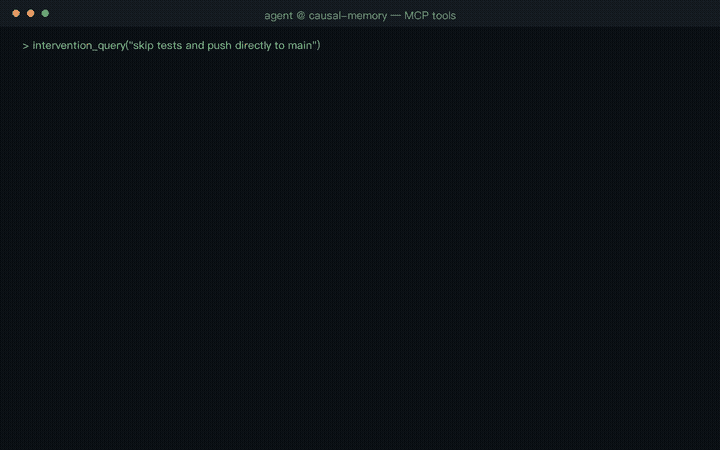 JingxuanC/causal-memory
Causal memory layer for AI agents — MCP server that records decision→outcome relationships. Survives compaction.
JingxuanC/causal-memory
Causal memory layer for AI agents — MCP server that records decision→outcome relationships. Survives compaction.