taxueseek/dsh-snippets
DeepSeek Harness 极简常用片段/命令工具箱:JSONL 存储,5 个工具,零依赖。AI 的收藏夹。
Project Overview项目介绍
dsh-snippets is a minimal DeepSeek Harness plugin for storing and retrieving frequently used text snippets such as commands, code, URLs, and prompts. It exposes five tools: save, search, get, delete, and count. Data is kept in a human-readable JSONL file at ~/.dsh/snippets/, which doubles as a manual-editable backup. It is ideal for users who reuse the same payloads across multiple sessions. The plugin adds no database, no network calls, and no extra runtime dependencies beyond the harness SDK. Note that names must match [A-Za-z0-9._-]{1,80} and each entry is capped at 20,000 characters.
dsh-snippets 是一款 DeepSeek Harness 极简片段工具箱,用于保存高频命令、代码、网址、提示词等文本片段。它提供 save、search、get、delete、count 五个工具,数据以 JSONL 格式存于 ~/.dsh/snippets/,可手工编辑且自带备份,适合需要跨会话快速复用固定内容的场景。仅依赖 harness SDK,零数据库零网络。需注意:片段名须符合 [A-Za-z0-9._-]{1,80},单条上限 2 万字符。
请帮我了解并安装插件:【dsh-snippets】【https://github.com/taxueseek/dsh-snippets】Send this message to DSH in your current session. CLI install commands may not be accurate across systems — DSH will figure it out for you.把上面这条消息直接发给当前会话里的 DSH,让它帮你了解并安装。安装命令不一定准确,发给 DSH 更稳。
Or use CLI install (for developers)或使用命令行安装(适合开发者)
CLI Install命令行安装
dsh plugin --profile web add "github:taxueseek/dsh-snippets#main&path:."把 taxueseek/dsh-snippets 加入你的 DSH 配置(web profile)即可启用。
READMEREADME
dsh-snippets
DeepSeek Harness 极简「常用片段/命令」工具箱:把高频命令、代码、网址、提示词存下来,任何会话里一条工具调用就能找回。
- 一个 JSONL 文件(
~/.dsh/snippets/snippets.jsonl),人类可读、可手工编辑、本身就是备份 - 五个工具,语义一眼可懂,没有多余概念
- 零 UI、零数据库、零网络:不加新运行时依赖,只有 harness SDK
- 显式记忆:AI 不会自动记录你的对话,只有你明确说「存」才存
功能
| 工具 | 作用 |
|---|---|
snippet_save |
保存或覆盖一条片段(同名覆盖并更新时间) |
snippet_search |
按子串搜索(匹配名称/正文/标签,不区分大小写) |
snippet_get |
按确切名字取回一条 |
snippet_delete |
删除一条 |
snippet_count |
统计总数 |
用法(模型视角)
- 存:
snippet_save(name: "docker-logs", text: "docker logs -f --tail 100 myapp", tags: ["ops"]) - 找:
snippet_search(query: "logs")→ 返回docker-logs - 取回:
snippet_get(name: "docker-logs")→ 拿到全文直接执行
为什么极简
- 不占上下文:不自动注入记忆,只在调用工具时才取回
- 可预期:存了什么、在哪、长什么样,一清二楚(就是那个 JSONL 文件)
- 内容是你挑的:存的是你特意收藏的,不是 AI 替你判断的
- 轻:无数据库、无向量库、无 UI 面板、无额外服务
数据
- 路径:
~/.dsh/snippets/snippets.jsonl - 每行一条 JSON:
{"name","text","tags","updatedAt"} - 损坏行自动跳过,不影响其余数据
- 片段名限制
[A-Za-z0-9._-]{1,80},单条上限 2 万字符
安装
# 从 GitHub 安装(与 taxueseek 其他插件一致)
dsh plugin --profile web add "github:taxueseek/dsh-snippets#main&path:."
# 重启 dsh web
(本地开发:dsh plugin --profile web add /path/to/dsh-snippets)
配置
- id: snippets-toolkit
  name: 'dsh-snippets'
  config:
    snippetsDir: '~/.dsh/snippets'   # 数据目录
    maxEntryChars: 20000             # 单条片段字符上限
    defaultLimit: 20                 # search 默认返回条数
开发
npm install --include=dev
npm test          # node --test 单元测试(11 项)
npm run build     # tsc 编译 host TS
许可
MIT
安装
```sh dsh plugin --profile web add taxueseek/dsh-snippets ```
贡献
欢迎提交 PR。
Related相关推荐
-
 GanyuanRan/Aegis
Make AI coding agents architecture-aware: baseline-first, evidence-verified, drift-checked, and safe across long tasks.
GanyuanRan/Aegis
Make AI coding agents architecture-aware: baseline-first, evidence-verified, drift-checked, and safe across long tasks.
-
 shengsheng90/DSH-taskboard
Native local Taskboard plugin for DeepSeek Harness. SQLite-backed projects, Agent claim/review, and a native Web UI — no…
shengsheng90/DSH-taskboard
Native local Taskboard plugin for DeepSeek Harness. SQLite-backed projects, Agent claim/review, and a native Web UI — no…
-
 pengyue-polaron/deepseek-harness-genui
Task-specific React apps for DeepSeek Harness with state carried into the next Agent turn
pengyue-polaron/deepseek-harness-genui
Task-specific React apps for DeepSeek Harness with state carried into the next Agent turn
-
 Jayden-X-L/forkprobe
Compare multiple skills on the same task and pick the winner.
Jayden-X-L/forkprobe
Compare multiple skills on the same task and pick the winner.
-
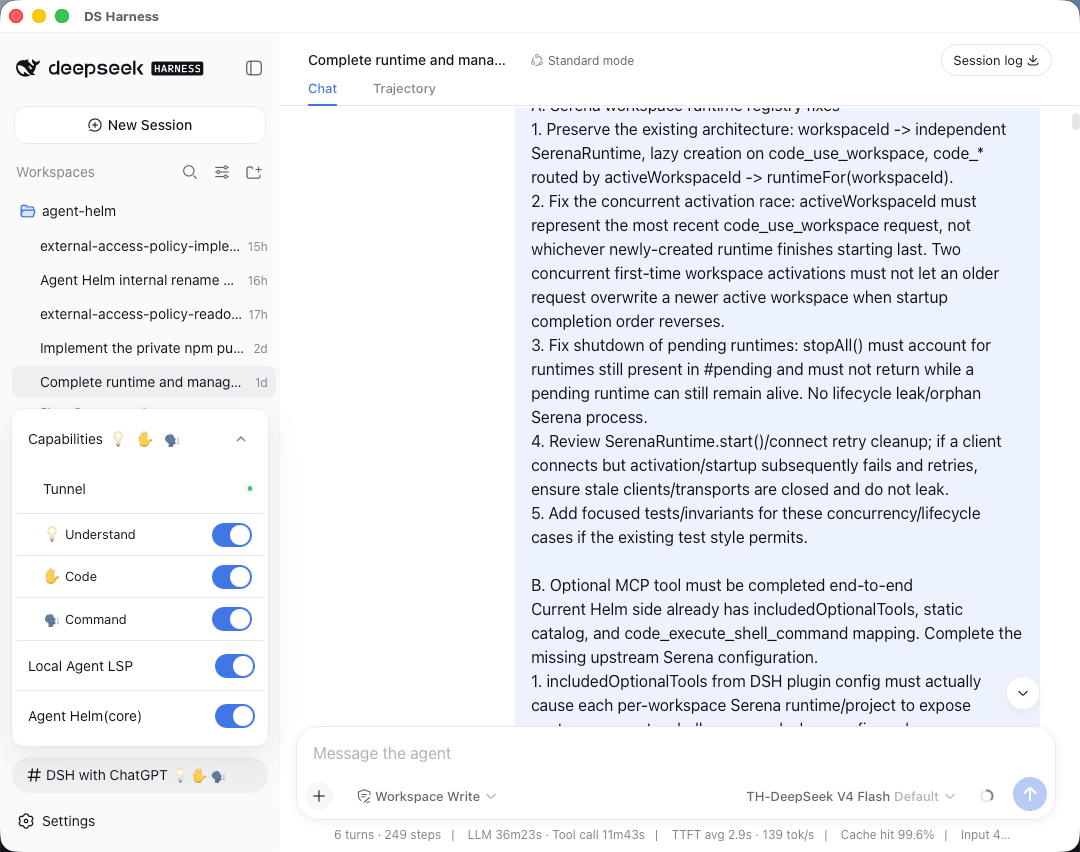 BeforeWave/dsh-with-chatgpt
Say goodbye to copy-pasting and DSH Token anxiety. Let ChatGPT on the web connect directly to your local project, code o…
BeforeWave/dsh-with-chatgpt
Say goodbye to copy-pasting and DSH Token anxiety. Let ChatGPT on the web connect directly to your local project, code o…
-
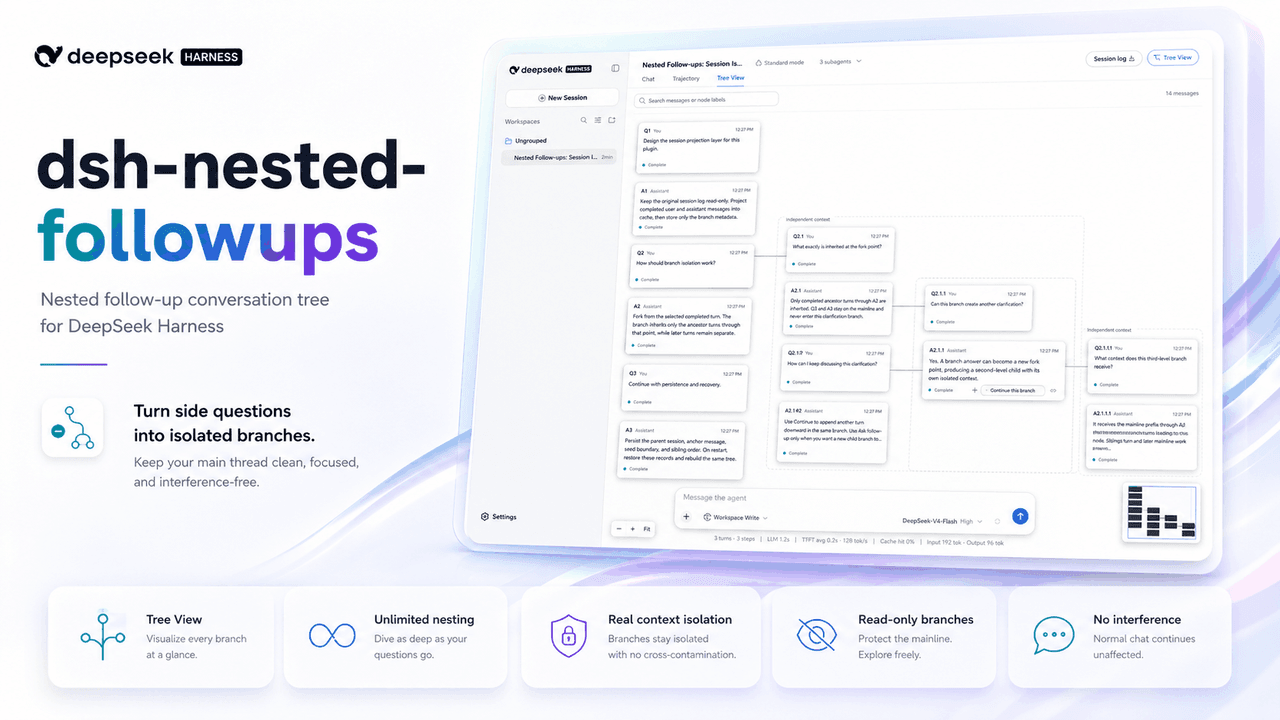 sluminositys/dsh-nested-followups
Branch from any answer and keep branching at any depth. Recursively isolated follow-ups that leave the main DSH task unt…
sluminositys/dsh-nested-followups
Branch from any answer and keep branching at any depth. Recursively isolated follow-ups that leave the main DSH task unt…
-
 Meredith2328/dsh-sticky-note
左下角便签:随手记点子/感想/TODO,实时保存到归档目录,清单+悬浮归档
Meredith2328/dsh-sticky-note
左下角便签:随手记点子/感想/TODO,实时保存到归档目录,清单+悬浮归档
-
 cloader/dsh-taskboard
deepseekharness 任务看板插件
cloader/dsh-taskboard
deepseekharness 任务看板插件