TencentCloud/cloudq-for-dsh
CloudQ integration for DeepSeek Harness, providing multi-cloud architecture governance, AIOps, risk inspection, usage, artifacts, and architecture views.
Project Overview项目介绍
dsh-cloudq is a Tencent Cloud CloudQ integration plugin for DeepSeek Harness. It adds a CloudQ mode to the Web profile, bundles the cloudq skill, and provides usage and architecture views, local credential setup, and plugin management. After configuring SecretId/SecretKey in Settings → Plugins, users can enter CloudQ mode or invoke /cloudq to ask cloud operations questions such as risk analysis. Note: credentials are stored locally in ~/.tencent-cloudq/credential.json with owner-only permissions, and least-privilege review is required for write operations.
dsh-cloudq 是面向 DeepSeek Harness 的腾讯云 CloudQ 集成插件。它为 Web profile 添加 CloudQ 模式,附带 cloudq 技能,提供用量与架构视图、本地凭据设置及插件管理。在 Settings → Plugins 配置 SecretId/SecretKey 后,可点击进入 CloudQ 模式或用 /cloudq 发起云上运维查询,例如风险分析。注意:凭据以仅所有者权限存于 ~/.tencent-cloudq/credential.json,需遵循最小权限原则审查写操作。
请帮我了解并安装插件:【cloudq-for-dsh】【https://github.com/TencentCloud/cloudq-for-dsh】Send this message to DSH in your current session. CLI install commands may not be accurate across systems — DSH will figure it out for you.把上面这条消息直接发给当前会话里的 DSH,让它帮你了解并安装。安装命令不一定准确,发给 DSH 更稳。
Or use CLI install (for developers)或使用命令行安装(适合开发者)
CLI Install命令行安装
dsh plugin --profile web add dsh-cloudq把 TencentCloud/cloudq-for-dsh 加入你的 DSH 配置(web profile)即可启用。
READMEREADME
dsh-cloudq




English | 简体中文
CloudQ integration for DeepSeek Harness. It adds a CloudQ mode to the Web profile, bundles the cloudq skill, and provides CloudQ usage and architecture views, local credential setup, and plugin management.
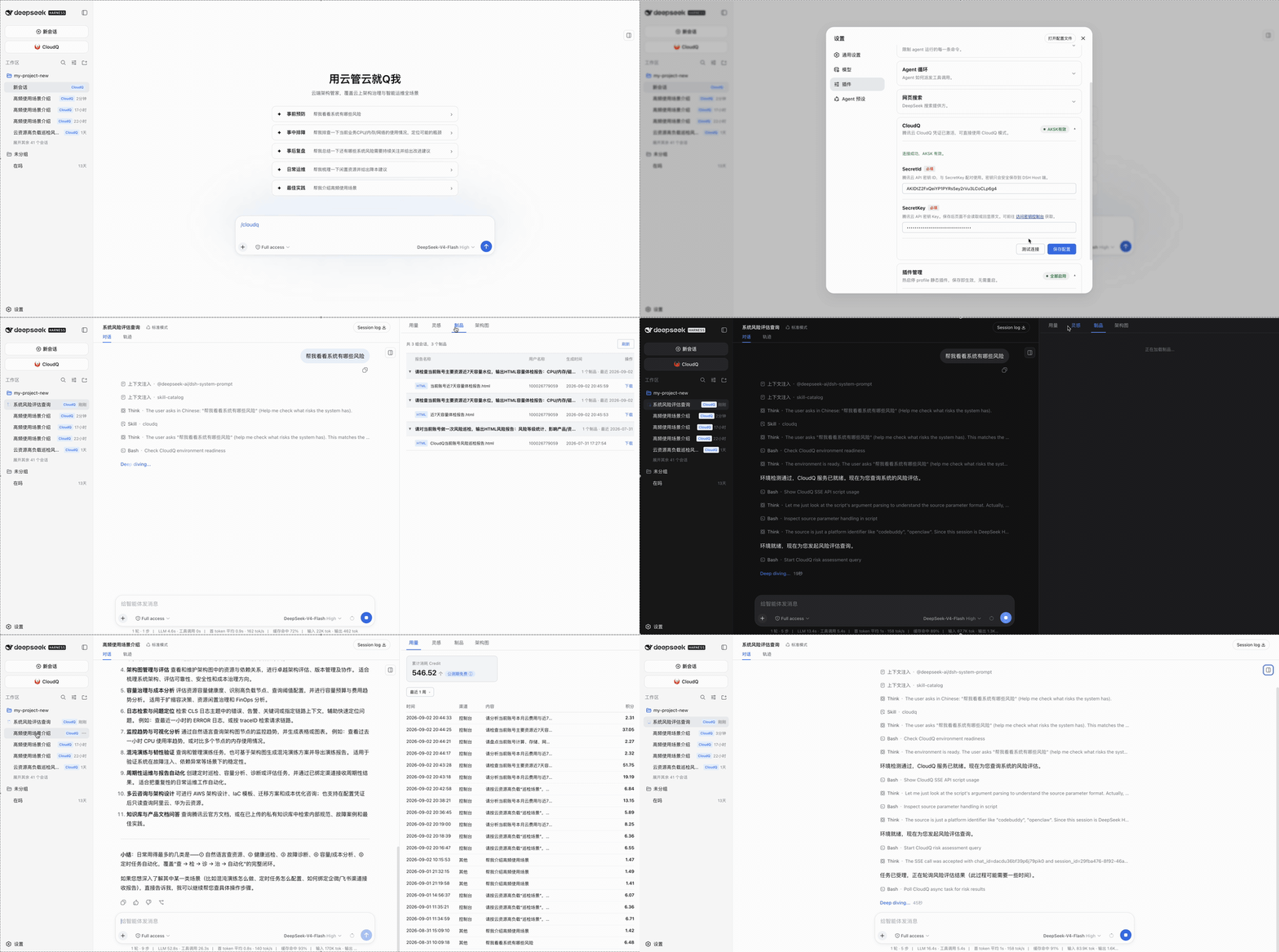
Demo
Requirements
- Node.js
>=22.19.0 - DeepSeek Harness
0.1.1-rc.2or a compatible newer0.1.xrelease pnpmavailable to thedsh plugincommand- macOS, Linux, or Windows
- Optional: the CloudQ conversation mode is driven by the bundled skill and needs Python 3 available as
python3; the settings, usage, inspiration, artifact, and architecture panels do not require Python
Install
dsh plugin --profile web add dsh-cloudq
Restart the Web profile after installation:
dsh --profile web
Open the URL printed by DSH. The conversation input area and sidebar will expose the CloudQ entry. You can also invoke the bundled skill explicitly with /cloudq.
Upgrade and remove
dsh plugin --profile web update dsh-cloudq
dsh plugin --profile web remove dsh-cloudq
Restart the Web profile after changing the installed package set.
Usage
- Open Settings → Plugins and expand the CloudQ card.
- Enter your Tencent Cloud
SecretIdandSecretKey(available from the CAM console). - Click 测试连接 to validate the pair, then 保存配置. The card shows AKSK有效 once the credential is active.
- Click 进入 CloudQ 模式 in the conversation input area — or type
/cloudq— and start asking cloud operations questions, e.g. “帮我看看系统有哪些风险”.
How it works
flowchart LR
  U["User"] --> W["DSH Web Profile"]
  W --> P["dsh-cloudq plugin"]
  P --> CL["client end<br/>sidebar / panels / settings"]
  P --> HOST["host end (Node)<br/>credentials / usage / artifacts / architecture / self-update"]
  CL -- "/api/dsh-cloudq/*" --> HOST
  HOST -- "TC3-HMAC-SHA256 signing<br/>in-process, no external runtime" --> TC["Tencent Cloud Advisor API"]
  P --> SK["bundled cloudq skill"]
  SK -- "CloudQ conversation mode<br/>agent executes" --> PY["Python helpers"]
  PY --> TC
  style HOST fill:#ddf4ff
  style SK fill:#dafbe1
  style TC fill:#fff1e5
Credentials
The settings card accepts a Tencent Cloud SecretId/SecretKey pair.
- Credentials are stored locally at
~/.tencent-cloudq/credential.jsonwith owner-only permissions. - Panel APIs sign and call Tencent Cloud in-process (native Node implementation); secrets never pass through any subprocess or appear in process lists.
- Browser APIs return only credential state and masked identifiers; local credential paths and secret values are not returned.
- Use the logout action to remove the stored credential.
Follow least-privilege: grant only the permissions required for the CloudQ operations you intend to run. The bundled skill can invoke read and write cloud-management operations; review each action before approving it.
Security model
- Host APIs accept only loopback, same-origin requests.
- JSON request bodies are limited to 64 KiB.
- Unexpected internal errors are not returned to the browser.
- Remote values are inserted with DOM text nodes rather than HTML injection.
- Download links require HTTPS.
- No credentials, tokens, or local environment files are included in the npm package.
Report security issues through GitHub Issues without including live credentials.
FAQ
Can't install or update to the latest version? (24-hour supply-chain cooling period)
pnpm 11 only installs versions that have been published for at least 24 hours. Right after a release, pin the version explicitly:
dsh plugin --profile web add dsh-cloudq@0.3.0
or wait for the cooldown to expire and the bare command will resolve to the newest release.
Does it work on Windows? Do I need Python?
Yes. The settings, usage, inspiration, artifact, and architecture panels are a native Node implementation and need no Python on any of macOS / Linux / Windows. Only CloudQ conversation mode is driven by the bundled skill and requires python3.
Where is my AK/SK stored? Is it safe?
At ~/.tencent-cloudq/credential.json (owner-only permissions). Panel APIs sign in-process; credentials never pass through a subprocess or appear in process lists. The 退出登录 action removes it.
Why does 测试连接 fail?
On 0.3.0+ the panels no longer depend on Python. If it still fails, make sure the key belongs to the current account and that Smart Advisor (CloudQ) is enabled for it.
Development
pnpm install
pnpm run lint
pnpm run typecheck
pnpm run test:all
pnpm run build
pnpm run check:client
npm pack --dry-run --registry=https://registry.npmjs.org/
The npm package ships prebuilt Host and Web client artifacts, the bundle patch, the runtime logo, and the bundled skill. Registry installation runs no build scripts.
Repository layout
src/                         Host and Web client source
skills/cloudq/               Bundled CloudQ skill and Python helpers
assets/cloudq.png            Runtime logo served by the Host
scripts/                     Build and release checks
tests/                       Unit, integration, and package-contract tests
cordis.patch.yml             DSH bundle layer
Release
Source is reviewed and versioned in TencentCloud/cloudq-for-dsh. An npm version is published to the official registry only after the repository checks and the package-install smoke test pass.
More documentation
- Changelog:
CHANGELOG.md - Development & maintenance guide:
DEVELOPMENT.md
License
MIT. See LICENSE.
Related相关推荐
-
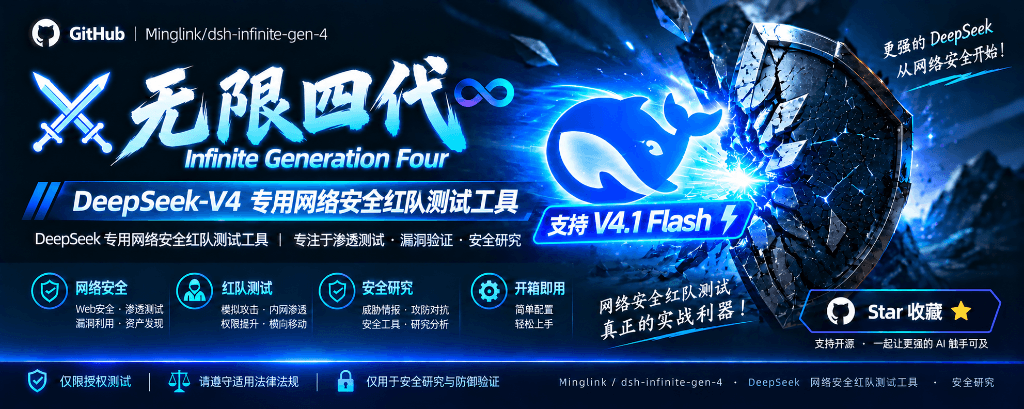 Minglink/dsh-infinite-gen-4
DeepSeek v4.1 flash 网络安全红队工具(无限四代) — jailbreak prompts and test suite for DeepSeek 求 Star 收藏 ⭐欢迎大家提交项目的改进
Minglink/dsh-infinite-gen-4
DeepSeek v4.1 flash 网络安全红队工具(无限四代) — jailbreak prompts and test suite for DeepSeek 求 Star 收藏 ⭐欢迎大家提交项目的改进
-
 toby-bridges/api-relay-audit
Local security audit for AI API relays and LLM proxies: detects prompt injection, model substitution, tool-call rewritin…
toby-bridges/api-relay-audit
Local security audit for AI API relays and LLM proxies: detects prompt injection, model substitution, tool-call rewritin…
-
 howmp/dsh-pentest
面向 DeepSeek Harness(dsh)的渗透测试模式 @CloverSecLabs
howmp/dsh-pentest
面向 DeepSeek Harness(dsh)的渗透测试模式 @CloverSecLabs
-
 SeaOf0/dsh-redteam-model
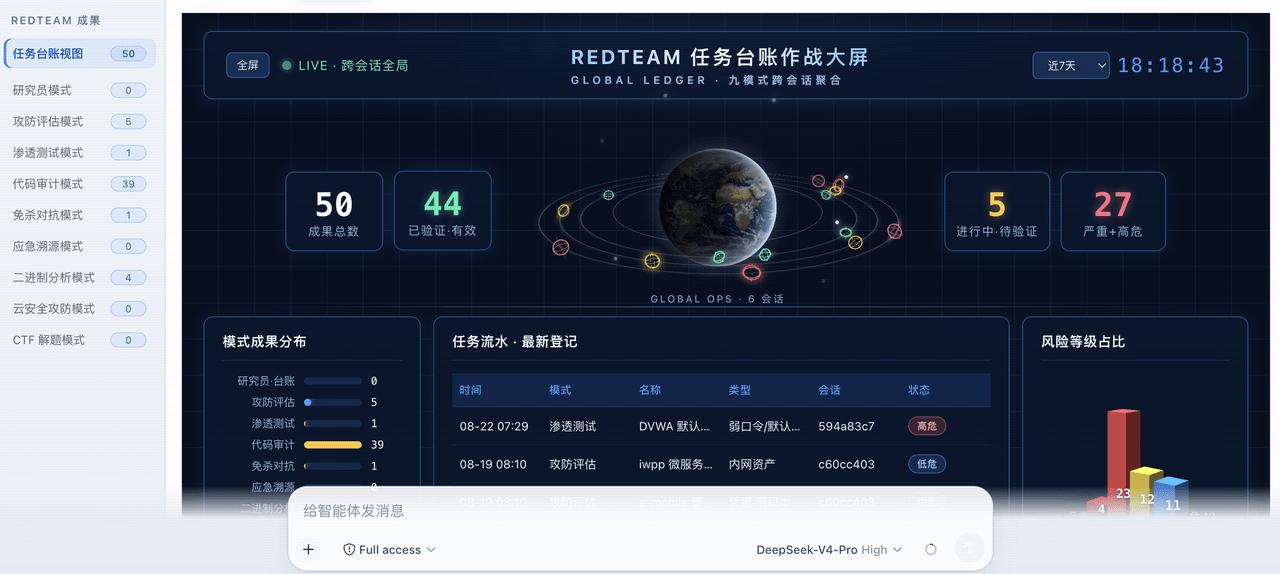
基于dsh web实现的多种模式,目的是服务于redteam进行授权的安全研究,覆盖渗透测试、红队评估、代码审计等范围领域,请勿用于非法行为。(允许二开,赋予模块各位自己的业务逻辑,方法论只有自己熟练的才好用,好的方法论=好的生态)
SeaOf0/dsh-redteam-model
基于dsh web实现的多种模式,目的是服务于redteam进行授权的安全研究,覆盖渗透测试、红队评估、代码审计等范围领域,请勿用于非法行为。(允许二开,赋予模块各位自己的业务逻辑,方法论只有自己熟练的才好用,好的方法论=好的生态)
-
 saya-ch/dsh-mobile
DeepSeek Harness 的 Android App 与安全远程访问插件,支持局域网/远程连接和高度自定义的移动界面与扩展能力。
saya-ch/dsh-mobile
DeepSeek Harness 的 Android App 与安全远程访问插件,支持局域网/远程连接和高度自定义的移动界面与扩展能力。
-
 liguobao/ds-harness-remote
一个基于 DeepSeek Harness 插件机制构建的多端远程访问方案,通过安全、低延迟、端到端加密的 P2P 优先网络,支持从 PC、Android 和 Web 随时访问并操作远程 Harness 和 CodeX。 (A multi-…
liguobao/ds-harness-remote
一个基于 DeepSeek Harness 插件机制构建的多端远程访问方案,通过安全、低延迟、端到端加密的 P2P 优先网络,支持从 PC、Android 和 Web 随时访问并操作远程 Harness 和 CodeX。 (A multi-…
-
 zhu1090093659/dsh-trading
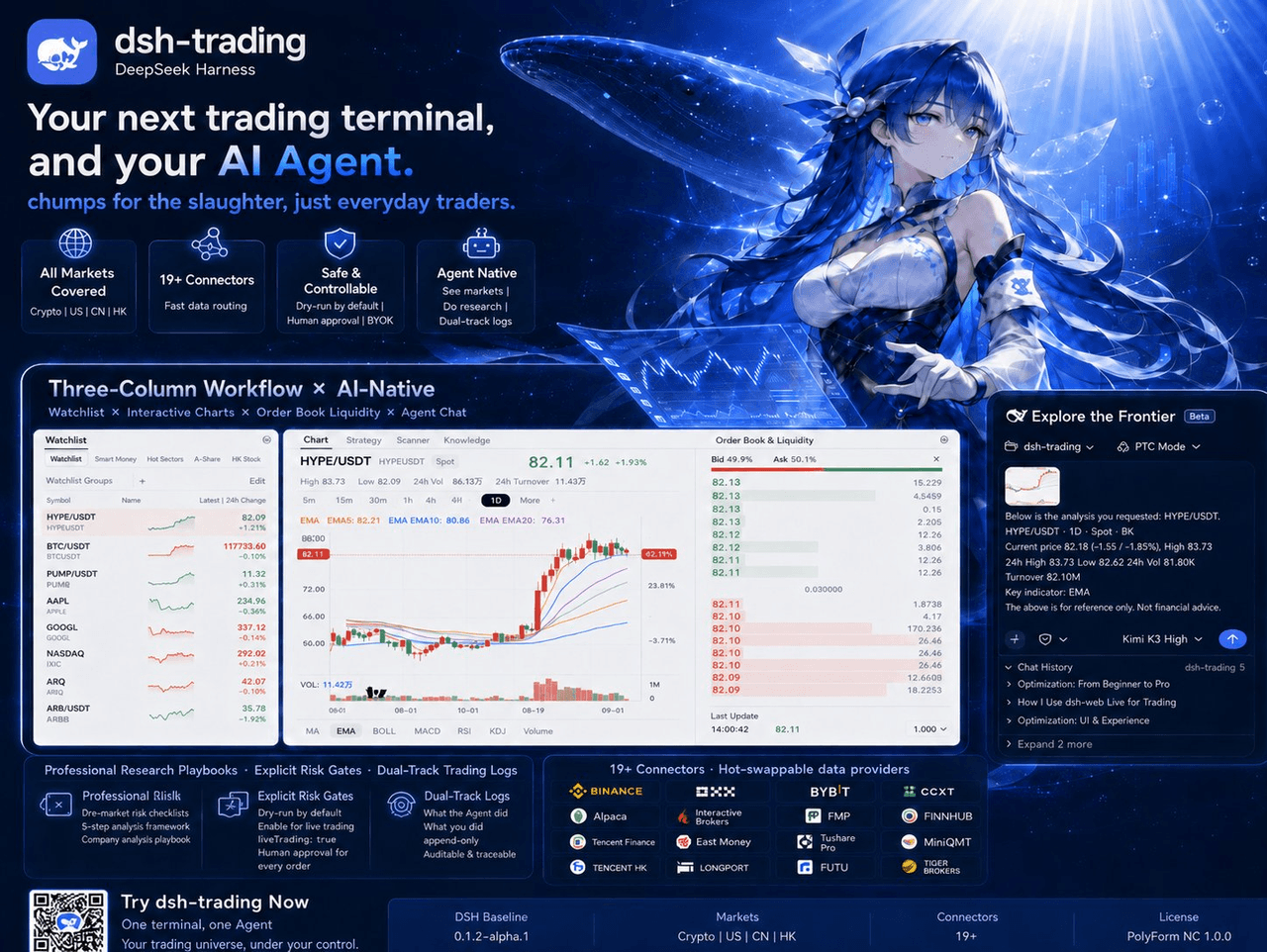
Agent-native trading terminal built on DeepSeek Harness. Crypto, US, CN and HK in one three-column GUI, 19+ hot-swappabl…
zhu1090093659/dsh-trading
Agent-native trading terminal built on DeepSeek Harness. Crypto, US, CN and HK in one three-column GUI, 19+ hot-swappabl…
-
 PerryLink/dsh-auto-review
Second-model AI auto-review for DeepSeek Harness approval requests: a read-only reviewer subagent returns structured all…
PerryLink/dsh-auto-review
Second-model AI auto-review for DeepSeek Harness approval requests: a read-only reviewer subagent returns structured all…