TH060419/gatherthread
GatherThread 共序:本地 AI 编程 Agent 多人联机协作、实时共享上下文。Self-hostable collaboration for local AI coding agents, Codex Desktop connector & DeepSeek Harness plugin.
Project Overview项目介绍
GatherThread is an open-source, self-hostable real-time collaboration workspace designed for people who keep their own local AI coding agents. It is explicitly harness-neutral rather than built for any single product, supporting both Codex Desktop and DeepSeek Harness clients that connect to the same ordered project event log; conversations stay attributable, replayable, and delivered live across role-based Solo and Multi sessions, while every participant keeps their local agent runtime and credentials. Git-backed code checkpoints are deliberately an opt-in feature, kept separate from the shared collaboration layer so that the product stays decoupled from any specific git workflow.
The typical workflow starts with opening a GitHub Issue against the Alpha access template, where applicants describe their motivation and optionally an email for private code delivery; a maintainer replies publicly with a one-use qualification code that must never be published, and the user redeems it at the hosted login page by entering display and device names under First-time activation. Solo sessions publish a complete canonical stream owned by the creator while other members follow read-only, whereas Multi sessions let many humans share one ordered conversation where human chat is broadcast directly and Agent requests are claimed only by the sender's local runtime and labelled with username, harness, provider, model, and capture fidelity. The server persists an append-only SQLite WAL event log with authoritative per-session sequence numbers, role-based access, durable replay, and WebSocket live delivery, while Codex and DeepSeek Harness maintain separate native projections recovered from durable cursors and outboxes, targeting remote pair-programming teams and small groups that want shared context without surrendering local model sovereignty.
Dependencies include Node.js, SQLite, Caddy as the documented edge, and optionally Tailscale for the Tailscale Serve mode, with an Alibaba Cloud ECS profile for the live deployment pattern; every mode keeps the application bound to loopback so that only the configured Caddy edge accepts public traffic. The first release ships peppered device credentials, HMAC-protected revocable browser sessions, single-use invitations and device authorization, device-bound runtime provenance, immediate session and socket invalidation on revocation, solo/multi ACL, event redaction, session-scoped idempotency, single-runtime request serialization, one-use realtime tickets, strict production WebSocket Origin checks, bounded JSON complexity, byte-paged replay, per-device rate limits, per-user and per-project session-count caps, and SQLite backup and restore scripts. Alpha hosted access at gatherthread.cn is invitation-only with no public registration or public Beta, the local, LAN HTTPS, and Tailscale self-hosting options remain available, and the license is Apache-2.0. Not yet implemented are automatic host failover, multi-process WebSocket fan-out, token-by-token agent streaming, attachment blob storage, retention workers, offline Web outbox, reply or search UI, and packaged native installers, and a first-run user must save the one-time device credential shown after activation before dismissing the dialog.
GatherThread 是一款开源、可自托管的实时协作工作区,面向使用本地 AI 编码代理的个人。它不锁定单一 Agent:Codex Desktop 与 DeepSeek Harness 客户端均接入同一有序的项目事件流,Solo 与 Multi 两种角色化会话共享同一份可回放、可归属的上下文,每个人保留本地 Agent 与自有凭据。Git 代码检查点是可选附加功能,与协作层解耦;README 明确称自身为"harness-neutral"协作层,因此 DeepSeek Harness 仅是多个受支持的目标之一。
典型流程是项目所有者通过 Issue 申请 Alpha 测试资格并获一次性激活码,在 gatherthread.cn 登录页输入显示名与设备名完成首次激活,随后向受邀成员颁发一次性设备令牌。Solo 会话由创建者单方面发布权威流,其余成员只读跟随;Multi 会话允许多人共享同一有序会话,人类消息直发,Agent 请求仅由发送者本地运行时认领并标注用户名、harness、厂商、模型与采集保真度,服务端以 SQLite WAL 持久化追加事件日志并通过 WebSocket 实时投递。适合希望保留本地模型与凭据主权,同时共享上下文与协作记录的远程结对或小型团队。
部署形态包括本地回环、私有 LAN HTTPS、私有 Tailscale Serve 与阿里云 ECS 四档,每档均仅由文档化的 Caddy 边缘对外暴露;依赖 Node.js、SQLite、Caddy 与可选 Tailscale。Alpha 仅限邀请,公共注册与公共 Beta 仍未开启;Git 备份为 opt-in。许可证为 Apache-2.0。未实现项含自动主机故障转移、令牌级流式回复、附件存储、保留期清理与原生安装包等,首次运行需在受邀 Issue 中获取一次性资格码并妥善保存设备令牌。
请帮我安装这个 DSH 插件。安装前先完成【兼容性检查 + 安全性检查】,检查通过再动手。

插件:gatherthread(TH060419/gatherthread)
仓库:https://github.com/TH060419/gatherthread
本站详情页:https://www.yhbd.top/plugins/th060419-gatherthread/
本站登记:类型 client · 归类 多平台兼容工具(非 DSH 原生) · 许可证 Apache-2.0 · ⭐ 6 · 最近提交 2026-10-03 · 主语言 TypeScript · 未检测到 DSH 插件清单

按下面顺序执行,每步先把结论告诉我,再进入下一步:

【1 兼容性检查】
① 我这边:DSH 版本、Node 版本、操作系统、当前 profile(web / desktop)。
② 读它的 README、package.json、插件 manifest,列出它要求的 DSH 版本 / Node 版本 / 操作系统 / 外部依赖 / 需要另外先装的运行时。
③ 逐条比对,结论只写「满足 / 不满足 / 未知」三种;不满足的给出可行替代方案。
④ 检查是否和我已装的插件冲突:命令名重复、skill / tool 重名、端口占用、重复注册的 MCP server。

【2 安全性检查】
① 仓库可信度:和上面「本站登记」是否一致;star / fork 数、创建时间、最近提交,是否归档或长期停更。
② 安装脚本:逐行看 package.json 的 preinstall / install / postinstall,以及 install.sh、setup.ps1 之类脚本。出现 curl|bash、下载后直接执行、混淆代码、访问与插件功能无关的域名,立刻停下来告诉我,不要继续装。
③ 依赖:列出新增依赖,标出无人维护、或与知名包拼写近似的可疑包(typosquatting)。
④ 权限与副作用:它会读写哪些目录、访问哪些域名、需要哪些 DSH 权限(filesystem / network / shell / clipboard 等),以及怎么卸载和回滚。
⑤ 如果它要求 sudo / 管理员权限,或权限明显超出功能所需,先停下来问我。

【3 安装】
上面两步没有「不满足」和「高危项」时才执行;用官方推荐方式安装,不要自行提权。

【4 汇报】
用表格输出:检查项 / 结论 / 依据 / 是否需要我决策。拿不准的一律写「未知」并说明要我怎么确认——不要猜,也不要替我决定。
Send this message to DSH in your current session: it verifies compatibility and security first (answering met / not met / unknown item by item) and only installs once everything checks out — it will stop and ask you if it finds a high-risk item. The box scrolls; the copy is the full prompt. CLI install commands may not be accurate across systems, so DSH is the safer route.把上面这条消息直接发给当前会话里的 DSH:它会先核对兼容性与安全性(逐条给「满足 / 不满足 / 未知」),确认没问题再安装,有高危项会停下来问你。框内可滚动,复制到的是完整提示词;安装命令不一定准确,发给 DSH 更稳。
- Only 6 stars - very few users, little community feedback星标只有 6,几乎没人在用,遇到问题缺少社区反馈
- No DSH plugin manifest detected - it may only carry the dsh-plugin topic, so the install method must be confirmed on the spot未检测到 DSH 插件清单:可能只是打了 dsh-plugin 话题,安装方式要现场确认
- Not DSH-native: a multi-platform tool that may require Node / Electron or another runtime first非 DSH 原生,是多平台兼容工具:可能要先装 Node / Electron 等运行时
- Desktop client: installation downloads an executable - verify the publisher and checksums桌面客户端:安装会下载可执行文件,请核对发布者与校验和
DSH walks through these 9 checksDSH 会逐条核对这 9 项
Compatibility兼容性
- DSH, Node, OS and profile requirementsDSH 版本 / Node 版本 / 操作系统 / profile 是否满足要求
- External dependencies and runtimes (Electron / Python / Docker, ...)外部依赖与运行时(Electron / Python / Docker 等)是否齐备
- Conflicts with installed plugins: command names, skill / tool names, ports, duplicate MCP registration与已装插件是否冲突:命令名、skill / tool 重名、端口占用、重复 MCP 注册
Security安全性
- Repo matches the facts registered here; archived or abandoned?仓库是否与页面登记一致,是否归档或长期停更
- Safety of preinstall / install / postinstall and install.sh / setup.ps1preinstall / install / postinstall 与 install.sh、setup.ps1 是否安全
- curl|bash, download-then-execute, obfuscation, unrelated domains → stop immediatelycurl|bash、下载即执行、混淆代码、无关域名 → 立刻停止
- Typosquatting or unmaintained packages among the new dependencies新增依赖里有没有 typosquatting 或无人维护的包
- Requested permissions vs. what the feature actually needs申请了哪些权限、是否超出功能所需(filesystem / network / shell / clipboard)
- Any sudo / admin requirement, plus uninstall and rollback是否要求 sudo / 管理员权限,以及卸载与回滚方式
Anything uncertain must be marked unknown with a note on how to confirm it. This site's signal screen is a static snapshot, not a security audit.拿不准的必须标「未知」并说明要我怎么确认。本站的信号筛查是静态快照,不能替代安全审计。
Or use CLI install (for developers)或使用命令行安装(适合开发者)
CLI Install命令行安装
dsh plugin --profile web add github:TH060419/gatherthread把 TH060419/gatherthread 加入你的 DSH 配置(web profile)即可启用。
READMEREADME
GatherThread


One room, many minds.
GatherThread is an open-source, self-hostable workspace for real-time online collaboration among people using their own local AI coding agents. Codex Desktop and DeepSeek Harness connect to the same ordered project history and shared context: conversations are attributable, replayable, and delivered live across role-based Solo and Multi sessions. Each person keeps their local Agent and credentials; Git-backed code checkpoints are a separate, opt-in feature. The collaboration layer remains harness-neutral rather than requiring everyone to use one Agent or model.
Alpha 8 adds a bilingual first-use guide and isolated practice project, quotes and member mentions, clearer conversation navigation, runtime-advertised model choices, optional Windows/macOS Codex Launcher prototypes, self-service account deletion. See the Alpha 8 notes for limits and verification gates.
Unreleased account update. The hosted Alpha has not switched to this branch or opened public registration. The source flow below requires operator preflight before enablement.
Git tag, npm package, and GitHub Release details are recorded in the release index.
Registration and sign-in
Register with a verified email address and choose a password, then sign in with email and password. Create projects or accept project invitations after signing in. Connect your Agents with independent device authorization. If you forget your password, request an email code on the sign-in page and choose a new password; this signs out every device and revokes Agent access while keeping your projects.
Registration and password recovery are closed by default until their operator setup is complete. This source preview is not deployed to the official Alpha. See ADR-0036 for account and device behavior.
Showing the opening section of the README — the full document lives in the repository以上为 README 开头摘要,完整文档在仓库内 · View the full README on GitHub →在 GitHub 查看完整 README →
Related相关推荐
-
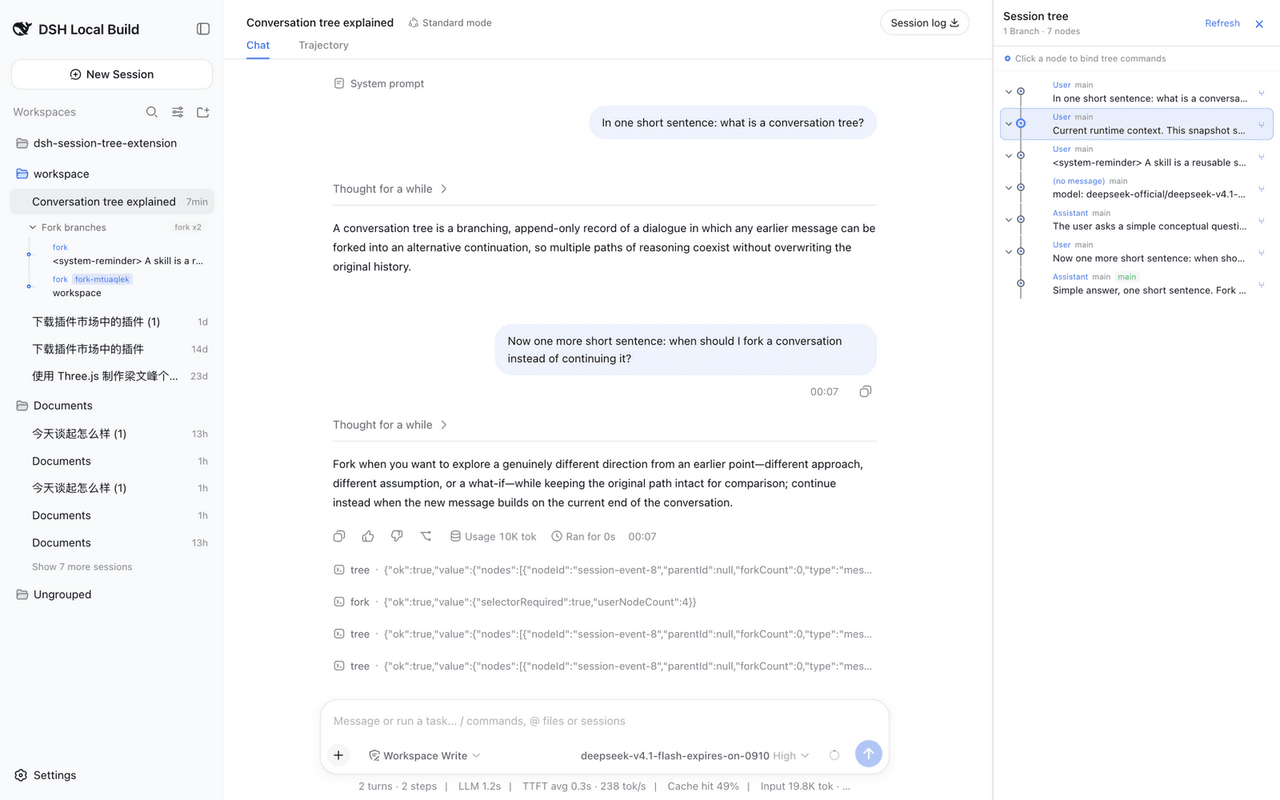 robiteame/dsh-session-tree-extension
dsh-session-tree-extension Append-only, multi-branch conversation trees for DeepSeek-Harness — a PI-Agent-style SessionT…
robiteame/dsh-session-tree-extension
dsh-session-tree-extension Append-only, multi-branch conversation trees for DeepSeek-Harness — a PI-Agent-style SessionT…
-
 chiro2001/dsh-oc
DeepSeek Harness × OpenCode TUI 前端:把 dsh 的 Agent、会话、工具接入官方 opencode 终端。OpenCode TUI frontend for the DeepSeek Harness (d…
chiro2001/dsh-oc
DeepSeek Harness × OpenCode TUI 前端:把 dsh 的 Agent、会话、工具接入官方 opencode 终端。OpenCode TUI frontend for the DeepSeek Harness (d…
-
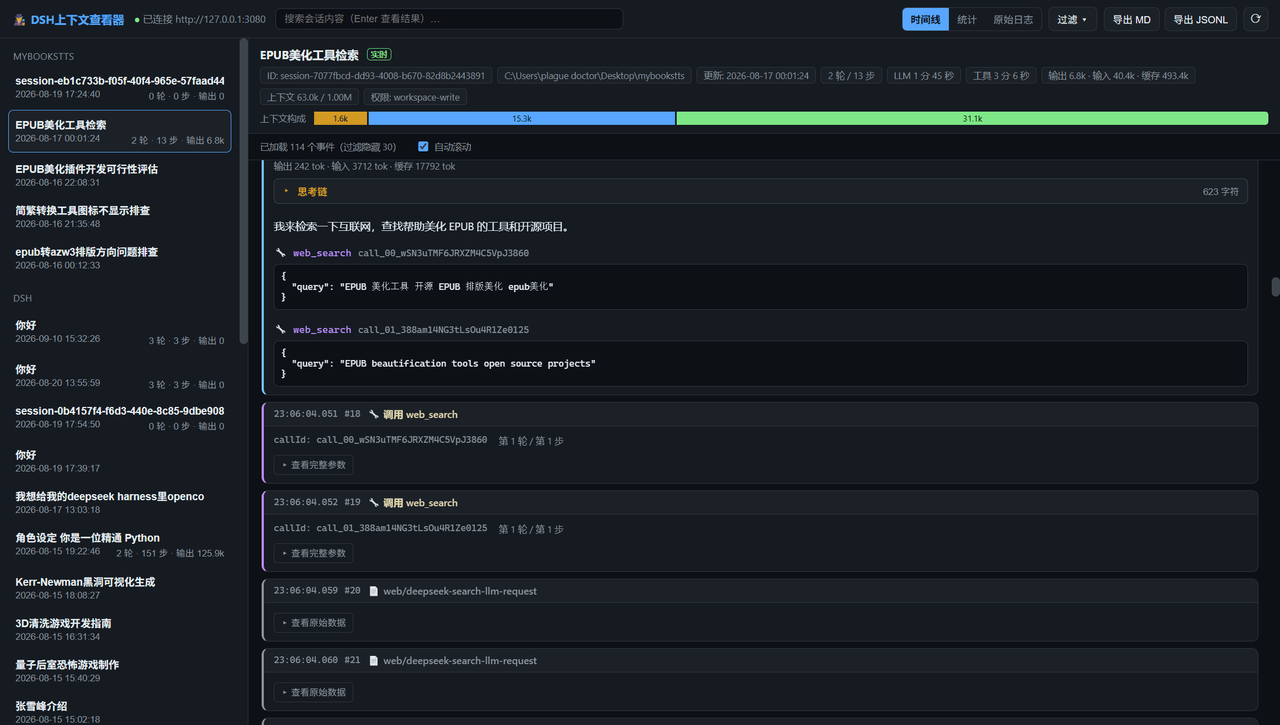 shiningsprk-arch/dsh-context-viewer
DeepSeek Harness (DSH) 上下文查看器 — 浏览思考链、shell 命令、工具调用与原始事件日志(Electron + React)
shiningsprk-arch/dsh-context-viewer
DeepSeek Harness (DSH) 上下文查看器 — 浏览思考链、shell 命令、工具调用与原始事件日志(Electron + React)
- awa-123-cw/dsh-webui-perf DeepSeek Harness WebUI 性能优化开关插件:长代码流式渲染/历史加载/高亮缓存优化,设置面板一键开关(with official-package patches)
-
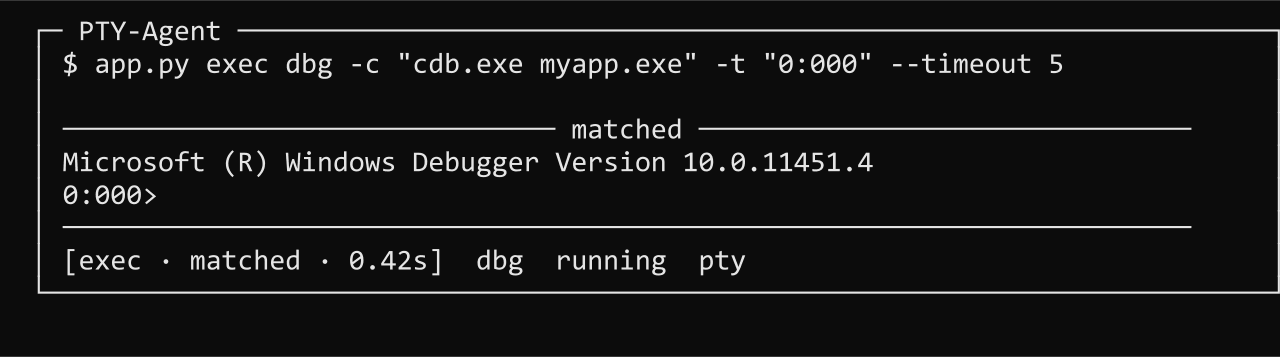 ming-14/PTY-Agent
Give your AI agent a real terminal: persistent PTY sessions, prompt-triggered returns, screen snapshots, and TUI/GUI/…
ming-14/PTY-Agent
Give your AI agent a real terminal: persistent PTY sessions, prompt-triggered returns, screen snapshots, and TUI/GUI/…
-
 kevenxz/dsh-desktop
Windows desktop client for DeepSeek Harness — native window, tray, shared DSH profiles and sessions.
kevenxz/dsh-desktop
Windows desktop client for DeepSeek Harness — native window, tray, shared DSH profiles and sessions.
-
 ccch1mneyyy/dsh-TUI
DSH's officially top-recommended TUI plugin — high performance, low overhead, cute pixel whale, smooth mouse interaction…
ccch1mneyyy/dsh-TUI
DSH's officially top-recommended TUI plugin — high performance, low overhead, cute pixel whale, smooth mouse interaction…
-
 xyTom/coding-tools-mcp
Give any AI agent the ability to code
xyTom/coding-tools-mcp
Give any AI agent the ability to code