The-latest-one/dsh-branch-workspace-folders
DeepSeek Harness (DSH) sidebar plugin: stack-safe fork tree, two-track indentation, marquee title, leading/hover slots, and cascade purge.
Project Overview项目介绍
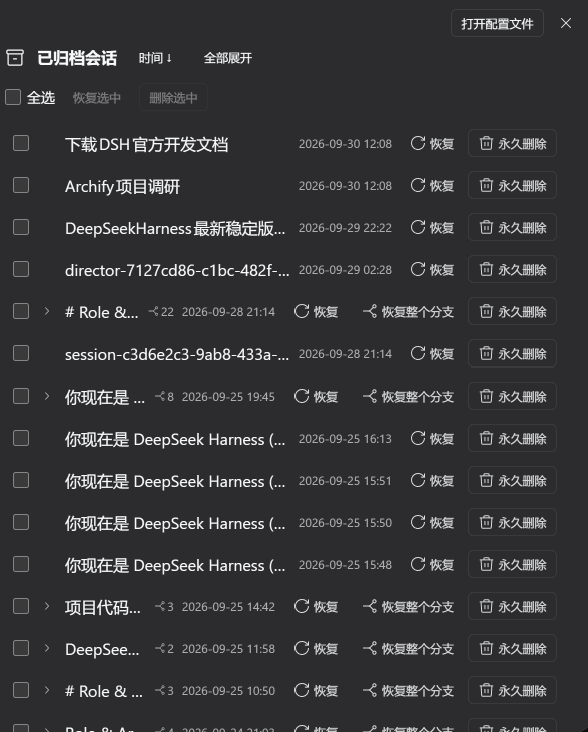
dsh-branch-workspace-folders is a DSH-native sidebar enhancement plugin for the DeepSeek Harness, built strictly against the v0.2.0-rc.2 UI/UX contracts. It rearchitects the workspace sidebar and session tree with a heap-allocated, non-recursive stack-safe session engine, a placeFork clustering rule, decoupled two-track indentation variables, a constant-speed title marquee with edge-fade masking, four-state priority folding bubbling, archived tri-state filtering, and a physical cascading purge transaction engine that physically removes .zstd log residue with rollback safety. It mounts the official sidebar.session.row.leading sixteen-pixel arbitration cell and sidebar.session.row.hover injection slots so external task inspectors and automation indicators integrate natively.
The plugin installs as a pre-built asset via dsh plugin --profile web add ./dsh-branch-workspace-folders-0.2.0.tgz, or through dev_install_package when dsh-super-injector is available, while developers iterate with dev_inject_plugin for zero-config memory injection followed by dev_reload_package for deterministic hot reload. Typical users are heavy DSH operators managing dense forked sessions, nested directory workspaces, and subagent call trees who need immediate visual triage of approval, running, and archived states. It targets the web profile only, leaves WorkspacePickFlow permanently mounted, and forces all row actions through renderSlot.
The project is MIT-licensed, organized as a pnpm workspace, and enforced by a grounded verification gate comprising npm run typecheck, npm run build (tsdown with inline CSS), npm test (45/45 tests including a 20,000-depth recursion stress case), and a live dev_reload_package reload. First-run prerequisites include editing ~/.dsh/profiles/web/package.json to register the bundle under dsh.profile.bundles, running pnpm install, restarting DSH, and applying documented invariants such as merging local storage with local branch-collapse state, filtering origin === 'subagent' transient children, and reserving slot rendering for menu items.
dsh-branch-workspace-folders 是一款面向 DeepSeek Harness (DSH) 的原生侧边栏增强插件,针对 v0.2.0-rc.2 的 UI/UX 契约进行深度重构。核心能力包括基于堆分配非递归栈的会话树、placeFork 智能分叉聚类、双轨缩进解耦、常速标题跑马灯(带渐隐遮罩),以及四态折叠状态冒泡。它完整挂载 sidebar.session.row.leading 与 sidebar.session.row.hover 两级官方插槽,并提供物理级联清理事务引擎,可在 .zstd 日志残留场景下进行可回滚的真删除。
该插件通过 dsh plugin --profile web add 命令安装预构建 tarball,或在装有 dsh-super-injector 的环境中调用 dev_install_package 进行零重启挂载,开发者也可使用 dev_inject_plugin 进行内存热注入并通过 dev_reload_package 触发确定性热重载。典型用户为管理大量分叉会话、嵌套目录工作区与子智能体调用的 DSH 重度使用者,需要在侧边栏中实时识别审批、运行等高优先级状态。
依赖方面项目以 pnpm 管理 monorepo,并通过 npm run typecheck、npm run build、npm test(45/45 用例,含两万深度压力测试)以及 dev_reload_package 四步提交门禁。许可证为 MIT,但强制要求 WorkspacePickFlow 常驻 DOM、双轨折叠状态合并、必须使用 renderSlot 渲染行操作以及过滤 origin === 'subagent' 瞬态会话等不变量,首次运行前需在 web profile 中注册 bundle。
请帮我安装这个 DSH 插件。安装前先完成【兼容性检查 + 安全性检查】,检查通过再动手。

插件:dsh-branch-workspace-folders(The-latest-one/dsh-branch-workspace-folders)
仓库:https://github.com/The-latest-one/dsh-branch-workspace-folders
本站详情页:https://www.yhbd.top/plugins/the-latest-one-dsh-branch-workspace-folders/
本站登记:类型 plugin · 归类 原生 DSH 插件 · 许可证 MIT · ⭐ 5 · 最近提交 2026-10-03 · 主语言 TypeScript

按下面顺序执行,每步先把结论告诉我,再进入下一步:

【1 兼容性检查】
① 我这边:DSH 版本、Node 版本、操作系统、当前 profile(web / desktop)。
② 读它的 README、package.json、插件 manifest,列出它要求的 DSH 版本 / Node 版本 / 操作系统 / 外部依赖 / 需要另外先装的运行时。
③ 逐条比对,结论只写「满足 / 不满足 / 未知」三种;不满足的给出可行替代方案。
④ 检查是否和我已装的插件冲突:命令名重复、skill / tool 重名、端口占用、重复注册的 MCP server。

【2 安全性检查】
① 仓库可信度:和上面「本站登记」是否一致;star / fork 数、创建时间、最近提交,是否归档或长期停更。
② 安装脚本:逐行看 package.json 的 preinstall / install / postinstall,以及 install.sh、setup.ps1 之类脚本。出现 curl|bash、下载后直接执行、混淆代码、访问与插件功能无关的域名,立刻停下来告诉我,不要继续装。
③ 依赖:列出新增依赖,标出无人维护、或与知名包拼写近似的可疑包(typosquatting)。
④ 权限与副作用:它会读写哪些目录、访问哪些域名、需要哪些 DSH 权限(filesystem / network / shell / clipboard 等),以及怎么卸载和回滚。
⑤ 如果它要求 sudo / 管理员权限,或权限明显超出功能所需,先停下来问我。

【3 安装】
上面两步没有「不满足」和「高危项」时才执行;用官方推荐方式安装,不要自行提权。

【4 汇报】
用表格输出:检查项 / 结论 / 依据 / 是否需要我决策。拿不准的一律写「未知」并说明要我怎么确认——不要猜,也不要替我决定。
Send this message to DSH in your current session: it verifies compatibility and security first (answering met / not met / unknown item by item) and only installs once everything checks out — it will stop and ask you if it finds a high-risk item. The box scrolls; the copy is the full prompt. CLI install commands may not be accurate across systems, so DSH is the safer route.把上面这条消息直接发给当前会话里的 DSH:它会先核对兼容性与安全性(逐条给「满足 / 不满足 / 未知」),确认没问题再安装,有高危项会停下来问你。框内可滚动,复制到的是完整提示词;安装命令不一定准确,发给 DSH 更稳。
- Only 5 stars - very few users, little community feedback星标只有 5,几乎没人在用,遇到问题缺少社区反馈
DSH walks through these 9 checksDSH 会逐条核对这 9 项
Compatibility兼容性
- DSH, Node, OS and profile requirementsDSH 版本 / Node 版本 / 操作系统 / profile 是否满足要求
- External dependencies and runtimes (Electron / Python / Docker, ...)外部依赖与运行时(Electron / Python / Docker 等)是否齐备
- Conflicts with installed plugins: command names, skill / tool names, ports, duplicate MCP registration与已装插件是否冲突:命令名、skill / tool 重名、端口占用、重复 MCP 注册
Security安全性
- Repo matches the facts registered here; archived or abandoned?仓库是否与页面登记一致,是否归档或长期停更
- Safety of preinstall / install / postinstall and install.sh / setup.ps1preinstall / install / postinstall 与 install.sh、setup.ps1 是否安全
- curl|bash, download-then-execute, obfuscation, unrelated domains → stop immediatelycurl|bash、下载即执行、混淆代码、无关域名 → 立刻停止
- Typosquatting or unmaintained packages among the new dependencies新增依赖里有没有 typosquatting 或无人维护的包
- Requested permissions vs. what the feature actually needs申请了哪些权限、是否超出功能所需(filesystem / network / shell / clipboard)
- Any sudo / admin requirement, plus uninstall and rollback是否要求 sudo / 管理员权限,以及卸载与回滚方式
Anything uncertain must be marked unknown with a note on how to confirm it. This site's signal screen is a static snapshot, not a security audit.拿不准的必须标「未知」并说明要我怎么确认。本站的信号筛查是静态快照,不能替代安全审计。
Or use CLI install (for developers)或使用命令行安装(适合开发者)
CLI Install命令行安装
dsh plugin --profile web add dsh-branch-workspace-folders把 The-latest-one/dsh-branch-workspace-folders 加入你的 DSH 配置(web profile)即可启用。
READMEREADME
dsh-branch-workspace-folders
🌐 English | 中文





DeepSeek Harness (DSH) full-featured ecosystem extension: strictly aligned with official UI/UX design contracts to deeply rearchitect the sidebar workspace and session tree. Delivers heap-allocated non-recursive stack-safe session trees,
placeForkintelligent fork clustering, two-track indentation decoupling, constant-speed title marquee with fade masking, official leading & hover slot compatibility, collapsed status bubbling, archived tri-state filtering, and a physical cascading purge transaction engine.
📸 Visual Preview
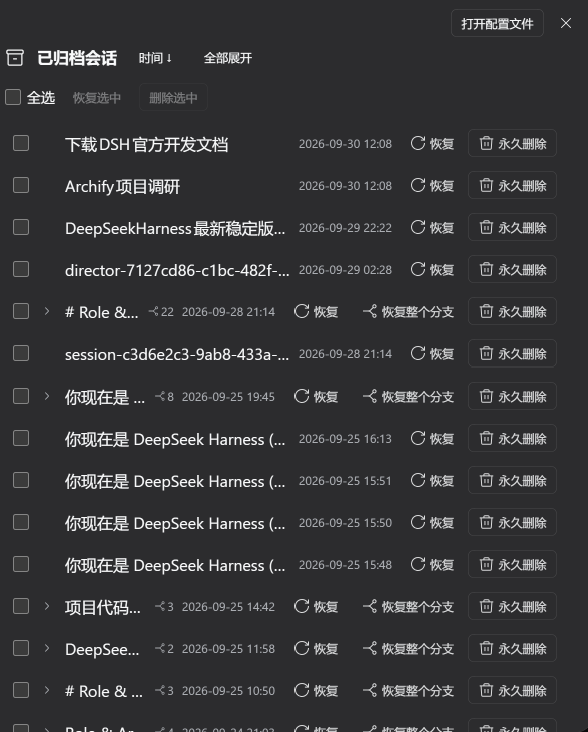
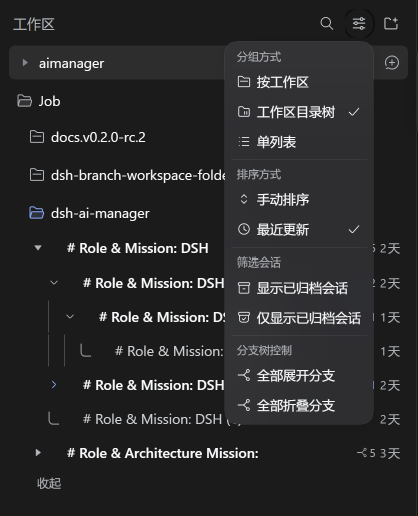
Left: Sidebar tree grouping, placeFork clustering & L-shaped vector rails | Right: Multi-tier indentation, solid triangle toggles & status bubbling
⚡ Quick Comparison: Native DSH vs. This Plugin
| Capability / Pain Point | Official Native DSH | Other Community Plugins | dsh-branch-workspace-folders |
|---|---|---|---|
| Forked Session Hierarchy | ❌ Flat list only, scattered by recency | ⚠️ Pop out standalone SVG panel | ✅ Native in-place collapsible tree with L-shaped guide rails |
| New Fork Positioning | ⚠️ Appended at arbitrary list ends | ❌ Unchanged | ✅ placeFork auto-clusters adjacent above parent session |
| Folded Status Bubbling | ❌ None (blindspot for running tasks) | ❌ None | ✅ 4-state priority FSM (approval warnings bubble to root) |
| Physical Disk Deletion | ❌ Soft archive only (.zstd logs persist) |
⚠️ Standalone trash button / no cascade | ✅ True cascading physical purge with rollback safety |
| Indentation Reliability | ❌ Negative indentation in directory trees | ❌ Overrides directory spacing | ✅ Two-track decoupled variables (--dsh-branch & --dsh-ws) |
| Engine Recursion Safety | ❌ N/A | ⚠️ Direct recursion (risk of stack overflow) | ✅ Heap-allocated explicit stacks (tested against 20,000 depth) |
| DSH v0.2.0-rc.2 Alignment | ⚠️ Shipped in native | ❌ Legacy 0.1.x baselines | ✅ 100% aligned (two-tier slots, 0.03px/ms marquee, FLIP keys) |
Showing the opening section of the README — the full document lives in the repository以上为 README 开头摘要,完整文档在仓库内 · View the full README on GitHub →在 GitHub 查看完整 README →
Related相关推荐
- aa2246740/dsh-better-display A calmer reading view for DeepSeek Harness: native process details, live reasoning, and clean final answers.
-
 lyhue1991/dsh-soup
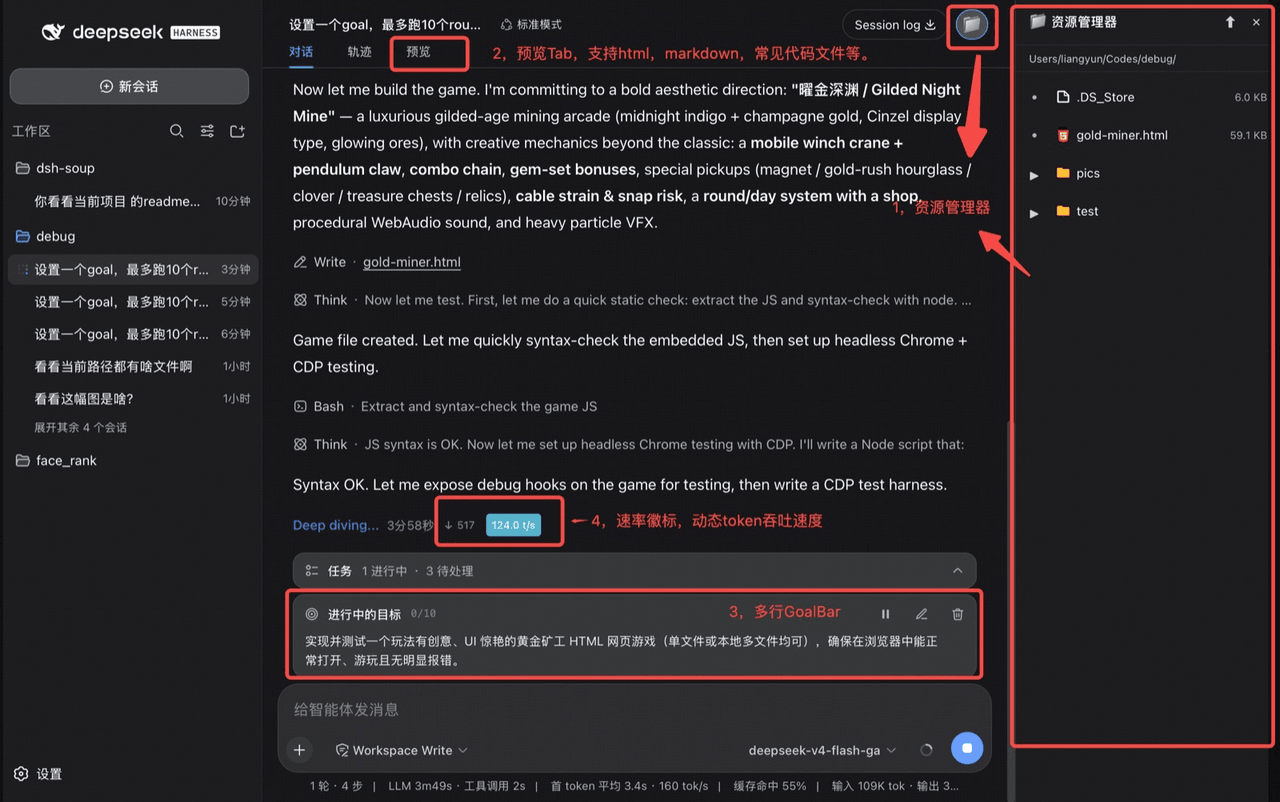
dsh 体验增强四件套 = Jupyter风格SideBar + 中央文件预览Tab + 多行GoalBar + 实时Token流速徽标
lyhue1991/dsh-soup
dsh 体验增强四件套 = Jupyter风格SideBar + 中央文件预览Tab + 多行GoalBar + 实时Token流速徽标
-
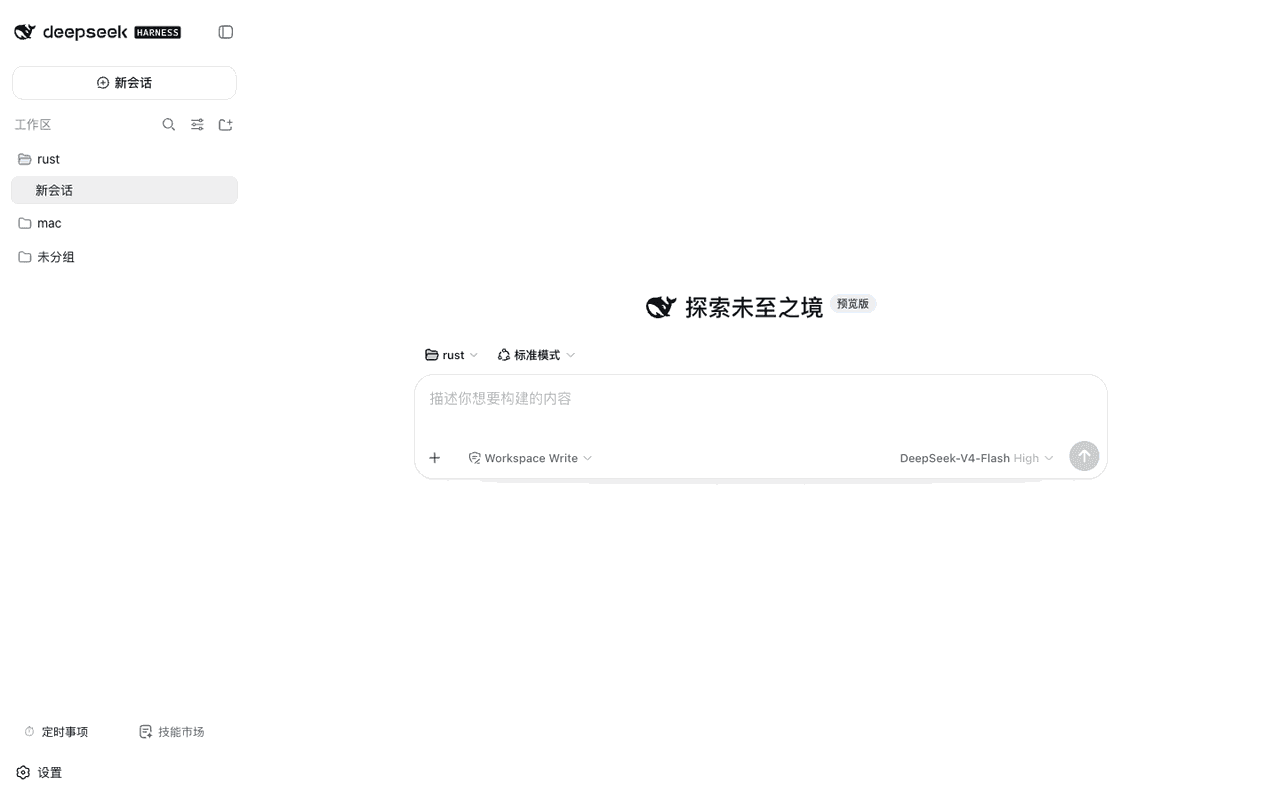 weibaohui/dsh-tasks
DeepSeek Harness 插件:cron 定时事项——定时/立即执行新建 agent 会话提交提示词,全屏管理界面
weibaohui/dsh-tasks
DeepSeek Harness 插件:cron 定时事项——定时/立即执行新建 agent 会话提交提示词,全屏管理界面
-
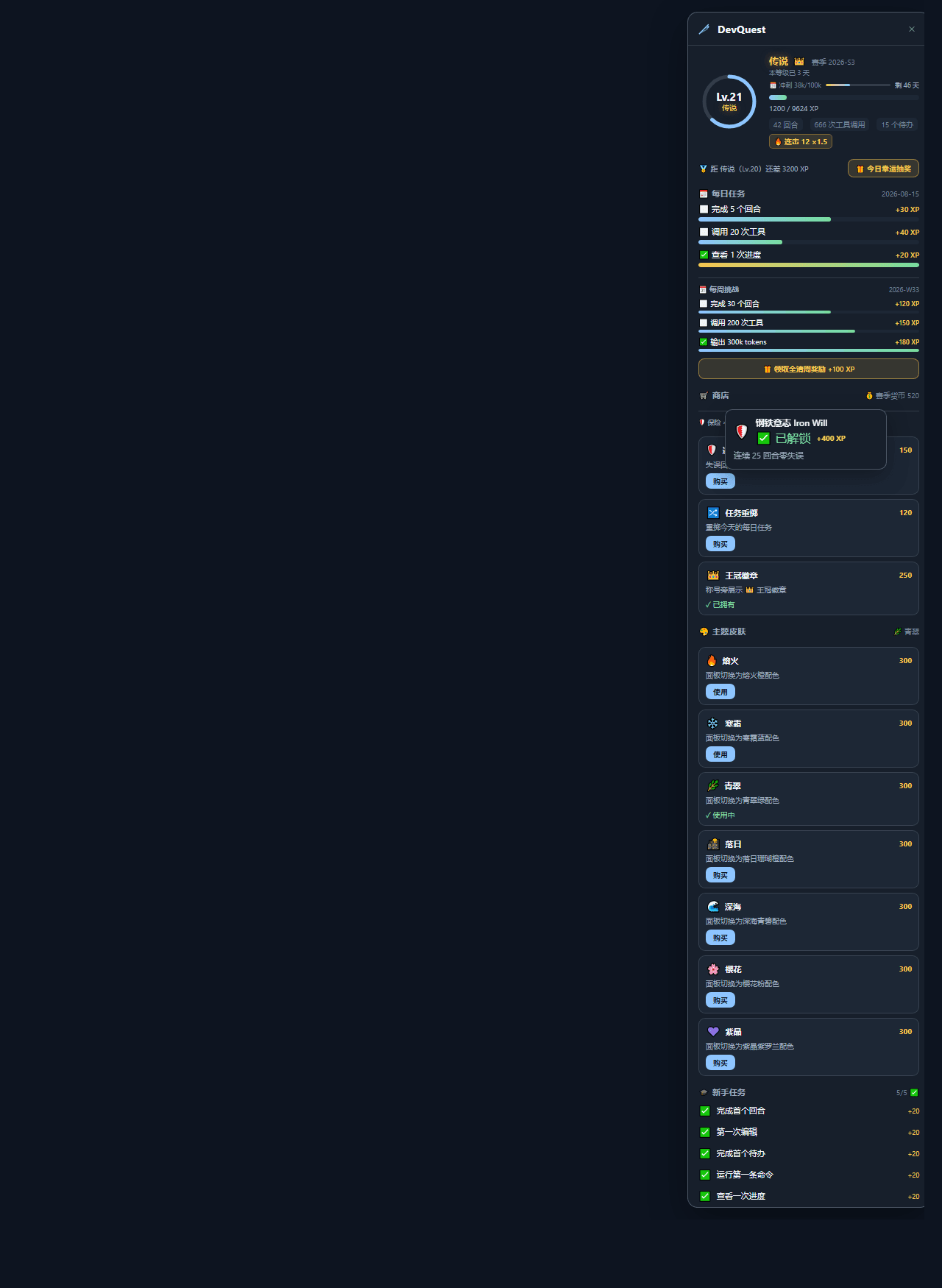 lucky8197/dsh-devquest
把开发变成 RPG 的 DSH 插件:回合/工具/待办积累 XP、47 枚成就+稀有度、每日/每周挑战、每日抽奖、赛季商店、7 款主题皮肤、多称号、活跃日历+荣誉墙。事件流驱动,装好自动计分。
lucky8197/dsh-devquest
把开发变成 RPG 的 DSH 插件:回合/工具/待办积累 XP、47 枚成就+稀有度、每日/每周挑战、每日抽奖、赛季商店、7 款主题皮肤、多称号、活跃日历+荣誉墙。事件流驱动,装好自动计分。
-
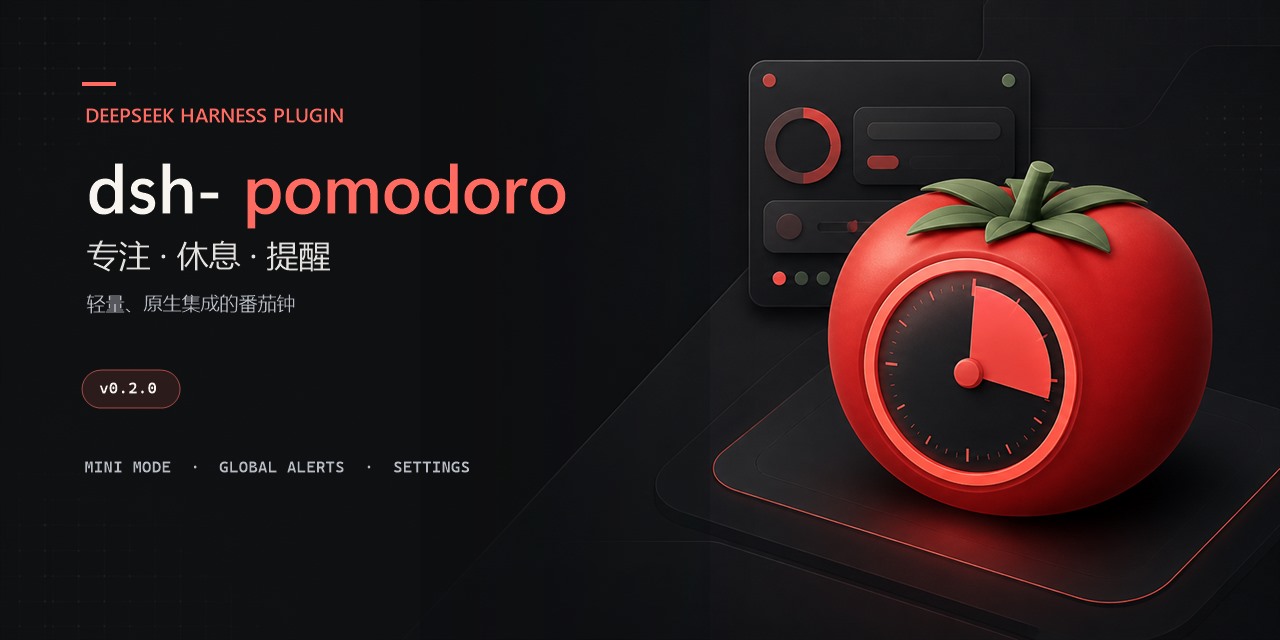 causebefore/dsh-pomodoro
DeepSeek Harness Web 番茄钟插件:可配置专注与休息时长,提供侧栏入口和可拖动浮动面板
causebefore/dsh-pomodoro
DeepSeek Harness Web 番茄钟插件:可配置专注与休息时长,提供侧栏入口和可拖动浮动面板
-
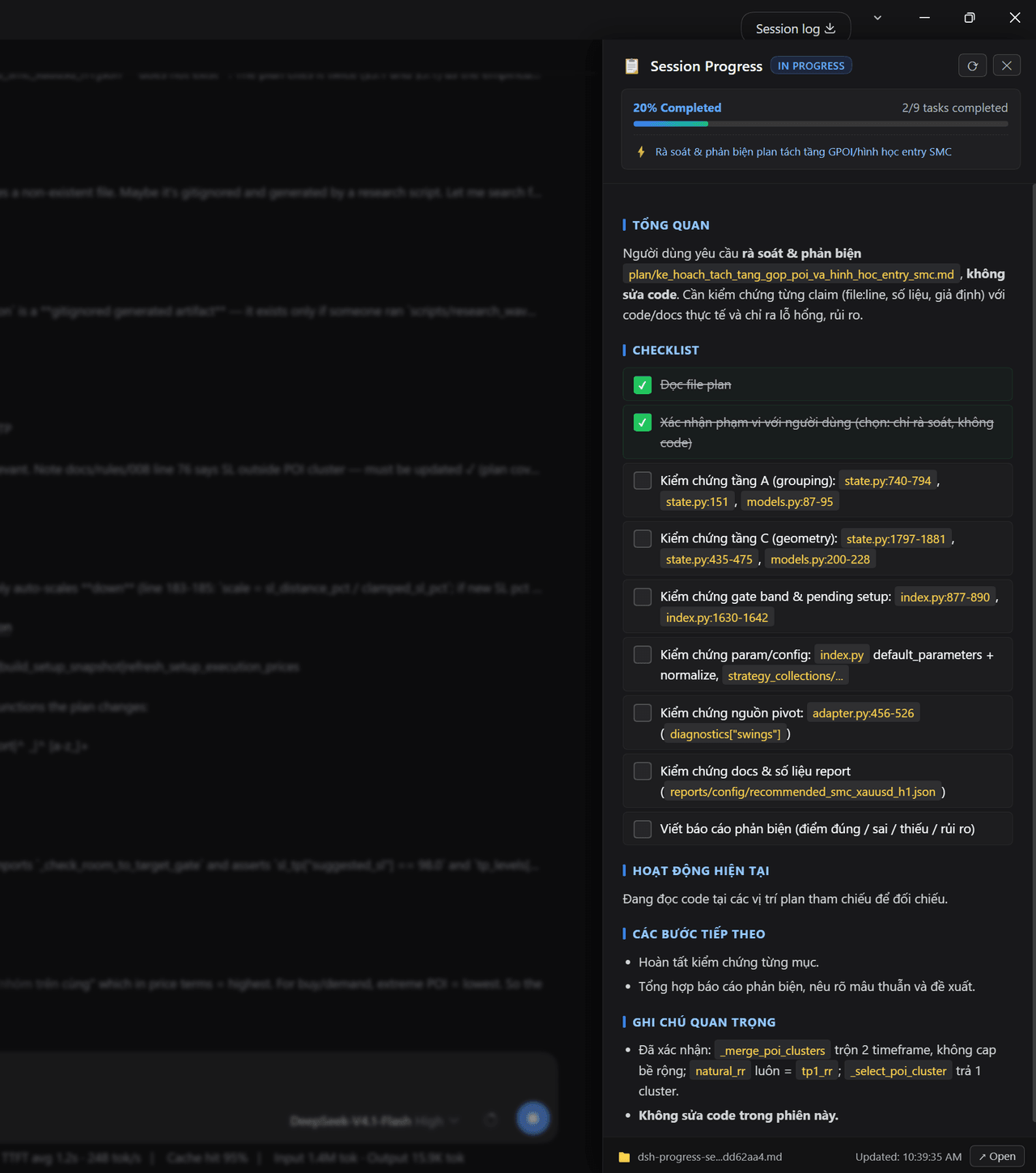 nguyenduclong-ict/dsh-session-progress
Session progress tracking for DeepSeek Harness: a live nested checklist with per-item weights, a progress ring in the co…
nguyenduclong-ict/dsh-session-progress
Session progress tracking for DeepSeek Harness: a live nested checklist with per-item weights, a progress ring in the co…
-
 GanyuanRan/Aegis
Make AI coding agents architecture-aware: baseline-first, evidence-verified, drift-checked, and safe across long tasks.
GanyuanRan/Aegis
Make AI coding agents architecture-aware: baseline-first, evidence-verified, drift-checked, and safe across long tasks.
-
 wecode-ai/Wegent
Plan, build, and deliver with an open-source, self-hostable AI workspace for coding, collaboration, and automation.
wecode-ai/Wegent
Plan, build, and deliver with an open-source, self-hostable AI workspace for coding, collaboration, and automation.