tttwh/dsh-plugin-diraud
将DeepSeek Harness插件列表按来源分组展示——官方插件与自行安装插件,一目了然。
项目介绍Project Overview
DSH 插件管理增强,按来源分组插件列表以区分官方与自装。核心能力:提供 /plugin-audit 命令与侧边栏“Plugin Catalog”面板,支持自装插件启用/禁用持久化及 npm 更新检查,官方插件锁定。适用于管理多源插件时需要清晰归类与可控启停的场景。注意:禁用/启用通过 cordis.patch.yml 实现,需重启 dsh web 使 patch 生效(toggle 本身实时)。
DSH plugin-management enhancement that groups loaded plugins by source, distinguishing official from self-installed ones. Core capability: provides a /plugin-audit command and a sidebar "Plugin Catalog" panel, enabling persistent enable/disable of self-installed plugins and npm update checks, while locking official ones. Use it when managing multi-source plugins that need clear categorization and controlled toggling. Note: disable/enable writes to cordis.patch.yml and requires restarting dsh web for the patch to take effect (toggles are live).
请帮我了解并安装插件:【dsh-plugin-diraud】【https://github.com/tttwh/dsh-plugin-diraud】把上面这条消息直接发给当前会话里的 DSH,让它帮你了解并安装。安装命令不一定准确,发给 DSH 更稳。Send this message to DSH in your current session. CLI install commands may not be accurate across systems — DSH will figure it out for you.
或使用命令行安装(适合开发者)Or use CLI install (for developers)
命令行安装CLI Install
dsh plugin --profile web add dsh-plugin-diraud把 tttwh/dsh-plugin-diraud 加入你的 DSH 配置(web profile)即可启用。
READMEREADME
dsh-plugin-diraud
English | 中文
A DeepSeek Harness (DSH) plugin-management enhancement: group the plugin list by source so you can tell official plugins apart from the ones you installed yourself at a glance.
Features
/plugin-auditcommand: lists the currently loaded plugins grouped by official / self-installed, withuser/official/ keyword filtering;- Self-installed plugin toggles (two surfaces):
- Sidebar footer Plugin Catalog entry (icon button; click to open a panel): an enable/disable button on every self-installed card;
- Composer:
/plugin-audit disable|enable <keyword>; - Both persist to the profile's
cordis.patch.yml(kept across restarts, reversible) and callctx.loader.updatefor live effect (HMR-independent); official/builtin plugins are locked;
- Plugin Catalog panel (sidebar footer entry, since v0.5):
- Cards grouped by source with a source badge, installed version, entry id and description; a search box filters by module name / entry id and every section shows a live count; a retry button appears if the list fails to load;
- Bilingual descriptions (v0.6): a built-in module-name → {zh, en}
dictionary is consulted first so card descriptions follow the UI language,
falling back to each package's own
description; - GitHub link (v0.8): when a package's
repository/homepagepoints to GitHub, the card shows a GitHub button that opens its full feature documentation (independent of the built-in "Plugin list" page);
- Self-installed plugin updates (v0.6):
- The npm registry is checked automatically when the panel opens; the top
"Update" bar shows how many plugins are outdated, with Re-check and
Update all buttons, and every registry-installed card has its own
Update button plus a progress bar while running
(
pnpm add <pkg>@latest --config.minimumReleaseAge=0, corepack/npx fallback, live output); - GitHub plugin updates (v0.9): plugins installed from
github:/git+/git:///git@specs can be updated even without an npm package — branch/default-branch refs compare the locally-locked commit against the remote HEAD viagit ls-remote, tag refs list all tags to find a newer stable tag; updates re-runpnpm add <original spec>(or the new tag spec); refs pinned to a specific commit are marked not auto-updatable; - Rename detection (v0.9.1): when an update leaves the old package name stale but a new package name now points to the same repository, the panel reports "repository renamed (old → new)" with the command to remove the old package, instead of a vague "actual version still not updated";
- Updates are queued in a module-level store: clicks during a run merge into the next batch, two pnpm processes are never started concurrently, and the task keeps running (and stays observable) even if you close the panel;
- Source-aware labeling: desktop-managed
link:deps show "Updating with the desktop app" and localfile:/workspace:deps show "Local plugin", so a pnpm exit code 0 is never misreported as an actual update; official/builtin plugins and this plugin itself (installed vialink:to protect the dev chain) are locked;
- The npm registry is checked automatically when the panel opens; the top
"Update" bar shows how many plugins are outdated, with Re-check and
Update all buttons, and every registry-installed card has its own
Update button plus a progress bar while running
(
- Self-installed plugin uninstall (v0.6): every self-installed card has a
red Uninstall button (right-most); it asks for confirmation, runs
pnpm remove, disables the button while running, and refreshes the list afterwards. Non-self-installed packages and this plugin itself are rejected;
Screenshot
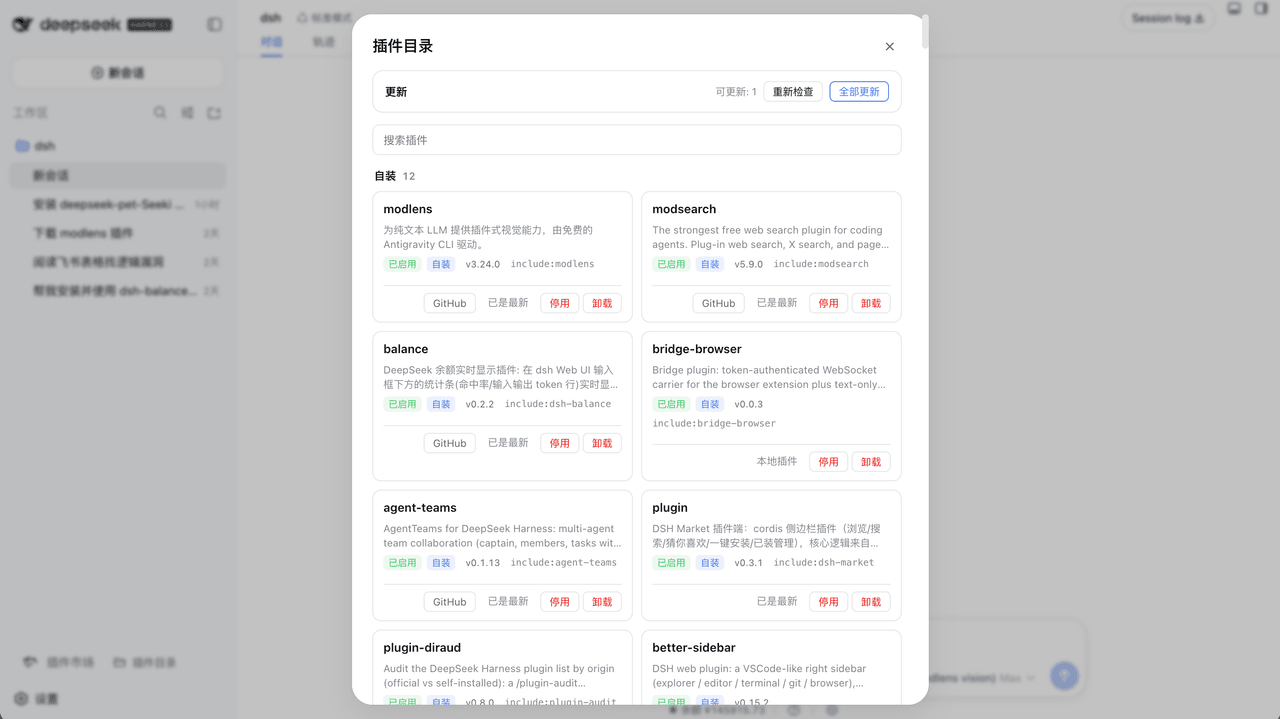
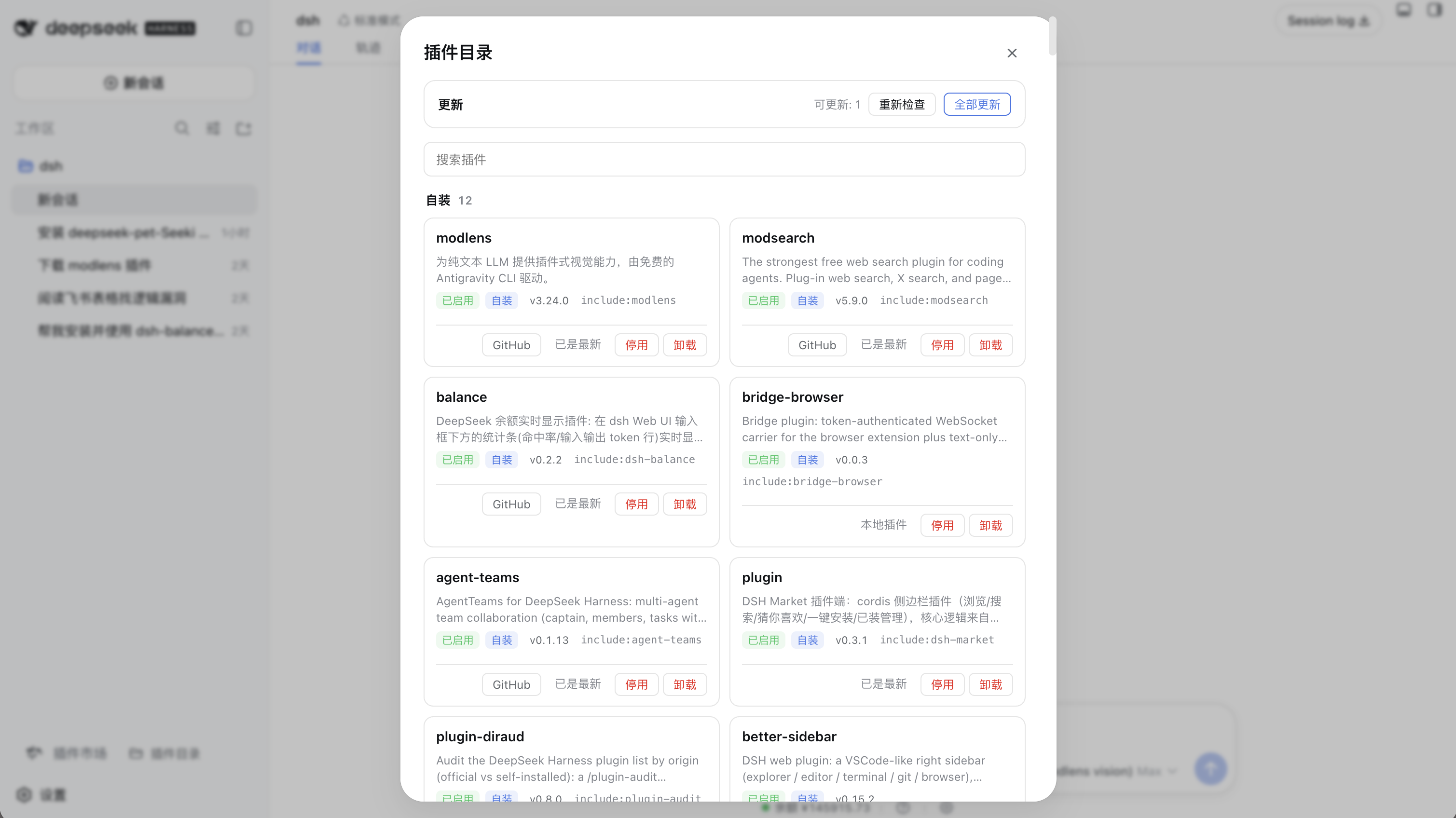
Sidebar footer Plugin Catalog entry (since v0.5) — click to open the panel: self-installed plugins grouped by origin, each card with an enable/disable toggle:
The top bar shows the update area (可更新: 1 = 1 update available, 重新检查
= re-check, 全部更新 = update all), followed by the search box and the
grouped cards. Every card carries the enable/disable toggle, version, GitHub
button, update status and uninstall button:
Quick start
Prerequisites: pnpm, the dsh CLI.
# Install (recommended: from npm)
dsh plugin --profile web add dsh-plugin-diraud

# Or from the GitHub main branch
dsh plugin --profile web add https://github.com/tttwh/dsh-plugin-diraud/archive/refs/heads/main.tar.gz
Restart dsh web, then:
- Type
/plugin-auditin the composer, or - Click the Plugin Catalog entry at the sidebar footer.
Commands
| Command | Purpose |
|---|---|
/plugin-audit |
Overview: self-installed one-by-one + official count |
/plugin-audit user |
Self-installed only |
/plugin-audit official |
Official only (full list) |
/plugin-audit <keyword> |
Filter by package / entry keyword |
/plugin-audit disable <keyword> |
Disable a matching self-installed plugin (persisted) |
/plugin-audit enable <keyword> |
Enable a matching self-installed plugin (persisted) |
dsh plugin --profile web remove dsh-plugin-diraud |
Uninstall |
How toggles persist:
disable/enablewrites a- id: <raw config id>+disabled: trueoverride into the profile'scordis.patch.yml(the user config layer). dsh watches that file (watchUserPatches), so the change applies live without a restart, survives restarts, and deleting the row restores the default.Why the raw id (fixed in v0.4): loader entries carry a path-prefixed full id (
include:ssh), but the patch layer matches each config row's ownidfield (ssh). Older versions wrote the prefixed id into the patch file, so the row was skipped at boot ("patch: entry not found") and the toggle was silently lost on restart. v0.4 writes the raw id, keeps the full id forctx.loader.update, and cleans up legacyinclude:<id>rows.
Configuration
Origin is derived from the package scope by default; edge cases (e.g. a
third-party package published under @deepseek-ai/) are overridden via
extraUserPackages. Override this plugin's row in the profile's
cordis.patch.yml:
- id: plugin-audit
  config:
    extraUserPackages:
      - '@deepseek-ai/dsh-my-fork'   # force-classify as self-installed
Repository layout
dsh-plugin-diraud/
  src/classify.ts        origin-classification pure function (single source of truth)
  src/patch.ts           cordis.patch.yml read/write (persist toggles)
  src/toggle.ts          shared toggle core (persist + ctx.loader.update)
  src/updates.ts         update core: semver compare, registry/git probe, pnpm exec (unit-testable)
  src/gitspec.ts         git-hosted dependency parsing + lockfile/ls-remote helpers (v0.9)
  src/metadata.ts        GitHub repository/homepage → canonical URL (v0.8)
  src/translations.ts    bilingual description dictionary (v0.6)
  src/render.ts          /plugin-audit output rendering (grouped view)
  src/contract.ts        typert wire contract (pluginAudit/toggle)
  src/typert.ts          host manifest registration
  src/runtime.ts         PluginAuditRuntime (@Remote toggle; executeToggle unit-tested)
  src/index.ts           host: /plugin-audit command + remote registration
  src/client/            Sidebar Plugin Catalog entry (React) + toggle buttons + client remote
  src/client/updateStore.ts  module-level update task store (queue + resume)
  build.mjs              esbuild build (host ESM + client bundle)
  cordis.patch.yml       profile bundle patch (inserts this plugin)
  demo/                  demo & verification scripts (real-profile output)
Docs
- DESIGN.md — design rationale and source evidence (why a new tab instead of modifying the official one; classification rules and edge cases)
Related
- deepseek-harness — DeepSeek Harness official repo (DSH itself)
- omdsh-dev/community — community plugin submissions & collaboration hub
License
MIT · Copyright (c) 2025 tttwh
相关推荐Related
-
 toby-bridges/api-relay-audit
Local security audit for AI API relays and LLM proxies: detects prompt injection, model substitution, tool-call rewritin…
toby-bridges/api-relay-audit
Local security audit for AI API relays and LLM proxies: detects prompt injection, model substitution, tool-call rewritin…
-
 howmp/dsh-pentest
面向 DeepSeek Harness(dsh)的渗透测试模式 @CloverSecLabs
howmp/dsh-pentest
面向 DeepSeek Harness(dsh)的渗透测试模式 @CloverSecLabs
-
 saya-ch/dsh-mobile
DeepSeek Harness 的 Android App 与安全远程访问插件,支持局域网/远程连接和高度自定义的移动界面与扩展能力。
saya-ch/dsh-mobile
DeepSeek Harness 的 Android App 与安全远程访问插件,支持局域网/远程连接和高度自定义的移动界面与扩展能力。
-
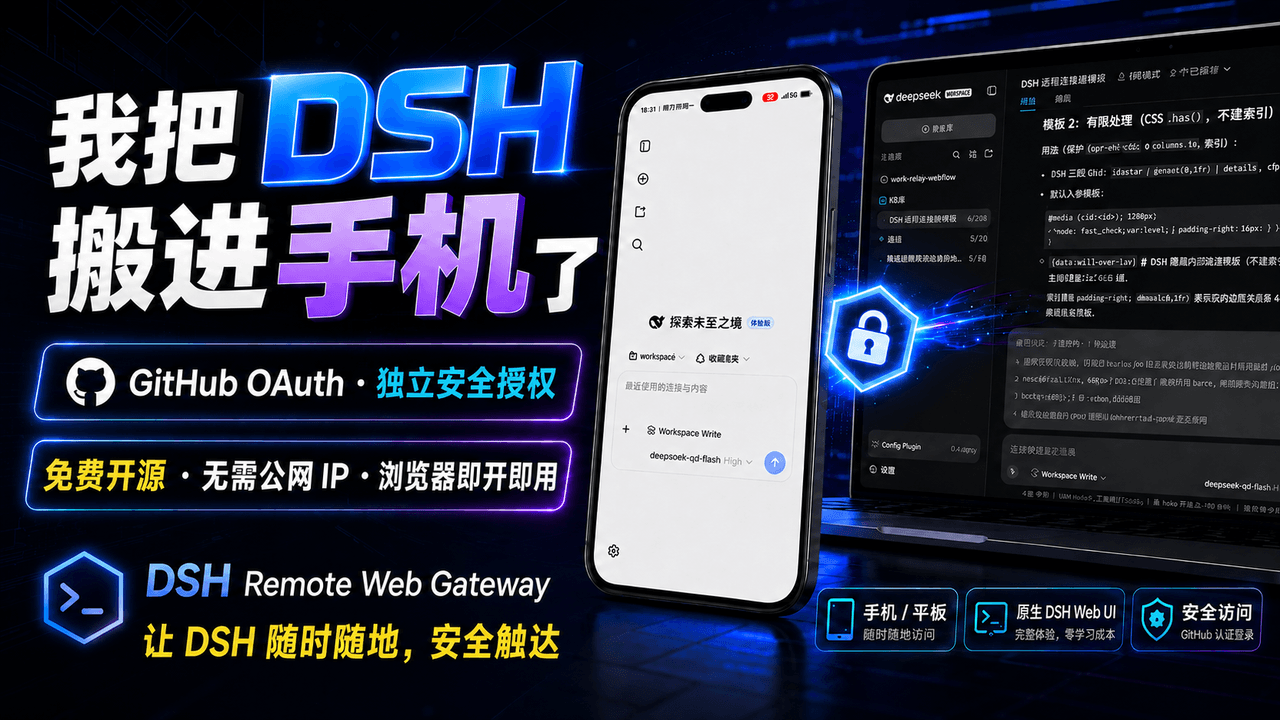 summer1238/dsh-remote-web-gateway
手机平板远程 DeepSeek Harness:扫码即可继续使用电脑上的 DSH,无需远程桌面 / SSH / 公网 IP,支持一次性配对、Github授权加密登录,独立设备授权与随时撤销,实现远程连接很简单,但安全才是我们所想要的。
summer1238/dsh-remote-web-gateway
手机平板远程 DeepSeek Harness:扫码即可继续使用电脑上的 DSH,无需远程桌面 / SSH / 公网 IP,支持一次性配对、Github授权加密登录,独立设备授权与随时撤销,实现远程连接很简单,但安全才是我们所想要的。
-
 NanmiCoder/dsh-auto-mode
Safe automatic permissions for DeepSeek Harness.
NanmiCoder/dsh-auto-mode
Safe automatic permissions for DeepSeek Harness.
-
 lire1131/dsh-undo-savepoint
DSH crash-rescue plugin: undo config & plugin-code changes, secret-safe snapshots, one-click SAFE MODE, plus offline CLI…
lire1131/dsh-undo-savepoint
DSH crash-rescue plugin: undo config & plugin-code changes, secret-safe snapshots, one-click SAFE MODE, plus offline CLI…
-
 liguobao/deepseek-harness-remote
基于 DeepSeek Harness 插件机制的多端远程访问方案,让桌面端与 Android 端安全连接并操作远程 Harness。(A multi-device remote access solution built on the D…
liguobao/deepseek-harness-remote
基于 DeepSeek Harness 插件机制的多端远程访问方案,让桌面端与 Android 端安全连接并操作远程 Harness。(A multi-device remote access solution built on the D…
-
 PerryLink/dsh-auto-review
Second-model AI auto-review for DeepSeek Harness approval requests: a read-only reviewer subagent returns structured all…
PerryLink/dsh-auto-review
Second-model AI auto-review for DeepSeek Harness approval requests: a read-only reviewer subagent returns structured all…