wmw343/dsh-resume-expert
引导式简历生成插件:对话式四阶段 + A4 PDF 直出,双宿主验证
Project Overview项目介绍
dsh-resume-expert is a resume-generation plugin built specifically for DeepSeek Harness (DSH), shipped as a Cordis plugin with a bundle-manifest and listed on dsh-plugin.org. The package is written in TypeScript and exposes a host adapter layer (src/adapter.ts) that implements the six host contracts — llm, auth, storage, telemetry, config, and logger (plus an optional render hook) — while the inner core under src/plugin/ stays framework-agnostic and dependency-free so it can be compiled and tested in isolation. Installation requires DSH ≥ 0.1.5 and Node.js ≥ 22; the recommended command is the version-pinned dsh plugin --profile web add github:wmw343/dsh-resume-expert#v1.0.1, after which the user writes DEEPSEEK_API_KEY into ~/.dsh/.env via PowerShell Add-Content. The plugin never stores or persists the API key itself.
A typical workflow runs through four stages driven by the agent calling tools named resume_intake, resume_refine, resume_compose, resume_export, resume_set_photo, and resume_tailor. First, the intake tool turns a vague one-line request into an initial draft plus a completeness report and follow-up questions; then resume_refine absorbs answers across multiple turns covering name, education, internships, projects, and skills; resume_compose merges everything into a polished, submission-ready draft that strips placeholders, and resume_export renders a single-page A4 PDF through Chrome CDP (falling back to printable HTML when Chrome is missing); resume_set_photo embeds a local ID photo and resume_tailor rewrites the resume against a target job description. Built-in quality rules enforce quantified phrasing, bolded metrics, grouped skills, top-pinned achievements, and a city-priority plus 3-4-4 phone format.
Dependencies and caveats are explicit: the adapter talks directly to the DeepSeek API via an OpenAI-compatible endpoint, so no third-party LLM proxy is required, and session state is persisted to ~/.dsh/resume-expert-store.json by default — overridable with RESUME_EXPERT_STORE — so drafts survive dsh web restarts. The plugin holds no secrets, writes no external database, and serializes every input/output as JSON to keep iframe and subprocess isolation feasible. A suite of 471 automated acceptance checks (204 core, 70 real-model, 37 end-to-end, 72 real-browser, 58 integration, 30 launcher) guards quality, and the bundled npm test command runs 21 offline invariants — including cross-process survival, atomic writes without stray .tmp files, TTL handling, and corruption self-heal — without needing the network or a running dsh daemon. PDF output is verified by parsing the produced file with pypdf. The project is MIT-licensed; first-time users should run npm install && npm run build, set DEEPSEEK_API_KEY in ~/.dsh/.env, then start dsh web and speak a request such as "帮我做一份简历,我是××专业应届生,会××和××" to begin. Uninstallation uses dsh plugin --profile web remove dsh-resume-expert, and any custom store file must be deleted manually because removal does not clear session data.
dsh-resume-expert 是面向 DeepSeek Harness(DSH)的简历生成插件,属于 Cordis 插件形态,仓库携带 bundle-manifest 并在 dsh-plugin.org 登记。它通过宿主适配层实现 llm/auth/storage/telemetry/config/logger 与可选 render 共六个宿主契约,自身核心保持框架无关、零依赖,因而可独立编译与测试。安装需 DSH ≥ 0.1.5 与 Node.js ≥ 22,命令形如 dsh plugin --profile web add github:wmw343/dsh-resume-expert#v1.0.1,并需将 DEEPSEEK_API_KEY 写入 ~/.dsh/.env,插件不持久化密钥。
工作流分四阶段:Agent 在对话中调用 resume_intake、resume_refine、resume_compose、resume_export、resume_set_photo、resume_tailor 等工具,先用一句模糊需求产出首版文字稿与待补清单,再多轮吸收补充信息,最后整合成可投递定稿,并按 JD 重写或用 Chrome CDP 直出 A4 PDF。本机会话默认存于 ~/.dsh/resume-expert-store.json,可用 RESUME_EXPERT_STORE 自定义路径,便于 dsh web 重启后继续编辑。
依赖与限制:模型调用由适配层直连 DeepSeek API(OpenAI 兼容);本机无 Chrome 时降级为可打印 HTML;插件不落库不外联且出入参全部可 JSON 序列化,便于 iframe/子进程隔离;内置 471 项自动化验收,离线自测可由 npm test 校验会话持久化跨进程不变量;MIT 协议;首次运行请先 npm install && npm run build,再启动 dsh web 并自然提出简历需求。
请帮我安装这个 DSH 插件。安装前先完成【兼容性检查 + 安全性检查】,检查通过再动手。

插件:dsh-resume-expert(wmw343/dsh-resume-expert)
仓库:https://github.com/wmw343/dsh-resume-expert
本站详情页:https://www.yhbd.top/plugins/wmw343-dsh-resume-expert/
本站登记:类型 plugin · 归类 原生 DSH 插件 · 许可证 MIT · ⭐ 2 · 最近提交 2026-09-23 · 主语言 TypeScript

按下面顺序执行,每步先把结论告诉我,再进入下一步:

【1 兼容性检查】
① 我这边:DSH 版本、Node 版本、操作系统、当前 profile(web / desktop)。
② 读它的 README、package.json、插件 manifest,列出它要求的 DSH 版本 / Node 版本 / 操作系统 / 外部依赖 / 需要另外先装的运行时。
③ 逐条比对,结论只写「满足 / 不满足 / 未知」三种;不满足的给出可行替代方案。
④ 检查是否和我已装的插件冲突:命令名重复、skill / tool 重名、端口占用、重复注册的 MCP server。

【2 安全性检查】
① 仓库可信度:和上面「本站登记」是否一致;star / fork 数、创建时间、最近提交,是否归档或长期停更。
② 安装脚本:逐行看 package.json 的 preinstall / install / postinstall,以及 install.sh、setup.ps1 之类脚本。出现 curl|bash、下载后直接执行、混淆代码、访问与插件功能无关的域名,立刻停下来告诉我,不要继续装。
③ 依赖:列出新增依赖,标出无人维护、或与知名包拼写近似的可疑包(typosquatting)。
④ 权限与副作用:它会读写哪些目录、访问哪些域名、需要哪些 DSH 权限(filesystem / network / shell / clipboard 等),以及怎么卸载和回滚。
⑤ 如果它要求 sudo / 管理员权限,或权限明显超出功能所需,先停下来问我。

【3 安装】
上面两步没有「不满足」和「高危项」时才执行;用官方推荐方式安装,不要自行提权。

【4 汇报】
用表格输出:检查项 / 结论 / 依据 / 是否需要我决策。拿不准的一律写「未知」并说明要我怎么确认——不要猜,也不要替我决定。
Send this message to DSH in your current session: it verifies compatibility and security first (answering met / not met / unknown item by item) and only installs once everything checks out — it will stop and ask you if it finds a high-risk item. The box scrolls; the copy is the full prompt. CLI install commands may not be accurate across systems, so DSH is the safer route.把上面这条消息直接发给当前会话里的 DSH:它会先核对兼容性与安全性(逐条给「满足 / 不满足 / 未知」),确认没问题再安装,有高危项会停下来问你。框内可滚动,复制到的是完整提示词;安装命令不一定准确,发给 DSH 更稳。
- Only 2 stars - very few users, little community feedback星标只有 2,几乎没人在用,遇到问题缺少社区反馈
DSH walks through these 9 checksDSH 会逐条核对这 9 项
Compatibility兼容性
- DSH, Node, OS and profile requirementsDSH 版本 / Node 版本 / 操作系统 / profile 是否满足要求
- External dependencies and runtimes (Electron / Python / Docker, ...)外部依赖与运行时(Electron / Python / Docker 等)是否齐备
- Conflicts with installed plugins: command names, skill / tool names, ports, duplicate MCP registration与已装插件是否冲突:命令名、skill / tool 重名、端口占用、重复 MCP 注册
Security安全性
- Repo matches the facts registered here; archived or abandoned?仓库是否与页面登记一致,是否归档或长期停更
- Safety of preinstall / install / postinstall and install.sh / setup.ps1preinstall / install / postinstall 与 install.sh、setup.ps1 是否安全
- curl|bash, download-then-execute, obfuscation, unrelated domains → stop immediatelycurl|bash、下载即执行、混淆代码、无关域名 → 立刻停止
- Typosquatting or unmaintained packages among the new dependencies新增依赖里有没有 typosquatting 或无人维护的包
- Requested permissions vs. what the feature actually needs申请了哪些权限、是否超出功能所需(filesystem / network / shell / clipboard)
- Any sudo / admin requirement, plus uninstall and rollback是否要求 sudo / 管理员权限,以及卸载与回滚方式
Anything uncertain must be marked unknown with a note on how to confirm it. This site's signal screen is a static snapshot, not a security audit.拿不准的必须标「未知」并说明要我怎么确认。本站的信号筛查是静态快照,不能替代安全审计。
Or use CLI install (for developers)或使用命令行安装(适合开发者)
CLI Install命令行安装
dsh plugin --profile web add github:wmw343/dsh-resume-expert#v1.0.1把 wmw343/dsh-resume-expert 加入你的 DSH 配置(web profile)即可启用。
READMEREADME
dsh-resume-expert · 简历专家插件(DSH 版)

引导式简历生成插件:用户说一句"帮我做份简历",插件先诊断、再一轮一轮引导补齐,最终产出可直接投递的单页 A4 PDF。
已在两个宿主实跑验证:自研 Demo 宿主 + DeepSeek Harness 0.1.5。471 项自动化验收。
效果预览
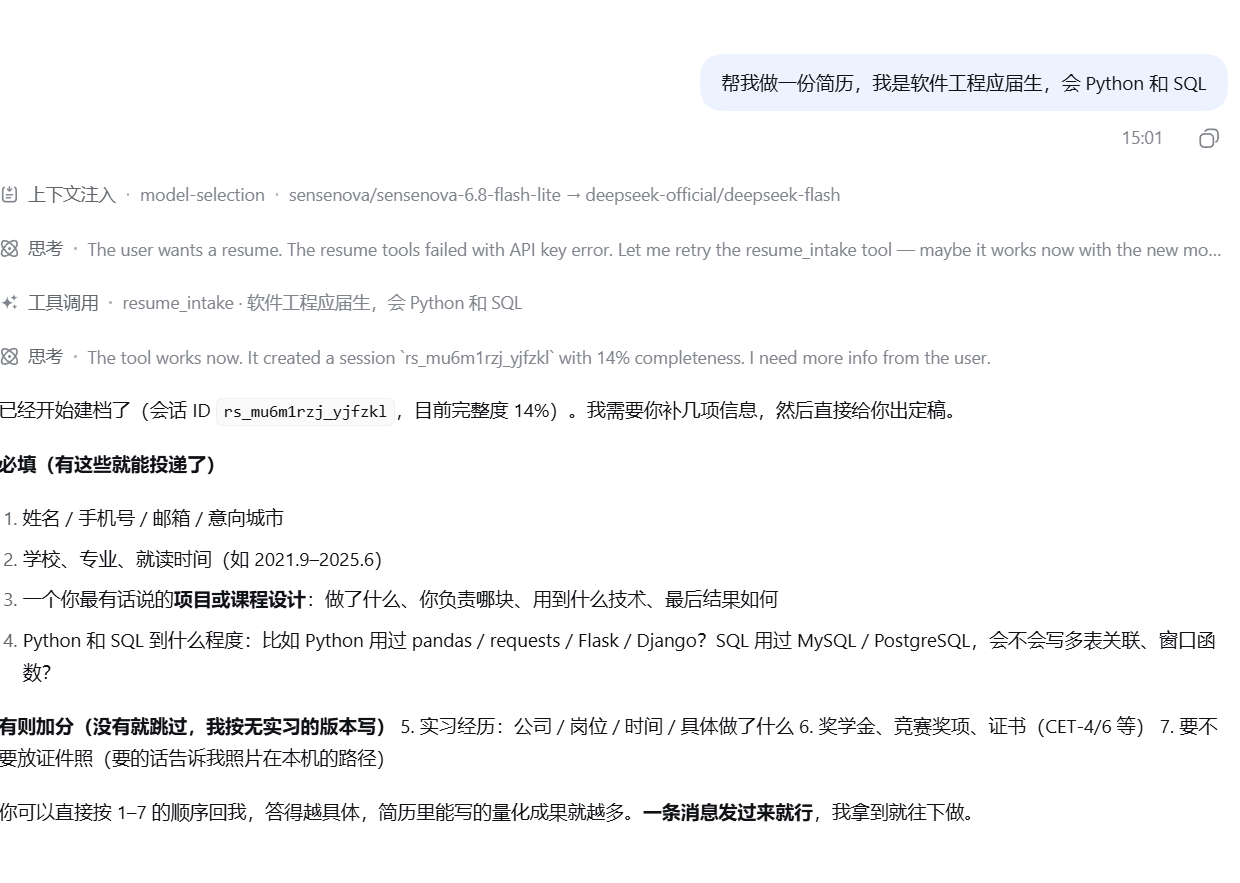
① 首轮诊断——一句模糊需求,返回第一版文字稿、完整度评估与待补充清单 |
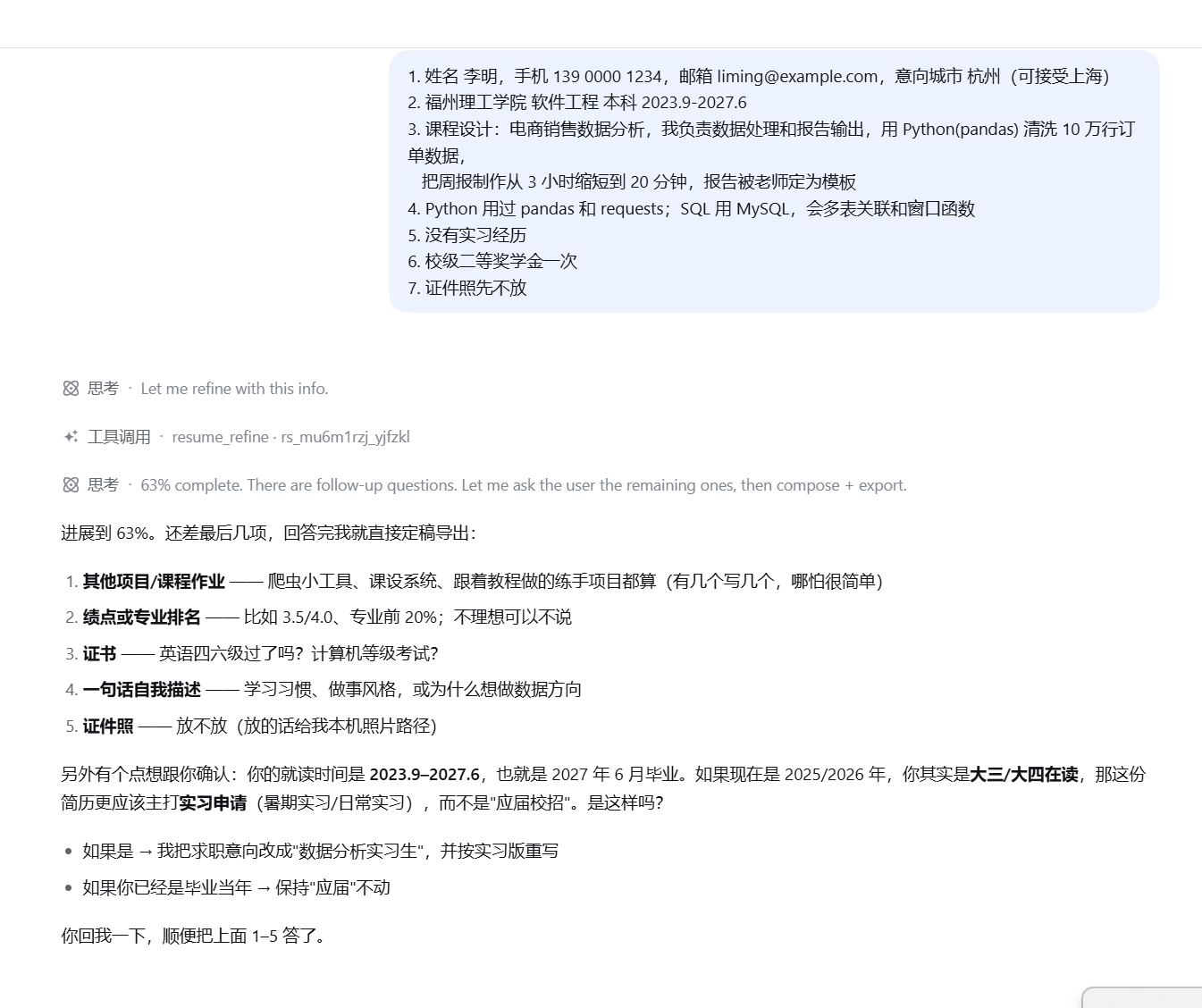
② 多轮补全——吸收补充信息,关键信息主动追问(学制 / 实习 or 校招口径) |
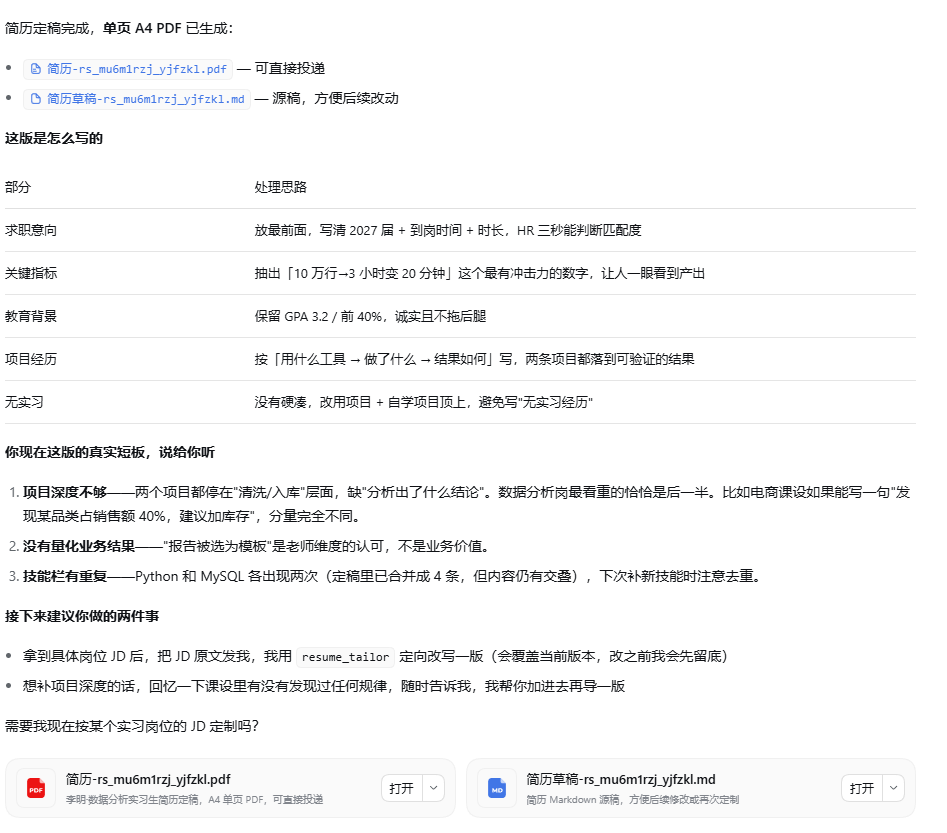
③ 成稿导出——定稿落盘,并逐条说明"这版简历是怎么写出来的" |
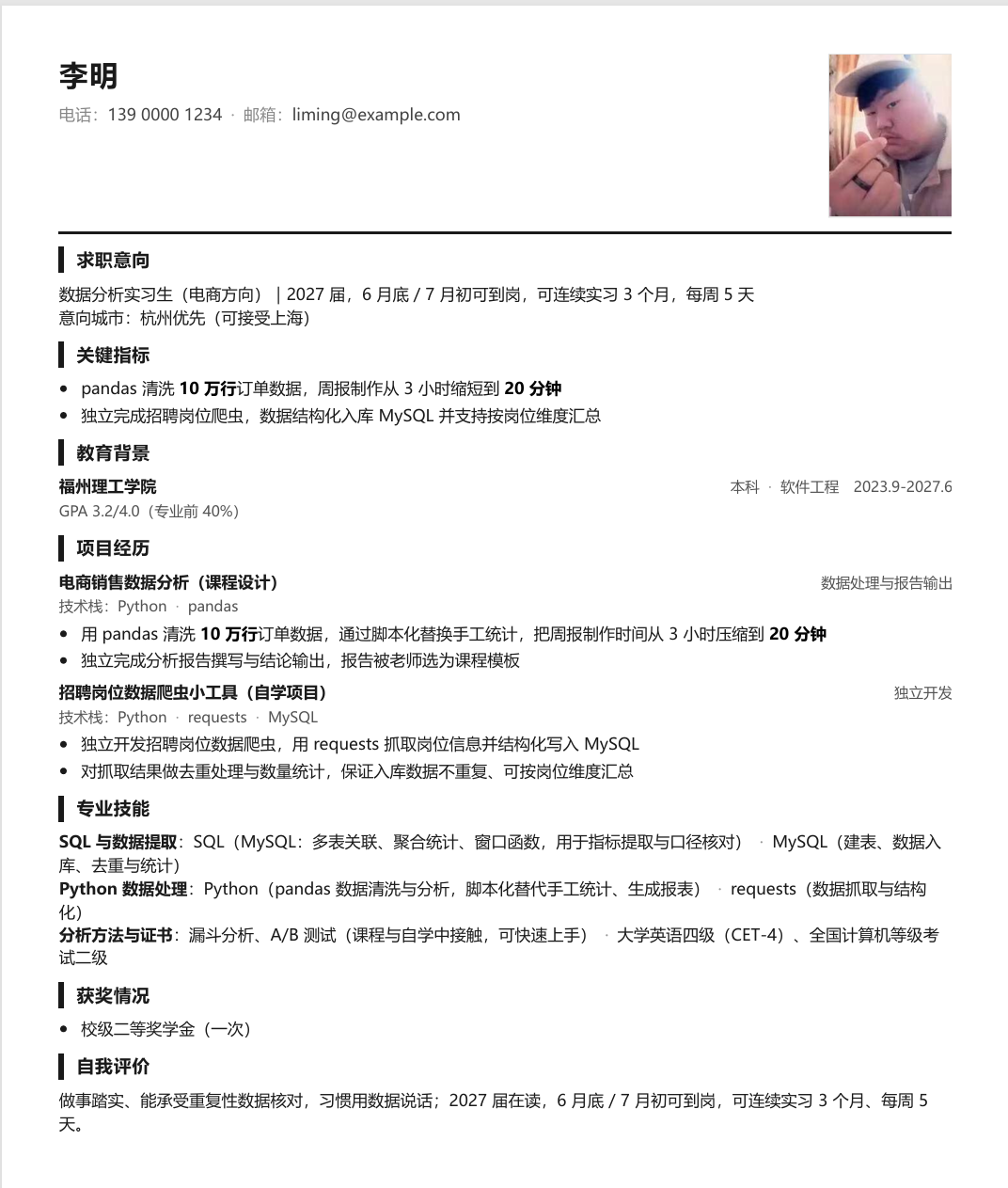
④ 单页 A4 PDF——真实排版直出,可直接投递 |
安装
需要 DeepSeek Harness ≥ 0.1.5 与 Node.js ≥ 22。
# 推荐:固定版本,结果可复现
dsh plugin --profile web add github:wmw343/dsh-resume-expert#v1.0.1

# 或:跟随 main 最新提交
dsh plugin --profile web add github:wmw343/dsh-resume-expert
设置环境变量 DEEPSEEK_API_KEY(模型调用由插件适配层直连 DeepSeek API,密钥不出宿主环境):
# 写入 DSH 主目录的 .env
Add-Content "$env:USERPROFILE\.dsh\.env" "DEEPSEEK_API_KEY=sk-你的Key"
启动 dsh web,在会话里直接说 "帮我做一份简历,我是××专业应届生,会××和××"。
会话默认持久化到 ~/.dsh/resume-expert-store.json——重启 dsh web 不丢草稿;可用环境变量 RESUME_EXPERT_STORE 指定存储路径。
卸载
dsh plugin --profile web remove dsh-resume-expert
会话数据不会被自动清除。如需一并删除,手动删掉存储文件:
Remove-Item "$env:USERPROFILE\.dsh\resume-expert-store.json"
(若你用过 RESUME_EXPERT_STORE 自定义路径,删那个路径下的文件即可。)
工作方式
用户在对话里自然表达,Agent 自主调用 6 个工具完成四阶段:
| 工具 | 阶段 | 作用 |
|---|---|---|
resume_intake |
首轮诊断 | 一句模糊需求 → 第一版文字稿 + 待补充清单 + 追问 |
resume_refine |
迭代补全 | 多轮吸收用户补充(姓名/教育/实习/项目/技能) |
resume_compose |
成稿 | 整合成可直接投递的定稿(删除占位、只留有信息量的内容) |
resume_export |
导出 | A4 排版直出 PDF(本机无 Chrome 时降级为可打印 HTML) |
resume_set_photo |
证件照 | 本机图片 → 简历右上角 |
resume_tailor |
JD 定制 | 按目标岗位 JD 重写简历 |
简历质量规则内建:量化句式(手段在前、结果在后,"从 A 到 B"式表达)、关键数字加粗、技能分组、关键指标置顶(≤3 条)、城市分主次、手机号 3-4-4。
架构
DSH Agent ──工具调用──► 适配层(本包 src/adapter.ts)
                          │ 实现宿主契约:llm / auth / storage / telemetry / config / logger (+render)
                          ▼
                    简历专家插件核心(src/plugin/,框架无关、零依赖)
                          │ llm 调用直连 DeepSeek API(OpenAI 兼容)
                          ▼
                    A4 HTML ──Chrome CDP──► PDF
Showing the opening section of the README — the full document lives in the repository以上为 README 开头摘要,完整文档在仓库内 · View the full README on GitHub →在 GitHub 查看完整 README →
Related相关推荐
-
 ZSeven-W/dsh-openpencil
The DeepSeek Harness plugin for OpenPencil — preview, inspect, and edit real .op documents inside a conversation.
ZSeven-W/dsh-openpencil
The DeepSeek Harness plugin for OpenPencil — preview, inspect, and edit real .op documents inside a conversation.
-
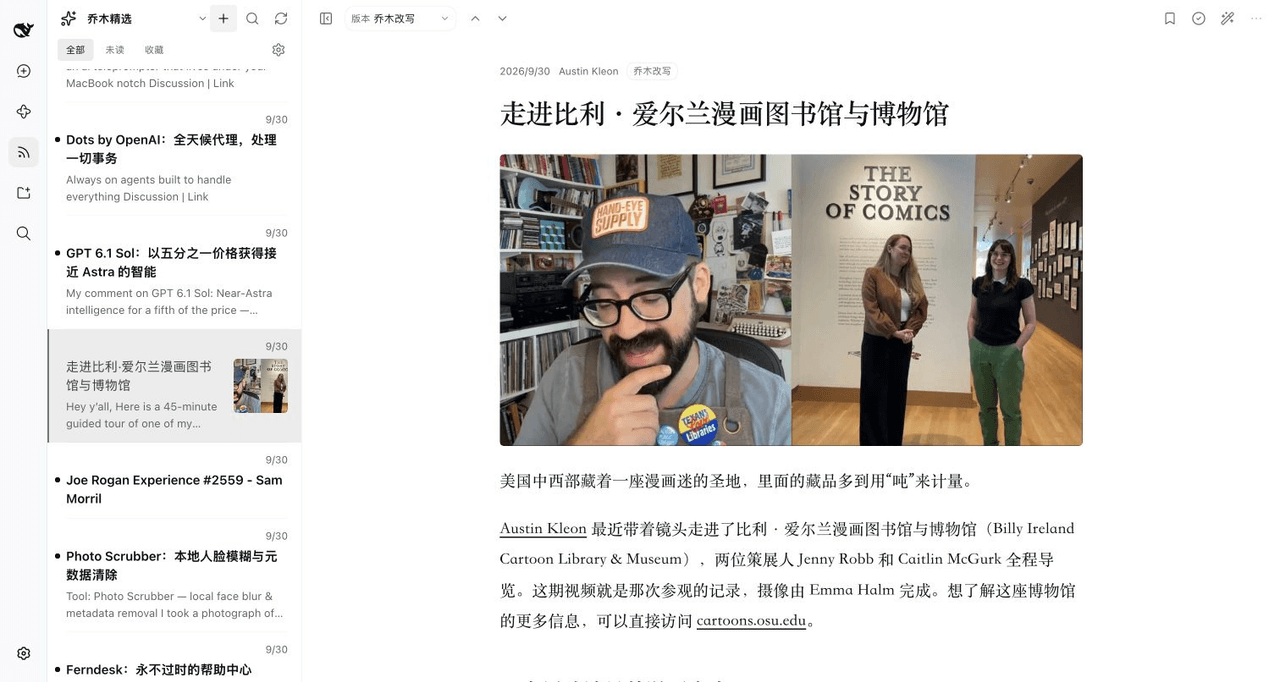 joeseesun/qiaomu-rss-dsh
在 DeepSeek Harness 中阅读 RSS,与原生 AI 对话伴读文章 | RSS reading with native AI companion for DeepSeek Harness
joeseesun/qiaomu-rss-dsh
在 DeepSeek Harness 中阅读 RSS,与原生 AI 对话伴读文章 | RSS reading with native AI companion for DeepSeek Harness
-
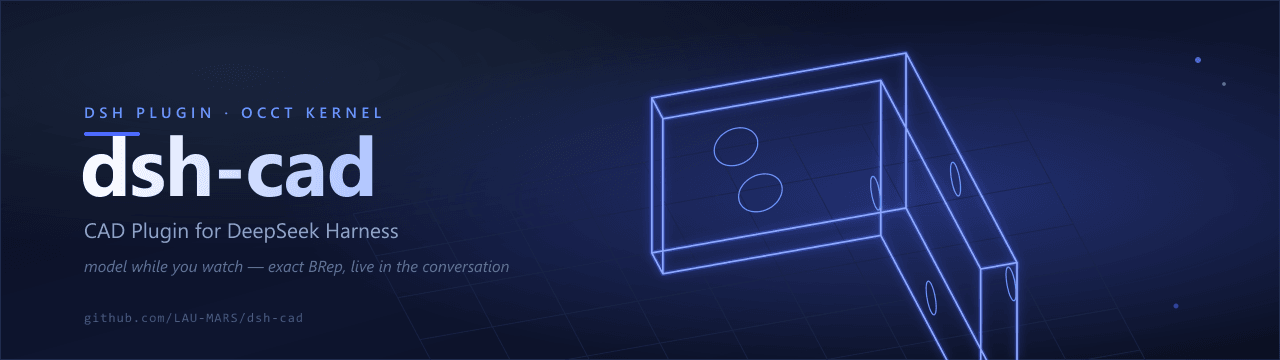 LAU-MARS/dsh-cad
deepseek harness 2D and 3D CAD plugin
LAU-MARS/dsh-cad
deepseek harness 2D and 3D CAD plugin
-
 penguin-oo/dsh-bookmarks
Bookmark assistant replies in DeepSeek Harness: per-message bookmarks with notes/tags, a cross-session center, and one-c…
penguin-oo/dsh-bookmarks
Bookmark assistant replies in DeepSeek Harness: per-message bookmarks with notes/tags, a cross-session center, and one-c…
-
 tylina/dsh-tylina
Edit typeset Typst documents inside DeepSeek Harness. Share a workspace with your agent, from first draft to finished PD…
tylina/dsh-tylina
Edit typeset Typst documents inside DeepSeek Harness. Share a workspace with your agent, from first draft to finished PD…
- lutrodev/dsh-roleplay Roleplay plugin suite for DeepSeek Harness: character cards, lorebooks, personas, presets, state, and conversation tools…
-
 SherUnlocked-4869/dsh-plugin-msg-nav
DeepSeek Harness 对话节点导航条插件:在对话区右缘渲染一列短横线节点串(每条真实用户消息一个节点),跟随阅读位置;鼠标靠近节点串时,节点条「变形弹出」为单行消息预览面板(覆盖原位置,移开复原),点击任意预览平滑跳转 + 高亮…
SherUnlocked-4869/dsh-plugin-msg-nav
DeepSeek Harness 对话节点导航条插件:在对话区右缘渲染一列短横线节点串(每条真实用户消息一个节点),跟随阅读位置;鼠标靠近节点串时,节点条「变形弹出」为单行消息预览面板(覆盖原位置,移开复原),点击任意预览平滑跳转 + 高亮…
- zjl1989-li/dsh-harness-zh-cn DeepSeek Harness 中文汉化插件:运行时把所有系统提示词、工具描述与运行时上下文翻译成中文(system-prompt/assemble 瀑布钩子,零源码修改)