wozoulesky/dsh-obsidian
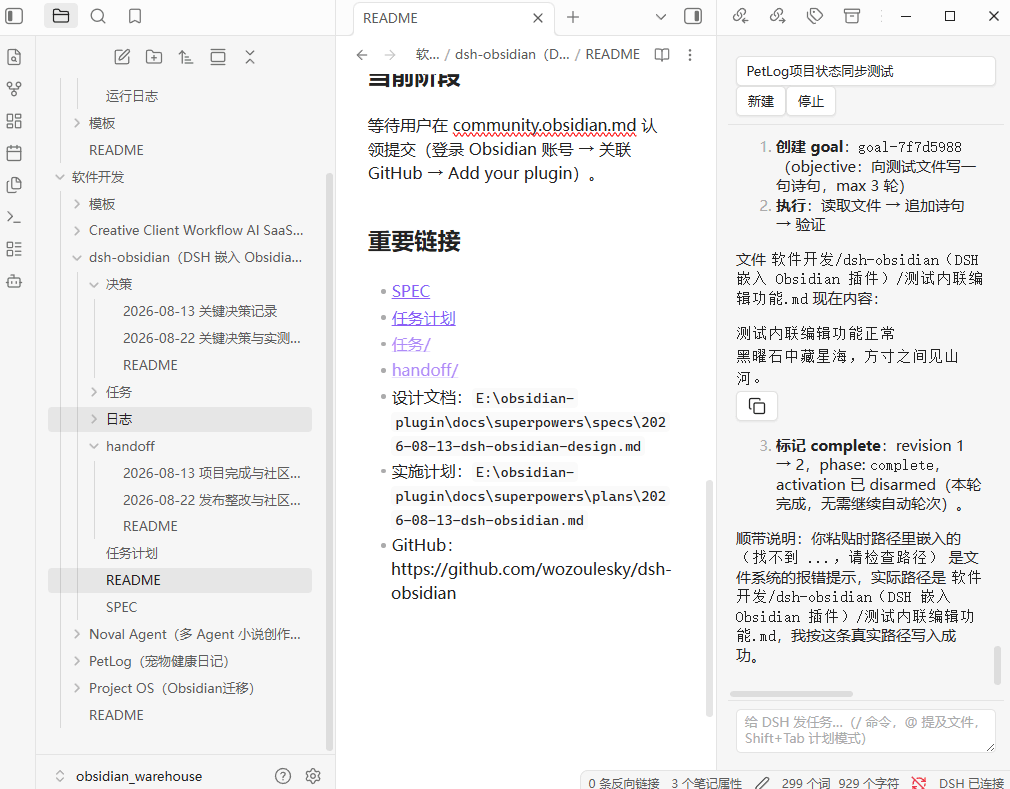
Embed your locally running DeepSeek Harness (DSH) into Obsidian as an AI collaborator: your vault becomes its working directory, and DSH can read, write, and search your notes directly.
catalog descriptioncatalog 简介 / catalog description:DSH(DeepSeek Harness)嵌入 Obsidian 的 AI 协作者插件:聊天侧边栏、内联编辑、@提及与计划模式(连接本地 http://127.0.0.1:3080)
Project Overview项目介绍
This is a community-developed Obsidian plugin that acts as a native RPC client for locally running DeepSeek Harness (DSH) instances. It embeds DSH directly into Obsidian, allowing DSH to read, write, and search your notes directly using your full local vault as its working directory. Unlike other agent-Obsidian bridges that wrap a remote web UI or shell out to an external CLI, all DSH interactions including chat sessions, tool approvals, and inline edits are fully rendered using Obsidian's native UI system, matching your existing theme, fonts, and custom keyboard shortcuts.
After installation and correct configuration, you can open a persistent chat sidebar in Obsidian that streams DSH responses in real time, supports creating and switching between multiple existing sessions, and automatically re-syncs all content after unexpected network reconnects. To edit an existing note, just select the text you want to revise, trigger the plugin’s custom hotkey, enter your revision instruction, and review the clear word-level diff before applying changes to your note. You can also type @ to quickly pull full content from specific files or folders in your vault, manage long-running goals with a built-in stateful todo list, and view the agent’s full step-by-step thinking process in a collapsible block.
The plugin is released under the permissive MIT open source license and collects no personal telemetry data of any kind from users. To use it correctly, you need a locally running DSH instance on the default port 3080, your Obsidian vault must be inside DSH’s allowed workspace directory scope, and you must run Obsidian 1.7.2 or newer on desktop. The plugin also ships with built-in connection diagnostics that can clearly identify and help resolve common issues like 401 errors, 404 errors, and connection refusals, with actionable troubleshooting steps provided right in the Obsidian settings panel.
这是一款运行在 Obsidian 中的 DSH 桥接插件,专门用于将本地运行的 DeepSeek Harness (DSH) 嵌入 Obsidian,让 DSH 可以直接以你的 Obsidian 笔记库作为工作目录,读写搜索笔记内容。它通过 DSH 原生 RPC 协议通信,所有 DSH 交互界面(聊天、工具调用、审批弹窗)都用 Obsidian 原生 UI 渲染,适配你的主题、字体和快捷键。
你可以在侧边栏打开 DSH 聊天面板,随时切换和分页加载历史会话,选中笔记文本后调用指令就能让 DSH 修改内容,还支持预览字级差异对比后再应用修改。输入 @ 可以快速提及库内文件、文件夹,自动注入内容作为上下文。它还支持计划模式、待办列表和长目标管理,适合日常用 Obsidian 记笔记同时习惯用 DSH 做开发、写作辅助的用户。
该插件采用 MIT 许可证开源,无任何遥测数据上报。使用前需要满足几个前提条件:本地已经运行 DSH 实例(默认地址 http://127.0.0.1:3080),你的笔记库在 DSH 的可访问目录范围内,并且使用 1.7.2 或更高版本的桌面端 Obsidian。插件内置连接诊断工具,可以帮助排查常见的 401、404 和连接拒绝问题。
请帮我安装这个 DSH 插件。安装前先完成【兼容性检查 + 安全性检查】,检查通过再动手。

插件:dsh-obsidian(wozoulesky/dsh-obsidian)
仓库:https://github.com/wozoulesky/dsh-obsidian
本站详情页:https://www.yhbd.top/plugins/wozoulesky-dsh-obsidian/
本站登记:类型 plugin · 归类 原生 DSH 插件 · 许可证 MIT · ⭐ 4 · 最近提交 2026-10-01 · 主语言 TypeScript · 未检测到 DSH 插件清单

按下面顺序执行,每步先把结论告诉我,再进入下一步:

【1 兼容性检查】
① 我这边:DSH 版本、Node 版本、操作系统、当前 profile(web / desktop)。
② 读它的 README、package.json、插件 manifest,列出它要求的 DSH 版本 / Node 版本 / 操作系统 / 外部依赖 / 需要另外先装的运行时。
③ 逐条比对,结论只写「满足 / 不满足 / 未知」三种;不满足的给出可行替代方案。
④ 检查是否和我已装的插件冲突:命令名重复、skill / tool 重名、端口占用、重复注册的 MCP server。

【2 安全性检查】
① 仓库可信度:和上面「本站登记」是否一致;star / fork 数、创建时间、最近提交,是否归档或长期停更。
② 安装脚本:逐行看 package.json 的 preinstall / install / postinstall,以及 install.sh、setup.ps1 之类脚本。出现 curl|bash、下载后直接执行、混淆代码、访问与插件功能无关的域名,立刻停下来告诉我,不要继续装。
③ 依赖:列出新增依赖,标出无人维护、或与知名包拼写近似的可疑包(typosquatting)。
④ 权限与副作用:它会读写哪些目录、访问哪些域名、需要哪些 DSH 权限(filesystem / network / shell / clipboard 等),以及怎么卸载和回滚。
⑤ 如果它要求 sudo / 管理员权限,或权限明显超出功能所需,先停下来问我。

【3 安装】
上面两步没有「不满足」和「高危项」时才执行;用官方推荐方式安装,不要自行提权。

【4 汇报】
用表格输出:检查项 / 结论 / 依据 / 是否需要我决策。拿不准的一律写「未知」并说明要我怎么确认——不要猜,也不要替我决定。
Send this message to DSH in your current session: it verifies compatibility and security first (answering met / not met / unknown item by item) and only installs once everything checks out — it will stop and ask you if it finds a high-risk item. The box scrolls; the copy is the full prompt. CLI install commands may not be accurate across systems, so DSH is the safer route.把上面这条消息直接发给当前会话里的 DSH:它会先核对兼容性与安全性(逐条给「满足 / 不满足 / 未知」),确认没问题再安装,有高危项会停下来问你。框内可滚动,复制到的是完整提示词;安装命令不一定准确,发给 DSH 更稳。
- Only 4 stars - very few users, little community feedback星标只有 4,几乎没人在用,遇到问题缺少社区反馈
- No DSH plugin manifest detected - it may only carry the dsh-plugin topic, so the install method must be confirmed on the spot未检测到 DSH 插件清单:可能只是打了 dsh-plugin 话题,安装方式要现场确认
DSH walks through these 9 checksDSH 会逐条核对这 9 项
Compatibility兼容性
- DSH, Node, OS and profile requirementsDSH 版本 / Node 版本 / 操作系统 / profile 是否满足要求
- External dependencies and runtimes (Electron / Python / Docker, ...)外部依赖与运行时(Electron / Python / Docker 等)是否齐备
- Conflicts with installed plugins: command names, skill / tool names, ports, duplicate MCP registration与已装插件是否冲突:命令名、skill / tool 重名、端口占用、重复 MCP 注册
Security安全性
- Repo matches the facts registered here; archived or abandoned?仓库是否与页面登记一致,是否归档或长期停更
- Safety of preinstall / install / postinstall and install.sh / setup.ps1preinstall / install / postinstall 与 install.sh、setup.ps1 是否安全
- curl|bash, download-then-execute, obfuscation, unrelated domains → stop immediatelycurl|bash、下载即执行、混淆代码、无关域名 → 立刻停止
- Typosquatting or unmaintained packages among the new dependencies新增依赖里有没有 typosquatting 或无人维护的包
- Requested permissions vs. what the feature actually needs申请了哪些权限、是否超出功能所需(filesystem / network / shell / clipboard)
- Any sudo / admin requirement, plus uninstall and rollback是否要求 sudo / 管理员权限,以及卸载与回滚方式
Anything uncertain must be marked unknown with a note on how to confirm it. This site's signal screen is a static snapshot, not a security audit.拿不准的必须标「未知」并说明要我怎么确认。本站的信号筛查是静态快照,不能替代安全审计。
Or use CLI install (for developers)或使用命令行安装(适合开发者)
CLI Install命令行安装
dsh plugin --profile web add github:wozoulesky/dsh-obsidian把 wozoulesky/dsh-obsidian 加入你的 DSH 配置(web profile)即可启用。
READMEREADME
DSH Bridge
Embed your locally running DeepSeek Harness (DSH) into Obsidian as an AI collaborator: your vault becomes its working directory, and DSH can read, write, and search your notes directly.
Why this plugin
Most Obsidian ↔ agent bridges wrap a web UI or shell out to a CLI. This one is a native client: it speaks DSH's own RPC and event stream, then renders everything with Obsidian's own UI.
- Native, not embedded — chat, tool cards, approvals and plan mode are real Obsidian UI: your theme, your fonts, your hotkeys.
- Inline edit with a word-level diff — select text, give an instruction, review the diff, apply;
Cmd+Zundoes it. - Approvals land where you are — DSH's write/exec confirmations and its questions appear inside the panel, no window switching, and they survive a reconnect.
- Connection diagnosis —
401/404/ connection-refused are translated into an actionable conclusion (Settings → Diagnose connection). - Engineered to last — 550+ unit tests, strict TypeScript build, byte-reproducible artifacts, listed in the community directory.
The plugin is a client, not a runtime: it needs a local DSH to talk to (see Prerequisites). If something looks wrong, the diagnose button will tell you which of the two it is.
Prerequisites
- A running DSH instance on your machine. The port depends on how you start it: the desktop app pins
http://127.0.0.1:19387, thedsh webcommand defaults tohttp://127.0.0.1:3080. On startup the plugin auto-detects both (desktop first) and writes the working one back to settings — you normally don't need to type an address - Your vault must be inside DSH's accessible directory scope (decided by DSH's sandbox / workspace config)
- Obsidian ≥ 1.7.2, desktop only
Features
Conversation
- Chat sidebar — streamed responses, tool-call cards, session switching and creation, "load older" pagination, and automatic re-sync after reconnects
- Approval & question popups — retryable, grouped per session, replayed after a reconnect
- Thinking process — collapsible reasoning block above each reply, streamed live and folded once the turn completes
- Image attachments — attach images from your vault to a prompt; the agent reads them directly
Showing the opening section of the README — the full document lives in the repository以上为 README 开头摘要,完整文档在仓库内 · View the full README on GitHub →在 GitHub 查看完整 README →
Related相关推荐
-
 MemTensor/MemOS
Self-evolving memory OS for LLM & AI Agents: ultra-persistent memory, hybrid-retrieval, and cross-task skill reuse, with…
MemTensor/MemOS
Self-evolving memory OS for LLM & AI Agents: ultra-persistent memory, hybrid-retrieval, and cross-task skill reuse, with…
-
 mindscale-noah/MindMemOS
- Amakurai/dsh-liketavern A DeepSeek Harness (dsh) plugin — turns dsh web into a SillyTavern-style roleplay frontend: character cards, prompt pres…
-
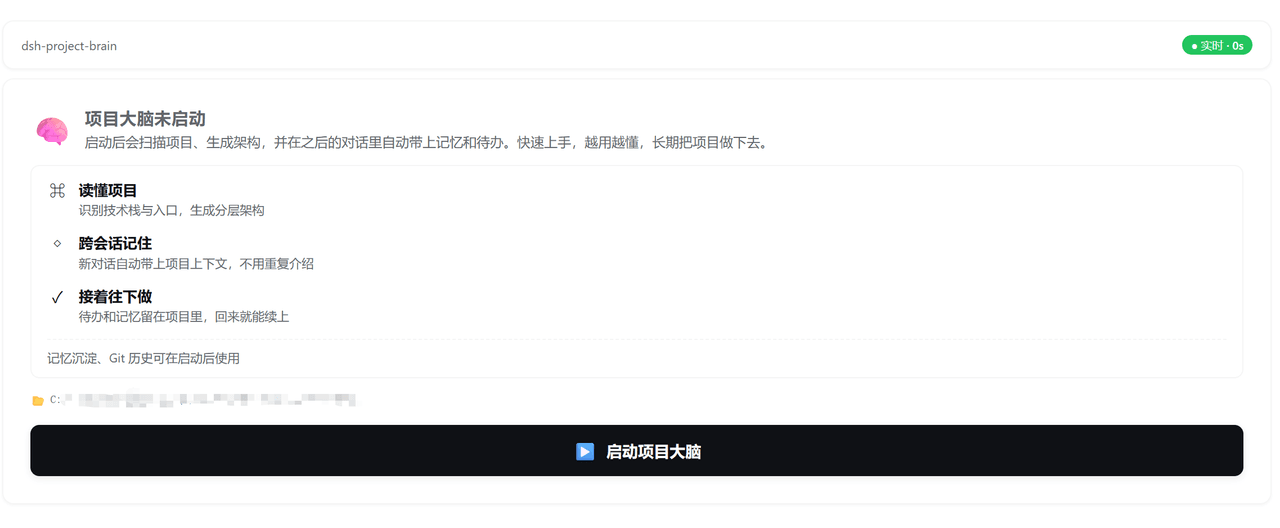 yj-liuzepeng/dsh-project-brain
Persistent project intelligence and memory plugin for DSH: architecture analysis, cross-session context, TODOs, and opti…
yj-liuzepeng/dsh-project-brain
Persistent project intelligence and memory plugin for DSH: architecture analysis, cross-session context, TODOs, and opti…
-
 Aik358/dsh-auto-memory
Proactive associative memory for DSH: system-prompt recall before the model speaks, three-layer auto-consolidation, skil…
Aik358/dsh-auto-memory
Proactive associative memory for DSH: system-prompt recall before the model speaks, three-layer auto-consolidation, skil…
-
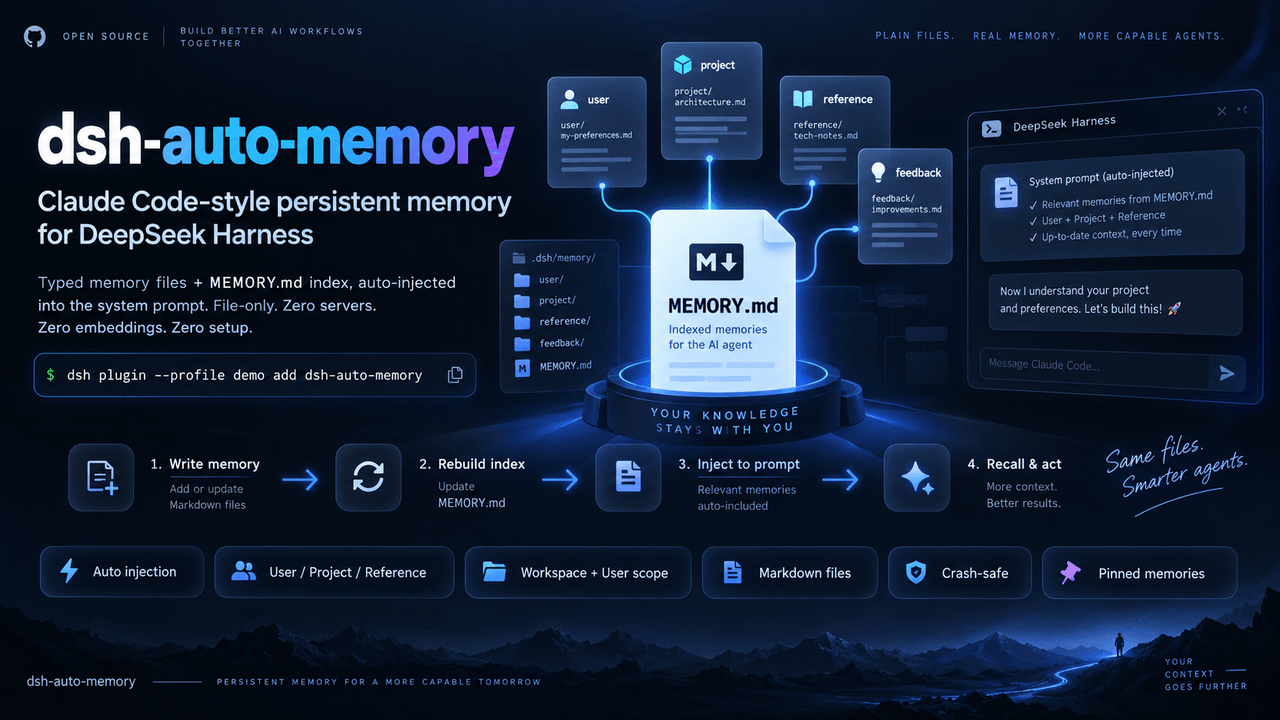 AskTheWay/dsh-auto-memory
Claude Code-style auto-memory plugin for DeepSeek Harness (dsh): typed memory files + MEMORY.md index auto-injected into…
AskTheWay/dsh-auto-memory
Claude Code-style auto-memory plugin for DeepSeek Harness (dsh): typed memory files + MEMORY.md index auto-injected into…
- lna-lab/distill-kura 蒸留蔵 — distilled long-term memory for agents: recall by meaning, writing gated by evidence, one kura per agent mode. Ship…
-
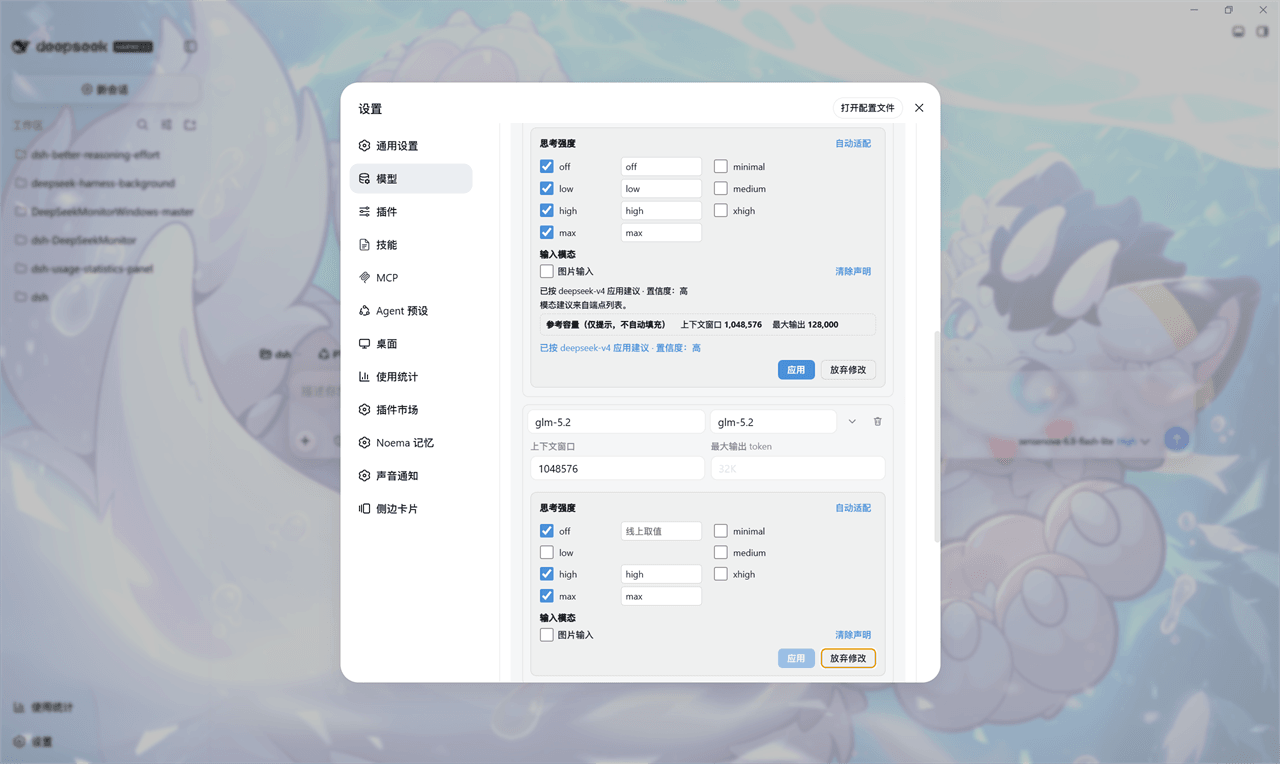 HaoyueQin/dsh-better-reasoning-effort
Reasoning-effort editing for third-party models in DeepSeek Harness: per-model thinking levels with a knowledge base + p…
HaoyueQin/dsh-better-reasoning-effort
Reasoning-effort editing for third-party models in DeepSeek Harness: per-model thinking levels with a knowledge base + p…