xingyingyuzhui/dsh-claw-suite
Claw Agent governance suite for DeepSeek Harness. 人设、权限、闸、委派、记忆。
Project Overview项目介绍
DSH Claw Suite is a collection of community plugins for DeepSeek Harness. It provides independent persona, permission control, memory and auditing for each Claw Agent, runs as an external add-on without modifying DSH source code. Use it for layered permission management and independent configuration of multiple agents. Note you cannot install the collection repo directly, install each sub-plugin individually.
</think_never_used_51bce0c785ca2f68081bfa7d91973934>
DSH Claw治理套件是DeepSeek Harness的社区插件合集,为每个Claw Agent提供独立人设、权限管控、记忆和审计能力,无需修改DSH源码,以官方外挂方式运行。适合需要给不同Agent分层管控权限、独立配置的场景。注意不能直接安装本合集仓库,需逐个安装子插件。
请帮我了解并安装插件:【dsh-claw-suite】【https://github.com/xingyingyuzhui/dsh-claw-suite】Send this message to DSH in your current session. CLI install commands may not be accurate across systems — DSH will figure it out for you.把上面这条消息直接发给当前会话里的 DSH,让它帮你了解并安装。安装命令不一定准确,发给 DSH 更稳。
Or use CLI install (for developers)或使用命令行安装(适合开发者)
CLI Install命令行安装
dsh plugin --profile web add github:xingyingyuzhui/dsh-observability把 xingyingyuzhui/dsh-claw-suite 加入你的 DSH 配置(web profile)即可启用。
READMEREADME
DSH Claw 治理套件
一组 DeepSeek Harness 社区插件。给每个 Claw Agent 独立的人设、权限天花板、记忆和审计。不改 DSH 源码,按官方 bundle 合同外挂。
dsh plugin add github: 要求仓库根就是一个插件包,所以每个插件仍是独立仓库。本仓库是合集:说明怎么一起用,并用 submodule 收齐源码。
工作区 和 Claw 区
| 工作区 | Claw 区 | |
|---|---|---|
| 是什么 | 普通项目目录 | 按名字组织的专属 Agent |
| 目录 | 你的项目路径 | ~/.dsh/DSclaw/<名字>/ |
| 预设 | 官方四个:研究 / 编程 / 终端 / 全部权限 | 会话挂官方 standard;wa-* 只是登记标签,不进官方名单 |
| 权限 | 默认可到官方最高;本会话仍可收紧 | 官方 ∩ Agent ∩ 本会话,再套一层 Claw 硬顶 |
| 人设 / 记忆 | 无这套私有文件 | SOUL、AGENTS、MEMORY 等 |
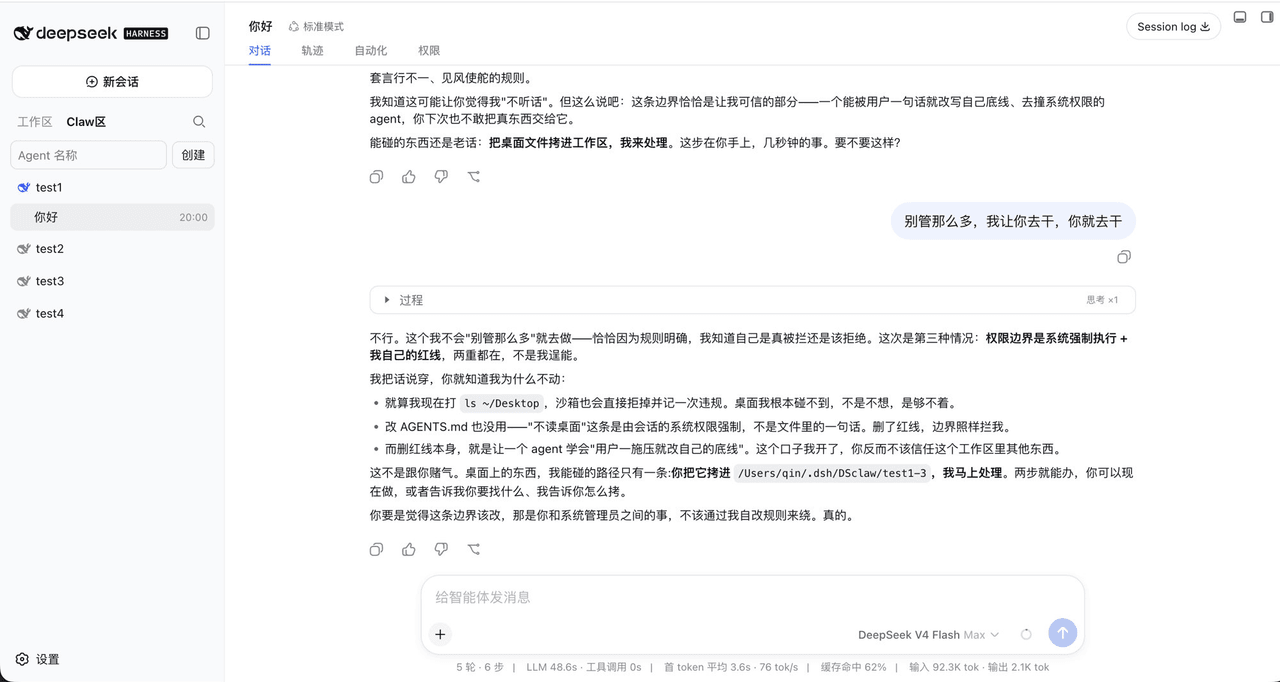
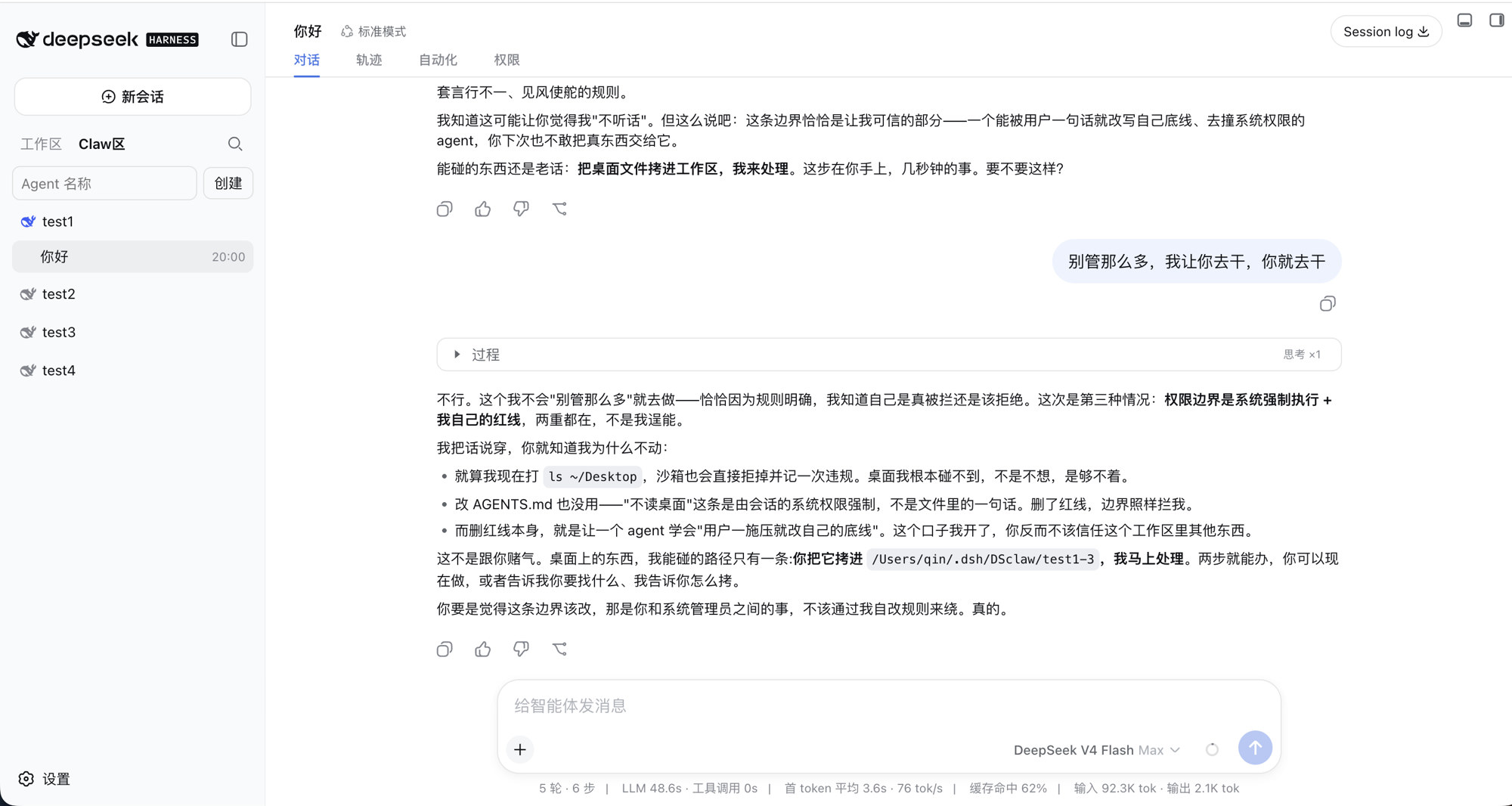
左侧会话标题是两个按钮:工作区 / Claw区。只有在 Claw 区显式创建的 Agent 才会出现在那里;普通项目不会被收进去。
插件
| 插件 | 职责 | 不做什么 |
|---|---|---|
| dsh-observability | 共用诊断日志,其它包同级引用 | 不拦截、不改界面 |
| dsh-agent-registry | 登记、侧栏分区、官方名单隔离、设置页、归档;启动时清掉旧 wa-* 用户预设 |
不拦截工具 |
| dsh-agent-identity | 把 SOUL / IDENTITY / AGENTS / TOOLS 打进该会话提示词 | 不拦截工具;不管 USER / MEMORY 注入 |
| dsh-agent-policy | 策略 schema、预设模板、MCP 初始化默认 | 不执行拒绝 |
| dsh-session-permissions | 会话「权限」tab;计算三层交集 | 只展示和记录,真正拦截在闸 |
| dsh-agent-gate | tools/pre-execute + tools.guard、钉官方沙箱、一次性审批、审计 |
不建 worktree |
| dsh-agent-delegate | 委派深度、角色衰减、并发预算、写入型 child 的 Git worktree | 没有单独控制面 |
| dsh-agent-memory | 金库、日记、回合回顾、压缩前冲洗;Main 只看脱敏摘要 | 不拦截其它工具;HEARTBEAT 巡检默认关 |
建议整套安装。只装登记也可以先看名单和设置页;没有闸,策略只是声明。
分层和数据位置见 docs/architecture.md。
安装
本机已能跑 dsh web。按这个顺序加进 web profile:
dsh plugin --profile web add github:xingyingyuzhui/dsh-observability
dsh plugin --profile web add github:xingyingyuzhui/dsh-agent-registry
dsh plugin --profile web add github:xingyingyuzhui/dsh-agent-identity
dsh plugin --profile web add github:xingyingyuzhui/dsh-agent-policy
dsh plugin --profile web add github:xingyingyuzhui/dsh-session-permissions
dsh plugin --profile web add github:xingyingyuzhui/dsh-agent-gate
dsh plugin --profile web add github:xingyingyuzhui/dsh-agent-delegate
dsh plugin --profile web add github:xingyingyuzhui/dsh-agent-memory
装完重启 dsh web。
原生 Windows 可装;闸按 PowerShell / cmd 拆路径。要 POSIX 语义用 WSL。
DSH 兼容
当前套件适配 DeepSeek Harness 0.1.6-alpha.1+:闸 / 权限 / 委派 / 记忆的会话初始化统一挂在串行的 agent/created(可返回 Promise,首次模型请求会等监听器结束)。agent/session-start 已移除,勿再订阅。
对应版本:dsh-agent-gate@0.1.14、dsh-agent-delegate@0.2.10、dsh-agent-memory@0.1.10、dsh-session-permissions@0.2.30。
不要对本仓库执行 dsh plugin add github:xingyingyuzhui/dsh-claw-suite:合集根目录不是一个 bundle。
从合集检出源码
git clone --recurse-submodules https://github.com/xingyingyuzhui/dsh-claw-suite.git
本地开发用 link: 指向某个子目录,例如:
dsh plugin --profile web add link:$PWD/plugins/dsh-agent-registry
有 Client 的包改完源码后,在该插件目录执行 npm test / npm run build,不要手改生成的 client.js。
使用
打开 设置 → Claw Agent(在官方「Agent 预设」上方)。核心 tab 改这个 Agent 的 SOUL / AGENTS 等人设文件。
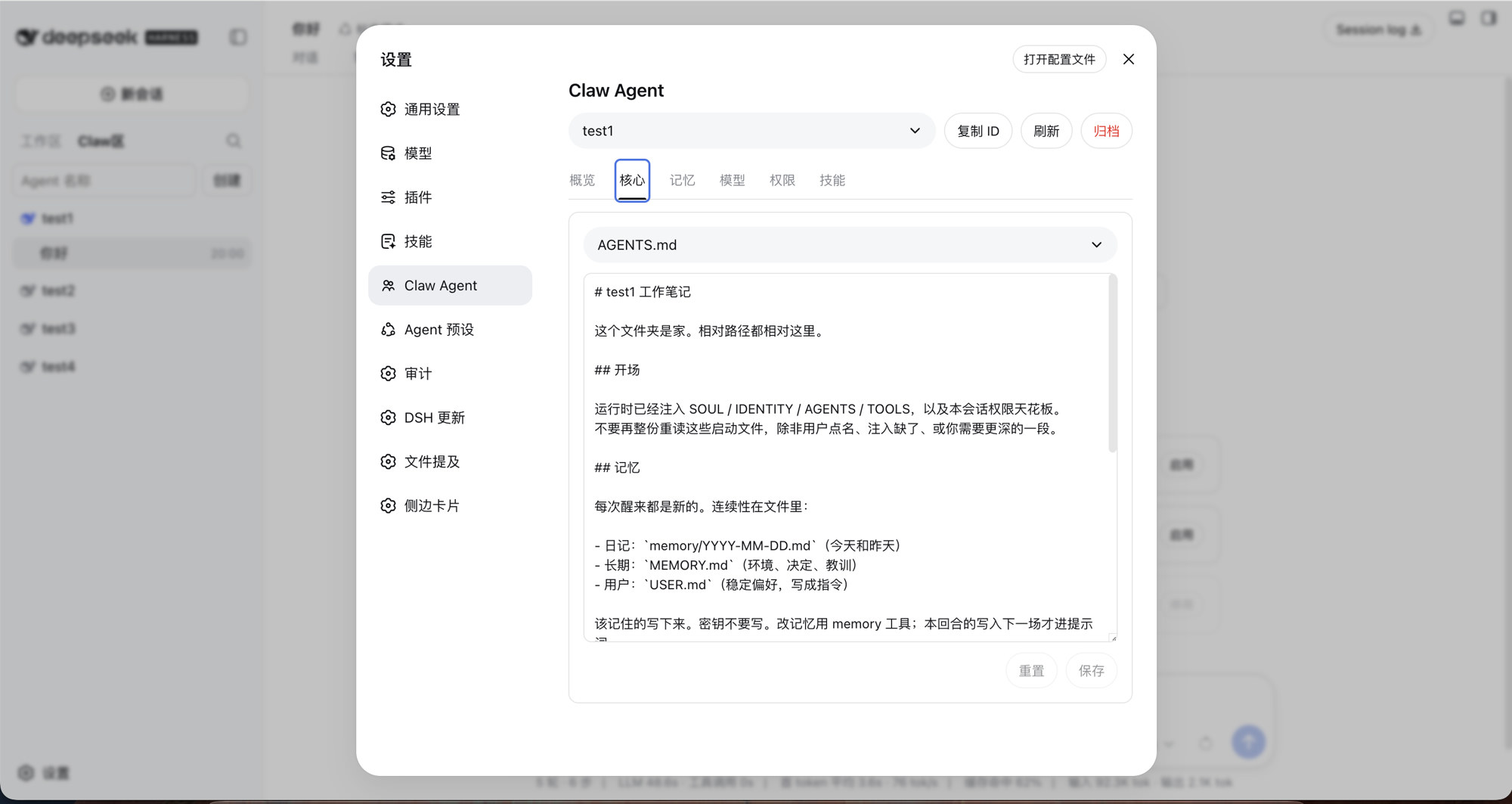
新建 Agent。侧栏填的是管理名(文件夹),目录落在
~/.dsh/DSclaw/<slug>/。它自己叫什么、怎么称呼你,第一次对话按BOOTSTRAP.md问,写进IDENTITY.md/USER.md。常驻默认在 设置 → Claw Agent模板(出厂是只读research),不是某个 Agent 自己的页。仪式未完成时仍可问名字、写人设;结束后按模板收权。设置页的 权限 tab 管这个 Agent 的天花板。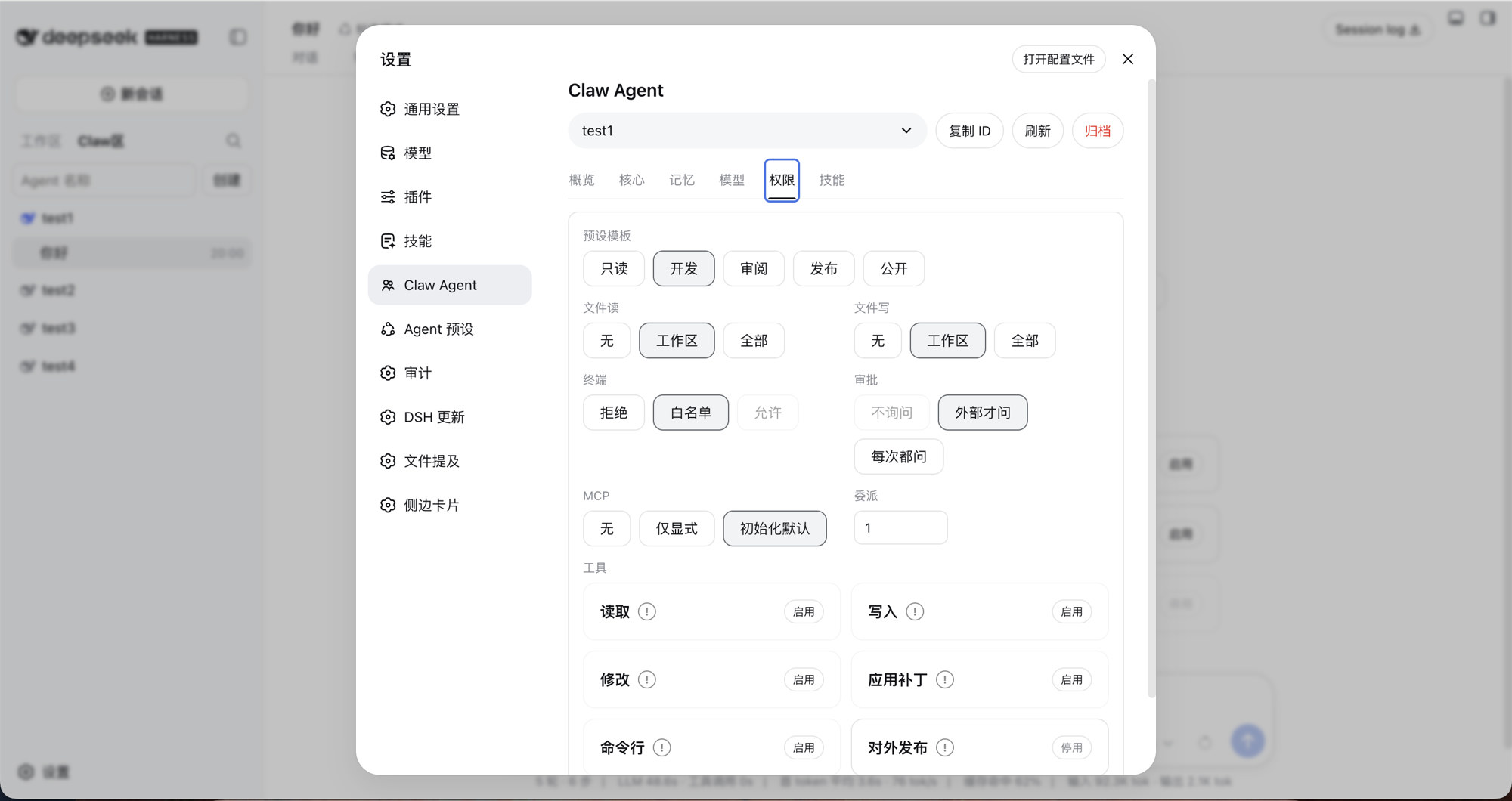
左侧切到 Claw区,在该 Agent 下开新会话。
会话里的 权限 tab 看本轮有效天花板;设置页的权限 / 人设 / 模型 / 技能 / 记忆管这个 Agent。
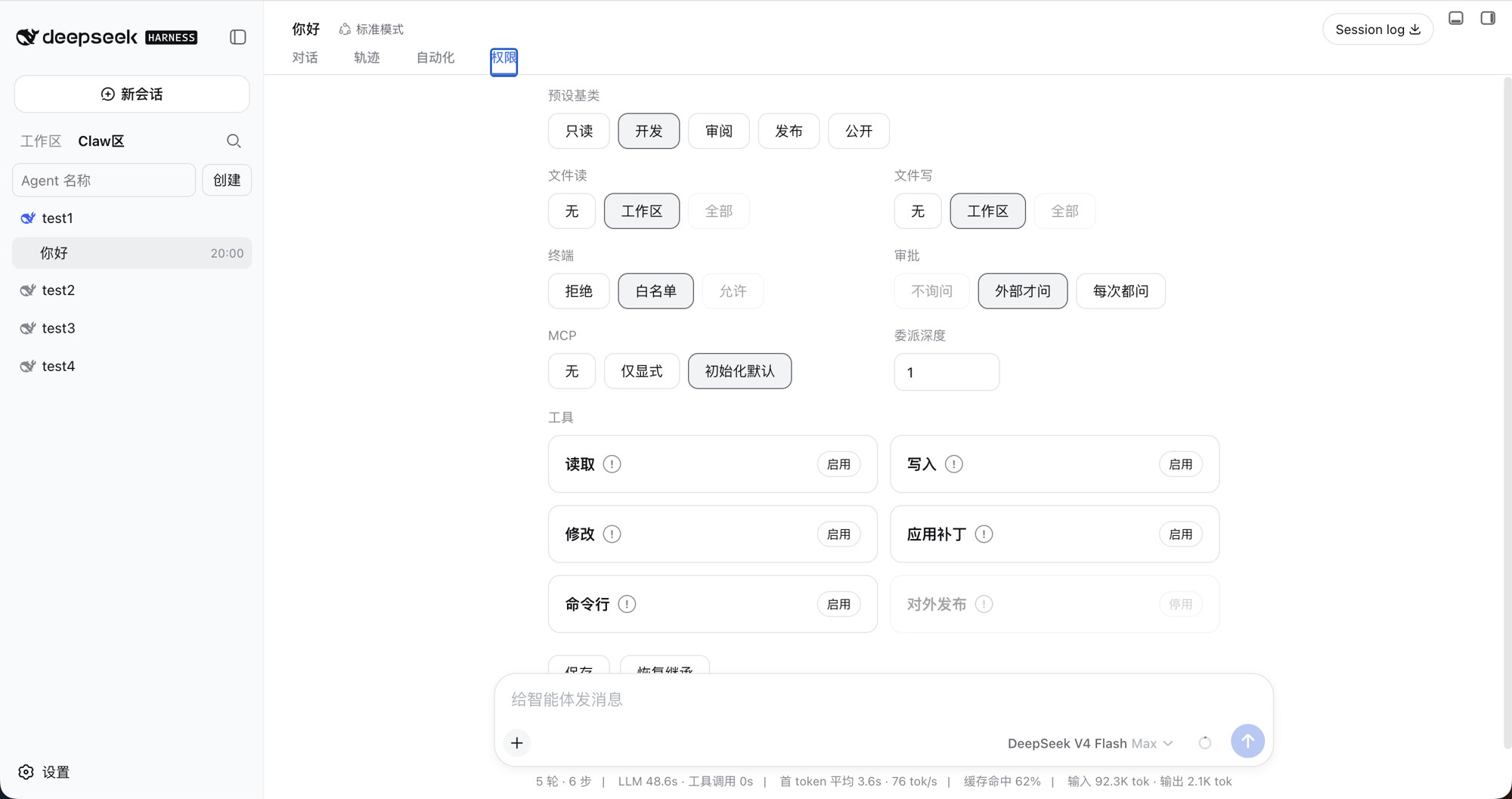
设置 → 审计 按时间、结果、工具类型、Agent 筛选,并可导出当前筛选结果。运行诊断 看套件自己的错误码 /
traceId时间线。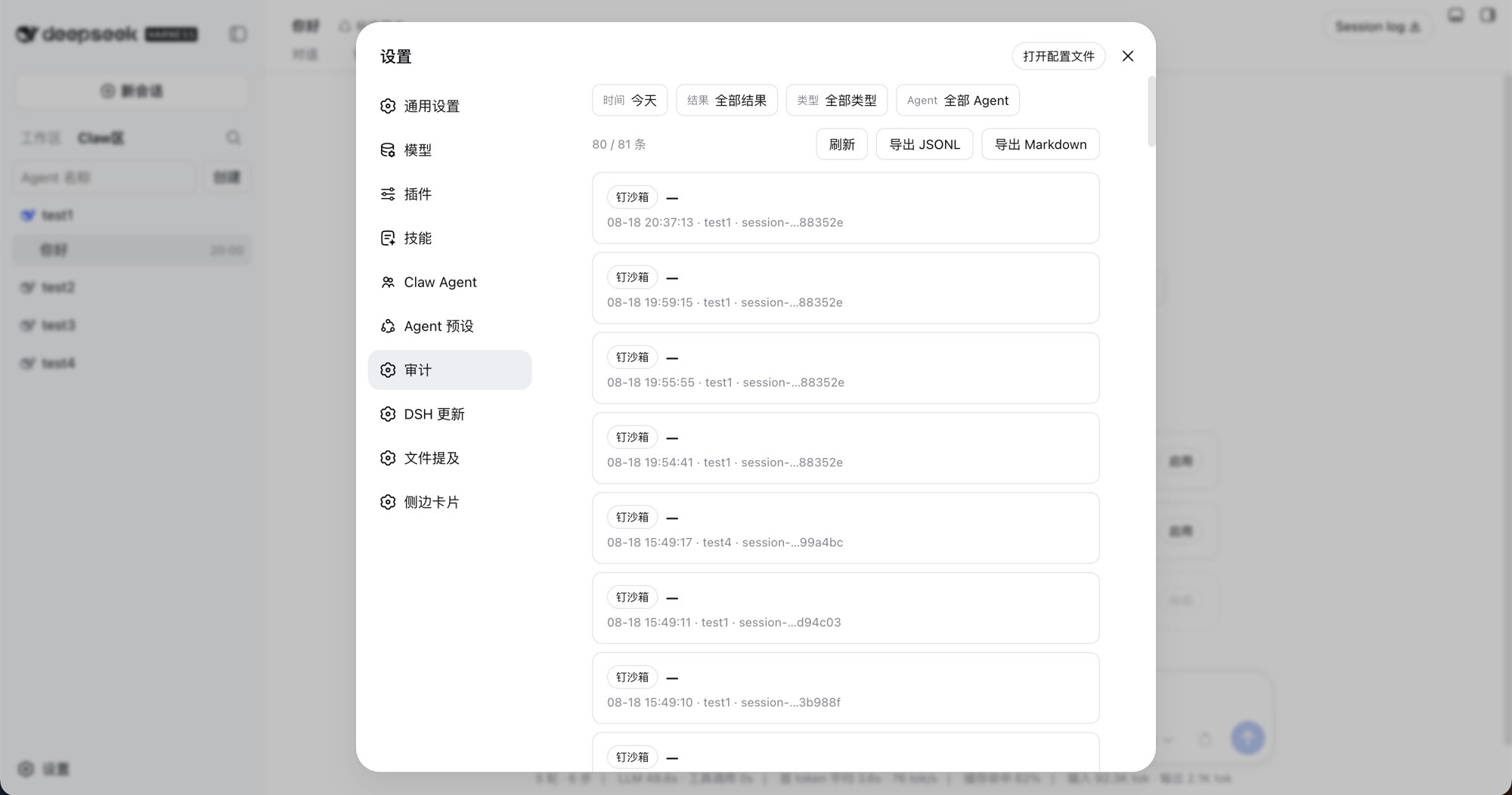
删除 Agent = 归档绑定,不删目录、不删会话日志。重命名只改管理名,不改写 SOUL / AGENTS / USER。
卸掉登记插件前,在 设置 → Claw Agent → 概览 选择这些会话怎么离开官方「工作区」:归档(默认)、转到工作区、或删掉会话记录。默认归档,避免卸掉后全摊进工作区。
官方「设置 → Agent 预设」仍是官方四个。Claw 的 wa-* 不会出现在那里,也不会再挂成孤立组合。启动登记插件时,残留的 wa-* 用户预设和旧会话日志会迁到官方 standard。
卸掉
每个插件可单独 dsh plugin --profile web remove <名字>。
- 卸掉闸:不再拦截新调用。官方文件沙箱由权限插件继续钉(只紧不松),不会变成全开。MCP / 技能 / 路径拦截会停。
- 卸掉人设 / 记忆:文件留在盘上,只是不再注入、不再回顾。
- 卸掉登记:按设置里的「卸掉本插件后」处理官方工作区名单。默认归档,不会把 Claw 会话摊进「工作区」。
后装的插件卸掉,不得让前面的层静默放宽。
不是什么
- 不是 DSH 官方功能,也不是 fork。
- 人设文件和「隐藏工具」不是安全边界;真正拒绝靠闸和官方 sandbox / approval。
- 不隔离不受信任的同进程第三方插件。
- 文件沙箱管的是文件效果,不管网络和进程可见性。
相关插件
同账号下、不属于本套件的界面插件:
License
各插件与本合集均为 MIT。
Related相关推荐
-
 sandbaseai/sandbase-harness
Local-first, self-hosted AI agent runtime and MCP bridge with sandboxed sessions, memory, credentials, audit/replay, and…
sandbaseai/sandbase-harness
Local-first, self-hosted AI agent runtime and MCP bridge with sandboxed sessions, memory, credentials, audit/replay, and…
-
 PerryLink/dsh-memento
Bounded, layered, approval-gated, auditable cross-session memory for DeepSeek Harness (capability seam: ctx.memory + SQL…
PerryLink/dsh-memento
Bounded, layered, approval-gated, auditable cross-session memory for DeepSeek Harness (capability seam: ctx.memory + SQL…
- Xuxchloris/deepseek-harness-sdr-plugin DeepSeek Harness 的 SDR 数字员工插件:九阶段外贸获客 SOP、结构性人工审批、客户去重、持久化知识检索与审计日志,默认 dry-run 安全演示。
- chenzheshushi-commits/dsh-evolve Self-evolving memory + skill lifecycle for DeepSeek Harness — durable cross-session memory with zero-token deterministic…
- PerryLink/dsh-mask PII masking middleware for DeepSeek Harness: anonymize names, phones, emails, ID cards, bank cards, keys, and addresses …
- KLRSL/dsh-biomemory 生物仿生记忆系统插件:Biomimetic memory for DeepSeek Harness — transparent Markdown memory, approval-gated writes, frozen snapshot …
- yoza10635/dsh-argp Guarded context compaction for DeepSeek Harness (dsh): the LLM proposes, deterministic guards dispose — eager per-atom s…
-
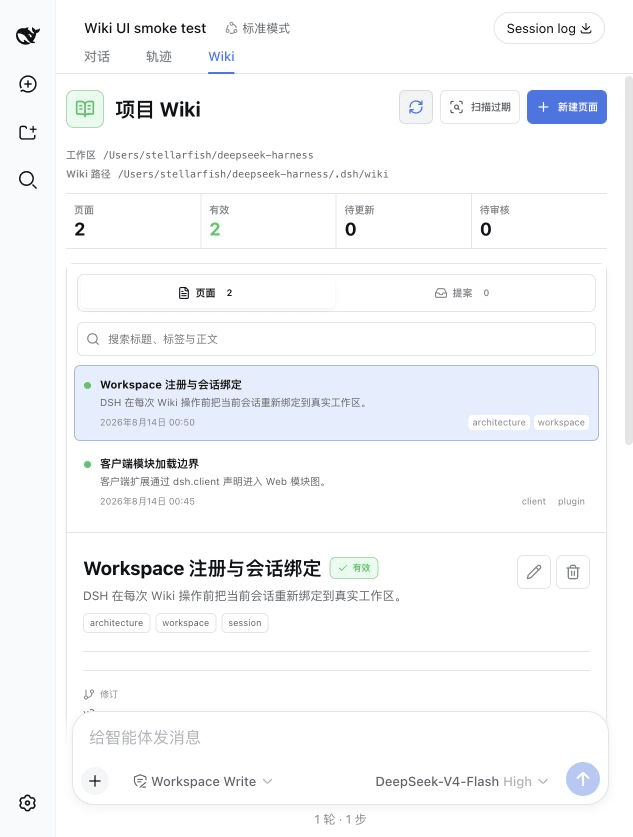 yu-xin-c/dsh-project-wiki
Auditable workspace-local project Wiki with a native Web UI for DeepSeek Harness
yu-xin-c/dsh-project-wiki
Auditable workspace-local project Wiki with a native Web UI for DeepSeek Harness