yembors64632/dsh-connect
DSH 插件:一个插件接入 WorkBuddy / Trae / Qoder 三渠道模型,带统一状态面板、一键签到与渠道管理
Project Overview项目介绍
dsh-connect is a DSH-native plugin that bridges three separate desktop model providers — WorkBuddy (including the enterprise edition with unlimited accounts), Trae, and Qoder CN — into the DeepSeek Harness model selector. It ships as a bundle-manifest package whose sole target is DSH, merging four earlier plugins (dsh-workbuddy-connect, dsh-trae-connect, dsh-qoder-connect, and dsh-connect-hub) on 2026-09-24. The plugin exposes a sidebar entry called "渠道中心" (Channel Center) where every account's login state, quota bar, daily check-in status, and per-model pricing multiplier are visible on a single screen, refreshed automatically every two minutes while the panel is open and without any background polling when it is closed.
The typical workflow begins with a one-click check-in at the bottom of the panel to claim daily credits across all configured channels simultaneously; users then manage credentials on the dedicated "认证" (Auth) tab, where each row supports rename, paste, disable, and delete actions, plus a "创建槽位" (Create Slot) form for adding new channel entries — WorkBuddy accepts an arbitrary number of slots, while Trae and Qoder CN each allow only one. After authentication, the model selector surfaces all three providers' models side by side, with live pricing multipliers appended to every model name (for example x0.11, x0.72, or 0.5×) so users can compare cost before selection. A per-channel "模型 N" checklist filters out undesired models without affecting credentials, and a sidebar toggle plus an automatic check-in switch live at the panel footer. The audience is developers and power users who already hold paid accounts on these three desktop platforms and want a unified cockpit inside DSH.
Credentials are stored as 0600-permission plaintext JSON files in ~/.dsh/connect-auth/ on the host or /root/.dsh/connect-auth/ inside the container, so they must never be committed to git or shared publicly. The repo ships scripts/export-connect-credentials.mjs with subcommands for each provider (workbuddy, trae, qoder, plus a verify-only mode and --pat fallback) and auto-skips the DSH panel probe when run inside the container or honors a DSH_CONTAINER=… override. Adding or deleting a channel, renaming one, or upgrading the plugin requires a full DSH restart before the model selector updates; editing credentials takes up to thirty seconds, while disable/enable, model checkboxes, and preference toggles apply immediately. The project is MIT-licensed, has four GitHub stars, and lists Qoder, Trae, and WorkBuddy as the only supported upstream channels.
dsh-connect 是一个 DSH 原生插件,把 WorkBuddy(含企业版,账号数不限)、Trae 和 Qoder CN 三家桌面端的模型统一接入到 DSH 的模型选择器中,并通过左侧栏的「渠道中心」面板集中展示各账号的登录状态、额度、签到情况和倍率信息。它由四个旧插件(dsh-workbuddy-connect、dsh-trae-connect、dsh-qoder-connect、dsh-connect-hub)在 2026-09-24 合并而来,通过 bundle-manifest 形式打包,仅以 DSH 为目标产品。
插件的典型工作流分四步:在 DSH 面板底部用「一键签到」领取三家每日额度,然后在认证页粘贴或导入凭据,接着在模型选择器中查看带实时倍率的模型列表,最后用每行的「模型 N」勾选框筛掉不想要的模型。它面向同时订阅了这三个桌面客户端、想在 DSH 里统一调度模型并集中管理凭据的开发者与重度用户,企业账号也支持自动识别。
凭据以 0600 明文 JSON 存于 ~/.dsh/connect-auth/(容器内为 /root/.dsh/connect-auth/),不要提交到 git。可通过随仓库发布的 scripts/export-connect-credentials.mjs 脚本导出,也支持直接粘贴凭据原文。依赖 DSH 重启的时机:新增/删除渠道、改名、升级插件需要重启;其余改动 30 秒内或立即生效。许可证为 MIT。
请帮我安装这个 DSH 插件。安装前先完成【兼容性检查 + 安全性检查】,检查通过再动手。

插件:dsh-connect(yembors64632/dsh-connect)
仓库:https://github.com/yembors64632/dsh-connect
本站详情页:https://www.yhbd.top/plugins/yembors64632-dsh-connect/
本站登记:类型 plugin · 归类 原生 DSH 插件 · 许可证 MIT · ⭐ 5 · 最近提交 2026-09-28 · 主语言 JavaScript

按下面顺序执行,每步先把结论告诉我,再进入下一步:

【1 兼容性检查】
① 我这边:DSH 版本、Node 版本、操作系统、当前 profile(web / desktop)。
② 读它的 README、package.json、插件 manifest,列出它要求的 DSH 版本 / Node 版本 / 操作系统 / 外部依赖 / 需要另外先装的运行时。
③ 逐条比对,结论只写「满足 / 不满足 / 未知」三种;不满足的给出可行替代方案。
④ 检查是否和我已装的插件冲突:命令名重复、skill / tool 重名、端口占用、重复注册的 MCP server。

【2 安全性检查】
① 仓库可信度:和上面「本站登记」是否一致;star / fork 数、创建时间、最近提交,是否归档或长期停更。
② 安装脚本:逐行看 package.json 的 preinstall / install / postinstall,以及 install.sh、setup.ps1 之类脚本。出现 curl|bash、下载后直接执行、混淆代码、访问与插件功能无关的域名,立刻停下来告诉我,不要继续装。
③ 依赖:列出新增依赖,标出无人维护、或与知名包拼写近似的可疑包(typosquatting)。
④ 权限与副作用:它会读写哪些目录、访问哪些域名、需要哪些 DSH 权限(filesystem / network / shell / clipboard 等),以及怎么卸载和回滚。
⑤ 如果它要求 sudo / 管理员权限,或权限明显超出功能所需,先停下来问我。

【3 安装】
上面两步没有「不满足」和「高危项」时才执行;用官方推荐方式安装,不要自行提权。

【4 汇报】
用表格输出:检查项 / 结论 / 依据 / 是否需要我决策。拿不准的一律写「未知」并说明要我怎么确认——不要猜,也不要替我决定。
Send this message to DSH in your current session: it verifies compatibility and security first (answering met / not met / unknown item by item) and only installs once everything checks out — it will stop and ask you if it finds a high-risk item. The box scrolls; the copy is the full prompt. CLI install commands may not be accurate across systems, so DSH is the safer route.把上面这条消息直接发给当前会话里的 DSH:它会先核对兼容性与安全性(逐条给「满足 / 不满足 / 未知」),确认没问题再安装,有高危项会停下来问你。框内可滚动,复制到的是完整提示词;安装命令不一定准确,发给 DSH 更稳。
- Only 5 stars - very few users, little community feedback星标只有 5,几乎没人在用,遇到问题缺少社区反馈
DSH walks through these 9 checksDSH 会逐条核对这 9 项
Compatibility兼容性
- DSH, Node, OS and profile requirementsDSH 版本 / Node 版本 / 操作系统 / profile 是否满足要求
- External dependencies and runtimes (Electron / Python / Docker, ...)外部依赖与运行时(Electron / Python / Docker 等)是否齐备
- Conflicts with installed plugins: command names, skill / tool names, ports, duplicate MCP registration与已装插件是否冲突:命令名、skill / tool 重名、端口占用、重复 MCP 注册
Security安全性
- Repo matches the facts registered here; archived or abandoned?仓库是否与页面登记一致,是否归档或长期停更
- Safety of preinstall / install / postinstall and install.sh / setup.ps1preinstall / install / postinstall 与 install.sh、setup.ps1 是否安全
- curl|bash, download-then-execute, obfuscation, unrelated domains → stop immediatelycurl|bash、下载即执行、混淆代码、无关域名 → 立刻停止
- Typosquatting or unmaintained packages among the new dependencies新增依赖里有没有 typosquatting 或无人维护的包
- Requested permissions vs. what the feature actually needs申请了哪些权限、是否超出功能所需(filesystem / network / shell / clipboard)
- Any sudo / admin requirement, plus uninstall and rollback是否要求 sudo / 管理员权限,以及卸载与回滚方式
Anything uncertain must be marked unknown with a note on how to confirm it. This site's signal screen is a static snapshot, not a security audit.拿不准的必须标「未知」并说明要我怎么确认。本站的信号筛查是静态快照,不能替代安全审计。
Or use CLI install (for developers)或使用命令行安装(适合开发者)
CLI Install命令行安装
dsh plugin --profile web add github:yembors64632/dsh-connect把 yembors64632/dsh-connect 加入你的 DSH 配置(web profile)即可启用。
READMEREADME
dsh-connect
一个 DSH 插件:把 WorkBuddy(含企业版,账号数不限)、Trae、Qoder CN 三个渠道的模型 一次接进 DSH,并给它们配一块统一面板 —— 看状态、签到、增删渠道,都在这一块里完成。
2026-09-24 由四个插件合并而来:
dsh-workbuddy-connect+dsh-trae-connect+dsh-qoder-connect+dsh-connect-hub。
这是干什么的
这三个渠道各自都有官方客户端,但在 DSH 里用起来是三套东西:分别装、凭据散在三处、 状态要在不同地方看。这个插件把三件事收拢在一起:
- 模型:三家模型进同一个模型选择器,选谁就是谁,不用来回切插件;
- 状态:所有账号的登录、额度、今日签到,一屏看完;
- 渠道:加号、换号、停用、删除,在一个面板里点完。
有什么功能
| 功能 | 在哪 | 说明 |
|---|---|---|
| 三家模型接入 | 模型选择器 | WorkBuddy / Trae / Qoder 的模型并列可选 |
| 倍率显示 | 模型选择器、面板 | 每个模型名后面跟着当前倍率,选之前就知道贵不贵 |
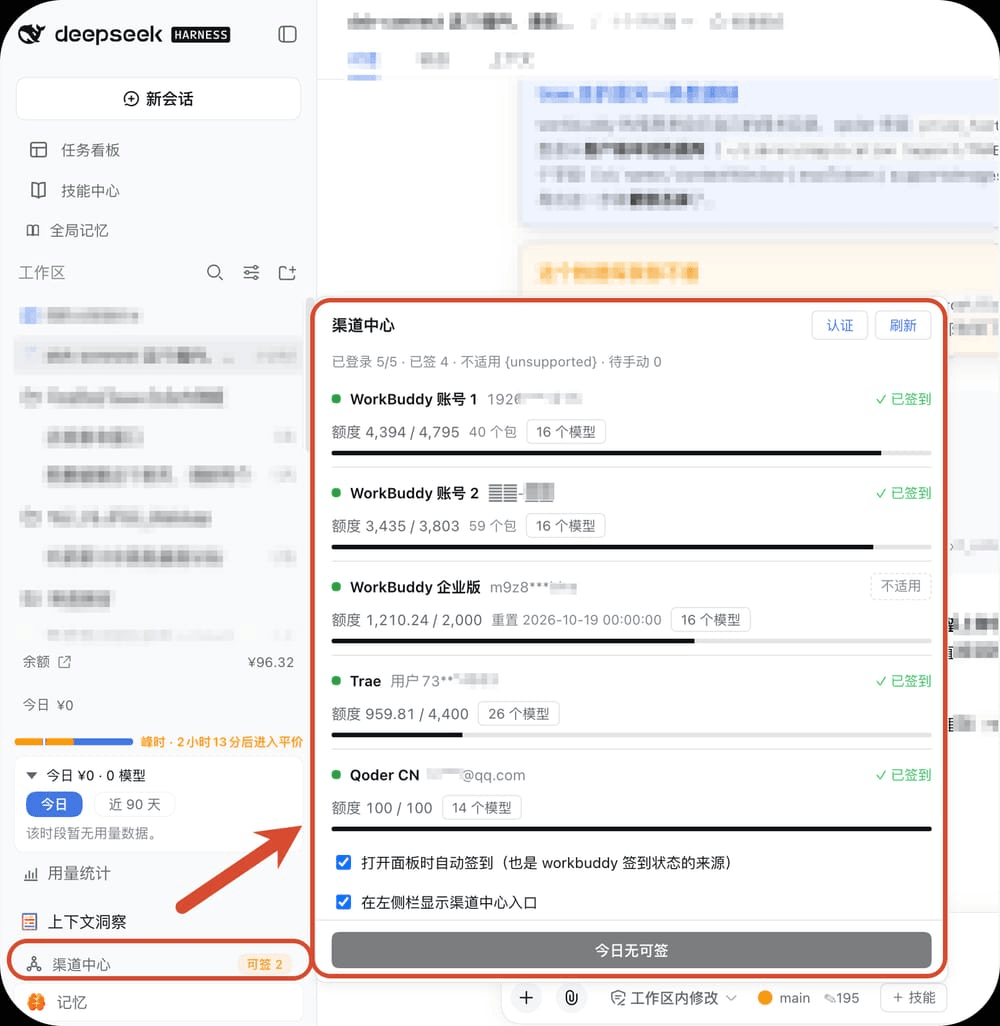
| 状态面板 | 左侧栏「渠道中心」 | 各账号的登录状态、额度进度、签到状态、模型数 |
| 一键签到 | 面板底部 | 一次领完所有渠道的每日额度 |
| 渠道管理 | 面板 → 认证 | 添加、改名、粘贴凭据、停用、删除 |
| 模型筛选 | 面板 →「模型 N」 | 决定哪些模型出现在模型选择器里 |
| 自动签到 | 面板底部开关 | 打开面板或侧栏刷新时顺手把能领的领了(幂等) |
三家都能由本插件直接领取(不需要回各自的桌面 App):
| 渠道 | 每日奖励 | 领取接口 |
|---|---|---|
| WorkBuddy 个人版 | 按活动看板 | 插件自己的回环路由 |
| Trae | 按 enable / checkedIn |
插件自己的回环路由 |
| Qoder CN | 每天 100 Credits(每日 10:00 UTC+8 刷新、30 天有效) | POST /sash/api/v1/me/campaigns/<campaignId>/claim |
⚠️ Qoder 那条依赖
Cosy-ClientType: 10。写成 5 时服务端不报错,只回一份 「没有任何活动」的空文档,看起来就像"这个账号没有签到活动" —— 2026-09-27 踩过一次。 细节见lib/providers/qoder/index.js的COSY_OPENAPI_CLIENT_TYPE。
⚠️ WorkBuddy 的「今天签没签」没有只读来源:它的签到看板 (
/v2/billing/meter/checkin-status)在活动未开放时整份都是默认值,当天已签到也依然如此 (active:false/today_checked_in:false/week_progress全 false);唯一可靠来源是幂等的daily-checkin。所以侧栏角标和面板必须走同一条带auto=1的请求 —— 曾经角标不带, 结果角标恒显示「可签 2」而面板显示「已签」,看起来就是"角标不准"(2026-09-27 用户报障)。 两处注释都标了「别改回去」,细节见lib/panel-client.js的useHubStatus。
怎么用
一、看状态:左侧栏的「渠道中心」
入口在左侧栏底部,和「用量统计」「上下文洞察」「记忆」排在一起。有可领的额度时, 它右边会亮一个「可签 N」的标签;侧栏收成图标条时,就是一个带小圆点的图标。
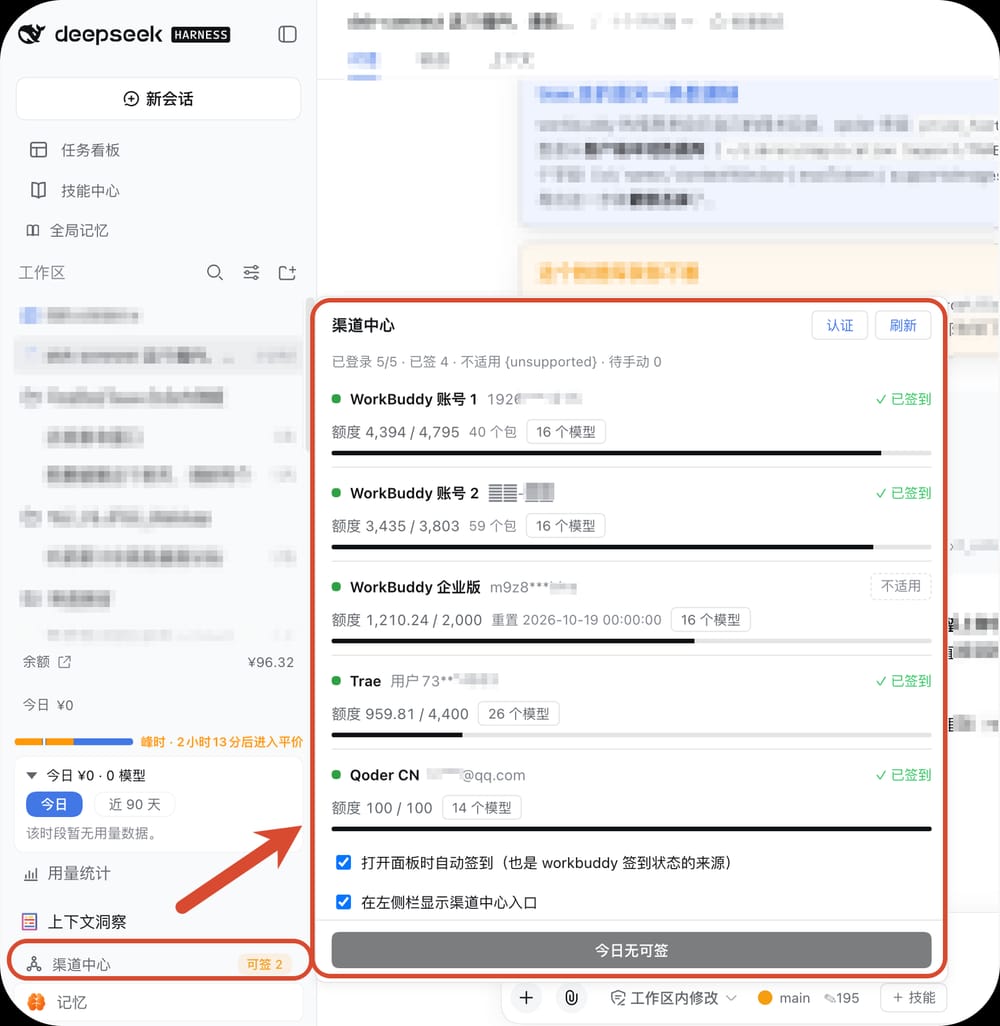
点开是面板:
- 顶部一句话汇总:已登录几个、已签几个、哪些不适用;
- 中间每个渠道一行:左边状态点 + 账号(打码显示),右边是这一行的签到动作; 下一行是额度进度、重置时间、模型数;
- 底部是「一键签到」,以及两个开关 —— 打开面板时自动签到、在左侧栏显示入口。
面板开着时每两分钟自动刷新;关掉就不再轮询,不会在后台一直打接口。
二、管渠道与凭据:认证页
点面板右上角「认证」切过去,这里列出每个渠道的凭据落点和当前登录状态。
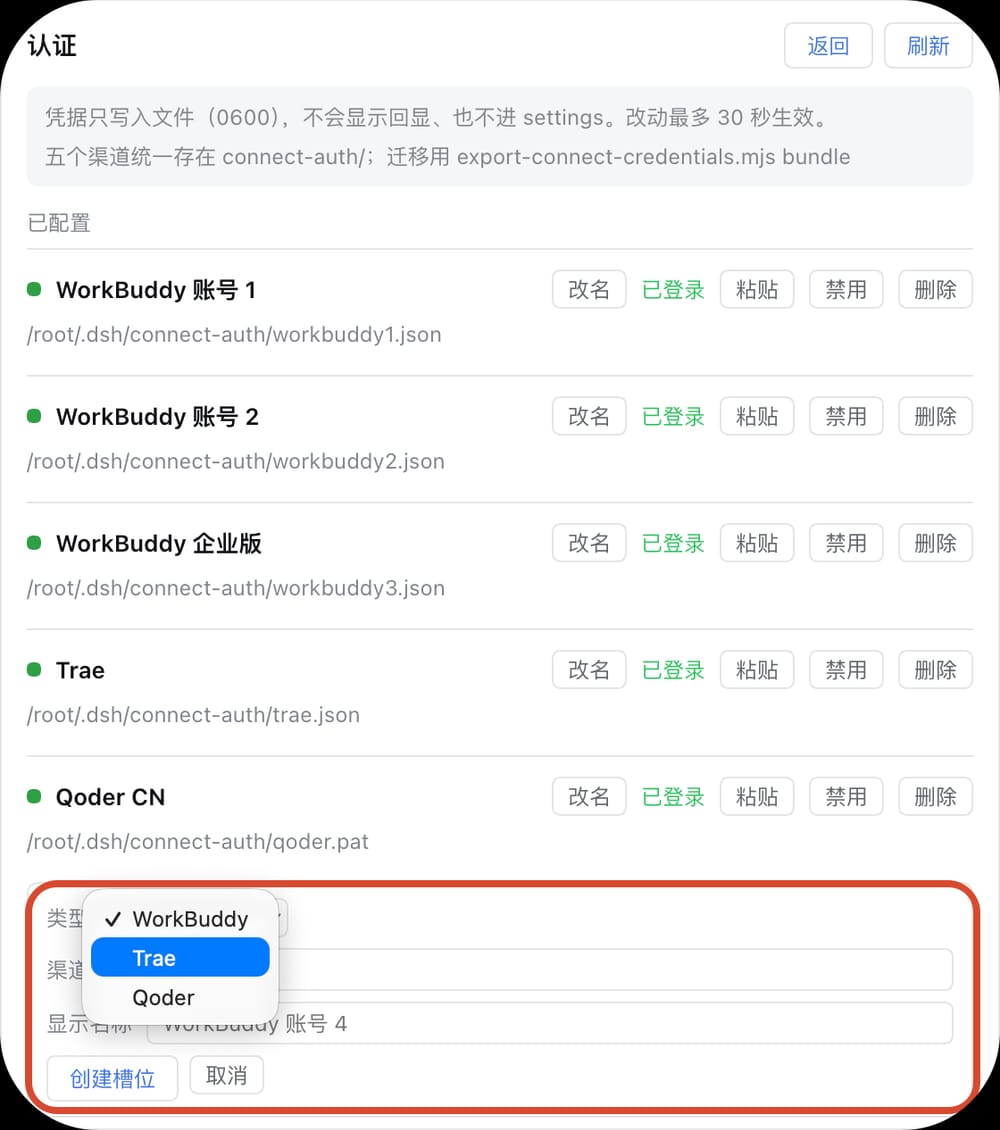
每行右边四个动作:
- 改名 —— 只改显示名,不动凭据;
- 粘贴 —— 把凭据内容贴进去,直接写进该渠道的文件,最多 30 秒生效;内容不会回显, 也不会进 DSH 的设置文件;
- 停用 —— 该渠道的所有模型从模型选择器消失、也不参与一键签到,但凭据留着, 随时可以启用回来(立刻生效);
- 删除 —— 连凭据一起删掉(要点两次确认),槽位回到空闲,可以重新添加。
Showing the opening section of the README — the full document lives in the repository以上为 README 开头摘要,完整文档在仓库内 · View the full README on GitHub →在 GitHub 查看完整 README →
Related相关推荐
- voyager-crew/voyager Enhancement suite for Gemini, AI Studio, Claude, ChatGPT & DeepSeek — plus a prompt manager for any website, DeepSeek Ha…
-
 Q00/ouroboros
Agent OS: the agent gets smarter on its own. We just hold the line: Interview-gated, staged evaluation, budgeted evoluti…
Q00/ouroboros
Agent OS: the agent gets smarter on its own. We just hold the line: Interview-gated, staged evaluation, budgeted evoluti…
-
 crafter-station/petdex
A public gallery of animated pets for Codex, Claude Code, DeepSeek Harness, Hermes, OpenCode, Gemini CLI, and more.
crafter-station/petdex
A public gallery of animated pets for Codex, Claude Code, DeepSeek Harness, Hermes, OpenCode, Gemini CLI, and more.
-
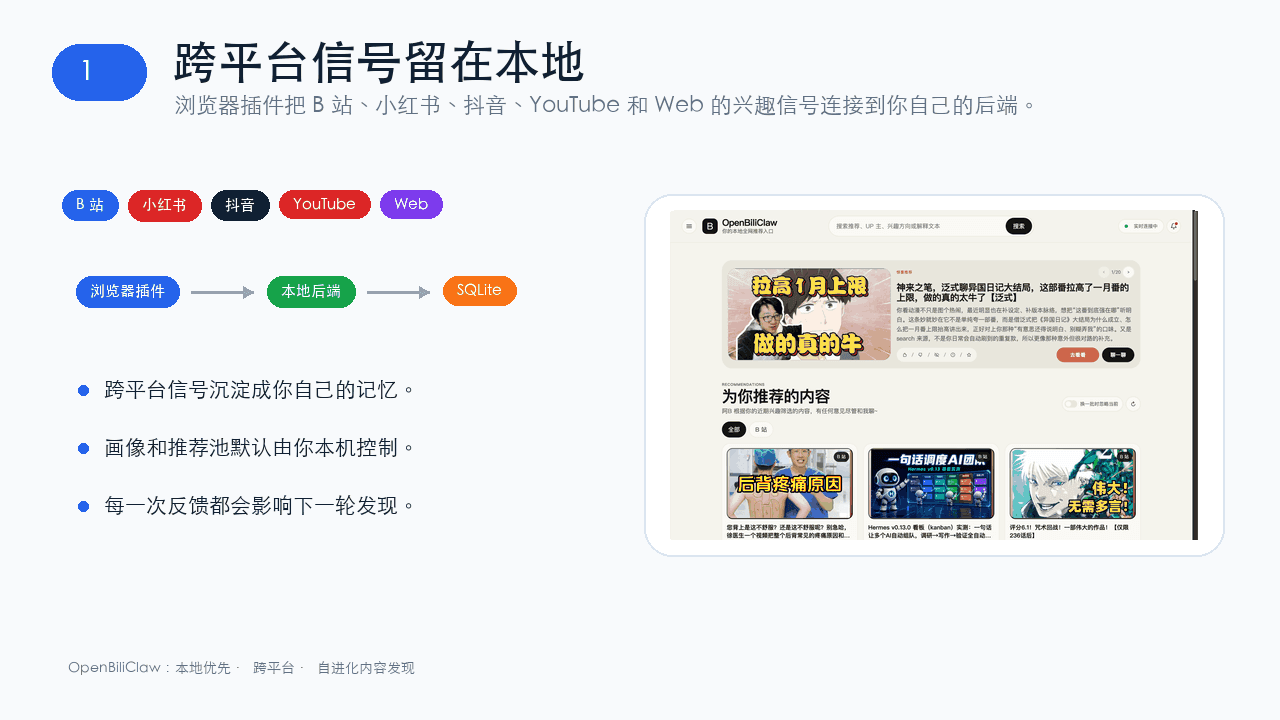 whiteguo233/OpenBiliClaw
本地私有、开源的自进化跨平台 AI 内容发现 Agent:先理解你,再主动从 B站、小红书、抖音、YouTube、X、知乎、Reddit、微博等平台与开放 Web 寻找内容。(支持 deepseek harness 插件) | Local-…
whiteguo233/OpenBiliClaw
本地私有、开源的自进化跨平台 AI 内容发现 Agent:先理解你,再主动从 B站、小红书、抖音、YouTube、X、知乎、Reddit、微博等平台与开放 Web 寻找内容。(支持 deepseek harness 插件) | Local-…
-
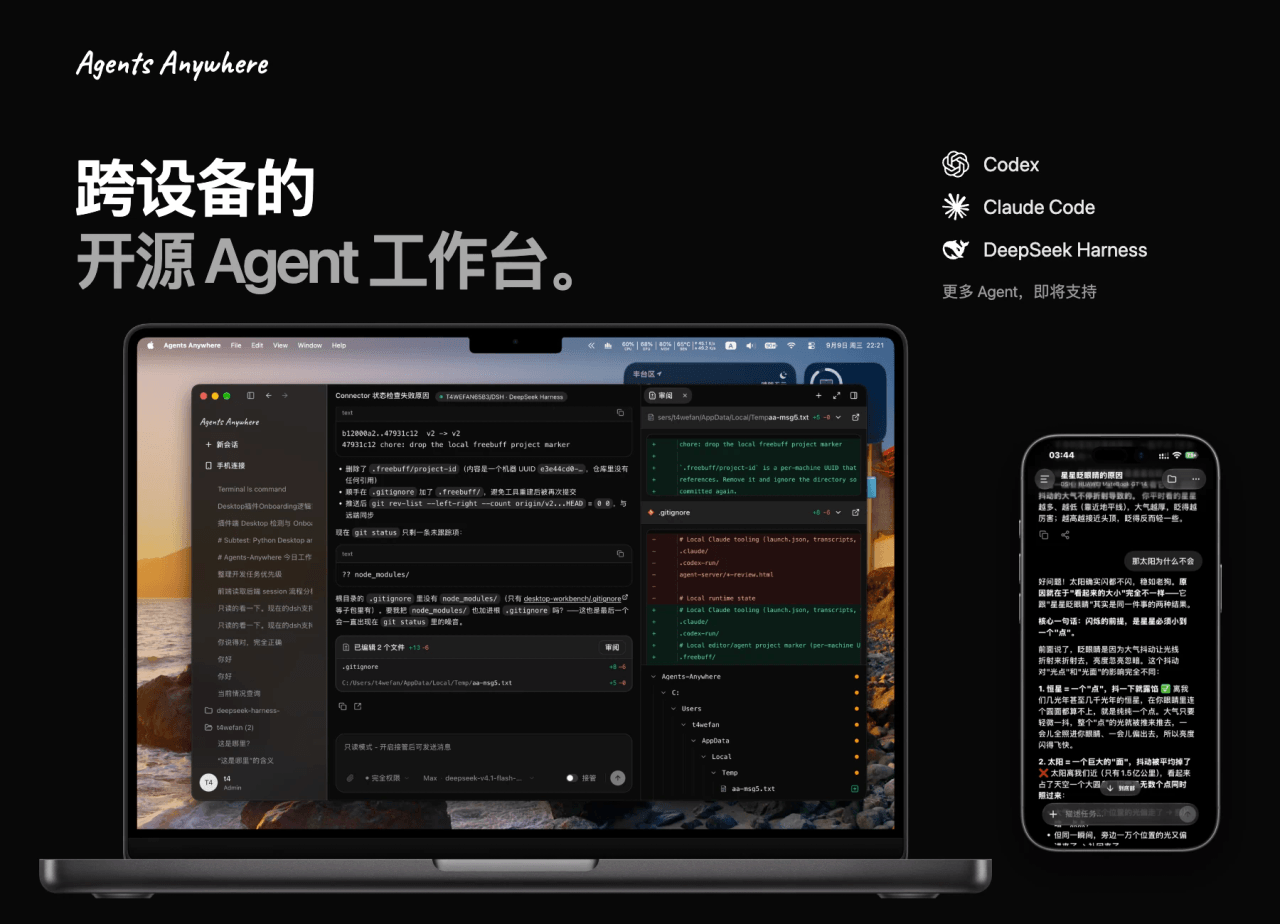 anywhere-labs/Agents-Anywhere
跨设备的开源Agent工作台
anywhere-labs/Agents-Anywhere
跨设备的开源Agent工作台
-
 agentrq/agentrq
AgentRQ: Human-in-loop realtime conversational task manager for AI Agents. Self-hosted! Control your own agents from whe…
agentrq/agentrq
AgentRQ: Human-in-loop realtime conversational task manager for AI Agents. Self-hosted! Control your own agents from whe…
-
 freestylefly/wesight
Open-source desktop AI agent workspace with one-click Claude Code, Codex, OpenClaw, Hermes Agent setup and custom LLM mo…
freestylefly/wesight
Open-source desktop AI agent workspace with one-click Claude Code, Codex, OpenClaw, Hermes Agent setup and custom LLM mo…
- zouyuxuan122/dsh-our-free-model 在 dsh 里装上这个插件即可,无需登录、注册或填 API Key,就能使用包括 Muse Spark 1.3、MiMo V2.6 在内的前沿模型——完全免费,不限量。 All you do is install this plugin i…