youzhoujiMrLiu/dsh-ui-wallpaper
Wallpaper Engine风格壁纸插件,用于DeepSeek Harness网页界面:可自定义图片、GIF和视频作为应用背景|仿Wallpaper Engine的壁纸插件,支持图片/GIF/视频自定义背景
Project Overview项目介绍
dsh-ui-wallpaper is a native wallpaper plugin built exclusively for the DeepSeek Harness web GUI. It is modeled after Wallpaper Engine, and lets users set any local image, GIF, or video as a custom background for the DSH interface. It can make application surfaces translucent so the wallpaper shows through, and all management controls are available from a dedicated Wallpaper page in DSH Settings. The package ships with a DSH bundle manifest, and can be installed directly via DSH's plugin system. The easiest installation method is to let DSH itself or any terminal-capable agent handle adding it to your DSH profile without extra manual steps.
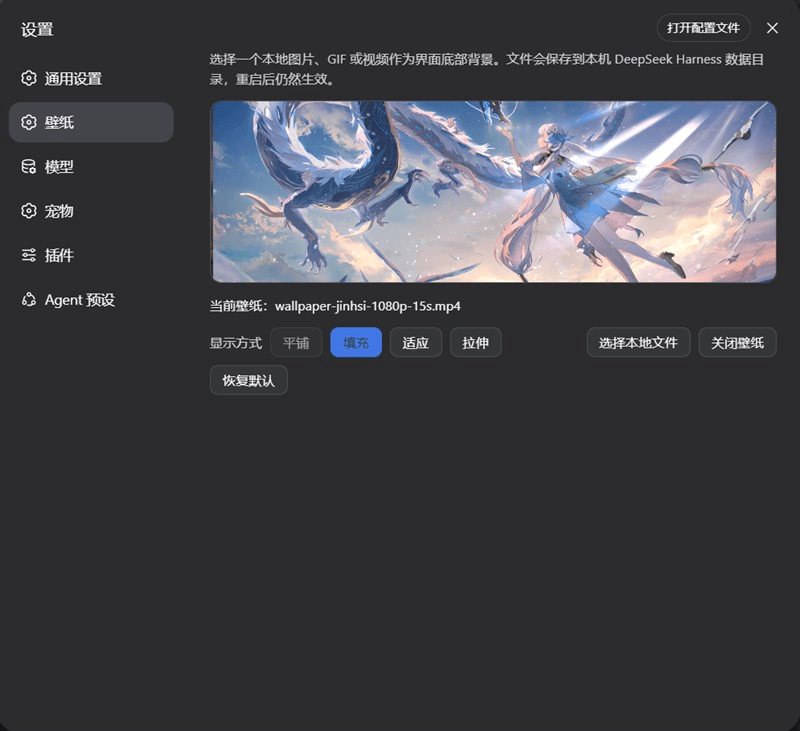
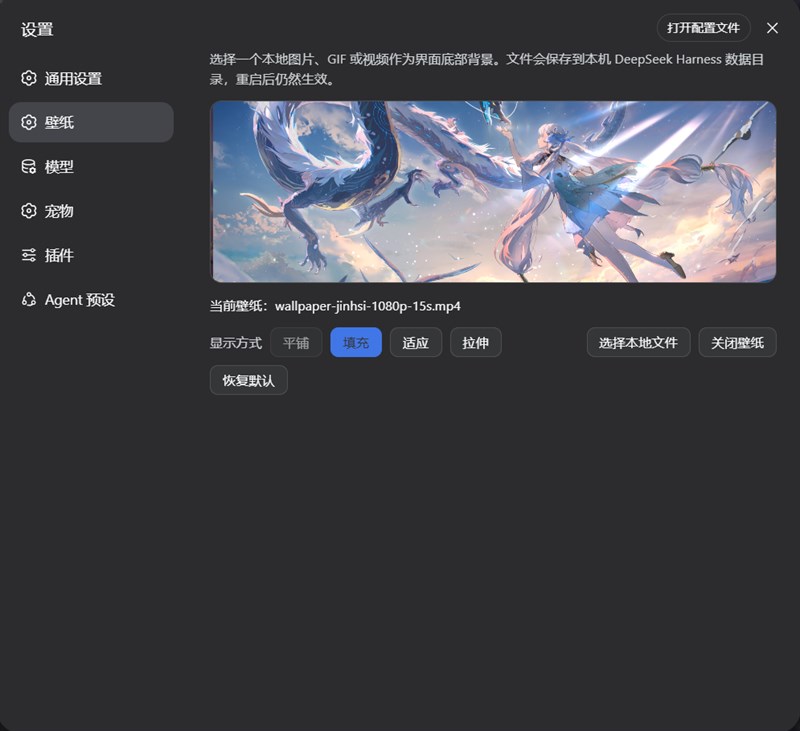
When using the plugin, users get a live preview of their wallpaper on the Settings page, along with controls to adjust layout mode, brightness, and playback speed for animated content. Images and GIFs support four layout modes: tile, fill, fit, and stretch, while videos support all modes except tile. Brightness can be adjusted between 20% and 200% with a live-updating slider, and playback speed for GIFs and videos ranges from 0.1× to 5×. All preferences, including media selection, are saved to the persistent dsh.wallpaper store, so your wallpaper setup stays exactly the same across DSH restarts.
This plugin is released under the open-source MIT license, and has several documented limitations users should be aware of before installing. By default, it accepts uploaded media up to 64 MiB in size; larger files require a manual maxBytes override in the configuration layer. Wallpaper Engine import is only available on Windows, and requires Wallpaper Engine 2.8.0 or newer. Importing recordings from Wallpaper Engine requires ffmpeg, but the plugin offers a one-click download of an official GPLv3-licensed ffmpeg build if you don’t already have one installed, so no manual system setup is needed.
这是一款专为DeepSeek Harness(DSH)网页GUI设计的原生壁纸插件,功能参照Wallpaper Engine,支持设置任意本地图片、GIF或视频作为自定义背景,还能让应用界面半透明以透出壁纸,所有管理操作都可以在设置页的壁纸管理面板完成。它通过DSH bundle清单安装,会自动在DSH配置插入对应UI层,卸载后自动还原原本的不透明主题设置。
用户使用时,可以先在设置面板的预览区调整参数,支持平铺、填充、适应、拉伸四种布局模式,还有20%到200%范围的亮度滑块,以及GIF和视频的0.1倍到5倍速播放调节。选择本地文件时支持所有图片格式,以及mp4、webm、ogg格式的视频,调整后的参数会自动持久化存储,重启DSH后也会保留当前设置,适合想要自定义DSH界面背景、获得个性化视觉体验的用户。
本插件采用MIT许可证开源,默认支持最大64MiB的文件上传,如需上传更大文件可以通过配置修改maxBytes参数。壁纸引擎导入功能仅支持Windows系统,需要Wallpaper Engine 2.8.0及以上版本,录制功能依赖ffmpeg,插件提供一键下载ffmpeg的功能无需额外配置。已知限制包括平铺GIF不支持调速、视频不支持平铺、首次启动会有闪屏等。
请帮我安装这个 DSH 插件。安装前先完成【兼容性检查 + 安全性检查】,检查通过再动手。

插件:dsh-ui-wallpaper(youzhoujiMrLiu/dsh-ui-wallpaper)
仓库:https://github.com/youzhoujiMrLiu/dsh-ui-wallpaper
本站详情页:https://www.yhbd.top/plugins/youzhoujimrliu-dsh-ui-wallpaper/
本站登记:类型 skin · 归类 原生 DSH 插件 · 许可证 MIT · ⭐ 2 · 最近提交 2026-08-18 · 主语言 TypeScript

按下面顺序执行,每步先把结论告诉我,再进入下一步:

【1 兼容性检查】
① 我这边:DSH 版本、Node 版本、操作系统、当前 profile(web / desktop)。
② 读它的 README、package.json、插件 manifest,列出它要求的 DSH 版本 / Node 版本 / 操作系统 / 外部依赖 / 需要另外先装的运行时。
③ 逐条比对,结论只写「满足 / 不满足 / 未知」三种;不满足的给出可行替代方案。
④ 检查是否和我已装的插件冲突:命令名重复、skill / tool 重名、端口占用、重复注册的 MCP server。

【2 安全性检查】
① 仓库可信度:和上面「本站登记」是否一致;star / fork 数、创建时间、最近提交,是否归档或长期停更。
② 安装脚本:逐行看 package.json 的 preinstall / install / postinstall,以及 install.sh、setup.ps1 之类脚本。出现 curl|bash、下载后直接执行、混淆代码、访问与插件功能无关的域名,立刻停下来告诉我,不要继续装。
③ 依赖:列出新增依赖,标出无人维护、或与知名包拼写近似的可疑包(typosquatting)。
④ 权限与副作用:它会读写哪些目录、访问哪些域名、需要哪些 DSH 权限(filesystem / network / shell / clipboard 等),以及怎么卸载和回滚。
⑤ 如果它要求 sudo / 管理员权限,或权限明显超出功能所需,先停下来问我。

【3 安装】
上面两步没有「不满足」和「高危项」时才执行;用官方推荐方式安装,不要自行提权。

【4 汇报】
用表格输出:检查项 / 结论 / 依据 / 是否需要我决策。拿不准的一律写「未知」并说明要我怎么确认——不要猜,也不要替我决定。
Send this message to DSH in your current session: it verifies compatibility and security first (answering met / not met / unknown item by item) and only installs once everything checks out — it will stop and ask you if it finds a high-risk item. The box scrolls; the copy is the full prompt. CLI install commands may not be accurate across systems, so DSH is the safer route.把上面这条消息直接发给当前会话里的 DSH:它会先核对兼容性与安全性(逐条给「满足 / 不满足 / 未知」),确认没问题再安装,有高危项会停下来问你。框内可滚动,复制到的是完整提示词;安装命令不一定准确,发给 DSH 更稳。
- Only 2 stars - very few users, little community feedback星标只有 2,几乎没人在用,遇到问题缺少社区反馈
DSH walks through these 9 checksDSH 会逐条核对这 9 项
Compatibility兼容性
- DSH, Node, OS and profile requirementsDSH 版本 / Node 版本 / 操作系统 / profile 是否满足要求
- External dependencies and runtimes (Electron / Python / Docker, ...)外部依赖与运行时(Electron / Python / Docker 等)是否齐备
- Conflicts with installed plugins: command names, skill / tool names, ports, duplicate MCP registration与已装插件是否冲突:命令名、skill / tool 重名、端口占用、重复 MCP 注册
Security安全性
- Repo matches the facts registered here; archived or abandoned?仓库是否与页面登记一致,是否归档或长期停更
- Safety of preinstall / install / postinstall and install.sh / setup.ps1preinstall / install / postinstall 与 install.sh、setup.ps1 是否安全
- curl|bash, download-then-execute, obfuscation, unrelated domains → stop immediatelycurl|bash、下载即执行、混淆代码、无关域名 → 立刻停止
- Typosquatting or unmaintained packages among the new dependencies新增依赖里有没有 typosquatting 或无人维护的包
- Requested permissions vs. what the feature actually needs申请了哪些权限、是否超出功能所需(filesystem / network / shell / clipboard)
- Any sudo / admin requirement, plus uninstall and rollback是否要求 sudo / 管理员权限,以及卸载与回滚方式
Anything uncertain must be marked unknown with a note on how to confirm it. This site's signal screen is a static snapshot, not a security audit.拿不准的必须标「未知」并说明要我怎么确认。本站的信号筛查是静态快照,不能替代安全审计。
Or use CLI install (for developers)或使用命令行安装(适合开发者)
CLI Install命令行安装
dsh plugin --profile web add github:youzhoujiMrLiu/dsh-ui-wallpaper把 youzhoujiMrLiu/dsh-ui-wallpaper 加入你的 DSH 配置(web profile)即可启用。
READMEREADME
dsh-ui-wallpaper
English | 中文
Wallpaper plugin for the DeepSeek Harness web GUI, modeled after Wallpaper Engine: set any local image, GIF, or video as your custom background, turn the application surfaces translucent so the wallpaper shows through, and manage it from a Wallpaper page in Settings.
Screenshots
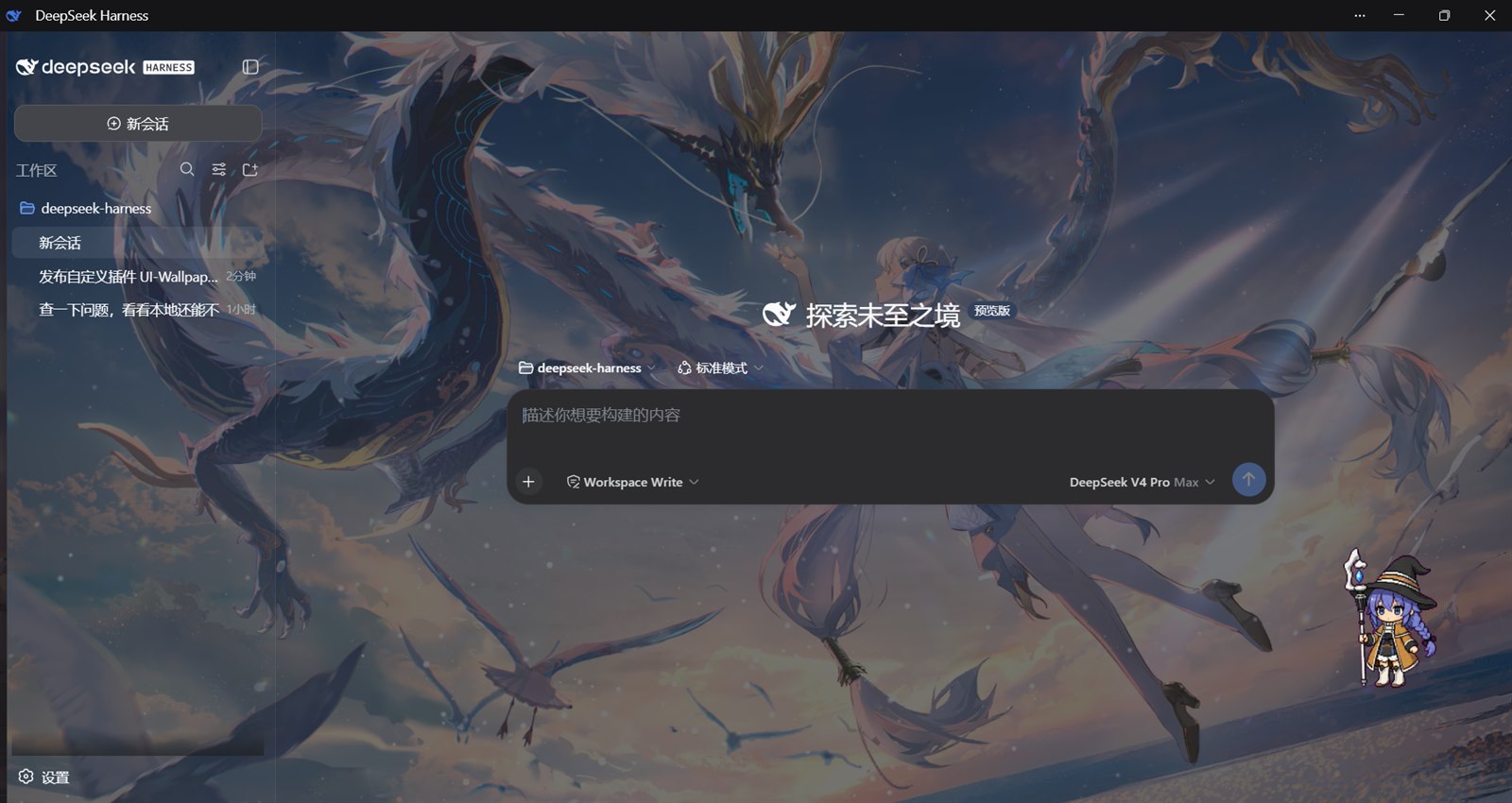
The skin composes three contributions, all owned by this package:
- Token layer —
ctx.theme.overrideTokens()stacks a 60% translucency mix over--dsw-alias-bg-baseand--dsw-specific-sidebar-fillfor both palettes. The fold is per-token and per-color-scheme, so the user's light/dark preference stays untouched and uninstalling the plugin restores the original opaque tokens. - Frame layer — a
shell.overlayentry portals a fixed, click-through media surface todocument.bodywith a negative z-index, so the app paints above it while the translucent column tokens let it show through. Images and GIFs support tile, fill, fit, and stretch; videos support fill, fit, and stretch (tile falls back to fill). One CSSbrightness()filter over the whole surface provides 20%–200% brightness control, identically for images, GIFs, videos, and tiled backgrounds. - Host routes —
POST /dsh-wallpaper/mediastores the picked file under$DSH_HOME/wallpaperwith an atomic replace, andGET /dsh-wallpaper/mediaserves it back with a nosniff content type. Routes sit behind the browser trust fence (loopback plustrustedHostsconfig); accepted formats are the shared MIME whitelist insrc/model/wallpaper.ts.
The Settings page has a live preview, the four layout modes, a brightness slider (20%–200%, live on both preview and backdrop), a local-file picker (image/* plus mp4/webm/ogg video), and disable/restore actions. The durable preference is a dsh.wallpaper store; only the URL, mode, and brightness multiplier are persisted, so the media bytes live on disk rather than in localStorage. The shipped default remains /eva.jpg (the shell static asset apps/web/public/eva.jpg) with the fill mode. Preferences persisted before the brightness feature have no brightness field; they read back as 100% (unchanged look), and the field joins the persisted preference on the first adjustment.
Showing the opening section of the README — the full document lives in the repository以上为 README 开头摘要,完整文档在仓库内 · View the full README on GitHub →在 GitHub 查看完整 README →
Related相关推荐
-
 liustack/modlens
The first vision plugin for DeepSeek Harness, and the vision bridge for every text-only coding agent. Paste an image, ge…
liustack/modlens
The first vision plugin for DeepSeek Harness, and the vision bridge for every text-only coding agent. Paste an image, ge…
-
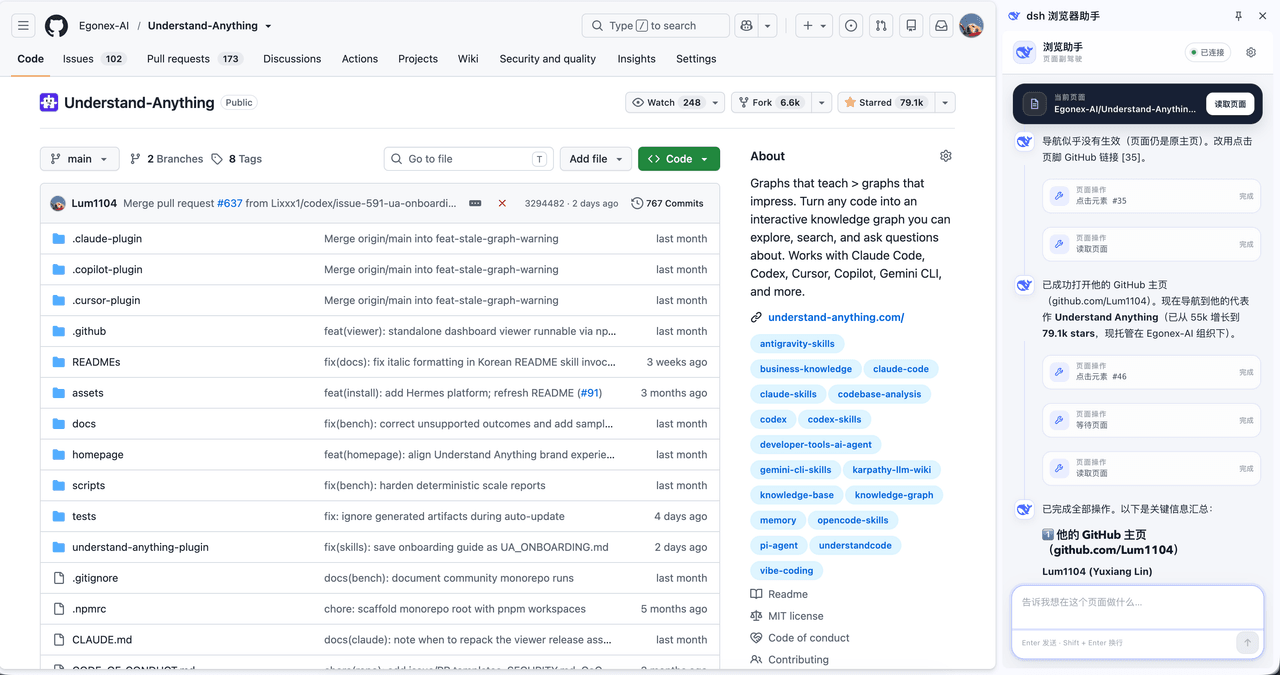 omdsh-dev/dsh-browser
Chrome sidebar extension that lets DeepSeek Harness operate your browser directly, no vision capabilities required. 一款 C…
omdsh-dev/dsh-browser
Chrome sidebar extension that lets DeepSeek Harness operate your browser directly, no vision capabilities required. 一款 C…
-
 Tkingxiao/dsh-any-background
Deepseek Harness 自定义主题插件,支持自定义图片/视频壁纸,对话框,侧边栏等透明度模糊度调整,全局主题色的色轮调整插件
Tkingxiao/dsh-any-background
Deepseek Harness 自定义主题插件,支持自定义图片/视频壁纸,对话框,侧边栏等透明度模糊度调整,全局主题色的色轮调整插件
-
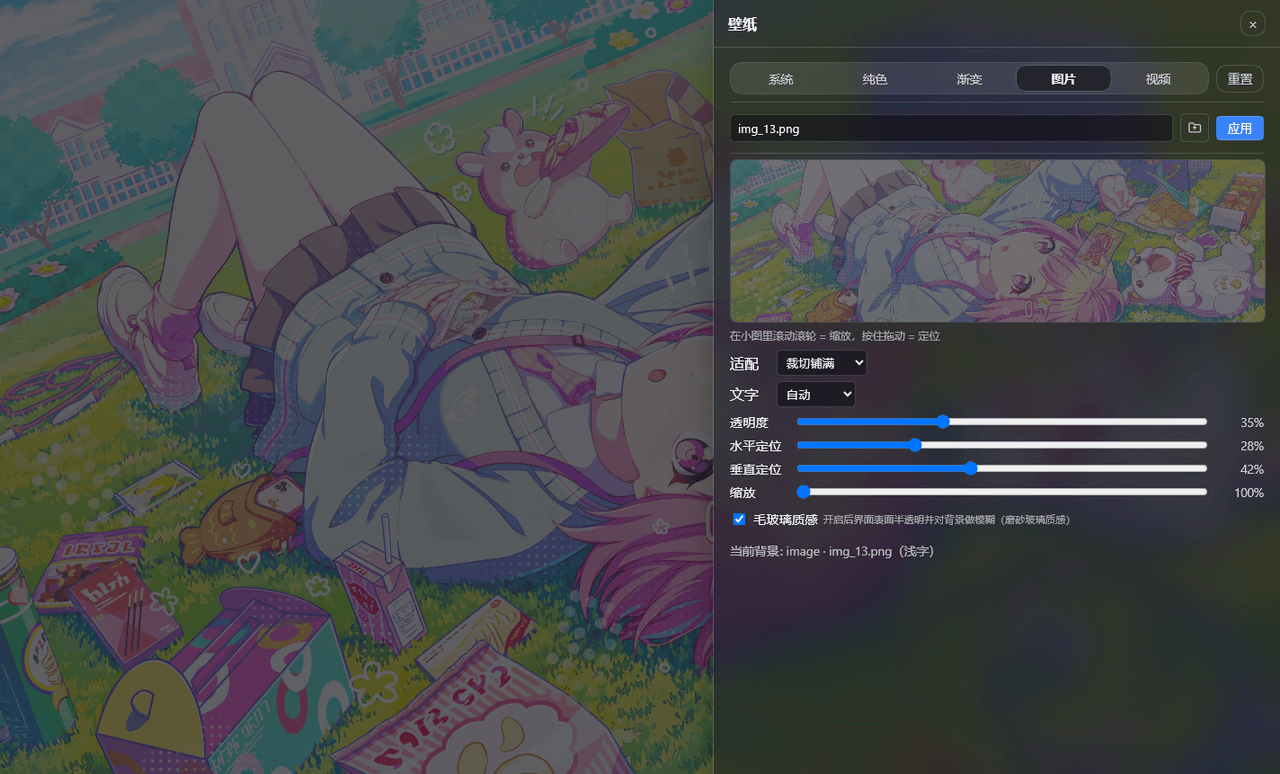 sz1698/dsh-bg-new
DSH 网页界面换背景:侧栏「壁纸」按钮弹出右侧抽屉,支持系统预设/纯色/渐变/图片/视频,滚轮+拖动小图同时管缩放与定位,毛玻璃质感,本地媒体伺服不走云端。DSH web background & wallpaper plugin wit…
sz1698/dsh-bg-new
DSH 网页界面换背景:侧栏「壁纸」按钮弹出右侧抽屉,支持系统预设/纯色/渐变/图片/视频,滚轮+拖动小图同时管缩放与定位,毛玻璃质感,本地媒体伺服不走云端。DSH web background & wallpaper plugin wit…
-
 TQSY114514/dsh-ui-appearance
Appearance customization plugin for DeepSeek Harness: theme color palette, background image, opacity/blur, glass effect
TQSY114514/dsh-ui-appearance
Appearance customization plugin for DeepSeek Harness: theme color palette, background image, opacity/blur, glass effect
- baisama-cloud/dsh-galgame-generator DeepSeek Harness (DSH) 的 Galgame 生成器:提供一份剧本文档 + 立绘/背景/音乐素材,即可生成一个可玩的视觉小说(Galgame)网页。 新增一个GalGame生成模式,在这个模式的工作区下提供一份剧本文档 …
- Guzhou2002/Fairy-DSH-Optimized Chengzhibense/Fairy-DSH 的非官方整理分支(孤舟版);与云朵版 addsas222/Fairy-DSH-Exp 是两套独立分发,只装一个
-
 caoyiwei850/dsh-client-ui-skins
DSH Web skin plugin with built-in themes and custom image skins
caoyiwei850/dsh-client-ui-skins
DSH Web skin plugin with built-in themes and custom image skins