zepeng-jin/dsh-particle-whale
🐳 DeepSeek official 3D particle whale plugin for DeepSeek Harness / DSH Desktop (Three.js WebGL)
Install
---

## Quick Start

### Option 1: Symlink (Recommended for local dev & testing)

1. Open the DSH Desktop web profile `node_modules` directory:
   ```bash
   cd ~/Library/Application\ Support/dsh-desktop/harness/profiles/web/node_modules
   ```

2. Symlink this project:
   ```bash
   ln -s /path/to/dsh-particle-whale dsh-particle-whale
   ```

3. Register the plugin in `~/Library/Application Support/dsh-desktop/harness/profiles/web/package.json`:
   ```json
   {
     "dependencies": {
       "dsh-particle-whale": "*"
     },
     "dsh": {
       "profile": {
         "bundles": [
           "dsh-particle-whale"
         ]
       }
     }
   }
   ```

4. Launch or reload **DSH Desktop** (`Cmd+R`).

---

### Option 2: Install via npm
Add zepeng-jin/dsh-particle-whale to your DSH config (web profile) to enable.
README
Expand full README Collapse
README is empty.
Related Plugins
-
 anywhere-labs/deepseek-harness-desktop
为 DeepSeek Harness (DSH) 插件生态打造的现代化桌面端解决方案。万物皆「插件」,桌面本身也是「插件」。
anywhere-labs/deepseek-harness-desktop
为 DeepSeek Harness (DSH) 插件生态打造的现代化桌面端解决方案。万物皆「插件」,桌面本身也是「插件」。
-
 ccch1mneyyy/dsh-TUI
DSH 官方公众号收录的 TUI 补位插件:Claude Code 风,鲸鱼顶栏/实时状态/流式思考/双击 Esc 回滚/上下文进度+TPS。npm 一键装。 DSH official WeChat featured TUI plugin…
ccch1mneyyy/dsh-TUI
DSH 官方公众号收录的 TUI 补位插件:Claude Code 风,鲸鱼顶栏/实时状态/流式思考/双击 Esc 回滚/上下文进度+TPS。npm 一键装。 DSH official WeChat featured TUI plugin…
-
 alvinunreal/openpets
Local first, desktop companion platform with animated pets, plugin SDK and coding-agent integrations.
alvinunreal/openpets
Local first, desktop companion platform with animated pets, plugin SDK and coding-agent integrations.
-
 agentrq/agentrq
AgentRQ: Human-in-loop realtime conversational task manager for AI Agents. Self-hosted! Control your own agents from whe…
agentrq/agentrq
AgentRQ: Human-in-loop realtime conversational task manager for AI Agents. Self-hosted! Control your own agents from whe…
-
 ccch1mneyyy/working-activity
Lively Working-line extension for pi CLI and DSH
ccch1mneyyy/working-activity
Lively Working-line extension for pi CLI and DSH
-
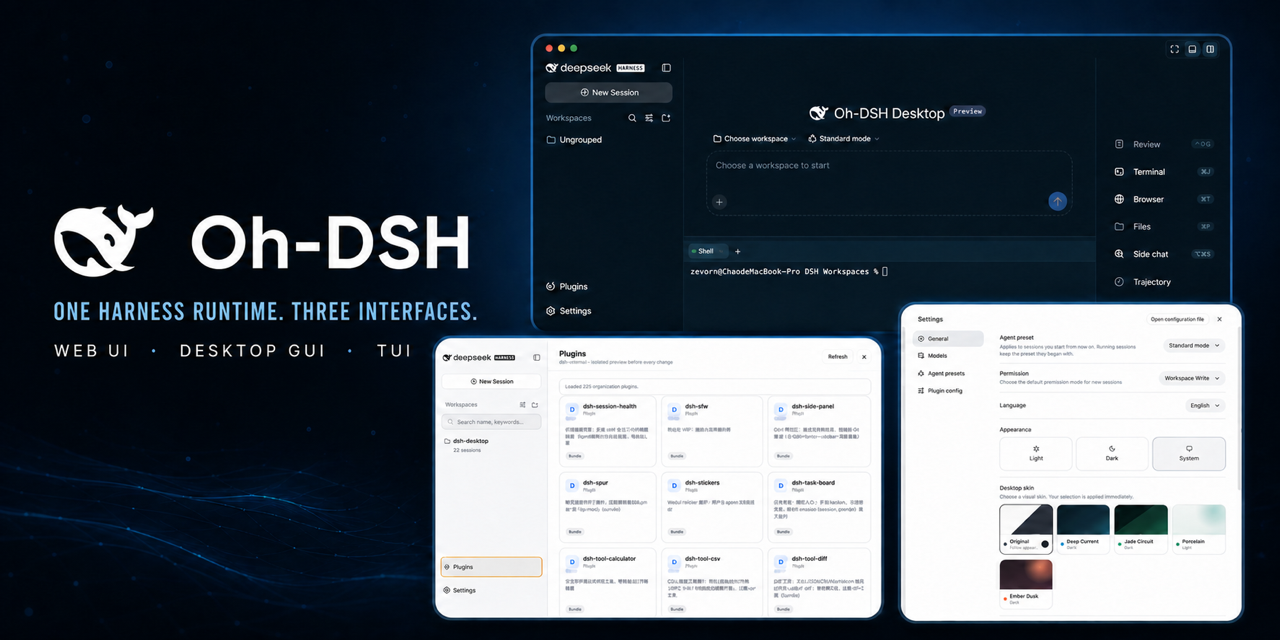 hust-open-atom-club/oh-dsh
一套 DSH runtime,Desktop、Web 与 TUI 三种开发体验。
hust-open-atom-club/oh-dsh
一套 DSH runtime,Desktop、Web 与 TUI 三种开发体验。
-
 QCYTSN/dsh-dafeiyu
Desktop-native BigFish companion for DeepSeek Harness — real Agent status, always on top on Windows.
QCYTSN/dsh-dafeiyu
Desktop-native BigFish companion for DeepSeek Harness — real Agent status, always on top on Windows.
-
 zhaoolee/notes
开源版锤子便签,复刻锤科美学,一键Docker私有化部署,支持skill调用,支持dsh plugin,支持多租户,一键生成公众号格式,支持导出便签为图片
zhaoolee/notes
开源版锤子便签,复刻锤科美学,一键Docker私有化部署,支持skill调用,支持dsh plugin,支持多租户,一键生成公众号格式,支持导出便签为图片