ZhaoAndy821/dsh-zcode-connector
Drive the ZCode (Z.ai) desktop client as a model channel from DeepSeek Harness over CDP — the app mints its own attestation, so account-bound quota is spent by the first-party client.
Project Overview项目介绍
DSH ZCode Connector is a DSH-native plugin that lets DeepSeek Harness (DSH) use the locally running ZCode (Z.ai) desktop application as a model channel by driving the client's own graphical interface over the Chrome DevTools Protocol, rather than treating the grant as an extractable API key. The repository ships three cooperating pieces: a local OpenAI-compatible bridge at bridge/zcode-bridge.mjs exposing POST /v1/chat/completions, which types the prompt into the live ZCode window and waits for the turn to finish before returning the answer; the host-side dsh-zcode-connect plugin that adds a loopback-only status route plus a self-contained HTML panel (no React, no build step) showing the account, plan, live quota, loaded capabilities, what the connector installed, and what background activity is currently in flight; and an MCP stdio server at mcp/server.mjs that DSH consumes through @deepseek-ai/dsh-mcp-client, exposing status, background runs, ask, and provisioning tools to any MCP client.
The intended audience is developers and teams who want to fold ZCode's promotional grants into their own tooling without breaching the vendor's terms of service. A typical run begins with launching the ZCode desktop app and signing in, then leaving it running on the system (it can stay minimised behind other work because input is delivered through CDP, independent of window stacking and OS focus). Once the DSH plugin is mounted, requests arrive over the loopback bridge or MCP, the prompt is verified character-for-character against the cleared composer, and the answer is read back from the client's own transcript so long tool-heavy turns survive intact. The connector additionally ships three skills — dsh-handoff, dsh-grunt-batch, dsh-fanout — and a zcode_install_agent role so a primary agent can split work into 5–15 item chunks, launch one subagent per chunk in a single message, and merge the machine-readable ASCII reports.
Runtime requirements are Node.js plus an already-signed-in ZCode desktop client, while the plugin pulls in @deepseek-ai/schemastery; the bridge attaches to the single renderer page (file://…/renderer/index.html) via public CDP and freezes its layout viewport only for the duration of one request, never moving or resizing the OS window. By design the connector is serialised — one account, one session, one conversation at a time, no parallel-call path and no retry storming — and the client's own renderer mints the per-request attestation, so the call path is identical to pressing Send by hand. The account credential is read only to query the plan API, never leaves in a response or the panel HTML (the account section reports identity and token length only), and node test/verify.mjs asserts that no token ever leaks. The repository is MIT-licensed and works with ZCode's native subagent, CronCreate, Monitor, ScheduleWakeup, and free Idle-time queues.
DSH ZCode Connector 是一个面向 DeepSeek Harness(DSH)的原生插件,让 DSH 通过 Chrome DevTools Protocol 直接驱动本地 ZCode(Z.ai)桌面客户端的界面,把客户端自身作为一条模型通道来使用。它由三部分组成:本地 OpenAI 兼容端点 bridge/zcode-bridge.mjs(监听 POST /v1/chat/completions,把提示键入正在运行的 ZCode 窗口并返回回答)、DSH 端 dsh-zcode-connect 插件(提供仅回环的状态路由和自包含的 HTML 面板,展示账号、套餐、实时配额、已加载能力及后台运行情况),以及 mcp/server.mjs(一个零依赖、纯手写的 JSON-RPC stdio MCP 服务器,通过 @deepseek-ai/dsh-mcp-client 被 DSH 消费)。
它面向需要把 ZCode 客户端赠送的活动额度纳入自有工具链、又不愿绕过客户端用户协议的开发者与团队。典型流程是:先启动 ZCode 桌面应用并登录,让它在系统中保持运行(即使最小化也行),然后在 DSH 端挂载本插件,通过本地 OpenAI 兼容端点或 MCP 工具发起请求,桥接程序会把提示以逐字校验的方式键入客户端渲染页并从官方会话记录中读取回答;面板和 MCP 则用来查看后台任务、计划配额与子代理活动。
依赖方面,运行时需要 Node.js、Chrome DevTools Protocol 通道、ZCode 桌面客户端已登录的运行实例,以及插件所需的 @deepseek-ai/schemastery;客户端的账号凭据只用于查询计划 API,绝不出现在响应、日志或面板 HTML 中,自检脚本 node test/verify.mjs 会断言这一点。一次仅支持一个账号、一个会话和一次串行请求,并行调用和重试风暴被刻意关闭,项目以 MIT 协议发布。
请帮我安装这个 DSH 插件。安装前先完成【兼容性检查 + 安全性检查】,检查通过再动手。

插件:dsh-zcode-connector(ZhaoAndy821/dsh-zcode-connector)
仓库:https://github.com/ZhaoAndy821/dsh-zcode-connector
本站详情页:https://www.yhbd.top/plugins/zhaoandy821-dsh-zcode-connector/
本站登记:类型 client · 归类 原生 DSH 插件 · 许可证 MIT · ⭐ 4 · 最近提交 2026-09-26 · 主语言 JavaScript

按下面顺序执行,每步先把结论告诉我,再进入下一步:

【1 兼容性检查】
① 我这边:DSH 版本、Node 版本、操作系统、当前 profile(web / desktop)。
② 读它的 README、package.json、插件 manifest,列出它要求的 DSH 版本 / Node 版本 / 操作系统 / 外部依赖 / 需要另外先装的运行时。
③ 逐条比对,结论只写「满足 / 不满足 / 未知」三种;不满足的给出可行替代方案。
④ 检查是否和我已装的插件冲突:命令名重复、skill / tool 重名、端口占用、重复注册的 MCP server。

【2 安全性检查】
① 仓库可信度:和上面「本站登记」是否一致;star / fork 数、创建时间、最近提交,是否归档或长期停更。
② 安装脚本:逐行看 package.json 的 preinstall / install / postinstall,以及 install.sh、setup.ps1 之类脚本。出现 curl|bash、下载后直接执行、混淆代码、访问与插件功能无关的域名,立刻停下来告诉我,不要继续装。
③ 依赖:列出新增依赖,标出无人维护、或与知名包拼写近似的可疑包(typosquatting)。
④ 权限与副作用:它会读写哪些目录、访问哪些域名、需要哪些 DSH 权限(filesystem / network / shell / clipboard 等),以及怎么卸载和回滚。
⑤ 如果它要求 sudo / 管理员权限,或权限明显超出功能所需,先停下来问我。

【3 安装】
上面两步没有「不满足」和「高危项」时才执行;用官方推荐方式安装,不要自行提权。

【4 汇报】
用表格输出:检查项 / 结论 / 依据 / 是否需要我决策。拿不准的一律写「未知」并说明要我怎么确认——不要猜,也不要替我决定。
Send this message to DSH in your current session: it verifies compatibility and security first (answering met / not met / unknown item by item) and only installs once everything checks out — it will stop and ask you if it finds a high-risk item. The box scrolls; the copy is the full prompt. CLI install commands may not be accurate across systems, so DSH is the safer route.把上面这条消息直接发给当前会话里的 DSH:它会先核对兼容性与安全性(逐条给「满足 / 不满足 / 未知」),确认没问题再安装,有高危项会停下来问你。框内可滚动,复制到的是完整提示词;安装命令不一定准确,发给 DSH 更稳。
- Only 4 stars - very few users, little community feedback星标只有 4,几乎没人在用,遇到问题缺少社区反馈
- Desktop client: installation downloads an executable - verify the publisher and checksums桌面客户端:安装会下载可执行文件,请核对发布者与校验和
DSH walks through these 9 checksDSH 会逐条核对这 9 项
Compatibility兼容性
- DSH, Node, OS and profile requirementsDSH 版本 / Node 版本 / 操作系统 / profile 是否满足要求
- External dependencies and runtimes (Electron / Python / Docker, ...)外部依赖与运行时(Electron / Python / Docker 等)是否齐备
- Conflicts with installed plugins: command names, skill / tool names, ports, duplicate MCP registration与已装插件是否冲突:命令名、skill / tool 重名、端口占用、重复 MCP 注册
Security安全性
- Repo matches the facts registered here; archived or abandoned?仓库是否与页面登记一致,是否归档或长期停更
- Safety of preinstall / install / postinstall and install.sh / setup.ps1preinstall / install / postinstall 与 install.sh、setup.ps1 是否安全
- curl|bash, download-then-execute, obfuscation, unrelated domains → stop immediatelycurl|bash、下载即执行、混淆代码、无关域名 → 立刻停止
- Typosquatting or unmaintained packages among the new dependencies新增依赖里有没有 typosquatting 或无人维护的包
- Requested permissions vs. what the feature actually needs申请了哪些权限、是否超出功能所需(filesystem / network / shell / clipboard)
- Any sudo / admin requirement, plus uninstall and rollback是否要求 sudo / 管理员权限,以及卸载与回滚方式
Anything uncertain must be marked unknown with a note on how to confirm it. This site's signal screen is a static snapshot, not a security audit.拿不准的必须标「未知」并说明要我怎么确认。本站的信号筛查是静态快照,不能替代安全审计。
Or use CLI install (for developers)或使用命令行安装(适合开发者)
CLI Install命令行安装
dsh plugin --profile web add github:ZhaoAndy821/dsh-zcode-connector把 ZhaoAndy821/dsh-zcode-connector 加入你的 DSH 配置(web profile)即可启用。
READMEREADME
DSH ZCode Connector
Use the ZCode (Z.ai) desktop app as a model channel from DeepSeek Harness (DSH) — by driving the app's own GUI over Chrome DevTools Protocol, not by pretending it is an API key.
It ships three things:
| Piece | What it does |
|---|---|
bridge/zcode-bridge.mjs |
Local OpenAI-compatible endpoint (POST /v1/chat/completions) that types a prompt into the running ZCode window, waits for the turn to finish, and returns the answer; the plugin ships this same file and starts it on demand |
plugin dsh-zcode-connect |
Host half with three loopback routes (status JSON, the HTML panel, and an on-demand bridge start) plus a client half that puts the panel in DSH's right sidebar as a tab — account, plan, live quota, loaded capabilities, what this connector installed, and what the client is running in the background right now |
mcp/server.mjs |
MCP stdio server exposing status, background runs, ask, and provisioning tools to any MCP client (DSH consumes it through @deepseek-ai/dsh-mcp-client) |
Why drive the GUI instead of using an API key
Measured on a real install, not inferred:
- ZCode's promo grants (for example
ZCode Weekend Build, 300,000,000GLM-5.3-Flashtokens) are declared in the client's own catalog as account-bound:"access": { "type": "zhipu-account", "mode": "start-plan" }. There is no API key to extract. - The only inference route for such a grant,
POST https://zcode.z.ai/api/v1/zcode-plan/anthropic/v1/messages, accepts the account token but answers{"code":3007,"msg":"captcha verify failed"}withoutX-Aliyun-Captcha-Verify-Param— an Aliyun traceless-captcha proof minted per request inside ZCode's renderer. - The documented platform routes do not carry the grant: with the same account,
https://open.bigmodel.cn/api/anthropicand/api/coding/paas/v4answer{"code":"1113","message":"余额不足或无可用资源包,请充值。"}, and the ZCode account token is401onhttps://api.z.ai/api/anthropic.
So the way to reach that quota from your own tooling is to let the first-party client make the call and drive its UI. That is what this project does — and it is the reason the grant is reachable here at all.
Showing the opening section of the README — the full document lives in the repository以上为 README 开头摘要,完整文档在仓库内 · View the full README on GitHub →在 GitHub 查看完整 README →
Related相关推荐
-
 MeteorNOX/DeepSeek-Balance-Whale-Widget
DeepSeek Harness(DSH)一只住在 DSH 界面右下角的小鲸鱼娘,帮你盯着DeepSeek账户余额。QQ弹弹,支持拖拽吸附、左吸附翻转、数字滚动动画,随界面自动启用,建议直接喊来你的dsh安装
MeteorNOX/DeepSeek-Balance-Whale-Widget
DeepSeek Harness(DSH)一只住在 DSH 界面右下角的小鲸鱼娘,帮你盯着DeepSeek账户余额。QQ弹弹,支持拖拽吸附、左吸附翻转、数字滚动动画,随界面自动启用,建议直接喊来你的dsh安装
-
 Lxiayu/DshCockpit
Desktop cockpit for DeepSeek Harness (dsh): token usage & cost tracking, budget alerts, runtime auto-update with rollbac…
Lxiayu/DshCockpit
Desktop cockpit for DeepSeek Harness (dsh): token usage & cost tracking, budget alerts, runtime auto-update with rollbac…
-
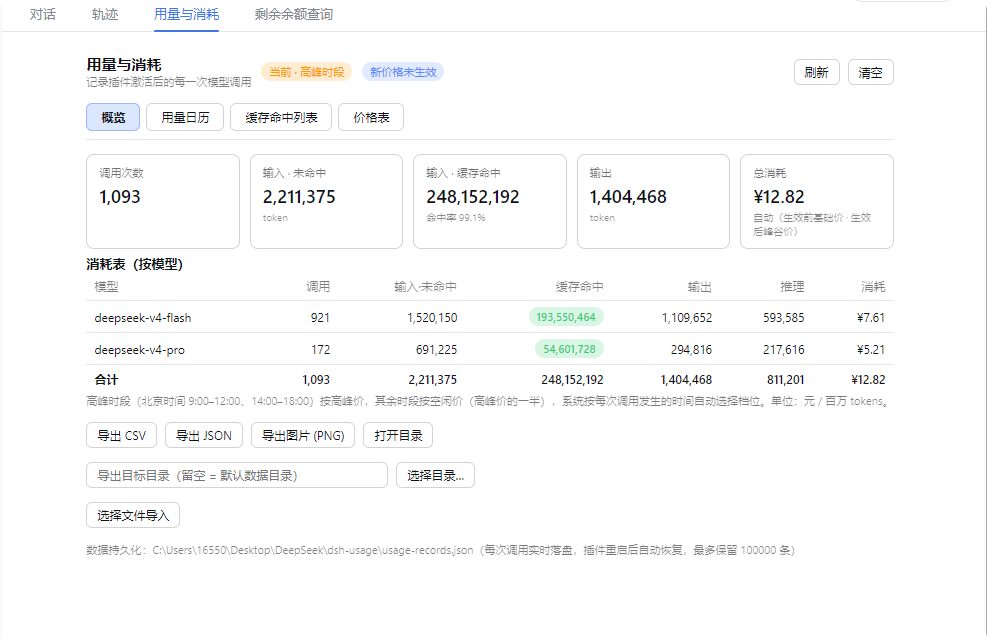 feiyang-dev/dsh-usage-plugin
DeepSeek Harness 用量与消耗插件(dsh-usage-plugin)—— 每次调用的 token 用量/缓存命中统计、峰谷计费、余额查询、CSV/JSON/PNG 导出,可经桌面端一键安装或命令行 dsh plugin ad…
feiyang-dev/dsh-usage-plugin
DeepSeek Harness 用量与消耗插件(dsh-usage-plugin)—— 每次调用的 token 用量/缓存命中统计、峰谷计费、余额查询、CSV/JSON/PNG 导出,可经桌面端一键安装或命令行 dsh plugin ad…
-
 Witherwithwinter/DeepSeek-Balance-Whale-Widget-Bowl
DeepSeek Harness(DSH)Web 界面右下角的常驻余额挂件。基于 MeteorNOX/DeepSeek-Balance-Whale-Widget 修改的铁盆鲸鱼娘版。
Witherwithwinter/DeepSeek-Balance-Whale-Widget-Bowl
DeepSeek Harness(DSH)Web 界面右下角的常驻余额挂件。基于 MeteorNOX/DeepSeek-Balance-Whale-Widget 修改的铁盆鲸鱼娘版。
-
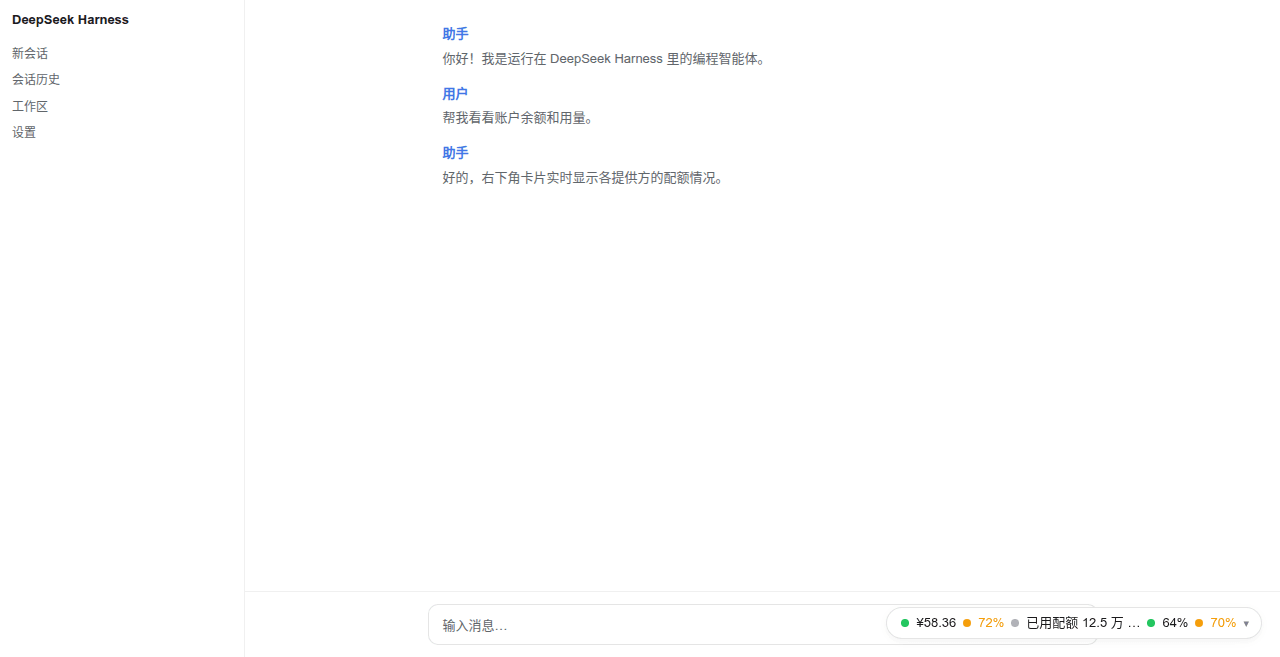 wenzetan/dsh-quota-panel
Provider quota/balance widget for the dsh web surface: capsule + card + settings panel, dual-face (loopback RPC host hal…
wenzetan/dsh-quota-panel
Provider quota/balance widget for the dsh web surface: capsule + card + settings panel, dual-face (loopback RPC host hal…
-
 nonewind/dsh-spend
Token usage & cost monitor for DeepSeek Harness — floating widget with multi-dimensional stats, time-series charts, auto…
nonewind/dsh-spend
Token usage & cost monitor for DeepSeek Harness — floating widget with multi-dimensional stats, time-series charts, auto…
-
 lssyd20070106/dsh-ui-preset-enhance
Third-party DSH WebUI enhancement plugin: custom backgrounds, theme colors, prompt presets, token/context visibility, an…
lssyd20070106/dsh-ui-preset-enhance
Third-party DSH WebUI enhancement plugin: custom backgrounds, theme colors, prompt presets, token/context visibility, an…
- 534119219/chicheng-quickinput DSH 便捷输入保险箱插件:输入栏「用量」与「发送」之间一键展开,自动收录会话中的密钥/网址/服务器/手机号等;点击填入或 Ctrl+点击直接发送;私密内容密码保护 + WebDAV 备份。