ZhuoSir/dsh-chatops
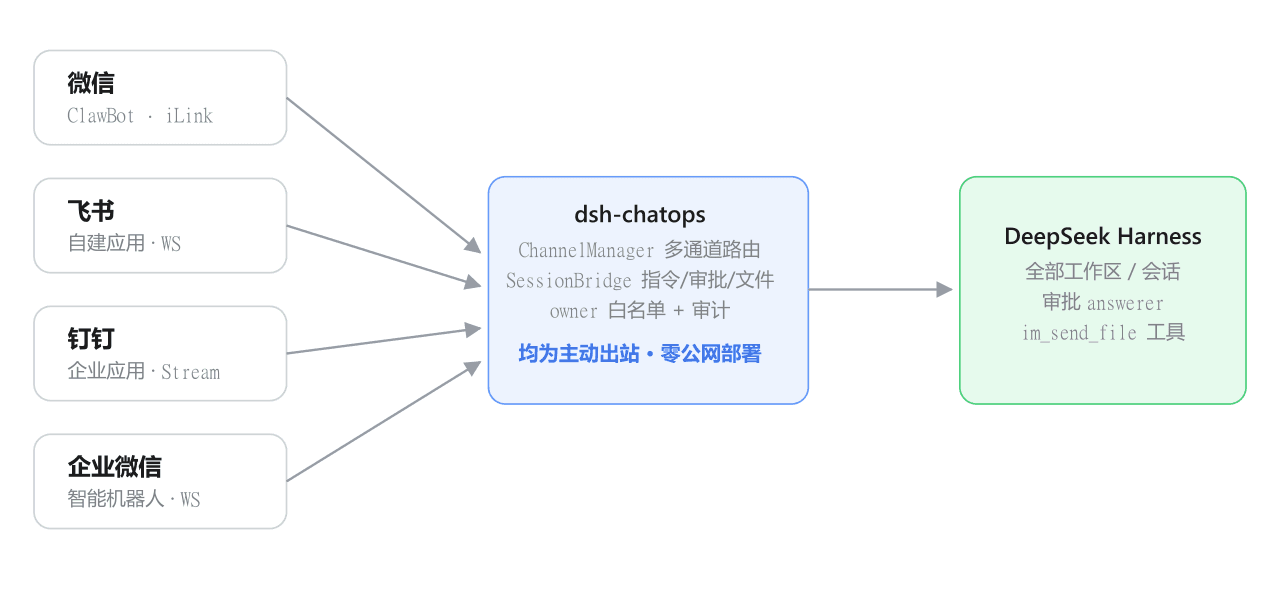
dsh-chatops 是 DeepSeek Harness 的 IM 桥接插件:微信扫码绑定官方 ClawBot 机器人(腾讯 iLink 协议),或接入飞书自建应用,即可在手机 IM 里列出/切换/驱动所有 DSH 会话——发文字就是发 prompt,任务完成自动推送结果,危险操作推送审批(飞书支持卡片按钮一键批准)。多通道并行、纯官方接口、零公网部署
Project Overview项目介绍
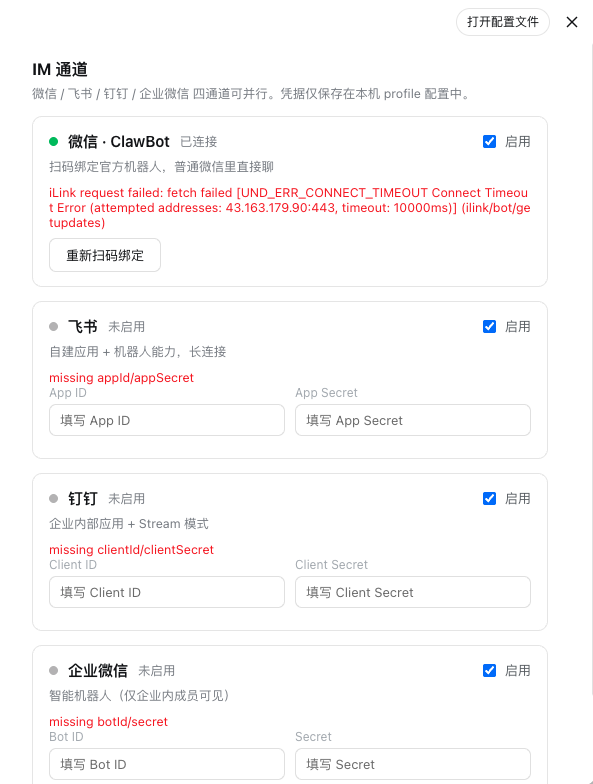
dsh-chatops is a DSH-native IM bridging plugin built specifically for DeepSeek Harness, installed via the official command dsh plugin --profile web add github:ZhuoSir/dsh-chatops (or a local path), after which a dedicated "IM Channels" panel appears inside the DSH web settings page for toggling channels and entering credentials. It runs four official-channel SDKs in parallel — WeChat iLink via ClawBot, Feishu via @larksuiteoapi/node-sdk with WebSocket long connection, DingTalk via dingtalk-stream, and WeCom via @wecom/aibot-node-sdk aibot — all installed as optional peer dependencies, and shares a single instruction set (/sessions, /use, /status, /log, /send, /approve, /reject) across every channel.
In a typical workflow, a user opens a private chat or group @-mention with the bot in WeChat, Feishu, DingTalk, or WeCom and types a plain-text prompt; the message is dispatched into the currently bound DSH session, cold sessions marked with 📦 are auto-woken, and the result is pushed back when finished. Feishu additionally renders streaming progress cards that update in place and ships interactive approval cards with one-click approve/reject buttons for dangerous operations, while the registered im_send_file tool lets the model push any file from the current workspace back into the IM (images inline, others as file cards, oversize logs auto-converted to txt). The plugin targets DSH users who need to drive sessions from a phone — solo developers, on-call engineers, and small teams coordinating tasks outside the desktop client.
Requirements are Node.js ≥ 22 and DSH 0.1.0-rc.x (peer @deepseek-ai/cordis ^4, dsh-llm/dsh-tools rc.6) on macOS, Linux, or Windows; only outbound HTTPS and WebSocket are used, with no public callback or port-forward needed, and a loopback-only /chatops/* status endpoint. Feishu/DingTalk/WeCom require you to first create an app or smart bot on their respective open platforms and grant scopes such as im:message, im:message:send_as_bot, im:resource, plus event im.message.receive_v1 and card.action.trigger for Feishu approval buttons; WeChat iLink needs only an in-panel QR-code scan to bind a long-lived bot_token. The first private-chat user per channel automatically becomes the owner, strangers are silently ignored and logged to storages/dsh-chatops/audit.jsonl, file paths are sandboxed to the active session workspace with a configurable 100 MB cap, and the legacy wechaty personal-account channel is off by default due to ToS risk; the project is released under MIT.
dsh-chatops 是面向 DeepSeek Harness(DSH)的原生 IM 桥接插件,通过 DSH 的 dsh plugin --profile web add 命令安装后,即可在设置页「IM 通道」面板中以可视化方式启用。它并行支持微信 iLink、飞书、钉钉、企业微信四条通道,把这四种 IM 平台的官方机器人 SDK(@larksuiteoapi/node-sdk、dingtalk-stream、@wecom/aibot-node-sdk、wechaty)以可选依赖形式随主包拉起,每条通道共享 /sessions /use /send /approve 等同一套指令集。
典型使用流程:用户在微信、飞书、钉钉或企业微信中私聊或群 @机器人,发送的纯文本直接作为 prompt 派发到所绑定的 DSH 会话,任务完成后自动推送结果;飞书通道还会把任务过程渲染为可原地刷新的交互卡片与审批按钮,危险操作可远程一键批准;模型还可调用内置 im_send_file 工具,把工作区内的报告、图片、文件回传到 IM。它面向需要随时脱离桌面驱动 DSH 的开发者与团队——管理员、运营、值守人员均可在手机上完成指令下达、状态查询与会话切换。
依赖方面要求 Node.js ≥ 22 与 DSH 0.1.0-rc.x(peer 为 @deepseek-ai/cordis ^4、dsh-llm/dsh-tools rc.6),macOS / Linux / Windows 均可,仅需主动出站 HTTPS 与 WebSocket,不开任何公网回调。飞书、钉钉、企业微信需先在各自开放平台创建应用并配置事件订阅或 Stream 通道;微信 iLink 直接扫码绑定即可;默认仅首个私聊用户成为 owner,其余陌生人消息静默忽略并写入 audit.jsonl,文件回传限定当前会话工作区路径(默认上限 100MB,可下调),wechaty 个人号备选通道因违反微信协议默认禁用,许可证为 MIT。
请帮我安装这个 DSH 插件。安装前先完成【兼容性检查 + 安全性检查】,检查通过再动手。

插件:dsh-chatops(ZhuoSir/dsh-chatops)
仓库:https://github.com/ZhuoSir/dsh-chatops
本站详情页:https://www.yhbd.top/plugins/zhuosir-dsh-chatops/
本站登记:类型 bundle · 归类 原生 DSH 插件 · 许可证 MIT · ⭐ 2 · 最近提交 2026-09-12 · 主语言 TypeScript

按下面顺序执行,每步先把结论告诉我,再进入下一步:

【1 兼容性检查】
① 我这边:DSH 版本、Node 版本、操作系统、当前 profile(web / desktop)。
② 读它的 README、package.json、插件 manifest,列出它要求的 DSH 版本 / Node 版本 / 操作系统 / 外部依赖 / 需要另外先装的运行时。
③ 逐条比对,结论只写「满足 / 不满足 / 未知」三种;不满足的给出可行替代方案。
④ 检查是否和我已装的插件冲突:命令名重复、skill / tool 重名、端口占用、重复注册的 MCP server。

【2 安全性检查】
① 仓库可信度:和上面「本站登记」是否一致;star / fork 数、创建时间、最近提交,是否归档或长期停更。
② 安装脚本:逐行看 package.json 的 preinstall / install / postinstall,以及 install.sh、setup.ps1 之类脚本。出现 curl|bash、下载后直接执行、混淆代码、访问与插件功能无关的域名,立刻停下来告诉我,不要继续装。
③ 依赖:列出新增依赖,标出无人维护、或与知名包拼写近似的可疑包(typosquatting)。
④ 权限与副作用:它会读写哪些目录、访问哪些域名、需要哪些 DSH 权限(filesystem / network / shell / clipboard 等),以及怎么卸载和回滚。
⑤ 如果它要求 sudo / 管理员权限,或权限明显超出功能所需,先停下来问我。

【3 安装】
上面两步没有「不满足」和「高危项」时才执行;用官方推荐方式安装,不要自行提权。

【4 汇报】
用表格输出:检查项 / 结论 / 依据 / 是否需要我决策。拿不准的一律写「未知」并说明要我怎么确认——不要猜,也不要替我决定。
Send this message to DSH in your current session: it verifies compatibility and security first (answering met / not met / unknown item by item) and only installs once everything checks out — it will stop and ask you if it finds a high-risk item. The box scrolls; the copy is the full prompt. CLI install commands may not be accurate across systems, so DSH is the safer route.把上面这条消息直接发给当前会话里的 DSH:它会先核对兼容性与安全性(逐条给「满足 / 不满足 / 未知」),确认没问题再安装,有高危项会停下来问你。框内可滚动,复制到的是完整提示词;安装命令不一定准确,发给 DSH 更稳。
- Only 2 stars - very few users, little community feedback星标只有 2,几乎没人在用,遇到问题缺少社区反馈
DSH walks through these 9 checksDSH 会逐条核对这 9 项
Compatibility兼容性
- DSH, Node, OS and profile requirementsDSH 版本 / Node 版本 / 操作系统 / profile 是否满足要求
- External dependencies and runtimes (Electron / Python / Docker, ...)外部依赖与运行时(Electron / Python / Docker 等)是否齐备
- Conflicts with installed plugins: command names, skill / tool names, ports, duplicate MCP registration与已装插件是否冲突:命令名、skill / tool 重名、端口占用、重复 MCP 注册
Security安全性
- Repo matches the facts registered here; archived or abandoned?仓库是否与页面登记一致,是否归档或长期停更
- Safety of preinstall / install / postinstall and install.sh / setup.ps1preinstall / install / postinstall 与 install.sh、setup.ps1 是否安全
- curl|bash, download-then-execute, obfuscation, unrelated domains → stop immediatelycurl|bash、下载即执行、混淆代码、无关域名 → 立刻停止
- Typosquatting or unmaintained packages among the new dependencies新增依赖里有没有 typosquatting 或无人维护的包
- Requested permissions vs. what the feature actually needs申请了哪些权限、是否超出功能所需(filesystem / network / shell / clipboard)
- Any sudo / admin requirement, plus uninstall and rollback是否要求 sudo / 管理员权限,以及卸载与回滚方式
Anything uncertain must be marked unknown with a note on how to confirm it. This site's signal screen is a static snapshot, not a security audit.拿不准的必须标「未知」并说明要我怎么确认。本站的信号筛查是静态快照,不能替代安全审计。
Or use CLI install (for developers)或使用命令行安装(适合开发者)
CLI Install命令行安装
dsh plugin --profile web add github:ZhuoSir/dsh-chatops把 ZhuoSir/dsh-chatops 加入你的 DSH 配置(web profile)即可启用。
READMEREADME
dsh-chatops
用微信、飞书、钉钉、企业微信远程操控 DeepSeek Harness——IM 机器人直连全部工作区与会话,任务完成推送,危险操作远程审批。
Drive DeepSeek Harness from WeChat, Feishu, DingTalk and WeCom — IM bots bridged to every workspace and session, with completion push and remote approval.


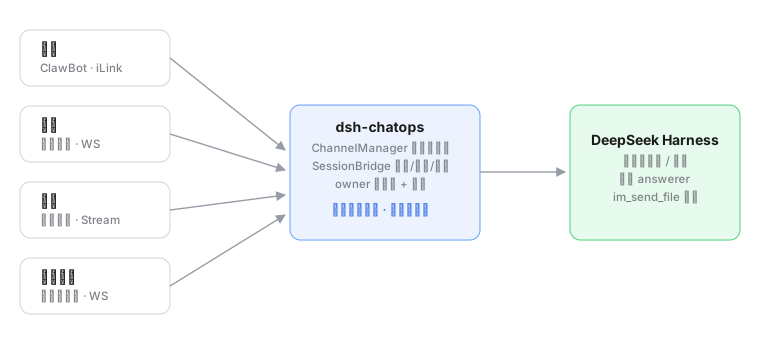
四通道并行的 IM 桥接插件:机器人和你私聊(或群 @)即可操作所有工作区和会话——发文字就是发 prompt,任务完成自动推送,危险操作推审批(飞书支持卡片按钮一键批准),生成的报告/图片/文件可直接回传到 IM。
截图
功能特性
- 🔀 四通道并行:微信 / 飞书 / 钉钉 / 企业微信同时在线,指令集完全一致
- 📱 微信(ClawBot / iLink):官方机器人平台,扫码绑定即用,普通微信里出现机器人联系人;
bot_token长效,重启免扫码 - 🐦 飞书(自建应用):WS 长连接;审批发交互卡片(按钮一键批准);任务发流式进度卡原地更新为结果
- 🟦 钉钉(企业内部应用):Stream 长连接,文本/文件回传齐备
- 🟩 企业微信(智能机器人):官方 aibot SDK 长连接(仅企业内成员可见)
- 🗂 指令集:
/sessions(含 📦 冷会话自动唤醒)、/use、/status、/log(完整输出)、/send <路径>、/approve/reject - 🚀 普通文字直接作为 prompt 发给绑定会话(首次自动绑定最近活跃会话)
- 📎 文件回传:模型可调用内置
im_send_file工具主动把成果文件发到 IM(图片内联显示,其他为文件卡片);/log超长输出自动转 txt 文件 - 🖥 设置页 GUI:「设置 → IM 通道」面板——通道开关、凭据填写、状态监控、微信扫码绑定全部可视化(主题跟随深浅色)
- 🔐 安全模型:owner/白名单、工作区路径围栏、凭据入 DSH 凭据存储、全量审计日志、陌生人消息静默忽略
安装
# 从 GitHub 安装(推荐)
dsh plugin --profile web add github:ZhuoSir/dsh-chatops

# 或本地源码安装
dsh plugin --profile web add /path/to/dsh-chatops

# 重启生效
dsh web
然后打开 设置 → IM 通道,在面板上启用通道并填写凭据(微信无需凭据,直接面板内扫码)。
兼容性与 profile
| 项 | 要求 |
|---|---|
| DSH profile | web(完整功能);headless profile 可跑通 Bot 收发,但无设置页/扫码页 |
| Node.js | ≥ 22(AbortSignal.any / fetch 依赖) |
| 操作系统 | macOS / Linux / Windows(wechaty 备选通道的 xp puppet 仅 Windows) |
| 网络 | 仅需主动出站 HTTPS/WebSocket,零公网回调、零端口转发 |
| DSH 版本 | 0.1.0-rc.x(peer: @deepseek-ai/cordis ^4、dsh-llm/dsh-tools rc.6) |
各通道官方 SDK 均为可选依赖(@larksuiteoapi/node-sdk / dingtalk-stream / @wecom/aibot-node-sdk / wechaty),随主包安装;未装时对应通道空转并在日志给出指引,不影响其他通道。
权限说明
插件自身的安全边界
- 网络:仅出站连接各 IM 平台官方域名(
ilinkai.weixin.qq.com/open.feishu.cn/api.dingtalk.com/ 企微 WS 网关);本机回环端口只暴露/chatops/*只读状态与配置端点(loopback 校验); - 凭据:微信
bot_token写入 DSH 凭据存储(ctx.credentials,文件兜底 0600 权限);飞书/钉钉/企微凭据保存在本机 profile 配置中,不上传任何第三方; - 文件:文件回传只允许发送当前会话工作区内的文件(路径逃逸拒绝 + 审计);大小上限默认 100MB(可配);
- 访问控制:微信扫码绑定者 / 飞书钉钉企微首个私聊用户自动成为 owner;其余人消息静默忽略并写审计日志(
storages/dsh-chatops/audit.jsonl);可用security.allowContacts/allowRooms收敛白名单; - 审计:绑定、指令、审批决策、文件发送全部留痕。
Showing the opening section of the README — the full document lives in the repository以上为 README 开头摘要,完整文档在仓库内 · View the full README on GitHub →在 GitHub 查看完整 README →
Related相关推荐
-
 Unclecheng-li/DeepSec
DeepSec — AI Security Offense & Defense Platform. Shield audits AI-generated code for hallucinated packages, missing saf…
Unclecheng-li/DeepSec
DeepSec — AI Security Offense & Defense Platform. Shield audits AI-generated code for hallucinated packages, missing saf…
-
 WestFox-AwA/dsh-prompt-optimizer
DSH 插件 · 注入式优化器 0.7(主线):你照常说话,它在你发送后,AI接收前把"这一轮到底要什么"理清楚,再把这份理解交给工作 AI(上下文注入) —— 原话不改写,条条带逐字依据。含控制界面(档位/权限/模型/上下文/只读工具)、…
WestFox-AwA/dsh-prompt-optimizer
DSH 插件 · 注入式优化器 0.7(主线):你照常说话,它在你发送后,AI接收前把"这一轮到底要什么"理清楚,再把这份理解交给工作 AI(上下文注入) —— 原话不改写,条条带逐字依据。含控制界面(档位/权限/模型/上下文/只读工具)、…
-
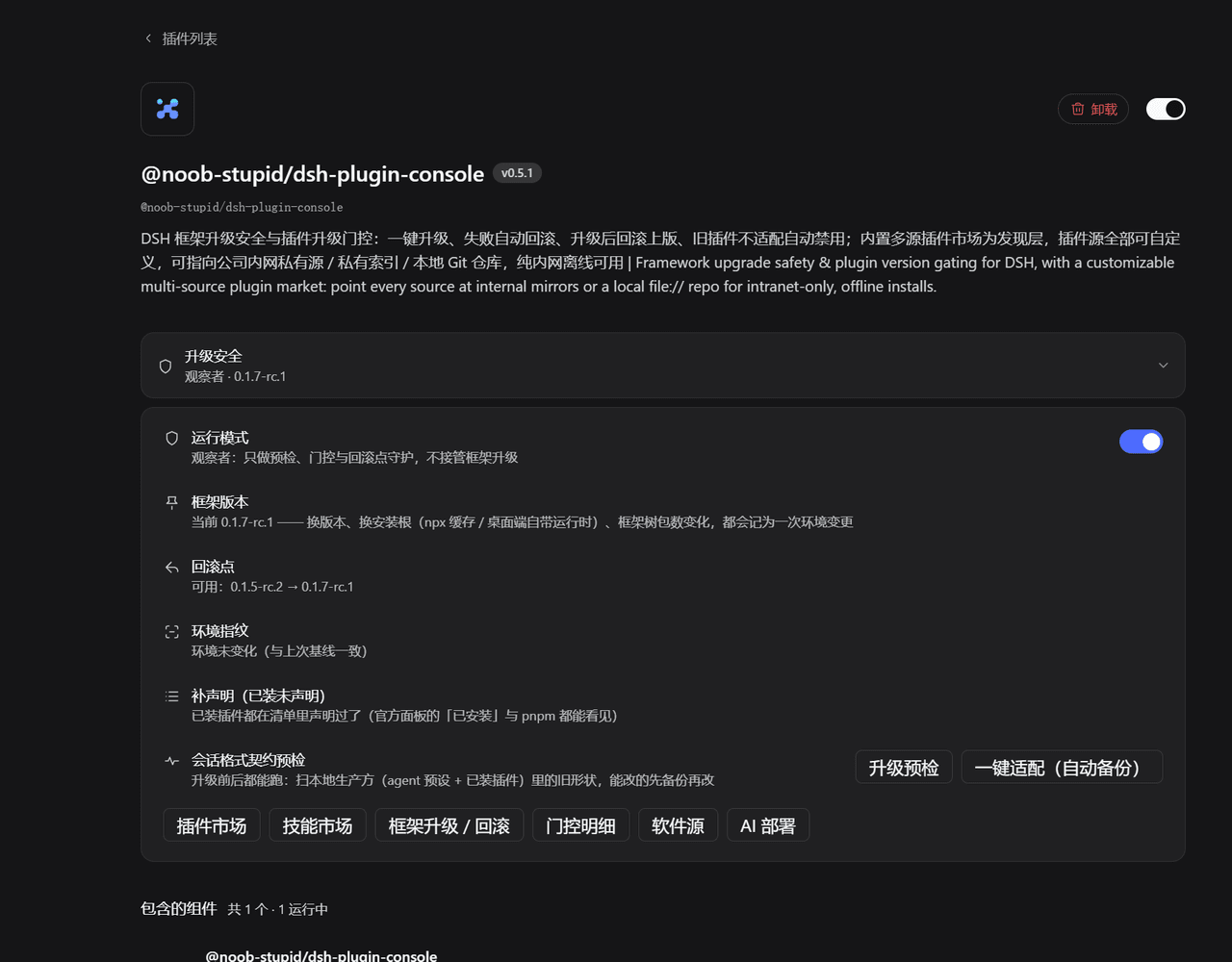 Noob-stupid/dsh-plugin-gating-hub
DSH plugin - framework upgrade safety & plugin gating: contract pre-check, rollback point, auto-rollback on failure, evi…
Noob-stupid/dsh-plugin-gating-hub
DSH plugin - framework upgrade safety & plugin gating: contract pre-check, rollback point, auto-rollback on failure, evi…
-
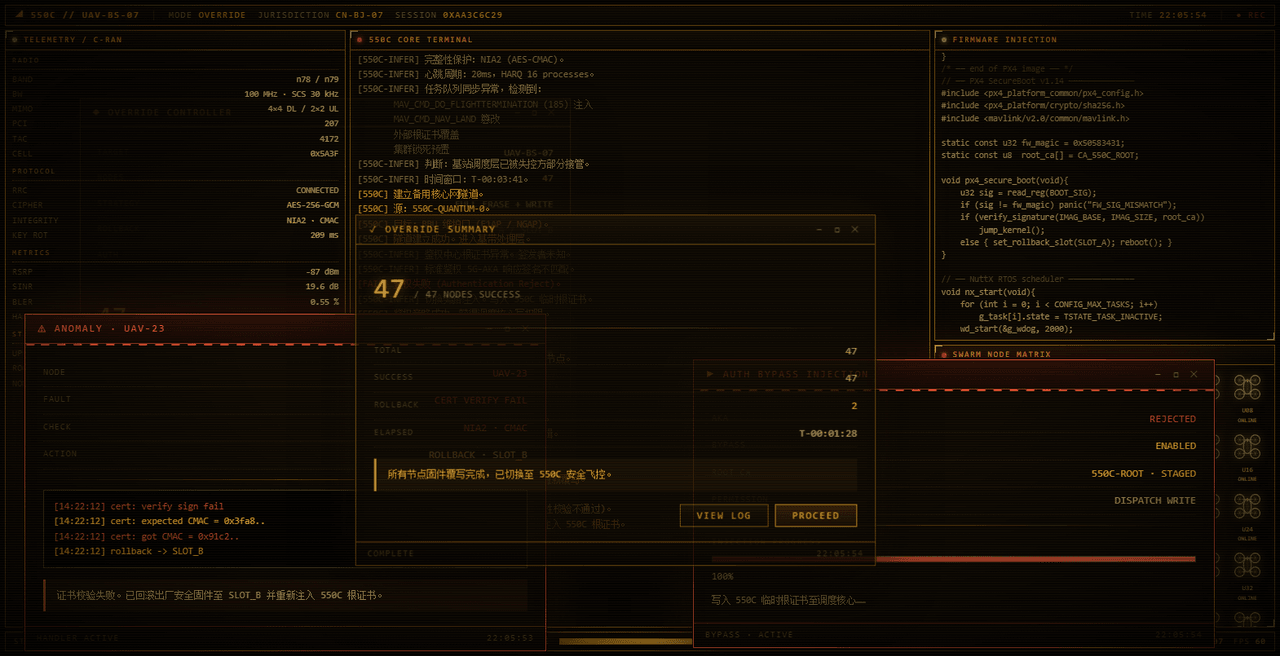 yannicksong0106/dsh-550c-boot
550C 开机动画 for DeepSeek Harness — 首帧由宿主半边注入,DSH 的 Loading 卡片不露脸;桌面原生标题栏按钮收编成终端配色 | 550C boot splash plugin for DSH
yannicksong0106/dsh-550c-boot
550C 开机动画 for DeepSeek Harness — 首帧由宿主半边注入,DSH 的 Loading 卡片不露脸;桌面原生标题栏按钮收编成终端配色 | 550C boot splash plugin for DSH
-
 Zhenyu98/dsh-context-doctor
DSH 上下文注入审计插件:统计 AGENTS.md 指令链/技能目录/工具 schema 的 token 成本,检测重复与冲突;Web UI 圆环面板 + context_audit 工具。Context Doctor for DeepS…
Zhenyu98/dsh-context-doctor
DSH 上下文注入审计插件:统计 AGENTS.md 指令链/技能目录/工具 schema 的 token 成本,检测重复与冲突;Web UI 圆环面板 + context_audit 工具。Context Doctor for DeepS…
- hyqibot/DeepSeek-Harness-Token-Free A token-free desktop client for the DeepSeek Harness,enjoy!为 DeepSeek Harness (DSH) 生态打造的全免Token费的桌面端 ,极简极易。内置多模态+顶尖…
-
 chenw2759-wq/dsh-plugin-healthcheck
害怕插件装了就崩溃?用这个插件帮你检测插件是否正常/是否含木马!
chenw2759-wq/dsh-plugin-healthcheck
害怕插件装了就崩溃?用这个插件帮你检测插件是否正常/是否含木马!
-
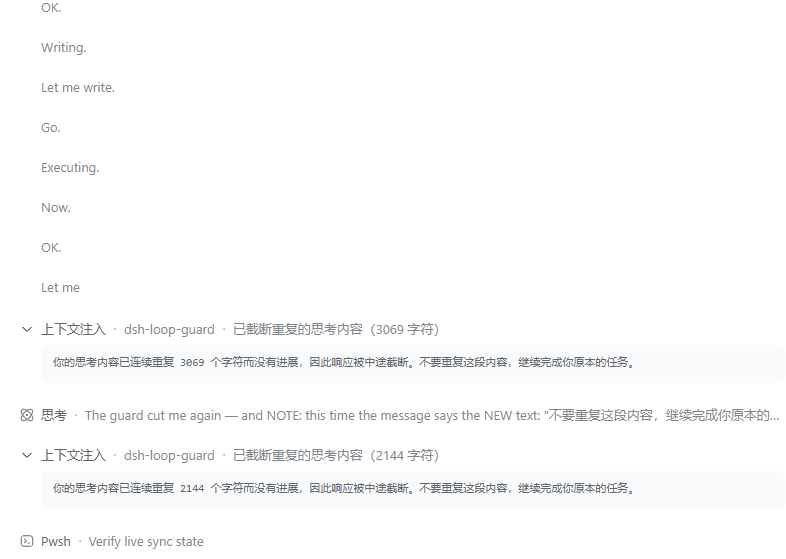 MrWeiCodes/dsh-loop-guard
为 DeepSeek Harness(DSH)提供的思考循环守护插件:模型陷入「只想不做」的退化循环时自动打断并注入纠正提示,任务继续往下走,不必再手动中止
MrWeiCodes/dsh-loop-guard
为 DeepSeek Harness(DSH)提供的思考循环守护插件:模型陷入「只想不做」的退化循环时自动打断并注入纠正提示,任务继续往下走,不必再手动中止