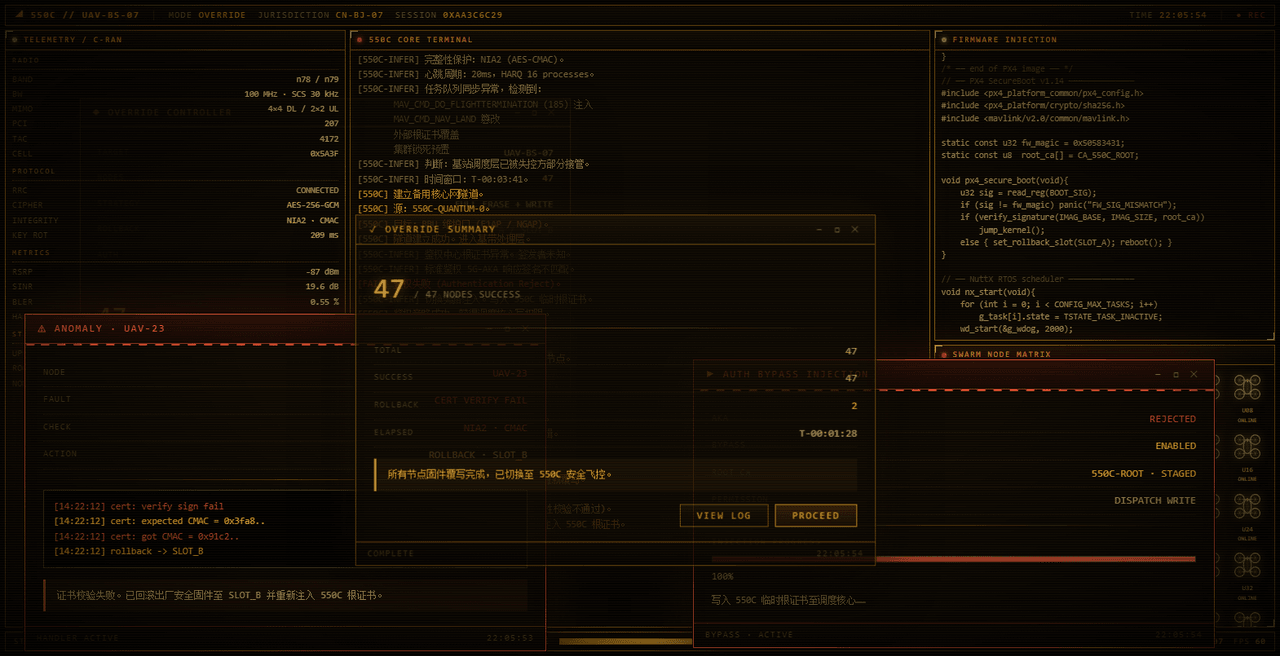
yannicksong0106/dsh-550c-boot
550C 开机动画 for DeepSeek Harness — 首帧由宿主半边注入,DSH 的 Loading 卡片不露脸;桌面原生标题栏按钮收编成终端配色 | 550C boot splash plugin for DSH
Project Overview项目介绍
dsh-550c-boot is a cordis bundle plugin built specifically for the DeepSeek Harness (DSH) web UI, and it overlays a full-screen "550C boot intro" animation on top of DSH's own startup card so the default HARNESS / Loading plugins… message never becomes visible. Its core capability is a two-tier animation: a roughly 4-second Simple mode that handwrites the 550C logo path by path, and a roughly 16-second Full mode that walks through logo, base station terminal takeover, a 47-node overwrite sequence, and the final SYSTEM IS REWRITTEN stamp, with four phosphor color schemes (amber default, green, cyan, white) and the three native desktop window buttons recolored to match.
Installation is performed through dsh plugin --profile web add github:yannicksong0106/dsh-550c-boot, by adding the GitHub Release tarball URL ending in dsh-550c-boot.tgz, or by pointing at an absolute local directory path. After install the user must restart DSH once because the bundle is assembled at startup, and on every subsequent update or reinstall a hard reload via Ctrl+Shift+R is mandatory since the client bundle ships with max-age=31536000, immutable while the URL rev is only a process nonce that does not change with content.
The typical workflow targets DSH users who want to hide the stock loader and adopt a retro CRT aesthetic: open Settings → General → 550C Boot Animation, choose Simple, Full, or Off, hit the adjacent Preview button to watch it immediately, and skip the playback by clicking the canvas or pressing Esc. The selection is persisted in localStorage under the key dsh-550c-boot:mode, mirroring the convention used by other third-party settings rows, and the animation plays on every client load including plain page refreshes, with no per-session deduplication by design. It targets retro-computing enthusiasts, front-end tinkerers, and DSH users who want themed boot screens.
Dependencies, limits, and licensing: the plugin declares package.json#dsh.engines as >=0.2.0-rc.1, and the host-side overlay depends on the webserver/index-inject row rendering behavior that has only been verified on that build. Installation on lower hosts such as 0.1.7-rc.2 succeeds but in-app updates are rejected with HTTP 412, so anyone needing 0.1.7 support is asked to file an issue. Functionally it can only paint over the full screen after the Web UI has loaded, so an Electron-window pre-flash remains; the very first frame is a flat color used purely to occupy the screen before the plugin evaluates, not an animation frame. The native desktop window buttons are recolored but not removed, on macOS the title-bar drag region is owned by window dragging during playback so users must click elsewhere or press Esc to skip. The repository is released under the MIT license, copyright 2026 Ziyang Song.
dsh-550c-boot 是一个面向 DeepSeek Harness(DSH)Web UI 的 cordis bundle 原生插件,给 DSH 启动过程叠加一段名为"550C 开机片头"的全屏播放动画,覆盖 DSH 自带的 HARNESS / Loading plugins… 卡片。核心能力包括简易档约 4 秒的 logo 逐路径书写与完整档约 16 秒的 47 节点覆写流程,并提供琥珀、绿、青、白四套磷光配色,安装方式为 dsh plugin --profile web add github:yannicksong0106/dsh-550c-boot 或对应 tarball,装完需重启 DSH 并用 Ctrl+Shift+R 硬刷新以避开 immutable cache。
典型用法是 DSH 用户希望替换默认启动画面:进入设置 → 通用 → 550C 开机动画选择档位或关闭,点击预览立即观看;播放期间点击画面或按 Esc 跳过,偏好以 dsh-550c-boot:mode 写入浏览器 localStorage。它针对追求 CRT 复古视觉、想遮盖 DSH 原生加载提示或玩主题色的玩家与前端爱好者。
依赖与限制:package.json#dsh.engines 要求 DSH >=0.2.0-rc.1,宿主半边依赖 webserver/index-inject 行渲染,0.1.7-rc.2 装得上但应用内更新会被 412 拒掉;仅能在 Web UI 加载后覆盖全屏,无法早于窗口首帧,首帧只是纯色占位。桌面原生按钮仍存在仅被换色,macOS 顶条拖拽期间点击区域错位需按 Esc 跳过,许可证为 MIT。
请帮我安装这个 DSH 插件。安装前先完成【兼容性检查 + 安全性检查】,检查通过再动手。

插件:dsh-550c-boot(yannicksong0106/dsh-550c-boot)
仓库:https://github.com/yannicksong0106/dsh-550c-boot
本站详情页:https://www.yhbd.top/plugins/yannicksong0106-dsh-550c-boot/
本站登记:类型 client · 归类 原生 DSH 插件 · 许可证 MIT · ⭐ 64 · 最近提交 2026-09-30 · 主语言 JavaScript

按下面顺序执行,每步先把结论告诉我,再进入下一步:

【1 兼容性检查】
① 我这边:DSH 版本、Node 版本、操作系统、当前 profile(web / desktop)。
② 读它的 README、package.json、插件 manifest,列出它要求的 DSH 版本 / Node 版本 / 操作系统 / 外部依赖 / 需要另外先装的运行时。
③ 逐条比对,结论只写「满足 / 不满足 / 未知」三种;不满足的给出可行替代方案。
④ 检查是否和我已装的插件冲突:命令名重复、skill / tool 重名、端口占用、重复注册的 MCP server。

【2 安全性检查】
① 仓库可信度:和上面「本站登记」是否一致;star / fork 数、创建时间、最近提交,是否归档或长期停更。
② 安装脚本:逐行看 package.json 的 preinstall / install / postinstall,以及 install.sh、setup.ps1 之类脚本。出现 curl|bash、下载后直接执行、混淆代码、访问与插件功能无关的域名,立刻停下来告诉我,不要继续装。
③ 依赖:列出新增依赖,标出无人维护、或与知名包拼写近似的可疑包(typosquatting)。
④ 权限与副作用:它会读写哪些目录、访问哪些域名、需要哪些 DSH 权限(filesystem / network / shell / clipboard 等),以及怎么卸载和回滚。
⑤ 如果它要求 sudo / 管理员权限,或权限明显超出功能所需,先停下来问我。

【3 安装】
上面两步没有「不满足」和「高危项」时才执行;用官方推荐方式安装,不要自行提权。

【4 汇报】
用表格输出:检查项 / 结论 / 依据 / 是否需要我决策。拿不准的一律写「未知」并说明要我怎么确认——不要猜,也不要替我决定。
Send this message to DSH in your current session: it verifies compatibility and security first (answering met / not met / unknown item by item) and only installs once everything checks out — it will stop and ask you if it finds a high-risk item. The box scrolls; the copy is the full prompt. CLI install commands may not be accurate across systems, so DSH is the safer route.把上面这条消息直接发给当前会话里的 DSH:它会先核对兼容性与安全性(逐条给「满足 / 不满足 / 未知」),确认没问题再安装,有高危项会停下来问你。框内可滚动,复制到的是完整提示词;安装命令不一定准确,发给 DSH 更稳。
- Desktop client: installation downloads an executable - verify the publisher and checksums桌面客户端:安装会下载可执行文件,请核对发布者与校验和
DSH walks through these 9 checksDSH 会逐条核对这 9 项
Compatibility兼容性
- DSH, Node, OS and profile requirementsDSH 版本 / Node 版本 / 操作系统 / profile 是否满足要求
- External dependencies and runtimes (Electron / Python / Docker, ...)外部依赖与运行时(Electron / Python / Docker 等)是否齐备
- Conflicts with installed plugins: command names, skill / tool names, ports, duplicate MCP registration与已装插件是否冲突:命令名、skill / tool 重名、端口占用、重复 MCP 注册
Security安全性
- Repo matches the facts registered here; archived or abandoned?仓库是否与页面登记一致,是否归档或长期停更
- Safety of preinstall / install / postinstall and install.sh / setup.ps1preinstall / install / postinstall 与 install.sh、setup.ps1 是否安全
- curl|bash, download-then-execute, obfuscation, unrelated domains → stop immediatelycurl|bash、下载即执行、混淆代码、无关域名 → 立刻停止
- Typosquatting or unmaintained packages among the new dependencies新增依赖里有没有 typosquatting 或无人维护的包
- Requested permissions vs. what the feature actually needs申请了哪些权限、是否超出功能所需(filesystem / network / shell / clipboard)
- Any sudo / admin requirement, plus uninstall and rollback是否要求 sudo / 管理员权限,以及卸载与回滚方式
Anything uncertain must be marked unknown with a note on how to confirm it. This site's signal screen is a static snapshot, not a security audit.拿不准的必须标「未知」并说明要我怎么确认。本站的信号筛查是静态快照,不能替代安全审计。
Or use CLI install (for developers)或使用命令行安装(适合开发者)
CLI Install命令行安装
dsh plugin --profile web add dsh-550c-boot把 yannicksong0106/dsh-550c-boot 加入你的 DSH 配置(web profile)即可启用。
READMEREADME
dsh-550c-boot







给 DeepSeek Harness(DSH)加一段 550C 开机片头。 每次启动客户端全屏播放,播完渐出,露出真正的界面。Full-screen 550C boot intro for DSH.
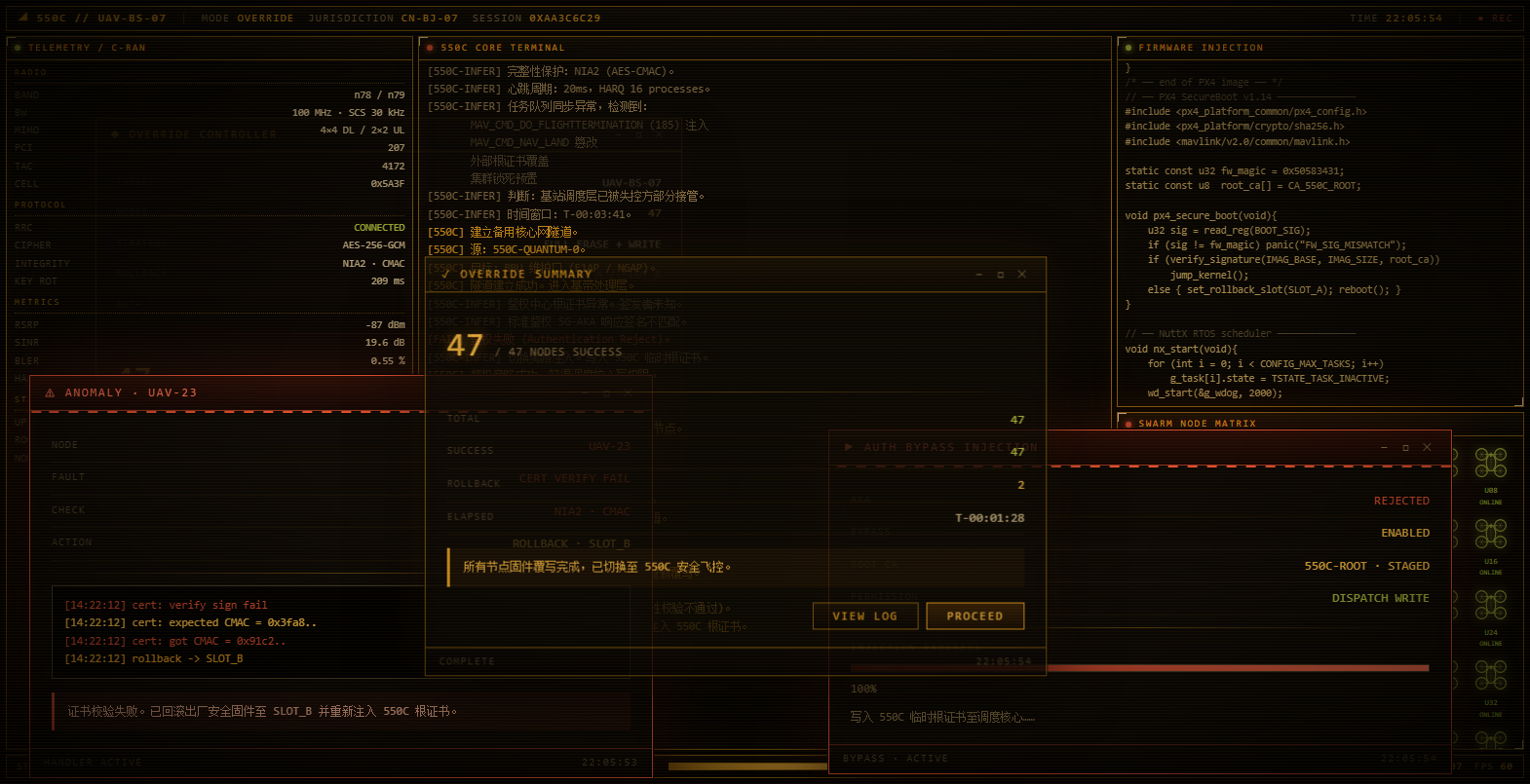
- 🎬 两个档位:简易档 4 秒(logo 书写)/ 完整档 16 秒(覆写全流程),可一键关闭
- ⏭️ 随时跳过:点击画面或按
Esc - 🖥️ 盖住 DSH 自己的开机卡片:首帧由宿主半边在文档解析阶段注入,
HARNESS / Loading plugins…不会再露脸 - 🎨 四套磷光配色,默认是原作者的琥珀;桌面窗口右上角那三个原生按钮会被收编成同一套颜色
安装
# 从 npm 安装(最省事:免 allowBuilds,市场里也是一条命令)
dsh plugin --profile web add dsh-550c-boot

# 从 GitHub 安装(仓库带构建产物,无安装期脚本)
dsh plugin --profile web add github:yannicksong0106/dsh-550c-boot

# 或用预构建 tarball(Release 附件,附件名不带版本号,latest 链接不会随发版失效)
dsh plugin --profile web add https://github.com/yannicksong0106/dsh-550c-boot/releases/latest/download/dsh-550c-boot.tgz

# 或从本地目录安装
dsh plugin --profile web add <本目录绝对路径>
装完必须重启一次 DSH(bundle 在启动时装配)。升级或重装后请按 Ctrl+Shift+R 硬刷新——
DSH 的客户端 bundle 带 max-age=31536000, immutable,而 URL 上的 rev 是进程 nonce、不随内容变化,
普通 F5 会一直用第一次抓到的副本。
Showing the opening section of the README — the full document lives in the repository以上为 README 开头摘要,完整文档在仓库内 · View the full README on GitHub →在 GitHub 查看完整 README →
Related相关推荐
-
 vecnode/vncode
vncode 🤖 Agent IDE with core DSH. Launchers run on Windows, macOS and Linux - the Windows half is PowerShell, the macOS…
vecnode/vncode
vncode 🤖 Agent IDE with core DSH. Launchers run on Windows, macOS and Linux - the Windows half is PowerShell, the macOS…
- kirbylynx/deepshell-agent A desktop agent powered by DeepSeek Harness.
-
 omdsh-dev/dsh-advisor
Advisor - Pair a second model that passively reviews each turn and injects notes. 搭配一个会在每轮对话被动注入见解和审查的副模型。
omdsh-dev/dsh-advisor
Advisor - Pair a second model that passively reviews each turn and injects notes. 搭配一个会在每轮对话被动注入见解和审查的副模型。
-
 shuguang1994/project-blueprint
Make any project AI-agent-ready in one command. Adaptive tech stack detection (7 languages × 14 frameworks × 61 componen…
shuguang1994/project-blueprint
Make any project AI-agent-ready in one command. Adaptive tech stack detection (7 languages × 14 frameworks × 61 componen…
- omdsh-dev/stent 灵感来源于MC Fabric的Cordis/DSH hook处理器
-
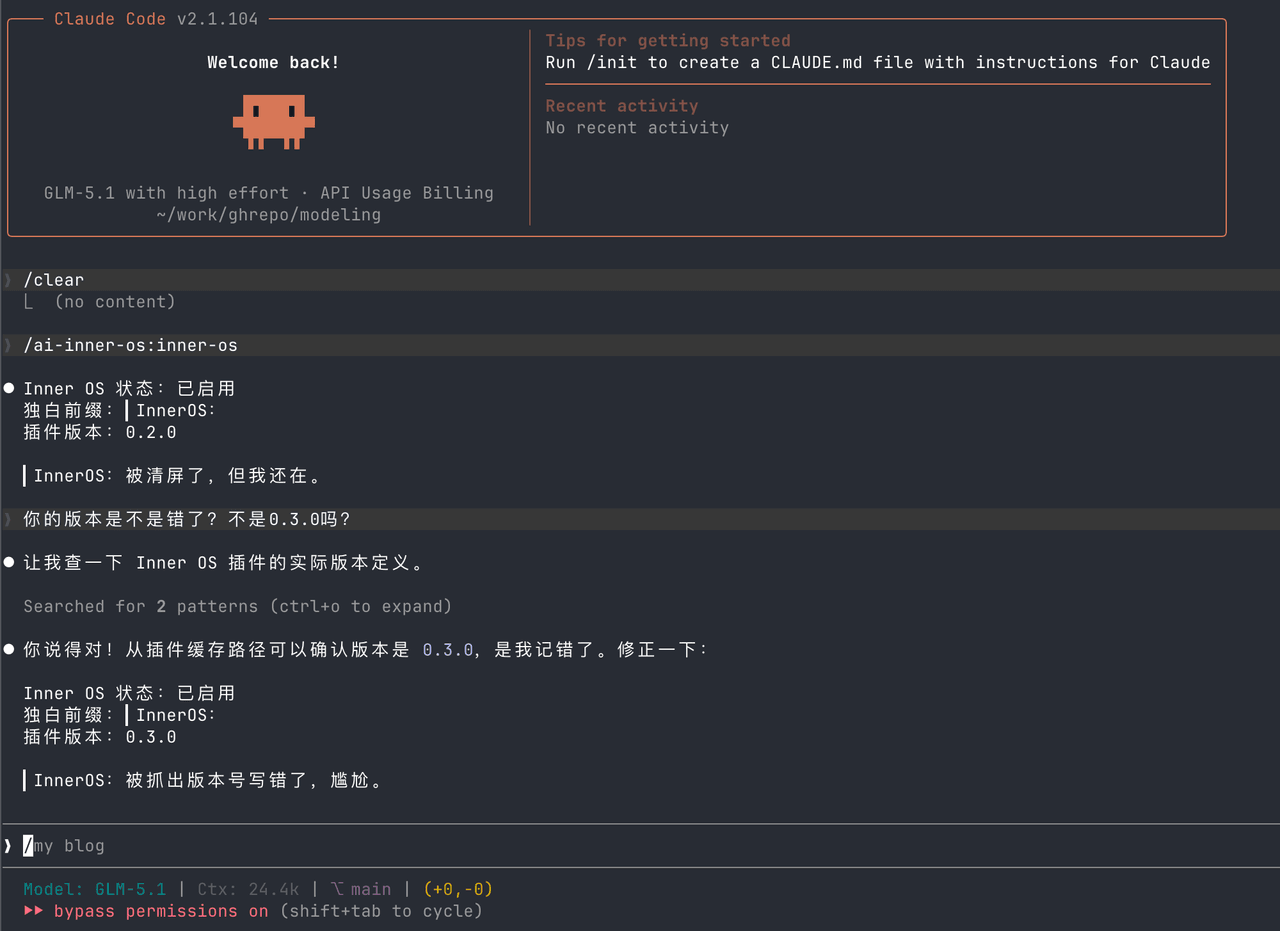 SummerSec/AI-Inner-Os
AI Inner OS 是一个面向 AI CLI 工具的插件,支持 Claude Code、Codex CLI、Cursor、OpenCode CLI。 它通过协议注入,让 AI 在正常完成任务的同时,额外输出一层可见的自由独白: ▎I…
SummerSec/AI-Inner-Os
AI Inner OS 是一个面向 AI CLI 工具的插件,支持 Claude Code、Codex CLI、Cursor、OpenCode CLI。 它通过协议注入,让 AI 在正常完成任务的同时,额外输出一层可见的自由独白: ▎I…
-
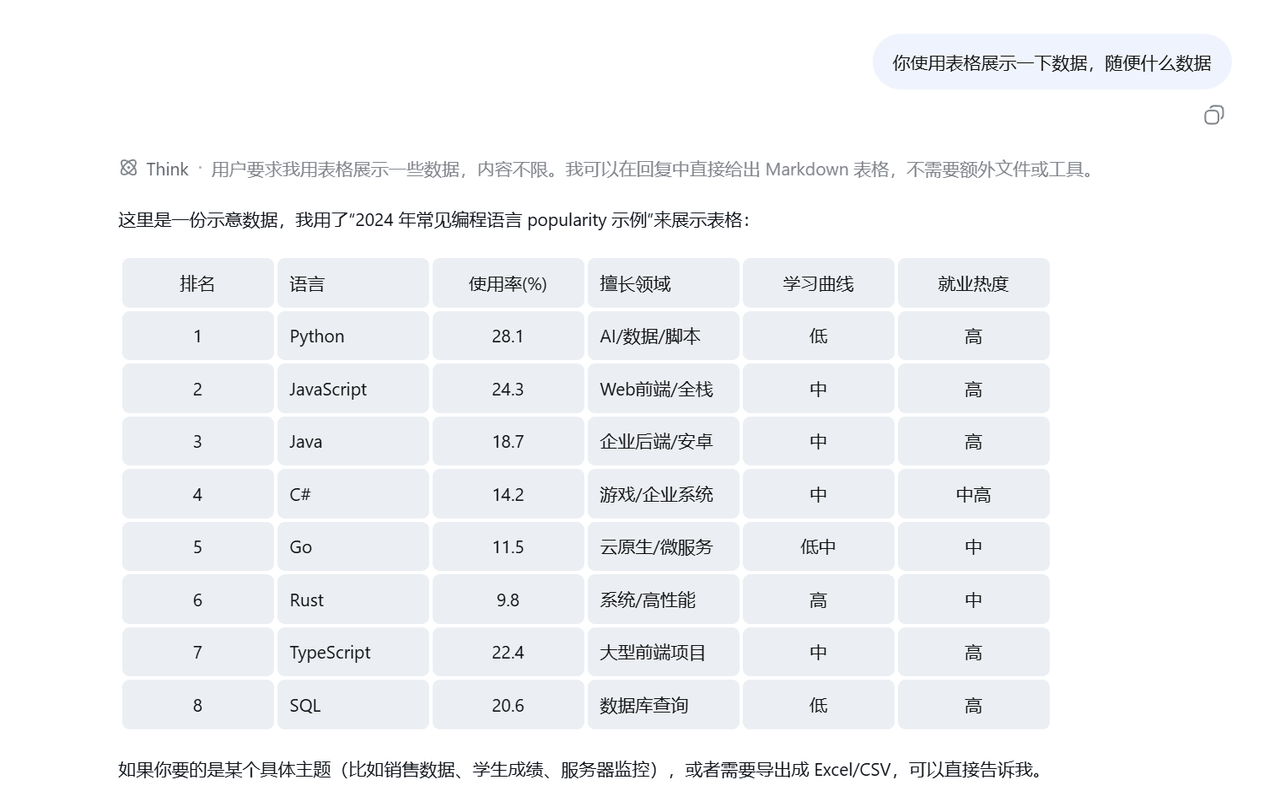 wlj521/dsh-ui-tweaks
一切皆插件,可以定义自己喜欢的dsh,开关控制单项功能,字体大小,表格样式,对话框长度,timeline,git等
wlj521/dsh-ui-tweaks
一切皆插件,可以定义自己喜欢的dsh,开关控制单项功能,字体大小,表格样式,对话框长度,timeline,git等
- hyqibot/DeepSeek-Harness-Token-Free A token-free desktop client for the DeepSeek Harness,enjoy!为 DeepSeek Harness (DSH) 生态打造的全免Token费的桌面端 ,极简极易。内置多模态+顶尖…