ZSeven-W/dsh-qa
DeepSeek Harness plugin that does QA: an agent explores your app like a real user and leaves evidence, then the explored path is exported as a deterministic replay scenario you run every release. Orchestrates the browser, macOS desktop, iOS and Android drivers — never a false green.
Project Overview项目介绍
DSH-QA is an MCP-style orchestrator plugin for DeepSeek Harness, shipped as the @zseven-w/dsh-qa package at version 0.1.0-rc.2, which exposes a tool surface of qa_session_start, qa_observe, qa_act, qa_assert, qa_evidence, qa_record_export, qa_replay_run, and qa_session_stop to a hosting agent. It coordinates four independently versioned drivers that are loaded lazily by package name: @zseven-w/dsh-browser (BU, contract v9), @zseven-w/dsh-computer (CU, contract v5), @zseven-w/dsh-ios, and @zseven-w/dsh-android. Installing @zseven-w/dsh-qa alone yields zero drivers, and a missing driver is reported as not installed rather than silently falling back; safety semantics are inherited unchanged, including refusal of EXTERNAL_COMMIT_TARGET and secure fields, mandatory approval hand-offs, and re-observation for unknown receipts.
The workflow is split into Explore and Replay. In Explore mode the agent drives the application like a real user, collecting evidence-backed findings through the qa tools; in Replay mode a deterministic QaScenario (lossless JSON) is executed with per-step re-observe assertions, producing redacted reports in JSON, Markdown, and JSONL formats that fit cleanly into CI. The package targets QA engineers and agent authors who need to convert exploratory findings into durable release gates, and the shipped browser example (run via node node_modules/@zseven-w/dsh-qa/scripts/run-example.mjs or npm run example) lets a newcomer verify the orchestrator and the browser driver end to end against an ephemeral loopback origin without a hardcoded port.
Dependencies and first-run guidance are explicit. Node.js 24.11.0 or later is required, and mobile sessions demand an explicit device id with no default-device fallback. Prerequisite knowledge per platform is wide: browser sessions need a locally installed Chrome, Edge, or Chromium that the driver discovers; computer sessions require macOS with a locally built and Accessibility- plus Screen Recording-granted Helper; iOS needs Xcode; Android needs adb. The license is MIT, development uses pnpm 10.34.5 plus a sibling checkout of the four driver repos wired as link: devDependencies, and CI materializes the same layout from published tarballs via .github/scripts/fetch-drivers.sh. Mobile text input is intentionally conditional rather than blanket-implemented, and operators must never publish generated reports, login state, device identifiers, or signing material.
DSH-QA 是面向 DeepSeek Harness 的编排型 QA 插件(包名 @zseven-w/dsh-qa),以 MCP 形式向宿主提供 qa_session_start、qa_observe、qa_act、qa_assert、qa_evidence、qa_record_export、qa_replay_run、qa_session_stop 等工具,配合四款按需懒加载的驱动(@zseven-w/dsh-browser、@zseven-w/dsh-computer、@zseven-w/dsh-ios、@zseven-w/dsh-android),分别覆盖 BU、CU、iOS、Android 四类端到端场景。安装需 Node.js 24.11.0+,单独安装 QA 不会带任何驱动,必须按需并行安装;驱动的安全策略严格沿用上游,从不绕过 EXTERNAL_COMMIT_TARGET 与 secure fields 限制。
典型工作流分为两阶段:Explore 阶段由代理像真实用户一样驱动应用,记录证据并产出发现;随后通过 qa_record_export 把轨迹序列化为无损 JSON 的 QaScenario 进入 Replay 阶段,配合逐步骤的 re-observe 断言生成可重放的脱敏报告(JSON、Markdown、JSONL)。该工具适合需要把探索性测试沉淀为发布门禁的 QA 团队与代理作者,前提是各驱动的先决条件已满足:浏览器需本地 Chrome/Edge/Chromium,桌面端需 macOS 上自建并授权的 Helper(辅助功能与录屏),iOS 需 Xcode 与显式 device id,Android 需 adb 与显式 device id。
依赖与限制:QA 本身是 MIT 许可的 0.1.0-rc.2 预发布包,开发使用 pnpm 10.34.5 + 四驱动兄弟仓 link 布局,CI 通过 .github/scripts/fetch-drivers.sh 从已发布 tarball 物化驱动目录以匹配发布产物;首次运行可执行 npm run example(仅需 dsh-qa + dsh-browser + 本地浏览器)验证通路,退出码 0 表示通过。需注意:移动端 fill/type 仅在驱动暴露原生原语时启用,绝不退回全局键入;不要发布含登录态、设备标识或签名材料的报告。
请帮我安装这个 DSH 插件。安装前先完成【兼容性检查 + 安全性检查】,检查通过再动手。

插件:dsh-qa(ZSeven-W/dsh-qa)
仓库:https://github.com/ZSeven-W/dsh-qa
本站详情页:https://www.yhbd.top/plugins/zseven-w-dsh-qa/
本站登记:类型 client · 归类 原生 DSH 插件 · 许可证 MIT · ⭐ 3 · 最近提交 2026-09-24 · 主语言 JavaScript

按下面顺序执行,每步先把结论告诉我,再进入下一步:

【1 兼容性检查】
① 我这边:DSH 版本、Node 版本、操作系统、当前 profile(web / desktop)。
② 读它的 README、package.json、插件 manifest,列出它要求的 DSH 版本 / Node 版本 / 操作系统 / 外部依赖 / 需要另外先装的运行时。
③ 逐条比对,结论只写「满足 / 不满足 / 未知」三种;不满足的给出可行替代方案。
④ 检查是否和我已装的插件冲突:命令名重复、skill / tool 重名、端口占用、重复注册的 MCP server。

【2 安全性检查】
① 仓库可信度:和上面「本站登记」是否一致;star / fork 数、创建时间、最近提交,是否归档或长期停更。
② 安装脚本:逐行看 package.json 的 preinstall / install / postinstall,以及 install.sh、setup.ps1 之类脚本。出现 curl|bash、下载后直接执行、混淆代码、访问与插件功能无关的域名,立刻停下来告诉我,不要继续装。
③ 依赖:列出新增依赖,标出无人维护、或与知名包拼写近似的可疑包(typosquatting)。
④ 权限与副作用:它会读写哪些目录、访问哪些域名、需要哪些 DSH 权限(filesystem / network / shell / clipboard 等),以及怎么卸载和回滚。
⑤ 如果它要求 sudo / 管理员权限,或权限明显超出功能所需,先停下来问我。

【3 安装】
上面两步没有「不满足」和「高危项」时才执行;用官方推荐方式安装,不要自行提权。

【4 汇报】
用表格输出:检查项 / 结论 / 依据 / 是否需要我决策。拿不准的一律写「未知」并说明要我怎么确认——不要猜,也不要替我决定。
Send this message to DSH in your current session: it verifies compatibility and security first (answering met / not met / unknown item by item) and only installs once everything checks out — it will stop and ask you if it finds a high-risk item. The box scrolls; the copy is the full prompt. CLI install commands may not be accurate across systems, so DSH is the safer route.把上面这条消息直接发给当前会话里的 DSH:它会先核对兼容性与安全性(逐条给「满足 / 不满足 / 未知」),确认没问题再安装,有高危项会停下来问你。框内可滚动,复制到的是完整提示词;安装命令不一定准确,发给 DSH 更稳。
- Only 3 stars - very few users, little community feedback星标只有 3,几乎没人在用,遇到问题缺少社区反馈
- Desktop client: installation downloads an executable - verify the publisher and checksums桌面客户端:安装会下载可执行文件,请核对发布者与校验和
DSH walks through these 9 checksDSH 会逐条核对这 9 项
Compatibility兼容性
- DSH, Node, OS and profile requirementsDSH 版本 / Node 版本 / 操作系统 / profile 是否满足要求
- External dependencies and runtimes (Electron / Python / Docker, ...)外部依赖与运行时(Electron / Python / Docker 等)是否齐备
- Conflicts with installed plugins: command names, skill / tool names, ports, duplicate MCP registration与已装插件是否冲突:命令名、skill / tool 重名、端口占用、重复 MCP 注册
Security安全性
- Repo matches the facts registered here; archived or abandoned?仓库是否与页面登记一致,是否归档或长期停更
- Safety of preinstall / install / postinstall and install.sh / setup.ps1preinstall / install / postinstall 与 install.sh、setup.ps1 是否安全
- curl|bash, download-then-execute, obfuscation, unrelated domains → stop immediatelycurl|bash、下载即执行、混淆代码、无关域名 → 立刻停止
- Typosquatting or unmaintained packages among the new dependencies新增依赖里有没有 typosquatting 或无人维护的包
- Requested permissions vs. what the feature actually needs申请了哪些权限、是否超出功能所需(filesystem / network / shell / clipboard)
- Any sudo / admin requirement, plus uninstall and rollback是否要求 sudo / 管理员权限,以及卸载与回滚方式
Anything uncertain must be marked unknown with a note on how to confirm it. This site's signal screen is a static snapshot, not a security audit.拿不准的必须标「未知」并说明要我怎么确认。本站的信号筛查是静态快照,不能替代安全审计。
Or use CLI install (for developers)或使用命令行安装(适合开发者)
CLI Install命令行安装
dsh plugin --profile web add github:ZSeven-W/dsh-qa把 ZSeven-W/dsh-qa 加入你的 DSH 配置(web profile)即可启用。
READMEREADME
DSH QA
Explore real apps, capture evidence, and turn verified actions into repeatable QA scenarios.
Agent-Led Exploration • Evidence-Backed Assertions • Deterministic Replay • Browser, Desktop, iOS & Android
Package: @zseven-w/dsh-qa · Version: 0.1.0-rc.2 · Prerelease
Quick start · Safety and limitations · Known gaps · Development · Documentation
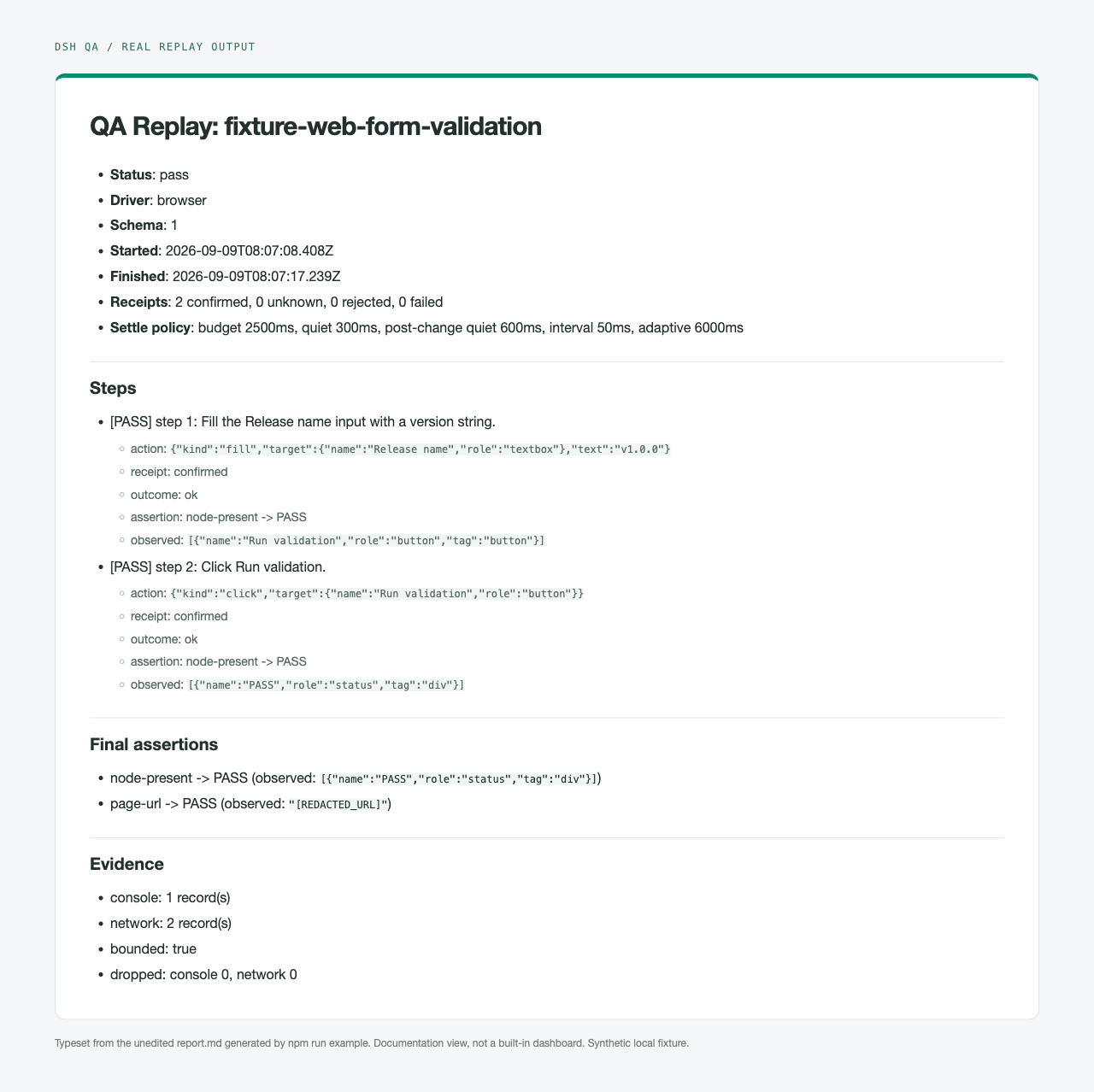
Actual output from the shipped browser example: two steps and final assertions passed. This is a typeset view of the unedited Markdown report, not a built-in dashboard or a claim of four-platform coverage.
Why DSH QA
QA orchestrator plugin for DeepSeek Harness: an agent explores your App like a real user (with evidence-backed findings), then the explored path is exported as a deterministic Replay scenario that runs on every release.
- Explore mode — the agent drives the app through a tool surface
(
qa_session_start/qa_observe/qa_act/qa_assert/qa_evidence/qa_record_export/qa_replay_run/qa_session_stop) and documents what it sees. - Replay mode — declarative
QaScenariofiles (lossless JSON) executed deterministically with per-step re-observe assertions, producing redacted JSON / Markdown / JSONL reports. - Drivers —
@zseven-w/dsh-browser(BU, contract v9),@zseven-w/dsh-computer(CU, contract v5),@zseven-w/dsh-ios, and@zseven-w/dsh-android. Driver safety semantics are inherited, never loosened:EXTERNAL_COMMIT_TARGETrefused, secure fields permanently refused, approval gates passed through,unknownreceipts require re-observation. Mobile sessions require an explicit device id and never fall back to a default device. Mobile text input is conditional, never blanket-implemented: iOSfill/typeuse the dsh-ios native element-boundfillTarget/typeTargetprimitives when the live driver exposes them, with missing methods or missing native identifiers left explicitly unavailable and no raw global-type fallback; Androidtyperemains append-faithful after real focus verification and AndroidfillremainsFILL_PRIMITIVE_UNAVAILABLE.
Showing the opening section of the README — the full document lives in the repository以上为 README 开头摘要,完整文档在仓库内 · View the full README on GitHub →在 GitHub 查看完整 README →
Related相关推荐
-
 YaoApp/yao
✨ All your agents and workspaces in one place, on every device you own. Track tasks on a board, accessible from desktop,…
YaoApp/yao
✨ All your agents and workspaces in one place, on every device you own. Track tasks on a board, accessible from desktop,…
-
 anbeime/skill
收录最全、更新最快的技能Skills商店:精选原创技能包(涵盖文档处理、内容创作、编程开发、机器学习、自动化工作流),全部打包好可直接安装使用!同时自动抓取GitHub上万个Skills项目,按分类、更新时间、Star数量整理。The mo…
anbeime/skill
收录最全、更新最快的技能Skills商店:精选原创技能包(涵盖文档处理、内容创作、编程开发、机器学习、自动化工作流),全部打包好可直接安装使用!同时自动抓取GitHub上万个Skills项目,按分类、更新时间、Star数量整理。The mo…
- antibrow/dsh-antibrow DeepSeek Harness plugin: give your agent a browser with a persistent identity - engine-level fingerprint spoofing, unlim…
-
 See-Sol-Lab/DeepSeekGUI
基于 DeepSeek Harness(DSH)的稳定桌面端,集成Git、内置浏览器与记忆功能 | DeepSeek Harness desktop GUI with local workspaces, Git, browser and m…
See-Sol-Lab/DeepSeekGUI
基于 DeepSeek Harness(DSH)的稳定桌面端,集成Git、内置浏览器与记忆功能 | DeepSeek Harness desktop GUI with local workspaces, Git, browser and m…
-
 justlovemaki/PrismFlowAgent
全栈资讯处理与 AI Agent 系统。它能够自动化地从全球多源渠道抓取高质量资讯,利用顶级大语言模型进行深度总结,并将其分发至多种终端
justlovemaki/PrismFlowAgent
全栈资讯处理与 AI Agent 系统。它能够自动化地从全球多源渠道抓取高质量资讯,利用顶级大语言模型进行深度总结,并将其分发至多种终端
-
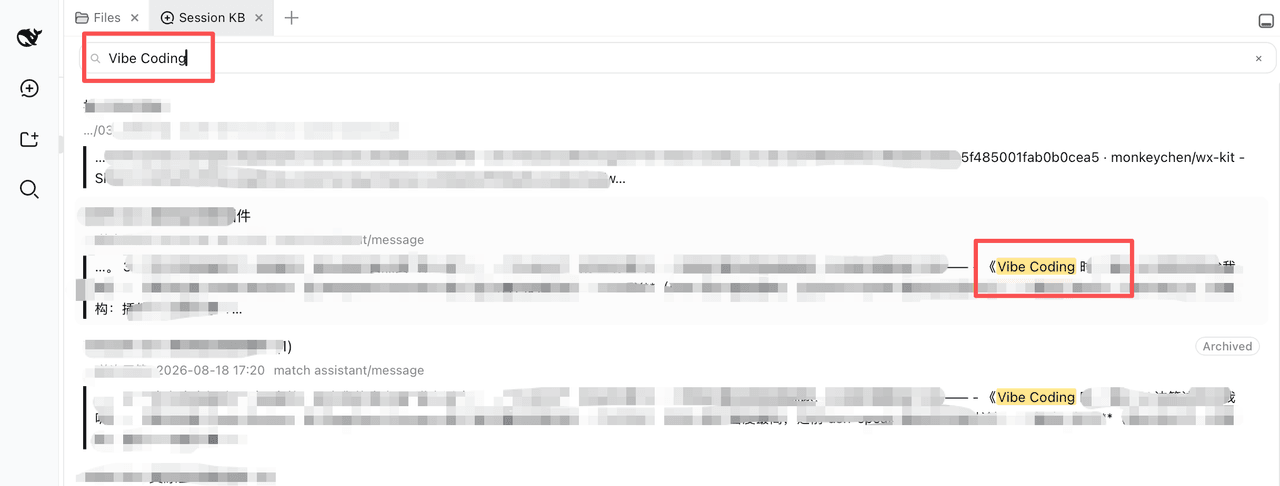 PolinniZhong/dsh-session-workbench
Session Workbench for DeepSeek Harness: session-library full-text search + recall + conversation-view management (show/h…
PolinniZhong/dsh-session-workbench
Session Workbench for DeepSeek Harness: session-library full-text search + recall + conversation-view management (show/h…
-
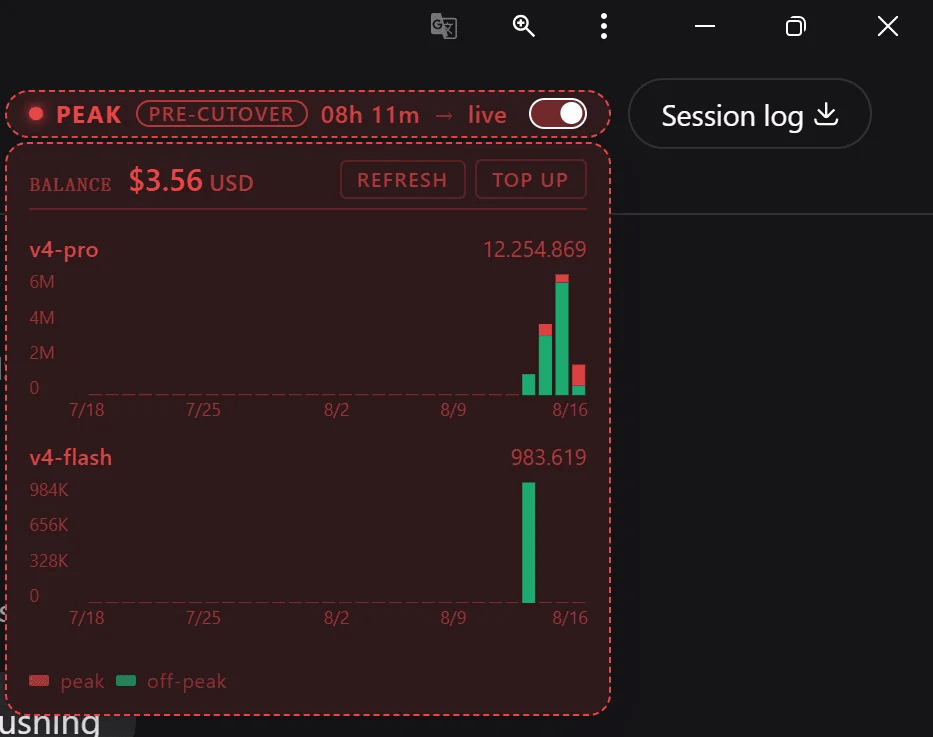 YMRYMR/deepseek-peak
Live DeepSeek V4 API peak/off-peak status widget — drop-in dsh-plugin for deepseek-ai/deepseek-harness, plus a standalon…
YMRYMR/deepseek-peak
Live DeepSeek V4 API peak/off-peak status widget — drop-in dsh-plugin for deepseek-ai/deepseek-harness, plus a standalon…
-
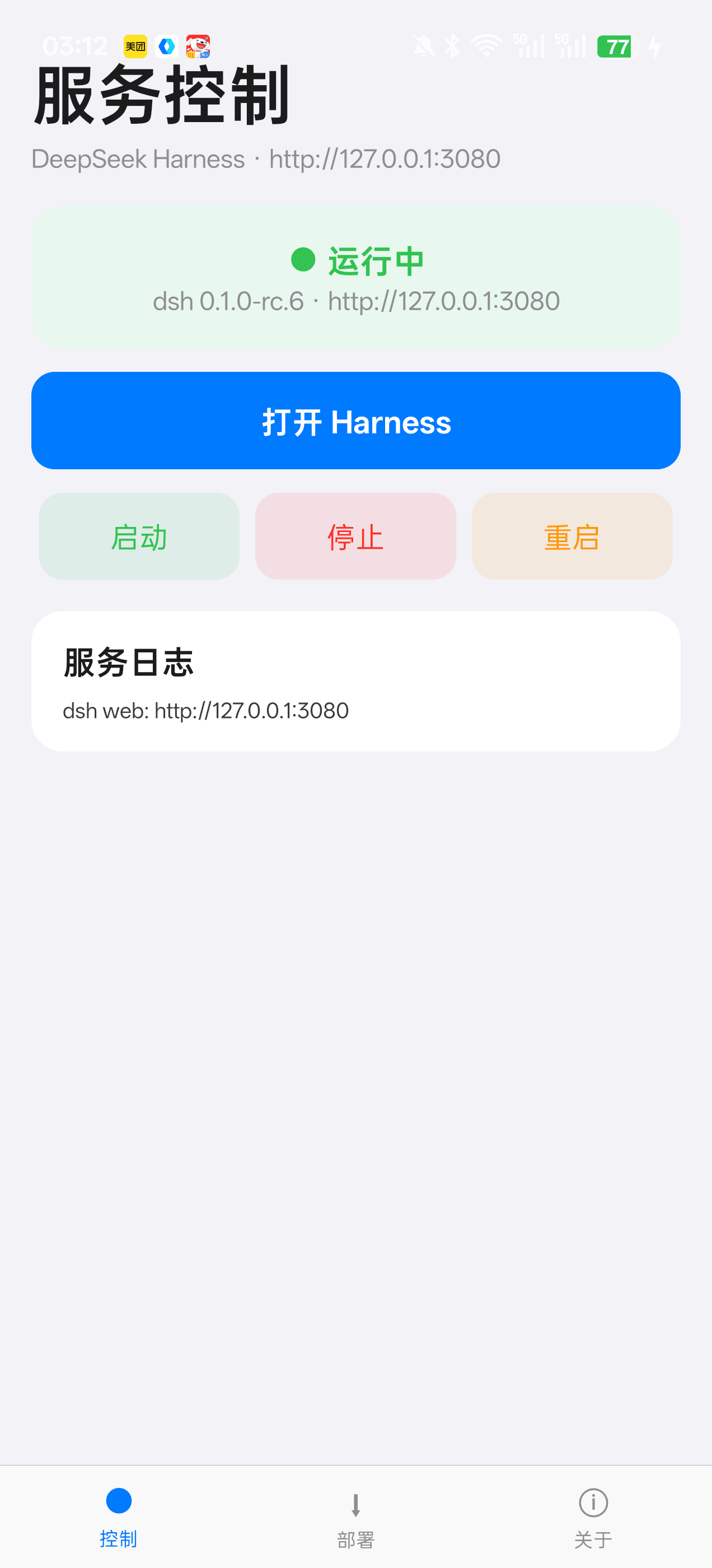 Jensen-Yao/deepseek-harness-android-app
DeepSeek Harness 安卓通用控制端:Termux 引导、一键部署、内置浏览器与存储管理(dsh-plugin 生态)
Jensen-Yao/deepseek-harness-android-app
DeepSeek Harness 安卓通用控制端:Termux 引导、一键部署、内置浏览器与存储管理(dsh-plugin 生态)