zxmqq1234/dsh-auto-retry
DeepSeek Harness(dsh)自动重试插件:报错自动重试、中断自动继续、挂起自动唤醒、 每一步右上角弹窗告诉你,不用再手动发"继续",数据看板还原每一次重试的真相。与 dsh系统重试互补而非替代——在内置重试耗尽或不覆盖的错误码上追加保障。
Project Overview项目介绍
dsh-auto-retry is an automatic retry plugin built specifically for the DeepSeek Harness (dsh) desktop client, taking the form of a cordis bundle that lives inside the user's dsh profile. The repository name carries the dsh- prefix and the README states explicit compatibility with dsh 0.1.7-alpha.1 through 0.2.0-rc.1. Installation requires entering ~/.dsh/profiles/web and running dsh plugin add github:zxmqq1234/dsh-auto-retry, or alternatively installing via pnpm add and registering the plugin through cordis.patch.yml plus the dsh.profile.bundles array in package.json. After restarting dsh web, a new "自动重试" panel appears in settings, where all behaviour is configured.
The plugin organises dsh failures into four families: rejected requests (429 rate-limits, 5xx server errors, timeouts, network drops), exhausted rounds with no recoverable model, silent stream hangs with zero activity, and mid-output truncation. For each family it offers a layered countermeasure: request-level supplementary retries with exponential or fixed backoff, a 429-aware Retry-After path and ±10% jitter; round-level auto-continue after a configurable delay with a circuit breaker; a watchdog that cancels requests idle beyond 30–600 seconds; and truncation auto-continuation. A toast in the upper-right corner reports every action, while a collapsible dashboard groups statistics by error code, provider, and day.
dsh-auto-retry is licensed MIT and depends on Node.js and pnpm; it is not a standalone product and is meaningless outside dsh. Manual stop presses always win over automatic recovery, the watchdog is off by default, and configuration is hot-applied without restarting dsh. Local development can use pnpm add file:<dir> or junction links on Windows, while the published build ships pre-compiled lib/index.js and lib/client.js so end users never need to invoke npm run build themselves.
dsh-auto-retry 是一款专为 DeepSeek Harness(dsh)桌面端打造的自动重试插件,定位是 dsh 原生生态扩展。仓库名带 dsh- 前缀,README 明确声明兼容 dsh 0.1.7-alpha.1 ~ 0.2.0-rc.1,安装方式要求进入 ~/.dsh/profiles/web 目录执行 dsh plugin add github:zxmqq1234/dsh-auto-retry,并通过 cordis.patch.yml 的 auto-retry 条目与 package.json 的 dsh.profile.bundles 数组挂载,运行时只存在于 dsh Web UI 的设置页之中。
插件把 dsh 失败划分为请求被拒、回合阵亡、流静默挂起、输出截断四类场景,分别交付请求级补充重试(指数退避或固定间隔,附 429 Retry-After 与 ±10% 抖动)、回合级自动继续(默认延迟 5 秒并设有熔断上限)、无响应看门狗(默认 180 秒零活动即取消再继续)以及截断续写四层防线。每次动作会在界面右上角弹窗轮播提示,设置页底部折叠看板按错误码、AI、日期展示明细,本地落盘 ~/.dsh/auto-retry-stats.json 滚动 5000 条。
依赖为 Node.js 与 pnpm,许可证为 MIT,全程基于 dsh 协议,因此仅适用于 dsh 用户。手动停止的回合永不自动继续,看门狗需用户主动开启,配置保存即热生效无需重启;本地开发可用 pnpm add file: 或 junction 软链接,生产安装则走 dsh plugin 命令或 npm 脚本自动处理 patch 与 bundles。
请帮我安装这个 DSH 插件。安装前先完成【兼容性检查 + 安全性检查】,检查通过再动手。

插件:dsh-auto-retry(zxmqq1234/dsh-auto-retry)
仓库:https://github.com/zxmqq1234/dsh-auto-retry
本站详情页:https://www.yhbd.top/plugins/zxmqq1234-dsh-auto-retry/
本站登记:类型 client · 归类 原生 DSH 插件 · 许可证 MIT · ⭐ 5 · 最近提交 2026-09-30 · 主语言 TypeScript

按下面顺序执行,每步先把结论告诉我,再进入下一步:

【1 兼容性检查】
① 我这边:DSH 版本、Node 版本、操作系统、当前 profile(web / desktop)。
② 读它的 README、package.json、插件 manifest,列出它要求的 DSH 版本 / Node 版本 / 操作系统 / 外部依赖 / 需要另外先装的运行时。
③ 逐条比对,结论只写「满足 / 不满足 / 未知」三种;不满足的给出可行替代方案。
④ 检查是否和我已装的插件冲突:命令名重复、skill / tool 重名、端口占用、重复注册的 MCP server。

【2 安全性检查】
① 仓库可信度:和上面「本站登记」是否一致;star / fork 数、创建时间、最近提交,是否归档或长期停更。
② 安装脚本:逐行看 package.json 的 preinstall / install / postinstall,以及 install.sh、setup.ps1 之类脚本。出现 curl|bash、下载后直接执行、混淆代码、访问与插件功能无关的域名,立刻停下来告诉我,不要继续装。
③ 依赖:列出新增依赖,标出无人维护、或与知名包拼写近似的可疑包(typosquatting)。
④ 权限与副作用:它会读写哪些目录、访问哪些域名、需要哪些 DSH 权限(filesystem / network / shell / clipboard 等),以及怎么卸载和回滚。
⑤ 如果它要求 sudo / 管理员权限,或权限明显超出功能所需,先停下来问我。

【3 安装】
上面两步没有「不满足」和「高危项」时才执行;用官方推荐方式安装,不要自行提权。

【4 汇报】
用表格输出:检查项 / 结论 / 依据 / 是否需要我决策。拿不准的一律写「未知」并说明要我怎么确认——不要猜,也不要替我决定。
Send this message to DSH in your current session: it verifies compatibility and security first (answering met / not met / unknown item by item) and only installs once everything checks out — it will stop and ask you if it finds a high-risk item. The box scrolls; the copy is the full prompt. CLI install commands may not be accurate across systems, so DSH is the safer route.把上面这条消息直接发给当前会话里的 DSH:它会先核对兼容性与安全性(逐条给「满足 / 不满足 / 未知」),确认没问题再安装,有高危项会停下来问你。框内可滚动,复制到的是完整提示词;安装命令不一定准确,发给 DSH 更稳。
- Only 5 stars - very few users, little community feedback星标只有 5,几乎没人在用,遇到问题缺少社区反馈
- Desktop client: installation downloads an executable - verify the publisher and checksums桌面客户端:安装会下载可执行文件,请核对发布者与校验和
DSH walks through these 9 checksDSH 会逐条核对这 9 项
Compatibility兼容性
- DSH, Node, OS and profile requirementsDSH 版本 / Node 版本 / 操作系统 / profile 是否满足要求
- External dependencies and runtimes (Electron / Python / Docker, ...)外部依赖与运行时(Electron / Python / Docker 等)是否齐备
- Conflicts with installed plugins: command names, skill / tool names, ports, duplicate MCP registration与已装插件是否冲突:命令名、skill / tool 重名、端口占用、重复 MCP 注册
Security安全性
- Repo matches the facts registered here; archived or abandoned?仓库是否与页面登记一致,是否归档或长期停更
- Safety of preinstall / install / postinstall and install.sh / setup.ps1preinstall / install / postinstall 与 install.sh、setup.ps1 是否安全
- curl|bash, download-then-execute, obfuscation, unrelated domains → stop immediatelycurl|bash、下载即执行、混淆代码、无关域名 → 立刻停止
- Typosquatting or unmaintained packages among the new dependencies新增依赖里有没有 typosquatting 或无人维护的包
- Requested permissions vs. what the feature actually needs申请了哪些权限、是否超出功能所需(filesystem / network / shell / clipboard)
- Any sudo / admin requirement, plus uninstall and rollback是否要求 sudo / 管理员权限,以及卸载与回滚方式
Anything uncertain must be marked unknown with a note on how to confirm it. This site's signal screen is a static snapshot, not a security audit.拿不准的必须标「未知」并说明要我怎么确认。本站的信号筛查是静态快照,不能替代安全审计。
Or use CLI install (for developers)或使用命令行安装(适合开发者)
CLI Install命令行安装
dsh plugin add github:zxmqq1234/dsh-auto-retry把 zxmqq1234/dsh-auto-retry 加入你的 DSH 配置(web profile)即可启用。
READMEREADME
dsh-auto-retry —— 让 dsh 在烂网络里也能自己爬起来,而且让你亲眼看着它爬
DeepSeek Harness(dsh)自动重试插件:报错自动重试、中断自动继续、挂起自动唤醒—— 屏幕下方实时倒计时横幅直播每一次抢救,右上角弹窗同步战报,数据看板还原每一次重试的真相。
兼容:dsh
0.1.7-alpha.1/0.1.7-alpha.2/0.2.0-rc.1/0.2.0-rc.2(最新版已实测兼容) 作者:zxmqq1234 · GitHub · License: MIT
v0.3.0 最新亮点:重试从"黑盒"变"直播"
以前你最憋屈的是:它到底在重试吗?还是已经死了? 界面毫无动静,你只能干等。
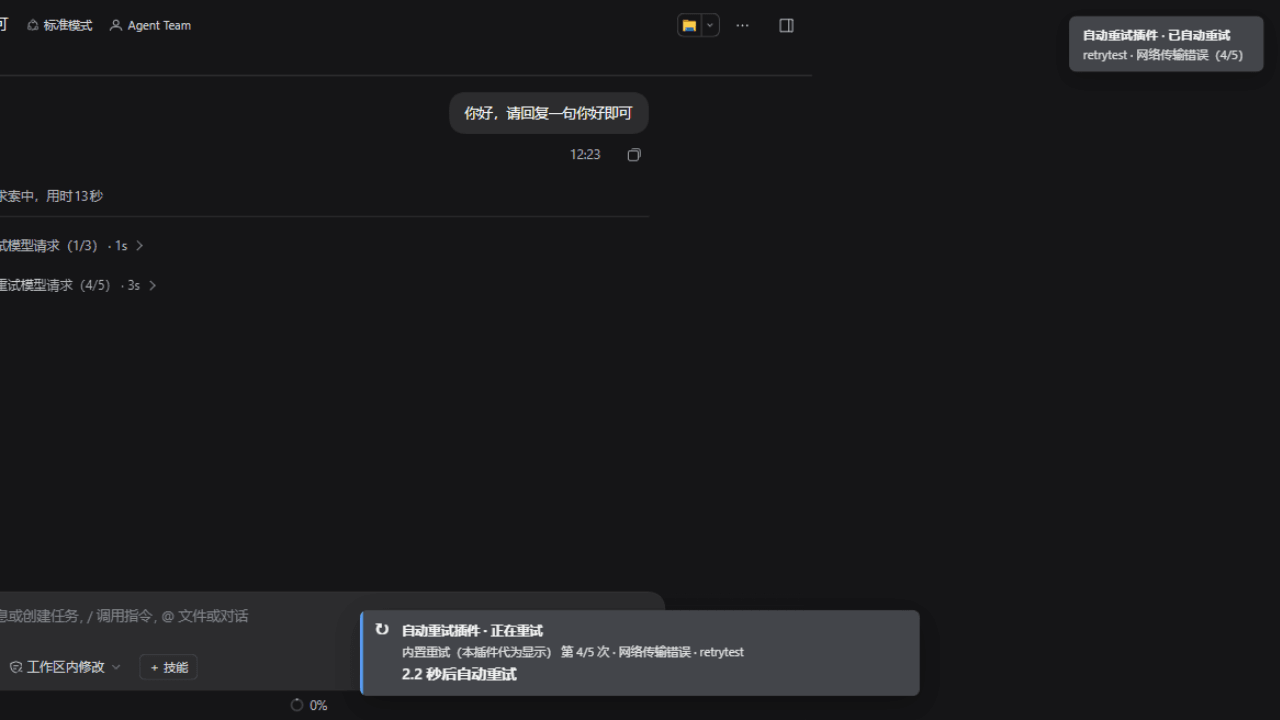
v0.3.0 把整个抢救过程搬到台面上——实测效果(内置重试第 4/5 次,2.2 秒倒计时实时跳动):
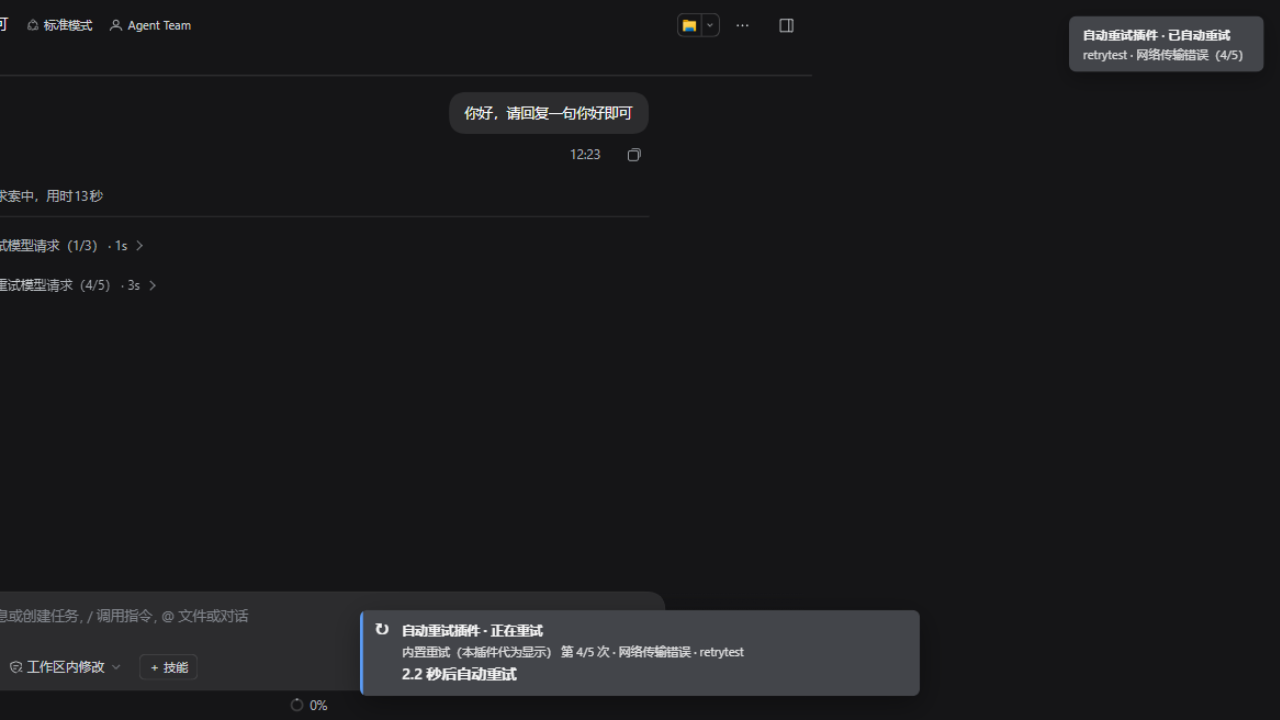
- 底部状态横幅:一旦重试,屏幕下方立刻出现醒目横幅,大字号实时倒计时走着:
↻ 自动重试插件 · 正在重试 · 补充重试 第 2/5 次 · 限流(429) · zai/glm-5.3-flash**3.2 秒后自动重试**(数字每 0.2 秒跳动,归零后显示"正在重试…") - 连 dsh 自己藏起来的重试都帮你显形:内置重试快到几秒跑完且 UI 不可见——本插件监测到后同样显示"内置重试(本插件代为显示)第 1/5 次 + 倒计时"。"假没重试"之谜从此当场破案。
- 自动继续前也有倒计时:回合阵亡后横幅显示
⏱ 5.0 秒后自动发送继续消息——这 5 秒正是你的介入窗口,看得见才抢得回。 - 熔断也会喊你:连续失败触顶停止自动继续时,橙色警示横幅明确告诉你"已暂停,回合成功后自动恢复",绝不无声罢工。
- 每一条横幅、弹窗标题都带 "自动重试插件" 字样——它是谁在干活,从来不含糊。
- 输入框全面升级:所有数字框不再"边输边改",范围说明写明(如"可填 0~20 的整数"),失焦时自动校验修正并提醒。
你是不是也遇到过
深夜挂着一个长任务,你切去干别的,回来一看——界面停在半截,模型没下文了。 你以为它还在跑,其实现已中断 20 分钟;你不知道它断在哪、重试过没有、还救不救得回来。 网络差的傍晚更灾难:限流、超时、连接重置轮番上阵,你只能机械地盯着屏幕,一断就手敲"继续"。
更气人的是"假没重试":dsh 内置重试其实重试过 5 次——但它快到几秒内跑完、界面上毫无显示, 你看到的只是"没重试就直接停了"。到底重试过没有?为什么停?还能继续吗?没人告诉你。
最难受的是"黑盒等待":就算它真的在重试,你也不知道还要等几秒、是第几次、值不值得等下去。
这个插件把这些全接管了。 装上它,你从"AI 的保姆"变回"发号施令的人"—— 它摔倒了自己爬,爬的时候还让你盯着秒表看。
三分钟理解它
dsh 的失败分三种,插件给每一种配了对应的自动恢复手段:
| 故障现场 | 你过去的体验 | 插件的自动动作 |
|---|---|---|
| 请求被拒:限流 429、服务端 5xx、超时、网络断开 | 等一会儿,手动重发 | 再追加几轮重试,间隔越拉越长,直到成功或放弃 |
| 回合阵亡:重试全耗尽、无可用模型、配置错误 | 会话停摆,等你救 | 延迟几秒自动发"继续",接着原来的上下文往下走 |
| 悄无声息:流挂起、长时间一个字都不吐 | 以为还在跑,其实早死了 | 看门狗掐表:超时无动静就主动掐掉,再自动继续 |
| 输出戛然而止:写到一半因长度被截断 | 后半段没了,手动"接着写" | 自动发"继续",让它从中断处续写 |
全程你不掉东西:上下文、工具结果、会话日志全部保留——恢复是"接着跑",不是"重头再来"。
|
|
|
|
Showing the opening section of the README — the full document lives in the repository以上为 README 开头摘要,完整文档在仓库内 · View the full README on GitHub →在 GitHub 查看完整 README →
Related相关推荐
- yxy050208/multisim-mcp Unofficial MCP server for AI-driven NI Multisim circuit generation, simulation, data export, and reports
-
 greenthree/ProbHub-skill
算法竞赛出题自动化skill(个人出题习惯),支持完善题面、构造数据、组卷用typ编译pdf和生成domjudge题目包
greenthree/ProbHub-skill
算法竞赛出题自动化skill(个人出题习惯),支持完善题面、构造数据、组卷用typ编译pdf和生成domjudge题目包
-
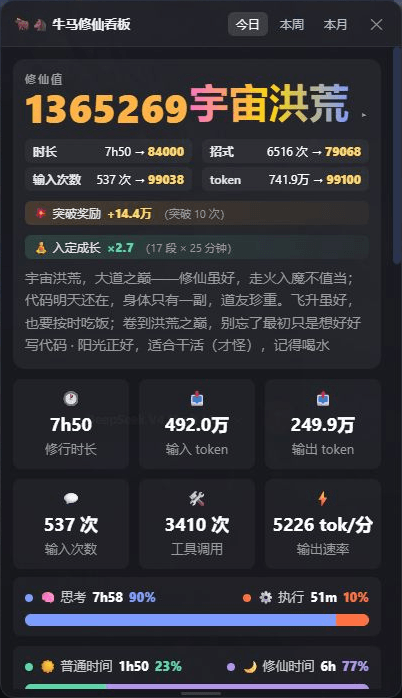 spacexun2/dsh-worktime-board
🐂🐴 牛马修仙看板:DeepSeek Harness 工时统计 × 修仙养成——把每一分钟劳动,都修成境界(日/周/月 + 学年年历,炼气→宇宙洪荒)
spacexun2/dsh-worktime-board
🐂🐴 牛马修仙看板:DeepSeek Harness 工时统计 × 修仙养成——把每一分钟劳动,都修成境界(日/周/月 + 学年年历,炼气→宇宙洪荒)
-
 GoalfyAI/goalfydata
A shared data backend for AI agents and authorized teams.
GoalfyAI/goalfydata
A shared data backend for AI agents and authorized teams.
- daodishisha28/dsh-sidechat-plugin Open a persistent side conversation from any DeepSeek Harness session to investigate questions, clarify requirements, or…
-
 nocobase/nocobase
NocoBase is an open-source AI + no-code platform for building business systems fast. Instead of generating everything fr…
nocobase/nocobase
NocoBase is an open-source AI + no-code platform for building business systems fast. Instead of generating everything fr…
-
 TencentCloudBase/CloudBase-AI-Toolkit
Backend for AI coding agents on CloudBase — database, auth, functions via Plugin, Skills & MCP.
TencentCloudBase/CloudBase-AI-Toolkit
Backend for AI coding agents on CloudBase — database, auth, functions via Plugin, Skills & MCP.
-
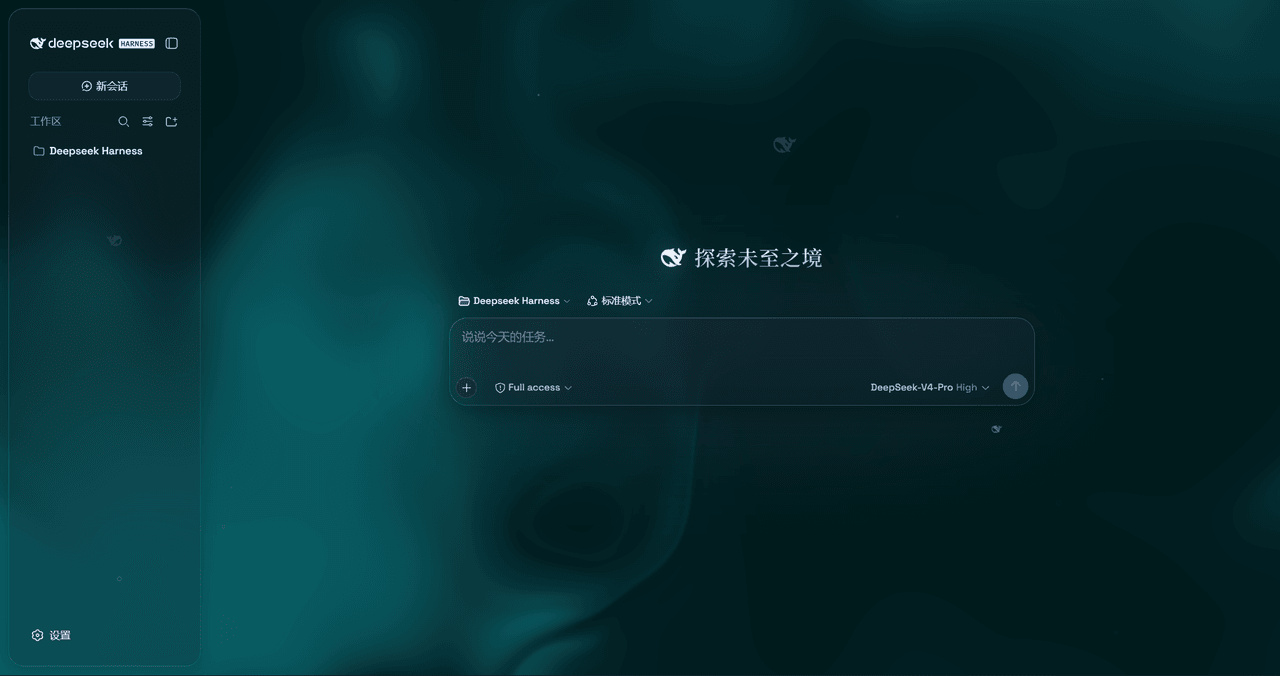 WYH66666666/DSH-Transparent-UI-Plugin
是一层高自由度的玻璃质感主题,套在 DeepSeek Harness 网页端。顶栏、侧边栏、输入框、统计行、轨迹视图都成了磨砂玻璃片。玻璃模糊度、磨砂度、背景(流体或自定义壁纸,壁纸还能单独调模糊和磨砂)全都能在设置卡片里自由调节。关掉开关…
WYH66666666/DSH-Transparent-UI-Plugin
是一层高自由度的玻璃质感主题,套在 DeepSeek Harness 网页端。顶栏、侧边栏、输入框、统计行、轨迹视图都成了磨砂玻璃片。玻璃模糊度、磨砂度、背景(流体或自定义壁纸,壁纸还能单独调模糊和磨砂)全都能在设置卡片里自由调节。关掉开关…