Adobe Firefly 与 Midjourney,该选哪一个?Adobe Firefly or Midjourney: Which Should You Pick?
同样两个工具,问五个创作者可能得到五种答案,而且每种都能成立。Adobe Firefly 和 Midjourney 都很出色,区别在于各自被造出来时优先考虑的东西不同。为自己的工作流挑错工具,代价是实打实的,而这种事经常发生。下面给一个不带立场的对比。
Ask five different creators which of these two tools is superior and you will get five answers — and every one of them can be right. Both Adobe Firefly and Midjourney do excellent work; the split comes down to what each was built to prioritise. Choosing badly for your own workflow is a costly error, and plenty of people make it. What follows is a fair look at both.
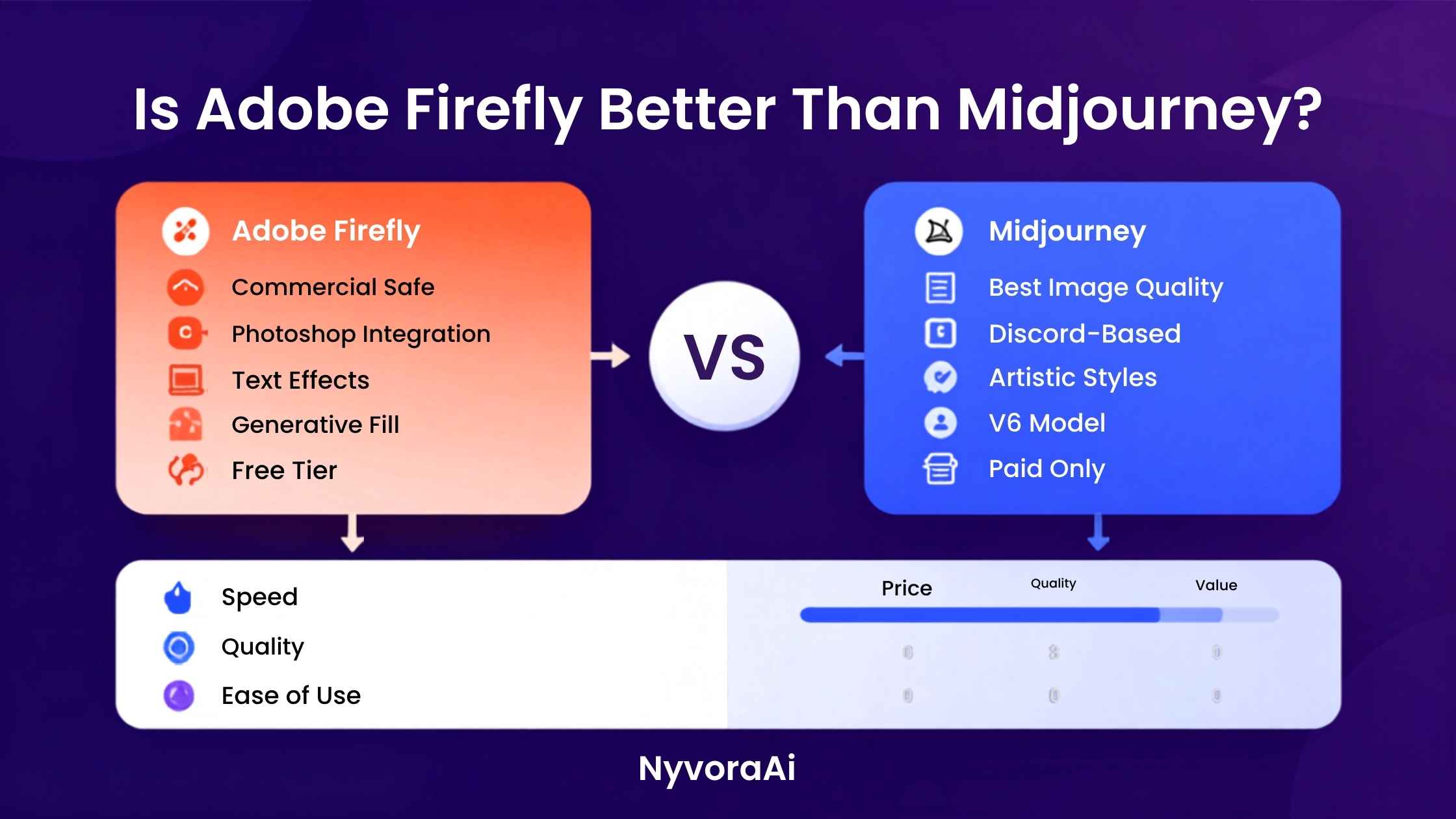
输入一段提示词,拿到一张图——这是 Midjourney 和 Adobe Firefly 仅有的共同点。再往下就分道扬镳了:两个模型学的东西不同、被调校的方向不同、面向的用户也不同。Firefly 从设计之初就把商用安全和融入创作流程当作前提:它长在 Adobe 生态之内,训练素材取自获得授权的内容,专门避开早期 AI 绘图工具那些版权麻烦。Midjourney 把优先级排在相反的位置——艺术质量放第一位,成品也一次次印证了这一点。
硬说某个工具在任何场景下都更好,并不诚实。真正要问的是:它是否贴合你的做事方式。通常有四点决定答案——授权条款怎么对待商业用途、画面本身好不好看、界面能多快上手、以及它能不能接进你每天打开的那套软件。这四点下面都会谈到。
01先说结论
如果你是设计师、市场人员,或者要产出用于商业用途的视觉素材,并且本来就活在 Adobe 的世界里,那 Firefly 更稳妥也更实用。它的授权条款清楚,成品直接落到 Photoshop 里,而且不用先学会 Discord 指令。
如果你以创作者、艺术家的身份使用它,首要目标是画面抢眼、艺术性强,而商用授权要么不是问题、要么另作安排,那么多数类别里仍是 Midjourney 更出彩。两者质量差距已经收窄,但在表现力上 Midjourney 的天花板依然更高。
只能留一个工具、又对工作方式没有明显偏好?那就从 Firefly 开始。它的免费额度足够认真试用,而不是浅尝辄止;学习门槛几乎为零;到 2026 年出图水平也进步到:日常用途下两者的质量差距比一年前小得多。
02两款工具一眼看过去
03图像质量:谁的画面真的更好看?
Midjourney 优势最明显的地方就在这里。几乎任何一类审美题材——超现实构图、插画、概念艺术、风景、人像——V7 交出的图都显得更有意图、更抓人。提示词写得用心,它给出的光线、构图和表面质感细腻程度,Firefly 到现在还没完全追上。
不过差距确实在缩小。2025 年发布、2026 年持续更新的 Firefly 3,在写实图像、干净的产品照和适合设计的图形上,比前几代强了不少。做图库风格的商业图片,它完全有竞争力。真正落后的是需要鲜明艺术风格、强烈氛围或复杂构图取舍的场合。
换个角度理解:Midjourney 像是一个审美立场很强的工具,Firefly 更像是努力把结果做正确。两种取向都各有价值,取决于你手上是什么活儿。
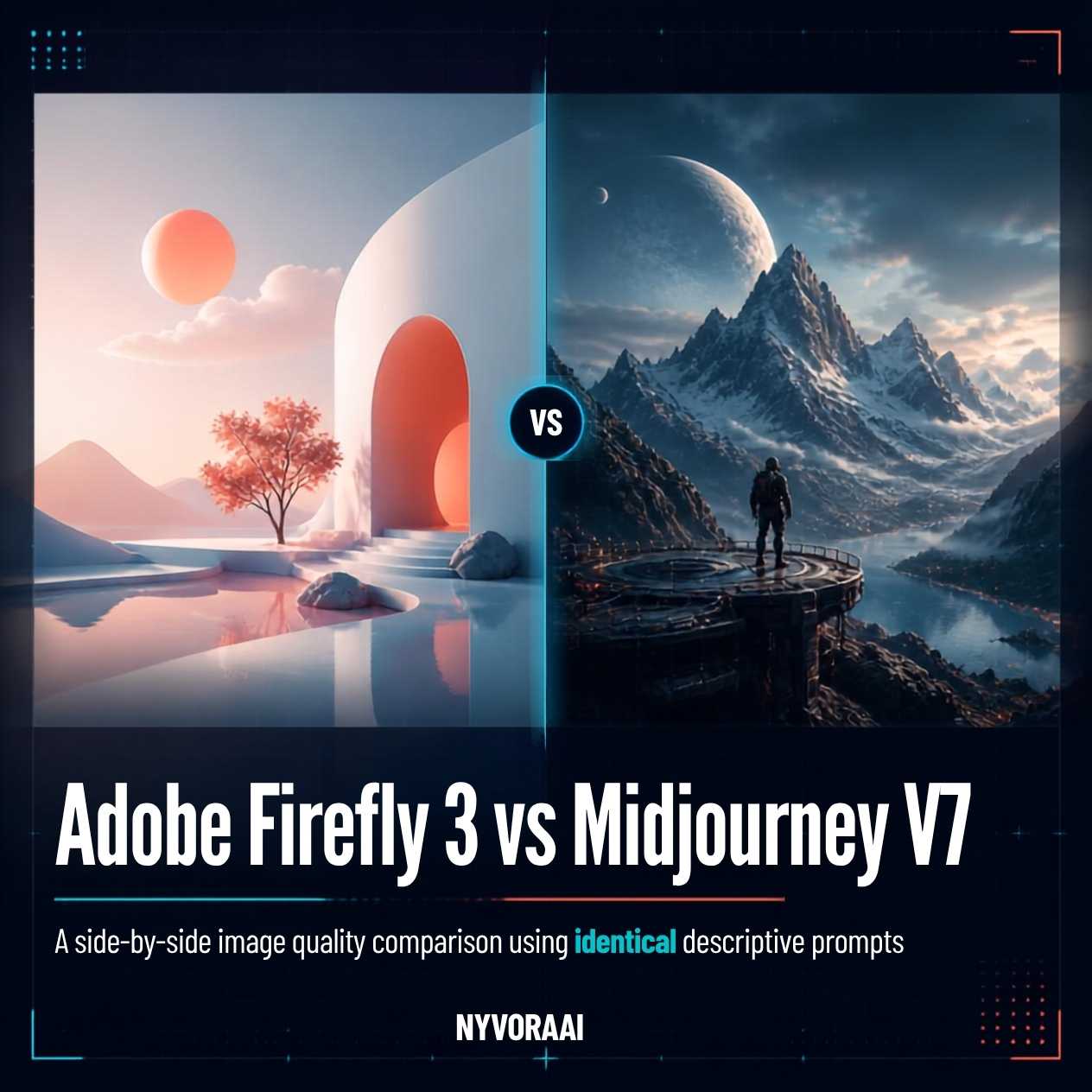
04商用授权:Firefly 明显取胜的地方
只要 AI 图片用于专业场合,这一项分量最重。Firefly 的训练只用了获得授权的 Adobe Stock 素材加上公有领域图片,Adobe 还把承诺写进了条文:企业客户因 Firefly 生成内容遭遇版权索赔,由 Adobe 承担赔偿。对法务团队、市场部门,或者任何要拿给客户看的场景,这份保障很有价值。
Midjourney 这边就复杂一些。付费订阅者确实可以把生成的图片用于商业用途,但围绕 AI 绘图工具训练数据的那些疑问,在这里并没有更清晰的答案。如果要由公司法务来审核 AI 生成的素材,Firefly 更干净的版权背景是实实在在的便利,绝非无关紧要的细节。
05上手难度:这一项毫无悬念
这一项 Firefly 赢得毫不费力。它的网页界面干净,提示词按平时说话的方式写就行,不需要记特定指令语法;Creative Cloud 订阅用户还能在 Photoshop 和 Illustrator 里直接用——那正是他们本来就干活的地方。Photoshop 里的生成式填充和生成式扩展(底层就是 Firefly)用起来简直像开了挂,而且基本不需要提示词技巧。
过去用 Midjourney 得先上 Discord,对一个要带进专业场合的工具来说,这个入门体验相当别扭。专属网页应用在 2025 到 2026 年间进步很大,但要想稳定得到脑子里想的画面,仍然得先弄懂提示词参数、宽高比标记和风格参考。这些学习成本换来的是创作质量,可这道门槛真实存在,而 Firefly 根本没有。
06价格:实际要花多少钱
Firefly 有免费网页版,每月积分额度有限。认真试试、偶尔出几张图够用,但想稳定用于专业产出,不订阅还是不行。Creative Cloud 订阅者——也就是已经在为 Photoshop、Illustrator 或整套软件付费的人——能在原有计划里拿到一笔可观的月度积分,对很多本来就在 Adobe 生态里的专业人士来说,边际成本几乎为零。
截至 2026 年,Midjourney 没有免费档。想用就必须付费订阅,入门是一档基础月费;更高档位换来更快的生成速度、更多的每月生成量和商业使用权。已经为 Creative Cloud 付费的人,新增 Midjourney 就是多一笔订阅支出。而对不在 Adobe 生态里的人而言,它的独立订阅方案按性价比看其实相当有竞争力。
这笔订阅费相比其他选择到底值不值,需要更长的篇幅来回答。我们专门写过一篇2026 年 Midjourney 值不值得订阅,把这个问题讲透了,也说明了哪些人该付这笔钱、哪些人不该。
07工作流集成:Firefly 没有对手的一项
如果你的工作围绕 Adobe 软件展开——对相当多的设计师、摄影师和内容团队来说确实如此——那 Firefly 的集成度是能改变工作方式的,像 Midjourney 这样的独立产品完全无法对标。在 Photoshop 里圈出画面任意区域,生成式填充就能用 AI 替换、扩展或修改它,全程非破坏性、衔接无痕。生成式扩展能把画面往原边界之外推出去。在 Illustrator 里,Firefly 直接生成可缩放的矢量图形。
这些 Midjourney 在应用内部一样都做不到。你可以在它那里生成一张图再导入 Photoshop,但这一进一出,恰恰丢掉了让 Firefly 真正成为设计流程一部分、而不是一个需要单独去用的生成器的那种连贯来回。
如果你的活儿主要在 Adobe 生态之外——用 Figma、Affinity,产出的东西主要投放到社交渠道和数字平台而非品牌与印刷物料——这项优势会大幅缩水。Canva 内置的 AI 功能也能给非 Adobe 用户带来类似的连贯体验。想看 AI 如何融入面向非专业用户的设计工具,可以配合我们这篇Canva AI 对设计新手友好吗一起读。
08逐项打分
09把工具对上具体用途
还有一点值得说:到 2026 年,同时使用两款工具的职业设计师越来越多。先用 Midjourney 生成一张抢眼的主视觉,再导入 Photoshop,用 Firefly 的生成式填充扩展画布、调整背景,或者补上与原有风格一致的元素。这样一套组合,把 Midjourney 的创意上限和 Firefly 的修图精度放进了同一条流程里。
图像生成很少是整套工具的全部。如果你还想搭起更完整的创意 AI 工具箱,我们有三篇评测说明了其余部分怎么拼起来:2026 年值得用的免费 AI 视频工具、Otter AI 处理会议纪要的实际表现,以及剪辑播客时领先的 AI 选择。如果写作和内容工具也在你的清单上,可以再读我们对 Copy.ai 与 Jasper 的对比,以及把 Notion AI 接进现有工作流的评估。
10常见问题
Firefly 综合来看比 Midjourney 好吗?
Firefly 生成的图能用于商业用途吗?
2026 年 Midjourney 还是最强的 AI 图像生成器吗?
没有 Creative Cloud 订阅能用 Firefly 吗?
两款里哪一款更好上手?
11最后结论
不存在对所有人都更好的那一款,把问题设成非此即彼本身就偏离了重点。如果商用安全、Adobe 集成或低上手难度排在你清单最前面,Firefly 更值得选;如果画面的艺术质量和风格跨度最重要,那就是 Midjourney。落到 2026 年的实际工作里,不少专业流程最终两款都用:需要输出强烈视觉主张时用 Midjourney,适合在 Photoshop 内部完成的修图、扩图和产出环节用 Firefly。
刚起步、只能先选一款,那就从 Firefly 入手。免费档是真实可用的入口而非演示,需要学的东西几乎为零;画质提升到这个程度后,创意上限的差别要等你越过基础阶段才会显现。那道天花板迟早会撞上——只要你是认真做 AI 图像,就一定会——那时 Midjourney 就在那里,而你在 Firefly 里养成的提示词习惯可以直接带过去。
Type a prompt, receive an image: that much is shared between Midjourney and Adobe Firefly. Beyond it, the two diverge sharply. Each model learned from different material, was tuned toward different kinds of output, and was aimed at a different sort of user. Commercial safety and a tidy fit inside a creative workflow shaped Firefly from the outset — it sits within Adobe's ecosystem, and its training drew on licensed material specifically so that the copyright worries which dogged the first generation of AI image tools would not apply. Midjourney set its priorities in the opposite order: artistic quality came first, and its output reflects that choice again and again.
Declaring a single winner across the board would be dishonest. What actually matters is fit — does the tool in front of you serve the way you work? Four things usually settle it: how the licence treats business use, how good the pictures look, how quickly the interface can be learned, and whether it slots into the software you already open every morning. All four get examined below.
01The Short Version
Live inside Adobe's world — a designer, a marketer, a business producing visuals that will be sold or published — and Firefly becomes the sensible pick. Its licence terms are straightforward, whatever you generate lands right inside Photoshop, and nothing about Discord has to be learned first.
Come at it as an artist or creator chasing images with real visual punch, and with licensing either irrelevant to you or handled elsewhere, and Midjourney keeps taking most categories. The two have grown closer in quality, yet for expressive work Midjourney still reaches higher.
No strong preference about how you work, and only room for one tool? Begin with Firefly. Its free tier allows a genuine trial rather than a token one, there is barely a learning curve to speak of, and by 2026 the results have advanced far enough that everyday jobs show a much slimmer quality gap than they did twelve months earlier.
02Both Tools at a Glance
03Image Quality — Whose Pictures Actually Win?
Midjourney's strongest ground is here. Take nearly any aesthetic territory you like — surreal compositions, illustrations, concept art, landscapes, portraits — and V7 turns out images that read as more deliberate and more arresting than anything Firefly offers. Hand it a carefully worded prompt and the light, the framing, the fine surface texture it returns reach a level Firefly has yet to equal.
Still, the distance between them has shrunk. Arriving in 2025 and refined across 2026, Firefly 3 handles photorealistic output, tidy product shots, and graphics suited to design work far more capably than earlier versions did. Against stock-photo style commercial imagery it holds its own. The shortfall appears when a look has to be distinctive, a mood has to land hard, or the composition has to be genuinely intricate.
One way to hold the difference in mind: Midjourney behaves like a tool with firm taste of its own, while Firefly behaves like a tool working to get the answer right. Neither stance is wrong — it depends on the job in front of you.
04Commercial Licensing: Firefly's Clear Victory
For professional work, no category carries more weight than this one. Firefly's training used nothing but licensed material from Adobe Stock plus images held in the public domain, and Adobe has put its commitment in writing: enterprise customers who face copyright claims over Firefly output will be indemnified. A legal department, a marketing team, or anything shown to a client can take real comfort from that.
Things get murkier with Midjourney. Subscribers who pay do receive commercial rights over what they generate, yet the broader uncertainty about training data hanging over AI image generators has not been settled here. Where a company's lawyers have a say in signing off on AI-made assets, the tidier intellectual property position behind Firefly counts for a great deal more than a passing mention.
05Ease of Use — How Hard Is Each One to Pick Up?
This category goes to Firefly without much argument. Its web interface is uncluttered, prompts are written the way you would speak and demand no special command syntax, and Creative Cloud subscribers find it sitting right inside Photoshop and Illustrator, in the very place their work already happens. Generative fill and generative expand within Photoshop — Firefly running underneath — feel almost like cheating, and no prompting expertise is required to work them.
Getting started with Midjourney once meant going through Discord — a strange first experience for a tool people bring into professional settings. The purpose-built web app got considerably better during 2025 and 2026, yet to reliably get what you picture, you still have to learn parameter syntax, aspect ratio flags, and style references. The effort is repaid in creative output, but it remains a genuine hurdle, and Firefly has no equivalent one.
06Pricing — What Each Tool Actually Costs
Firefly offers a free browser tier, though the monthly credit allowance is capped. That cap is generous enough for a proper test and the odd finished piece, but it will not carry steady professional output on its own. Subscribers to Creative Cloud — people already paying for Photoshop, Illustrator, or the whole suite — receive a sizeable credit allocation as part of the plan they hold, so for many professionals the tool costs nothing extra at the margin.
As of 2026 there is no free way into Midjourney. A paid subscription is the only door, beginning with a basic monthly plan; tiers above that buy quicker generation, a larger monthly allowance, and commercial rights. Anyone already paying for Creative Cloud must treat Midjourney as an additional subscription. Anyone outside the Adobe ecosystem, by contrast, will find the standalone plan reasonably priced for what it delivers.
Whether that subscription earns its cost next to the alternatives deserves a longer answer, and our dedicated piece on whether a Midjourney subscription makes sense in 2026 gives one — it also sets out who should be paying and who should not.
07Workflow Integration: A Category Firefly Owns Alone
Should Adobe applications sit at the centre of how you work — true for a very large share of designers, photographers, and content teams — Firefly's integration changes the job in ways a standalone product like Midjourney has no answer to. Select any region of an image in Photoshop and generative fill will swap it out, grow it, or rework it through AI, all without destroying the original. Generative expand pushes the picture outward past its old boundaries. Inside Illustrator, Firefly generates vector art that scales, natively.
Midjourney cannot do any of this from inside the applications. Yes, you can create an image there and import it into Photoshop afterwards — but that trip out and back breaks the continuous exchange which turns Firefly into a working part of a design process instead of a separate generator you visit.
Work mostly outside Adobe's ecosystem — Figma, Affinity, or turning out material chiefly for social channels and digital platforms instead of brand and print work — and the advantage shrinks a lot. Non-Adobe users can get something similarly seamless from the AI features Canva has built in. Our look at whether beginners should design with Canva AI pairs well with this comparison if you want to see how AI fits into tools built for non-professionals.
08Category-by-Category Scores
09Matching the Tool to the Job
Worth adding: by 2026 plenty of professional designers run both at once. A head-turning hero image comes out of Midjourney, gets pulled into Photoshop, and Firefly's generative fill then stretches the canvas, reworks the background, or drops in elements that hold the original look. What you end up with is Midjourney's high creative ceiling and Firefly's editing accuracy inside a single process.
Image generation is rarely the whole stack. If you are assembling a wider set of creative AI tools, three of our reviews explain how the rest of it hangs together: which free AI video tools stand out in 2026, how Otter AI handles meeting notes, and the leading AI option for editing podcasts. And should writing and content tools also be on your list, read our head-to-head on Copy.ai and Jasper together with our assessment of adding Notion AI to an existing workflow.
10Questions We Get Asked
Does Firefly beat Midjourney overall?
Are Firefly images allowed in commercial work?
Does Midjourney still lead the field in 2026?
Can Firefly be used without a Creative Cloud plan?
Of the two, which is friendlier to use?
11The Bottom Line
There is no winner for everyone, and treating the question as though there must be one gets you nowhere. Where commercial safety, Adobe integration, or a gentle learning curve sits at the top of your list, Firefly is the stronger pick. Where the picture's artistic quality and range outweigh everything else, Midjourney is. In practice, plenty of professional workflows in 2026 end up using both: Midjourney when a generation needs a distinct visual voice, Firefly for the editing, extending, and production stages that go better inside Photoshop itself.
Only space for one tool at the start? Take Firefly. The free tier is genuine access rather than a demo, there is almost nothing to learn before you are productive, and quality has risen to the point where the difference in creative ceiling only begins to bite once you have moved beyond the fundamentals. That ceiling will arrive — it does for anyone serious about AI imagery — and when it does, Midjourney is there, with your Firefly prompting habits carrying over intact.