Synthesia AI 值不值得用来做视频?Is Synthesia AI Worth Using to Make Videos?
把脚本贴进文本框,从菜单里挑一张面孔,几分钟后,一个你素未谋面的主持人就对着镜头念出你的词——没有演播室、没有摄制组、也不用重拍。这就是 Synthesia AI 的完整卖点,而对不少团队来说,它是真的兑现了。但「好不好用」取决于你想做什么、最终给谁看。下面是一份基于亲手调研的诚实记录:Synthesia 在哪里名副其实,又在哪里露怯。
Drop a script into a box, choose a face from a menu, and within minutes a presenter you have never met performs your words to camera — without studio, crew, or retakes. That, in full, is Synthesia AI's pitch, and for plenty of teams it genuinely delivers. Yet "good" hinges on what you aim to produce and who ends up watching. Below is a candid, hands-on-research account of where Synthesia earns its standing and where it falls flat.
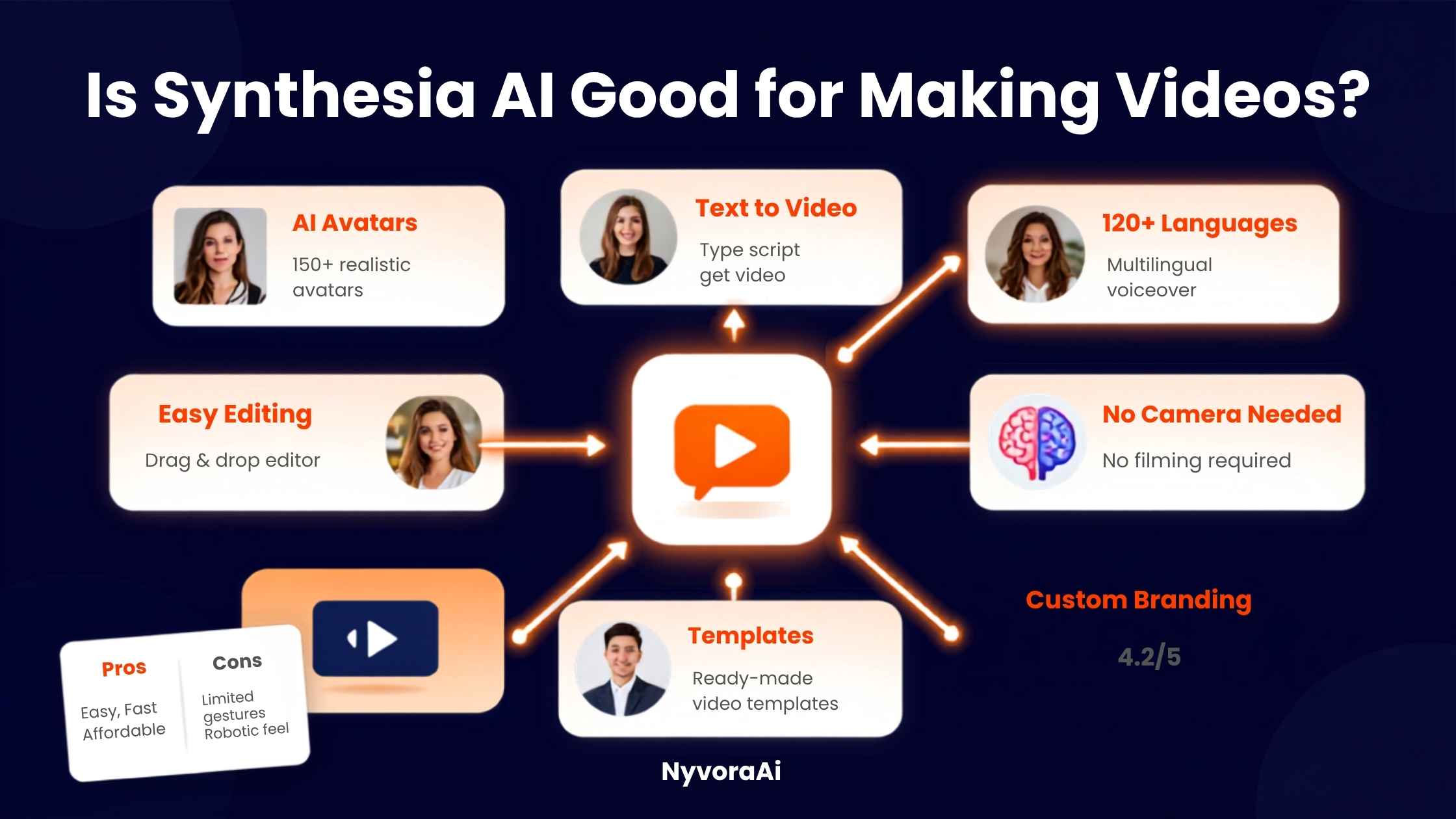
只要花点时间了解 AI 视频工具,你几乎必然会撞见 Synthesia。话题一转到 AI 数字人——那些真人从没站到镜头前、却能对着镜头照稿宣讲的逼真主持人——第一个冒出来的名字就是它。它被推荐得如此频繁,很容易让人以为它适合所有人。并非如此。Synthesia 擅长的是一份相当窄的活,真正的问题只是:这份活跟你对不对得上。
01简短结论
当你要可规模化、以脚本驱动的视频——培训模块、入职引导、公司内部更新、产品讲解、多语种讯息——Synthesia AI 值得用。可信的数字人、宽广的语言覆盖,加上文档转视频的路径,让它比真人拍摄快出一大截。可一旦成片要靠真情实感或说服力支撑——销售视频、品牌故事、广告创意——它就没那么让人信服,因为观众往往能察觉那股合成味,而真实、带点不完美的实拍常胜过精致的数字人。
02Synthesia AI 究竟是什么
Synthesia 是一个建立在简单路径上的 AI 视频平台:写好或贴入脚本,从素材库选一个 AI 数字人和声音,就能收到一条完整的主持人式视频——口型同步、旁白自然、背景由你定。这里没有摄像机、没有麦克风,也没有通常意义上的剪辑时间线。它还内置一个 AI 助手,能把现成的文档、PDF 或幻灯片直接转成有条理的视频大纲;当你的起点是一份政策文件或培训手册、而非空白页时,这一点格外顺手。
这款产品明显偏向企业端市场。素材库里有远超 200 个预置数字人,涵盖众多国籍和年龄段;支持超过 100 种语言的旁白;一键即可把现有视频重新配上另一种语言,口型还对得上。团队还能定制「个人数字人」——用某位真实主持人的影像训练出的数字分身——于是这个人仿佛亲自录下了其实从未录过的视频。
要看清 Synthesia 到底服务谁,最清楚的线索是它最常出现的地方:负责每季度都要更新的合规培训的学习发展团队、把同一条入职视频做成十几种地区语言的 HR 部门,以及功能一变就得重做讲解视频的产品团队。每一种情况下,真正值钱的都不是数字人本身,而是脚本被修改、重新生成的速度——不必再次预订演播室、主持人和剪辑师。比起一张合成脸的新奇,这种运营节奏才更能说服团队持续订阅。
03评判一款 AI 数字人产品时真正该看什么
数字人逼真度
语言覆盖
文档转视频
用量上限
拿这些标准去对照你实际要做的视频。一条十二分钟的合规模块和一支十五秒的社交广告,在「什么算好」上几乎毫无共通之处,尽管技术上两者都算「AI 视频」。
04Synthesia AI 价格与替代方案一览
| 工具 | 最适合 | 常见起步价 | 突出优势 |
|---|---|---|---|
| Synthesia | 企业培训与本地化 | 免费档;付费约 $18-29/月起 | 160+ 种语言配音 |
| HeyGen | 社交与营销风格的数字人片段 | 免费档;付费约 $29/月起 | 出片更快、风格轻松 |
| Colossyan | 与 LMS 打通的企业培训 | 约 $25/月起 | 学习平台集成 |
| D-ID | 简单的照片转口播片段 | 约 $6/月起 | 入门价格最低 |
| Filmora | 配合 AI 工具的更广泛创意剪辑 | 约 $8/月起 | 实拍素材加特效的灵活度 |
Synthesia 的付费档按每月视频分钟数计费,而不是一口价不限量,没用完的分钟数一般也不结转,所以选档前先估准真实月产量很划算。免费档足以在花钱之前充分检验数字人质量和整个流程;比起按月付费,按年付通常能把实际月成本压低不少。如果你的首要目标是把现成商业文档大规模转成培训内容,文档转视频助手再加上面向学习平台的 SCORM 导出这类企业功能很难被匹敌——但这些也恰恰最常被锁在更高、需定制报价的档位之后。
05五步上手 Synthesia AI
- 1
先从免费档开始
1 花钱之前,先拿自己的脚本检验数字人逼真度和声音质量——单凭这一点,就知道合不合适。
- 2
脚本是写给耳朵听的,不是写给眼睛读的
2 短句加自然停顿,成片的节奏和口型明显比大段密文字好。
- 3
让数字人与你的场合相配
3 正式的数字人适合合规培训,轻松的适合内部更新——一旦不搭,立刻就别扭。
- 4
用文档导入带入现成内容
4 只要 PDF、幻灯片或政策文档已经存在,就喂进去,别从空白页起步。
- 5
发布前检查整条视频
5 在任何观众看到之前,把成片看完,揪出长句上的口型漂移或古怪手势。
06Synthesia AI 真正的短板
- 数字人仍可能掉进恐怖谷。在更长、更带情绪的句子上,面部表情和手势偶尔看着略不对劲。
- 按视频分钟计费设下一道硬上限。错估月产量的团队,会在尴尬的时刻撞上套餐额度。
- 说服类内容是弱项。直接对比时,真人出镜的销售和广告式视频常胜过精致的数字人。
- 部分企业功能藏在定制报价之后。SCORM 导出和完整视频翻译通常被锁在 Enterprise 档。
- 它救不了一个烂脚本。Synthesia 加快的是制作,并不提供真正让视频有用的教学设计或讯息打磨。
07把一条 Synthesia 视频变成更多内容
一条 Synthesia 视频完成后,其脚本和成片能喂养的内容,比多数人起初计划的要多。想把成片切成社交短片段,我们的2026 年最佳免费 AI 视频工具盘点,为这一步提供了不必再添付费订阅的可靠选择。落地页的封面图和配套图形同样重要——关于Canva AI 是否适合设计新手的看法,是制作简单、统一视觉时有用的下一篇;若你明确想要更精致的东西,我们关于2026 年 Midjourney 值不值得订阅的文章则介绍了一个更高端的选择。
你为 Synthesia 写的脚本,也能成为别处文字作品的底稿——博客文章、邮件系列或帮助文档。当你经常把视频脚本大批量转成文字文案时,值得读我们对Copy.ai 与 Jasper 的比较。而由于 Synthesia 文档转视频的路径,与录制会议的处理方式有重叠,如果你正在权衡由哪款工具先抓取、整理原始素材、再进入脚本环节,我们关于Otter AI 做会议笔记好不好用的评测是个有用的参照。若播客式旁白也在你的制作组合里,最佳播客剪辑 AI 工具指南补齐了同一工作流的音频一侧。
08订阅前人们常犯的错
- 以为它在任何场合都能取代真人主持人。结构化、信息性的内容才是它的强项,而非重说服的营销。
- 低估每月所需的视频分钟数。选档前列出现实的产量,因为上规模后额度上限很快就到。
- 跳过「为听而写」的脚本改写。把密集书面文字直接贴进去,节奏明显不如专为口述而写的脚本。
- 不做完整检查就发布。口型和手势问题能躲过快速浏览,却会被看完整条视频的观众一眼发现。
- 无视披露方面的期待。面向公众的视频用了数字人却不披露,一旦被察觉,会悄悄侵蚀信任。
09常见问题
Synthesia AI 适合做视频吗?
Synthesia AI 免费吗?
Synthesia AI 多少钱?
Synthesia AI 的数字人看起来逼真吗?
Synthesia AI 最好的替代方案是什么?
10结语
那么,Synthesia AI 做视频好不好?就它被打造来干的那份活——把脚本或文档转成精致、多语种、主持人式的视频,无需摄像机和摄制组——答案是真的肯定。它的数字人库、语言覆盖和文档转视频路径,为大批量制作培训、入职和内部沟通的团队省下实打实的时间。凡是要靠真实人情温度去说服或连接的地方,它就没那么合身;在得出结论之前,拿自己的脚本去试免费档,值得一做。
诚实的总结是:Synthesia 并非各类视频的万能替身,它也从没打算如此。让产品与工作相配——结构化、脚本重、可规模化——它很快就能名副其实;硬把它塞进重情绪的故事讲述,数字人与真人主持人之间的鸿沟立刻显现。看清你真正在做哪条视频,团队该选什么就清楚得多。仍在犹豫?免费档试了不花钱,把自己的脚本跑上十分钟,通常比任何评测(包括这篇)都更说明问题。
Spend any time looking into AI video tools and Synthesia will almost certainly cross your path. It's the name that surfaces the moment AI avatars come up — those photoreal presenters reading a script to camera while no human ever steps in front of a lens. It's also recommended so often that it feels natural to assume it suits everyone. It doesn't. Synthesia excels at a fairly narrow job, and the real question is simply whether that job matches yours.
01The Short Answer
Synthesia AI is worth using when you want scalable, script-driven video: training modules, onboarding walkthroughs, internal updates, product explainers, and multilingual messaging. Its convincing avatars, broad language range, and document-to-video route make it dramatically quicker than filming a live presenter for these formats. It convinces far less wherever genuine emotion or persuasion carries the piece — sales videos, brand storytelling, ad creative — since viewers tend to spot the synthetic delivery, and authentically imperfect real footage often beats a polished avatar.
02What Synthesia AI Really Offers
At its heart, Synthesia works as an AI video platform following a straightforward route: write or paste a script, pick an AI avatar and voice from the library, and receive a complete presenter-style video with lip movement synced up, narration that sounds natural, and a background you select. There's no camera, no microphone, and no editing timeline in the usual sense. An AI assistant is bundled in as well, able to convert an existing document, PDF, or slide deck straight into an organized video outline — genuinely handy when a policy document or training manual, rather than a blank page, is your starting point.
The product has leaned heavily toward the enterprise side of this market. Its library holds well over 200 stock avatars spanning many nationalities and age ranges, narration is supported in more than 100 languages, and a single click re-voices an existing video into another language with lip movement that matches. Teams can also commission a "personal avatar" — a digital double trained on footage of an actual presenter — so that person appears to deliver videos they never in fact recorded.
The clearest read on who Synthesia serves comes from where it appears most often: learning and development teams upholding compliance training that shifts each quarter, HR departments issuing the same onboarding video across a dozen regional languages, and product teams needing an explainer refreshed whenever a feature changes. In each case the real value isn't the avatar as such — it's the speed at which a script can be revised and regenerated without rebooking a studio, presenter, and editor. Far more than the novelty of a synthetic face, that operational pace is what usually makes the subscription worthwhile for teams that stay.
03What Really Counts When You Judge an AI Avatar Product
Avatar Realism
Language Range
Document-to-Video
Usage Caps
Measure those points against the video you actually need. A twelve-minute compliance module and a fifteen-second social ad share almost nothing when it comes to what "good" means, even though both technically qualify as "AI video."
04Synthesia AI Pricing and Alternatives, Side by Side
| Product | Ideal Use | Usual Entry Price | Signature Strength |
|---|---|---|---|
| Synthesia | Localization plus enterprise-grade training | Free plan; paid tiers from roughly $18-29/mo | Voiceovers spanning 160+ languages |
| HeyGen | Avatar clips with a social, marketing feel | Free plan; paid from ~$29/mo | Fast results in a relaxed tone |
| Colossyan | Corporate training tied into an LMS | From ~$25/mo | Connections into learning platforms |
| D-ID | Turning a plain photo into a talking head | From ~$6/mo | The cheapest way to begin |
| Filmora | Wider creative editing paired with AI | From ~$8/mo | Real footage blended flexibly with effects |
Synthesia's paid tiers run on a monthly video-minute allowance rather than a flat unlimited rate, and leftover minutes generally don't carry over, so estimating your true monthly output before choosing a tier pays off. The free plan is ample for properly judging avatar quality and the workflow before spending, and annual billing usually pulls the effective monthly cost down a good deal versus month-to-month payments. If converting existing business documents into training content at scale is the priority, the document-to-video assistant plus enterprise features such as SCORM export for learning platforms are hard to rival — yet they're also the features most often held behind the higher, custom-priced tier.
05Getting Going With Synthesia AI in Five Steps
- 1
Begin on the free plan
1 Judge avatar realism and voice quality against your own script before any payment — on its own, that tells you whether the fit is right.
- 2
Write a script meant to be heard, not read
2 Brief sentences with natural pauses come out with visibly better pacing and lip sync than dense paragraphs.
- 3
Match the avatar to your setting
3 A formal avatar suits compliance training, a relaxed one suits an internal update — any mismatch feels wrong at once.
- 4
Bring in existing content through document import
4 Whenever a PDF, deck, or policy document already exists, feed that in rather than starting blank.
- 5
Check the whole video before publishing
5 Before any audience sees it, watch the finished video through for lip-sync drift or odd gestures on longer sentences.
06Where Synthesia AI Genuinely Comes Up Short
- Avatars can still land in the uncanny valley. On longer, more emotional sentences, facial expression and hand gestures occasionally look slightly wrong.
- Video-minute billing imposes a firm cap. Teams that misjudge monthly output hit plan limits at awkward moments.
- Persuasive material is a weak point. In direct comparisons, real-presenter sales and ad-style videos frequently top a polished avatar.
- Custom pricing gates a portion of enterprise features. The Enterprise tier is commonly where SCORM export and full video translation are kept.
- It won't rescue a weak script. Synthesia speeds production up; it doesn't supply the instructional design or messaging that genuinely makes a video useful.
07Spinning More Content From One Synthesia Video
Once a Synthesia video is complete, its script and footage can feed more content than most people plan for at the outset. To cut the finished piece into short social clips, our rundown of the top free AI video tool for 2026 covers sound options for that exact step without another paid subscription. Cover images and supporting graphics for the landing page matter as well — our take on whether Canva AI suits design beginners is a useful next step for simple, consistent visuals, while if you specifically want something more polished, our piece on whether Midjourney is worth a subscription in 2026 covers a higher-end option.
The script you wrote for Synthesia can also anchor written work elsewhere — a blog post, email sequence, or support article. Our comparison of Copy.ai against Jasper is worth a look when you regularly turn video scripts into written copy at volume. And because Synthesia's document-to-video route overlaps with how recorded meetings get processed, our review of whether Otter AI works for meeting notes is a helpful comparison if you're weighing tools to capture and organize source material before it ever reaches a script. Where podcast-style narration is also in your mix, our guide to the top AI tool for podcast editing covers the audio side of the same workflow.
08Mistakes People Make Before They Subscribe
- Assuming it replaces a live presenter in every setting. Structured, informational material is its strength, not persuasion-heavy marketing.
- Underestimating monthly video-minute needs. Lay out realistic output before choosing a tier, since caps arrive quickly at scale.
- Skipping the rewrite for narration. Pasting dense written text straight in yields visibly worse pacing than a script written to be spoken.
- Publishing without a full review. Lip-sync and gesture slips slip past a quick skim yet stand out to viewers watching the whole video.
- Ignoring expectations around disclosure. Public-facing video with an avatar and no disclosure can quietly erode trust once noticed.
09Frequently Asked Questions
Does Synthesia AI genuinely work well for videos?
Can Synthesia AI be used for free?
What price does Synthesia AI carry?
Are the Synthesia AI avatars realistic to watch?
What is the strongest alternative to Synthesia AI?
10Conclusion
So then — does Synthesia AI make good on video? For the job it was purpose-built around, turning scripts or documents into polished, multilingual, presenter-style video while skipping camera and crew, it genuinely does. Teams that turn out training, onboarding, and internal communications in bulk recover real time thanks to the avatar library, language range, and document-to-video route. Anywhere authentic human warmth has to carry the persuasion or connection, the fit weakens, and running your own script through the free plan before you settle on a verdict is well worth the minutes.
In all honesty, no one should read Synthesia as a one-size-fits-all stand-in for video of every type — that was never the ambition. Put it to work on structured, script-heavy, scalable jobs and its reputation proves deserved fast. Steer it toward emotion-led storytelling, though, and how far an avatar sits from a live presenter becomes obvious immediately. Once you're clear about the video actually in front of you, choosing for your team gets far simpler. Still on the fence? Trying costs nothing on the free plan, and ten minutes with your own script generally teaches more than a review could — even this one.