1321928757/dsh-mysql
DeepSeek Harness 的 MySQL 连接器插件:在设置中配置连接,通过编辑器按会话切换,并将 mysql_query/mysql_tables/mysql_execute 工具暴露给每个代理预设。
项目介绍Project Overview
dsh-mysql 是 DeepSeek Harness 的 MySQL 连接器插件。在设置页配置多个连接,每条可设置表白名单和写权限开关(默认关闭);在编辑器左侧通过数据库按钮按会话切换当前连接,所有 agent 预设立即获得 mysql_query、mysql_tables、mysql_execute 三个全局工具。适用于需要让模型直接读取或(受控地)写入 MySQL 的场景。注意:密码以明文存于本机 $DSH_HOME/storages/dsh-mysql/connections.json,请用系统权限保护该文件。
dsh-mysql is a MySQL connector plugin for DeepSeek Harness. It lets you configure multiple connections in the settings page, each with a table allowlist and a write-permission switch (off by default), then pick the active connection per session from a database button beside the composer. All agent presets instantly gain three global tools: mysql_query (read-only SELECT/SHOW/DESCRIBE/EXPLAIN, allowlist enforced, 2000-row cap), mysql_tables (schema lookup via information_schema), and mysql_execute (INSERT/UPDATE/DELETE only, requires allowWrite). Use it when agents must read or safely write MySQL data without editing presets. Caveat: passwords are stored in plaintext in $DSH_HOME/storages/dsh-mysql/connections.json; protect the file with OS permissions.
请帮我了解并安装插件:【dsh-mysql】【https://github.com/1321928757/dsh-mysql】把上面这条消息直接发给当前会话里的 DSH,让它帮你了解并安装。安装命令不一定准确,发给 DSH 更稳。Send this message to DSH in your current session. CLI install commands may not be accurate across systems — DSH will figure it out for you.
或使用命令行安装(适合开发者)Or use CLI install (for developers)
命令行安装CLI Install
dsh plugin --profile web add dsh-mysql把 1321928757/dsh-mysql 加入你的 DSH 配置(web profile)即可启用。
READMEREADME
dsh-mysql
English | 中文
MySQL connector plugin for DeepSeek Harness (DSH): configure multiple MySQL connections in the settings page — each with a table allowlist and a write-permission switch (default off) — then switch the active connection per session from a database button beside the composer. All agent presets immediately get mysql_query / mysql_tables / mysql_execute tools; no preset edits required.
- Settings page (
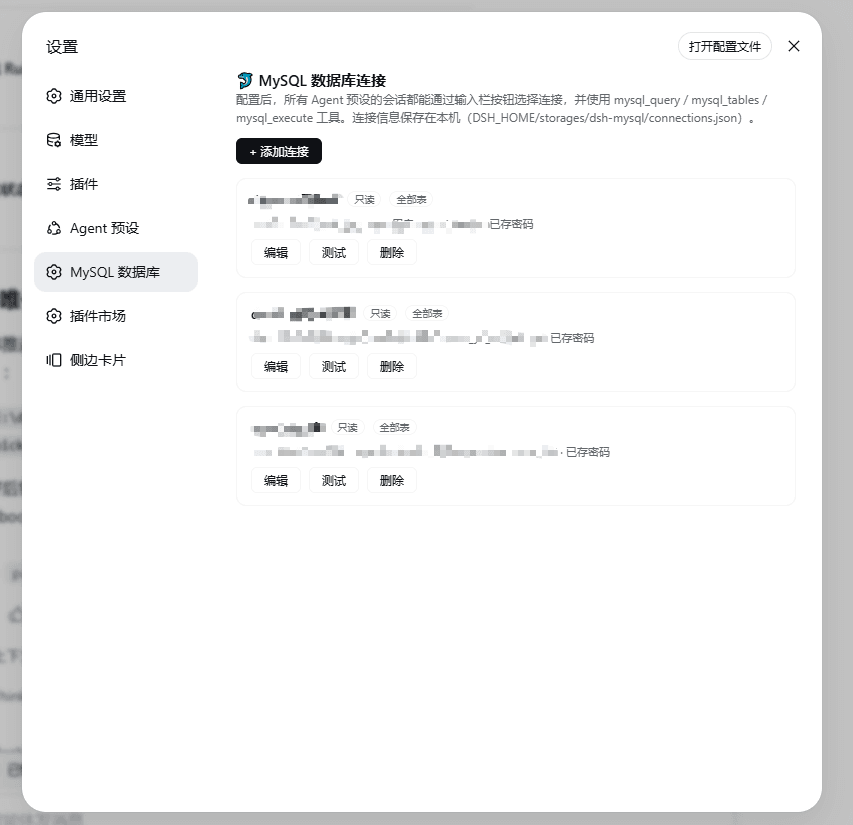
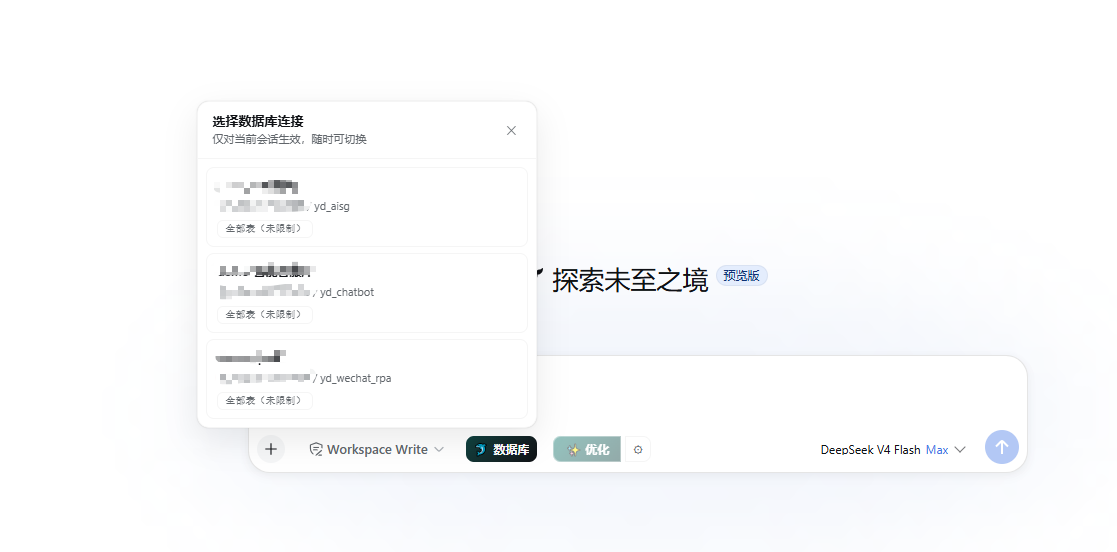
设置 → MySQL 数据库): add / edit / delete / test connections — host, port, user, password, default database, per-connection table allowlist and write permission. - Composer button (database icon, left of the input bar): pick the connection for the current session; switch any time. The active connection and its readable tables are appended to each turn's runtime-context snapshot, so the model always knows which database to query — the cached system-prompt prefix is never rewritten.
- Global tools (available under every agent preset):
| Tool | Purpose |
|---|---|
mysql_query |
Read-only single SELECT/SHOW/DESCRIBE/EXPLAIN against the selected connection. Table allowlist enforced, multi-statement rejected, MAX_EXECUTION_TIME hint injected into SELECT, up to 2000 rows returned with a truncated flag. |
mysql_tables |
Inspect the schema (tables, columns, types, keys, comments) of readable tables via information_schema. |
mysql_execute |
INSERT/UPDATE/DELETE only, and only when the connection has allowWrite enabled (default off). DDL (DROP/TRUNCATE/ALTER/...) and multi-statement SQL are always rejected. |
- Per-session selection is resolved through the tool execution context (
exec.agent), so the model always queries the database you picked in the composer. - Connections persist in
$DSH_HOME/storages/dsh-mysql/connections.json; passwords only exist on your machine and are never sent back to the browser (the UI only seeshasPassword).
Install
dsh plugin --profile web add github:1321928757/dsh-mysql#v0.1.10
Or from npm (once published):
dsh plugin --profile web add dsh-mysql
PowerShell one-liner (bootstraps pnpm, pins versions, self-checks):
irm https://raw.githubusercontent.com/1321928757/dsh-mysql/v0.1.10/scripts/install.ps1 | iex
Restart dsh web (make sure the old process really exited). After the restart, open 设置 → MySQL 数据库, add a connection and press 测试连接; the database button appears on the left of the composer. Verify:
dsh --profile web --dump-config | findstr dsh-mysql
Uninstall: dsh plugin --profile web remove dsh-mysql
Requirements: DeepSeek Harness (Node ≥ 20). The package ships prebuilt JavaScript (dependencies:
mysql2,zod), so git installs need no build approval. Connections are stored locally; nothing leaves your machine.
Quick start
- Open Settings → MySQL 数据库 →
+ 添加连接; fill in host / port / user / password / default database, optionally list the readable tables (comma separated), decide whether to enable write permission. Press测试连接, then保存. - In any conversation, click the database button on the left of the composer and pick the connection (per-session; a single configured connection is auto-selected).
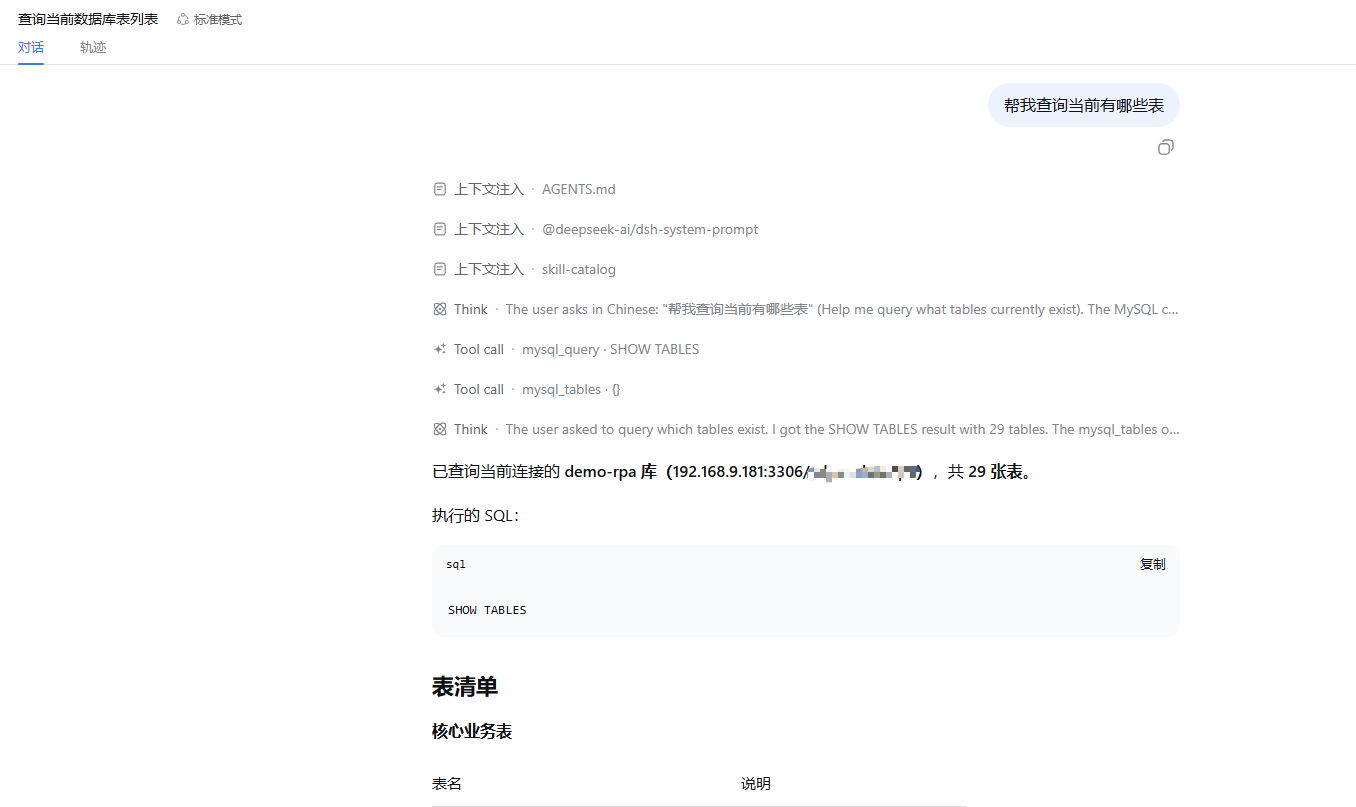
- Ask the agent anything about the database — it calls
mysql_tablesfor the schema andmysql_queryto read data; when the connection has write permission enabled,mysql_executecan runINSERT/UPDATE/DELETE.
Screenshots
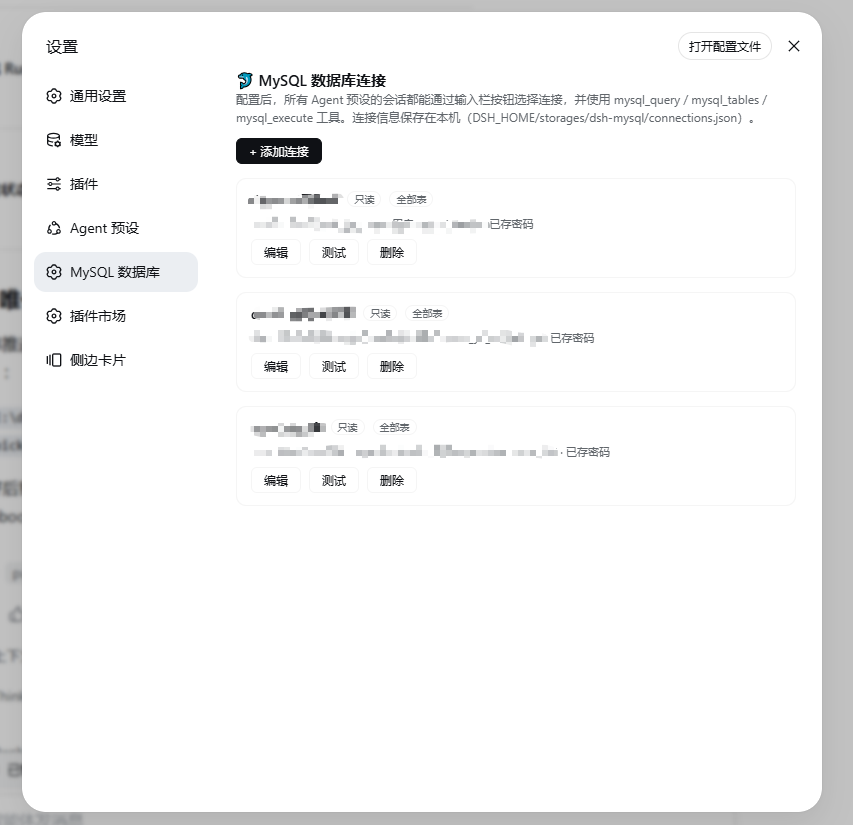
Settings page — connection cards with allowlist chips and read-only / writable badges:
Per-session connection picker opened from the composer database button:
The agent querying the database with mysql_query inside a conversation:
Safety model
- Tool-layer enforcement, defense in depth. For production, also create a dedicated MySQL account with only the needed privileges (ideally
SELECTonly) for the agent. mysql_queryaccepts only a singleSELECT/SHOW/DESCRIBE/EXPLAIN;mysql_executeaccepts only a singleINSERT/UPDATE/DELETEand requires the per-connectionallowWriteflag.- Table allowlist: when a connection lists tables, every statement is rejected if it references a table outside the list (an empty list means "all tables").
SELECTstatements get aMAX_EXECUTION_TIME(15000)optimizer hint injected; result sets are capped at 2000 rows; multi-statement SQL and DDL are always rejected.- Passwords are stored in plain text in
$DSH_HOME/storages/dsh-mysql/connections.jsonon your machine — protect the file with OS permissions.
How it works
- Host bundle (
lib/index.js): lazy mysql2 connection pools (rebuilt automatically on config change), a per-session selection map, three global tools, and asystemPrompt.contextdynamic section appended after the conversation; a Typert servicemysql(connection CRUD / test / selection / table list) is exposed to the browser viaremote.mysql.*RPC. - Browser bundle (
lib/client.js): theconversation.input.leftslot hosts the database button and picker; thesettings.sectionslot (idmysql) hosts the connection configuration page. All UI consumes--dsw-*theme tokens and follows the global light/dark theme.
Migrating from a preset-embedded mysql tool
If a preset previously embedded mysql_query/mysql_execute (e.g. a row loading a local mysql-tool.mjs):
- Install this plugin into the profile.
- Remove the mysql tool row (and connection config) from the preset's
agent.cordis.yml; keep the business persona text. - Restart
dsh web, then recreate the connection in Settings → MySQL 数据库. Tool names are identical, so preset prompts that mentionmysql_querykeep working unchanged.
Development
node --check lib\index.js lib\shared.js lib\typert.host.js lib\client.js
node test\shared.test.mjs
pnpm pack
dsh plugin --profile web add .\dsh-mysql-0.1.10.tgz
# restart dsh web, then verify in the browser
License
MIT. Not affiliated with DeepSeek. Installing runs third-party code on your machine — review the source first.
相关推荐Related
-
 Nagi-ovo/dsh-visualize
在 DSH 对话中生成交互式可视化|Render model-generated interactive cards inside DSH conversations
Nagi-ovo/dsh-visualize
在 DSH 对话中生成交互式可视化|Render model-generated interactive cards inside DSH conversations
-
 omdsh-dev/dsh-data-agent
Connect DSH to your database for conversational data analysis and actionable business insights.
omdsh-dev/dsh-data-agent
Connect DSH to your database for conversational data analysis and actionable business insights.
-
 Awu12277/dsh-stock-watch
A股自选股实时行情盯盘插件 - DeepSeek Harness Web 右上角可折叠弹窗
Awu12277/dsh-stock-watch
A股自选股实时行情盯盘插件 - DeepSeek Harness Web 右上角可折叠弹窗
-
 dream12347/dsh-session-manager
DSH 会话管理插件:删除(回收站恢复/彻底清除)、统计、继续/暂停、打开日志目录、对话顶部抽屉、工作区分组与排序、上下文压缩阈值设置。DSH session manager: delete with trash/restore/purge…
dream12347/dsh-session-manager
DSH 会话管理插件:删除(回收站恢复/彻底清除)、统计、继续/暂停、打开日志目录、对话顶部抽屉、工作区分组与排序、上下文压缩阈值设置。DSH session manager: delete with trash/restore/purge…
-
 MiaoQichuan/new-litigation-visualization
把法律画出来 · Make the Law Visible —— 给法律人的诉讼可视化工具集:把凌乱的诉讼图重画成能进材料的图,或直接读案件材料画准一张时间轴。Claude Skill / DeepSeek Harness 通用。
MiaoQichuan/new-litigation-visualization
把法律画出来 · Make the Law Visible —— 给法律人的诉讼可视化工具集:把凌乱的诉讼图重画成能进材料的图,或直接读案件材料画准一张时间轴。Claude Skill / DeepSeek Harness 通用。
-
 unitarylab/quantum-practices
量子计算最佳实践 Quantum Algorithms Best Practices
unitarylab/quantum-practices
量子计算最佳实践 Quantum Algorithms Best Practices
- kobenfang/bigA openclaw-skills BigA · A股智能选股(选股分析·量化交易·股票池)
-
 BillyChen123/qdd