Ansonfishing/dsh-cap-profile
Per-model capability profiling for DSH: turns local session history into tool-usage and error-rate dashboards with time-range filters
Project Overview项目介绍
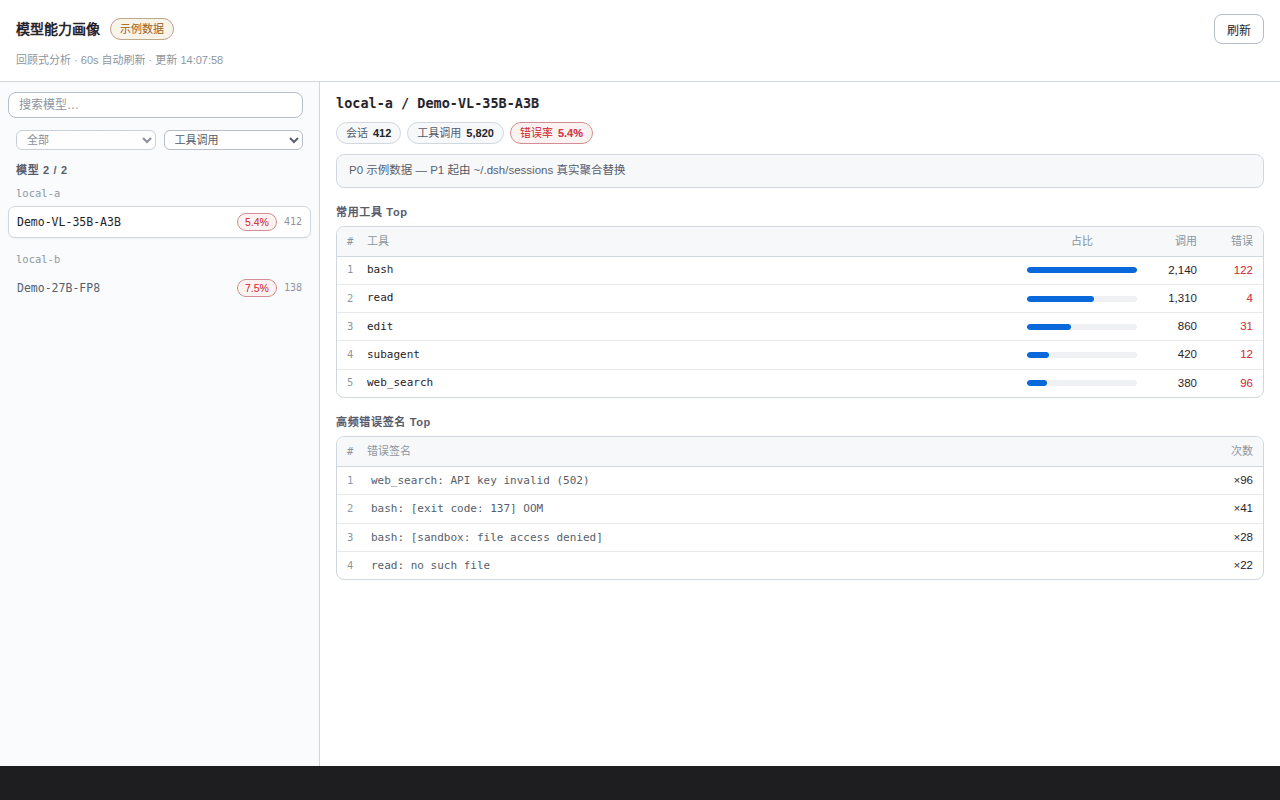
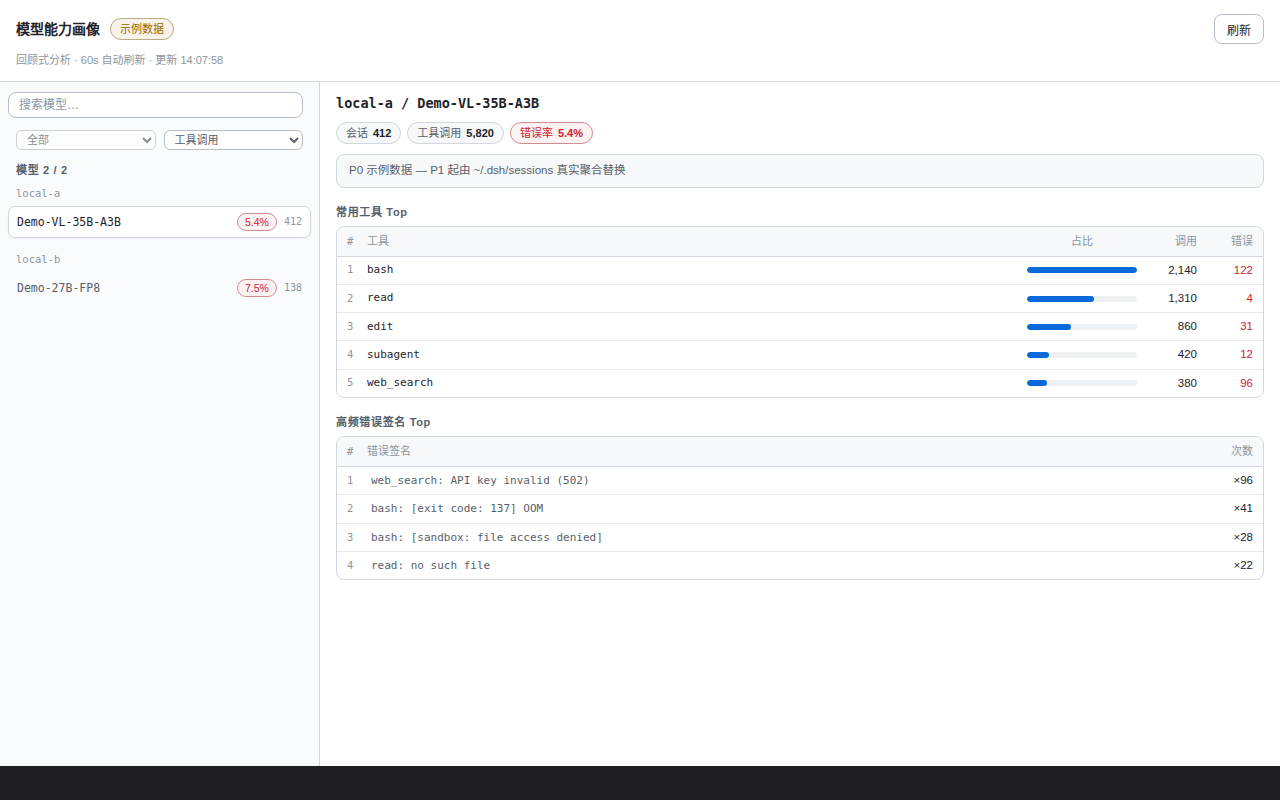
dsh-cap-profile is a native DSH (DeepSeek Harness) plugin whose very name, packaging, and manifest target only DSH. It is installed via pnpm into the user's ~/.dsh/profiles/web directory and registered by adding "dsh-cap-profile" to the dsh.profile.bundles array inside that profile's package.json; after restarting dsh, a new "能力画像" / Capability Profile tab appears inside the session view. The plugin reads ~/.dsh/sessions history and renders per-model (provider + model) statistics — session counts, tool-call volumes, error counts, error rates, most-used tools, and normalized top error signatures — so users can answer "which model is reliable at what, and where does it fall down?" without grepping raw logs.
The intended workflow is to first skim the model comparison table to spot outliers, then drill into a single model through the "Tool Top-5 / Error Signature Top-5" panels to localize weak points, and finally tick up to four models to enter the multi-model comparison view that surfaces top-10 tool matrices, top-5 errors, and per-day call/error mini bars with the current day's errors highlighted in red. A time-range selector — all / last 7 / last 30 / last 90 days / today / yesterday — anchored to the dataset's max date (not wall-clock) lets users focus on recent regressions. Without installing DSH, anyone can clone the repo and open test/harness/index.html directly in a browser, switching scenarios with ?scenario=mock|live|empty|error and hiding the harness chrome with ?chrome=0.
Dependencies are deliberately lean: the host must run DSH with its web profile, pnpm must be available, and Node ≥ 24 is required because session decoding relies on the built-in zstdDecompressSync API. The plugin itself is pure Node.js with zero runtime dependencies, performs read-only analysis that never mutates session files, enforces Origin/Referer checks that 403 cross-origin requests, and maintains an incremental cache keyed by per-file mtime with a 60-second incremental sweep and a 24-hour full rescan. On the first open of the tab a background first scan kicks off (roughly 20 seconds for large histories) and the route falls back to mock data while it runs. The license is MIT; local development uses pnpm add link:../path/to/dsh-cap-profile, browser-side edits only need an F5 refresh, Node-side edits in index.js or lib/*.js require a dsh restart, and tests run via npm test (which executes node --test test/*.test.mjs).
dsh-cap-profile 是一款 DSH(DeepSeek Harness) 原生插件,名称与打包均围绕 DSH。它通过 pnpm 安装到 ~/.dsh/profiles/web 目录,在 package.json 的 dsh.profile.bundles 数组中注册 "dsh-cap-profile",随后重启 dsh 即在会话视图出现「能力画像」tab。插件读取 ~/.dsh/sessions 的会话历史,生成每个模型(provider / model)的会话数、工具调用量、错误率、最常用工具与高频错误签名,直接回答「哪个模型擅长什么、容易翻车在哪」。
典型用法是先快速浏览模型对比表,再用「工具 Top5 / 错误签名 Top5」定位单模型短板,通过勾选最多 4 个模型进入多模型对比视图查看趋势 mini 竖条与错误 Top5。配合「全部 / 近 7 / 近 30 / 近 90 天 / 今天 / 昨天」时间范围筛选,可以聚焦近期表现。无需安装 DSH 也可预览:克隆仓库后浏览器打开 test/harness/index.html,用 ?scenario=mock|live|empty|error 切换数据场景。
依赖方面要求 DSH 带 web、Node ≥ 24(内置 zstdDecompressSync 解码会话)以及 pnpm;插件零运行时依赖,纯 Node.js 实现,只读分析不修改会话,跨源请求 403,并使用 per-file mtime 增量缓存(60s 增量、24h 全量)。首次打开会触发后台首扫(大体量约 20 秒),期间回退 mock 数据。许可证为 MIT,本地开发可用 pnpm add link:../path/to/dsh-cap-profile,客户端改动 F5 即可,Node 侧改动需重启 dsh,测试用 npm test。
请帮我安装这个 DSH 插件。安装前先完成【兼容性检查 + 安全性检查】,检查通过再动手。

插件:dsh-cap-profile(Ansonfishing/dsh-cap-profile)
仓库:https://github.com/Ansonfishing/dsh-cap-profile
本站详情页:https://www.yhbd.top/plugins/ansonfishing-dsh-cap-profile/
本站登记:类型 plugin · 归类 原生 DSH 插件 · 许可证 MIT · ⭐ 2 · 最近提交 2026-08-29 · 主语言 JavaScript

按下面顺序执行,每步先把结论告诉我,再进入下一步:

【1 兼容性检查】
① 我这边:DSH 版本、Node 版本、操作系统、当前 profile(web / desktop)。
② 读它的 README、package.json、插件 manifest,列出它要求的 DSH 版本 / Node 版本 / 操作系统 / 外部依赖 / 需要另外先装的运行时。
③ 逐条比对,结论只写「满足 / 不满足 / 未知」三种;不满足的给出可行替代方案。
④ 检查是否和我已装的插件冲突:命令名重复、skill / tool 重名、端口占用、重复注册的 MCP server。

【2 安全性检查】
① 仓库可信度:和上面「本站登记」是否一致;star / fork 数、创建时间、最近提交,是否归档或长期停更。
② 安装脚本:逐行看 package.json 的 preinstall / install / postinstall,以及 install.sh、setup.ps1 之类脚本。出现 curl|bash、下载后直接执行、混淆代码、访问与插件功能无关的域名,立刻停下来告诉我,不要继续装。
③ 依赖:列出新增依赖,标出无人维护、或与知名包拼写近似的可疑包(typosquatting)。
④ 权限与副作用:它会读写哪些目录、访问哪些域名、需要哪些 DSH 权限(filesystem / network / shell / clipboard 等),以及怎么卸载和回滚。
⑤ 如果它要求 sudo / 管理员权限,或权限明显超出功能所需,先停下来问我。

【3 安装】
上面两步没有「不满足」和「高危项」时才执行;用官方推荐方式安装,不要自行提权。

【4 汇报】
用表格输出:检查项 / 结论 / 依据 / 是否需要我决策。拿不准的一律写「未知」并说明要我怎么确认——不要猜,也不要替我决定。
Send this message to DSH in your current session: it verifies compatibility and security first (answering met / not met / unknown item by item) and only installs once everything checks out — it will stop and ask you if it finds a high-risk item. The box scrolls; the copy is the full prompt. CLI install commands may not be accurate across systems, so DSH is the safer route.把上面这条消息直接发给当前会话里的 DSH:它会先核对兼容性与安全性(逐条给「满足 / 不满足 / 未知」),确认没问题再安装,有高危项会停下来问你。框内可滚动,复制到的是完整提示词;安装命令不一定准确,发给 DSH 更稳。
- Only 2 stars - very few users, little community feedback星标只有 2,几乎没人在用,遇到问题缺少社区反馈
DSH walks through these 9 checksDSH 会逐条核对这 9 项
Compatibility兼容性
- DSH, Node, OS and profile requirementsDSH 版本 / Node 版本 / 操作系统 / profile 是否满足要求
- External dependencies and runtimes (Electron / Python / Docker, ...)外部依赖与运行时(Electron / Python / Docker 等)是否齐备
- Conflicts with installed plugins: command names, skill / tool names, ports, duplicate MCP registration与已装插件是否冲突:命令名、skill / tool 重名、端口占用、重复 MCP 注册
Security安全性
- Repo matches the facts registered here; archived or abandoned?仓库是否与页面登记一致,是否归档或长期停更
- Safety of preinstall / install / postinstall and install.sh / setup.ps1preinstall / install / postinstall 与 install.sh、setup.ps1 是否安全
- curl|bash, download-then-execute, obfuscation, unrelated domains → stop immediatelycurl|bash、下载即执行、混淆代码、无关域名 → 立刻停止
- Typosquatting or unmaintained packages among the new dependencies新增依赖里有没有 typosquatting 或无人维护的包
- Requested permissions vs. what the feature actually needs申请了哪些权限、是否超出功能所需(filesystem / network / shell / clipboard)
- Any sudo / admin requirement, plus uninstall and rollback是否要求 sudo / 管理员权限,以及卸载与回滚方式
Anything uncertain must be marked unknown with a note on how to confirm it. This site's signal screen is a static snapshot, not a security audit.拿不准的必须标「未知」并说明要我怎么确认。本站的信号筛查是静态快照,不能替代安全审计。
Or use CLI install (for developers)或使用命令行安装(适合开发者)
CLI Install命令行安装
dsh plugin --profile web add github:Ansonfishing/dsh-cap-profile把 Ansonfishing/dsh-cap-profile 加入你的 DSH 配置(web profile)即可启用。
READMEREADME
dsh-cap-profile
模型能力画像面板——DSH(DeepSeek Harness)插件。
为什么
会话跑得越多,越难回答「哪个模型在哪些事上稳、哪些事上老翻车」。翻原始日志太慢,人肉统计容易漏。
这个插件把 ~/.dsh/sessions 的会话历史做成画像,直接回答:每个模型的会话数、工具调用量、错误率、最爱用的工具和最高频的错误签名。
快速开始
前提:DSH(带 web)+ pnpm;Node ≥ 24(zstd 解码用 Node 内置 zstdDecompressSync)。
cd ~/.dsh/profiles/web                      # 你的 DSH web profile 目录
pnpm add github:Ansonfishing/dsh-cap-profile
然后在 package.json 的 dsh.profile.bundles 数组里加上 "dsh-cap-profile",重启 dsh。会话视图出现「能力画像」tab;首次打开触发后台首扫(大历史约 20s 级),期间先显示 mock 数据。
功能
- 模型对比表——每个模型(provider / model)的会话数、工具调用数、错误数、错误率。
- 工具 Top5 / 错误签名 Top5——每模型最常用工具(含 per-tool 错误率:0 灰 / <5% 琥珀 / ≥5% 红);归一化后的高频错误模式(如
bash: [exit code: 137] OOM),快速看出模型「易翻车」面。 - 多模型对比(≤4)——勾选多个模型进入对比视图:每模型一张卡片,卡内收敛指标对照(best/worst/top 标色)、工具 Top-10 矩阵、高频错误 Top-5、每日调用/错误趋势 mini 竖条(当日错误红色标注);有效勾选 <2 时自动回退单模型详情。
- 时间范围筛选——全部 / 近 7 / 近 30 / 近 90 天 / 今天 / 昨天(锚点 = 数据中最大日,对系统时钟漂移免疫)。
- 只读——只分析展示,从不修改会话数据;路由校验客户端头 + Origin/Referer,跨源请求 403。
- 增量缓存——per-file mtime 基线,后台 60s 增量 / 24h 全量;首扫未完成时路由不阻塞,回退上次缓存或 mock。
- 零运行时依赖——纯 Node.js。
不用装 DSH,先看看面板?
clone 本仓库,浏览器直接打开 test/harness/index.html——零依赖渲染 harness,?scenario=mock|live|empty|error 切换数据场景,?chrome=0 隐藏 harness 顶栏。
开发
npm test # node --test test/*.test.mjs
本地开发:clone 后在 profile 里用 pnpm add link:../path/to/dsh-cap-profile。客户端改动浏览器 F5 即可;Node 侧(index.js / lib/*.js)改动需重启 dsh。
许可证
MIT © Ansonfishing
Related相关推荐
- PerryLink/jevcore TypeSafe Jev for DeepSeek Harness, the Model Context Protocol, and plain Node: typed judgments instead of prose, offline…
-
 DoggyHU/dsh4vscode
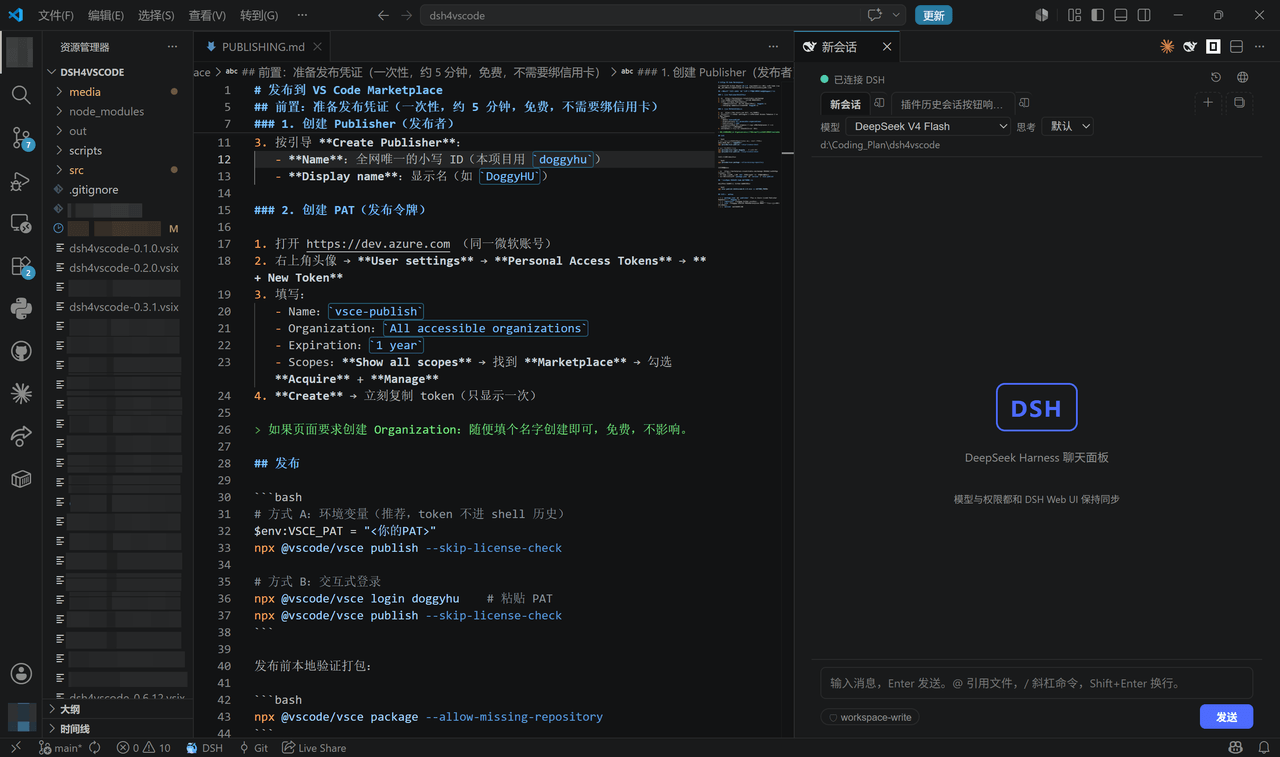
DSH Chat for VS Code — DeepSeek Harness chat windows inside VS Code (OpenCode-style independent sessions, model auto-rou…
DoggyHU/dsh4vscode
DSH Chat for VS Code — DeepSeek Harness chat windows inside VS Code (OpenCode-style independent sessions, model auto-rou…
-
 Chloride233/dsh-cot-profile
Real-time chain-of-thought trajectory profiling for DeepSeek Harness: live wording indicators, profile-family judgment, …
Chloride233/dsh-cot-profile
Real-time chain-of-thought trajectory profiling for DeepSeek Harness: live wording indicators, profile-family judgment, …
-
 Q00/ouroboros
Agent OS: the agent gets smarter on its own. We just hold the line: Interview-gated, staged evaluation, budgeted evoluti…
Q00/ouroboros
Agent OS: the agent gets smarter on its own. We just hold the line: Interview-gated, staged evaluation, budgeted evoluti…
-
 crafter-station/petdex
A public gallery of animated pets for Codex, Claude Code, DeepSeek Harness, Hermes, OpenCode, Gemini CLI, and more.
crafter-station/petdex
A public gallery of animated pets for Codex, Claude Code, DeepSeek Harness, Hermes, OpenCode, Gemini CLI, and more.
-
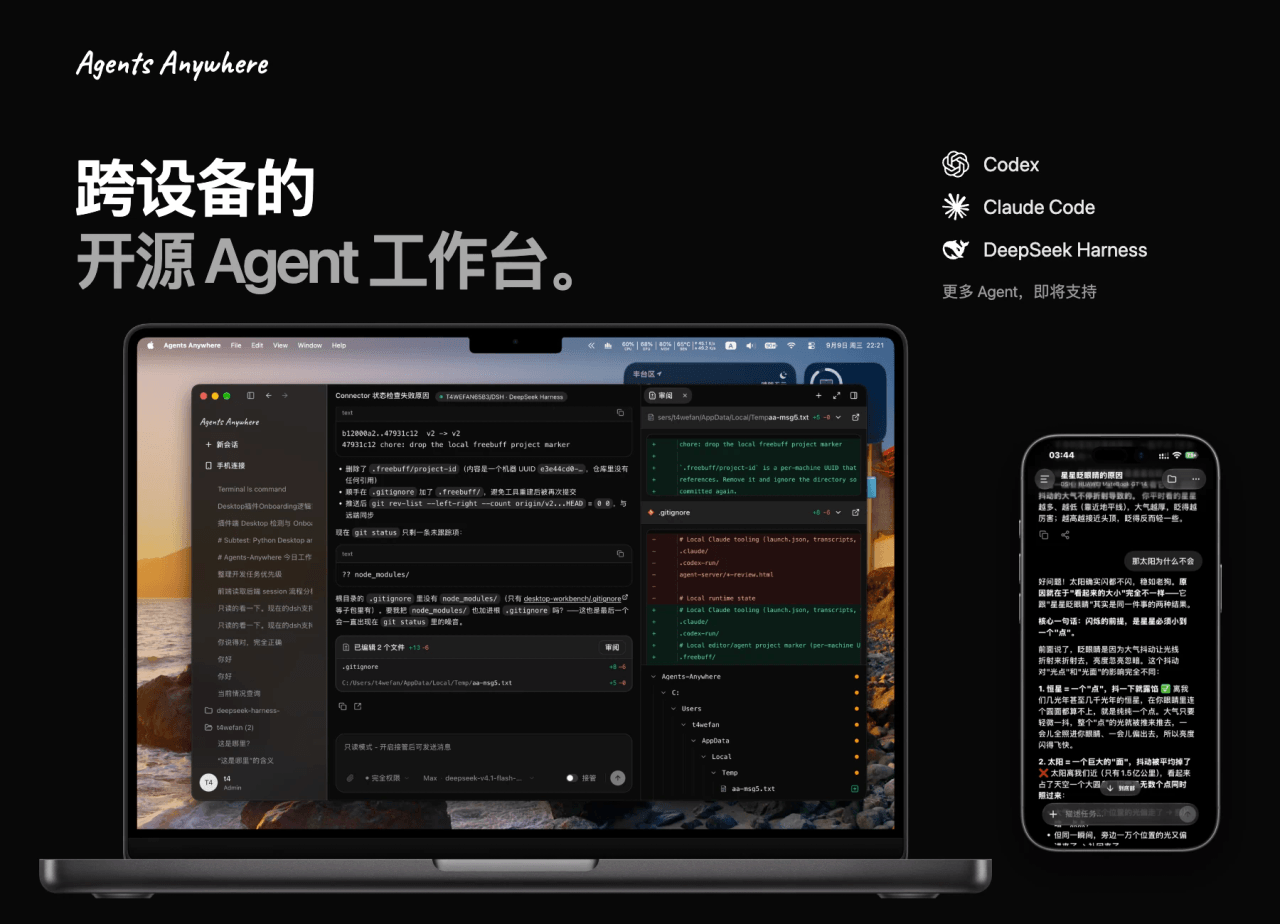 anywhere-labs/Agents-Anywhere
跨设备的开源Agent工作台
anywhere-labs/Agents-Anywhere
跨设备的开源Agent工作台
- houyanchao/chatgpt-gemini-timeline ChatGPT & Gemini:Add Folders, Timeline & Prompts. - 为 ChatGPT & Gemini 添加文件夹、提示词库和时间轴。
-
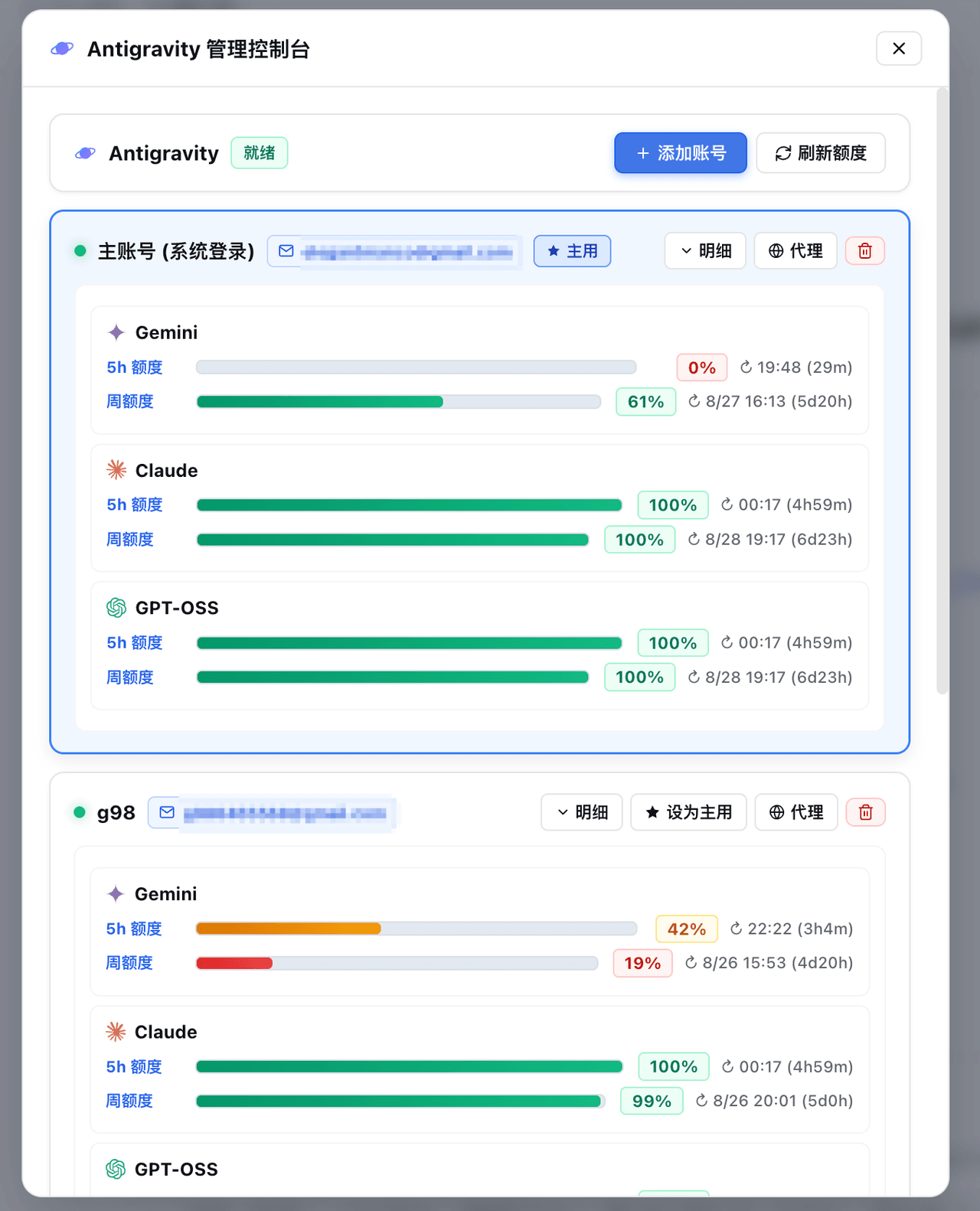 amlyczz/dsh-agy-link
Google Antigravity (agy CLI) models for DeepSeek Harness — streaming chat, thinking, tool activity, usage, in-GUI Google…
amlyczz/dsh-agy-link
Google Antigravity (agy CLI) models for DeepSeek Harness — streaming chat, thinking, tool activity, usage, in-GUI Google…