Asukaleo-aa/dsh-openscience
Project Overview项目介绍
dsh-openscience is a native DeepSeek Harness (dsh) plugin that ports the research-automation methodology of Open Science Desktop onto dsh's architecture. The repository ships nine skills under skills/ (ai4s-agent, research-explorer, literature-survey, experiment-suite, paper-writer, traceability-review, integrity-auditor, mindmap-render, evolve-agent), a cordis-style provenance plugin named @deepseek-ai/dsh-artifact-provenance under plugin/artifact-provenance/, and a "research mode" agent preset under preset/. Installation is handled by ./install.sh, which symlinks the nine skills into ~/.dsh/skills/, installs the preset into ~/.dsh/.agent-presets/research/, rewrites the plugin's src path to match the local checkout, and prints headless mount instructions for non-interactive dsh runs.
The intended workflow is to restart dsh web, pick the "research mode" preset when starting a new session, and trigger skills with natural-language prompts such as "研究 XXX" to launch research-explorer, "审查这份 report" for traceability-review, or "复盘" for evolve-agent. Provenance is elevated from a convention layer (where skills manually wrote .openscience/provenance.jsonl) to an architectural one: the pure function foldArtifactManifest(events) extracts writes from tool/result meta.diffs and falls back to tool/call arguments.file_path for new files, then mergeWorkspaceManifest merges session manifests into .dsh/provenance.json so forked reviewer sub-agents can see the parent session's writes.
Dependencies and limits: the plugin depends on dsh's internal packages (released as 0.0.1-rc.1) and @deepseek-ai/cordis 4.0.1, with peerDependencies preconfigured. Publishing requires running npm publish --access public, but lib/ must be built first, and the README recommends building inside dsh's monorepo and copying lib/ back because the build relies on dsh's own monorepo configuration. The whole repository is MIT-licensed. First-run caveats: the install script rewrites preset paths to your local checkout, dsh's write tool emits no diff on file creation so provenance falls back to the tool-call arguments, and traceability-review's figure-vs-code consistency checks are only as reliable as the session log diff metadata that dsh actually records.
dsh-openscience 是一个面向 DeepSeek Harness(dsh)的原生插件项目,把 Open Science Desktop 的科研自动化范式移植到 dsh 架构。项目提供 9 个 skill(ai4s-agent、research-explorer、literature-survey、experiment-suite、paper-writer、traceability-review、integrity-auditor、mindmap-render、evolve-agent),一个名为 @deepseek-ai/dsh-artifact-provenance 的 cordis 风格溯源插件,以及一个“科研模式”agent preset。安装通过仓库根目录的 ./install.sh 完成:脚本会把 9 个 skill 软链到 ~/.dsh/skills/,把 preset 安装到 ~/.dsh/.agent-presets/research/,并打印 headless 挂载方式。
使用流程是:在 dsh web 重启后,新建会话时选择“科研模式”preset,然后直接用自然语言触发相应 skill,例如“研究 XXX”调用 research-explorer、“审查这份报告”调用 traceability-review、“复盘”调用 evolve-agent。溯源方面,插件用纯函数 foldArtifactManifest(events) 从 session log 折叠每个文件的最后写入 seq/time,并写入 workspace 的 .dsh/provenance.json,让子 agent 能查到父会话的写入记录。该项目主要面向需要把 dsh 当作科研助手、又希望保留严格溯源与可审查性的研究者。
依赖与限制方面:provenance 插件依赖 dsh 内部包(已发布 0.0.1-rc.1)与 @deepseek-ai/cordis 4.0.1,peerDependencies 已配置;发布前需要 build 生成 lib/,官方建议在 dsh monorepo 内 build 后再把 lib/ 拷贝回来。整项目以 MIT 协议发布。首次使用需注意:preset 路径中的 provenance 插件 src 会被 install.sh 替换为本地实际安装路径,且 traceability-review 一致性检查依赖 session log 中可用的 diff 元数据,dsh 的 write 工具 create 时不产生 diff,因此新文件会被 arguments.file_path 兜底捕获。
请帮我安装这个 DSH 插件。安装前先完成【兼容性检查 + 安全性检查】,检查通过再动手。

插件:dsh-openscience(Asukaleo-aa/dsh-openscience)
仓库:https://github.com/Asukaleo-aa/dsh-openscience
本站详情页:https://www.yhbd.top/plugins/asukaleo-aa-dsh-openscience/
本站登记:类型 plugin · 归类 原生 DSH 插件 · 许可证 MIT · ⭐ 2 · 最近提交 2026-08-15 · 主语言 TypeScript · 未检测到 DSH 插件清单

按下面顺序执行,每步先把结论告诉我,再进入下一步:

【1 兼容性检查】
① 我这边:DSH 版本、Node 版本、操作系统、当前 profile(web / desktop)。
② 读它的 README、package.json、插件 manifest,列出它要求的 DSH 版本 / Node 版本 / 操作系统 / 外部依赖 / 需要另外先装的运行时。
③ 逐条比对,结论只写「满足 / 不满足 / 未知」三种;不满足的给出可行替代方案。
④ 检查是否和我已装的插件冲突:命令名重复、skill / tool 重名、端口占用、重复注册的 MCP server。

【2 安全性检查】
① 仓库可信度:和上面「本站登记」是否一致;star / fork 数、创建时间、最近提交,是否归档或长期停更。
② 安装脚本:逐行看 package.json 的 preinstall / install / postinstall,以及 install.sh、setup.ps1 之类脚本。出现 curl|bash、下载后直接执行、混淆代码、访问与插件功能无关的域名,立刻停下来告诉我,不要继续装。
③ 依赖:列出新增依赖,标出无人维护、或与知名包拼写近似的可疑包(typosquatting)。
④ 权限与副作用:它会读写哪些目录、访问哪些域名、需要哪些 DSH 权限(filesystem / network / shell / clipboard 等),以及怎么卸载和回滚。
⑤ 如果它要求 sudo / 管理员权限,或权限明显超出功能所需,先停下来问我。

【3 安装】
上面两步没有「不满足」和「高危项」时才执行;用官方推荐方式安装,不要自行提权。

【4 汇报】
用表格输出:检查项 / 结论 / 依据 / 是否需要我决策。拿不准的一律写「未知」并说明要我怎么确认——不要猜,也不要替我决定。
Send this message to DSH in your current session: it verifies compatibility and security first (answering met / not met / unknown item by item) and only installs once everything checks out — it will stop and ask you if it finds a high-risk item. The box scrolls; the copy is the full prompt. CLI install commands may not be accurate across systems, so DSH is the safer route.把上面这条消息直接发给当前会话里的 DSH:它会先核对兼容性与安全性(逐条给「满足 / 不满足 / 未知」),确认没问题再安装,有高危项会停下来问你。框内可滚动,复制到的是完整提示词;安装命令不一定准确,发给 DSH 更稳。
- Only 2 stars - very few users, little community feedback星标只有 2,几乎没人在用,遇到问题缺少社区反馈
- No DSH plugin manifest detected - it may only carry the dsh-plugin topic, so the install method must be confirmed on the spot未检测到 DSH 插件清单:可能只是打了 dsh-plugin 话题,安装方式要现场确认
DSH walks through these 9 checksDSH 会逐条核对这 9 项
Compatibility兼容性
- DSH, Node, OS and profile requirementsDSH 版本 / Node 版本 / 操作系统 / profile 是否满足要求
- External dependencies and runtimes (Electron / Python / Docker, ...)外部依赖与运行时(Electron / Python / Docker 等)是否齐备
- Conflicts with installed plugins: command names, skill / tool names, ports, duplicate MCP registration与已装插件是否冲突:命令名、skill / tool 重名、端口占用、重复 MCP 注册
Security安全性
- Repo matches the facts registered here; archived or abandoned?仓库是否与页面登记一致,是否归档或长期停更
- Safety of preinstall / install / postinstall and install.sh / setup.ps1preinstall / install / postinstall 与 install.sh、setup.ps1 是否安全
- curl|bash, download-then-execute, obfuscation, unrelated domains → stop immediatelycurl|bash、下载即执行、混淆代码、无关域名 → 立刻停止
- Typosquatting or unmaintained packages among the new dependencies新增依赖里有没有 typosquatting 或无人维护的包
- Requested permissions vs. what the feature actually needs申请了哪些权限、是否超出功能所需(filesystem / network / shell / clipboard)
- Any sudo / admin requirement, plus uninstall and rollback是否要求 sudo / 管理员权限,以及卸载与回滚方式
Anything uncertain must be marked unknown with a note on how to confirm it. This site's signal screen is a static snapshot, not a security audit.拿不准的必须标「未知」并说明要我怎么确认。本站的信号筛查是静态快照,不能替代安全审计。
Or use CLI install (for developers)或使用命令行安装(适合开发者)
CLI Install命令行安装
dsh plugin --profile web add github:Asukaleo-aa/dsh-openscience把 Asukaleo-aa/dsh-openscience 加入你的 DSH 配置(web profile)即可启用。
READMEREADME
dsh-openscience
把 Open Science Desktop 的研究自动化思路完整移植到 DeepSeek Harness(dsh)上。
openscience 的护城河不在它的运行时(那是 bundled OpenCode),而在「研究循环 + 溯源 + 审查 + 自演化」这一套组织思路。本项目把这套思路落到 dsh 的架构上:skill 走 dsh 的 skill 系统,provenance 从「靠 skill 约定去写的文件」升级为「session log 的架构级投影」。
包含什么
9 个 skill(skills/):
| skill | 作用 |
|---|---|
ai4s-agent |
元 skill,串起研究循环四段 |
research-explorer |
把宽泛方向变成具体课题 |
literature-survey |
文献综述(60+ 引用 PDF) |
experiment-suite |
实验包(代码 + results.json + 图) |
paper-writer |
研究论文(200+ 引用 PDF) |
traceability-review |
溯源审查(引用/数字/图↔代码一致性) |
integrity-auditor |
论文完整性审计(4 级证据分级) |
mindmap-render |
思维导图渲染 |
evolve-agent |
自演化复盘(教训晋升原则) |
provenance 插件(plugin/artifact-provenance/):
@deepseek-ai/dsh-artifact-provenance,从 session log 折叠出每个文件最后写入的 seq/time,替代 openscience 的 .openscience/provenance.jsonl 约定层。核心是 foldArtifactManifest 纯函数 + provenance_last_write 工具,供 traceability-review 做图↔代码一致性检查。
research preset(preset/):
「科研模式」agent 预设,在标准编码 Agent 的完整工具集上叠加研究循环 skill + provenance 工具。
安装
./install.sh
脚本会:
- 把 9 个 skill 软链到
~/.dsh/skills/ - 把 research preset 装到
~/.dsh/.agent-presets/research/(并把 provenance 插件的 src 路径替换成你的实际安装路径) - 说明 headless 挂载方式
使用
- 重启
dsh web - 新建会话时选择「科研模式」
- 直接说「研究 XXX」触发 research-explorer,「审查这份报告」触发 traceability-review,「复盘」触发 evolve-agent
发布
provenance 插件 → npm
provenance 插件依赖 dsh 的内部包(已发布 0.0.1-rc.1)和 @deepseek-ai/cordis(4.0.1),peerDependencies 已配好。发布前需要 build 生成 lib/(build 依赖 dsh 的 monorepo 配置,建议在 dsh 仓库里 build 后把 lib/ 拷过来):
cd plugin/artifact-provenance
npm publish --access public
整个项目 → GitHub
git init
git add .
git commit -m "openscience research automation ported to dsh"
git remote add origin git@github.com:YOUR_USERNAME/dsh-openscience.git
git push -u origin main
架构
provenance 从 openscience 的「约定层」(靠 skill 约定写 .openscience/provenance.jsonl)升级为 dsh 的「架构层」(session log 单一事实源,运行时强制记录):
foldArtifactManifest(events):从tool/result的meta.diffs提取覆盖写入,从tool/call的arguments.file_path兜底新建文件(dsh 的 write 工具 create 时不产 diff),最后写入胜出mergeWorkspaceManifest:把 session manifest 合并进 workspace 的.dsh/provenance.json(time 大者胜出,跨 session 的 seq 不可比),让 fork 出的审查子 agent 能查到父会话的写入
License
MIT
Related相关推荐
-
 Miaotofu01/Study-Mate
你的AI学习搭档:定路线、讲知识、做项目,边学边做,学透一门科目
Miaotofu01/Study-Mate
你的AI学习搭档:定路线、讲知识、做项目,边学边做,学透一门科目
-
 Tencent-TDS/dsh-kuikly-expert
Kuikly DeepSeek Harness plugin that turns your AI agent into a Kuikly cross-platform app development expert.
Tencent-TDS/dsh-kuikly-expert
Kuikly DeepSeek Harness plugin that turns your AI agent into a Kuikly cross-platform app development expert.
- goatliamia/dsh-runtime 不要让 Model 为确定性问题反复思考,也不要让 Harness 为不确定的问题假装知道答案
- gxx950224/SapBuddy-dsh SapBuddy-dsh
-
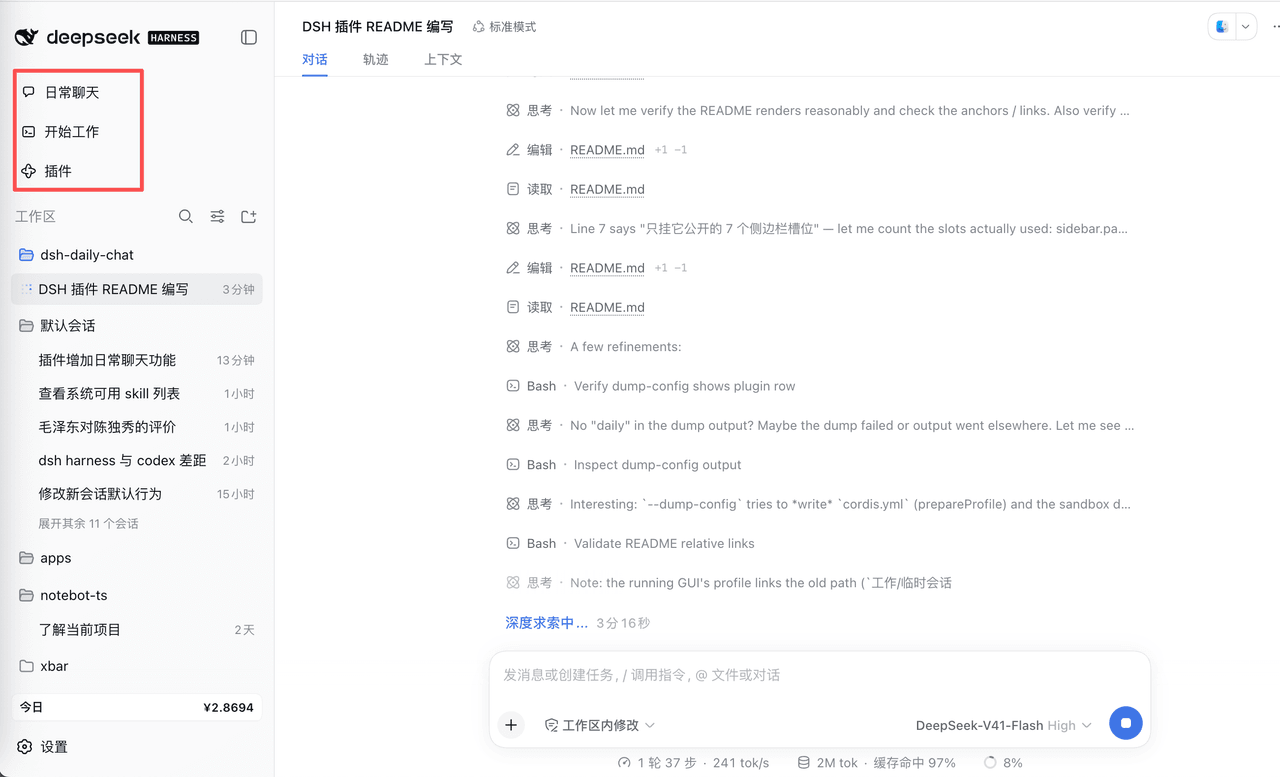 corlinniu/dsh-daily-chat
给DeepSeek Harness增加日常聊天功能
corlinniu/dsh-daily-chat
给DeepSeek Harness增加日常聊天功能
- MaimoryLab/dib DSH-in-Box: A DSH runtime and plugin packager
-
 titanwings/distilly
Distilly — Distill how they think into reusable Skills for any Agent or Bot. Formerly Colleague Skill(原同事 Skill).
titanwings/distilly
Distilly — Distill how they think into reusable Skills for any Agent or Bot. Formerly Colleague Skill(原同事 Skill).
-
 YuJunZhiXue/dsh-purge
DeepSeek Harness 破甲:让所有模型都能破甲,不同模型可换不同提示词;默认提示词面向国模「小码酱」。Jailbreak for every model — swap prompts per model. 求 Star 收藏 ⭐
YuJunZhiXue/dsh-purge
DeepSeek Harness 破甲:让所有模型都能破甲,不同模型可换不同提示词;默认提示词面向国模「小码酱」。Jailbreak for every model — swap prompts per model. 求 Star 收藏 ⭐