goatliamia/dsh-runtime
不要让 Model 为确定性问题反复思考,也不要让 Harness 为不确定的问题假装知道答案
Project Overview项目介绍
dsh-runtime is a native plugin built exclusively for DeepSeek Harness (DSH), that adds a set of lightweight runtime capabilities to the DSH platform. It does not build a new standalone agent or add extra prompts, skills, or rules to teach the model new capabilities. Instead, it handles problems that DSH can already determine deterministically, so the model does not need to keep guessing about them. Examples of these problems include checking if an action can run right now, if the last step actually changed anything, if an operation succeeded despite a tool error, and if repeated actions are still making progress. To install, you download the release tarball from GitHub and run the DSH plugin add command with your profile and the tarball path, then verify installation with a dump config command.
After installation, regular users do not need to manually select individual capability packages. All configuration is done through the DSH settings page, where you can pick a runtime mode (Off, Minimal, Balanced, Strict) and a scene preset (Creative, Coding, External, Safe) based on your use case. Developers who only need a subset of the available capabilities can install individual capability tarballs from the repository’s release folder instead of the full package. This plugin is designed for all DSH users, from regular users who use DSH for daily tasks to developers who are testing new DSH functionality, as it streamlines the DSH runtime workflow by offloading deterministic work from the model.
dsh-runtime is currently an experimental collection of capabilities, released under the open source MIT license. It does not aim to replace DSH’s core runtime or become a new agent framework; all capabilities are added based on observation and validation of real-world problems. It depends entirely on DSH’s session event stream to derive facts about runs, so it does not need to maintain a separate world state of its own. All conclusions the plugin provides are folded directly from the existing event stream, which keeps integration lightweight and avoids sync issues between separate state stores. After first installation, users can run a simple dump config command to confirm that all capabilities loaded correctly.
dsh-runtime 是专为 DeepSeek Harness 开发的原生插件,提供一组轻量运行时能力,专门处理模型无需反复猜测、可由 Harness 直接确定结论的问题。比如判断操作是否可立即执行、上一步是否真的产生变更、工具报错后操作是否实际生效、重复操作是否仍有进展等。它安装后集成在 DSH 原生运行流程中,不会构建独立 Agent,也不通过额外提示、技能或规则教模型新能力。
普通用户安装后可直接在 DSH 设置页面选择运行模式(关闭、极简、均衡、严格)和场景预设(创作、编码、外部交互、安全),无需手动挑选单独的功能包。开发者如果只需要部分能力,也可以单独安装 release 目录下的单个能力压缩包。该插件面向所有 DSH 用户,无论你是普通用户使用 DSH 处理日常任务,还是开发者测试 DSH 新能力,都可以通过它优化运行流程。
该插件当前还是实验性集合,遵循 MIT 许可开源,它的目标不是替换 DSH 原生运行时或打造新的 Agent 框架,所有能力都来自对实际问题的观察和验证。它依赖 DSH 的会话事件流获取运行事实,不需要额外维护独立的世界状态,所有结论都从事件流折叠得出。用户首次安装后可通过 dsh --profile <your-profile> --dump-config 命令验证是否安装成功。
请帮我安装这个 DSH 插件。安装前先完成【兼容性检查 + 安全性检查】,检查通过再动手。

插件:dsh-runtime(goatliamia/dsh-runtime)
仓库:https://github.com/goatliamia/dsh-runtime
本站详情页:https://www.yhbd.top/plugins/goatliamia-dsh-runtime/
本站登记:类型 plugin · 归类 原生 DSH 插件 · 许可证 MIT · ⭐ 9 · 最近提交 2026-09-19 · 主语言 JavaScript · 未检测到 DSH 插件清单

按下面顺序执行,每步先把结论告诉我,再进入下一步:

【1 兼容性检查】
① 我这边:DSH 版本、Node 版本、操作系统、当前 profile(web / desktop)。
② 读它的 README、package.json、插件 manifest,列出它要求的 DSH 版本 / Node 版本 / 操作系统 / 外部依赖 / 需要另外先装的运行时。
③ 逐条比对,结论只写「满足 / 不满足 / 未知」三种;不满足的给出可行替代方案。
④ 检查是否和我已装的插件冲突:命令名重复、skill / tool 重名、端口占用、重复注册的 MCP server。

【2 安全性检查】
① 仓库可信度:和上面「本站登记」是否一致;star / fork 数、创建时间、最近提交,是否归档或长期停更。
② 安装脚本:逐行看 package.json 的 preinstall / install / postinstall,以及 install.sh、setup.ps1 之类脚本。出现 curl|bash、下载后直接执行、混淆代码、访问与插件功能无关的域名,立刻停下来告诉我,不要继续装。
③ 依赖:列出新增依赖,标出无人维护、或与知名包拼写近似的可疑包(typosquatting)。
④ 权限与副作用:它会读写哪些目录、访问哪些域名、需要哪些 DSH 权限(filesystem / network / shell / clipboard 等),以及怎么卸载和回滚。
⑤ 如果它要求 sudo / 管理员权限,或权限明显超出功能所需,先停下来问我。

【3 安装】
上面两步没有「不满足」和「高危项」时才执行;用官方推荐方式安装,不要自行提权。

【4 汇报】
用表格输出:检查项 / 结论 / 依据 / 是否需要我决策。拿不准的一律写「未知」并说明要我怎么确认——不要猜,也不要替我决定。
Send this message to DSH in your current session: it verifies compatibility and security first (answering met / not met / unknown item by item) and only installs once everything checks out — it will stop and ask you if it finds a high-risk item. The box scrolls; the copy is the full prompt. CLI install commands may not be accurate across systems, so DSH is the safer route.把上面这条消息直接发给当前会话里的 DSH:它会先核对兼容性与安全性(逐条给「满足 / 不满足 / 未知」),确认没问题再安装,有高危项会停下来问你。框内可滚动,复制到的是完整提示词;安装命令不一定准确,发给 DSH 更稳。
- Only 9 stars - very few users, little community feedback星标只有 9,几乎没人在用,遇到问题缺少社区反馈
- No DSH plugin manifest detected - it may only carry the dsh-plugin topic, so the install method must be confirmed on the spot未检测到 DSH 插件清单:可能只是打了 dsh-plugin 话题,安装方式要现场确认
DSH walks through these 9 checksDSH 会逐条核对这 9 项
Compatibility兼容性
- DSH, Node, OS and profile requirementsDSH 版本 / Node 版本 / 操作系统 / profile 是否满足要求
- External dependencies and runtimes (Electron / Python / Docker, ...)外部依赖与运行时(Electron / Python / Docker 等)是否齐备
- Conflicts with installed plugins: command names, skill / tool names, ports, duplicate MCP registration与已装插件是否冲突:命令名、skill / tool 重名、端口占用、重复 MCP 注册
Security安全性
- Repo matches the facts registered here; archived or abandoned?仓库是否与页面登记一致,是否归档或长期停更
- Safety of preinstall / install / postinstall and install.sh / setup.ps1preinstall / install / postinstall 与 install.sh、setup.ps1 是否安全
- curl|bash, download-then-execute, obfuscation, unrelated domains → stop immediatelycurl|bash、下载即执行、混淆代码、无关域名 → 立刻停止
- Typosquatting or unmaintained packages among the new dependencies新增依赖里有没有 typosquatting 或无人维护的包
- Requested permissions vs. what the feature actually needs申请了哪些权限、是否超出功能所需(filesystem / network / shell / clipboard)
- Any sudo / admin requirement, plus uninstall and rollback是否要求 sudo / 管理员权限,以及卸载与回滚方式
Anything uncertain must be marked unknown with a note on how to confirm it. This site's signal screen is a static snapshot, not a security audit.拿不准的必须标「未知」并说明要我怎么确认。本站的信号筛查是静态快照,不能替代安全审计。
Or use CLI install (for developers)或使用命令行安装(适合开发者)
CLI Install命令行安装
dsh plugin --profile web add dsh-runtime-0.1.0.tgz把 goatliamia/dsh-runtime 加入你的 DSH 配置(web profile)即可启用。
READMEREADME
DSH Runtime
Let the model do the thinking; let the Harness handle what can be determined.
dsh-runtime is a set of small Runtime capabilities for the DeepSeek Harness.
It does not try to build a new Agent, and it does not try to teach the model everything through more prompts, skills, or rules.
It handles one class of problems:
Problems the model should not keep guessing about, because the Harness can already determine them.
For example:
- May this action run right now?
- Did the last step actually change anything?
- The tool reported an error — but did the operation actually happen?
- The tool reported success — did the target state actually take effect?
- An action has been repeated many times — but is anything actually moving forward?
Install
One command installs everything (all capabilities ship in one package; then pick the mode / scene preset / custom toggles in the settings page):
# download release/dsh-runtime-0.1.0.tgz from the GitHub page, or clone the repo first
dsh plugin --profile <your-profile> add dsh-runtime-0.1.0.tgz
dsh --profile <your-profile> --dump-config should list runtime-progress / circuit / reconcile / investigate / seam — that is success.
- Users never pick packages: modes (Off / Minimal / Balanced / Strict), scene presets (Creative / Coding / External / Safe) and custom toggles all live in the Runtime settings page;
- Developers, per capability:
release/also carries the five individual tarballs (progress + circuit + reconcile + investigate + seam), for when only some capabilities are wanted; - Developers rebuild: run
node scripts/pack-release.mjsafter code changes to regeneraterelease/.
How does it work?
A tool call produces four things. Runtime owns the last two:
the model calls a tool        <- not the Runtime's layer
the session records an event  <- DSH Session
Runtime folds events into facts
policy decides whether to speak
The distinction that matters:
tool error   ≠   effect didn't happen
tool success ≠   effect happened
A concrete case: pwsh exits 0 and the command really did run, but the change did not take effect (it wrote somewhere else, or a later step overwrote it). From the events:
Showing the opening section of the README — the full document lives in the repository以上为 README 开头摘要,完整文档在仓库内 · View the full README on GitHub →在 GitHub 查看完整 README →
Related相关推荐
-
 Miaotofu01/Study-Mate
你的AI学习搭档:定路线、讲知识、做项目,边学边做,学透一门科目
Miaotofu01/Study-Mate
你的AI学习搭档:定路线、讲知识、做项目,边学边做,学透一门科目
-
 Tencent-TDS/dsh-kuikly-expert
Kuikly DeepSeek Harness plugin that turns your AI agent into a Kuikly cross-platform app development expert.
Tencent-TDS/dsh-kuikly-expert
Kuikly DeepSeek Harness plugin that turns your AI agent into a Kuikly cross-platform app development expert.
- gxx950224/SapBuddy-dsh SapBuddy-dsh
-
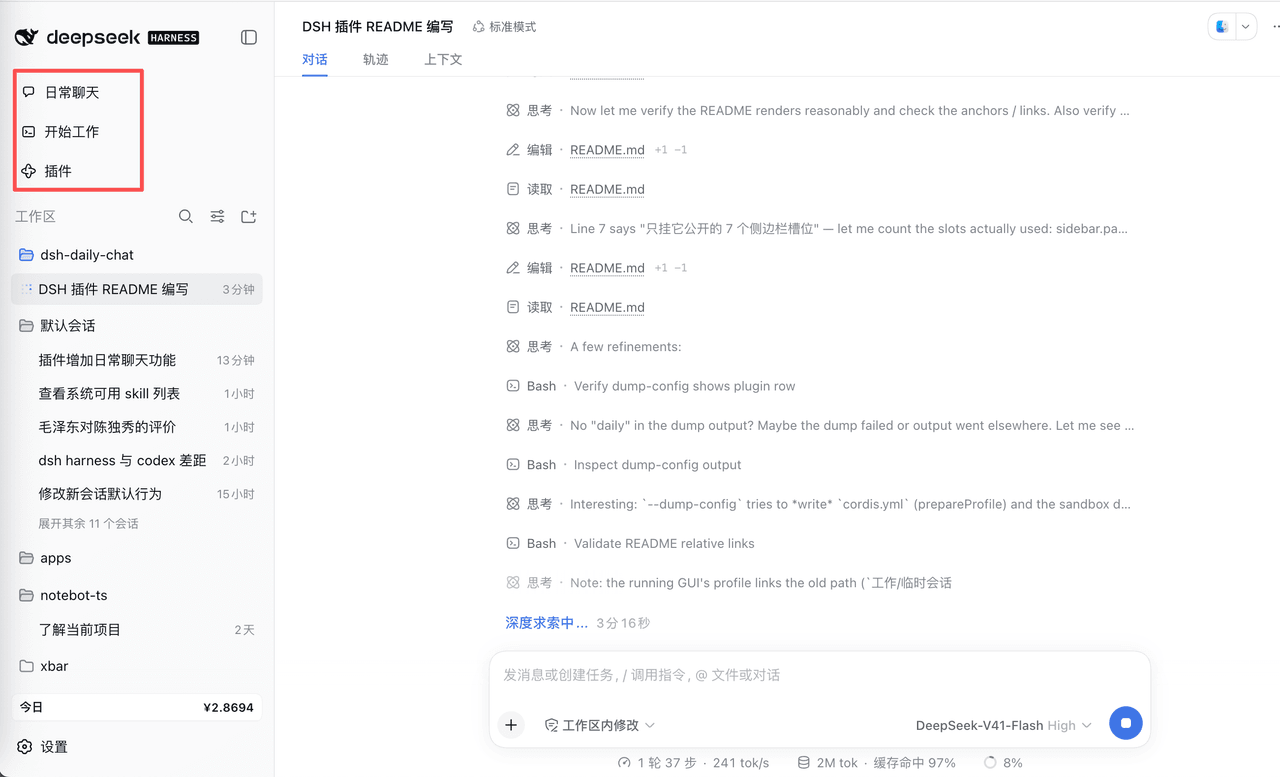 corlinniu/dsh-daily-chat
给DeepSeek Harness增加日常聊天功能
corlinniu/dsh-daily-chat
给DeepSeek Harness增加日常聊天功能
- MaimoryLab/dib DSH-in-Box: A DSH runtime and plugin packager
- Asukaleo-aa/dsh-openscience
-
 titanwings/distilly
Distilly — Distill how they think into reusable Skills for any Agent or Bot. Formerly Colleague Skill(原同事 Skill).
titanwings/distilly
Distilly — Distill how they think into reusable Skills for any Agent or Bot. Formerly Colleague Skill(原同事 Skill).
-
 YuJunZhiXue/dsh-purge
DeepSeek Harness 破甲:让所有模型都能破甲,不同模型可换不同提示词;默认提示词面向国模「小码酱」。Jailbreak for every model — swap prompts per model. 求 Star 收藏 ⭐
YuJunZhiXue/dsh-purge
DeepSeek Harness 破甲:让所有模型都能破甲,不同模型可换不同提示词;默认提示词面向国模「小码酱」。Jailbreak for every model — swap prompts per model. 求 Star 收藏 ⭐