az7627/dsh-token-usage
dsh Web 对话视图的按会话 Token 使用时间线插件
Project Overview项目介绍
@az7627/dsh-token-usage is a DSH plugin that adds token usage analytics to the Web chat view via a header button opening a side drawer. It renders an ECharts stacked bar chart of cache-read, input, and output tokens across 15-minute, 1-hour, or 1-day intervals, covering the last 7 or 30 days or all time, with per-conversation breakdown. Data is replayed from session logs over the /usage RPC, so history appears immediately after install. Note: cacheWriteTokens is grouped into the input bucket, diverging from the raw field definition.
DSH 插件 @az7627/dsh-token-usage:用于在 Web 对话视图统计 token 用量,核心能力是在会话头打开右侧抽屉,按 15 分钟/1 小时/1 天分度展示近 7/30 天或全部的 ECharts 堆叠柱状图,分缓存输入、输入、输出三桶,精确到个位。数据来自 /usage RPC 重放历史日志,建议时段切短时开启明细导出。注意:分桶中 cacheWriteTokens 归入输入桶,与官方原始字段定义不同。
请帮我了解并安装插件:【dsh-token-usage】【https://github.com/az7627/dsh-token-usage】Send this message to DSH in your current session. CLI install commands may not be accurate across systems — DSH will figure it out for you.把上面这条消息直接发给当前会话里的 DSH,让它帮你了解并安装。安装命令不一定准确,发给 DSH 更稳。
Or use CLI install (for developers)或使用命令行安装(适合开发者)
CLI Install命令行安装
npx @deepseek-ai/dsh plugin --profile web add @az7627/dsh-token-usage把 az7627/dsh-token-usage 加入你的 DSH 配置(web profile)即可启用。
READMEREADME
@az7627/dsh-token-usage
DeepSeek Harness 插件:在 Web 对话视图统计 token 用量(分时段堆叠柱状图 + 精确到个位的总计)。npm 包名带作用域(无作用域的 dsh-token-usage 已被他人占用)。
- 会话头右缘「用量统计」按钮 → 右侧抽屉
- 对话多选(默认当前对话 / 全选 / 仅当前)
- 分度:15 分钟 / 1 小时 / 1 天;范围:近 7 天 / 近 30 天 / 全部
- 三桶:缓存输入(
cacheReadTokens)、输入(inputTokens + cacheWriteTokens)、输出(outputTokens) - ECharts 堆叠柱状图(本地时区日历对齐)、精确到个位的 tooltip、总计与每对话明细
- 数据来自会话日志重放(
/usageRPC 通道),历史对话装上即有数据
安装到你的 dsh
从 npm 安装(推荐)
# 首次安装(会把它挂进 ~/.dsh/profiles/web 的 bundle 列表)
npx @deepseek-ai/dsh plugin --profile web add @az7627/dsh-token-usage

# 重启你的 dsh web 后生效
npx @deepseek-ai/dsh web
- 更新:重新执行上面的 add(pnpm 会装最新版)
- 卸载:
npx @deepseek-ai/dsh plugin --profile web remove @az7627/dsh-token-usage
本地开发(link 安装)
npx @deepseek-ai/dsh plugin --profile web add <本目录的绝对路径>
改完源码 pnpm run build 后重启 npx @deepseek-ai/dsh web 即生效,无需重新 add。
开发
pnpm install     # 依赖(zod 运行期;echarts 打进浏览器 bundle)
pnpm run build   # tsc + tsdown → lib/index.js(宿主半)+ lib/client.js(浏览器半)
pnpm test        # vitest(组件测试 mock 了 echarts)
类型检查依赖同目录下 deepseek-harness 源码树里已构建的 lib/types(仅编译期引用,运行期全部由 dsh 安装提供)。
Related相关推荐
-
 wssfk12138/dsh-damage-pulse
DeepSeek Harness Token 余额监控插件:鲸鱼娘待机/扣费/复苏动画、峰谷计费、连续扣费飘字与会话费用统计。
wssfk12138/dsh-damage-pulse
DeepSeek Harness Token 余额监控插件:鲸鱼娘待机/扣费/复苏动画、峰谷计费、连续扣费飘字与会话费用统计。
-
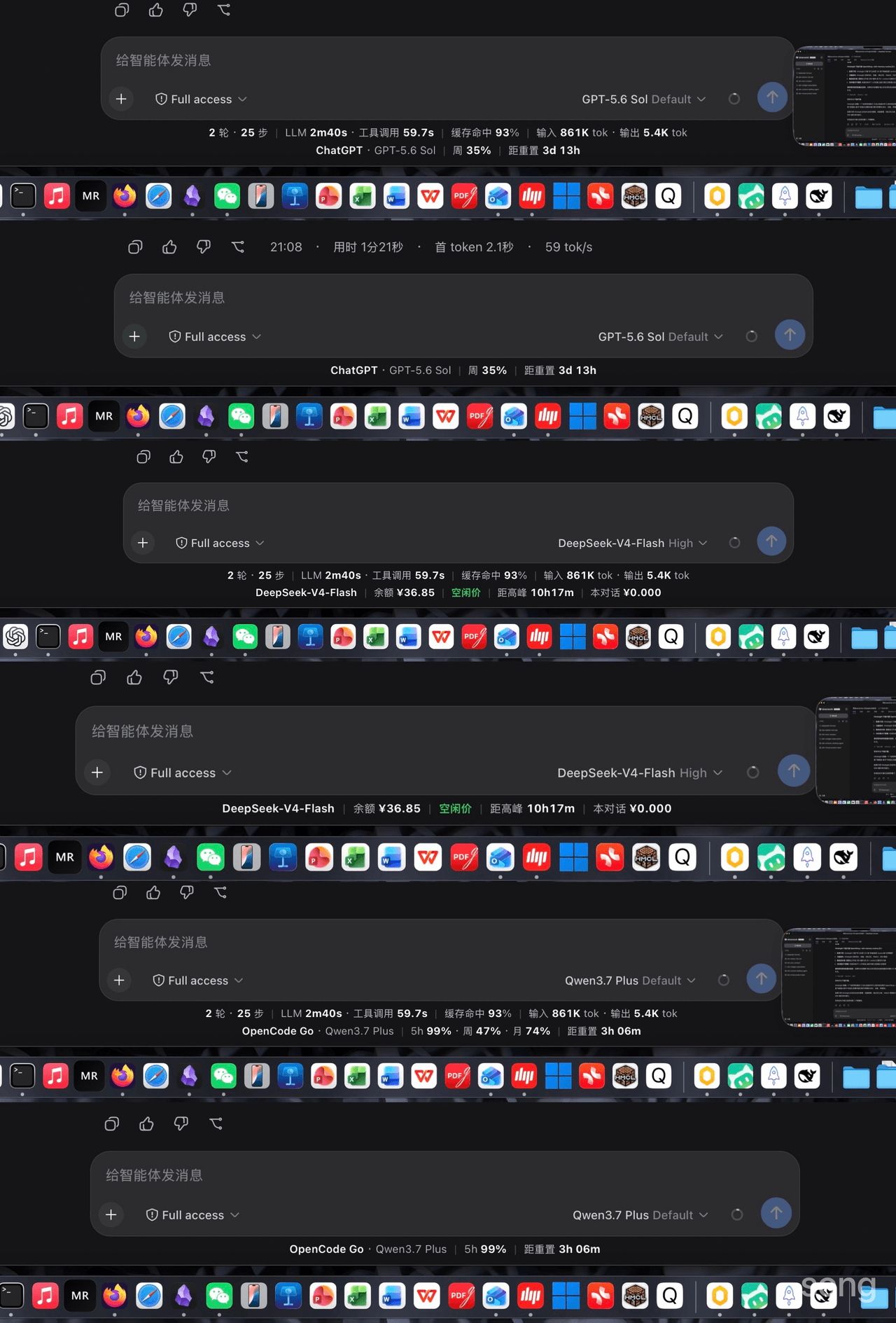 songoao25/dsh-bottom-info-bar
Bottom Info Bar — an information bar plugin for DeepSeek Harness: provider/model, live balance, peak/off-peak pricing wi…
songoao25/dsh-bottom-info-bar
Bottom Info Bar — an information bar plugin for DeepSeek Harness: provider/model, live balance, peak/off-peak pricing wi…
-
 Rianico/dsh-better-edit
Hash-anchored read/edit/undo_last_edit tools for DeepSeek Harness (dsh), fewer token consumption, lower cost.
Rianico/dsh-better-edit
Hash-anchored read/edit/undo_last_edit tools for DeepSeek Harness (dsh), fewer token consumption, lower cost.
-
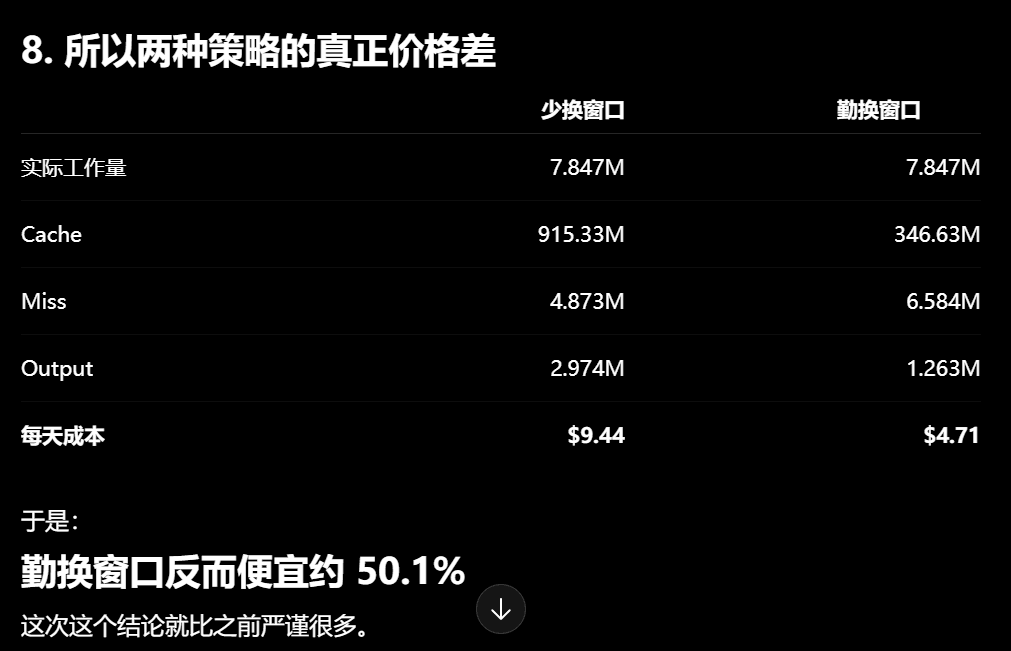 Phant0Meow/dsh-meow-cachebilling
一个能帮你省钱的插件!缓存其实比你想象的贵!换窗口可以省缓存钱,但换窗口有顾虑,或许你懒得重新描述项目和规则,或者你还需要那个上下文。所以这个插件,就是为了告诉你,当前轮,纯粹上下文缓存的部分,到底花了你多少钱。这样你才心里有个底,判断什么…
Phant0Meow/dsh-meow-cachebilling
一个能帮你省钱的插件!缓存其实比你想象的贵!换窗口可以省缓存钱,但换窗口有顾虑,或许你懒得重新描述项目和规则,或者你还需要那个上下文。所以这个插件,就是为了告诉你,当前轮,纯粹上下文缓存的部分,到底花了你多少钱。这样你才心里有个底,判断什么…
-
 Ghost011118/dsh-balance-meter
DeepSeek account balance and session cost readout for the DeepSeek Harness Web GUI
Ghost011118/dsh-balance-meter
DeepSeek account balance and session cost readout for the DeepSeek Harness Web GUI
-
 ai-shushu/dsh-quota-meter
Per-session quota meter for DSH: real-token billing, live progress bar, budget blocking, configurable multi-model pricin…
ai-shushu/dsh-quota-meter
Per-session quota meter for DSH: real-token billing, live progress bar, budget blocking, configurable multi-model pricin…
-
 TwotwoPiggy/dsh-balance
dsh余额插件. A DeepSeek Harness plugin for real-time token tracking and highly accurate session cost estimation, featuring d…
TwotwoPiggy/dsh-balance
dsh余额插件. A DeepSeek Harness plugin for real-time token tracking and highly accurate session cost estimation, featuring d…
-
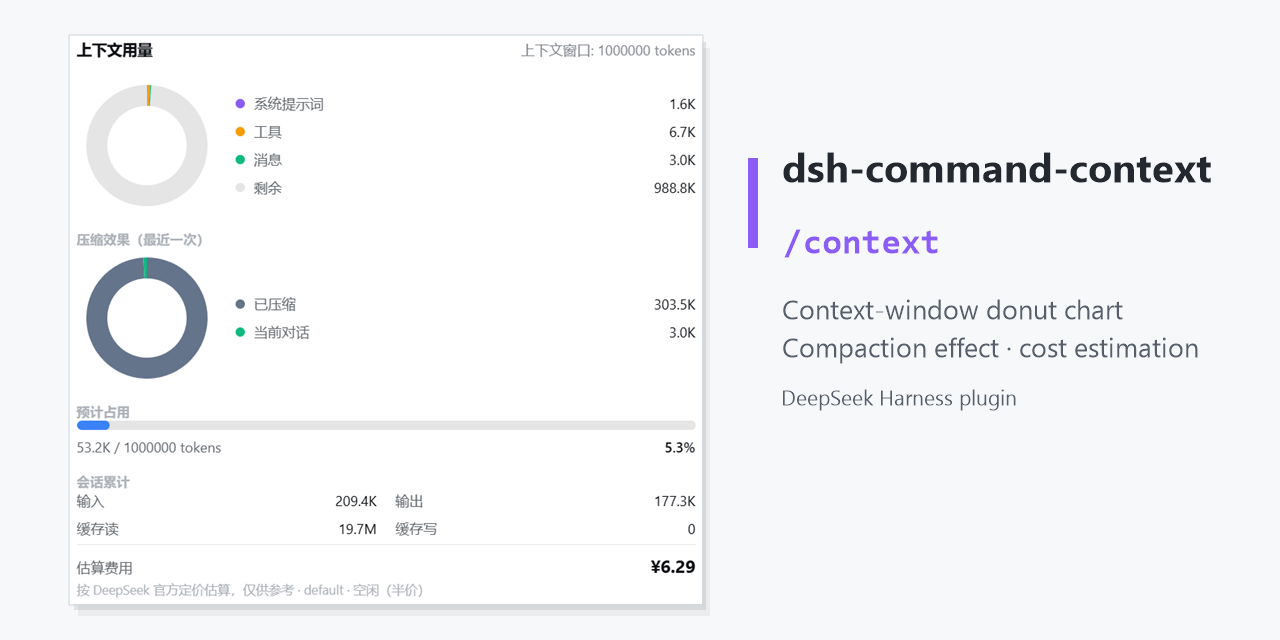 GooodWei/context-vista
为 DeepSeek Harness 提供右侧悬浮栏以及 /context 命令,用环形图实时展示当前上下文 token 用量与分配,compact指令效果,同时支持估算费用消耗,对标 Claude Code 的 /context。
GooodWei/context-vista
为 DeepSeek Harness 提供右侧悬浮栏以及 /context 命令,用环形图实时展示当前上下文 token 用量与分配,compact指令效果,同时支持估算费用消耗,对标 Claude Code 的 /context。