badai147/dsh-ocgo-usage
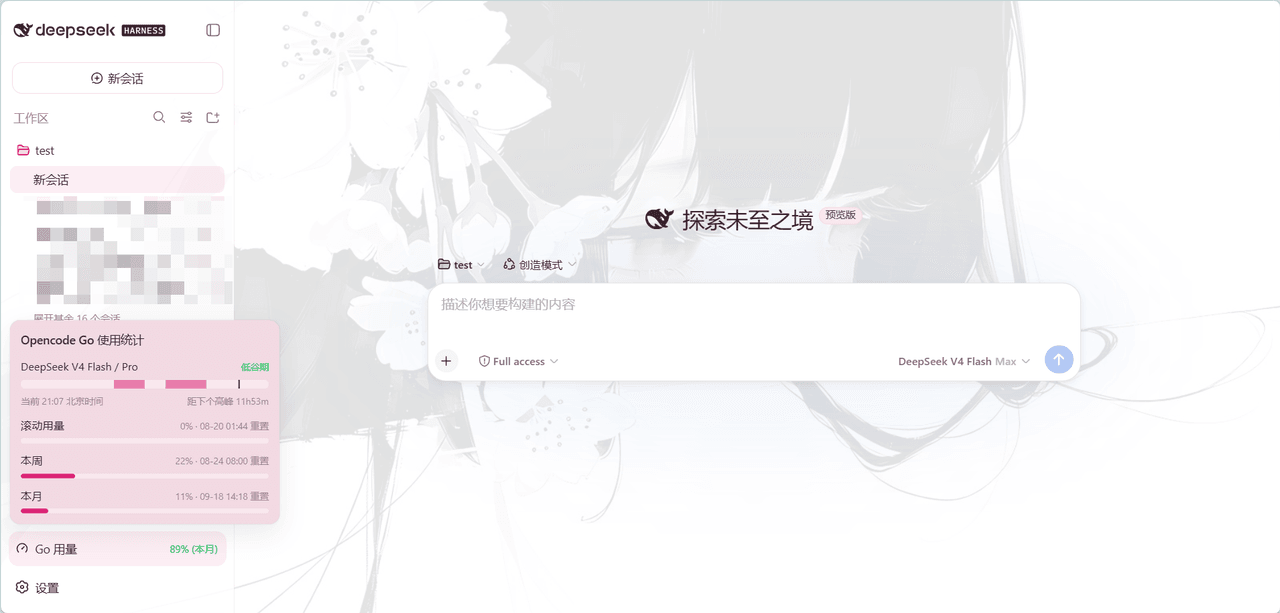
In the lower-left corner of the DeepSeek Harness Web sidebar, display a plugin for OpenCode Go usage.
Project Overview项目介绍
DSH plugin that surfaces OpenCode Go usage in the web sidebar's bottom-left corner. Core capability: a persistent dashboard icon shows the remaining monthly percentage (orange ≤20%, red ≤0%); hovering opens a popover with the DeepSeek peak-hour timeline in Beijing time (09:00-12:00, 14:00-18:00), weekly and monthly usage bars, used percentages, and reset times. Data refreshes every 60 seconds. The key is read from DSH provider config; no Python dependency, pure Node ESM plus a hand-written __ModuleLoader__ bundle works on Windows, macOS, and Linux. Restart dsh web after install. Use it to monitor OpenCode Go quotas. Note: after upgrading, stale pnpm lockfile may serve an old build—reinstall with an explicit version.
DSH 插件,在 Web 侧边栏左下角常驻显示 OpenCode Go 用量。核心能力:仪表盘图标呈现本月剩余百分比,≤20% 变橙、≤0% 变红;悬停向上弹出含 DeepSeek 高峰时段时间轴(北京时间 09-12、14-18)、本周与本月用量进度与重置时间的明细卡。数据每 60 秒自动刷新,零配置读取 DSH 供应商 opencode-go API key,纯 Node ESM + 手写 __ModuleLoader__ bundle,无 python 依赖,跨 Win/macOS/Linux 适用。安装后重启 dsh web 生效;使用场景:随时掌握 OpenCode Go 配额与高峰时段。需注意:升级后若仍为旧版,pnpm 可能命中旧 lockfile,请显式指定版本重装。
请帮我了解并安装插件:【dsh-ocgo-usage】【https://github.com/badai147/dsh-ocgo-usage】Send this message to DSH in your current session. CLI install commands may not be accurate across systems — DSH will figure it out for you.把上面这条消息直接发给当前会话里的 DSH,让它帮你了解并安装。安装命令不一定准确,发给 DSH 更稳。
Or use CLI install (for developers)或使用命令行安装(适合开发者)
CLI Install命令行安装
dsh plugin --profile web add @badai147/dsh-ocgo-usage把 badai147/dsh-ocgo-usage 加入你的 DSH 配置(web profile)即可启用。
READMEREADME
dsh-ocgo-usage
在 DeepSeek Harness Web 侧边栏左下角显示 OpenCode Go 用量的插件。
Show your OpenCode Go usage in the DeepSeek Harness web sidebar's bottom-left corner.
功能 / Features
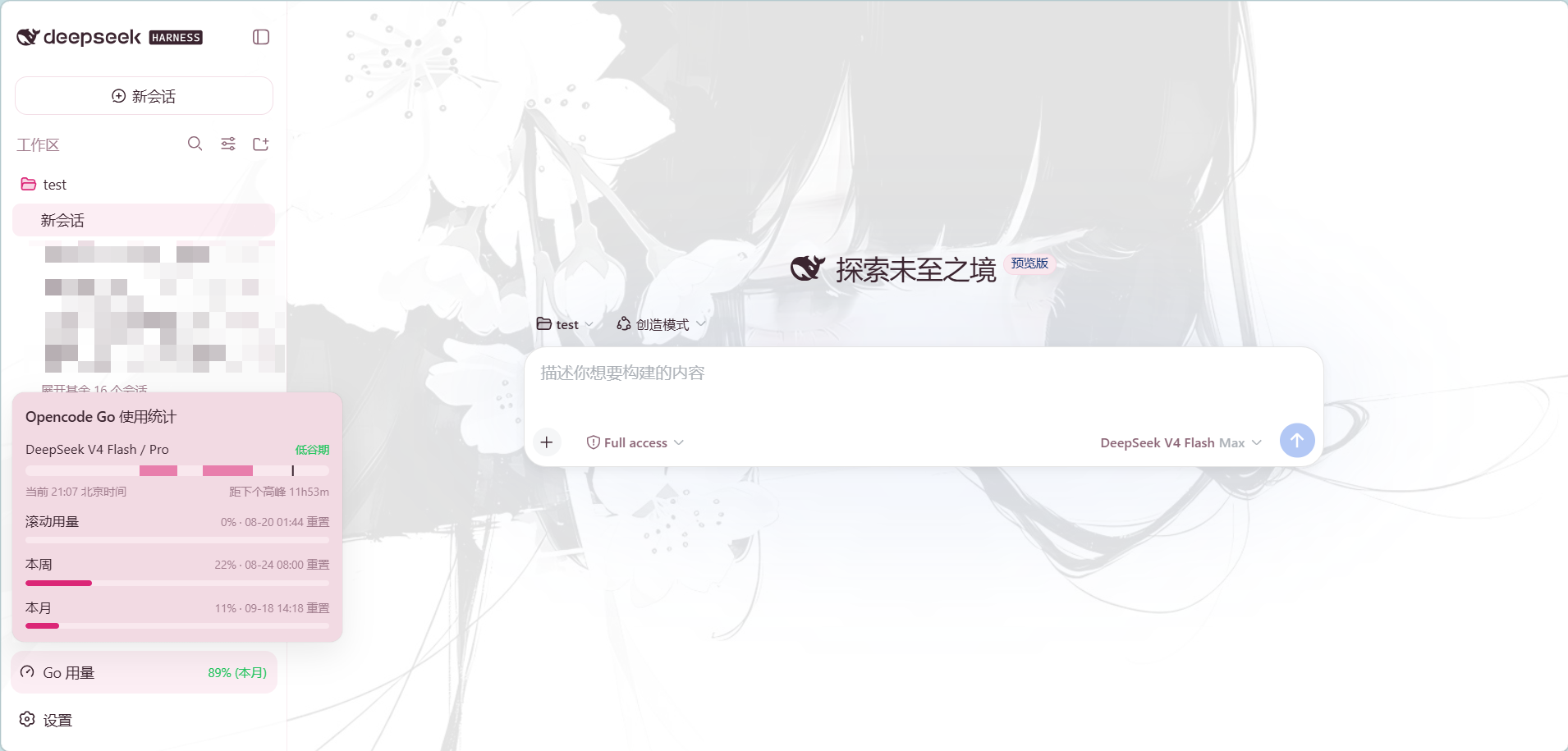
- 左下角常驻按钮(与设置按钮同列同款):仪表盘图标 + 本月剩余用量百分比,剩余 ≤20% 变橙、≤0 变红
- 悬停展开明细卡片(向上弹出):DeepSeek 高峰时段时间轴(北京时间)+ 滚动 / 本周 / 本月三条用量进度 + 已用百分比 + 重置时间
- 高峰时段按北京时间展示:DeepSeek V4 Flash / Pro 高峰 09:00-12:00、14:00-18:00(即 UTC 01:00-04:00、06:00-10:00);时间轴高亮当前时刻所处区间并显示距下一切换点的剩余时间
- 数据每 60 秒自动刷新
- 零配置:自动读取 DSH 供应商配置中的 opencode-go API key(
~/.dsh/.credentials.yaml→ 环境变量) - 零构建:Client 端为手写
__ModuleLoader__bundle,Host 端为纯 Node ESM
安装 / Install
dsh plugin --profile web add @badai147/dsh-ocgo-usage
从 GitHub 源安装(备选):
dsh plugin --profile web add github:badai147/dsh-ocgo-usage
重启 dsh web,左下角(设置按钮旁)即可看到「Go 用量」按钮。
💡 安装后重启
dsh web生效;自 0.1.1 起为纯 Node 实现,无需系统安装 python3。
使用 / Usage
- 在 DSH 设置中配置 opencode-go 供应商(含 API key)——插件自动读取,无需额外配置
- 悬停左下角「Go 用量」按钮查看明细
- 常驻角标显示本月剩余用量百分比(如本月已用 5% 则显示
95% (本月))
工作原理 / How it works
- Host(
lib/index.js):注册 DSH web server 路由GET /api/ocgo-usage,按序读取 DSH 供应商配置中的 opencode-go API key(~/.dsh/.credentials.yaml→ 环境变量),代理请求https://opencode.ai/zen/go/v1/usage;key 只在本机处理,不下发浏览器 - Client(
lib/client.js):手写window.__ModuleLoader__.loadbundle,注册sidebar.footer.action按钮 +shell.overlay悬浮卡片,通过本地路由取数 - 刷新:激活即拉取,之后每 60 秒自动刷新
- 跨平台:Host 用 Node 内置
https直接发请求,不依赖 shell 与 python,Windows / macOS / Linux 均可用
目录结构 / Structure
dsh-ocgo-usage/
├── cordis.patch.yml   # bundle patch:插入 ocgo-usage 插件行
├── lib/
│   ├── index.js       # Host:/api/ocgo-usage 代理路由(Node ESM)
│   └── client.js      # Client:按钮 + 悬浮卡片 UI(__ModuleLoader__ bundle)
└── package.json
更新日志 / Changelog
- 0.2.1:移除对已废弃的
~/.dsh/.ocg-state.json的读取(该文件已非当前 DSH 的供应商状态文件),仅保留~/.dsh/.credentials.yaml与环境变量两个取值来源 - 0.2.0:悬浮卡片新增「DeepSeek V4 Flash / Pro」高峰时段时间轴(按北京时间标记高峰 09:00-12:00 与 14:00-18:00,显示当前所处时段及距下一切换点的时间),纯 Client 本地计算、不依赖浏览器时区
- 0.1.1:改用 Node 内置 https 取数(不再依赖 shell/python,修复 Windows 沙箱报错);角标改显本月剩余用量(带
(本月)后缀) - 0.1.0:初版,左下角用量按钮 + 悬停明细卡片,每 60 秒刷新
FAQ
为什么 Windows 上会报 sandbox 错误? 0.1.0 用 ctx.shell 跑 python 脚本取数,会触发 shell 沙箱检查;Windows 上可用的后端要求 ACL 临时目录位于 workspace 之外,不满足即拒绝执行。0.1.1 改用 Node 内置 https 直接请求,不再依赖 shell 与 python,Windows / macOS / Linux 均正常。
升级后仍是旧版? pnpm 可能命中旧的 lockfile。显式指定版本重装即可:dsh plugin --profile web add @badai147/dsh-ocgo-usage@0.1.1,重启 dsh web 生效。
License
Related相关推荐
-
 MeteorNOX/DeepSeek-Balance-Whale-Widget
DeepSeek Harness(DSH)一只住在 DSH 界面右下角的小鲸鱼娘,帮你盯着DeepSeek账户余额。QQ弹弹,支持拖拽吸附、左吸附翻转、数字滚动动画,随界面自动启用,建议直接喊来你的dsh安装
MeteorNOX/DeepSeek-Balance-Whale-Widget
DeepSeek Harness(DSH)一只住在 DSH 界面右下角的小鲸鱼娘,帮你盯着DeepSeek账户余额。QQ弹弹,支持拖拽吸附、左吸附翻转、数字滚动动画,随界面自动启用,建议直接喊来你的dsh安装
-
 Han-1413141/dsh-cost-meter
DeepSeek Harness session cost meter plugin: session/daily cost, budget, history, OpenCode Go quota, official & custom-pr…
Han-1413141/dsh-cost-meter
DeepSeek Harness session cost meter plugin: session/daily cost, budget, history, OpenCode Go quota, official & custom-pr…
-
 zh667/TokenLedger
Relay-site attributed token usage for DeepSeek Harness — zero config, no credentials
zh667/TokenLedger
Relay-site attributed token usage for DeepSeek Harness — zero config, no credentials
-
 wssfk12138/dsh-damage-pulse
DeepSeek Harness Token 余额监控插件:鲸鱼娘待机/扣费/复苏动画、峰谷计费、连续扣费飘字与会话费用统计。
wssfk12138/dsh-damage-pulse
DeepSeek Harness Token 余额监控插件:鲸鱼娘待机/扣费/复苏动画、峰谷计费、连续扣费飘字与会话费用统计。
-
 Ychris12138/dsh-usage-stats
Provider balances, subscription quotas, and token-usage analytics for the DeepSeek Harness Web GUI (dsh web).
Ychris12138/dsh-usage-stats
Provider balances, subscription quotas, and token-usage analytics for the DeepSeek Harness Web GUI (dsh web).
-
 Aisland-SJL/dsh-usage
🌊 Persistent dock & fully-customizable balance/usage panel for DeepSeek Harness — activity heatmap, dual-channel compar…
Aisland-SJL/dsh-usage
🌊 Persistent dock & fully-customizable balance/usage panel for DeepSeek Harness — activity heatmap, dual-channel compar…
-
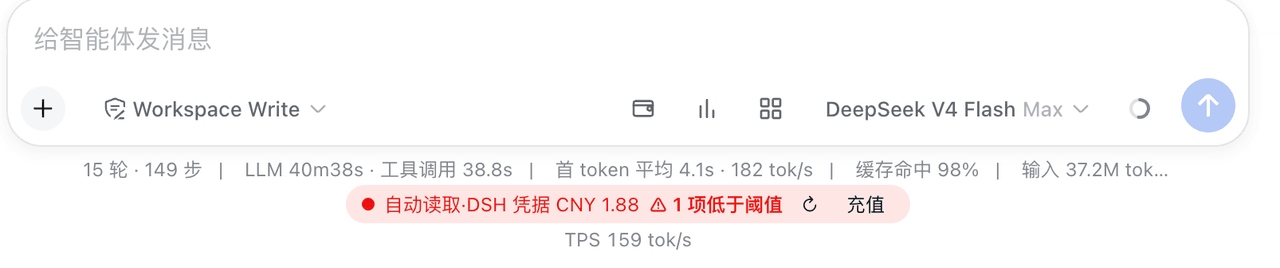 yxxbc/dsh-balance-plugin
deepSeek 余额监控与用量统计(DSH 动态 Cordis 插件):余额监控 · 官方充值入口 · 用量统计 · 三方插件管理
yxxbc/dsh-balance-plugin
deepSeek 余额监控与用量统计(DSH 动态 Cordis 插件):余额监控 · 官方充值入口 · 用量统计 · 三方插件管理
-
 slywalker2006/dsh-passwords
Server-grade gateway that turns DeepSeek Harness into a multi-tenant platform: remote access + auto HTTPS, subuser permi…
slywalker2006/dsh-passwords
Server-grade gateway that turns DeepSeek Harness into a multi-tenant platform: remote access + auto HTTPS, subuser permi…