btsd321/dsh-remote-explorer
Remote development launcher: install dsh on a remote host and use it from your local browser. LLM credentials never leave your machine.
Project Overview项目介绍
dsh-remote-explorer is a DSH-native plugin and, at the same time, a standalone remote-development launcher for the DeepSeek Harness CLI. Its purpose is to install dsh on a remote host or a WSL2 distribution and tunnel the UI back to a local browser, so that LLM credentials stay on the local machine while code and sessions live on the remote. The local side runs on Windows, Linux, or macOS and the remote side targets Linux or macOS on arm64 or x86_64; installation can be done from source via tsx, from a pre-packaged release archive that bundles an official Node runtime, or through the command dsh plugin --profile web add github:btsd321/dsh-remote-explorer, after which three surfaces become available: a left-rail panel, a slash command, and agent tools.
The typical workflow begins when the user opens the "Remote SSH Sessions" panel from the dsh Web or Desktop sidebar, picks a host either from ~/.ssh/config entries or as an ad-hoc user@host[:port] (with IPv6 required to go through the config), and chooses between entering the current tab or opening a new one. A status pill on the remote window lets users return to the manager or close the connection, while /remote-ssh hosts | connect <alias> [remote-dir] | status | disconnect <alias|session-id> [--keep-remote] provides keyboard-driven control and the agent tools remote_hosts_list, remote_connect, remote_status, and remote_kill stay behind dsh's normal approval gate. The plugin and CLI share one session table at ~/.dsh-remote-explorer/btsd321/, so a session started in either direction is visible in the other, although its lifetime rides the host dsh process.
Dependencies differ by mode: source runs need Node.js v20.19+ or v22+ together with pnpm 11+, while release packages are fully self-contained and verify the bundled Node binary against SHASUMS256 at download time. SSH authentication prefers an IdentityFile private key, falls back to an interactive password prompt when no key exists, and supports --password with an explicit warning about process-list and shell-history leakage. WSL is auto-installed and tunneled over localhost forwarding, but the WSL Sessions card is hidden on non-Windows platforms. The project is released under Apache-2.0, the five-platform packaging matrix covers win32-x64, linux-x64, linux-arm64, darwin-x64, and darwin-arm64, and contributors must run pnpm run setup:hooks after cloning so that the pre-commit hook keeps the committed lib/ artifacts in sync with src/.
一、dsh-remote-explorer 是一个 DSH 原生插件,同时也是一款独立的远程开发启动器。它把 dsh 安装到远程主机或 WSL2 发行版,通过 SSH 隧道把本地浏览器作为 UI 渲染层,LLM 凭证始终留在本地机器,代码与会话则托管在远端。本机支持 Windows/Linux/macOS,远端支持 Linux/macOS(arm64 与 x86_64),安装方式可从源码、预打包发布包或 dsh plugin --profile web add 命令三种之一完成。
二、典型使用流程是用户在 dsh Web/Desktop 的左侧导航栏打开 "Remote SSH Sessions" 全局面板,选取 ~/.ssh/config 中的主机或临时 user@host[:port],选择进入当前标签页或新建标签页连接,远程会话保持活跃直至本机 dsh 进程退出。也提供 /remote-ssh 斜杠命令与 remote_hosts_list / remote_connect / remote_status / remote_kill 代理工具,面向希望在远端运行 dsh 而不暴露 API 密钥的开发团队。
三、依赖方面,源码运行需要 Node.js v20.19+ 或 v22+ 及 pnpm 11+,发布包内置 Node 运行时,SSH 私钥推荐使用 --password 会在进程列表泄露。WSL 仅 Windows 可见,会话表由 CLI 与插件双向共享。许可证为 Apache-2.0,贡献者需运行 pnpm run setup:hooks 安装 git 钩子,以免 lib/ 制品过期。
请帮我安装这个 DSH 插件。安装前先完成【兼容性检查 + 安全性检查】,检查通过再动手。

插件:dsh-remote-explorer(btsd321/dsh-remote-explorer)
仓库:https://github.com/btsd321/dsh-remote-explorer
本站详情页:https://www.yhbd.top/plugins/btsd321-dsh-remote-explorer/
本站登记:类型 client · 归类 原生 DSH 插件 · 许可证 Apache-2.0 · ⭐ 2 · 最近提交 2026-10-03 · 主语言 JavaScript

按下面顺序执行,每步先把结论告诉我,再进入下一步:

【1 兼容性检查】
① 我这边:DSH 版本、Node 版本、操作系统、当前 profile(web / desktop)。
② 读它的 README、package.json、插件 manifest,列出它要求的 DSH 版本 / Node 版本 / 操作系统 / 外部依赖 / 需要另外先装的运行时。
③ 逐条比对,结论只写「满足 / 不满足 / 未知」三种;不满足的给出可行替代方案。
④ 检查是否和我已装的插件冲突:命令名重复、skill / tool 重名、端口占用、重复注册的 MCP server。

【2 安全性检查】
① 仓库可信度:和上面「本站登记」是否一致;star / fork 数、创建时间、最近提交,是否归档或长期停更。
② 安装脚本:逐行看 package.json 的 preinstall / install / postinstall,以及 install.sh、setup.ps1 之类脚本。出现 curl|bash、下载后直接执行、混淆代码、访问与插件功能无关的域名,立刻停下来告诉我,不要继续装。
③ 依赖:列出新增依赖,标出无人维护、或与知名包拼写近似的可疑包(typosquatting)。
④ 权限与副作用:它会读写哪些目录、访问哪些域名、需要哪些 DSH 权限(filesystem / network / shell / clipboard 等),以及怎么卸载和回滚。
⑤ 如果它要求 sudo / 管理员权限,或权限明显超出功能所需,先停下来问我。

【3 安装】
上面两步没有「不满足」和「高危项」时才执行;用官方推荐方式安装,不要自行提权。

【4 汇报】
用表格输出:检查项 / 结论 / 依据 / 是否需要我决策。拿不准的一律写「未知」并说明要我怎么确认——不要猜,也不要替我决定。
Send this message to DSH in your current session: it verifies compatibility and security first (answering met / not met / unknown item by item) and only installs once everything checks out — it will stop and ask you if it finds a high-risk item. The box scrolls; the copy is the full prompt. CLI install commands may not be accurate across systems, so DSH is the safer route.把上面这条消息直接发给当前会话里的 DSH:它会先核对兼容性与安全性(逐条给「满足 / 不满足 / 未知」),确认没问题再安装,有高危项会停下来问你。框内可滚动,复制到的是完整提示词;安装命令不一定准确,发给 DSH 更稳。
- Only 2 stars - very few users, little community feedback星标只有 2,几乎没人在用,遇到问题缺少社区反馈
DSH walks through these 9 checksDSH 会逐条核对这 9 项
Compatibility兼容性
- DSH, Node, OS and profile requirementsDSH 版本 / Node 版本 / 操作系统 / profile 是否满足要求
- External dependencies and runtimes (Electron / Python / Docker, ...)外部依赖与运行时(Electron / Python / Docker 等)是否齐备
- Conflicts with installed plugins: command names, skill / tool names, ports, duplicate MCP registration与已装插件是否冲突:命令名、skill / tool 重名、端口占用、重复 MCP 注册
Security安全性
- Repo matches the facts registered here; archived or abandoned?仓库是否与页面登记一致,是否归档或长期停更
- Safety of preinstall / install / postinstall and install.sh / setup.ps1preinstall / install / postinstall 与 install.sh、setup.ps1 是否安全
- curl|bash, download-then-execute, obfuscation, unrelated domains → stop immediatelycurl|bash、下载即执行、混淆代码、无关域名 → 立刻停止
- Typosquatting or unmaintained packages among the new dependencies新增依赖里有没有 typosquatting 或无人维护的包
- Requested permissions vs. what the feature actually needs申请了哪些权限、是否超出功能所需(filesystem / network / shell / clipboard)
- Any sudo / admin requirement, plus uninstall and rollback是否要求 sudo / 管理员权限,以及卸载与回滚方式
Anything uncertain must be marked unknown with a note on how to confirm it. This site's signal screen is a static snapshot, not a security audit.拿不准的必须标「未知」并说明要我怎么确认。本站的信号筛查是静态快照,不能替代安全审计。
Or use CLI install (for developers)或使用命令行安装(适合开发者)
CLI Install命令行安装
dsh plugin --profile web add dsh-remote-explorer把 btsd321/dsh-remote-explorer 加入你的 DSH 配置(web profile)即可启用。
READMEREADME
dsh-remote-explorer
Remote development launcher: install dsh on a remote host and use it from your local browser. LLM credentials never leave your machine.
Inspired by VS Code Remote-SSH, Zed, and JetBrains Gateway — code and sessions live on the remote, the local machine only renders the UI.
Supported environments
- Local (client): Windows / Linux / macOS. Node.js v20.19+ or v22+ and pnpm 11+ are only needed for the source-run mode (pnpm is the default dev package manager, pinned via
packageManager); release packages bundle their own Node runtime. - Remote host: Linux or macOS (POSIX); aarch64 (arm64) and x86_64 both work. No Node preinstalled required — the tool installs and self-checks it.
- WSL (Windows Subsystem for Linux): On Windows, WSL2 distributions are supported as remote targets. dsh is auto-installed inside WSL, tunneled via localhost forwarding — no SSH setup needed. Click the "WSL Sessions" card in the panel to use; the entry is hidden on non-Windows platforms. The reverse channel — shared by the remote-window handoff and the LLM credential proxy — supports both WSL2 networking modes (NAT binds the default-route gateway address alongside the loopback; mirrored rides the shared loopback), with automatic networking-mode detection and a reverse-link self-check after attach.
- SSH authentication: private key (
IdentityFile, recommended); with no key configured, an interactive terminal prompts for a password (no echo);--passwordalso works (leaks via process list / shell history — the CLI warns). - Hosts come from
Hostentries in~/.ssh/config, or ad-hocuser@host[:port](IPv6 must go through the config).
Installation and running
The CLI has two run modes (identical commands and options); if you already run dsh locally, you can also install this tool as a dsh plugin (Option 3).
Option 1: run from source
The repository has no build step; .ts source is executed directly via tsx. The dev environment defaults to pnpm (version pinned via packageManager in package.json). After fetching the source:
Showing the opening section of the README — the full document lives in the repository以上为 README 开头摘要,完整文档在仓库内 · View the full README on GitHub →在 GitHub 查看完整 README →
Related相关推荐
-
 Leon0555/dsh-lan-access
一个DSH局域网内访问插件:让 DeepSeek Harness 可在局域网内被其他设备访问的 DSH 插件。同一局域网下,手机/平板/电脑打开浏览器即可直接访问你某台设备上的 DSH——无需 SSH、无需内网穿透,npm 一键安装。
Leon0555/dsh-lan-access
一个DSH局域网内访问插件:让 DeepSeek Harness 可在局域网内被其他设备访问的 DSH 插件。同一局域网下,手机/平板/电脑打开浏览器即可直接访问你某台设备上的 DSH——无需 SSH、无需内网穿透,npm 一键安装。
-
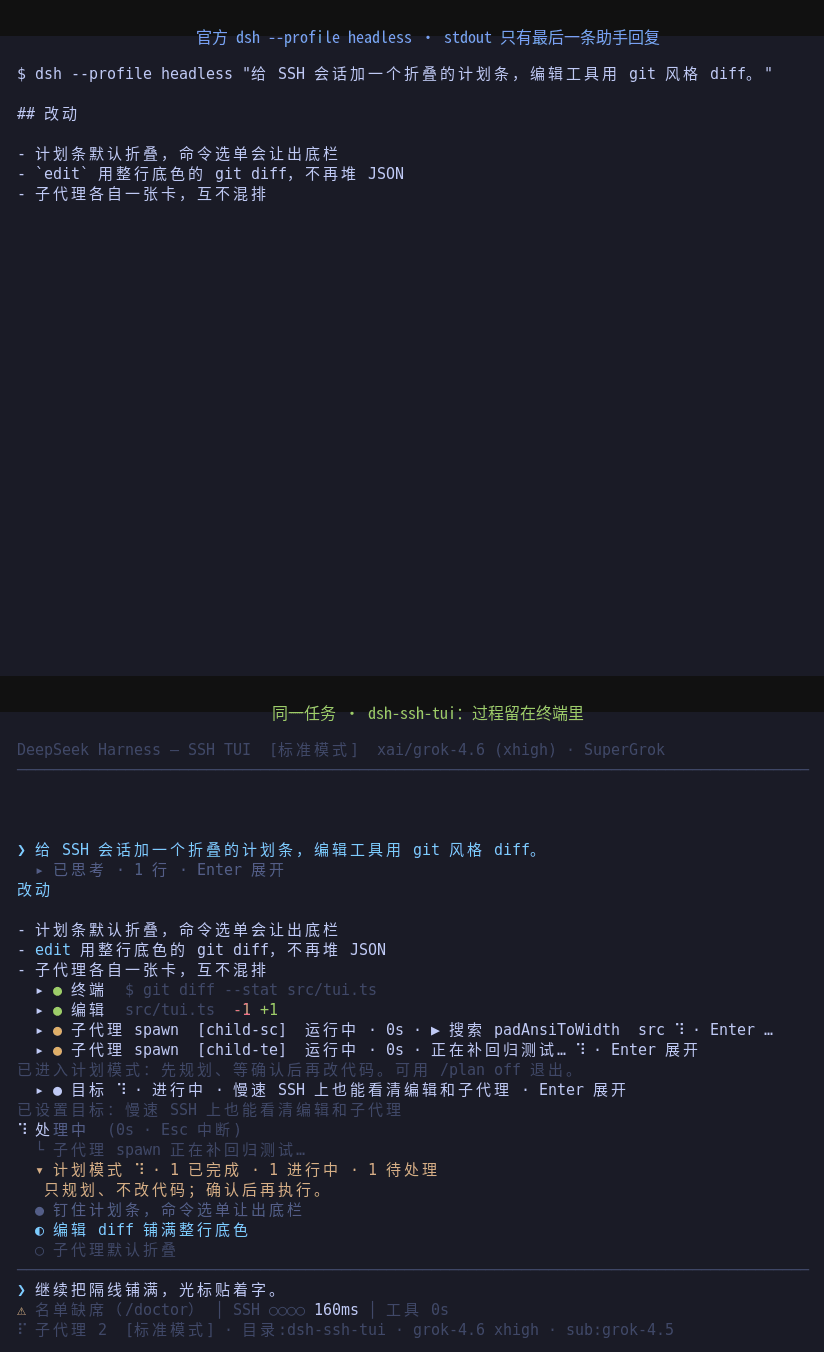 cyjyyd/dsh-ssh-tui
SSH-friendly DeepSeek Harness TUI. Plain ANSI, incremental redraws, no browser.
cyjyyd/dsh-ssh-tui
SSH-friendly DeepSeek Harness TUI. Plain ANSI, incremental redraws, no browser.
-
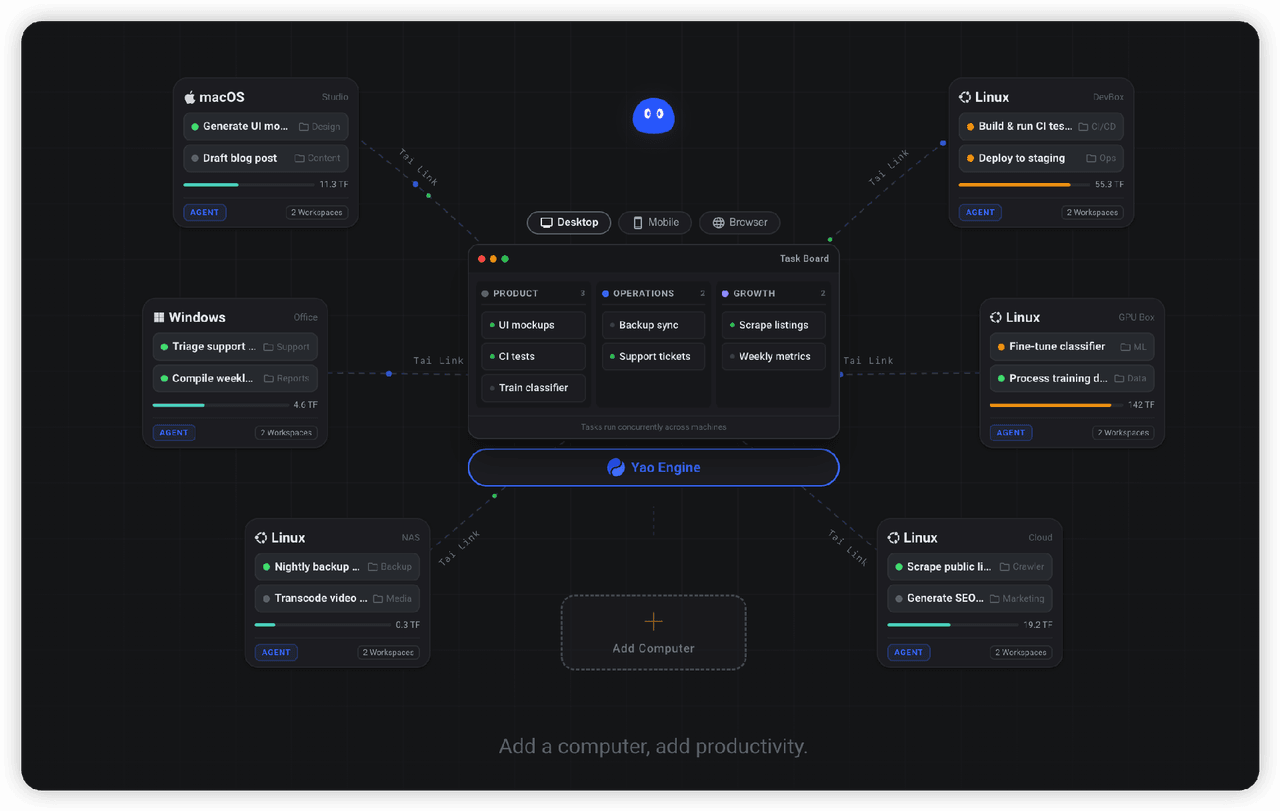 YaoApp/yao
✨ All your agents and workspaces in one place, on every device you own. Track tasks on a board, accessible from desktop,…
YaoApp/yao
✨ All your agents and workspaces in one place, on every device you own. Track tasks on a board, accessible from desktop,…
- antibrow/dsh-antibrow DeepSeek Harness plugin: give your agent a browser with a persistent identity - engine-level fingerprint spoofing, unlim…
-
 liustack/modsearch
🥇 The strongest free web search plugin for DeepSeek Harness, and the search bridge for every model without native web a…
liustack/modsearch
🥇 The strongest free web search plugin for DeepSeek Harness, and the search bridge for every model without native web a…
-
 See-Sol-Lab/DeepSeekGUI
基于 DeepSeek Harness(DSH)的稳定桌面端,集成Git、内置浏览器与记忆功能 | DeepSeek Harness desktop GUI with local workspaces, Git, browser and m…
See-Sol-Lab/DeepSeekGUI
基于 DeepSeek Harness(DSH)的稳定桌面端,集成Git、内置浏览器与记忆功能 | DeepSeek Harness desktop GUI with local workspaces, Git, browser and m…
-
 xgone/dsh-remote
让你通过浏览器安全地远程使用 DeepSeek Harness:登录、MFA 两步验证、角色权限和远程文件预览。 | Use DeepSeek Harness securely in a remote browser with login,…
xgone/dsh-remote
让你通过浏览器安全地远程使用 DeepSeek Harness:登录、MFA 两步验证、角色权限和远程文件预览。 | Use DeepSeek Harness securely in a remote browser with login,…
-
 wxkingstar/SpecFusion
在 DeepSeek Harness / Claude Code / Cursor / Codex / Gemini CLI 里直接搜索 20 个中国开放平台的 65,600+ 篇 API 文档;零配置,支持 Skill 与 DSH 原生插…
wxkingstar/SpecFusion
在 DeepSeek Harness / Claude Code / Cursor / Codex / Gemini CLI 里直接搜索 20 个中国开放平台的 65,600+ 篇 API 文档;零配置,支持 Skill 与 DSH 原生插…