
chenhw7/dsh-memory
Cairn — long-term memory for the DeepSeek Harness (@chenhw7/dsh-memory). Persistent cross-session memory: facts, preferences, corrections, lessons. BM25 retrieval, three-layer scoping, human-confirmed writes.
Project Overview项目介绍
Cairn is a native long-term memory profile bundle for the DeepSeek Harness (DSH), distributed as the single npm package @chenhw7/dsh-memory from the repository chenhw7/dsh-memory. It ships its own cordis.patch.yml, so activation happens through the canonical dsh plugin add command as a profile layer on top of an existing dsh installation. The bundle declares dsh core services as peer dependencies rather than bundling them, and it explicitly does not insert storage-json or storage-domain rows because the dsh-web-app bundle already provides them under $DSH_HOME/storages; overwriting would clobber the host config.
The plugin targets DSH developers who want their agent to retain facts, preferences, corrections, and lessons across sessions and process restarts. It offers three-layer scoping (global cross-project, project per-repo auto-detected, and user cross-project profile), nine memory tools (memory_search, memory_add, memory_replace, memory_remove, memory_list, memory_get, memory_pin, memory_unpin, memory_forget), plus an opt-in identity_update that lets the agent grow SOUL.md and USER.md in conversation. Retrieval uses a dependency-free Okapi BM25 kernel with Latin word tokens and CJK unigram + bigram tokenization, and a CI golden set reports success@5 = 100% with MRR = 0.902. Workflow-wise, an automatic projection accumulator watches for remember-intent, corrections, and verified failure streaks, then runs LLM extraction; digested memory is injected via a one-time <memory-digest> inventory and a per-step recall fence, while project notes render into a project-notes prompt section.
Installation requires dsh from the alpha dist-tag at ^0.1.2-alpha.2, because the bundle depends on the new ctx.settings.installSection API and the replaced @deepseek-ai/dsh-client-store / dsh-client-ui-settings client packages; the next rc line cannot load it. Headless profiles must manually inject storage-json and storage-domain rows into their own cordis.patch.yml. Known limits: only BM25 lexical retrieval (no vector/semantic search), mid-session extractions stay out of the prompt until the next compaction, extraction quality tracks the routed session model, remote writes are denied by default and trustedHosts must stay narrow, and the license is MIT while dsh itself remains developer-preview with expected breaking changes.
Cairn(仓库 chenhw7/dsh-memory,npm 包名 @chenhw7/dsh-memory)是一个面向 DeepSeek Harness(DSH)的原生长期记忆插件,以单包 profile bundle 形式发布。它通过自带的 cordis.patch.yml 由 dsh plugin add 命令挂载为 profile 层,对等依赖 dsh 核心服务(即 storageDomain),并复用 dsh-web-app 已注入的 storage-json / storage-domain 行。
该插件为 DSH 代理提供持久化记忆与三层层级(global / project / user),暴露九项 memory 工具(memory_search、memory_add、memory_replace、memory_remove、memory_list、memory_get、memory_pin、memory_unpin、memory_forget)以及 identity_update。它内置无依赖的 Okapi BM25 内核(支持 CJK unigram 与 bigram 分词),并支持可选择的 SOUL.md 与 USER.md 身份层,适合希望跨会话保留用户偏好与项目约定的开发者使用。
首次运行前必须从 alpha dist-tag 安装 dsh 0.1.2-alpha.x,并将 $DSH_HOME 指向包含存储层的 profile;headless profile 需额外手工补齐 storage 行。注意不支持向量检索,远程写入默认关闭,MIT 许可,需接受 dsh 仍在开发者预览、接口可能变更的现实。
请帮我安装这个 DSH 插件。安装前先完成【兼容性检查 + 安全性检查】,检查通过再动手。

插件:dsh-memory(chenhw7/dsh-memory)
仓库:https://github.com/chenhw7/dsh-memory
本站详情页:https://www.yhbd.top/plugins/chenhw7-dsh-memory/
本站登记:类型 plugin · 归类 原生 DSH 插件 · 许可证 MIT · ⭐ 2 · 最近提交 2026-09-10 · 主语言 TypeScript

按下面顺序执行,每步先把结论告诉我,再进入下一步:

【1 兼容性检查】
① 我这边:DSH 版本、Node 版本、操作系统、当前 profile(web / desktop)。
② 读它的 README、package.json、插件 manifest,列出它要求的 DSH 版本 / Node 版本 / 操作系统 / 外部依赖 / 需要另外先装的运行时。
③ 逐条比对,结论只写「满足 / 不满足 / 未知」三种;不满足的给出可行替代方案。
④ 检查是否和我已装的插件冲突:命令名重复、skill / tool 重名、端口占用、重复注册的 MCP server。

【2 安全性检查】
① 仓库可信度:和上面「本站登记」是否一致;star / fork 数、创建时间、最近提交,是否归档或长期停更。
② 安装脚本:逐行看 package.json 的 preinstall / install / postinstall,以及 install.sh、setup.ps1 之类脚本。出现 curl|bash、下载后直接执行、混淆代码、访问与插件功能无关的域名,立刻停下来告诉我,不要继续装。
③ 依赖:列出新增依赖,标出无人维护、或与知名包拼写近似的可疑包(typosquatting)。
④ 权限与副作用:它会读写哪些目录、访问哪些域名、需要哪些 DSH 权限(filesystem / network / shell / clipboard 等),以及怎么卸载和回滚。
⑤ 如果它要求 sudo / 管理员权限,或权限明显超出功能所需,先停下来问我。

【3 安装】
上面两步没有「不满足」和「高危项」时才执行;用官方推荐方式安装,不要自行提权。

【4 汇报】
用表格输出:检查项 / 结论 / 依据 / 是否需要我决策。拿不准的一律写「未知」并说明要我怎么确认——不要猜,也不要替我决定。
Send this message to DSH in your current session: it verifies compatibility and security first (answering met / not met / unknown item by item) and only installs once everything checks out — it will stop and ask you if it finds a high-risk item. The box scrolls; the copy is the full prompt. CLI install commands may not be accurate across systems, so DSH is the safer route.把上面这条消息直接发给当前会话里的 DSH:它会先核对兼容性与安全性(逐条给「满足 / 不满足 / 未知」),确认没问题再安装,有高危项会停下来问你。框内可滚动,复制到的是完整提示词;安装命令不一定准确,发给 DSH 更稳。
- Only 2 stars - very few users, little community feedback星标只有 2,几乎没人在用,遇到问题缺少社区反馈
DSH walks through these 9 checksDSH 会逐条核对这 9 项
Compatibility兼容性
- DSH, Node, OS and profile requirementsDSH 版本 / Node 版本 / 操作系统 / profile 是否满足要求
- External dependencies and runtimes (Electron / Python / Docker, ...)外部依赖与运行时(Electron / Python / Docker 等)是否齐备
- Conflicts with installed plugins: command names, skill / tool names, ports, duplicate MCP registration与已装插件是否冲突:命令名、skill / tool 重名、端口占用、重复 MCP 注册
Security安全性
- Repo matches the facts registered here; archived or abandoned?仓库是否与页面登记一致,是否归档或长期停更
- Safety of preinstall / install / postinstall and install.sh / setup.ps1preinstall / install / postinstall 与 install.sh、setup.ps1 是否安全
- curl|bash, download-then-execute, obfuscation, unrelated domains → stop immediatelycurl|bash、下载即执行、混淆代码、无关域名 → 立刻停止
- Typosquatting or unmaintained packages among the new dependencies新增依赖里有没有 typosquatting 或无人维护的包
- Requested permissions vs. what the feature actually needs申请了哪些权限、是否超出功能所需(filesystem / network / shell / clipboard)
- Any sudo / admin requirement, plus uninstall and rollback是否要求 sudo / 管理员权限,以及卸载与回滚方式
Anything uncertain must be marked unknown with a note on how to confirm it. This site's signal screen is a static snapshot, not a security audit.拿不准的必须标「未知」并说明要我怎么确认。本站的信号筛查是静态快照,不能替代安全审计。
Or use CLI install (for developers)或使用命令行安装(适合开发者)
CLI Install命令行安装
dsh plugin add --profile web @chenhw7/dsh-memory把 chenhw7/dsh-memory 加入你的 DSH 配置(web profile)即可启用。
READMEREADME

Cairn
Cairn is long-term memory for the DeepSeek Harness, packaged as the @chenhw7/dsh-memory profile bundle — facts, preferences, corrections, and lessons survive across sessions and restarts.
This is a self-contained single package (not a multi-package workspace). It depends on dsh core services as peer dependencies (provided by the dsh installation you already have) and ships its own cordis.patch.yml so dsh plugin add activates it as one profile layer.
English | 简体中文
Interactive Deep-Dive
A single-file, zero-dependency illustrated walkthrough of the whole pipeline — signal capture, storage, retrieval, injection, and decay. The figures are not static: the extraction loop, the write-path security gates, the BM25 kernel ported from src/store/bm25.ts, and a decay simulator all run live in your browser. It is served from this repo via GitHub Pages:
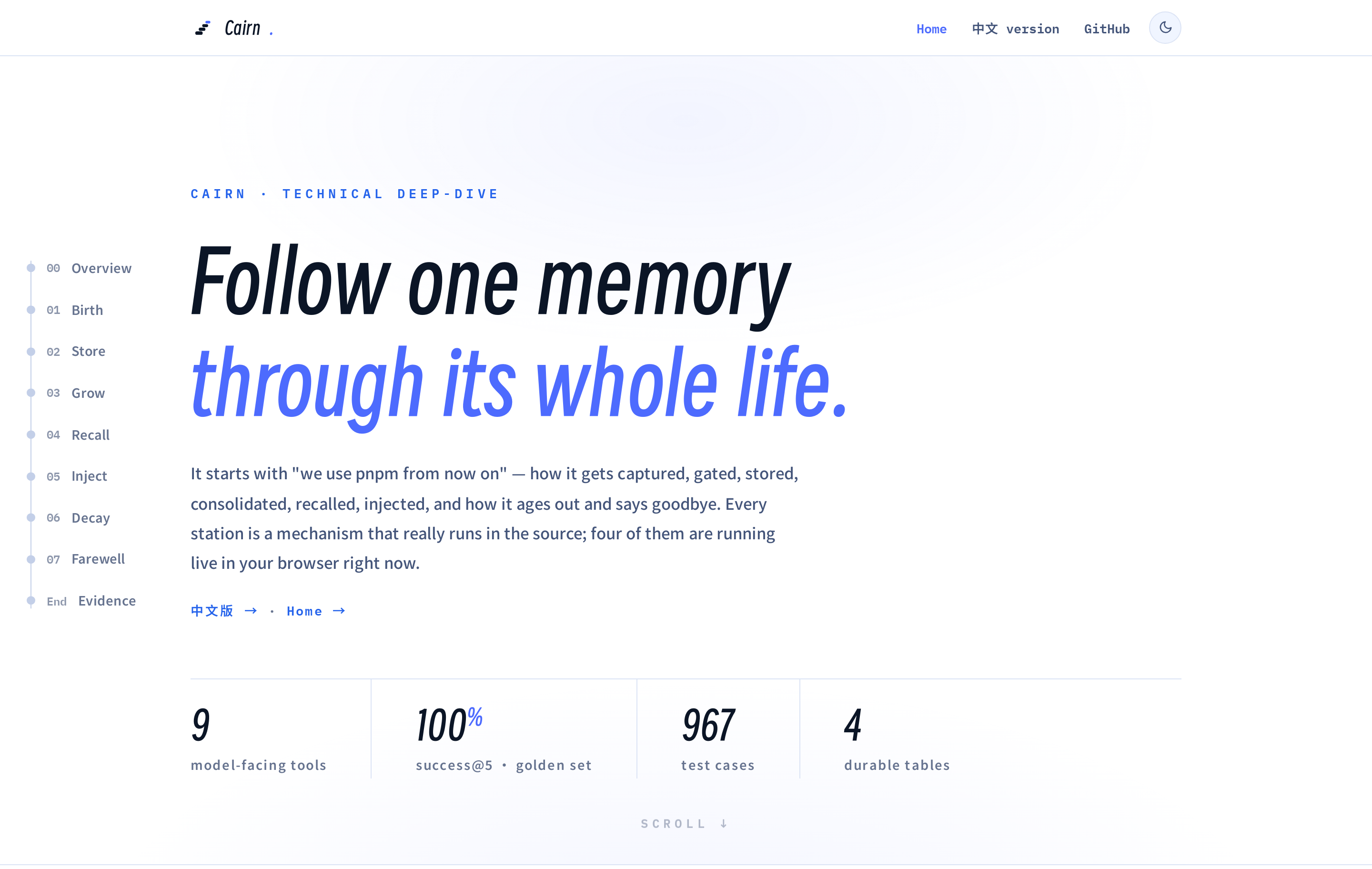
→ Open the live page: memory-architecture.html · 简体中文版
Table of Contents
- Interactive Deep-Dive
- Features
- Install
- Update
- Uninstall
- Verify
- Configuration
- Architecture
- Known Limitations
- License
Features
Your dsh agent normally forgets everything when you close a session. This bundle fixes that:
- Persistent memory — facts, preferences, and conventions stored in a durable KV backend with audit logging.
- Three-layer scoping —
global(cross-project),project(per-repo, auto-detected), anduser(cross-project profile). - Nine memory tools + the identity tool —
memory_search,memory_add,memory_replace,memory_remove,memory_list,memory_get,memory_pin,memory_unpin,memory_forget, plusidentity_update(below). - Identity layer (opt-in) — the agent's two self-documents, SOUL.md (its character) and USER.md (its understanding of you), grown by the agent in conversation through
identity_updateand injected into every session (soul@80 /user-profile@81, coexisting with — and yielding to — the deployment persona; explicit conversation instructions always win). Seeded once from built-in Chinese copy, versioned with full history, never decayed. You hold no editor — only governance: a read-only Identity settings section with version history, a two-step revert valve (default on, separate from the remote write switch), and markdown export. Extraction never persists identity restatements (prompt rule + mechanical prefilter), and an eval slice +--identityaxis pin the injection surface (see TECH_DESIGN §7.10). - BM25 relevance search — dependency-free Okapi BM25 over CJK-aware tokenization (Latin word tokens; CJK unigrams + bigrams), pinned entries surfaced ahead of equal-relevance matches. Retrieval quality is not vibes: a fixed golden set (35 entries × 35 query sets, English + Chinese) is evaluated in CI — success@5 = 100%, MRR = 0.902 — with injection-cost numbers per prompt mode (see TECH_DESIGN §7.9).
- Automatic learning — a projection accumulator watches the conversation for explicit remember-intent, corrections, and verified failure streaks (repeated same-signature tool failures resolved by a success), then runs LLM extraction when enough candidates accumulate. Admission rules exclude anything the repository already records (code structure, git history, fixed-bug narratives), and model-handwritten date prefixes are stripped so timestamps always come from the program.
- Project notes prompt section — coding conventions and a pitfall log render into every session's system prompt (
project-notessection). Nothing is written into your repository: memory lives entirely in the host-side store, is managed in the Memory settings UI, and upgrades automatically clean up notes files left by ≤0.5.x installs. - Digest-first injection (default) — the system prompt carries only frozen guidance; the data rides step-tail messages instead: a one-time
<memory-digest>inventory of the store (category counts + anchor topic words, re-appended once after compaction) on the session's first step, and per-step<recalled-memory>fences when the step's text matches stored entries. The prompt prefix stays byte-stable all session, and nothing resident has to be evicted on re-freeze. - Dedup pipeline — two-stage deduplication (stop-word-filtered Jaccard prefilter + optional LLM judge with bounded merges) prevents near-duplicate accumulation; a low-frequency curator pass re-summarizes oversized entries.
- Two-tier memory lifecycle — pin important memories; overdue project-scoped entries are removed while overdue
global/userentries are soft-decayed (hidden from standing injections, still searchable, un-stamped on recall); entries can also be manually archived from the UI; every write is audited. - Step-level auto recall (on by default) — on each agent step, a BM25 search keyed on the step's user text appends a fenced
<recalled-memory>message without touching the system prompt, keeping the KV-cache prefix stable. Fence hits refresh an entry's recency clock but never its access count, so query-word luck cannot inflate the eviction signal. - Compaction-aware flush — when compaction shadows old context, the raw events are scanned for anything worth remembering.
- Security scanning, write and load time — API keys, tokens, prompt-injection patterns, and exfiltration attempts are blocked from being saved; anything that slips through is redacted (
[BLOCKED: …]) wherever it would re-enter a prompt. - Frontend-configurable — all settings exposed through five cards in the dsh settings UI, apply live.
- Optional human review before write — flip one setting (
confirmBeforeWrite) and every extraction and tool write becomes a proposal in a pending queue (repeated signals accumulate hits and float up); adopting applies it (with your edits), rejecting discards it. The model never self-promotes: a proposed change to an existing entry rewrites nothing until you accept it. - Memory manager UI — a dedicated "Memory" section in the dsh settings UI with three tabs: Overview (health dashboard), Review (the pending-proposal queue), and Manage — scope and workspace filters, BM25 search, category chips, a lazily loaded entry list, plus full write actions (edit / pin / archive / delete) — in English and Chinese.
- Time-window browsing + smart list view —
memory_listreturns newest-first withearliest/latest/hasStalemetadata, acceptssince/untilepoch-ms bounds so "what did we learn last week" pages within the window, and suggests widening the filter when a narrowed query comes back empty over a non-empty store. - Optional summaries for progressive disclosure —
memory_add/memory_replaceaccept asummary, and extraction can emit a[summary:…]tag; index mode and auto-recall render summaries instead of truncated content.
Showing the opening section of the README — the full document lives in the repository以上为 README 开头摘要,完整文档在仓库内 · View the full README on GitHub →在 GitHub 查看完整 README →
Related相关推荐
-
 vshulcz/deja-vu
The most accurate, cheapest and fastest memory for coding agents: searchable session history from Claude Code, Codex, Cu…
vshulcz/deja-vu
The most accurate, cheapest and fastest memory for coding agents: searchable session history from Claude Code, Codex, Cu…
-
 adoresever/graph-memory
Deepseek Harness、Openclaw知识图谱记忆插件。2026年4月受邀发布在清华大学讨论会。Knowledge Graph + Memory;Knowledge Graph Context Engine for OpenCl…
adoresever/graph-memory
Deepseek Harness、Openclaw知识图谱记忆插件。2026年4月受邀发布在清华大学讨论会。Knowledge Graph + Memory;Knowledge Graph Context Engine for OpenCl…
-
 mnemon-dev/mnemon
LLM-supervised persistent memory for AI agents — graph-based recall, cross-session knowledge, single binary. Works with …
mnemon-dev/mnemon
LLM-supervised persistent memory for AI agents — graph-based recall, cross-session knowledge, single binary. Works with …
-
 Phant0Meow/dsh-meow-memory
Cross-session memory plugin for DeepSeek Harness: seven-layer SQLite store (soul/user/project/fact/lesson/topic/rules), …
Phant0Meow/dsh-meow-memory
Cross-session memory plugin for DeepSeek Harness: seven-layer SQLite store (soul/user/project/fact/lesson/topic/rules), …
-
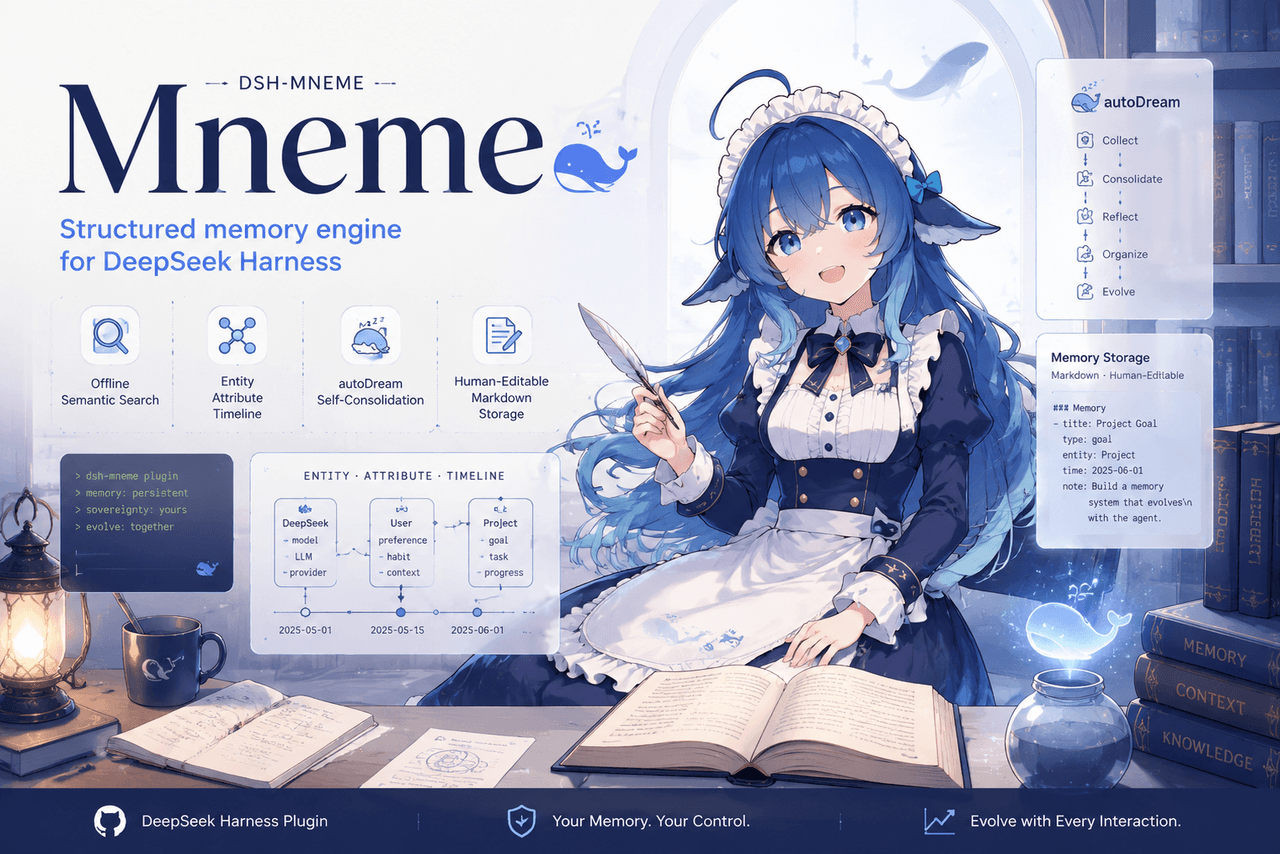 slow-stack/mneme
🧠 The memory that dreams — cross-session memory for DeepSeek Harness. Offline & private, auto-consolidates in its sleep…
slow-stack/mneme
🧠 The memory that dreams — cross-session memory for DeepSeek Harness. Offline & private, auto-consolidates in its sleep…
- hg1048596-pixel/dsh-recall-unread DeepSeek Harness (DSH) 插件:在模型读取前撤回已发送的文字消息,支持单条与全部撤回。A DeepSeek Harness plugin that recalls sent-but-unread text message…
- Tasihi89/dsh-talk-map Visual conversation map for DeepSeek Harness — sessions as cards on a whiteboard: drag to arrange, double-click to chat,…
-
 Aik358/dsh-auto-memory
Proactive associative memory for DSH: system-prompt recall before the model speaks, three-layer auto-consolidation, skil…
Aik358/dsh-auto-memory
Proactive associative memory for DSH: system-prompt recall before the model speaks, three-layer auto-consolidation, skil…