grloper/dsh-claude-oauth
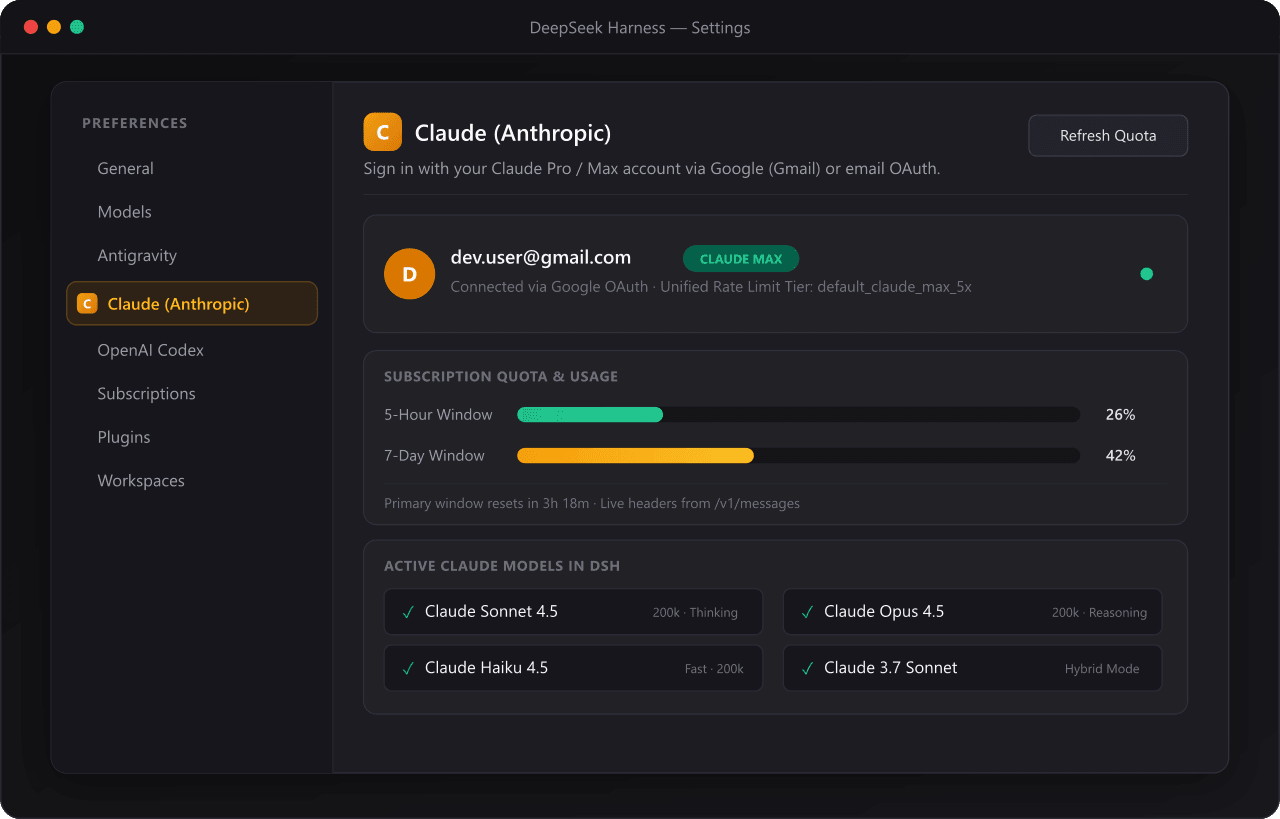
Claude Pro / Max OAuth integration for DeepSeek Harness (DSH) — sign in directly with your Google / Gmail account from the DSH Web Settings page, with automatic token rotation, live model discovery, and real-time 5-hour / 7-day subscription quota tracking.
catalog descriptioncatalog 简介 / catalog description:Claude Pro/Max OAuth model provider for DeepSeek Harness with Google/Gmail login in Settings, auto-token refresh, live model discovery, and real-time quota tracking
Project Overview项目介绍
This is an OAuth integration plugin for Claude Pro/Max on DeepSeek Harness (DSH). It enables one-click Google/Gmail sign-in, automatic token rotation, live model discovery and real-time quota tracking, with no manual configuration. Use it when accessing Claude models within DSH. It only works for users with active Claude Pro/Max subscriptions.
这是DeepSeek Harness(DSH)的Claude Pro/Max OAuth集成插件。支持Google/Gmail账号一键登录,自动轮换令牌,实时发现模型并追踪订阅配额,无需手动配置。需要在DSH中使用Claude模型时可安装使用,仅适用于拥有Claude Pro/Max订阅的用户。
请帮我安装这个 DSH 插件。安装前先完成【兼容性检查 + 安全性检查】,检查通过再动手。

插件:dsh-claude-oauth(grloper/dsh-claude-oauth)
仓库:https://github.com/grloper/dsh-claude-oauth
本站详情页:https://www.yhbd.top/plugins/grloper-dsh-claude-oauth/
本站登记:类型 plugin · 归类 原生 DSH 插件 · 许可证 MIT · ⭐ 3 · 最近提交 2026-10-01 · 主语言 JavaScript

按下面顺序执行,每步先把结论告诉我,再进入下一步:

【1 兼容性检查】
① 我这边:DSH 版本、Node 版本、操作系统、当前 profile(web / desktop)。
② 读它的 README、package.json、插件 manifest,列出它要求的 DSH 版本 / Node 版本 / 操作系统 / 外部依赖 / 需要另外先装的运行时。
③ 逐条比对,结论只写「满足 / 不满足 / 未知」三种;不满足的给出可行替代方案。
④ 检查是否和我已装的插件冲突:命令名重复、skill / tool 重名、端口占用、重复注册的 MCP server。

【2 安全性检查】
① 仓库可信度:和上面「本站登记」是否一致;star / fork 数、创建时间、最近提交,是否归档或长期停更。
② 安装脚本:逐行看 package.json 的 preinstall / install / postinstall,以及 install.sh、setup.ps1 之类脚本。出现 curl|bash、下载后直接执行、混淆代码、访问与插件功能无关的域名,立刻停下来告诉我,不要继续装。
③ 依赖:列出新增依赖,标出无人维护、或与知名包拼写近似的可疑包(typosquatting)。
④ 权限与副作用:它会读写哪些目录、访问哪些域名、需要哪些 DSH 权限(filesystem / network / shell / clipboard 等),以及怎么卸载和回滚。
⑤ 如果它要求 sudo / 管理员权限,或权限明显超出功能所需,先停下来问我。

【3 安装】
上面两步没有「不满足」和「高危项」时才执行;用官方推荐方式安装,不要自行提权。

【4 汇报】
用表格输出:检查项 / 结论 / 依据 / 是否需要我决策。拿不准的一律写「未知」并说明要我怎么确认——不要猜,也不要替我决定。
Send this message to DSH in your current session: it verifies compatibility and security first (answering met / not met / unknown item by item) and only installs once everything checks out — it will stop and ask you if it finds a high-risk item. The box scrolls; the copy is the full prompt. CLI install commands may not be accurate across systems, so DSH is the safer route.把上面这条消息直接发给当前会话里的 DSH:它会先核对兼容性与安全性(逐条给「满足 / 不满足 / 未知」),确认没问题再安装,有高危项会停下来问你。框内可滚动,复制到的是完整提示词;安装命令不一定准确,发给 DSH 更稳。
- Only 3 stars - very few users, little community feedback星标只有 3,几乎没人在用,遇到问题缺少社区反馈
DSH walks through these 9 checksDSH 会逐条核对这 9 项
Compatibility兼容性
- DSH, Node, OS and profile requirementsDSH 版本 / Node 版本 / 操作系统 / profile 是否满足要求
- External dependencies and runtimes (Electron / Python / Docker, ...)外部依赖与运行时(Electron / Python / Docker 等)是否齐备
- Conflicts with installed plugins: command names, skill / tool names, ports, duplicate MCP registration与已装插件是否冲突:命令名、skill / tool 重名、端口占用、重复 MCP 注册
Security安全性
- Repo matches the facts registered here; archived or abandoned?仓库是否与页面登记一致,是否归档或长期停更
- Safety of preinstall / install / postinstall and install.sh / setup.ps1preinstall / install / postinstall 与 install.sh、setup.ps1 是否安全
- curl|bash, download-then-execute, obfuscation, unrelated domains → stop immediatelycurl|bash、下载即执行、混淆代码、无关域名 → 立刻停止
- Typosquatting or unmaintained packages among the new dependencies新增依赖里有没有 typosquatting 或无人维护的包
- Requested permissions vs. what the feature actually needs申请了哪些权限、是否超出功能所需(filesystem / network / shell / clipboard)
- Any sudo / admin requirement, plus uninstall and rollback是否要求 sudo / 管理员权限,以及卸载与回滚方式
Anything uncertain must be marked unknown with a note on how to confirm it. This site's signal screen is a static snapshot, not a security audit.拿不准的必须标「未知」并说明要我怎么确认。本站的信号筛查是静态快照,不能替代安全审计。
Or use CLI install (for developers)或使用命令行安装(适合开发者)
CLI Install命令行安装
dsh plugin --profile web add github:grloper/dsh-claude-oauth把 grloper/dsh-claude-oauth 加入你的 DSH 配置(web profile)即可启用。
READMEREADME
dsh-claude-oauth




Claude Pro / Max OAuth integration for DeepSeek Harness (DSH) — sign in directly with your Google / Gmail account from the DSH Web Settings page, with automatic token rotation, live model discovery, and real-time 5-hour / 7-day subscription quota tracking.
English · 简体中文 · Technical Article
Preview
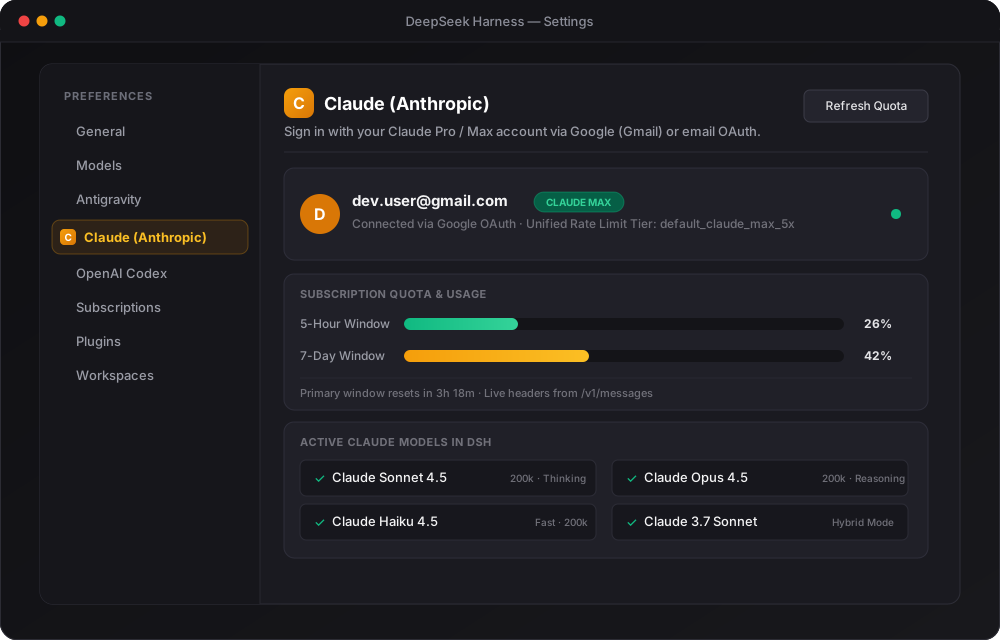
Key Features
- 🚀 One-Click Google / Gmail Sign-In in Settings: Dedicated Claude section in DSH Settings (
order: 13, beside Antigravity and Codex). Click "Sign in with Google / Gmail" to authenticate directly in your browser. - ⚡ Zero Terminal Hassle: No manual CLI token dumping, copying strings, or editing YAML config files.
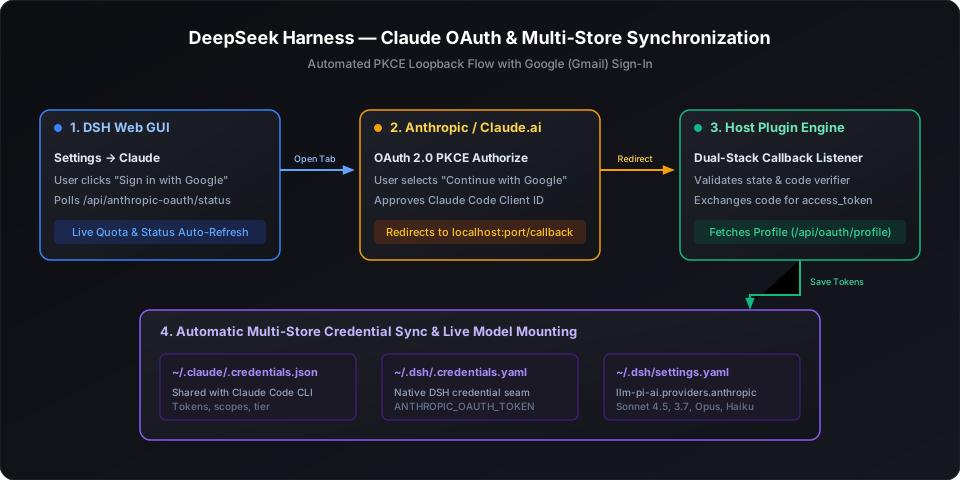
- 🔄 Dual-Stack PKCE OAuth Engine: Ephemeral loopback callback server listening on dual-stack IPv4 (
127.0.0.1) and IPv6 (::1), avoiding Windows localhost resolution traps. - 🛡️ Multi-Store Credential Sync: Exchanged tokens automatically sync to:
~/.claude/.credentials.json(shares authorization with the official Claude Code CLI)~/.dsh/.credentials.yaml(ANTHROPIC_OAUTH_TOKENandCLAUDE_CODE_OAUTH_TOKEN)~/.dsh/settings.yaml(configuresllm-pi-ai.providers.anthropicwith active models)
- 📊 Live Subscription Quota Meters: Displays real-time 5-hour and 7-day quota utilization bars with reset countdowns in both Settings and the ambient chat composer dock.
- 🤖 Live Model Catalog: Queries
GET /v1/modelsdynamically. All latest Claude releases (Claude 3.7 Sonnet, Claude Sonnet 4.5, Claude Opus 4.5, Claude Haiku 4.5) mount automatically.
Architecture Flow
Showing the opening section of the README — the full document lives in the repository以上为 README 开头摘要,完整文档在仓库内 · View the full README on GitHub →在 GitHub 查看完整 README →
Related相关推荐
-
 edison7009/EchoBird
Manage ChatGPT, Codex CLI, and Claude Code accounts and track quota in one place. Use multi-model smart routing with pri…
edison7009/EchoBird
Manage ChatGPT, Codex CLI, and Claude Code accounts and track quota in one place. Use multi-model smart routing with pri…
-
 Han-1413141/dsh-cost-meter
Cost tracking for DeepSeek Harness: session and model costs, token usage, budgets, provider balances, and coding-plan qu…
Han-1413141/dsh-cost-meter
Cost tracking for DeepSeek Harness: session and model costs, token usage, budgets, provider balances, and coding-plan qu…
-
 Ychris12138/dsh-usage-stats
Provider balances, subscription quotas, and token-usage analytics for the DeepSeek Harness Web GUI (dsh web).
Ychris12138/dsh-usage-stats
Provider balances, subscription quotas, and token-usage analytics for the DeepSeek Harness Web GUI (dsh web).
-
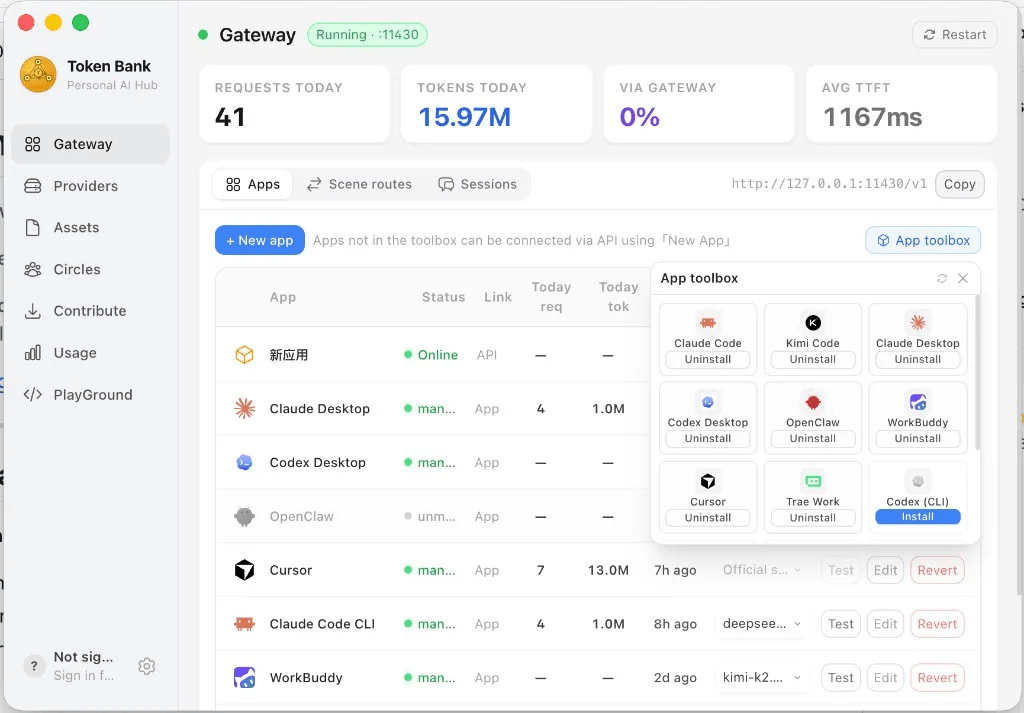 wink-run/tokenbank
Token Bank — the local LLM gateway that sits between your AI agents and every provider. Know where tokens go · Spend le…
wink-run/tokenbank
Token Bank — the local LLM gateway that sits between your AI agents and every provider. Know where tokens go · Spend le…
-
 JingbiaoMei/Tokdash
Agent Dashboard: Visualization and analytics for Sessions and Quota Usage. Track, analyze, and optimize token usage acro…
JingbiaoMei/Tokdash
Agent Dashboard: Visualization and analytics for Sessions and Quota Usage. Track, analyze, and optimize token usage acro…
-
 slywalker2006/dsh-passwords
Server-grade gateway that turns DeepSeek Harness into a multi-tenant platform: remote access + auto HTTPS, subuser permi…
slywalker2006/dsh-passwords
Server-grade gateway that turns DeepSeek Harness into a multi-tenant platform: remote access + auto HTTPS, subuser permi…
-
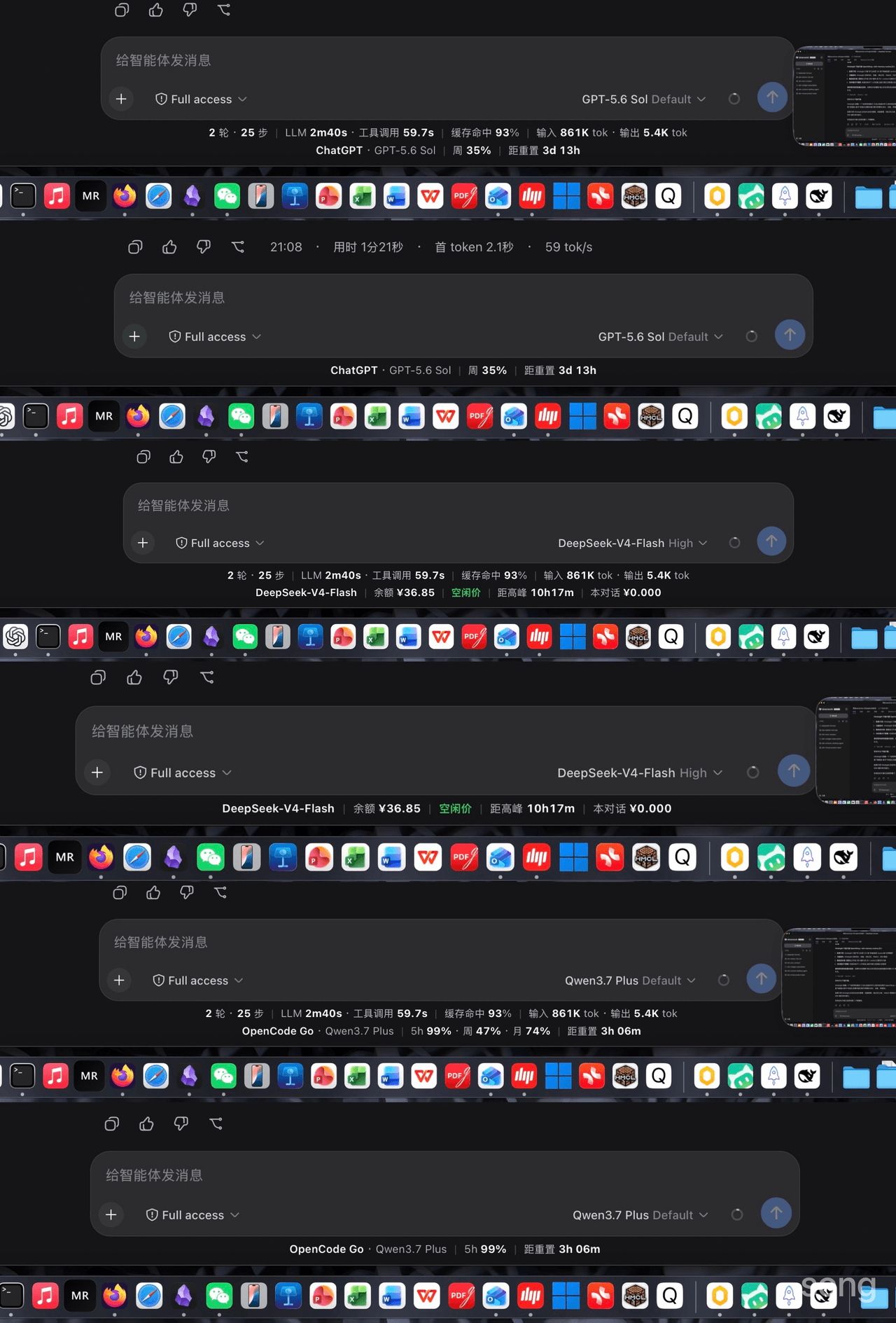 songoao25/dsh-bottom-info-bar
DeepSeek Harness (DSH) plugin: replaces the stats row under the composer with provider and model, balance or subscriptio…
songoao25/dsh-bottom-info-bar
DeepSeek Harness (DSH) plugin: replaces the stats row under the composer with provider and model, balance or subscriptio…
-
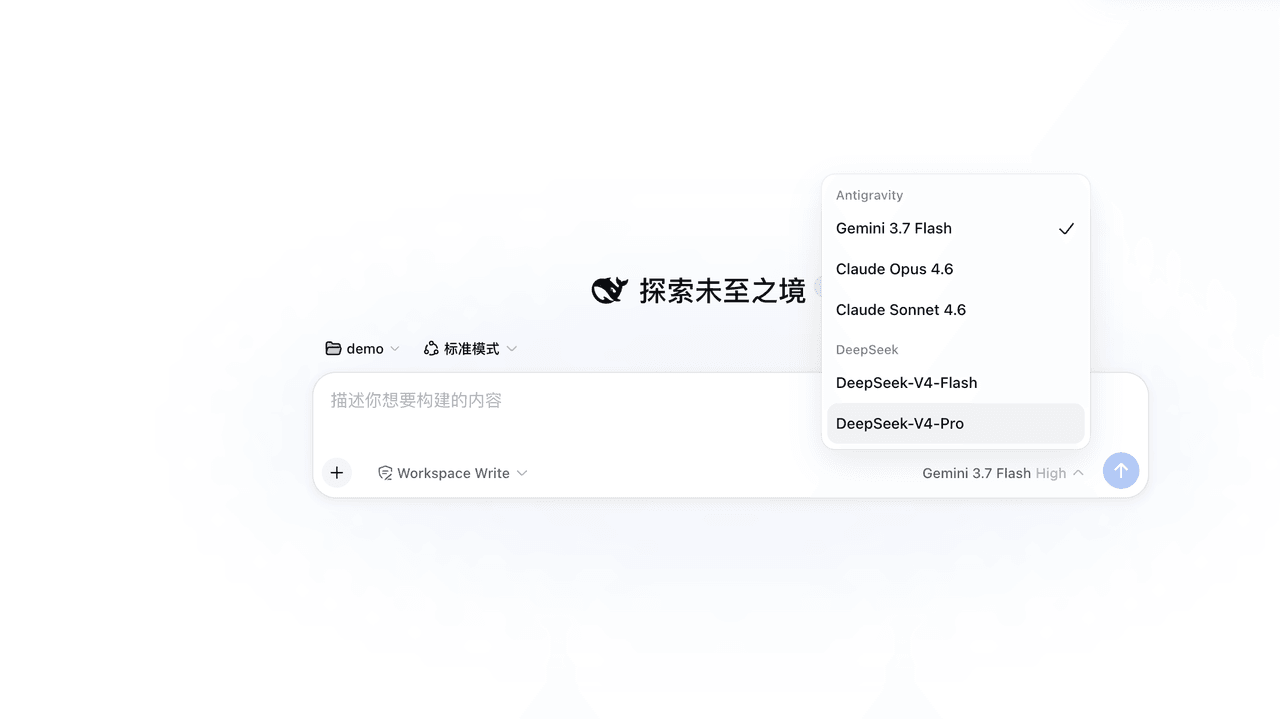 LiZhenNet/dsh-antigravity
为 DeepSeek Harness (DSH) 打造的 Google Antigravity 模型提供者插件/Google Antigravity LLM provider for DeepSeek Harness with native…
LiZhenNet/dsh-antigravity
为 DeepSeek Harness (DSH) 打造的 Google Antigravity 模型提供者插件/Google Antigravity LLM provider for DeepSeek Harness with native…