jiamuAi/dsh-token-usage
DSH Token用量统计面板(Codex风格):全实例Token消耗汇总+活动热力图。
Project Overview项目介绍
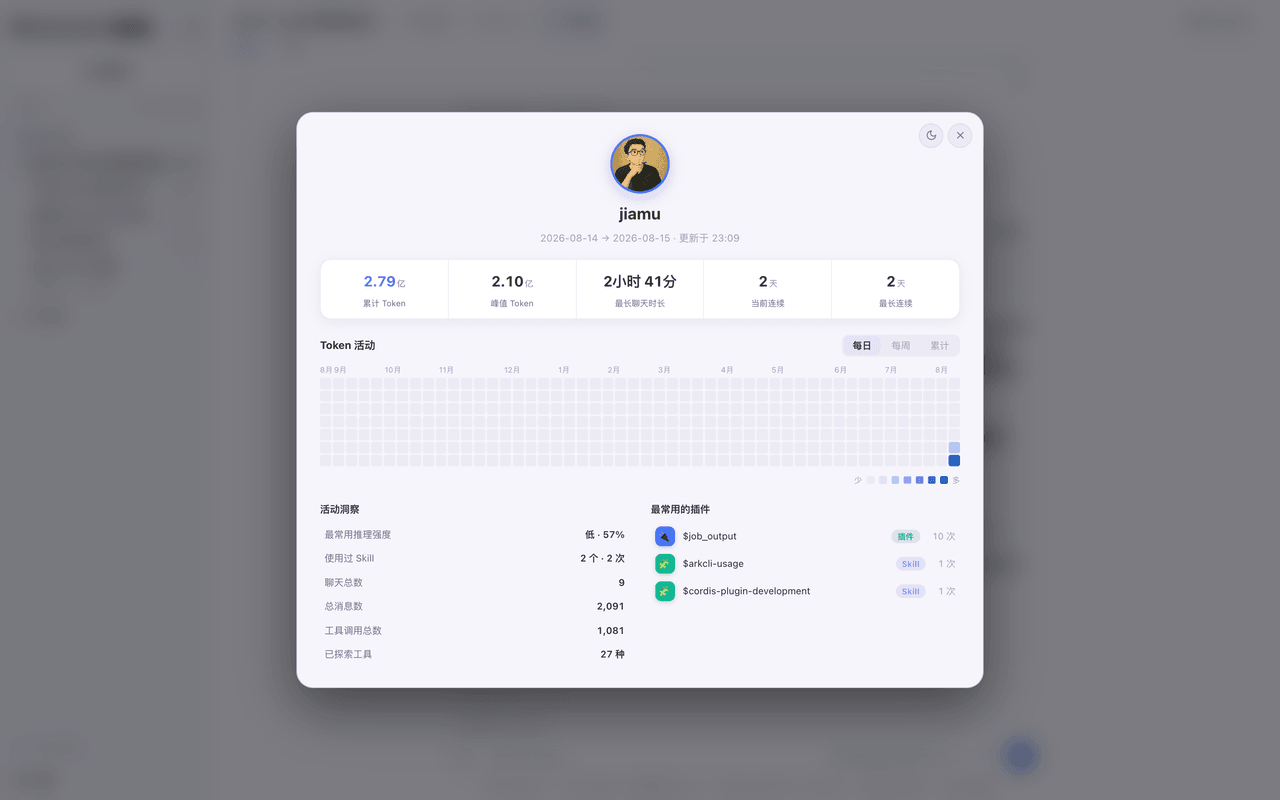
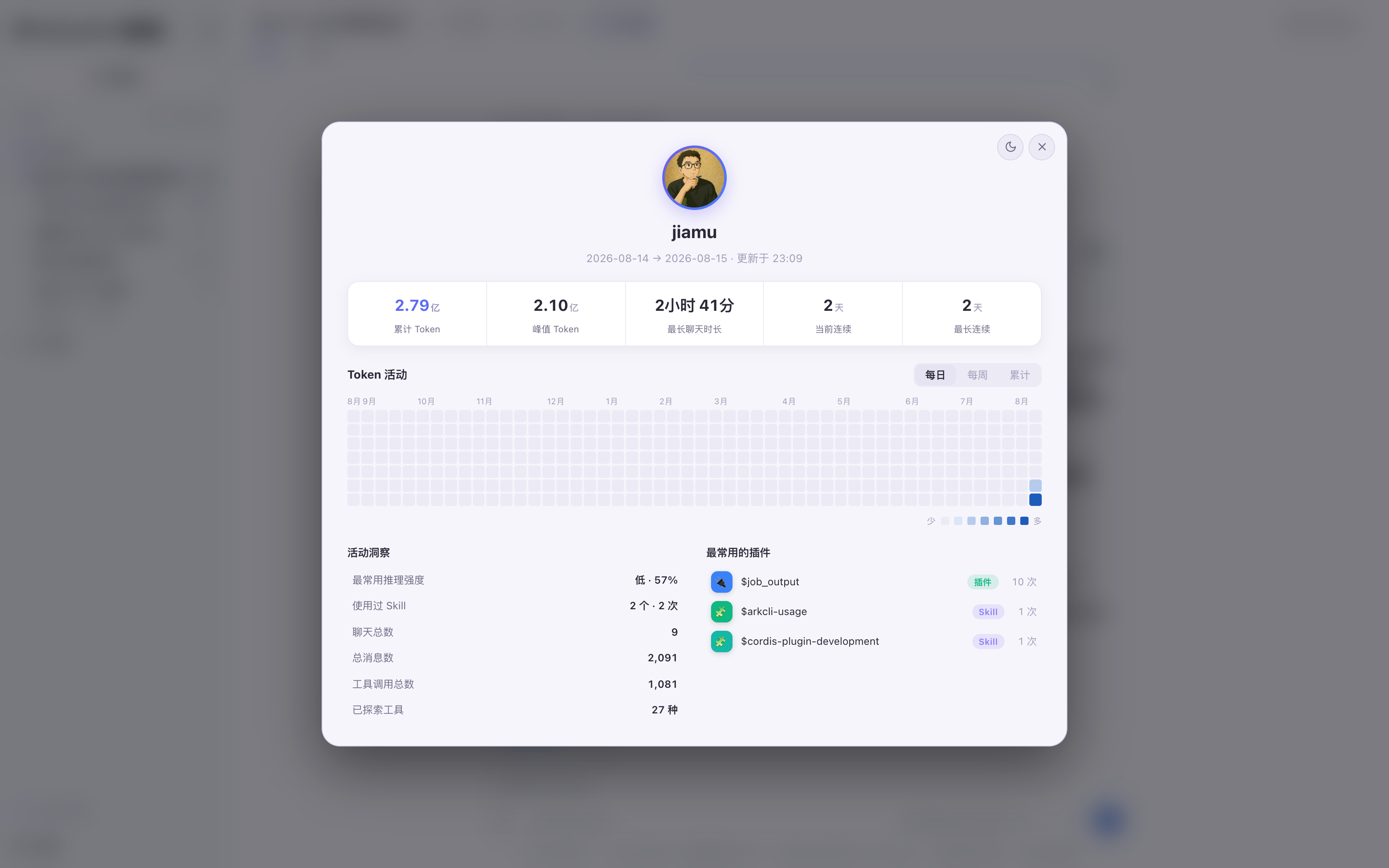
dsh-token-usage is a DSH plugin that adds a Token usage dashboard to the web UI, styled after the Codex personal-usage page. It aggregates consumption across all sessions in the running DSH instance, surfacing totals, per-session peaks, daily/weekly/cumulative heatmaps, top models, and a top-5 plugin/Skill ranking. Two native entry points open the modal: a sidebar footer button and a 5-second-refresh usage capsule in the session header, with dark and light themes. Install by placing the folder under the DSH repo's packages/extensions directory and registering it in the profiles bundle. Caveat: stats cover only the current DSH instance's local history and follow the built-in token-meter counting rules.
dsh-token-usage 是 DSH 插件,在 Web 界面提供 Token 用量统计面板,仿照 Codex 个人用量页风格。它汇总整个 DSH 实例所有会话的消耗,展示累计 / 单会话峰值、每日 / 每周 / 累计热力图、常用模型及插件 Skill Top5,并通过侧边栏底部按钮与会话头部实时用量胶囊(5 秒刷新)双入口打开,支持深浅主题。安装需放入 DSH 仓库的 packages/extensions 目录并加入 profiles bundle。需注意:插件仅在运行中的 DSH 实例上统计本地历史,且依赖 DSH 内置的 token-meter 口径。
请帮我了解并安装插件:【dsh-token-usage】【https://github.com/jiamuAi/dsh-token-usage】Send this message to DSH in your current session. CLI install commands may not be accurate across systems — DSH will figure it out for you.把上面这条消息直接发给当前会话里的 DSH,让它帮你了解并安装。安装命令不一定准确,发给 DSH 更稳。
Or use CLI install (for developers)或使用命令行安装(适合开发者)
CLI Install命令行安装
dsh plugin --profile web add github:jiamuAi/dsh-token-usage把 jiamuAi/dsh-token-usage 加入你的 DSH 配置(web profile)即可启用。
READMEREADME
dsh-token-usage
中文 · English
DSH 的 Token 用量统计面板 —— 仿 Codex 个人用量页风格,把整个 DSH 实例的 Token 消耗一目了然地展示出来:累计 / 单会话峰值、活动热力图、插件 Top5。


这是什么
DSH 刚发布,大家最关心的就是:我的 Token 到底花哪去了?
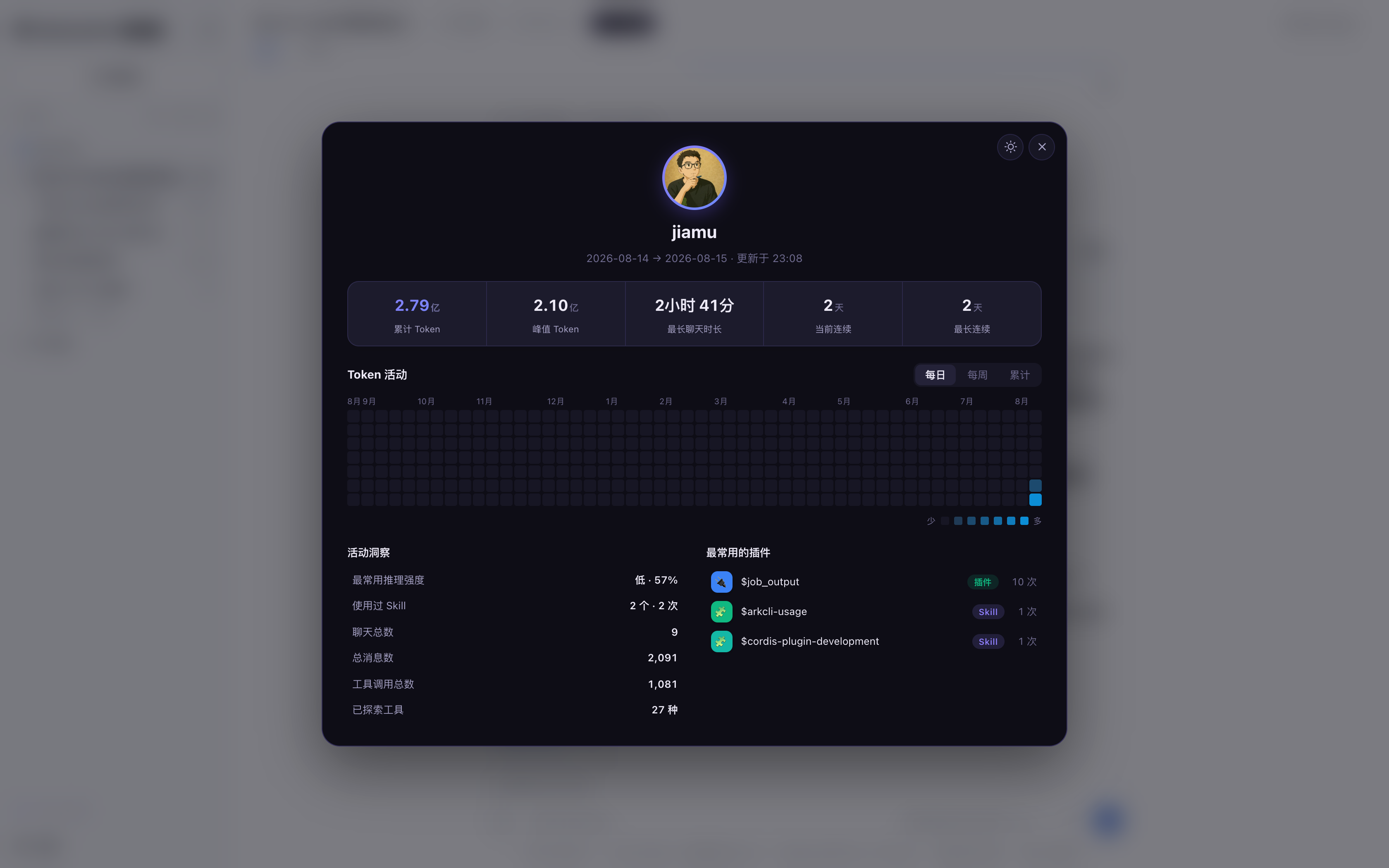
这个插件在 DSH Web 界面里加一个 Token 用量统计面板,把当前运行实例全部会话的 token 消耗汇总,点击入口即弹出居中面板(深色 / 浅色主题):
特性
- 5 大指标:累计 / 单会话峰值 Token、最长聊天时长、当前 / 最长连续天数
- Token 活动热力图:每日(GitHub 贡献图)/ 每周(柱状)/ 累计(折线)三视图,悬浮看数值
- 活动洞察(含最常用模型)+ 插件 / Skill Top5:谁在消耗最多,一目了然
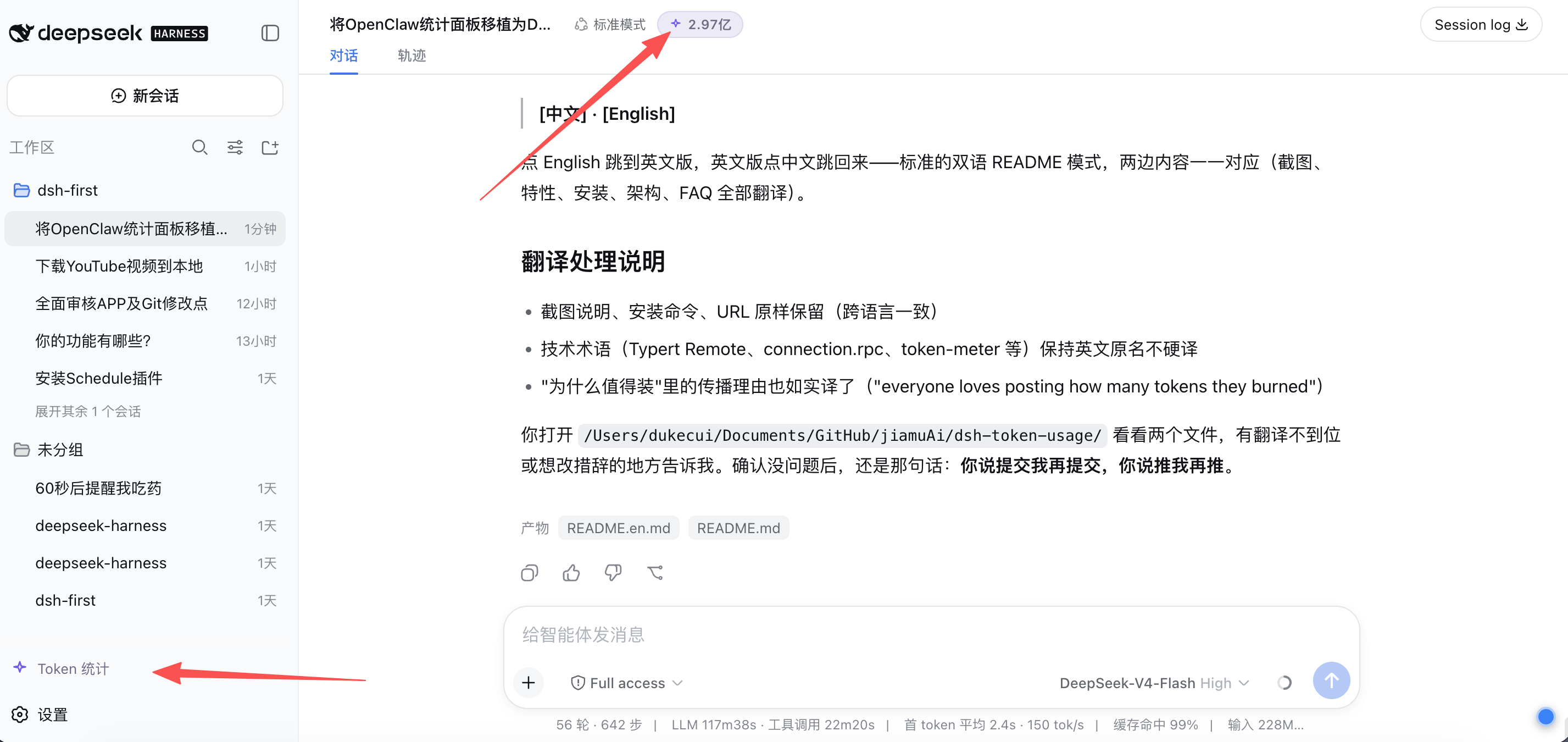
- 两个原生入口,与 DSH UI 融为一体:
- 侧边栏底部「Token 统计」按钮(应用级常驻)
- 会话头部实时用量胶囊:
⚡ 2.61亿(每 5 秒自动刷新)
- 深空紫双主题,跟随系统 / 手动切换
为什么值得装
- 一眼看清 Token 去向:累计、单会话峰值、每日热力图,不用再猜
- Codex 用户零学习成本:熟悉的用量页风格,界面一看就懂
- 天然的传播素材:大家都喜欢晒"我今天用了多少 token",截一张图发出去,就是最好的宣传
安装
插件依赖 DSH 内置包(@deepseek-ai/*),放进 DSH 仓库即可自动解析,无需额外安装。
方式一:让 Agent 一句话装好(推荐)
把下面这句话发给你的 DSH Agent,它会自己读这个仓库的说明并完成安装:
你看一下这个仓库:https://github.com/jiamuAi/dsh-token-usage ,然后帮我把 dsh-token-usage 安装到我的 DSH 上。
方式二:手动装
git clone https://github.com/jiamuAi/dsh-token-usage.git
cp -R dsh-token-usage <你的deepseek-harness路径>/packages/extensions/
cd <你的deepseek-harness路径> && pnpm install && pnpm run build:lib
<你的deepseek-harness路径>= DSH 源码在你机器上的位置。不知道在哪?终端执行readlink -f $(which dsh)能看到 dsh 的真实路径,往上找deepseek-harness目录就是。
然后编辑 ~/.dsh/profiles/web/package.json,在 dsh.profile.bundles 里加上:
"dsh-token-usage"
最后重启 dsh web,刷新页面即可看到入口。
使用
- 重启后,左侧栏底部出现「Token 统计」入口
- 打开任意会话,标题旁出现实时用量胶囊
⚡ 2.61亿 - 点击任一入口打开面板;右上角可切主题、关闭
- 热力图支持三视图切换 + 悬浮看单日 / 单周 / 累计数值
数据每 5 秒刷新;历史会话自动回填,重启不丢。
数据口径
与 DSH 内置 token-meter 一致:
- 每 step 一条 usage 记录:
assistant/chunk {type:'usage'}为持久记录;assistant/message.usage覆盖同一步的 chunk 记录(不重复计数) - 累计 Token = input + output + cacheRead + cacheWrite
- thinking 等级由
reasoningTokens近似;Skill 统计从skill工具调用参数解析
架构
┌─ Host(DSH 进程内)──────────────────────────────┐
│ TokenUsageService (TypertRemoteService)          │
│  ├─ 启动时回填全部历史 session                    │
│  ├─ session/event 实时折叠                        │
│  └─ @Remote('getStats') → /api/tokenUsage/getStats│
└──────────────┬───────────────────────────────────┘
               │ connection.rpc(通用通道,无需改 DSH)
┌─ Browser ────▼───────────────────────────────────┐
│  ├─ sidebar.footer.action        侧栏入口        │
│  ├─ conversation.session.header.actions ⚡ 胶囊   │
│  └─ shell.overlay                面板模态框       │
└──────────────────────────────────────────────────┘
| 文件 | 作用 |
|---|---|
src/index.ts |
Host 半边:聚合逻辑 + Typert Remote |
src/client/index.ts |
浏览器半边:面板 UI + 两个入口 + 5s 轮询 |
src/types.ts |
跨平面 wire 类型 |
cordis.patch.yml |
bundle patch:插入插件行 |
lib/ |
已提交的构建产物(装了就能跑,无需构建) |
开发
lib/ 里是现成构建产物,一般使用者无需构建。要改代码的话,构建链路依赖 DSH 仓库的编译工具(tsc + tsdown + Typert 生成器),把 src/ 放进 DSH 仓库的 packages/extensions/dsh-token-usage/ 下构建,构建产物 lib/ 同步回本仓库提交即可。
License
Made for the DSH community · 欢迎 Star / Issue / PR
Related相关推荐
-
 wssfk12138/dsh-damage-pulse
DeepSeek Harness Token 余额监控插件:鲸鱼娘待机/扣费/复苏动画、峰谷计费、连续扣费飘字与会话费用统计。
wssfk12138/dsh-damage-pulse
DeepSeek Harness Token 余额监控插件:鲸鱼娘待机/扣费/复苏动画、峰谷计费、连续扣费飘字与会话费用统计。
-
 Ychris12138/dsh-usage-stats
Provider balances, subscription quotas, and token-usage analytics for the DeepSeek Harness Web GUI (dsh web).
Ychris12138/dsh-usage-stats
Provider balances, subscription quotas, and token-usage analytics for the DeepSeek Harness Web GUI (dsh web).
-
 yxxbc/dsh-balance-plugin
deepSeek 余额监控与用量统计(DSH 动态 Cordis 插件):余额监控 · 官方充值入口 · 用量统计 · 三方插件管理
yxxbc/dsh-balance-plugin
deepSeek 余额监控与用量统计(DSH 动态 Cordis 插件):余额监控 · 官方充值入口 · 用量统计 · 三方插件管理
-
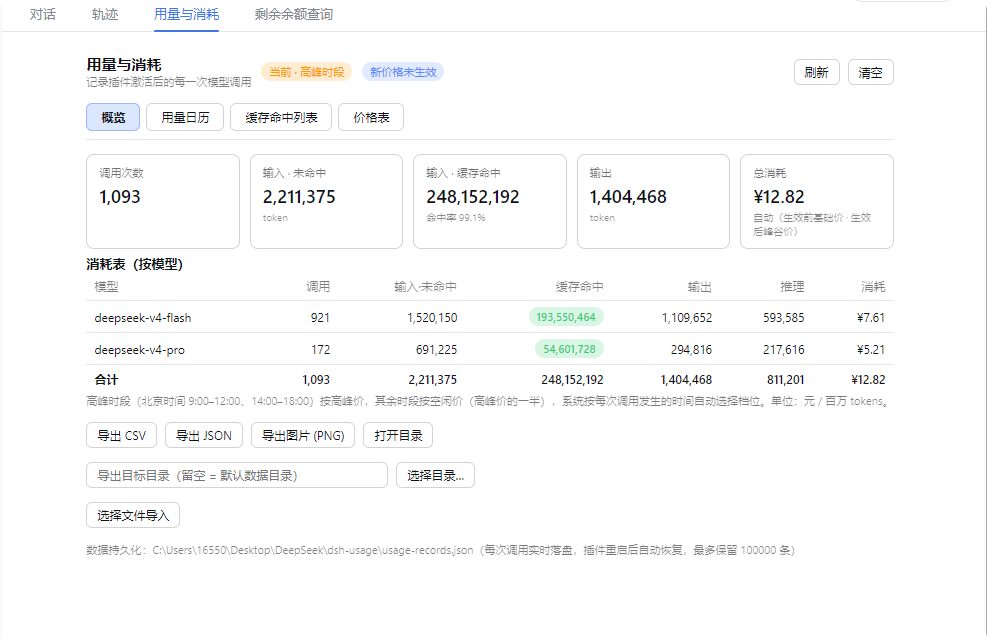 feiyang-dev/dsh-usage-plugin
DeepSeek Harness 用量与消耗插件(dsh-usage-plugin)—— 每次调用的 token 用量/缓存命中统计、峰谷计费、余额查询、CSV/JSON/PNG 导出,可经桌面端一键安装或命令行 dsh plugin ad…
feiyang-dev/dsh-usage-plugin
DeepSeek Harness 用量与消耗插件(dsh-usage-plugin)—— 每次调用的 token 用量/缓存命中统计、峰谷计费、余额查询、CSV/JSON/PNG 导出,可经桌面端一键安装或命令行 dsh plugin ad…
-
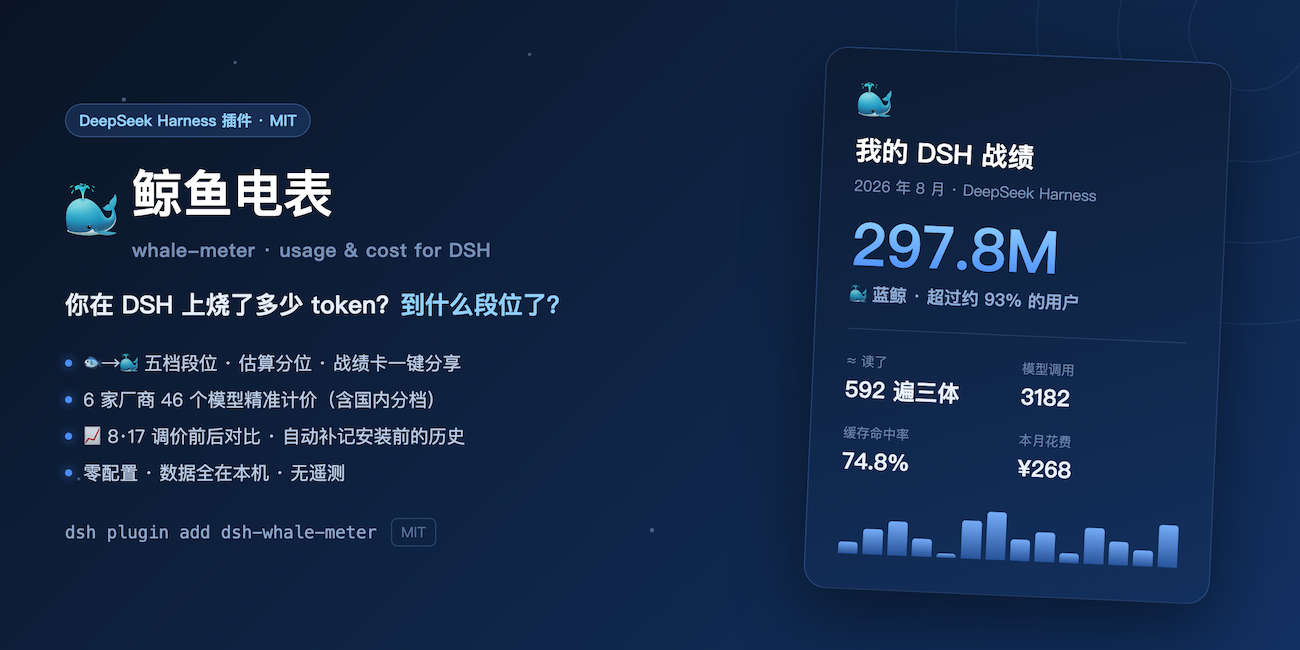 Shiye-10Pages/dsh-whale-meter
🐳 鲸鱼电表:你在 DeepSeek Harness 上烧了多少 token?消耗量段位、可晒的战绩卡、6 家厂商 46 个模型精准计价(含国内分档)、8·17 调价前后对比。零配置,数据全在本机 | Token usage tiers …
Shiye-10Pages/dsh-whale-meter
🐳 鲸鱼电表:你在 DeepSeek Harness 上烧了多少 token?消耗量段位、可晒的战绩卡、6 家厂商 46 个模型精准计价(含国内分档)、8·17 调价前后对比。零配置,数据全在本机 | Token usage tiers …
-
 LaoYueHanNi/dsh-token-usage
贴近 DSH 原生设计风格的 token 用量统计插件:实时记录每次请求的用量与费用,在 Web UI 中提供趋势图表、按模型定价明细和供应商配额显示。
LaoYueHanNi/dsh-token-usage
贴近 DSH 原生设计风格的 token 用量统计插件:实时记录每次请求的用量与费用,在 Web UI 中提供趋势图表、按模型定价明细和供应商配额显示。
-
 lanlandeli/dsh-usage-stats
DeepSeek Harness 使用统计插件|Token 总量与构成、7/30 天趋势、年度活跃热力图、模型占比、工作区/任务筛选、CSV/JSON 导出
lanlandeli/dsh-usage-stats
DeepSeek Harness 使用统计插件|Token 总量与构成、7/30 天趋势、年度活跃热力图、模型占比、工作区/任务筛选、CSV/JSON 导出
-
 OK-wx/dsh-ocgo-lite
OpenCode Go 用量常驻条:套餐余量圆环 + token/花费实时统计(本次会话/全部范围 + 按模型联动,官方实时定价),一键复制 API Key。OpenCode Go usage bar for DeepSeek Harnes…
OK-wx/dsh-ocgo-lite
OpenCode Go 用量常驻条:套餐余量圆环 + token/花费实时统计(本次会话/全部范围 + 按模型联动,官方实时定价),一键复制 API Key。OpenCode Go usage bar for DeepSeek Harnes…