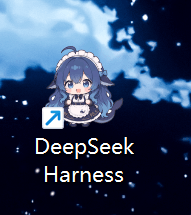
JR-JR07/DeepSeekHarness-Launcher
Project Overview项目介绍
DeepSeekHarness-Launcher is a Windows-only one-click launcher built specifically for DeepSeek Harness, distributed as DeepSeekHarness-Launcher-Setup.exe in the repo root alongside the portable start-dsh.cmd. It automatically locates Node.js and a previously installed npx @deepseek-ai/dsh web service, starts that web service (defaulting to http://127.0.0.1:3080), and opens the UI in the user's default browser. The installer drops the launcher into %LOCALAPPDATA%\DeepSeekHarness-Launcher and creates a desktop shortcut named "DeepSeek Harness" using the bundled "Whale Girl" icon, a 7-size .ico (16/24/32/48/64/128/256) with a feathered, transparent background that adapts to light or dark themes.
The intended workflow is: run npx @deepseek-ai/dsh web once from a terminal so npx caches or globally installs the DSH package, then simply double-click the desktop shortcut to enter the Web UI. The launcher detects an already-running service and will not spawn a duplicate process; closing the console window titled "DeepSeek Harness Server - close this window to stop" stops the background server gracefully. It targets Windows users who want to treat DSH as a persistent desktop tool without typing commands, and ships C# installer source (src/Setup.cs, src/build.cmd) so anyone can rebuild and customize the EXE.
Dependencies are Windows 10/11, the built-in .NET Framework for compiling the EXE, and Node.js plus a one-time npx @deepseek-ai/dsh web invocation to initialize DSH. The script times out after roughly 30 seconds but still launches the browser; if port 3080 is occupied by another process, the launcher may surface a non-DSH page, and the manual NODE/BIN/URL variables at the top of start-dsh.cmd can be edited for non-standard install paths. The repo is MIT licensed, while the Whale Girl icon artwork remains the property of its original creator and must be verified before public redistribution.
DeepSeekHarness-Launcher 是一款专为 Windows 10/11 设计的 DSH 一键启动器,仓库根目录提供 DeepSeekHarness-Launcher-Setup.exe 安装包以及便携版 start-dsh.cmd。它会自动检测系统中的 Node.js 与已运行的 @deepseek-ai/dsh web 服务(默认监听 127.0.0.1:3080),随后启动该 Web 服务并在默认浏览器中打开操作界面,附带鲸鱼少女主题图标(.ico 内置 16/24/32/48/64/128/256 共 7 种尺寸,边缘柔和羽化适配深浅主题)。安装程序会把启动器写入 %LOCALAPPDATA%\DeepSeekHarness-Launcher 并在桌面创建同名快捷方式,使用者也可以手动把快捷方式「固定到任务栏」(注意目标须为 exe,Win11 24H2+ 受安全限制只能手动右键固定)。
典型工作流是:先在终端执行一次 npx @deepseek-ai/dsh web 让 npx 缓存或全局安装生成必要的依赖,之后双击桌面图标即可进入 DSH Web UI;服务已在运行时启动器会跳过重复启动,避免端口冲突。关闭标题为 DeepSeek Harness Server - close this window to stop 的控制台窗口即可优雅停止后台进程。该项目面向希望省去命令行步骤、把 DSH 当作常驻桌面应用使用的 Windows 用户,并附带一份 C# 编写的安装器源码(src/Setup.cs、src/build.cmd),方便自定义打包。
依赖方面,要求 Windows 10/11 系统内置的 .NET Framework(用于编译 EXE,无需额外安装)与 Node.js(首次运行前需执行一次 npx @deepseek-ai/dsh web 完成 DSH 初始化)。脚本最多等待 30 秒,超时仍会打开浏览器;若端口 3080 被其他进程占用,启动器可能误打开非 DSH 页面,需自行处理。仓库按 MIT 许可证发布,但鲸鱼少女图标素材版权归原作者所有,公开分发前请确认使用授权。
请帮我安装这个 DSH 插件。安装前先完成【兼容性检查 + 安全性检查】,检查通过再动手。

插件:DeepSeekHarness-Launcher(JR-JR07/DeepSeekHarness-Launcher)
仓库:https://github.com/JR-JR07/DeepSeekHarness-Launcher
本站详情页:https://www.yhbd.top/plugins/jr-jr07-deepseekharness-launcher/
本站登记:类型 client · 归类 原生 DSH 插件 · 许可证 MIT · ⭐ 2 · 最近提交 2026-08-15 · 主语言 C# · 未检测到 DSH 插件清单

按下面顺序执行,每步先把结论告诉我,再进入下一步:

【1 兼容性检查】
① 我这边:DSH 版本、Node 版本、操作系统、当前 profile(web / desktop)。
② 读它的 README、package.json、插件 manifest,列出它要求的 DSH 版本 / Node 版本 / 操作系统 / 外部依赖 / 需要另外先装的运行时。
③ 逐条比对,结论只写「满足 / 不满足 / 未知」三种;不满足的给出可行替代方案。
④ 检查是否和我已装的插件冲突:命令名重复、skill / tool 重名、端口占用、重复注册的 MCP server。

【2 安全性检查】
① 仓库可信度:和上面「本站登记」是否一致;star / fork 数、创建时间、最近提交,是否归档或长期停更。
② 安装脚本:逐行看 package.json 的 preinstall / install / postinstall,以及 install.sh、setup.ps1 之类脚本。出现 curl|bash、下载后直接执行、混淆代码、访问与插件功能无关的域名,立刻停下来告诉我,不要继续装。
③ 依赖:列出新增依赖,标出无人维护、或与知名包拼写近似的可疑包(typosquatting)。
④ 权限与副作用:它会读写哪些目录、访问哪些域名、需要哪些 DSH 权限(filesystem / network / shell / clipboard 等),以及怎么卸载和回滚。
⑤ 如果它要求 sudo / 管理员权限,或权限明显超出功能所需,先停下来问我。

【3 安装】
上面两步没有「不满足」和「高危项」时才执行;用官方推荐方式安装,不要自行提权。

【4 汇报】
用表格输出:检查项 / 结论 / 依据 / 是否需要我决策。拿不准的一律写「未知」并说明要我怎么确认——不要猜,也不要替我决定。
Send this message to DSH in your current session: it verifies compatibility and security first (answering met / not met / unknown item by item) and only installs once everything checks out — it will stop and ask you if it finds a high-risk item. The box scrolls; the copy is the full prompt. CLI install commands may not be accurate across systems, so DSH is the safer route.把上面这条消息直接发给当前会话里的 DSH:它会先核对兼容性与安全性(逐条给「满足 / 不满足 / 未知」),确认没问题再安装,有高危项会停下来问你。框内可滚动,复制到的是完整提示词;安装命令不一定准确,发给 DSH 更稳。
- Only 2 stars - very few users, little community feedback星标只有 2,几乎没人在用,遇到问题缺少社区反馈
- No DSH plugin manifest detected - it may only carry the dsh-plugin topic, so the install method must be confirmed on the spot未检测到 DSH 插件清单:可能只是打了 dsh-plugin 话题,安装方式要现场确认
DSH walks through these 9 checksDSH 会逐条核对这 9 项
Compatibility兼容性
- DSH, Node, OS and profile requirementsDSH 版本 / Node 版本 / 操作系统 / profile 是否满足要求
- External dependencies and runtimes (Electron / Python / Docker, ...)外部依赖与运行时(Electron / Python / Docker 等)是否齐备
- Conflicts with installed plugins: command names, skill / tool names, ports, duplicate MCP registration与已装插件是否冲突:命令名、skill / tool 重名、端口占用、重复 MCP 注册
Security安全性
- Repo matches the facts registered here; archived or abandoned?仓库是否与页面登记一致,是否归档或长期停更
- Safety of preinstall / install / postinstall and install.sh / setup.ps1preinstall / install / postinstall 与 install.sh、setup.ps1 是否安全
- curl|bash, download-then-execute, obfuscation, unrelated domains → stop immediatelycurl|bash、下载即执行、混淆代码、无关域名 → 立刻停止
- Typosquatting or unmaintained packages among the new dependencies新增依赖里有没有 typosquatting 或无人维护的包
- Requested permissions vs. what the feature actually needs申请了哪些权限、是否超出功能所需(filesystem / network / shell / clipboard)
- Any sudo / admin requirement, plus uninstall and rollback是否要求 sudo / 管理员权限,以及卸载与回滚方式
Anything uncertain must be marked unknown with a note on how to confirm it. This site's signal screen is a static snapshot, not a security audit.拿不准的必须标「未知」并说明要我怎么确认。本站的信号筛查是静态快照,不能替代安全审计。
Or use CLI install (for developers)或使用命令行安装(适合开发者)
CLI Install命令行安装
dsh plugin --profile web add github:JR-JR07/DeepSeekHarness-Launcher把 JR-JR07/DeepSeekHarness-Launcher 加入你的 DSH 配置(web profile)即可启用。
READMEREADME
🐋 DeepSeek Harness Launcher(鲸鱼少女版)
一个 Windows 一键启动器:双击图标 → 自动启动 DeepSeek Harness Web 服务 → 自动打开浏览器进入操作界面。附赠鲸鱼少女主题图标。
DeepSeek Harness 的 Web 界面默认运行在 http://127.0.0.1:3080。
🖼️ 预览
⬇️ 下载与安装(推荐)
- 下载
DeepSeekHarness-Launcher-Setup.exe(仓库根目录) - 双击运行,按提示输入
Y确认安装 - 安装程序会自动:
- 安装到
%LOCALAPPDATA%\DeepSeekHarness-Launcher - 在桌面创建「DeepSeek Harness」快捷方式(鲸鱼图标)
- 启动服务并自动打开浏览器进入 UI
- 安装到
以后每次使用:双击桌面的「DeepSeek Harness」快捷方式(或再次运行 EXE)即可一键进入界面。
前置要求:Windows 10/11 + Node.js + 已安装 DeepSeek Harness(npx @deepseek-ai/dsh web 运行过即可)。启动器会自动检测它们的位置,无需手动配置路径。
✨ 特性
- 一键直达:自动启动服务并打开浏览器进入 UI,无需敲命令
- 智能检测:自动定位 Node.js 与 DeepSeek Harness(npx 缓存/全局安装);服务已在运行时不会重复启动
- 优雅停止:关闭服务控制台窗口即停止(窗口标题有明确提示)
- 单文件安装:EXE 内置图标与启动器,安装即用
- 多尺寸图标:
.ico内置 16 / 24 / 32 / 48 / 64 / 128 / 256 共 7 种尺寸 - 透明背景:图标已去除白色背景,边缘柔和羽化,适配深浅主题
📁 文件说明
| 文件 | 说明 |
|---|---|
DeepSeekHarness-Launcher-Setup.exe |
一键安装版(推荐下载这个) |
start-dsh.cmd |
通用启动器(免安装的便携版,可配合快捷方式使用) |
DeepSeekHarness-WhaleGirl.ico |
鲸鱼少女图标(7 种尺寸) |
DeepSeekHarness-WhaleGirl-preview.png |
图标效果预览图 |
original-whale-girl.jpg |
原图素材 |
src/Setup.cs |
安装器源码(C#,.NET Framework) |
src/launcher-template.cmd |
启动器模板(EXE 内嵌) |
src/build.cmd |
构建脚本(编译生成 EXE) |
🚀 手动使用(便携版)
1. 直接运行
双击 start-dsh.cmd,启动器会自动检测 Node.js 与 DeepSeek Harness 并完成「启动服务 → 打开浏览器」。
如果 Node.js 或 DeepSeek Harness 安装在非常规位置导致检测失败,可编辑脚本顶部的
NODE/BIN变量手动指定路径。
2. 创建桌面快捷方式(可选)
- 右键
start-dsh.cmd→ 创建快捷方式 → 移动并重命名为DeepSeek Harness - 右键快捷方式 → 属性 → 更改图标 → 选择
DeepSeekHarness-WhaleGirl.ico - 固定到任务栏:快捷方式的目标必须是 exe 才会显示「固定到任务栏」。把「目标」改为
C:\Windows\System32\cmd.exe,「参数」填/d /c "start-dsh.cmd 的完整路径",再右键 → 固定到任务栏
Windows 11 24H2+ 出于安全限制不支持程序化固定任务栏,手动右键固定是唯一稳妥方式。
3. 停止服务
关闭标题为 DeepSeek Harness Server - close this window to stop 的控制台窗口。
🔧 从源码构建 EXE
需要 Windows 自带的 .NET Framework(Win10/11 均内置,无需额外安装):
cd src
build.cmd
输出:仓库根目录下的 DeepSeekHarness-Launcher-Setup.exe。
❓ 常见问题
Q:双击后浏览器没自动打开? A:等 1~2 秒手动打开 http://127.0.0.1:3080。脚本最多等待 30 秒,超时会提示并照常打开浏览器。
Q:提示 DeepSeek Harness was not found?
A:先执行一次 npx @deepseek-ai/dsh web 完成安装,再运行启动器。
Q:端口 3080 被其他程序占用?
A:启动器检测到端口被占用会直接打开浏览器(可能不是 DSH 的服务)。请确认占用者后处理,或修改 URL 与 DSH 实际端口一致。
Q:任务栏图标是空白/默认图标?
A:确认快捷方式「更改图标」选择了本项目的 .ico,且文件没有被移动。
📄 许可
本项目按 MIT 许可证 发布,详情见 LICENSE。
图标素材(鲸鱼少女)版权归原作者所有;如用于公开分发,请确认你有权使用该素材。
Related相关推荐
-
 reactive-resume/reactive-resume
A one-of-a-kind resume builder that keeps your privacy in mind. Completely secure, customizable, portable, open-source a…
reactive-resume/reactive-resume
A one-of-a-kind resume builder that keeps your privacy in mind. Completely secure, customizable, portable, open-source a…
-
 anywhere-labs/dsh-desktop
为 DeepSeek Harness (DSH) 插件生态打造的现代化桌面端解决方案。万物皆「插件」,桌面本身也是「插件」。
anywhere-labs/dsh-desktop
为 DeepSeek Harness (DSH) 插件生态打造的现代化桌面端解决方案。万物皆「插件」,桌面本身也是「插件」。
-
 dataelement/dsh-desktop
DSHDesktop:DeepSeek Harness Desktop / DeepSeek Harness 桌面版
dataelement/dsh-desktop
DSHDesktop:DeepSeek Harness Desktop / DeepSeek Harness 桌面版
-
 ccch1mneyyy/dsh-TUI
DSH's officially top-recommended TUI plugin — high performance, low overhead, cute pixel whale, smooth mouse interaction…
ccch1mneyyy/dsh-TUI
DSH's officially top-recommended TUI plugin — high performance, low overhead, cute pixel whale, smooth mouse interaction…
- dsh-tauri/deepseek-harness-desktop DeepSeek Harness Tauri 桌面版 | Only 5mb installer, zero environment setup, preset plugins, Windows / macOS / Linux.
-
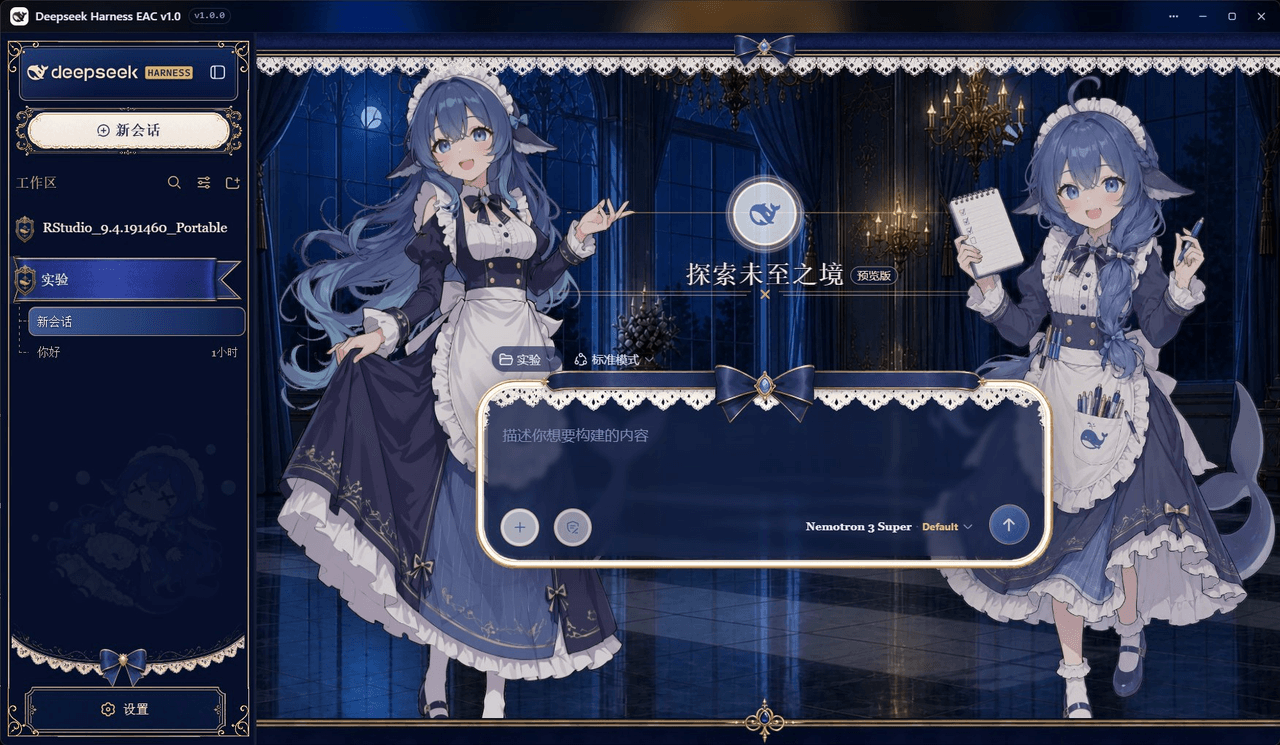 DSH-EAC/DSH-Desktop-EAC
Embracing All Creation — A plugin suite for harmonious coexistence of hundreds of plugins / 揽尽万象 —— 致力于让数百个插件和谐共存的插件整合包
DSH-EAC/DSH-Desktop-EAC
Embracing All Creation — A plugin suite for harmonious coexistence of hundreds of plugins / 揽尽万象 —— 致力于让数百个插件和谐共存的插件整合包
-
 shaobeichen/dsh-pocket
把 DeepSeek Harness 装进你的口袋:电脑上跑 dsh web,手机扫码即同步访问(局域网 + 公网,实时同屏)Put DeepSeek Harness in your pocket: run dsh web on your …
shaobeichen/dsh-pocket
把 DeepSeek Harness 装进你的口袋:电脑上跑 dsh web,手机扫码即同步访问(局域网 + 公网,实时同屏)Put DeepSeek Harness in your pocket: run dsh web on your …
-
 xyTom/coding-tools-mcp
Give any AI agent the ability to code
xyTom/coding-tools-mcp
Give any AI agent the ability to code