kexin8/dsh-composer-keys
⌨️ Keyboard shortcuts for the DSH chat composer — ↑↓ cycle history, Ctrl+C clear input. DSH web plugin.
Project Overview项目介绍
dsh-composer-keys is a client-only plugin for the DeepSeek Harness Web chat composer. It adds three keyboard shortcuts: Arrow Up recalls the previous user message, Arrow Down walks forward and restores your original draft at the end, and Ctrl+C clears the composer when it is focused and has no text selected. Ideal for DSH Web users who prefer pure-keyboard input and quick history cycling. Install via dsh plugin --profile web add, then restart the DSH Web GUI and reload. Note: shortcuts only fire while the composer textarea is focused, and on macOS Cmd+C remains the system Copy.
dsh-composer-keys 是一款面向 DeepSeek Harness Web 端的纯客户端插件。它通过监听 document 的 keydown,为对话输入框提供 ↑/↓ 切换历史用户消息、Ctrl+C 在无选中文本时一键清空输入的能力,沿用 shell 风格历史循环。适合需要纯键盘高效编写与回溯提问的 DSH Web 用户。安装后需重启 DSH Web GUI 并刷新页面生效。注意:Ctrl+C 仅作用于 composer 聚焦且非选区状态,macOS 下仍由 Cmd+C 承担系统复制。
请帮我了解并安装插件:【dsh-composer-keys】【https://github.com/kexin8/dsh-composer-keys】Send this message to DSH in your current session. CLI install commands may not be accurate across systems — DSH will figure it out for you.把上面这条消息直接发给当前会话里的 DSH,让它帮你了解并安装。安装命令不一定准确,发给 DSH 更稳。
Or use CLI install (for developers)或使用命令行安装(适合开发者)
CLI Install命令行安装
dsh plugin --profile web add dsh-composer-keys把 kexin8/dsh-composer-keys 加入你的 DSH 配置(web profile)即可启用。
READMEREADME
dsh-composer-keys ⌨️
Keyboard shortcuts for the DeepSeek Harness (DSH) Web chat composer.
中文文档:简体中文




Type faster, navigate history with pure keyboard. No mouse needed.
✨ Features
| Shortcut | Action |
|---|---|
| ↑ Arrow Up | Fill the composer with the previous user message from history |
| ↓ Arrow Down | Move to the next user message; at the end, restore your original input |
| Ctrl+C | Clear the composer when no text is selected (avoids conflict with Copy) |
Behavior details
- History cycling follows shell-style semantics: press ↑ to walk backwards through your previously sent messages; press ↓ to walk forward again; at the newest end it restores whatever you had typed before you started navigating.
- Ctrl+C only clears when the composer has content and no text is selected — if you have selected text, the browser's native Copy takes precedence.
- Uses Ctrl+C only, identical on Windows and macOS (on macOS,
Cmd+Cstays the system Copy).
📦 Install
From GitHub
dsh plugin --profile web add https://github.com/kexin8/dsh-composer-keys.git
From a local checkout
git clone https://github.com/kexin8/dsh-composer-keys.git
dsh plugin --profile web add link:~/dsh-composer-keys
Via npm (when published)
npm i dsh-composer-keys
dsh plugin --profile web add dsh-composer-keys
After installing, restart the DSH Web GUI and reload the page.
🧩 How it works
A client-only plugin. It registers an invisible component in the
conversation.composer.dock slot (the additive, non-destructive input-region seat),
which attaches a keydown listener on document and intercepts shortcuts only while
the composer textarea is focused:
- Arrow Up/Down — reads historical user messages from the live
ConversationSnapshotand fills the composer viainputActions.setDraft(). - Ctrl+C — calls
setDraft('')when the input is non-empty and nothing is selected.
No host process code, no persistence, no settings — pure client-side, stops cleanly on plugin stop/update.
🗂 Project structure
dsh-composer-keys/
├── lib/
│   ├── index.js        # host stub (client-only plugin)
│   └── client.js       # client module (__ModuleLoader__ format)
├── cordis.patch.yml    # cordis composition patch (inserts the plugin row)
├── package.json        # dsh plugin manifest
└── README.md
🤝 Contributing
PRs are welcome! Please make sure the plugin still works in the DSH Web GUI after
your change. Keep the client code plain-JavaScript (no TypeScript/JSX in the shipped
lib/ output) and never add host-side logic unless the feature truly needs it.
📄 License
Related相关推荐
-
 GanyuanRan/Aegis
Make AI coding agents architecture-aware: baseline-first, evidence-verified, drift-checked, and safe across long tasks.
GanyuanRan/Aegis
Make AI coding agents architecture-aware: baseline-first, evidence-verified, drift-checked, and safe across long tasks.
-
 shengsheng90/DSH-taskboard
Native local Taskboard plugin for DeepSeek Harness. SQLite-backed projects, Agent claim/review, and a native Web UI — no…
shengsheng90/DSH-taskboard
Native local Taskboard plugin for DeepSeek Harness. SQLite-backed projects, Agent claim/review, and a native Web UI — no…
-
 pengyue-polaron/deepseek-harness-genui
Task-specific React apps for DeepSeek Harness with state carried into the next Agent turn
pengyue-polaron/deepseek-harness-genui
Task-specific React apps for DeepSeek Harness with state carried into the next Agent turn
-
 Jayden-X-L/forkprobe
Compare multiple skills on the same task and pick the winner.
Jayden-X-L/forkprobe
Compare multiple skills on the same task and pick the winner.
-
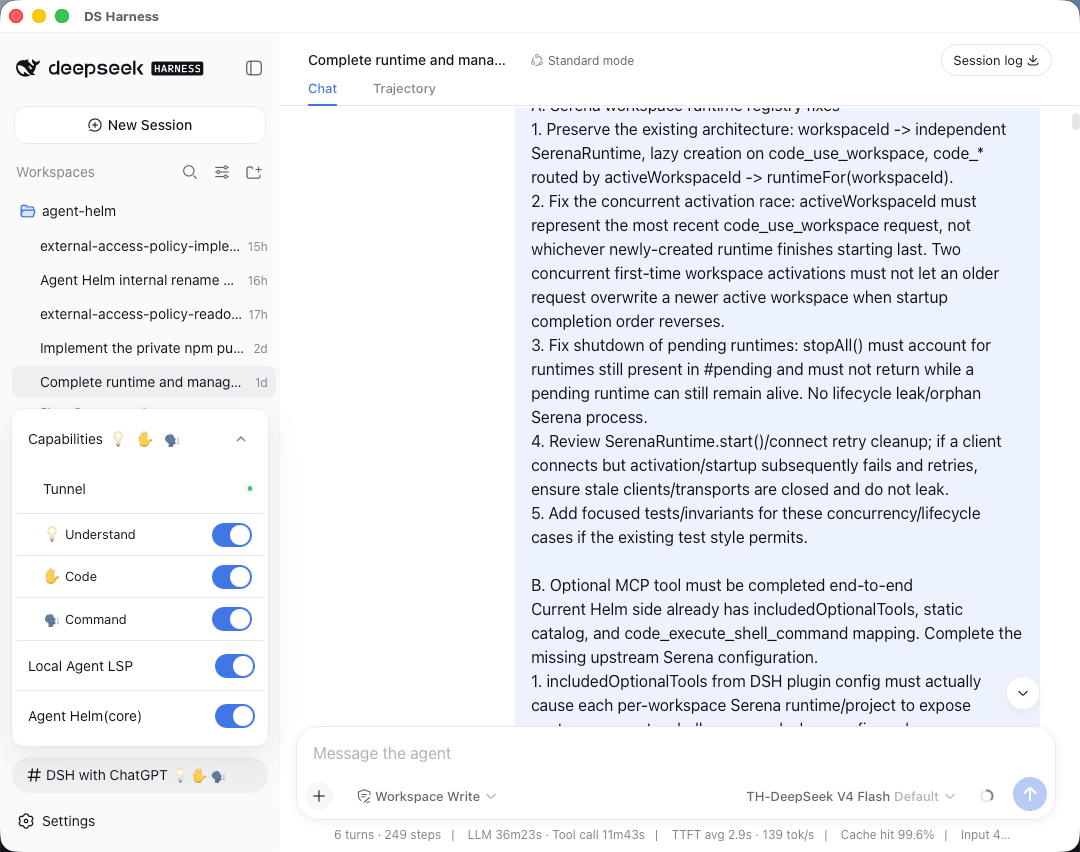 BeforeWave/dsh-with-chatgpt
Say goodbye to copy-pasting and DSH Token anxiety. Let ChatGPT on the web connect directly to your local project, code o…
BeforeWave/dsh-with-chatgpt
Say goodbye to copy-pasting and DSH Token anxiety. Let ChatGPT on the web connect directly to your local project, code o…
-
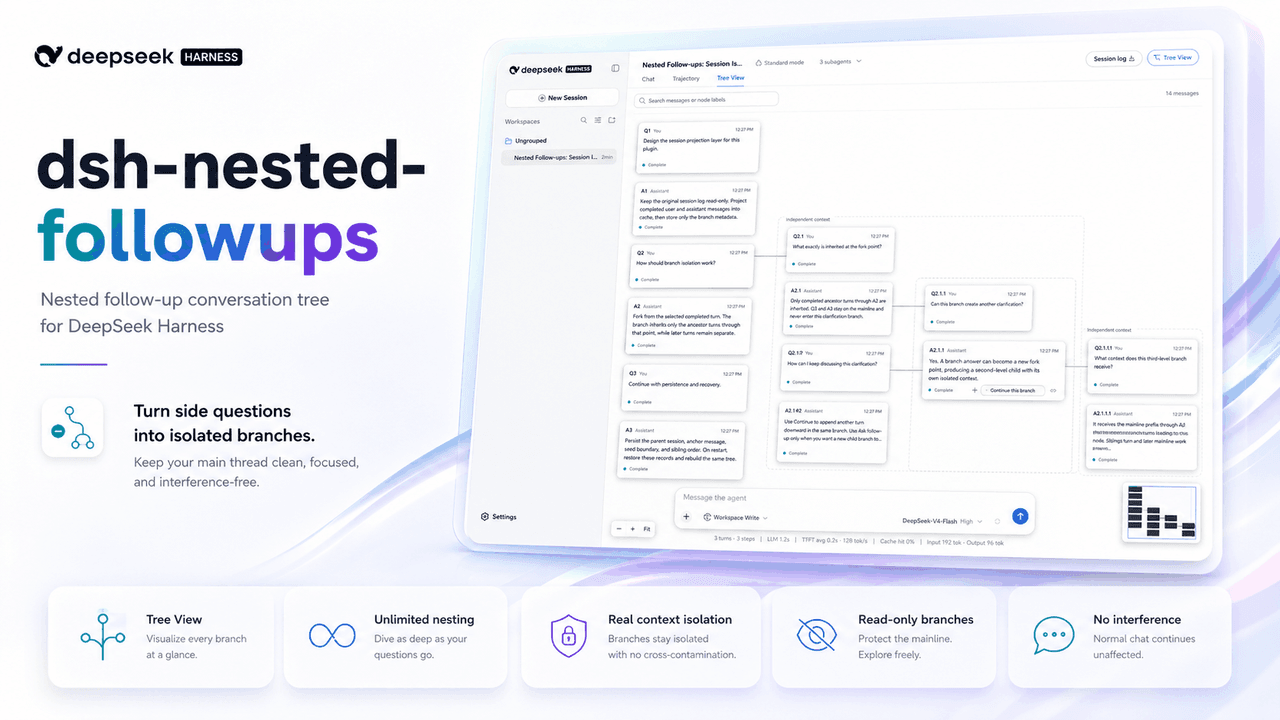 sluminositys/dsh-nested-followups
Branch from any answer and keep branching at any depth. Recursively isolated follow-ups that leave the main DSH task unt…
sluminositys/dsh-nested-followups
Branch from any answer and keep branching at any depth. Recursively isolated follow-ups that leave the main DSH task unt…
-
 Meredith2328/dsh-sticky-note
左下角便签:随手记点子/感想/TODO,实时保存到归档目录,清单+悬浮归档
Meredith2328/dsh-sticky-note
左下角便签:随手记点子/感想/TODO,实时保存到归档目录,清单+悬浮归档
-
 cloader/dsh-taskboard
deepseekharness 任务看板插件
cloader/dsh-taskboard
deepseekharness 任务看板插件