m1khal3v/dsh-llm-key-rotation
Seamless API-key rotation for DeepSeek Harness
项目介绍Project Overview
dsh-llm-key-rotation 是 DeepSeek Harness 的 API 密钥轮换插件。它会在请求遇到 QUOTA、AUTH 或 RATE_LIMIT 时自动热切换到链中下一个密钥并重试,对 Agent 与用户完全无感知。当同时配置多个提供商密钥、希望避免因单点限额或速率限制导致工作中断时使用。注意:连续失败需依赖 300 秒冷却窗口防自旋,密钥存于 Harness 凭据库。
dsh-llm-key-rotation is a DeepSeek Harness plugin for seamless API key rotation. When a request hits QUOTA, AUTH, or RATE_LIMIT, it hot-swaps in the next key from a configured chain and retries, keeping the agent and user unaware. Use it when running multiple provider keys and needing uninterrupted workflows past single-key quota or rate limits. Note that a 300-second cooldown window prevents infinite retry loops, and keys are stored in the Harness credential store.
请帮我了解并安装插件:【dsh-llm-key-rotation】【https://github.com/m1khal3v/dsh-llm-key-rotation】把上面这条消息直接发给当前会话里的 DSH,让它帮你了解并安装。安装命令不一定准确,发给 DSH 更稳。Send this message to DSH in your current session. CLI install commands may not be accurate across systems — DSH will figure it out for you.
或使用命令行安装(适合开发者)Or use CLI install (for developers)
命令行安装CLI Install
dsh plugin --profile web add @m1khal3v/dsh-llm-key-rotation把 m1khal3v/dsh-llm-key-rotation 加入你的 DSH 配置(web profile)即可启用。
READMEREADME




dsh-llm-key-rotation
Seamless API-key rotation for DeepSeek Harness.
Hit a quota limit or 429 Rate Limit? The plugin swaps in the next key you configured and retries instantly — no restarts, no context loss, and zero interruptions.
⚡️ Highlights
- 🔄 Invisible to Agent & User: Request fails with quota/rate limit → plugin hot-swaps the key → request retries and succeeds seamlessly.
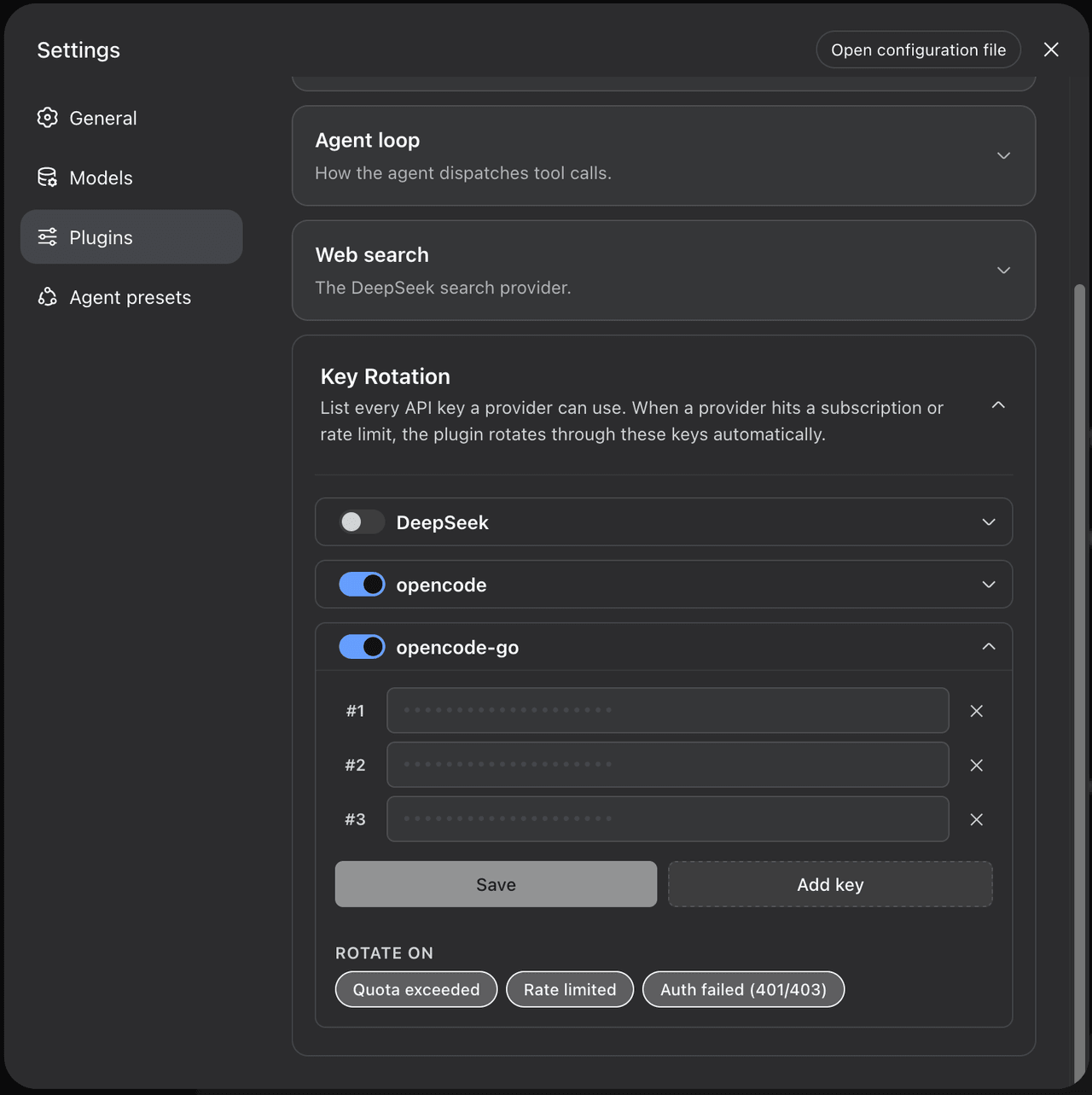
- 🎛 Native Web UI: List every key a provider can use and toggle rotation right inside Settings.
- 🧠 Smart Anti-Spin: Cooldown discipline prevents infinite loops if all your keys are exhausted.
- 🧼 Zero Core Patches: Plugs cleanly into the Harness recovery waterfall — safe to install, safe to remove.
🛠 How It Works
┌─────────────────┐          429 / QUOTA / AUTH          ┌──────────────────────┐
│  Model Request  │ ───────────────────────────────────► │  llm-key-rotation    │
└─────────────────┘                                      └──────────┬───────────┘
         ▲                                                          │
         │                  { kind: 'retry' }                       │ 1. Pick next key
         │             (Adapter re-resolves key)                    │ 2. Hot-swap env ref
         └──────────────────────────────────────────────────────────┘
- You keep working with your currently-active key as usual.
- If a request fails (
QUOTA,RATE_LIMIT, orAUTH), the plugin loads the next key from your configured chain. - The turn retries with the new key, and future requests continue with the working key.
🚀 Quick Start
1. Install the plugin
dsh plugin --profile web add @m1khal3v/dsh-llm-key-rotation
2. Configure via Web UI
Navigate to Settings → Plugins → Key Rotation:
- Toggle on rotation for your target provider.
- Select your trigger codes (default:
QUOTA,AUTH). - Click Add key, paste all the keys you want that provider to rotate through, and hit Save.
(Keys are safely saved to the Harness credential store).
⚙️ Behavior & Good to Know
- Smart Rotation Window (300s): During consecutive failures, the plugin walks forward through your configured keys. If no failures occur for >5 minutes, the chain resets to start from the top again.
- Interplay with
dsh-llm-retry:QUOTAandAUTHrotate immediately.RATE_LIMITis handled bydsh-llm-retryfirst (with backoff). To rotate instantly on 429 errors instead, simply removeRATE_LIMITfrom your provider'sretryableCodes.
- Live Terminal Logs: Watch rotation events in real time right in your
dshterminal:
(Secret values are never logged — only provider names, indices, and error codes).[llm-key-rotation] rotated provider="opencode-go" chain[0]→"OPENCODE_GO_API_KEY" (QUOTA)
🧑💻 Development
pnpm install
pnpm run verify    # typecheck + test
pnpm run build
📄 License
相关推荐Related
-
 MeteorNOX/DeepSeek-Balance-Whale-Widget
DeepSeek Harness(DSH)一只住在 DSH 界面右下角的小鲸鱼娘,帮你盯着DeepSeek账户余额。QQ弹弹,支持拖拽吸附、左吸附翻转、数字滚动动画,随界面自动启用,建议直接喊来你的dsh安装
MeteorNOX/DeepSeek-Balance-Whale-Widget
DeepSeek Harness(DSH)一只住在 DSH 界面右下角的小鲸鱼娘,帮你盯着DeepSeek账户余额。QQ弹弹,支持拖拽吸附、左吸附翻转、数字滚动动画,随界面自动启用,建议直接喊来你的dsh安装
-
 Han-1413141/dsh-cost-meter
DeepSeek Harness session cost meter plugin: session/daily cost, budget, history, OpenCode Go quota, official & custom-pr…
Han-1413141/dsh-cost-meter
DeepSeek Harness session cost meter plugin: session/daily cost, budget, history, OpenCode Go quota, official & custom-pr…
-
 zh667/TokenLedger
Relay-site attributed token usage for DeepSeek Harness — zero config, no credentials
zh667/TokenLedger
Relay-site attributed token usage for DeepSeek Harness — zero config, no credentials
-
 wssfk12138/dsh-damage-pulse
DeepSeek Harness Token 余额监控插件:鲸鱼娘待机/扣费/复苏动画、峰谷计费、连续扣费飘字与会话费用统计。
wssfk12138/dsh-damage-pulse
DeepSeek Harness Token 余额监控插件:鲸鱼娘待机/扣费/复苏动画、峰谷计费、连续扣费飘字与会话费用统计。
-
 Ychris12138/dsh-usage-stats
Provider balances, subscription quotas, and token-usage analytics for the DeepSeek Harness Web GUI (dsh web).
Ychris12138/dsh-usage-stats
Provider balances, subscription quotas, and token-usage analytics for the DeepSeek Harness Web GUI (dsh web).
- dclichang2022/dsh-green-meter Energy & carbon metering for DeepSeek Harness: per-turn/per-request energy, cache carbon savings, electricity cost.
-
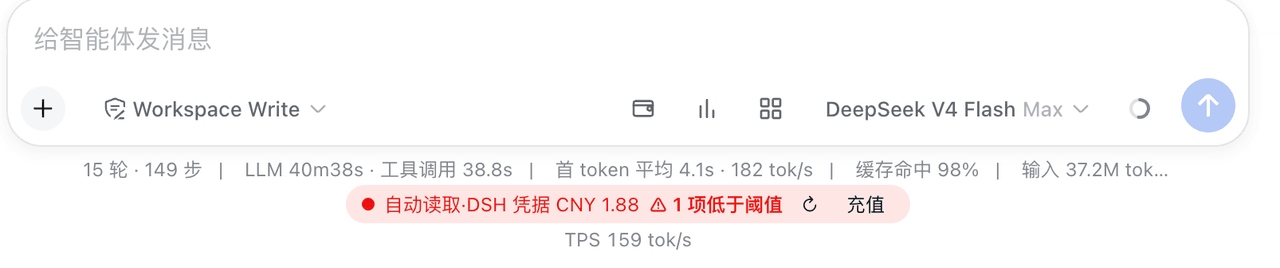 yxxbc/dsh-balance-plugin
deepSeek 余额监控与用量统计(DSH 动态 Cordis 插件):余额监控 · 官方充值入口 · 用量统计 · 三方插件管理
yxxbc/dsh-balance-plugin
deepSeek 余额监控与用量统计(DSH 动态 Cordis 插件):余额监控 · 官方充值入口 · 用量统计 · 三方插件管理
-
 multica-ai/dsh-multica-runtime
Support dsh runtime on Multica.
multica-ai/dsh-multica-runtime
Support dsh runtime on Multica.