M1ssbe4r/PocketCode
PocketCode 是一个面向 Android 的移动 AI 编程工作台,让 AI Agent 在手机本地完成 code、build 和 run。用户可以选择设备上的项目工作区,创建编程会话,向 Agent 描述任务,并让 Agent 在工作区中阅读和修改文件、调用工具、运行 shell/PTY 命令、编译 Android 应用,再通过系统安装器安装到手机上进行测试。
catalog descriptioncatalog 简介 / catalog description:An AI agent that can code, build, and run apps locally on your phone.一个能在手机本地完成编码、编译和运行应用的AI Agent。。
Project Overview项目介绍
PocketCode is an Android-only mobile AI coding workbench that packages DeepSeek Harness (dsh) as its upstream runtime foundation, reusing dsh's Agent, Session, Tool, Cordis plugin, and protocol semantics and layering a React Native UI, an Android capability provider (workspace files, credentials, attachments, shell, PTY, and controlled subprocesses), a Node sidecar with an Android native bridge, and touch-oriented session projections on top. Unlike a remote chat client or a hosted IDE, PocketCode launches an in-app Node runtime so the agent loop, sessions, tools, event stream, and local persistence all live inside the phone, while remote model providers are still reached only via HTTPS for inference.
A typical PocketCode workflow starts in the Android app, where the user picks or creates a workspace and session, describes a task to the agent, and watches a streaming conversation with tool calls, execution traces, plan/todo/goal/workflow markers, and inline approval and question UIs. The agent reads and edits workspace files, runs shell or PTY commands, then calls the dedicated android_build tool provided by the sibling android-builder project, which stages SDK, JDK, Gradle, and an ARM64 native toolchain inside the app's private storage and invokes the project's Gradle Wrapper to produce an APK or AAB. android_install hands that artifact to the system Package Installer, which shows the standard install confirmation, so the freshly built app can be launched on the same device for real-device testing without bypassing adb, pm, or am.
PocketCode targets Android developers and power users who want to code, build, and run on-device without a desktop host, and it supports agent presets, skills, commands, model/provider configuration, reasoning effort, and permission presets. The project requires Node.js 20+, an Android SDK, a JDK, and a real device or emulator; local commands include npm install, npm run typecheck, npm run lint, npm test, npm run verify:protocol, npm run verify:agent-presets, npm run verify:ui-events, cd packages/app && npm run android, plus npm run test:android-pty and npm run test:android-sidecar for on-device PTY and sidecar validation. Official releases are produced through GitHub Actions, and the release keystore and its passwords are injected via untracked local config or GitHub Secrets rather than committed. The repository is currently marked as a work-in-progress, iOS is explicitly out of scope, no final open-source license has been declared yet, and consumers must review the licenses and NOTICE files of PocketCode and its upstream dsh dependencies before public use or redistribution.
PocketCode 是一个面向 Android 的移动端 AI 编程工作台,基于 DeepSeek Harness(dsh)的 Agent、Session、Tool、Cordis plugin 和协议语义构建,并在其之上扩展了 React Native 移动界面、Android 文件/凭据/附件/Shell/PTY capability provider、Node sidecar 原生桥以及触屏会话投影与审批界面。PocketCode 不依赖电脑桌面 host,而是在设备内启动本地 Node 运行时,把 Agent 的运行边界从 PC 搬到 Android 手机上。它还配套独立的 android-builder 项目,在应用私有目录中准备 SDK、JDK、Gradle 与 ARM64 native toolchain,调用 android_build 生成 APK/AAB,再通过 android_install 交由系统 Package Installer 安装,全程不绕过 adb、pm 或 am。
PocketCode 的典型流程是:用户在应用内创建或选择工作区与编程会话,向 Agent 描述任务,Agent 在工作区中读写文件、调用工具、执行 shell/PTY 命令,再通过 android-builder 编译 Android 项目并直接安装到当前设备进行测试。模型 provider 通过 HTTPS 访问远端服务,而 Agent、Session、Tool、事件流与本地持久化全部由设备侧 runtime 负责。该应用面向希望在手机上独立完成 AI 辅助编码、构建与真机调试的 Android 用户与移动开发者,强调触屏交互、工具审批、用户提问、Plan、Todo、Goal、Workflow 与运行中任务等会话控制能力。
环境要求 Node.js 20+、Android SDK、JDK 以及可用的 Android 设备或模拟器,开发者可通过 npm install 安装依赖后执行 npm run typecheck、npm run lint、npm test 以及协议、Agent preset、UI event 校验脚本,再通过 cd packages/app && npm run android 启动应用,并使用 npm run test:android-pty 与 npm run test:android-sidecar 做设备验证。当前版本仅支持 Android,iOS 不在范围内;仓库尚未声明最终开源许可证,发布或再分发前需确认本项目与上游 dsh 等依赖的许可证及 NOTICE 要求,release keystore 通过本地未跟踪配置或 GitHub Secrets 注入。
请帮我安装这个 DSH 插件。安装前先完成【兼容性检查 + 安全性检查】,检查通过再动手。

插件:PocketCode(M1ssbe4r/PocketCode)
仓库:https://github.com/M1ssbe4r/PocketCode
本站详情页:https://www.yhbd.top/plugins/m1ssbe4r-pocketcode/
本站登记:类型 plugin · 归类 原生 DSH 插件 · 许可证未声明 · ⭐ 3 · 最近提交 2026-08-26 · 主语言 TypeScript · 未检测到 DSH 插件清单

按下面顺序执行,每步先把结论告诉我,再进入下一步:

【1 兼容性检查】
① 我这边:DSH 版本、Node 版本、操作系统、当前 profile(web / desktop)。
② 读它的 README、package.json、插件 manifest,列出它要求的 DSH 版本 / Node 版本 / 操作系统 / 外部依赖 / 需要另外先装的运行时。
③ 逐条比对,结论只写「满足 / 不满足 / 未知」三种;不满足的给出可行替代方案。
④ 检查是否和我已装的插件冲突:命令名重复、skill / tool 重名、端口占用、重复注册的 MCP server。

【2 安全性检查】
① 仓库可信度:和上面「本站登记」是否一致;star / fork 数、创建时间、最近提交,是否归档或长期停更。
② 安装脚本:逐行看 package.json 的 preinstall / install / postinstall,以及 install.sh、setup.ps1 之类脚本。出现 curl|bash、下载后直接执行、混淆代码、访问与插件功能无关的域名,立刻停下来告诉我,不要继续装。
③ 依赖:列出新增依赖,标出无人维护、或与知名包拼写近似的可疑包(typosquatting)。
④ 权限与副作用:它会读写哪些目录、访问哪些域名、需要哪些 DSH 权限(filesystem / network / shell / clipboard 等),以及怎么卸载和回滚。
⑤ 如果它要求 sudo / 管理员权限,或权限明显超出功能所需,先停下来问我。

【3 安装】
上面两步没有「不满足」和「高危项」时才执行;用官方推荐方式安装,不要自行提权。

【4 汇报】
用表格输出:检查项 / 结论 / 依据 / 是否需要我决策。拿不准的一律写「未知」并说明要我怎么确认——不要猜,也不要替我决定。
Send this message to DSH in your current session: it verifies compatibility and security first (answering met / not met / unknown item by item) and only installs once everything checks out — it will stop and ask you if it finds a high-risk item. The box scrolls; the copy is the full prompt. CLI install commands may not be accurate across systems, so DSH is the safer route.把上面这条消息直接发给当前会话里的 DSH:它会先核对兼容性与安全性(逐条给「满足 / 不满足 / 未知」),确认没问题再安装,有高危项会停下来问你。框内可滚动,复制到的是完整提示词;安装命令不一定准确,发给 DSH 更稳。
- No license declared - all rights reserved by default; ask the author before commercial use or redistribution未声明开源许可证 —— 默认「保留所有权利」,商用或再分发前先问作者
- Only 3 stars - very few users, little community feedback星标只有 3,几乎没人在用,遇到问题缺少社区反馈
- No DSH plugin manifest detected - it may only carry the dsh-plugin topic, so the install method must be confirmed on the spot未检测到 DSH 插件清单:可能只是打了 dsh-plugin 话题,安装方式要现场确认
DSH walks through these 9 checksDSH 会逐条核对这 9 项
Compatibility兼容性
- DSH, Node, OS and profile requirementsDSH 版本 / Node 版本 / 操作系统 / profile 是否满足要求
- External dependencies and runtimes (Electron / Python / Docker, ...)外部依赖与运行时(Electron / Python / Docker 等)是否齐备
- Conflicts with installed plugins: command names, skill / tool names, ports, duplicate MCP registration与已装插件是否冲突:命令名、skill / tool 重名、端口占用、重复 MCP 注册
Security安全性
- Repo matches the facts registered here; archived or abandoned?仓库是否与页面登记一致,是否归档或长期停更
- Safety of preinstall / install / postinstall and install.sh / setup.ps1preinstall / install / postinstall 与 install.sh、setup.ps1 是否安全
- curl|bash, download-then-execute, obfuscation, unrelated domains → stop immediatelycurl|bash、下载即执行、混淆代码、无关域名 → 立刻停止
- Typosquatting or unmaintained packages among the new dependencies新增依赖里有没有 typosquatting 或无人维护的包
- Requested permissions vs. what the feature actually needs申请了哪些权限、是否超出功能所需(filesystem / network / shell / clipboard)
- Any sudo / admin requirement, plus uninstall and rollback是否要求 sudo / 管理员权限,以及卸载与回滚方式
Anything uncertain must be marked unknown with a note on how to confirm it. This site's signal screen is a static snapshot, not a security audit.拿不准的必须标「未知」并说明要我怎么确认。本站的信号筛查是静态快照,不能替代安全审计。
Or use CLI install (for developers)或使用命令行安装(适合开发者)
CLI Install命令行安装
dsh plugin --profile web add github:M1ssbe4r/PocketCode把 M1ssbe4r/PocketCode 加入你的 DSH 配置(web profile)即可启用。
READMEREADME
PocketCode
PocketCode 是一个面向 Android 的移动 AI 编程工作台,让 AI Agent 在手机本地完成 code、build 和 run。用户可以选择设备上的项目工作区,创建编程会话,向 Agent 描述任务,并让 Agent 在工作区中阅读和修改文件、调用工具、运行 shell/PTY 命令、编译 Android 应用,再通过系统安装器安装到手机上进行测试。
Android 构建能力由独立的 android-builder 提供;PocketCode 负责把 Agent、项目工作区、设备能力和构建结果连接起来。
简单来说,PocketCode 想实现的是:
不打开电脑,也能在手机上打开一个项目,让 AI Agent 直接完成一轮编码、编译和运行。
当前已实现
当前版本是 Android-only 的开发中版本,已经具备以下主要能力:
- 在 Android 应用内启动本地 Node 运行时,不依赖电脑上的桌面 host;
- 创建、选择、重命名、归档和切换工作区与会话;
- 在移动端进行流式对话,查看会话历史、工具调用、执行轨迹和输出结果;
- 支持 Agent preset、Skill、命令、模型/provider、reasoning effort 和权限 preset;
- 支持工具审批、用户提问、计划、Todo、Goal、Workflow 和运行中任务等交互;
- 通过 Android capability provider 访问工作区文件、附件、凭据、shell、PTY 和受控子进程;
- 支持图片附件、模型能力检查、应用内安全存储和 Android 原生桥接;
- 通过 android-builder 提供的 Android Gradle 构建引擎调用
android_build,在设备侧生成 APK/AAB; - 通过
android_install将工作区内的 APK 交给 Android 系统安装器,用户确认后即可在手机上安装和运行本地构建结果。
模型 provider 仍然可以通过 HTTPS 访问远端服务,但 Agent、Session、Tool、事件流和本地持久化都由设备内的运行时负责。
工作方式
┌──────────────────── Android App ────────────────────┐
│ React Native UI                                     │
│   工作区 / 会话 / 对话 / 工具交互 / 设置             │
│                       │                             │
│ Android Native Bridge│                             │
│                       ▼                             │
│ 本地 Node 运行时(sidecar)                          │
│   Agent / Session / Tool / Persistence / Events     │
│                       │                             │
└───────────────────────┼─────────────────────────────┘
                        │ HTTPS
                        ▼
                模型与 provider 服务
编码、构建和运行链路:
Agent → android_build → android-builder / Gradle → APK/AAB
     → android_install → Android 系统安装器 → 手机上的应用
PocketCode 不是一个远程聊天客户端,也不是一个托管平台。它的重点是把 Agent 的运行边界从电脑移到 Android 设备内;网络主要用于访问模型 provider 或其他明确配置的远程服务。
项目结构
packages/app/                 React Native Android 应用
packages/standalone-runtime/  设备内 Agent/Session/Tool 运行时
packages/app/android/          Android 原生服务、JNI/PTY 和 capability bridge
protocol/                     协议类型、事件和 RPC 边界
packages/connection/           远程兼容模式的连接层
packages/runtime/              远程兼容模式的 projection/runtime 原型
scripts/                      Android runtime、校验和 smoke test 脚本
docs/                         架构、移植审计和实现记录
Showing the opening section of the README — the full document lives in the repository以上为 README 开头摘要,完整文档在仓库内 · View the full README on GitHub →在 GitHub 查看完整 README →
Related相关推荐
-
 reactive-resume/reactive-resume
A one-of-a-kind resume builder that keeps your privacy in mind. Completely secure, customizable, portable, open-source a…
reactive-resume/reactive-resume
A one-of-a-kind resume builder that keeps your privacy in mind. Completely secure, customizable, portable, open-source a…
-
 anywhere-labs/dsh-desktop
为 DeepSeek Harness (DSH) 插件生态打造的现代化桌面端解决方案。万物皆「插件」,桌面本身也是「插件」。
anywhere-labs/dsh-desktop
为 DeepSeek Harness (DSH) 插件生态打造的现代化桌面端解决方案。万物皆「插件」,桌面本身也是「插件」。
-
 dataelement/dsh-desktop
DSHDesktop:DeepSeek Harness Desktop / DeepSeek Harness 桌面版
dataelement/dsh-desktop
DSHDesktop:DeepSeek Harness Desktop / DeepSeek Harness 桌面版
-
 ccch1mneyyy/dsh-TUI
DSH's officially top-recommended TUI plugin — high performance, low overhead, cute pixel whale, smooth mouse interaction…
ccch1mneyyy/dsh-TUI
DSH's officially top-recommended TUI plugin — high performance, low overhead, cute pixel whale, smooth mouse interaction…
- dsh-tauri/deepseek-harness-desktop DeepSeek Harness Tauri 桌面版 | Only 5mb installer, zero environment setup, preset plugins, Windows / macOS / Linux.
-
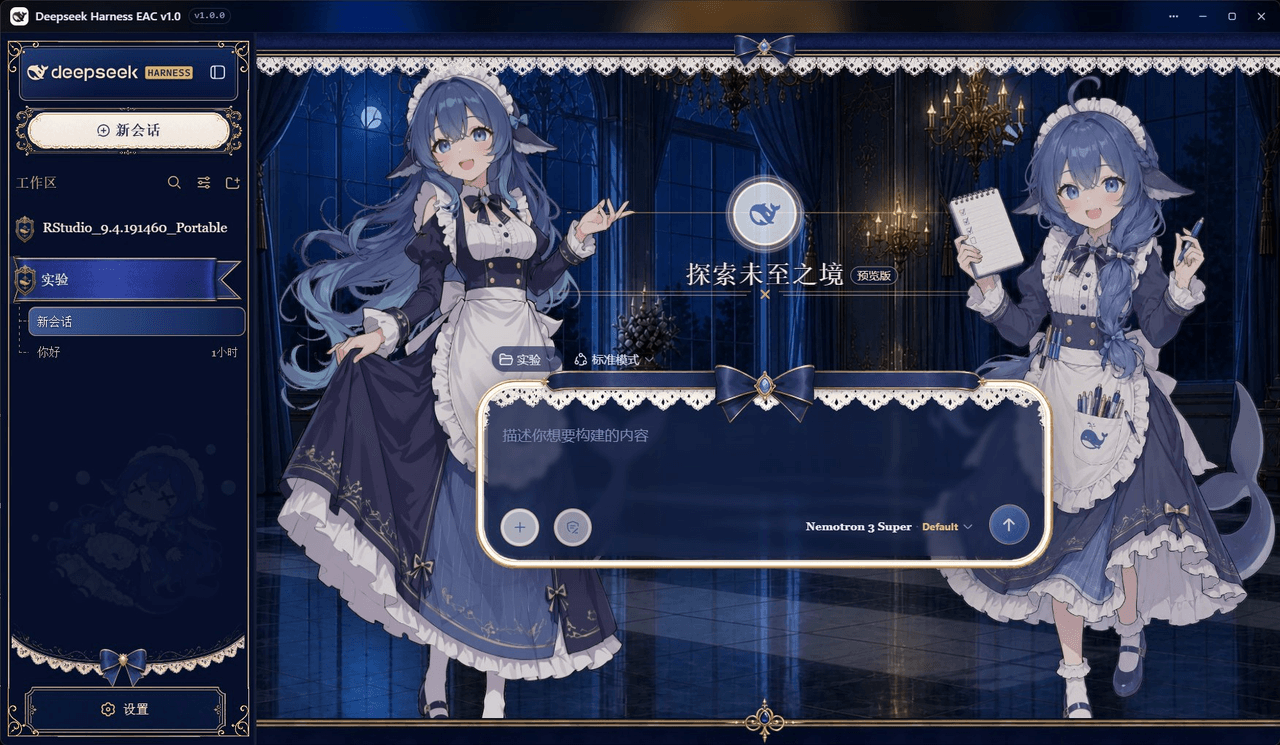 DSH-EAC/DSH-Desktop-EAC
Embracing All Creation — A plugin suite for harmonious coexistence of hundreds of plugins / 揽尽万象 —— 致力于让数百个插件和谐共存的插件整合包
DSH-EAC/DSH-Desktop-EAC
Embracing All Creation — A plugin suite for harmonious coexistence of hundreds of plugins / 揽尽万象 —— 致力于让数百个插件和谐共存的插件整合包
-
 shaobeichen/dsh-pocket
把 DeepSeek Harness 装进你的口袋:电脑上跑 dsh web,手机扫码即同步访问(局域网 + 公网,实时同屏)Put DeepSeek Harness in your pocket: run dsh web on your …
shaobeichen/dsh-pocket
把 DeepSeek Harness 装进你的口袋:电脑上跑 dsh web,手机扫码即同步访问(局域网 + 公网,实时同屏)Put DeepSeek Harness in your pocket: run dsh web on your …
-
 xyTom/coding-tools-mcp
Give any AI agent the ability to code
xyTom/coding-tools-mcp
Give any AI agent the ability to code