mel0nyrame/deepseek-harness-desktop
Native Electron desktop app with a bundled DeepSeek Harness agent runtime
Project Overview项目介绍
DSH Desktop is an Electron shell that packages the DeepSeek Harness runtime as a native macOS application. It bridges a React renderer to a dedicated, application-scoped DSH child process, inheriting the plugin system, sessions, tools, PTYs, and shared ~/.dsh state, without requiring a system Node.js or separate CLI. Use it for a native macOS experience around the DSH agent. Release DMGs are ad-hoc signed and not notarized, so first-time direct downloads require the right-click → Open flow.
DSH Desktop 是把 DeepSeek Harness 运行时打包为原生 Electron 应用的桌面壳层。它把 React 客户端连接到独立的 DSH 子进程,共享 ~/.dsh 状态,复用插件、会话、工具、PTY、模型执行等全部能力。适用于希望以 macOS 原生窗口运行 DSH 而不依赖系统 Node 或 CLI 的用户。注意:DMG 仅作临时签名且未经公证,下载后首次需右键打开。
请帮我了解并安装插件:【deepseek-harness-desktop】【https://github.com/mel0nyrame/deepseek-harness-desktop】Send this message to DSH in your current session. CLI install commands may not be accurate across systems — DSH will figure it out for you.把上面这条消息直接发给当前会话里的 DSH,让它帮你了解并安装。安装命令不一定准确,发给 DSH 更稳。
Or use CLI install (for developers)或使用命令行安装(适合开发者)
CLI Install命令行安装
dsh plugin --profile web add github:mel0nyrame/deepseek-harness-desktop把 mel0nyrame/deepseek-harness-desktop 加入你的 DSH 配置(web profile)即可启用。
READMEREADME
DSH Desktop
English | 中文
deepseek-harness-desktop packages DeepSeek Harness as the native Electron application DSH Desktop. The desktop shell is the product-specific layer; the bundled dsh runtime keeps its plugin system, sessions, tools, PTYs, persistence, CLI identity, and documentation vocabulary.
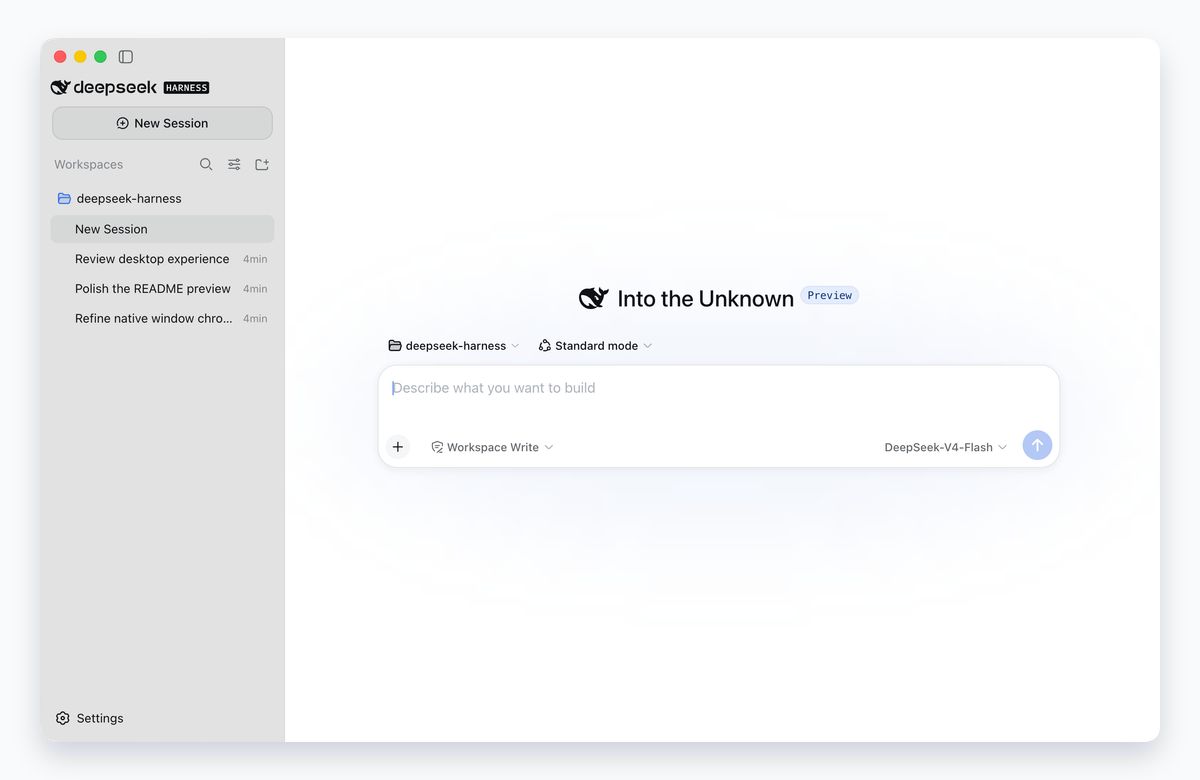
Native window capture from the installed macOS bundle using an isolated temporary profile and preset sessions, framed against a neutral backing.
Native macOS experience
 |
Compact native frame Content fills the window while controls share the traffic-light region, with native dragging and full-screen behavior. |
 |
Glass that remembers Light, Dark, and System appearances follow macOS; the glass preference persists, with an opaque Reduce Transparency fallback. |
 |
Zero-width focus mode Collapse the sidebar completely to reclaim the conversation width, then restore the last usable sidebar size. |
Desktop shell, full harness
 Bundled runtime The installed app starts its own application-scoped DSH child. A system Node.js or separately installed DSH CLI is not required. |
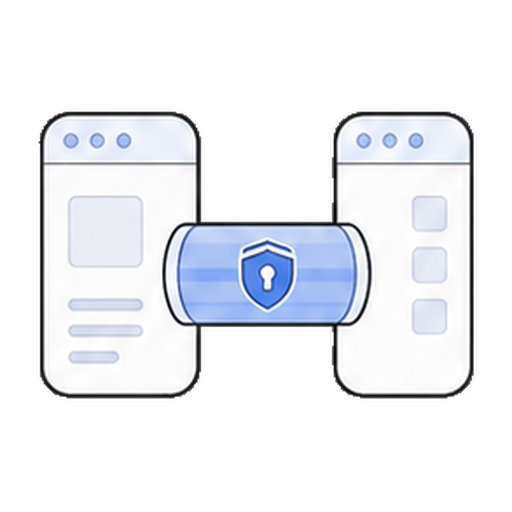 Private desktop carrier The sandboxed renderer crosses a context-isolated preload bridge and validated IPC. The desktop profile opens no browser-facing HTTP listener. |
 Native macOS shell Electron main owns directory selection, path opening, compact window chrome and native dragging, recovery, and process-tree cleanup; the sidebar uses the saved glass preference. |
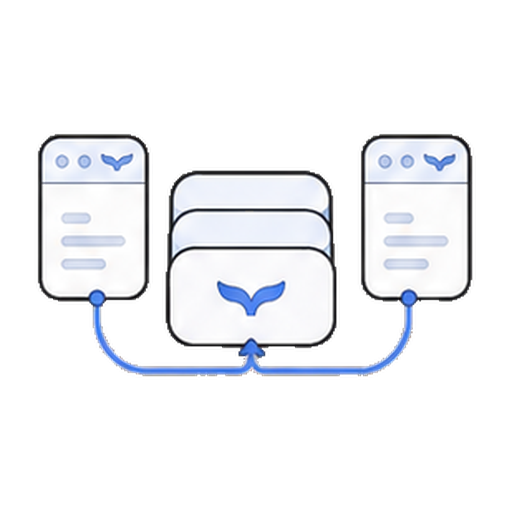 Shared DSH state DSH Desktop and the CLI use the same ~/.dsh home, so sessions, profiles, and configuration remain available to both. |
How it works
The React client retains the transport-neutral Connection surface used by the Web product. Electron main owns the native window and supervises one dedicated DSH child; that child owns Cordis, sessions, plugins, model execution, PTYs, persistence, and subprocesses.
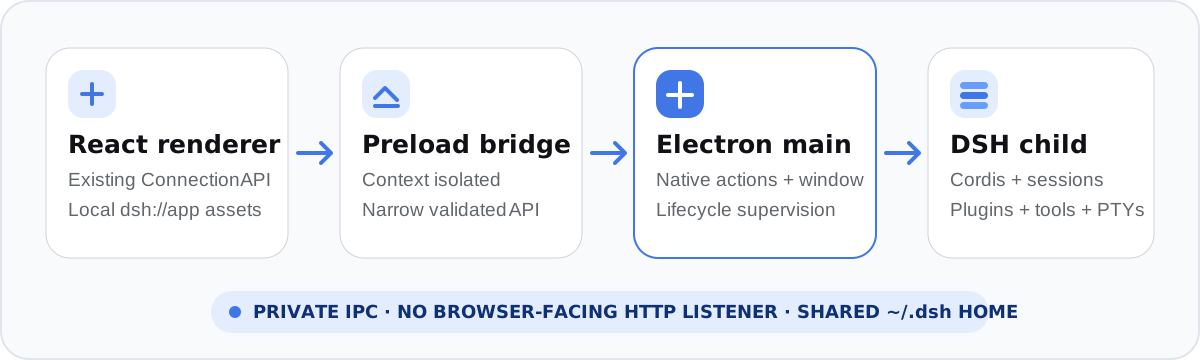
The pre-decoupling carrier and lifecycle contracts remain available in the frozen legacy desktop reference. The current shell and desktop provider contracts live in apps/desktop and packages/.
Install
Homebrew (recommended)
brew tap mel0nyrame/dsh
brew install --cask dsh-desktop
The cask selects the arm64 or x64 build for the current Mac and removes the quarantine attribute after installation. Stable releases update the cask automatically; prereleases remain available from GitHub only.
GitHub Releases
Download the DMG for your Mac (arm64 for Apple silicon or x64 for Intel) from GitHub Releases, verify it against the adjacent .sha256 file, and drag DSH Desktop to Applications.
Release DMGs are ad-hoc signed and not notarized. A direct DMG download may therefore require the one-time macOS right-click → Open flow. The Homebrew cask performs the corresponding quarantine handling during installation.
Run from source
From this repository checkout:
pnpm install
pnpm run check
Build an installable, ad-hoc signed application and DMG with pnpm run package.
The packaging command assembles the exact published runtime, verifies native
addons under Electron, validates the application identity and embedded runtime,
and writes products under apps/desktop/dist/. Run the installed-product gate
with DSH_DESKTOP_PACKAGE_REQUIRED=1 pnpm run test:package.
Project boundaries
- DSH Desktop shell — the Electron shell role and its boundary.
- Desktop product packages — ownership and dependency rules for
@dsh-desktop/*. - Frozen pre-decoupling monorepo — historical comparison and recovery only.
- Frozen legacy desktop reference — Electron architecture, security, lifecycle, packaging, acceptance, and limitations as shipped pre-decoupling.
- Pinned upstream source — the exact official DeepSeek Harness source at
dsh-v0.1.0-rc.8, for inspection and compatibility work. - Upstream repository — the original DeepSeek Harness project this desktop repository is based on.
Status and distribution
- The repository and application are under active development; compatibility-breaking changes remain possible.
- Product releases provide separate arm64 and x64 macOS DMGs with SHA-256 checksum files.
- Developer ID signing and notarization are not configured; direct downloads may need the one-time right-click → Open flow described above. Read the legacy desktop limitations before redistributing artifacts.
Development
CI is staged by change risk: ordinary pull requests run the fast workspace checks (.github/workflows/ci.yml), packaging inputs run the macOS packaging gate (.github/workflows/packaging.yml), and pull requests labeled release, version tags, or manual dispatches run the arm64/x64 release-evidence workflow (.github/workflows/release.yml). The promotion evidence, the protected manual real-API acceptance command, and the promotion checklist for making this branch the default live in docs/promotion/promotion.md.
Core contributor workflows remain in AGENTS.md; the frozen development guide and CONTRIBUTING.md document the pre-decoupling contribution flow. Desktop-specific implementation lives under apps/desktop and the desktop provider packages (packages/).
License
The pre-decoupling product's third-party notices remain available in the frozen THIRD_PARTY_NOTICES.md.
Related相关推荐
-
 anywhere-labs/dsh-desktop
为 DeepSeek Harness (DSH) 插件生态打造的现代化桌面端解决方案。万物皆「插件」,桌面本身也是「插件」。
anywhere-labs/dsh-desktop
为 DeepSeek Harness (DSH) 插件生态打造的现代化桌面端解决方案。万物皆「插件」,桌面本身也是「插件」。
-
 ccch1mneyyy/dsh-TUI
DSH 官方公众号收录的 TUI 补位插件:Claude Code 风,鲸鱼顶栏/实时状态/流式思考/双击 Esc 回滚/上下文进度+TPS。npm 一键装。 DSH official WeChat featured TUI plugin…
ccch1mneyyy/dsh-TUI
DSH 官方公众号收录的 TUI 补位插件:Claude Code 风,鲸鱼顶栏/实时状态/流式思考/双击 Esc 回滚/上下文进度+TPS。npm 一键装。 DSH official WeChat featured TUI plugin…
- dsh-tauri-desk/deepseek-harness-desktop DeepSeek Harness Tauri 桌面版 | Only 5mb installer, zero environment setup, preset plugins, Windows / macOS / Linux.
-
 shaobeichen/dsh-pocket
把 DeepSeek Harness 装进你的口袋:电脑上跑 dsh web,手机扫码即同步访问(局域网 + 公网,实时同屏)Put DeepSeek Harness in your pocket: run dsh web on your …
shaobeichen/dsh-pocket
把 DeepSeek Harness 装进你的口袋:电脑上跑 dsh web,手机扫码即同步访问(局域网 + 公网,实时同屏)Put DeepSeek Harness in your pocket: run dsh web on your …
-
 whitelonng/dshcode
Community desktop companion for DeepSeek Harness — one-click Electron app for macOS and Windows
whitelonng/dshcode
Community desktop companion for DeepSeek Harness — one-click Electron app for macOS and Windows
-
 myYangyunfan/dsh_desktop
DeepSeek Harness (dsh) Windows desktop client - bundled Node.js + dsh CLI, one-click launch
myYangyunfan/dsh_desktop
DeepSeek Harness (dsh) Windows desktop client - bundled Node.js + dsh CLI, one-click launch
-
 lencx/Minke
🐳 DeepSeek Harness Desktop
lencx/Minke
🐳 DeepSeek Harness Desktop
-
 Nagi-ovo/dsh-ads
把 DSH 变成 2005 年门户网站|Parody ads, fake games, and popups for the DSH Web UI
Nagi-ovo/dsh-ads
把 DSH 变成 2005 年门户网站|Parody ads, fake games, and popups for the DSH Web UI