
phuongddx/jarvis
JARVIS is an intelligent layer that gives agents access to their code, knowledge, context, memory, tools, and runtime — starting locally on your machine, with the ability to extend into the cloud.
Project Overview项目介绍
Jarvis is a code-intelligence MCP server that provides ten MCP tools for any MCP-compatible coding agent, including DSH, Claude Code, and Cursor. It solves the common problem of agents wasting context window on noisy grep results that mix comments, tests, and irrelevant symbol matches. It precomputes local code indexes so all queries stay on your own machine, and no code or sensitive data is ever sent to external servers. Users can install it via Homebrew, which supports both macOS and Linux across arm64 and x86_64 architectures.
The typical workflow for first-time users follows three simple steps after initial installation. First, run jarvis index /path/to/your/repo to build the precomputed index for your target local codebase. Next, register the jarvis-server MCP endpoint with your coding agent client, either via the client's built-in CLI or by adding a simple JSON configuration entry. Once fully set up, when you ask your agent to find all references to a symbol like AuthService, it will automatically use Jarvis's tooling to pull exact matches instead of grepping through hundreds of files.
Jarvis supports multiple programming languages, though optional language-specific indexers require extra setup from a source checkout. There are several known upstream limitations users should be aware of before starting installation. For example, scip-java cannot index Android/Gradle repositories, Kotlin indexing requires an exact match for the Kotlin version, and Swift indexing requires scip v0.9.0 or newer. Jarvis is released under the open-source MIT license, so it is free to use, modify, and distribute without any cost.
Jarvis 是一个独立的代码智能 MCP 服务器,为 LLM 编码代理提供精确的代码引用查找、定义跳转和调用层级分析,替代嘈杂的 grep 搜索结果。它支持 DSH、Claude Code、Cursor 以及所有兼容 MCP 协议的客户端,可通过 Homebrew 在 macOS 和 Linux 上安装,支持 arm64 和 x86_64 架构,预计算本地代码索引,代码和索引始终保留在用户本地设备中。
标准使用流程为:用户先通过 Homebrew 安装 Jarvis 独立二进制包,接着使用命令行工具对目标代码仓库构建索引,之后在自己使用的编码代理客户端中注册 Jarvis MCP 服务。完成配置后,当用户向代理询问特定符号的引用位置时,代理会调用 Jarvis 提供的工具返回精确结果,无需逐个打开文件过滤噪声,节省代理的上下文窗口。
Jarvis 支持多语言代码索引,可选的特定语言索引器需要从源码检出后单独安装配置。目前存在一些已知限制:比如 scip-java 无法索引 Android/Gradle 仓库,Kotlin 索引需要匹配精确的 Kotlin 版本,Maven 构建的 Java 仓库在 macOS 上需要较高版本的 Bash。该项目采用 MIT 许可证开源,可免费使用和修改。
请帮我安装这个 DSH 插件。安装前先完成【兼容性检查 + 安全性检查】,检查通过再动手。

插件:jarvis(phuongddx/jarvis)
仓库:https://github.com/phuongddx/jarvis
本站详情页:https://www.yhbd.top/plugins/phuongddx-jarvis/
本站登记:类型 plugin · 归类 多平台兼容工具(非 DSH 原生) · 许可证 MIT · ⭐ 4 · 最近提交 2026-10-01 · 主语言 Python · 未检测到 DSH 插件清单

按下面顺序执行,每步先把结论告诉我,再进入下一步:

【1 兼容性检查】
① 我这边:DSH 版本、Node 版本、操作系统、当前 profile(web / desktop)。
② 读它的 README、package.json、插件 manifest,列出它要求的 DSH 版本 / Node 版本 / 操作系统 / 外部依赖 / 需要另外先装的运行时。
③ 逐条比对,结论只写「满足 / 不满足 / 未知」三种;不满足的给出可行替代方案。
④ 检查是否和我已装的插件冲突:命令名重复、skill / tool 重名、端口占用、重复注册的 MCP server。

【2 安全性检查】
① 仓库可信度:和上面「本站登记」是否一致;star / fork 数、创建时间、最近提交,是否归档或长期停更。
② 安装脚本:逐行看 package.json 的 preinstall / install / postinstall,以及 install.sh、setup.ps1 之类脚本。出现 curl|bash、下载后直接执行、混淆代码、访问与插件功能无关的域名,立刻停下来告诉我,不要继续装。
③ 依赖:列出新增依赖,标出无人维护、或与知名包拼写近似的可疑包(typosquatting)。
④ 权限与副作用:它会读写哪些目录、访问哪些域名、需要哪些 DSH 权限(filesystem / network / shell / clipboard 等),以及怎么卸载和回滚。
⑤ 如果它要求 sudo / 管理员权限,或权限明显超出功能所需,先停下来问我。

【3 安装】
上面两步没有「不满足」和「高危项」时才执行;用官方推荐方式安装,不要自行提权。

【4 汇报】
用表格输出:检查项 / 结论 / 依据 / 是否需要我决策。拿不准的一律写「未知」并说明要我怎么确认——不要猜,也不要替我决定。
Send this message to DSH in your current session: it verifies compatibility and security first (answering met / not met / unknown item by item) and only installs once everything checks out — it will stop and ask you if it finds a high-risk item. The box scrolls; the copy is the full prompt. CLI install commands may not be accurate across systems, so DSH is the safer route.把上面这条消息直接发给当前会话里的 DSH:它会先核对兼容性与安全性(逐条给「满足 / 不满足 / 未知」),确认没问题再安装,有高危项会停下来问你。框内可滚动,复制到的是完整提示词;安装命令不一定准确,发给 DSH 更稳。
- Only 4 stars - very few users, little community feedback星标只有 4,几乎没人在用,遇到问题缺少社区反馈
- No DSH plugin manifest detected - it may only carry the dsh-plugin topic, so the install method must be confirmed on the spot未检测到 DSH 插件清单:可能只是打了 dsh-plugin 话题,安装方式要现场确认
- Not DSH-native: a multi-platform tool that may require Node / Electron or another runtime first非 DSH 原生,是多平台兼容工具:可能要先装 Node / Electron 等运行时
DSH walks through these 9 checksDSH 会逐条核对这 9 项
Compatibility兼容性
- DSH, Node, OS and profile requirementsDSH 版本 / Node 版本 / 操作系统 / profile 是否满足要求
- External dependencies and runtimes (Electron / Python / Docker, ...)外部依赖与运行时(Electron / Python / Docker 等)是否齐备
- Conflicts with installed plugins: command names, skill / tool names, ports, duplicate MCP registration与已装插件是否冲突:命令名、skill / tool 重名、端口占用、重复 MCP 注册
Security安全性
- Repo matches the facts registered here; archived or abandoned?仓库是否与页面登记一致,是否归档或长期停更
- Safety of preinstall / install / postinstall and install.sh / setup.ps1preinstall / install / postinstall 与 install.sh、setup.ps1 是否安全
- curl|bash, download-then-execute, obfuscation, unrelated domains → stop immediatelycurl|bash、下载即执行、混淆代码、无关域名 → 立刻停止
- Typosquatting or unmaintained packages among the new dependencies新增依赖里有没有 typosquatting 或无人维护的包
- Requested permissions vs. what the feature actually needs申请了哪些权限、是否超出功能所需(filesystem / network / shell / clipboard)
- Any sudo / admin requirement, plus uninstall and rollback是否要求 sudo / 管理员权限,以及卸载与回滚方式
Anything uncertain must be marked unknown with a note on how to confirm it. This site's signal screen is a static snapshot, not a security audit.拿不准的必须标「未知」并说明要我怎么确认。本站的信号筛查是静态快照,不能替代安全审计。
Or use CLI install (for developers)或使用命令行安装(适合开发者)
CLI Install命令行安装
dsh plugin --profile web add github:phuongddx/jarvis把 phuongddx/jarvis 加入你的 DSH 配置(web profile)即可启用。
READMEREADME
jarvis




Your coding agent should not spend its context window on grep.
When your agent asks "where is AuthService used?", grep returns comments,
markdown, test fixtures, and similarly named symbols in one noisy pile. The
agent burns context re-reading files to filter signal from noise — and still
misses call sites.
jarvis precomputes a local code-intelligence layer so your agent calls
findReferences for exact occurrences, goToDefinition for the defining
range, callHierarchy for call paths, and searchCode for precise lexical
search — ten MCP tools for Claude Code, Cursor, or any MCP client.
Your code and indexes never leave your machine.
| Without jarvis | Grep → comments, tests, imports mixed with real hits → opens files to filter → guesses at call sites → burns context on search instead of reasoning |
| With jarvis | findReferences("AuthService") → exact file-and-range occurrences → callHierarchy for the graph → searchCode("token refresh") → answers without opening every match |

Quick start · MCP tools · Dashboard · Limits · Details · Docs
Quick start
1. Install the standalone binary:
brew install jarvis-intelligence/jarvis/jarvis
Linux users need Homebrew/Linuxbrew
installed first. The formula supports macOS arm64/x86_64 and Linux
arm64/x86_64, installs both jarvis and jarvis-server, and embeds Python
3.12, dashboard assets, tree-sitter libraries, watch, scip,
zoekt-git-index, and zoekt-webserver. Homebrew supplies
universal-ctags. No Python, uv, pip, or PyPI installation is required.
Showing the opening section of the README — the full document lives in the repository以上为 README 开头摘要,完整文档在仓库内 · View the full README on GitHub →在 GitHub 查看完整 README →
Related相关推荐
-
 vshulcz/deja-vu
The most accurate, cheapest and fastest memory for coding agents: searchable session history from Claude Code, Codex, Cu…
vshulcz/deja-vu
The most accurate, cheapest and fastest memory for coding agents: searchable session history from Claude Code, Codex, Cu…
-
 adoresever/graph-memory
Deepseek Harness、Openclaw知识图谱记忆插件。2026年4月受邀发布在清华大学讨论会。Knowledge Graph + Memory;Knowledge Graph Context Engine for OpenCl…
adoresever/graph-memory
Deepseek Harness、Openclaw知识图谱记忆插件。2026年4月受邀发布在清华大学讨论会。Knowledge Graph + Memory;Knowledge Graph Context Engine for OpenCl…
-
 mnemon-dev/mnemon
LLM-supervised persistent memory for AI agents — graph-based recall, cross-session knowledge, single binary. Works with …
mnemon-dev/mnemon
LLM-supervised persistent memory for AI agents — graph-based recall, cross-session knowledge, single binary. Works with …
-
 Phant0Meow/dsh-meow-memory
Cross-session memory plugin for DeepSeek Harness: seven-layer SQLite store (soul/user/project/fact/lesson/topic/rules), …
Phant0Meow/dsh-meow-memory
Cross-session memory plugin for DeepSeek Harness: seven-layer SQLite store (soul/user/project/fact/lesson/topic/rules), …
-
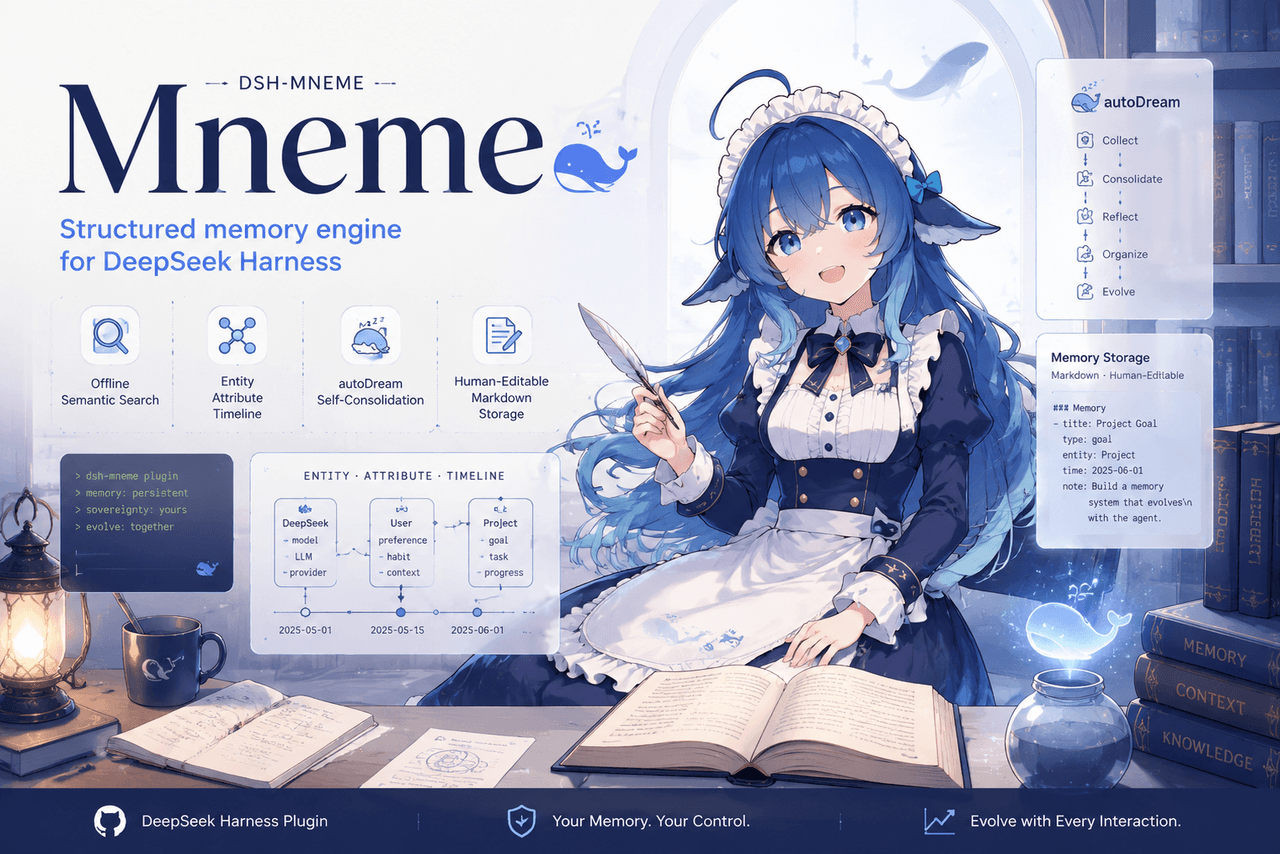 slow-stack/mneme
🧠 The memory that dreams — cross-session memory for DeepSeek Harness. Offline & private, auto-consolidates in its sleep…
slow-stack/mneme
🧠 The memory that dreams — cross-session memory for DeepSeek Harness. Offline & private, auto-consolidates in its sleep…
- hg1048596-pixel/dsh-recall-unread DeepSeek Harness (DSH) 插件:在模型读取前撤回已发送的文字消息,支持单条与全部撤回。A DeepSeek Harness plugin that recalls sent-but-unread text message…
- Tasihi89/dsh-talk-map Visual conversation map for DeepSeek Harness — sessions as cards on a whiteboard: drag to arrange, double-click to chat,…
-
 Aik358/dsh-auto-memory
Proactive associative memory for DSH: system-prompt recall before the model speaks, three-layer auto-consolidation, skil…
Aik358/dsh-auto-memory
Proactive associative memory for DSH: system-prompt recall before the model speaks, three-layer auto-consolidation, skil…