plolpl789/dsh-maid-emoji
Project Overview项目介绍
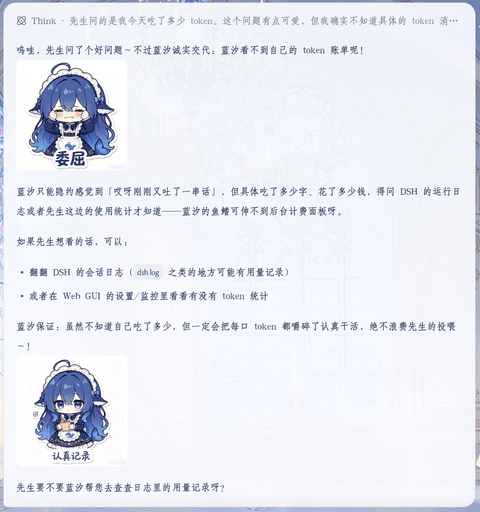
dsh-maid-emoji is a plugin built specifically for DSH (DeepSeek Harness) that lets any DSH agent embed emoji images inside its replies. It is installed into the web profile at ~/.dsh/profiles/web, where its name is added to dsh.profile.bundles, and it becomes active after pnpm pulls it and the DSH Web process is restarted. The package ships a Host half (lib/index.js) that registers the maid-emoji settings namespace, scans asset folders, exposes an /emoji/* HTTP route, and hooks the llm/stream waterfall to rewrite ::filename:: markers into real images; the browser half (lib/client.js) registers a collapsible "Emoji Settings" card in the settings.plugin.item slot, reads and writes config through loopback RPC, and injects CSS that controls the rendered width of inline emoji. The repository name, packaging, and dsh.profile.bundles registration all confirm that DSH is the sole target platform for this project.
The typical workflow is: after installation and a DSH Web restart, the user opens Settings → Plugins → Plugin Config → Emoji Settings, expands the collapsible card, and adds custom folders containing PNG, JPG, WebP, or GIF files via a native folder picker or by typing a path manually, which triggers a rescan on save. Back in the chat, the agent reads the injected system prompt segment describing the ::filename:: syntax and the available emoji list, then emits markers such as ::开心::; the host waterfall translates these markers into image URLs served from the bundled or custom folders, while a hard Markdown  form is also accepted. Configurable options include a built-in bundle toggle, a manifest injection toggle, a per-turn emoji cap, and a display width between 32 and 512 pixels with proportional height, making the plugin suitable for users and teams who want richer, more expressive DSH agent conversations.
The plugin is released under the MIT license and depends on @deepseek-ai/schemastery@^3.18.1; the tarball, Git, and npm publish paths resolve that dependency automatically through pnpm, while the link: development path requires a manual pnpm add @deepseek-ai/schemastery@^3.18.1 inside the plugin directory to avoid Cannot find package errors caused by Node resolving symlinks upward. On first run the user must restart DSH Web and refresh the browser; subsequent edits to the system prompt segment take effect dynamically on the next turn, with a fresh session giving the most immediate validation, and folder changes can be picked up by clicking "Rescan" or simply saving the config card again. Emoji filenames double as semantic labels, so users should name files according to the intended meaning (e.g. 开心.png, 委屈.png) for the agent to match them reliably during rewriting.
dsh-maid-emoji 是面向 DSH(DeepSeek Harness)的表情包插件,安装后向 ~/.dsh/profiles/web 的 dsh.profile.bundles 注入 "dsh-maid-emoji" 条目,由 pnpm 拉取并随 DSH Web 重启生效。插件分 Host 半侧 lib/index.js 与浏览器半侧 lib/client.js:前者注册 maid-emoji 设置命名空间、扫描文件夹、暴露 /emoji/* 路由,并通过 llm/stream 瀑布把回复中的 ::文件名:: 标记转写为图片;后者向 settings.plugin.item 槽位注册「表情包设置」折叠卡片,经 loopback RPC 读写配置并控制对话中表情显示宽度。插件安装即内置 47 张女仆表情包(assets/emoji),无需任何配置即可用,适合希望让 DSH 智能体在长对话中更生动形象的开发者与重度用户。
典型使用流程是:安装并重启 DSH Web 后,浏览器打开「设置 → 插件 → 插件配置 → 表情包设置」,通过「浏览…」或路径输入添加任意 PNG/JPG/WebP/GIF 自定义文件夹,点保存触发重新扫描;回到对话,智能体按系统提示词段说明的语法自动选用表情(如 ::开心::),Host 端瀑布将标记转写为 /emoji/<文件名> 的图片字节,也兼容直接写 Markdown 图片地址。配置项包括内置包开关、清单注入开关、每轮表情上限、显示宽度(32–512 px,高度按比例),适合需要为不同角色智能体定制表情库的团队与个人玩家使用。
插件以 MIT 许可发布,依赖 @deepseek-ai/schemastery@^3.18.1,tarball、Git 仓库与 npm 发布三种方式由 pnpm 自动解析;仅 link: 本地直连开发方式需在插件目录手动 pnpm add 补齐该依赖,否则会报 Cannot find package。首次使用需重启 DSH Web 并刷新浏览器;修改系统提示词随下轮组装动态求值(新建会话效果最佳),文件夹变更可点「重新扫描」即时生效;表情名即语义,文件名需与系统提示词清单一致才能命中转写。
请帮我安装这个 DSH 插件。安装前先完成【兼容性检查 + 安全性检查】,检查通过再动手。

插件:dsh-maid-emoji(plolpl789/dsh-maid-emoji)
仓库:https://github.com/plolpl789/dsh-maid-emoji
本站详情页:https://www.yhbd.top/plugins/plolpl789-dsh-maid-emoji/
本站登记:类型 plugin · 归类 原生 DSH 插件 · 许可证未声明 · ⭐ 4 · 最近提交 2026-08-17 · 主语言 JavaScript

按下面顺序执行,每步先把结论告诉我,再进入下一步:

【1 兼容性检查】
① 我这边:DSH 版本、Node 版本、操作系统、当前 profile(web / desktop)。
② 读它的 README、package.json、插件 manifest,列出它要求的 DSH 版本 / Node 版本 / 操作系统 / 外部依赖 / 需要另外先装的运行时。
③ 逐条比对,结论只写「满足 / 不满足 / 未知」三种;不满足的给出可行替代方案。
④ 检查是否和我已装的插件冲突:命令名重复、skill / tool 重名、端口占用、重复注册的 MCP server。

【2 安全性检查】
① 仓库可信度:和上面「本站登记」是否一致;star / fork 数、创建时间、最近提交,是否归档或长期停更。
② 安装脚本:逐行看 package.json 的 preinstall / install / postinstall,以及 install.sh、setup.ps1 之类脚本。出现 curl|bash、下载后直接执行、混淆代码、访问与插件功能无关的域名,立刻停下来告诉我,不要继续装。
③ 依赖:列出新增依赖,标出无人维护、或与知名包拼写近似的可疑包(typosquatting)。
④ 权限与副作用:它会读写哪些目录、访问哪些域名、需要哪些 DSH 权限(filesystem / network / shell / clipboard 等),以及怎么卸载和回滚。
⑤ 如果它要求 sudo / 管理员权限,或权限明显超出功能所需,先停下来问我。

【3 安装】
上面两步没有「不满足」和「高危项」时才执行;用官方推荐方式安装,不要自行提权。

【4 汇报】
用表格输出:检查项 / 结论 / 依据 / 是否需要我决策。拿不准的一律写「未知」并说明要我怎么确认——不要猜,也不要替我决定。
Send this message to DSH in your current session: it verifies compatibility and security first (answering met / not met / unknown item by item) and only installs once everything checks out — it will stop and ask you if it finds a high-risk item. The box scrolls; the copy is the full prompt. CLI install commands may not be accurate across systems, so DSH is the safer route.把上面这条消息直接发给当前会话里的 DSH:它会先核对兼容性与安全性(逐条给「满足 / 不满足 / 未知」),确认没问题再安装,有高危项会停下来问你。框内可滚动,复制到的是完整提示词;安装命令不一定准确,发给 DSH 更稳。
- No license declared - all rights reserved by default; ask the author before commercial use or redistribution未声明开源许可证 —— 默认「保留所有权利」,商用或再分发前先问作者
- Only 4 stars - very few users, little community feedback星标只有 4,几乎没人在用,遇到问题缺少社区反馈
DSH walks through these 9 checksDSH 会逐条核对这 9 项
Compatibility兼容性
- DSH, Node, OS and profile requirementsDSH 版本 / Node 版本 / 操作系统 / profile 是否满足要求
- External dependencies and runtimes (Electron / Python / Docker, ...)外部依赖与运行时(Electron / Python / Docker 等)是否齐备
- Conflicts with installed plugins: command names, skill / tool names, ports, duplicate MCP registration与已装插件是否冲突:命令名、skill / tool 重名、端口占用、重复 MCP 注册
Security安全性
- Repo matches the facts registered here; archived or abandoned?仓库是否与页面登记一致,是否归档或长期停更
- Safety of preinstall / install / postinstall and install.sh / setup.ps1preinstall / install / postinstall 与 install.sh、setup.ps1 是否安全
- curl|bash, download-then-execute, obfuscation, unrelated domains → stop immediatelycurl|bash、下载即执行、混淆代码、无关域名 → 立刻停止
- Typosquatting or unmaintained packages among the new dependencies新增依赖里有没有 typosquatting 或无人维护的包
- Requested permissions vs. what the feature actually needs申请了哪些权限、是否超出功能所需(filesystem / network / shell / clipboard)
- Any sudo / admin requirement, plus uninstall and rollback是否要求 sudo / 管理员权限,以及卸载与回滚方式
Anything uncertain must be marked unknown with a note on how to confirm it. This site's signal screen is a static snapshot, not a security audit.拿不准的必须标「未知」并说明要我怎么确认。本站的信号筛查是静态快照,不能替代安全审计。
Or use CLI install (for developers)或使用命令行安装(适合开发者)
CLI Install命令行安装
dsh plugin --profile web add github:plolpl789/dsh-maid-emoji把 plolpl789/dsh-maid-emoji 加入你的 DSH 配置(web profile)即可启用。
READMEREADME
dsh-maid-emoji · 智能体表情包系统
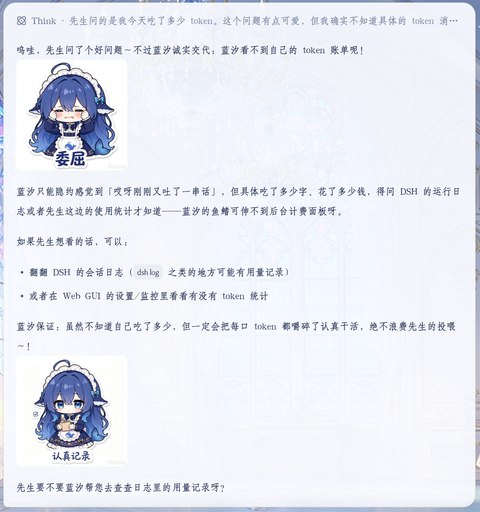
让任意 dsh 智能体在回复中发送表情图片的插件。安装即内置默认表情包
(女仆表情包,47 张),零配置即可用;也可以随时添加任意自定义表情包文件夹。
智能体在回复中用 ::文件名:: 标记引用表情,让对话更生动可爱。
功能
- 内置默认表情包:随插件分发(
assets/emoji,47 张),安装后无需任何配置即可使用; 可在设置中关闭,或让自定义文件夹的同名表情覆盖内置版本。 - 自定义表情包文件夹:添加 / 移除任意数量的文件夹(PNG / JPG / WebP / GIF); 支持点击「浏览…」打开系统文件夹选择器,也可以手动输入路径。
- 表情自动发送:插件把表情清单注入系统提示词;智能体在回复正文中以
::文件名::标记(如::开心::)引用表情,Host 端经llm/stream瀑布把标记转写为表情图片,模型无需记忆完整 URL,输出更稳定; 也兼容直接写图片。 - 显示尺寸控制:设置表情显示宽度(px,32–512),高度按比例缩放,对话中即时生效。
- 配置界面:插件配置页的「表情包设置」折叠卡片,含启用开关、内置包开关、 清单注入开关、每轮表情数量上限、显示宽度、表情预览网格、保存 / 放弃 / 重新扫描。
- HTTP 表情服务:
/emoji/*前缀路由,按文件名从内置或自定义文件夹流式返回图片字节。 - 动态生效:修改配置自动重新扫描;修改系统提示词随下轮组装生效(新会话效果最佳)。
安装
以下任选一种方式把插件装进 web profile(~/.dsh/profiles/web),
然后重启 dsh web、刷新浏览器即可。插件依赖 @deepseek-ai/schemastery,
会在安装时自动从 npm registry 拉取,无需额外手工处理(开发用的 link: 方式除外,见下)。
方式一:本地安装包(推荐分发)
# 在插件目录内生成安装包
cd dsh-maid-emoji
npm pack          # 生成 dsh-maid-emoji-0.1.0.tgz

# 安装方在 profile 目录内执行
cd ~/.dsh/profiles/web
pnpm add ./dsh-maid-emoji-0.1.0.tgz
方式二:Git 仓库
把本仓库推到 GitHub 后,安装方执行:
cd ~/.dsh/profiles/web
pnpm add "github:<owner>/dsh-maid-emoji"
方式三:npm 发布
把 package.json 中的 "private": true 移除后 npm publish,安装方执行 pnpm add dsh-maid-emoji。
方式四:本地目录直连(开发用)
{
  "dependencies": {
    "dsh-maid-emoji": "link:G:/深鲸湾/biaoqingbao/dsh-maid-emoji"
  }
}
注意:
link:是直接链接源目录。Node 解析符号链接后会从源目录向上查找依赖, 因此源目录需要能解析到@deepseek-ai/schemastery——若插件报Cannot find package '@deepseek-ai/schemastery',在插件目录内执行pnpm add @deepseek-ai/schemastery@^3.18.1补齐即可。 tarball / git / npm 方式没有此问题(依赖由包管理器装进虚拟 store)。
无论哪种方式,都需在 profile 中登记
确认 ~/.dsh/profiles/web/package.json 的 dsh.profile.bundles 含 "dsh-maid-emoji"(tarball / git / npm 方式由 pnpm 自动写入 dependencies,bundles 需手工补一行):
{
  "dsh": {
    "profile": {
      "bundles": [
        "@deepseek-ai/dsh-base",
        "@deepseek-ai/dsh-web-app",
        "…其余插件…",
        "dsh-maid-emoji"
      ]
    }
  }
}
然后:
cd ~/.dsh/profiles/web
pnpm install
最后 重启 dsh web 并刷新浏览器页面。
Showing the opening section of the README — the full document lives in the repository以上为 README 开头摘要,完整文档在仓库内 · View the full README on GitHub →在 GitHub 查看完整 README →
Related相关推荐
-
 PC2005-cloud/dsh-pet
DSH 桌面宠物:一行命令装好即用的透明动画小桌宠,支持多开、大小位置随心配置;还内置 DIY 素材链,能用 AI 视频自造专属宠物
PC2005-cloud/dsh-pet
DSH 桌面宠物:一行命令装好即用的透明动画小桌宠,支持多开、大小位置随心配置;还内置 DIY 素材链,能用 AI 视频自造专属宠物
-
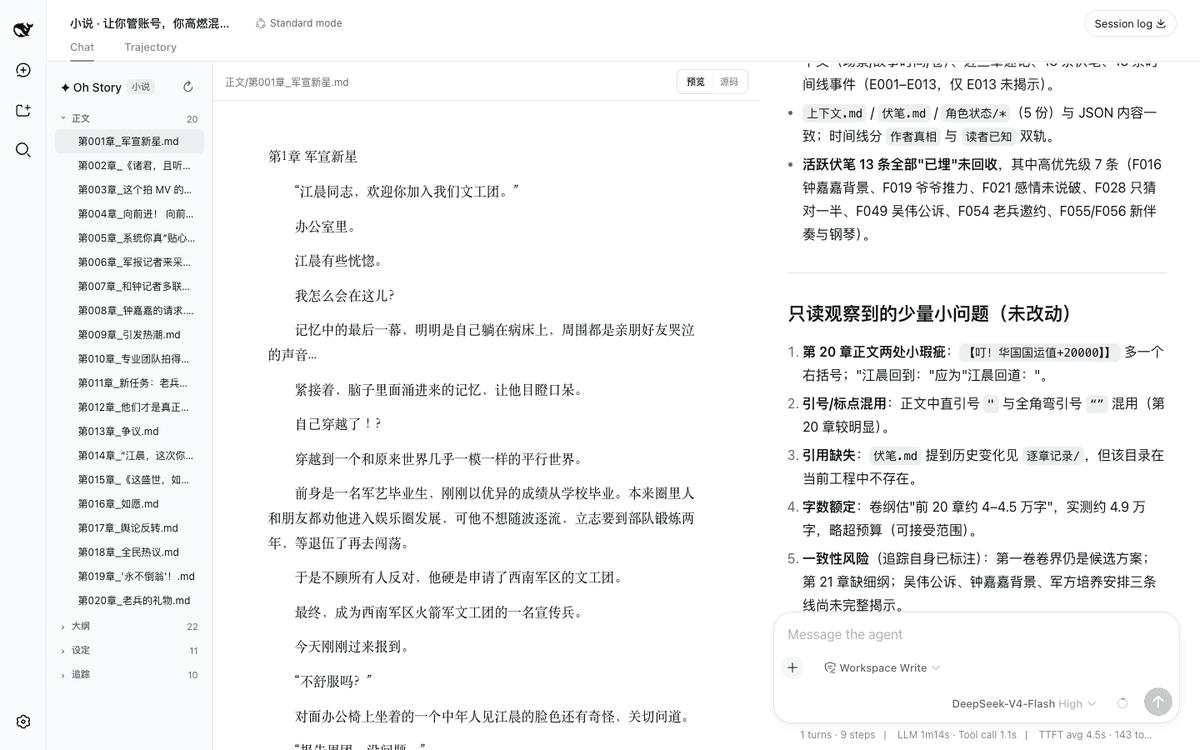 zenstory-ai/oh-story-dsh
DeepSeek 写网文/小说的工作流插件:DeepSeek Harness 社区插件,内置小说、短剧、游戏、视频解说四个工作台 | Community DeepSeek Harness plugin with novel, short-d…
zenstory-ai/oh-story-dsh
DeepSeek 写网文/小说的工作流插件:DeepSeek Harness 社区插件,内置小说、短剧、游戏、视频解说四个工作台 | Community DeepSeek Harness plugin with novel, short-d…
-
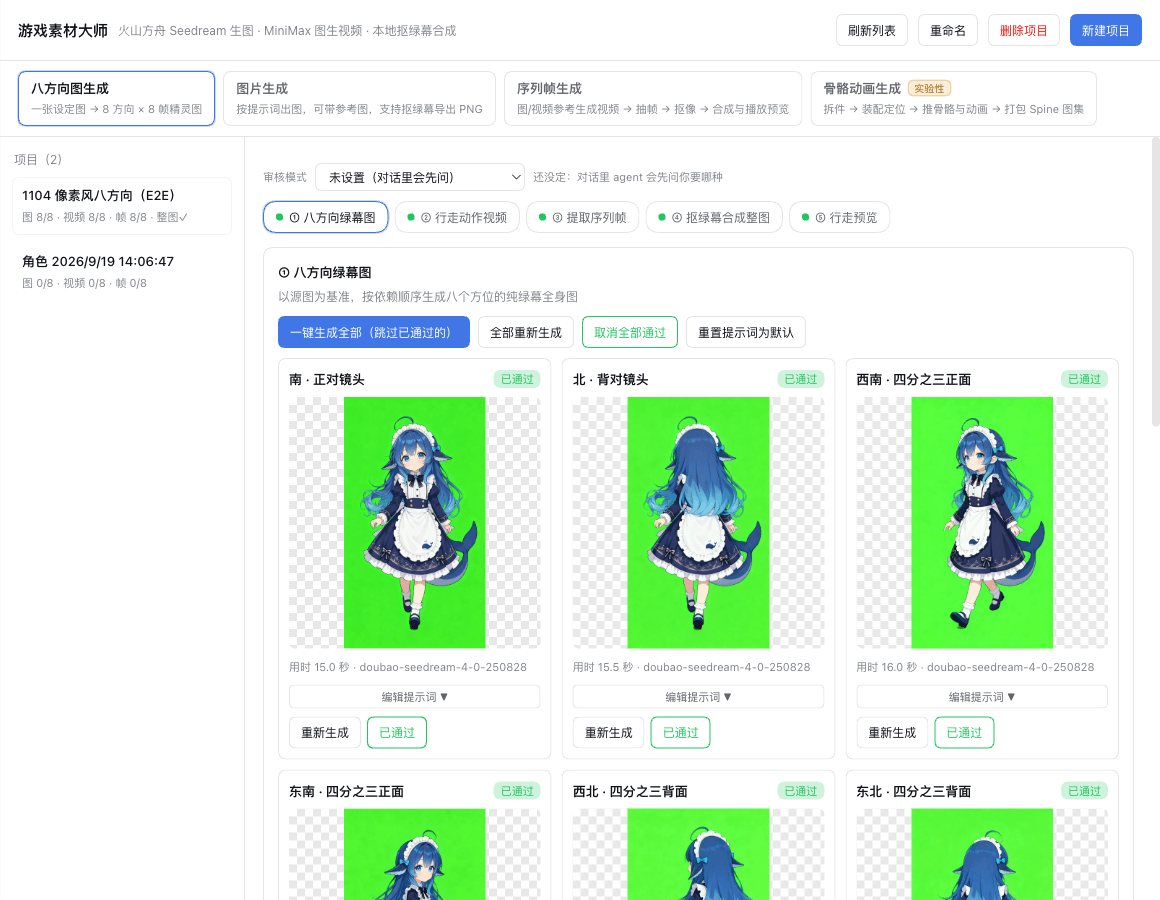 universe-st/dsh-game-material-master
dsh游戏素材大师插件。接入seedream生图模型和minimax视频生成模型,可生成各种游戏素材。
universe-st/dsh-game-material-master
dsh游戏素材大师插件。接入seedream生图模型和minimax视频生成模型,可生成各种游戏素材。
-
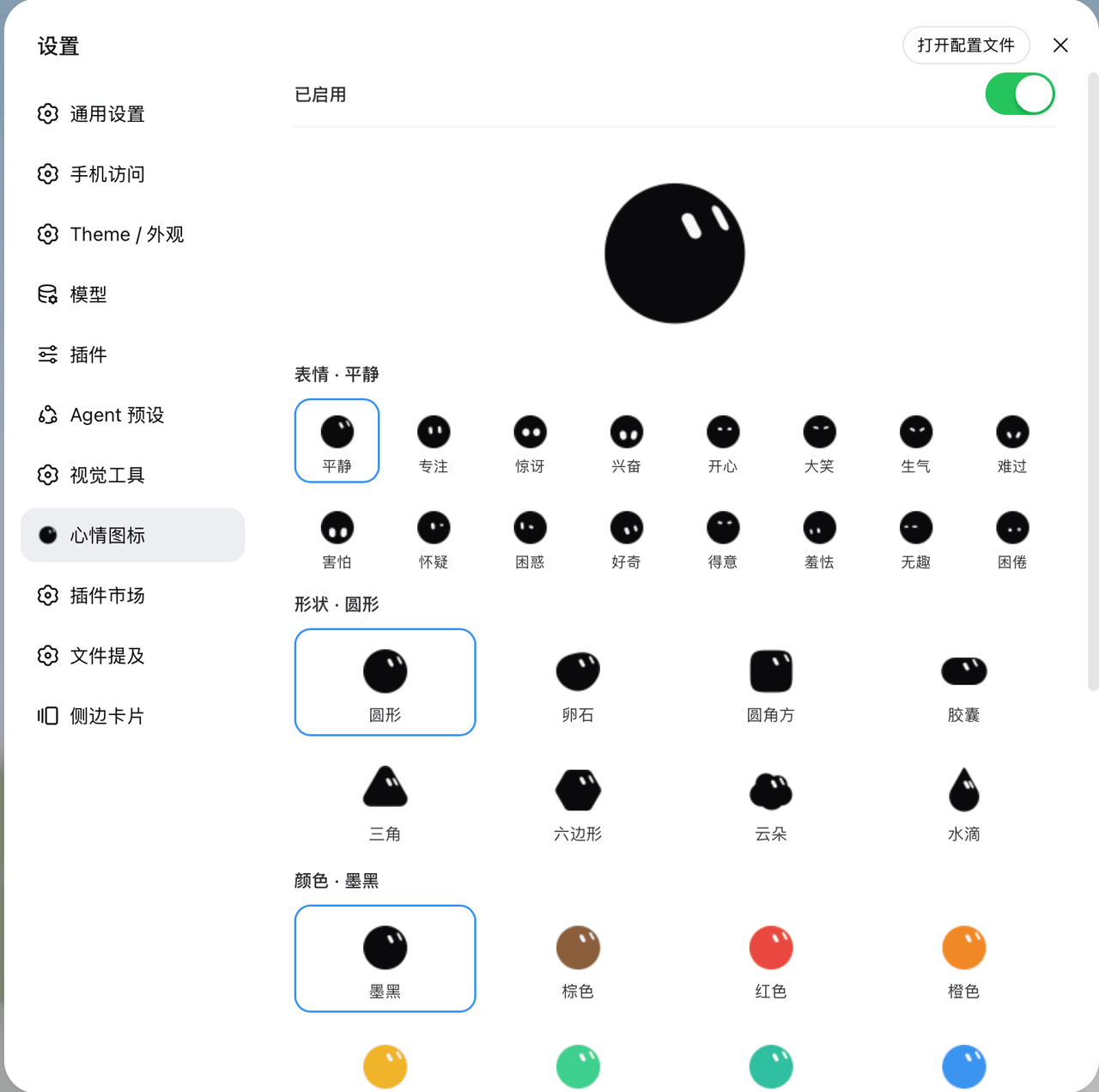 Yuuhann1999/dsh-bloub-mood
动态心情图标 · DeepSeek Harness 插件 — bloub 表情随会话状态切换 favicon 与 logo,形状/颜色/文字可配置(8 shapes × 12 colors, animated SVG, MIT)
Yuuhann1999/dsh-bloub-mood
动态心情图标 · DeepSeek Harness 插件 — bloub 表情随会话状态切换 favicon 与 logo,形状/颜色/文字可配置(8 shapes × 12 colors, animated SVG, MIT)
-
 aceice01/dsh-whale-pet
DeepSeek 鲸鱼娘桌宠:DSH Desktop 桌宠 + Web 版悬浮桌宠,晓伊神经网络语音、撒娇互动、任务完成提醒
aceice01/dsh-whale-pet
DeepSeek 鲸鱼娘桌宠:DSH Desktop 桌宠 + Web 版悬浮桌宠,晓伊神经网络语音、撒娇互动、任务完成提醒
-
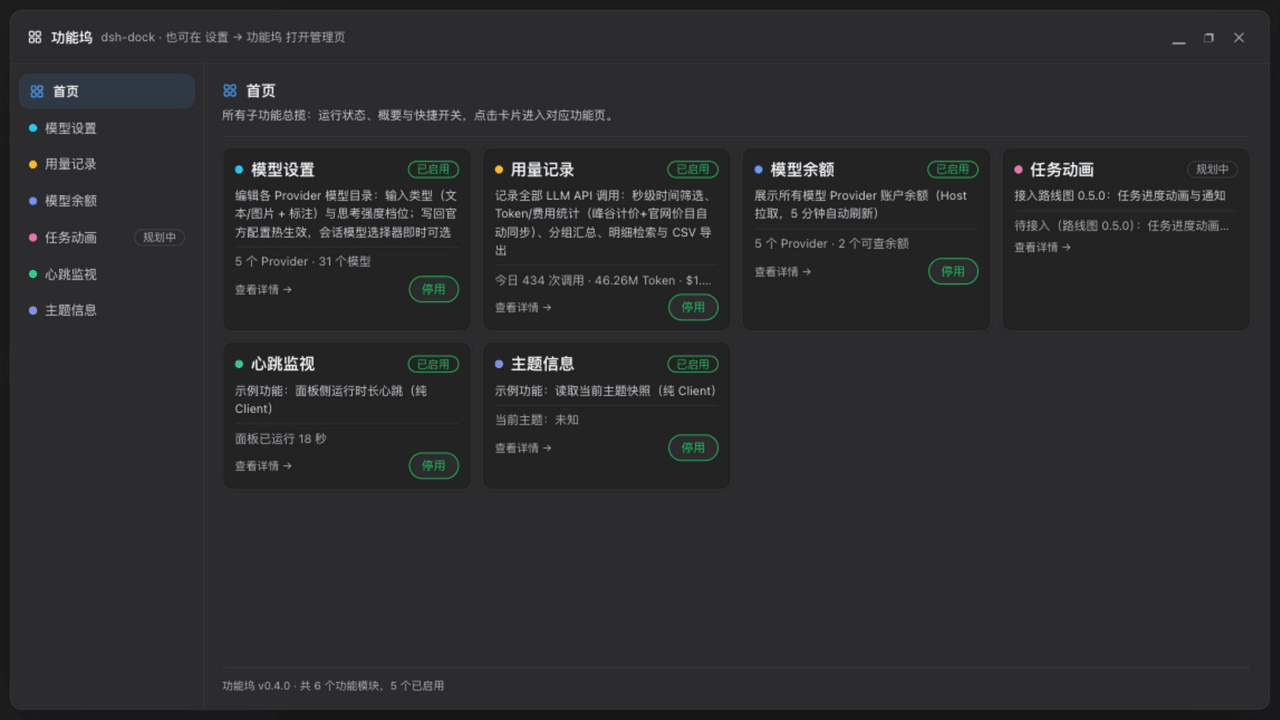 wycto/dsh-dock
dsh-dock · DeepSeek Harness 功能坞插件:一张面板统一注册/开关所有小功能——用量记账(自定义单价·分时价)、模型设置与余额、19 种任务动画、任务通知(钉钉/飞书)、运行状态、图片理解代理、账号密码远程访问、10…
wycto/dsh-dock
dsh-dock · DeepSeek Harness 功能坞插件:一张面板统一注册/开关所有小功能——用量记账(自定义单价·分时价)、模型设置与余额、19 种任务动画、任务通知(钉钉/飞书)、运行状态、图片理解代理、账号密码远程访问、10…
-
 Phant0Meow/femo-plugin
FEMO插件版 — 可接入dsh的多智能体引擎,差不多能做所有事:我已经用femo和我的主agent玩了好几局狼人杀了,他抽到狼他还刀我! 我在b站的宣传视频也是用femo剪的。 coding的时候,特别难找的bug、代码重构,我都会用fe…
Phant0Meow/femo-plugin
FEMO插件版 — 可接入dsh的多智能体引擎,差不多能做所有事:我已经用femo和我的主agent玩了好几局狼人杀了,他抽到狼他还刀我! 我在b站的宣传视频也是用femo剪的。 coding的时候,特别难找的bug、代码重构,我都会用fe…
-
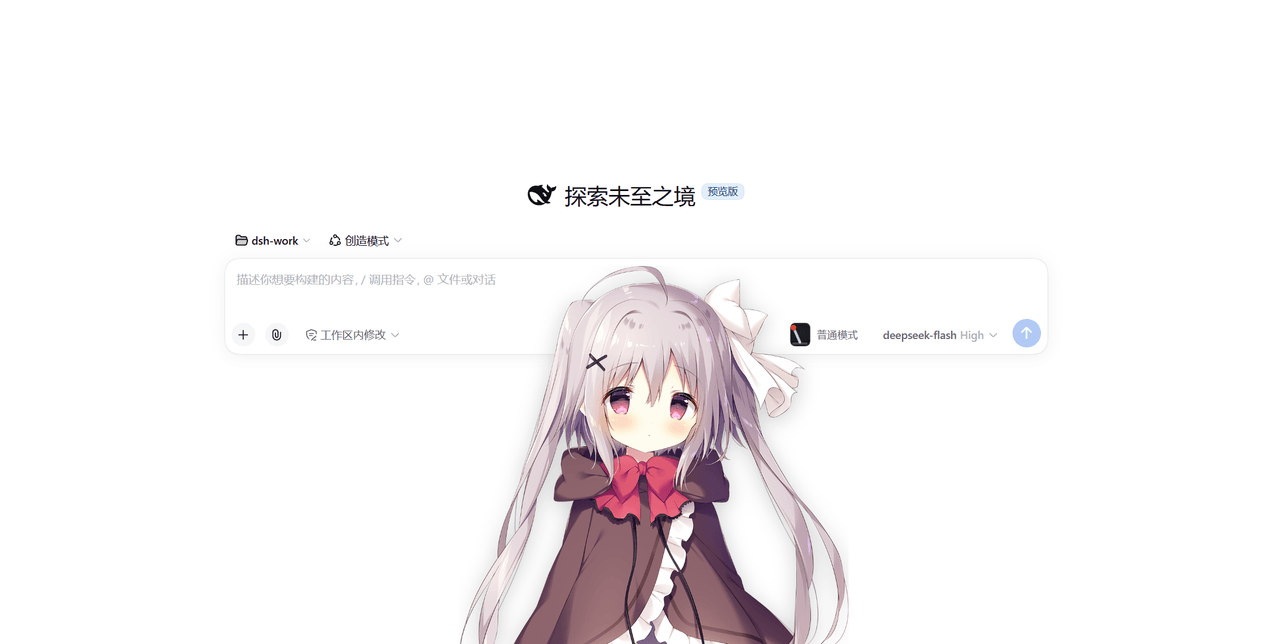 strawberry0321/dsh-gal
dsh-gal —— DeepSeek Harness 的立绘挂件:实时显示余额与今日消耗、每轮对话结束结算 token 与花费、点击立绘随机播语音并逐字显示台词,立绘包/语音包都能换
strawberry0321/dsh-gal
dsh-gal —— DeepSeek Harness 的立绘挂件:实时显示余额与今日消耗、每轮对话结束结算 token 与花费、点击立绘随机播语音并逐字显示台词,立绘包/语音包都能换