loguhan/dsh-workshop
DeepSeek Harness Web UI 的 Steam 创意工坊风格插件商店:浏览 850+ 社区插件,通过 GitHub 镜像加速一键安装,提供进度界面、安全检查及中文描述。
Project Overview项目介绍
dsh-workshop is a Steam Workshop–style Web UI plugin store for DSH, adding a sidebar entry to browse, filter, search, and one-click install 850+ community plugins (npm preferred, with GitHub fallback). It auto-selects the fastest of 7 GitHub mirrors and includes a blacklist, patch pre-check, post-install verification with rollback, and same-origin validation. Use it to centrally discover and manage community plugins within dsh web. Note: plugins are maintained by third parties; inclusion in the catalog is not a security endorsement, and dsh web must be restarted after installation for bundle plugins to take effect.
dsh-workshop 是 DSH 的 Steam Workshop 风格 Web UI 插件商店,在侧边栏新增独立入口,支持 850+ 插件的浏览、分类筛选、搜索与一键安装(npm 优先,自动回退 GitHub),内置 7 个 GitHub 镜像测速加速,并提供黑名单、patch 预检、安装后校验与回滚、同源校验等安全机制。适用于在 dsh web 环境中集中发现、安装与管理社区插件。注意:插件由第三方作者维护,目录收录不代表安全背书,且安装后需重启 dsh web 才能生效。
请帮我了解并安装插件:【dsh-workshop】【https://github.com/loguhan/dsh-workshop】Send this message to DSH in your current session. CLI install commands may not be accurate across systems — DSH will figure it out for you.把上面这条消息直接发给当前会话里的 DSH,让它帮你了解并安装。安装命令不一定准确,发给 DSH 更稳。
Or use CLI install (for developers)或使用命令行安装(适合开发者)
CLI Install命令行安装
dsh plugin --profile web add dsh-workshop把 loguhan/dsh-workshop 加入你的 DSH 配置(web profile)即可启用。
READMEREADME
dsh-workshop · DSH 创意工坊
Steam Workshop 风格的 DeepSeek Harness Web UI 插件商店:浏览、搜索、一键安装社区插件,自动镜像加速与安全校验。
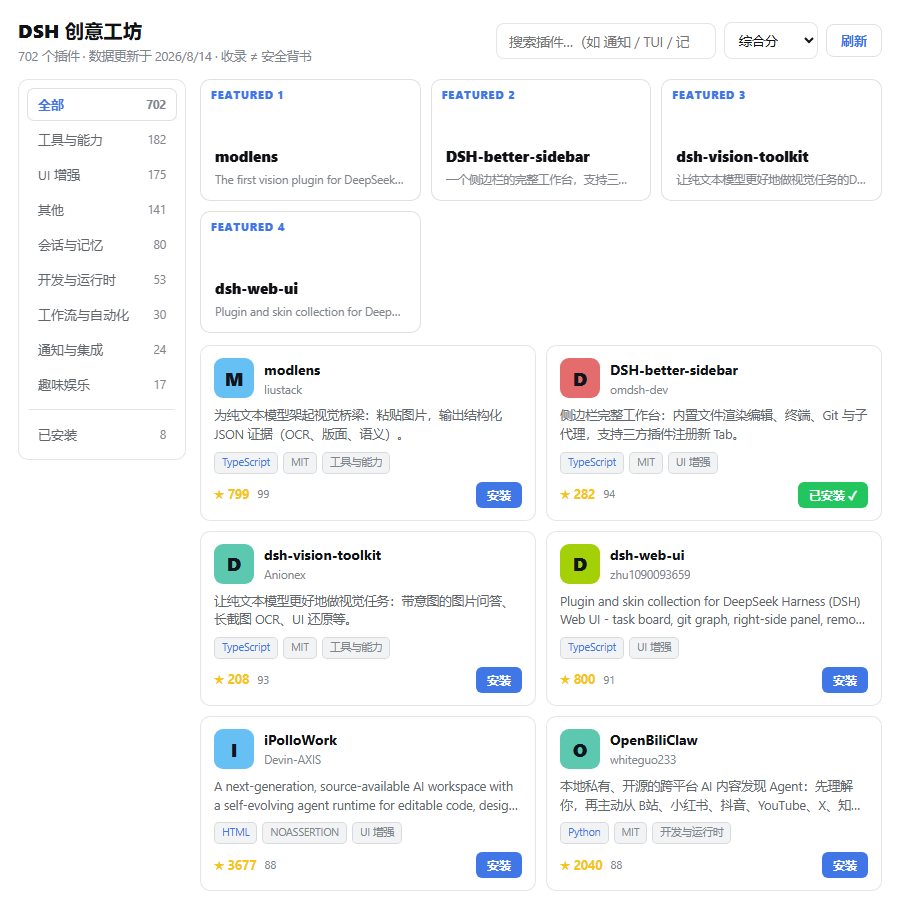
功能
- 🎮 独立侧边栏入口:现代图标按钮,点击即打开创意工坊面板(不占用设置页)
- 🔍 浏览与搜索:850+ 插件卡片式网格,支持分类筛选(UI 增强 / 工具能力 / 工作流 / 通知 / 开发 / 娱乐)、5 种排序、分页
- 🀄 中文描述:122 个精选插件接入官方双语描述库,详情页中英对照
- ⚡ 一键安装:npm 优先,自动回退 GitHub 源;全程显示安装进度(阶段 + 实时日志)
- 🌐 GitHub 镜像加速:内置 7 个镜像自动测速选最快(ghfast.top / gh-proxy.com / ghproxy.net 等),面板可手动重新测速
- 🛡️ 安全机制:
- TUI/独立发行版插件黑名单(防破坏 web 启动)
- 安装前 patch 预检(检测覆盖核心 agent 配置的危险行)
- 安装后产物校验 + 自动回滚
- 构建脚本被 pnpm 阻止时自动解锁(allowBuilds)重装
- 全部写操作接口同源校验(防 CSRF / 防端口暴露被远程滥用)
- 📦 已安装管理:已安装视图、卸载、重新安装/更新
安装
# 从 npm 安装(推荐)
dsh plugin --profile web add dsh-workshop

# 或从 GitHub 安装
dsh plugin --profile web add github:loguhan/dsh-workshop

# 重启后,侧边栏出现「创意工坊」入口
dsh web
使用
- 点击侧边栏「创意工坊」按钮(商店图标)
- 浏览 / 搜索 / 按分类筛选插件
- 点击卡片查看详情,点「一键安装(自动选源)」或「从 GitHub 安装」
- 安装完成后重启
dsh web使 bundle 插件生效 - 安装进度、日志实时显示在面板底部
安全声明
- 收录 ≠ 安全背书:目录数据来自第三方社区索引(dsh-recommend 数据仓库),插件由各自作者维护。安装任何第三方插件 = 在本机运行第三方代码,请自行审查源码。
- 本地使用:创意工坊 API 仅接受本机回环地址(127.0.0.1 / localhost)的同源请求。请勿将
dsh web端口暴露到公网(如使用 cloudflared 隧道,创意工坊的安装/卸载接口将被拒绝——这是有意为之的安全边界)。 - 冲突恢复:极少数插件(如 TUI 类)可能与 web 冲突导致启动异常。若侧边栏入口消失,执行:
npx -y @deepseek-ai/dsh plugin --profile web remove <包名>
开发
# 依赖
pnpm install

# 构建(产物提交到 lib/,git 源安装无需构建)
pnpm run bundle

# 类型检查
pnpm run typecheck

# 本地安装到 profile
dsh plugin --profile web add .
目录结构
src/
├── core.ts            # 共享核心:目录读取、已安装检测、镜像测速、安装/卸载、进度
├── host/
│   ├── index.ts       # agent 工具半(workshop_status/search/install/uninstall/refresh)
│   └── web.ts         # web API 半(catalog/install/uninstall/progress/mirror,同源校验)
└── client/
    ├── index.tsx      # 浏览器半入口:侧边栏注入 + 面板挂载
    ├── controller.ts  # 面板开关 + 中央列独占
    ├── sidebar.ts     # 侧边栏入口(自愈 DOM 注入)
    └── mount.tsx      # 中央列视图挂载
致谢与数据来源
- 目录数据:dsh-recommend(GitHub
dsh-plugin话题抓取 + 公开评分模型) - 中文描述:awesome-dsh-plugin 精选列表
- 侧边栏/面板注入模式参考:dsh-web-ui(task-board / ssh)
License
MIT © 2026 dsh-workshop contributors
Related相关推荐
-
 w2112515/dsh-plugin-development
Portable Agent Skill for developing and auditing DeepSeek Harness plugins, with an optional profile-installable DSH bund…
w2112515/dsh-plugin-development
Portable Agent Skill for developing and auditing DeepSeek Harness plugins, with an optional profile-installable DSH bund…
-
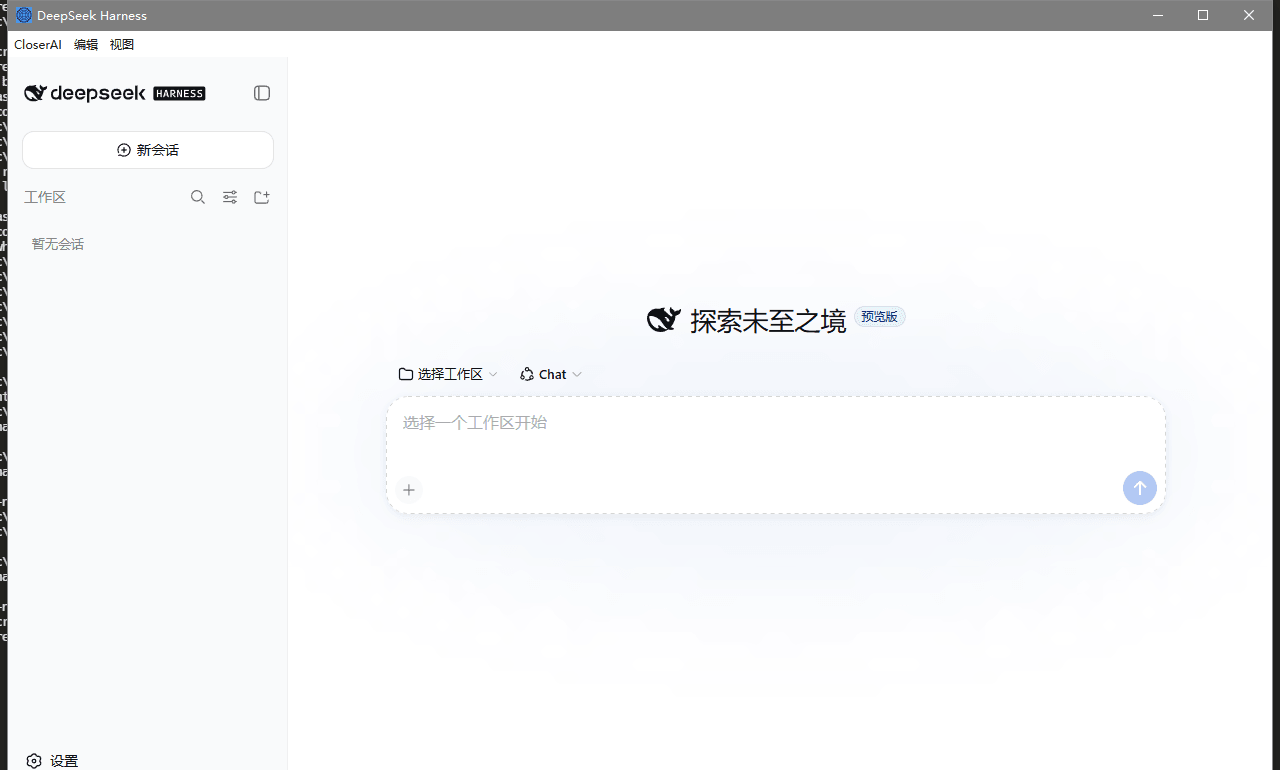 sb1733831438-maker/DSH-closerAI
CloserAI - a local-first, model-agnostic, permission-transparent desktop AI workbench built on DeepSeek Harness.
sb1733831438-maker/DSH-closerAI
CloserAI - a local-first, model-agnostic, permission-transparent desktop AI workbench built on DeepSeek Harness.
-
 saya-ch/dsh-mobile
DeepSeek Harness 的 Android App 与安全远程访问插件,支持局域网/远程连接和高度自定义的移动界面与扩展能力。
saya-ch/dsh-mobile
DeepSeek Harness 的 Android App 与安全远程访问插件,支持局域网/远程连接和高度自定义的移动界面与扩展能力。
-
 liguobao/ds-harness-remote
一个基于 DeepSeek Harness 插件机制构建的多端远程访问方案,通过安全、低延迟、端到端加密的 P2P 优先网络,支持从 PC、Android 和 Web 随时访问并操作远程 Harness 和 CodeX。 (A multi-…
liguobao/ds-harness-remote
一个基于 DeepSeek Harness 插件机制构建的多端远程访问方案,通过安全、低延迟、端到端加密的 P2P 优先网络,支持从 PC、Android 和 Web 随时访问并操作远程 Harness 和 CodeX。 (A multi-…
-
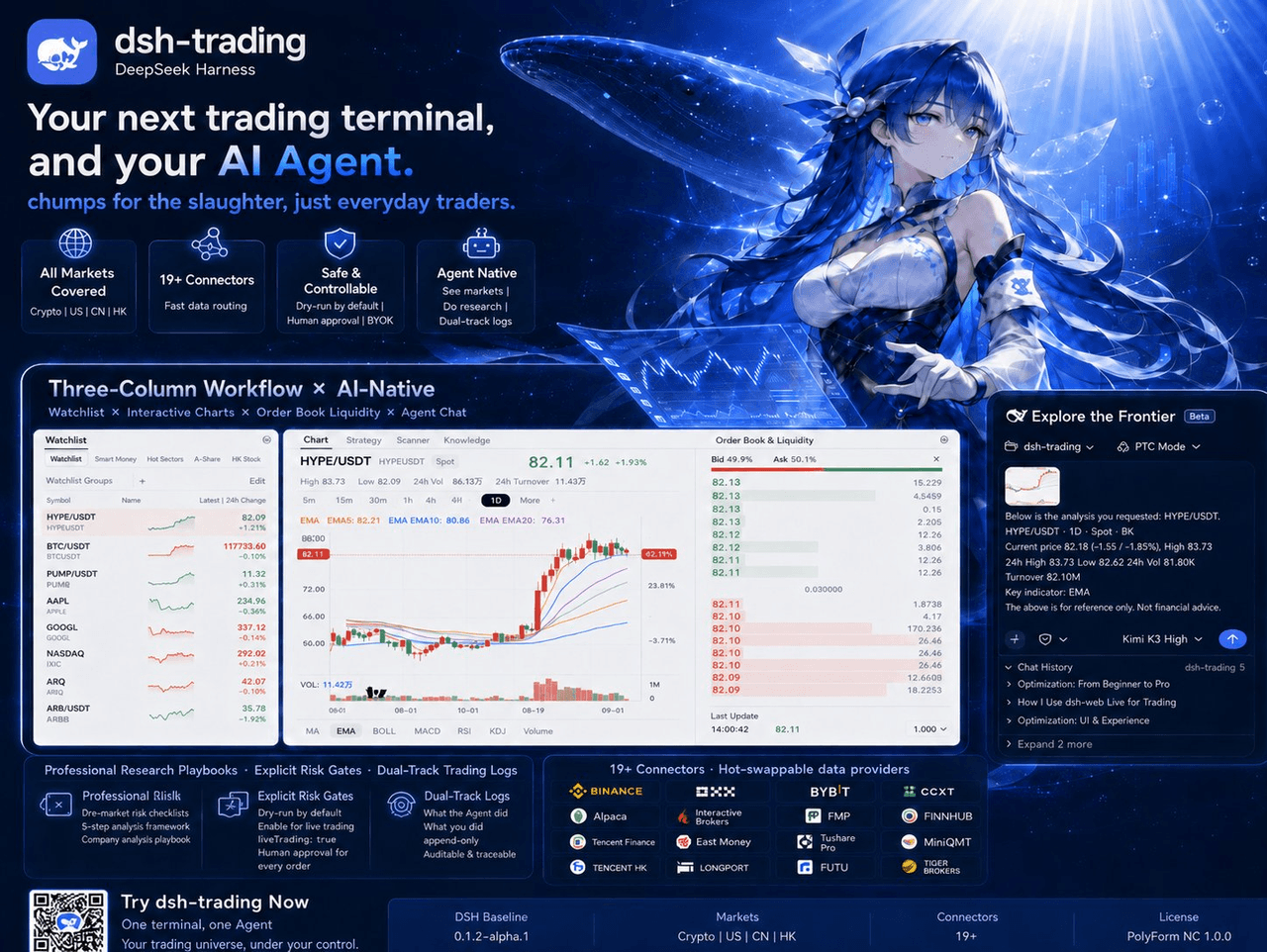 zhu1090093659/dsh-trading
Agent-native trading terminal built on DeepSeek Harness. Crypto, US, CN and HK in one three-column GUI, 19+ hot-swappabl…
zhu1090093659/dsh-trading
Agent-native trading terminal built on DeepSeek Harness. Crypto, US, CN and HK in one three-column GUI, 19+ hot-swappabl…
-
 lire1131/dsh-undo-savepoint
DSH crash-rescue plugin: undo config & plugin-code changes, secret-safe snapshots, one-click SAFE MODE, plus offline CLI…
lire1131/dsh-undo-savepoint
DSH crash-rescue plugin: undo config & plugin-code changes, secret-safe snapshots, one-click SAFE MODE, plus offline CLI…
-
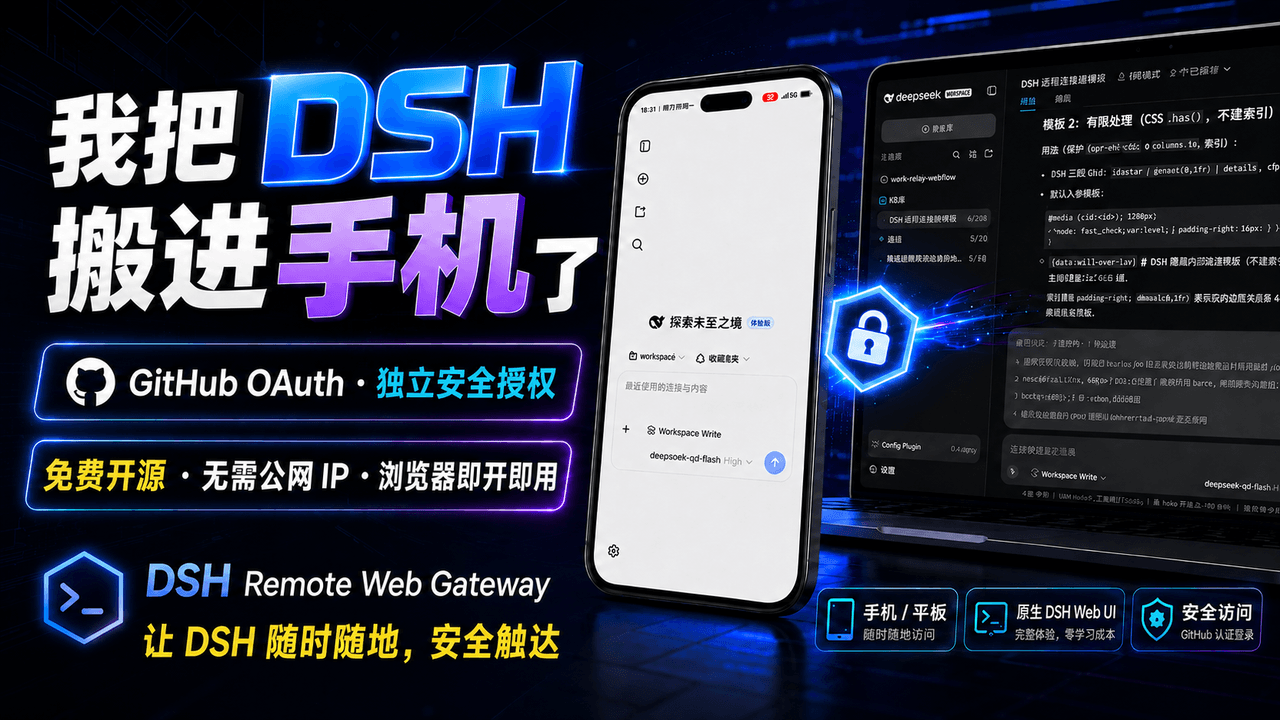 summer1238/dsh-remote-web-gateway
手机平板远程 DeepSeek Harness:扫码即可继续使用电脑上的 DSH,无需远程桌面 / SSH / 公网 IP,支持一次性配对、Github授权加密登录,独立设备授权与随时撤销,实现远程连接很简单,但安全才是我们所想要的。
summer1238/dsh-remote-web-gateway
手机平板远程 DeepSeek Harness:扫码即可继续使用电脑上的 DSH,无需远程桌面 / SSH / 公网 IP,支持一次性配对、Github授权加密登录,独立设备授权与随时撤销,实现远程连接很简单,但安全才是我们所想要的。
-
 ZSeven-W/rish-app
Your pocket agent. Local-first AI agents on iOS and Android — real workspaces, tool execution with approvals, and your c…
ZSeven-W/rish-app
Your pocket agent. Local-first AI agents on iOS and Android — real workspaces, tool execution with approvals, and your c…