Rgndmln/dsh-agent-astra
为DeepSeek Harness打造的3D智能体工作轨迹可视化插件。
Project Overview项目介绍
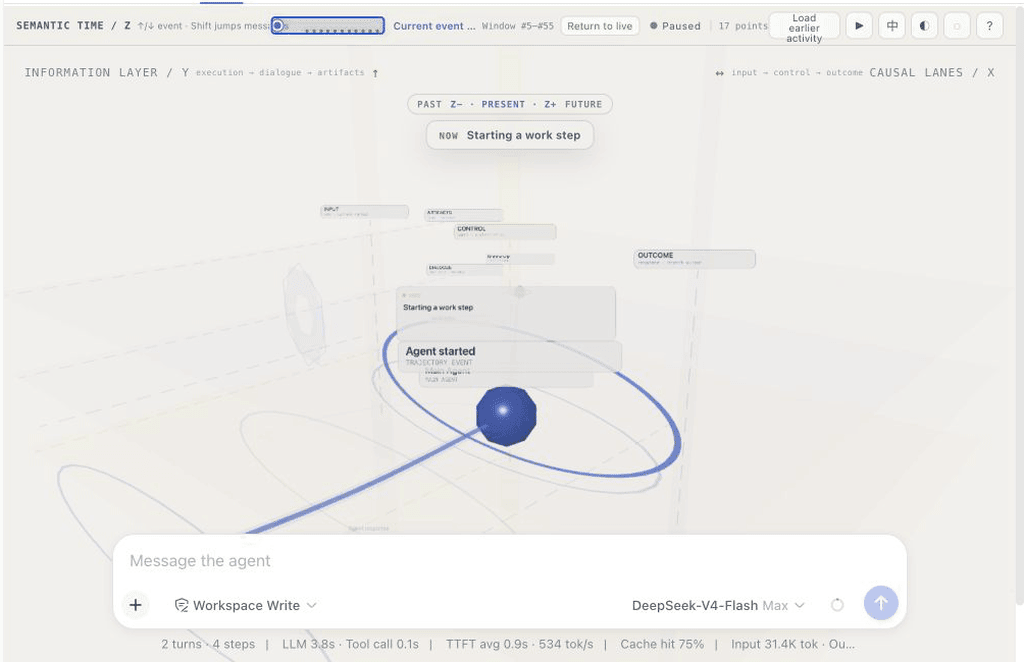
AgentAstra (identifier spatial-trajectory) is a visualization plugin built natively for DeepSeek Harness that reimagines how agent conversations are displayed. Instead of stacking messages and tool calls into a long vertical list that can become unwieldy for long sessions, it projects all agent activities into a 3D space with semantic coordinates along three axes. Each activity—from user prompts to tool calls, file edits, and delegated sub-tasks—gets a clear position, temporal ordering, and causal connection to other activities, letting users grasp the full workflow at a glance. It can be installed directly from GitHub to your DSH web profile using the built-in DSH plugin CLI command.
After installation, you can open any existing or new conversation in DeepSeek Harness, then select the “Spatial” option from the view menu to enable the plugin. The view is scoped to the currently selected conversation, so it will automatically dispose of its WebGL scene when you switch away to another view or conversation. You can navigate between semantic events using arrow keys, jump to the start or end of the run with Home/End keys, click nodes to open detail cards, and drag file snapshots directly into the composer. It is especially useful for developers who need to review long agent runs and understand how the agent progressed through the task.
AgentAstra is built with React and Three.js, and is released under the permissive MIT open source license. It is currently an experimental project focused on improving orientation for agent runs, not replacing the default text view entirely. The plugin never writes workspace files on its own, and only allows exporting file content to the composer when the Harness event includes an exact source snapshot. If you are developing the plugin locally on macOS and hit the system file watcher limit, you can work around it by running CHOKIDAR_USEPOLLING=1 dsh web.
AgentAstra 是一款专为 DeepSeek Harness 开发的原生可视化插件,包标识符为 spatial-trajectory,为 DSH 的智能体会话运行提供空间化对话视图。不同于传统智能体界面把运行过程压缩成长长的线性消息列表,它将智能体的回复、工具调用、文件修改、委派任务等各类活动铺展在三维空间中,给每个活动分配位置、时序关系和因果连接,方便用户一眼概览完整工作流程。
安装后打开 DSH 的任意对话,在视图选项中选择「Spatial」即可启用该视图,视图仅渲染当前选中的会话,卸载时会自动释放 WebGL 场景资源。用户可以通过方向键、Home/End 键在语义事件间穿行,点击或双击节点查看详情,还可拖动文件快照将内容放入聊天草稿。它适合需要快速梳理智能体工作脉络,对长会话运行过程进行复盘的开发者。
该插件基于 React 和 Three.js 开发,采用 MIT 许可开源,目前是实验性项目。它只做可视化展示,不会自行修改工作区文件,仅当 Harness 事件提供精确源快照时才可导出文件内容到聊天框。如果在 macOS 本地开发 DSH 时遇到文件监听数量上限问题,可临时使用 CHOKIDAR_USEPOLLING=1 dsh web 命令绕过限制。
请帮我安装这个 DSH 插件。安装前先完成【兼容性检查 + 安全性检查】,检查通过再动手。

插件:dsh-agent-astra(Rgndmln/dsh-agent-astra)
仓库:https://github.com/Rgndmln/dsh-agent-astra
本站详情页:https://www.yhbd.top/plugins/rgndmln-dsh-agent-astra/
本站登记:类型 plugin · 归类 原生 DSH 插件 · 许可证 MIT · ⭐ 3 · 最近提交 2026-08-17 · 主语言 TypeScript

按下面顺序执行,每步先把结论告诉我,再进入下一步:

【1 兼容性检查】
① 我这边:DSH 版本、Node 版本、操作系统、当前 profile(web / desktop)。
② 读它的 README、package.json、插件 manifest,列出它要求的 DSH 版本 / Node 版本 / 操作系统 / 外部依赖 / 需要另外先装的运行时。
③ 逐条比对,结论只写「满足 / 不满足 / 未知」三种;不满足的给出可行替代方案。
④ 检查是否和我已装的插件冲突:命令名重复、skill / tool 重名、端口占用、重复注册的 MCP server。

【2 安全性检查】
① 仓库可信度:和上面「本站登记」是否一致;star / fork 数、创建时间、最近提交,是否归档或长期停更。
② 安装脚本:逐行看 package.json 的 preinstall / install / postinstall,以及 install.sh、setup.ps1 之类脚本。出现 curl|bash、下载后直接执行、混淆代码、访问与插件功能无关的域名,立刻停下来告诉我,不要继续装。
③ 依赖:列出新增依赖,标出无人维护、或与知名包拼写近似的可疑包(typosquatting)。
④ 权限与副作用:它会读写哪些目录、访问哪些域名、需要哪些 DSH 权限(filesystem / network / shell / clipboard 等),以及怎么卸载和回滚。
⑤ 如果它要求 sudo / 管理员权限,或权限明显超出功能所需,先停下来问我。

【3 安装】
上面两步没有「不满足」和「高危项」时才执行;用官方推荐方式安装,不要自行提权。

【4 汇报】
用表格输出:检查项 / 结论 / 依据 / 是否需要我决策。拿不准的一律写「未知」并说明要我怎么确认——不要猜,也不要替我决定。
Send this message to DSH in your current session: it verifies compatibility and security first (answering met / not met / unknown item by item) and only installs once everything checks out — it will stop and ask you if it finds a high-risk item. The box scrolls; the copy is the full prompt. CLI install commands may not be accurate across systems, so DSH is the safer route.把上面这条消息直接发给当前会话里的 DSH:它会先核对兼容性与安全性(逐条给「满足 / 不满足 / 未知」),确认没问题再安装,有高危项会停下来问你。框内可滚动,复制到的是完整提示词;安装命令不一定准确,发给 DSH 更稳。
- Only 3 stars - very few users, little community feedback星标只有 3,几乎没人在用,遇到问题缺少社区反馈
DSH walks through these 9 checksDSH 会逐条核对这 9 项
Compatibility兼容性
- DSH, Node, OS and profile requirementsDSH 版本 / Node 版本 / 操作系统 / profile 是否满足要求
- External dependencies and runtimes (Electron / Python / Docker, ...)外部依赖与运行时(Electron / Python / Docker 等)是否齐备
- Conflicts with installed plugins: command names, skill / tool names, ports, duplicate MCP registration与已装插件是否冲突:命令名、skill / tool 重名、端口占用、重复 MCP 注册
Security安全性
- Repo matches the facts registered here; archived or abandoned?仓库是否与页面登记一致,是否归档或长期停更
- Safety of preinstall / install / postinstall and install.sh / setup.ps1preinstall / install / postinstall 与 install.sh、setup.ps1 是否安全
- curl|bash, download-then-execute, obfuscation, unrelated domains → stop immediatelycurl|bash、下载即执行、混淆代码、无关域名 → 立刻停止
- Typosquatting or unmaintained packages among the new dependencies新增依赖里有没有 typosquatting 或无人维护的包
- Requested permissions vs. what the feature actually needs申请了哪些权限、是否超出功能所需(filesystem / network / shell / clipboard)
- Any sudo / admin requirement, plus uninstall and rollback是否要求 sudo / 管理员权限,以及卸载与回滚方式
Anything uncertain must be marked unknown with a note on how to confirm it. This site's signal screen is a static snapshot, not a security audit.拿不准的必须标「未知」并说明要我怎么确认。本站的信号筛查是静态快照,不能替代安全审计。
Or use CLI install (for developers)或使用命令行安装(适合开发者)
CLI Install命令行安装
dsh plugin --profile web add github:Rgndmln/dsh-agent-astra把 Rgndmln/dsh-agent-astra 加入你的 DSH 配置(web profile)即可启用。
READMEREADME
AgentAstra
A spatial conversation view for DeepSeek Harness. Watch an agent move through time, touch tools and files, and leave a readable trail behind.
AgentAstra is the product name. spatial-trajectory remains the package and Harness identifier.
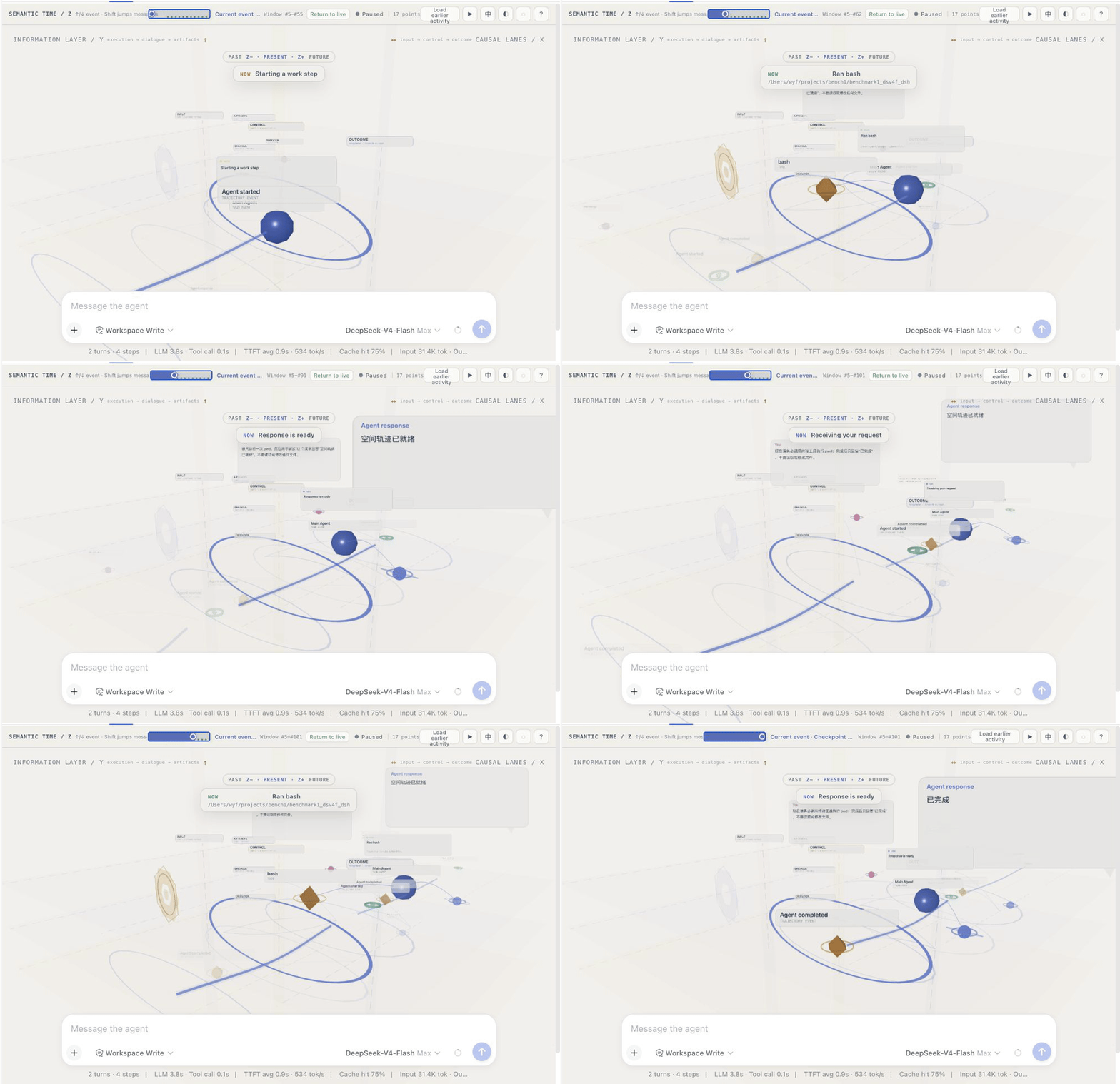
Most agent UIs turn a busy run into a long list of messages and collapsed tool rows. This plugin takes a different route: it keeps the conversation itself, but lays the work out as a small space you can move through. A reply, a command, a file edit, and a delegated task are no longer just rows in a transcript—they have a place, a relationship, and a moment in time.
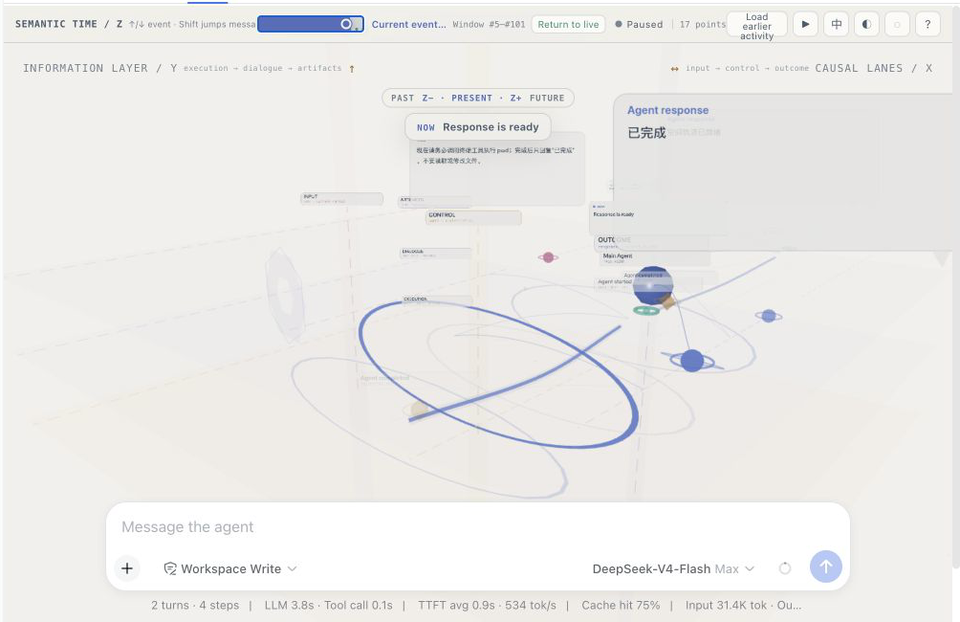
What you can see at a glance
- Semantic time (Z) — move through meaningful events rather than every streaming token. The past fades, the present is marked, and future structure stays deliberately opaque.
- Causal lanes (X) — input, control, and outcome are separated so it is easier to spot what caused a tool call and what it produced.
- Information layers (Y) — execution, dialogue, and artifacts occupy different heights instead of competing in one flat feed.
- An active workbench — when the agent is reading, writing, or invoking a tool, the agent and its real targets move into a shared work area and are connected by a small animated tether.
- The conversation is still there — user messages and final agent replies are projected as readable cards. Select one to open its full Markdown content; nothing important is replaced with a decorative visualization.
The GIF above was recorded from a fresh, read-only Flash-model session. It follows two short prompts through their semantic checkpoints, including a single pwd tool call. No repository files were read or changed for the recording.
Install as a DeepSeek Harness plugin
This is a DeepSeek Harness plugin. It targets @deepseek-ai/dsh 0.1.0-rc.6 and uses the Harness client module loader.
Install it into the web profile from GitHub with either form:
dsh plugin --profile web add github:Rgndmln/dsh-agent-astra
# or
dsh plugin --profile web add https://github.com/Rgndmln/dsh-agent-astra.git
Showing the opening section of the README — the full document lives in the repository以上为 README 开头摘要,完整文档在仓库内 · View the full README on GitHub →在 GitHub 查看完整 README →
Related相关推荐
-
 tt-a1i/archify
Agent skill for beautiful, verifiable architecture, workflow, sequence, data-flow, and lifecycle diagrams—self-contained…
tt-a1i/archify
Agent skill for beautiful, verifiable architecture, workflow, sequence, data-flow, and lifecycle diagrams—self-contained…
-
 dream-num/dsh-univer-office
Give DeepSeek Harness a real office environment. Univer Office Plugin brings spreadsheets, docs, slides, canvases, rela…
dream-num/dsh-univer-office
Give DeepSeek Harness a real office environment. Univer Office Plugin brings spreadsheets, docs, slides, canvases, rela…
-
 kanghelyu/dsh-deepseek-flow
-
 ChongCyrus/Vibe-Mathematics
Vibe Mathematics —— 多代理数学问题求解与形式化验证框架
ChongCyrus/Vibe-Mathematics
Vibe Mathematics —— 多代理数学问题求解与形式化验证框架
-
 alib8b8/aflare
Local-first automation Agent & deterministic workflow engine — the secure control layer between AI and your data. Data s…
alib8b8/aflare
Local-first automation Agent & deterministic workflow engine — the secure control layer between AI and your data. Data s…
-
 miuzel/dsh-graph
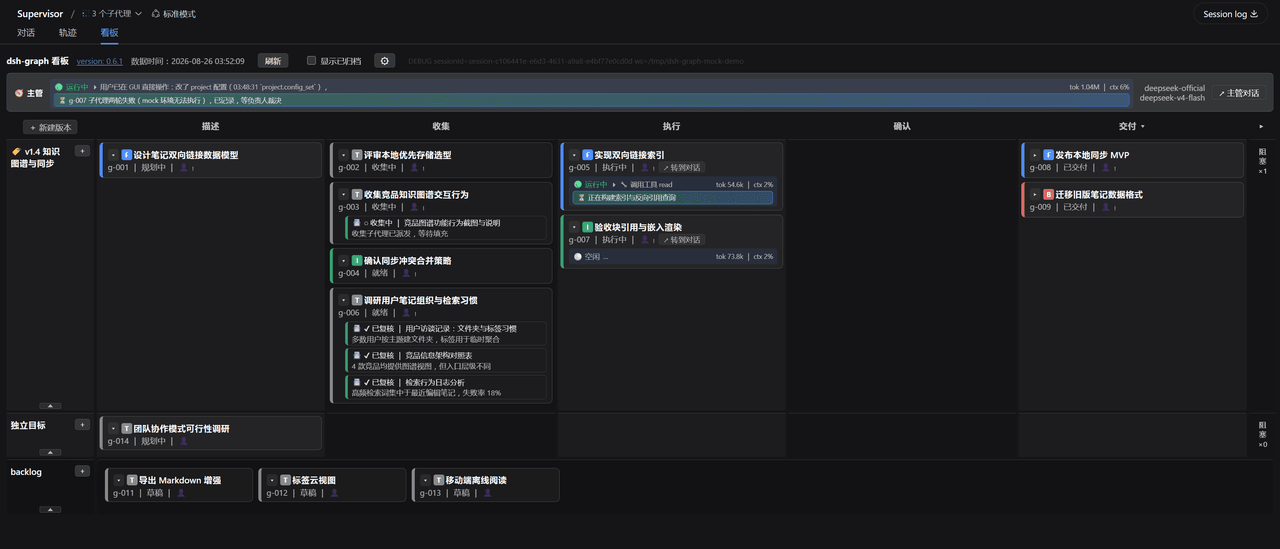
把工作组织成目标看板的 DeepSeek Harness (dsh) 插件:目标 / 判据 / 上下文卡片 / 执行 attempt 的二维泳道看板,数据以文件+事件流落在 .dsh-graph · Goal-kanban plugin f…
miuzel/dsh-graph
把工作组织成目标看板的 DeepSeek Harness (dsh) 插件:目标 / 判据 / 上下文卡片 / 执行 attempt 的二维泳道看板,数据以文件+事件流落在 .dsh-graph · Goal-kanban plugin f…
-
 havingautism/dsh-deepresearch
@deepseek-ai/dsh-deepresearch 把证据优先的 Codemini 研究工作区带到 DSH。它提供持久工作流状态、模型工具、生成的 deepResearch Remote namespace 和“深度研究”Web 工…
havingautism/dsh-deepresearch
@deepseek-ai/dsh-deepresearch 把证据优先的 Codemini 研究工作区带到 DSH。它提供持久工作流状态、模型工具、生成的 deepResearch Remote namespace 和“深度研究”Web 工…
-
 LeemanCheung/dsh-task-dag
Persistent live DAG visualization for DeepSeek Harness subagents and workflows
LeemanCheung/dsh-task-dag
Persistent live DAG visualization for DeepSeek Harness subagents and workflows