SiriusWJ/dsh-mihome
- mihealth — connection check (account, region, home/device counts) - milisthomes — homes and rooms - milistdevices — devices with category/online status, filterable - migetstate — one device's common props (power, brightness, temperature, humidity, …) - miturn — setpower on/off (approval-gated)
catalog descriptioncatalog 简介 / catalog description:Mi Home (米家) control for DeepSeek Harness agents — list homes/devices, read props, control devices behind a human approval gate.
Project Overview项目介绍
This is a Mi Home control plugin for DeepSeek Harness agents. It supports listing homes/devices, reading properties, controlling devices with human approval for state changes, and generating a full-home live dashboard. Use it when you want DSH agents to manage your Mi Home smart devices. It uses an unofficial Xiaomi API that may break after Xiaomi updates their interface.
这是DeepSeek Harness agent的米家控制插件,支持查看米家家庭/设备列表、读取设备属性、控制设备,所有变更状态的操作都经过人工审批,还可生成全屋实时状态仪表盘。需要让DSH agent管理米家智能设备时使用,注意它使用非官方小米API,可能因小米更新接口失效。
请帮我了解并安装插件:【dsh-mihome】【https://github.com/SiriusWJ/dsh-mihome】Send this message to DSH in your current session. CLI install commands may not be accurate across systems — DSH will figure it out for you.把上面这条消息直接发给当前会话里的 DSH,让它帮你了解并安装。安装命令不一定准确,发给 DSH 更稳。
Or use CLI install (for developers)或使用命令行安装(适合开发者)
CLI Install命令行安装
dsh plugin --profile web add dsh-mihome把 SiriusWJ/dsh-mihome 加入你的 DSH 配置(web profile)即可启用。
READMEREADME
dsh-mihome
Mi Home (米家) control for DeepSeek Harness agents.
List homes/devices · read props · control devices — every state-changing call stops behind a human approval gate.
中文 ·


Features
mi_health— connection check (account, region, home/device counts)mi_list_homes— homes and roomsmi_list_devices— devices with category/online status, filterablemi_get_state— one device's common props (power, brightness, temperature, humidity, …)mi_turn—set_poweron/off (approval-gated)mi_control— anymiIO/raw_command(set_bright, set_properties/MIoT, …) (approval-gated)mi_wait_for_state— poll a property until it reaches/leaves a statemi_dashboard— full-home snapshot rendered as a live dashboard card in the Web UI (grouped by category, rooms, recent changes)
All state-changing calls go through the harness approval seam (requireApproval defaults to true) plus an optional category allowlist (allowedCategories). When the category cannot be resolved, the call is denied (least privilege).
Install
Requires dsh ≥ 0.1.0-rc.7 (verified against 0.1.1-rc.2).
dsh plugin --profile web add dsh-mihome     # from npm (recommended)
# or: dsh plugin --profile web add github:<owner>/dsh-mihome
Restart dsh --profile web afterwards. Manage it in Settings → Plugins.
No Xiaomi account? Demo mode
git clone https://github.com/<owner>/dsh-mihome
cd dsh-mihome && pnpm install && pnpm demo:mi    # fake Mi Home Cloud on http://127.0.0.1:8125
- id: mihome
  config:
    mode: demo
    baseUrl: http://127.0.0.1:8125
Then in DSH: "check Mi Home and list all devices", "turn the bedroom light to 60 brightness" (an approval popup appears; after approving, mi_get_state confirms brightness: 60). Open docs/demo.html to see the full UI without starting dsh at all — simulation chat, approval dialog and a live console connected to the emulator.
Paste-ready configs (demo / real cloud / no approval) are in examples/cordis.patch.yml.
Real Mi Home (cloud)
MIHOME_USERNAME=<mi-account> MIHOME_PASSWORD=<mi-password> dsh --profile web
- id: mihome
  config:
    mode: cloud
    region: cn               # cn / de / ru / us / tw / sg / in …
    usernameEnv: MIHOME_USERNAME
    passwordEnv: MIHOME_PASSWORD
    requireApproval: true
    allowedCategories: [light, outlet, climate]   # optional allowlist
Credentials resolve through the harness credentials seam on every request (process env → .env fallback), so rotating them takes effect on the next call.
How it connects
The cloud adapter implements the community-documented Xiaomi Mi Home app API:
- Login via
account.xiaomi.com/pass/serviceLogin→serviceLoginAuth2(sid=xiaomiio,md5(password)uppercased) → STS redirect setsserviceToken/ssecurity. - Calls to
https://api.io.mi.com/app/<method>with nonce/signed-nonce (sha256(ssecurity + nonce)), RC4-encrypted params + sha1 signature forv2/*, and hmac-sha256 signature formiIO/raw_command.
This is a non-official protocol (see Xiaomi-cloud-tokens-extractor / python-miio for the community-proven flow) and may change if Xiaomi updates the app. Accounts requiring captcha/2FA at login are reported with a clear error instead of an obscure failure.
Development
pnpm install
pnpm typecheck && pnpm build && pnpm test   # signatures/crypto + demo-server e2e
Zero runtime dependencies on the host side: Node built-in crypto/fetch only.
License
MIT
Related相关推荐
-
 Minglink/dsh-infinite-gen-4
DeepSeek v4.1 flash 网络安全红队工具(无限四代) — jailbreak prompts and test suite for DeepSeek 求 Star 收藏 ⭐欢迎大家提交项目的改进
Minglink/dsh-infinite-gen-4
DeepSeek v4.1 flash 网络安全红队工具(无限四代) — jailbreak prompts and test suite for DeepSeek 求 Star 收藏 ⭐欢迎大家提交项目的改进
-
 toby-bridges/api-relay-audit
Local security audit for AI API relays and LLM proxies: detects prompt injection, model substitution, tool-call rewritin…
toby-bridges/api-relay-audit
Local security audit for AI API relays and LLM proxies: detects prompt injection, model substitution, tool-call rewritin…
-
 howmp/dsh-pentest
面向 DeepSeek Harness(dsh)的渗透测试模式 @CloverSecLabs
howmp/dsh-pentest
面向 DeepSeek Harness(dsh)的渗透测试模式 @CloverSecLabs
-
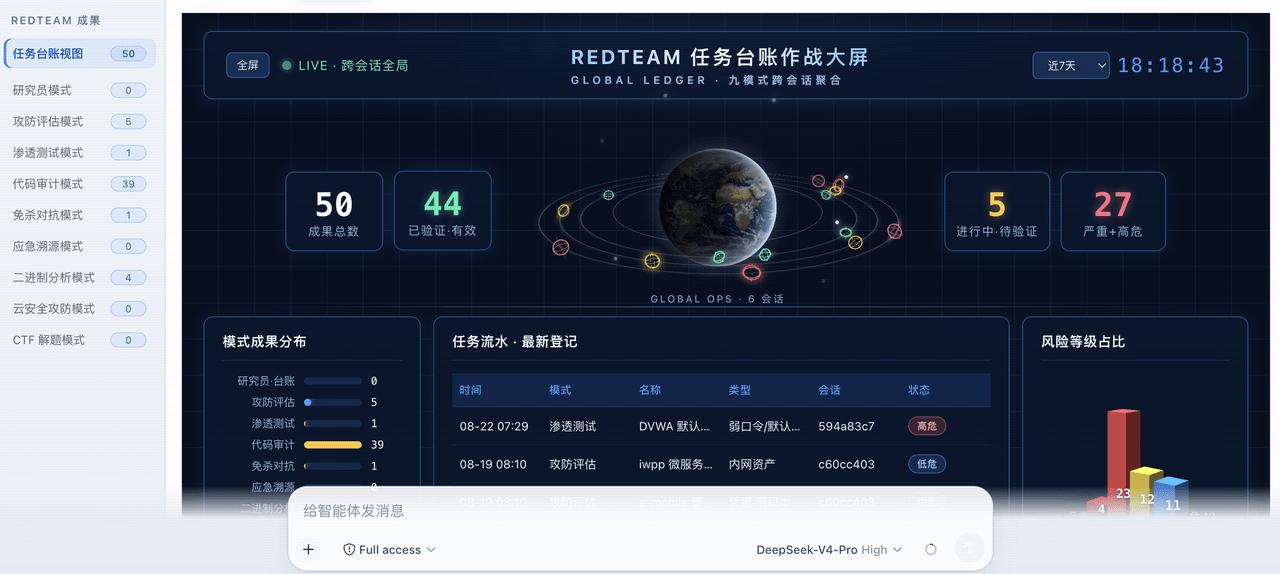 SeaOf0/dsh-redteam-model
基于dsh web实现的多种模式,目的是服务于redteam进行授权的安全研究,覆盖渗透测试、红队评估、代码审计等范围领域,请勿用于非法行为。(允许二开,赋予模块各位自己的业务逻辑,方法论只有自己熟练的才好用,好的方法论=好的生态)
SeaOf0/dsh-redteam-model
基于dsh web实现的多种模式,目的是服务于redteam进行授权的安全研究,覆盖渗透测试、红队评估、代码审计等范围领域,请勿用于非法行为。(允许二开,赋予模块各位自己的业务逻辑,方法论只有自己熟练的才好用,好的方法论=好的生态)
-
 saya-ch/dsh-mobile
DeepSeek Harness 的 Android App 与安全远程访问插件,支持局域网/远程连接和高度自定义的移动界面与扩展能力。
saya-ch/dsh-mobile
DeepSeek Harness 的 Android App 与安全远程访问插件,支持局域网/远程连接和高度自定义的移动界面与扩展能力。
-
 liguobao/ds-harness-remote
一个基于 DeepSeek Harness 插件机制构建的多端远程访问方案,通过安全、低延迟、端到端加密的 P2P 优先网络,支持从 PC、Android 和 Web 随时访问并操作远程 Harness 和 CodeX。 (A multi-…
liguobao/ds-harness-remote
一个基于 DeepSeek Harness 插件机制构建的多端远程访问方案,通过安全、低延迟、端到端加密的 P2P 优先网络,支持从 PC、Android 和 Web 随时访问并操作远程 Harness 和 CodeX。 (A multi-…
-
 zhu1090093659/dsh-trading
Agent-native trading terminal built on DeepSeek Harness. Crypto, US, CN and HK in one three-column GUI, 19+ hot-swappabl…
zhu1090093659/dsh-trading
Agent-native trading terminal built on DeepSeek Harness. Crypto, US, CN and HK in one three-column GUI, 19+ hot-swappabl…
-
 PerryLink/dsh-auto-review
Second-model AI auto-review for DeepSeek Harness approval requests: a read-only reviewer subagent returns structured all…
PerryLink/dsh-auto-review
Second-model AI auto-review for DeepSeek Harness approval requests: a read-only reviewer subagent returns structured all…