toustifer/dsh-harvest
dsh-harvest 让 DeepSeek Harness 里的智能体像开联合收割机一样做调研:一次撒网多个平台、穿透反爬抓原文、跨源交叉验证、最后给来源打分。任一数据通道挂了也不会卡住整条流水线。
catalog descriptioncatalog 简介 / catalog description:DSH 原生多平台调研流水线插件:scout/extract/verify/audit 四件套,零依赖
Project Overview项目介绍
This is a native multi-platform research pipeline plugin for DeepSeek Harness (DSH). It provides 5 native tools to discover, extract, verify and audit research sources, supporting cross-platform parallel research. Use it when you need in-depth cross-platform research. Some channels require third-party CLIs, uninstalled channels are skipped automatically, note third-party compliance.
这是DeepSeek Harness(DSH)原生多平台调研流水线插件。核心提供发现、抓取、验证、审计调研来源的五个原生工具,支持跨平台多源并行调研,需要做深度跨平台调研时可用。部分数据通道需第三方CLI,未安装自动跳过,使用第三方工具需注意合规边界。
请帮我了解并安装插件:【dsh-harvest】【https://github.com/toustifer/dsh-harvest】Send this message to DSH in your current session. CLI install commands may not be accurate across systems — DSH will figure it out for you.把上面这条消息直接发给当前会话里的 DSH,让它帮你了解并安装。安装命令不一定准确,发给 DSH 更稳。
Or use CLI install (for developers)或使用命令行安装(适合开发者)
CLI Install命令行安装
dsh plugin --profile web add github:toustifer/dsh-harvest把 toustifer/dsh-harvest 加入你的 DSH 配置(web profile)即可启用。
READMEREADME
🌾 dsh-harvest
DSH 原生多平台调研流水线插件 —— 原生工具与 Skill 流水线(支持 5 个原生工具 + harvest skill)。 目标平台:Windows / macOS / Linux(安装与数据通道均已按平台分块说明)。






dsh-harvest 让 DeepSeek Harness 里的智能体像开联合收割机一样做调研:一次撒网多个平台、穿透反爬抓原文、跨源交叉验证、最后给来源打分。任一数据通道挂了也不会卡住整条流水线。
✨ 五个原生工具
| 工具 | 职责 | 失败策略 |
|---|---|---|
harvest_scout |
多平台并行发现候选来源(Web/GitHub/社媒等) | 单通道失败记 [SKIP],不阻塞 |
harvest_deep_research |
异步端到端深度调研(生成长篇综合研报与信源) | 超时/异常安全回退,不卡死主会话 |
harvest_extract |
逐条抓取正文 | 直抓 → Jina 升级 → 标记 paywall/unreachable |
harvest_verify |
跨源交叉验证断言 | 一致 / 弱 / 未证实 三态 |
harvest_audit |
来源可信度五维审计 | 🟢 可信 / 🟡 谨慎 / 🔴 弃用 |
数据流:scout → extract → verify → audit,每个工具输出结构化 JSON + 折叠文本,供 agent 直接读取。
🔌 数据通道
9 条数据通道,任一通道失败(CLI 未装 / 浏览器桥接未连 / 解析失败)记 [SKIP],不阻塞整条流水线。
| 通道 | 底层 | 类型 | macOS / Linux 可用性 |
|---|---|---|---|
| GitHub | gh search repos |
代码 | ✅ 三平台原生可用,未装即 [SKIP] |
| Web / Exa | mcporter call exa.web_search_exa |
网页搜索 | ✅ mac/linux 可直接调用(修复后形态) |
| Twitter / Reddit / 小红书 | opencli(浏览器桥接) |
社交 | ✅ mac/linux 可直接调用(修复后形态) |
mcporter linkedin-scraper(需登录态) |
招聘 | ✅ mac/linux 可直接调用(修复后形态) | |
| YouTube | yt-dlp ytsearchN: |
视频 | ✅ 三平台原生可用,未装即 [SKIP] |
| B站 | bili search(bili-cli,第三方) |
视频 | ✅ 三平台原生可用,未装即 [SKIP] |
| V2EX | curl v2ex.com/api/topics/hot.json |
社区 | ✅ 三平台可用(HTTP 直连 + curl 兜底) |
修复说明:
mcporter/opencli在 Windows 上以 npm 全局安装生成的.ps1/.cmd垫片存在(NodeexecFile无法直接执行,需经 PowerShell 调用);在 macOS/Linux 上它们是可执行脚本/二进制,可直接 argv 调用。本次跨平台修复(并行进行中,见 DESIGN.md 数据通道矩阵)即按该目标形态实现,文档按修复后的形态描述。macOS/Linux 上未装对应 CLI 时通道记[SKIP],与 Windows 行为一致。
另:
harvest_extract自动识别 RSS feed(feedparser)与小宇宙播客 URL(Whisper 转写),把 agent-reach 剩余 3 个平台(小宇宙/RSS/网页阅读)也纳入 —— 合计覆盖全部 13 平台。 平台依赖:RSS 解析走 Python(python3/python,需 feedparser 包);小宇宙转写走 bash(~/.agent-reach/tools/xiaoyuzhou/transcribe.sh,需 groq key)。Windows 默认无 bash,小宇宙通道在 Windows 上恒unreachable(优雅降级,不报错)。
数据通道 CLI 获取方式(按平台)
未安装的通道不会阻塞流水线(自动记 [SKIP]),按需安装即可:
| CLI | 用途 | Windows | macOS | Linux |
|---|---|---|---|---|
gh |
GitHub 搜索 | winget / 官方安装包 | brew install gh |
官方 apt 仓库 / 二进制 |
mcporter |
Web/Exa · LinkedIn | npm i -g mcporter(经 PowerShell 垫片) |
npm i -g mcporter(可执行脚本,直调) |
同 macOS |
opencli |
Twitter · Reddit · 小红书 | npm i -g opencli |
npm i -g opencli |
同 macOS |
yt-dlp |
YouTube | 官方 yt-dlp.exe / winget |
brew install yt-dlp |
pip install yt-dlp / 发行版包 |
bili-cli |
B站 | GitHub 发布页 bili.exe |
brew / 源码构建 | 源码构建 |
bili-cli 重要提示:
bili是第三方非官方 bilibili 客户端(Go 单二进制),非哔哩哔哩官方发布;只从可信来源(如项目自己的 GitHub 发布页)获取并自行核验,注意其登录方式与合规边界。 Windows npm 全局:mcporter/opencli经 npm 全局安装,垫片生成在 npm 全局 bin 目录(npm prefix -g可查);若该目录非常规位置,设环境变量DSH_HARVEST_BIN指向它以覆盖默认查找。 macOS 提示:若dsh web从 Finder / LaunchAgent 启动,进程 PATH 通常只有系统目录,/opt/homebrew/bin下的gh/yt-dlp取不到(即便已装也会[SKIP]);从终端启动,或在启动脚本里显式把用户 bin 目录加进 PATH(如export PATH="/opt/homebrew/bin:$PATH")。
📦 安装(DSH 原生)
Windows(PowerShell)
# 1. 克隆到 DSH 插件目录
git clone https://github.com/<you>/dsh-harvest.git $env:USERPROFILE\.dsh\plugins\dsh-harvest

# 2. 在 web profile 的 package.json 里加 link 依赖 + bundles 条目
#    "dependencies": { "dsh-harvest": "link:C:/Users/<you>/.dsh/plugins/dsh-harvest" },
#    "dsh.profile.bundles": [ ..., "dsh-harvest" ]
#    (link 路径用正斜杠,把 <you> 换成你的用户名)

# 3. 链接
cd $env:USERPROFILE\.dsh\profiles\web
pnpm install

# 4. 重启
dsh web
macOS / Linux(bash / zsh)
# 1. 克隆到 DSH 插件目录
git clone https://github.com/<you>/dsh-harvest.git ~/.dsh/plugins/dsh-harvest

# 2. 在 web profile 的 package.json 里加 link 依赖 + bundles 条目
#    macOS:  "dependencies": { "dsh-harvest": "link:/Users/<you>/.dsh/plugins/dsh-harvest" }
#    Linux:  "dependencies": { "dsh-harvest": "link:/home/<you>/.dsh/plugins/dsh-harvest" }
#    "dsh.profile.bundles": [ ..., "dsh-harvest" ]

# 3. 链接
cd ~/.dsh/profiles/web
pnpm install

# 4. 重启
dsh web
两平台差异只在根目录:Windows 用
$env:USERPROFILE(PowerShell),macOS/Linux 用~。link:依赖需写绝对路径(JSON 不做变量展开),<you>换成你的用户名即可复制执行。
🚀 用法
harvest_scout(query="最新 AI 项目", limit=8)
harvest_deep_research(input="深入剖析大模型推理与架构演进")
harvest_extract(urls=["https://…", "https://…"])
harvest_verify(claims=["DeepSeek 出了视觉模型"], sources=[…])
harvest_audit(sources=[{title, url, type}])
⚙️ 配置与安全(支持标准凭据管理)
插件支持零代码侵入的多级配置机制,任选一种即可生效:
方式 1:DSH 原生标准配置(推荐)
在 ~/.dsh/settings.yaml 中配置:
harvest:
  tavilyApiKeyEnv: TAVILY_API_KEY
  tavilyEndpoint: https://search.cliproxyapi.xyz/search             # 可选,默认官方标准端点
  tavilyResearchEndpoint: https://search.cliproxyapi.xyz/research # 可选,默认官方标准端点
然后在 ~/.dsh/.credentials.yaml 中保存密钥:
refs:
  TAVILY_API_KEY: 你的Tavily或中转Key
方式 2:系统环境变量
TAVILY_API_KEY: 配置密钥。TAVILY_ENDPOINT: 默认为https://api.tavily.com/search。TAVILY_RESEARCH_ENDPOINT: 默认为https://api.tavily.com/research。
🏗️ 架构
lib/
  index.js      # 插件主体:注册 5 个工具与 harvest skill
  backends.js   # 9 通道封装 + 优雅跳过
  extract.js    # 抓取路由(直抓 → r.jina.ai;RSS / 小宇宙)
  http.js       # HTTP 层(fetch + 平台化兜底)
📄 归属与血统
方法论(Scout → Extract → Verify → Audit)源于作者自研的 omni-scope 工作流,按 DSH 原生插件形态从零重写。
运行时仅以子进程调用 gh / mcporter / opencli / yt-dlp / bili 作为数据通道,不包含其源码。详见 ATTRIBUTION.md。
📝 License
MIT © 2026 dsh-harvest contributors
Related相关推荐
-
 Minglink/dsh-infinite-gen-4
DeepSeek v4.1 flash 网络安全红队工具(无限四代) — jailbreak prompts and test suite for DeepSeek 求 Star 收藏 ⭐欢迎大家提交项目的改进
Minglink/dsh-infinite-gen-4
DeepSeek v4.1 flash 网络安全红队工具(无限四代) — jailbreak prompts and test suite for DeepSeek 求 Star 收藏 ⭐欢迎大家提交项目的改进
-
 toby-bridges/api-relay-audit
Local security audit for AI API relays and LLM proxies: detects prompt injection, model substitution, tool-call rewritin…
toby-bridges/api-relay-audit
Local security audit for AI API relays and LLM proxies: detects prompt injection, model substitution, tool-call rewritin…
-
 howmp/dsh-pentest
面向 DeepSeek Harness(dsh)的渗透测试模式 @CloverSecLabs
howmp/dsh-pentest
面向 DeepSeek Harness(dsh)的渗透测试模式 @CloverSecLabs
-
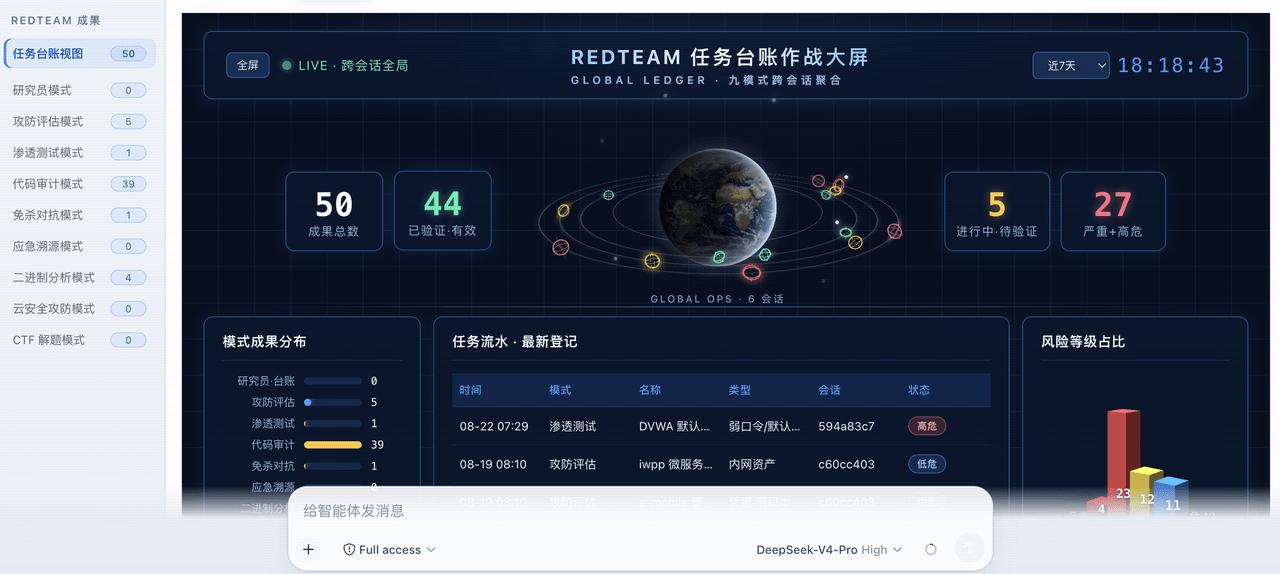 SeaOf0/dsh-redteam-model
基于dsh web实现的多种模式,目的是服务于redteam进行授权的安全研究,覆盖渗透测试、红队评估、代码审计等范围领域,请勿用于非法行为。(允许二开,赋予模块各位自己的业务逻辑,方法论只有自己熟练的才好用,好的方法论=好的生态)
SeaOf0/dsh-redteam-model
基于dsh web实现的多种模式,目的是服务于redteam进行授权的安全研究,覆盖渗透测试、红队评估、代码审计等范围领域,请勿用于非法行为。(允许二开,赋予模块各位自己的业务逻辑,方法论只有自己熟练的才好用,好的方法论=好的生态)
-
 saya-ch/dsh-mobile
DeepSeek Harness 的 Android App 与安全远程访问插件,支持局域网/远程连接和高度自定义的移动界面与扩展能力。
saya-ch/dsh-mobile
DeepSeek Harness 的 Android App 与安全远程访问插件,支持局域网/远程连接和高度自定义的移动界面与扩展能力。
-
 liguobao/ds-harness-remote
一个基于 DeepSeek Harness 插件机制构建的多端远程访问方案,通过安全、低延迟、端到端加密的 P2P 优先网络,支持从 PC、Android 和 Web 随时访问并操作远程 Harness 和 CodeX。 (A multi-…
liguobao/ds-harness-remote
一个基于 DeepSeek Harness 插件机制构建的多端远程访问方案,通过安全、低延迟、端到端加密的 P2P 优先网络,支持从 PC、Android 和 Web 随时访问并操作远程 Harness 和 CodeX。 (A multi-…
-
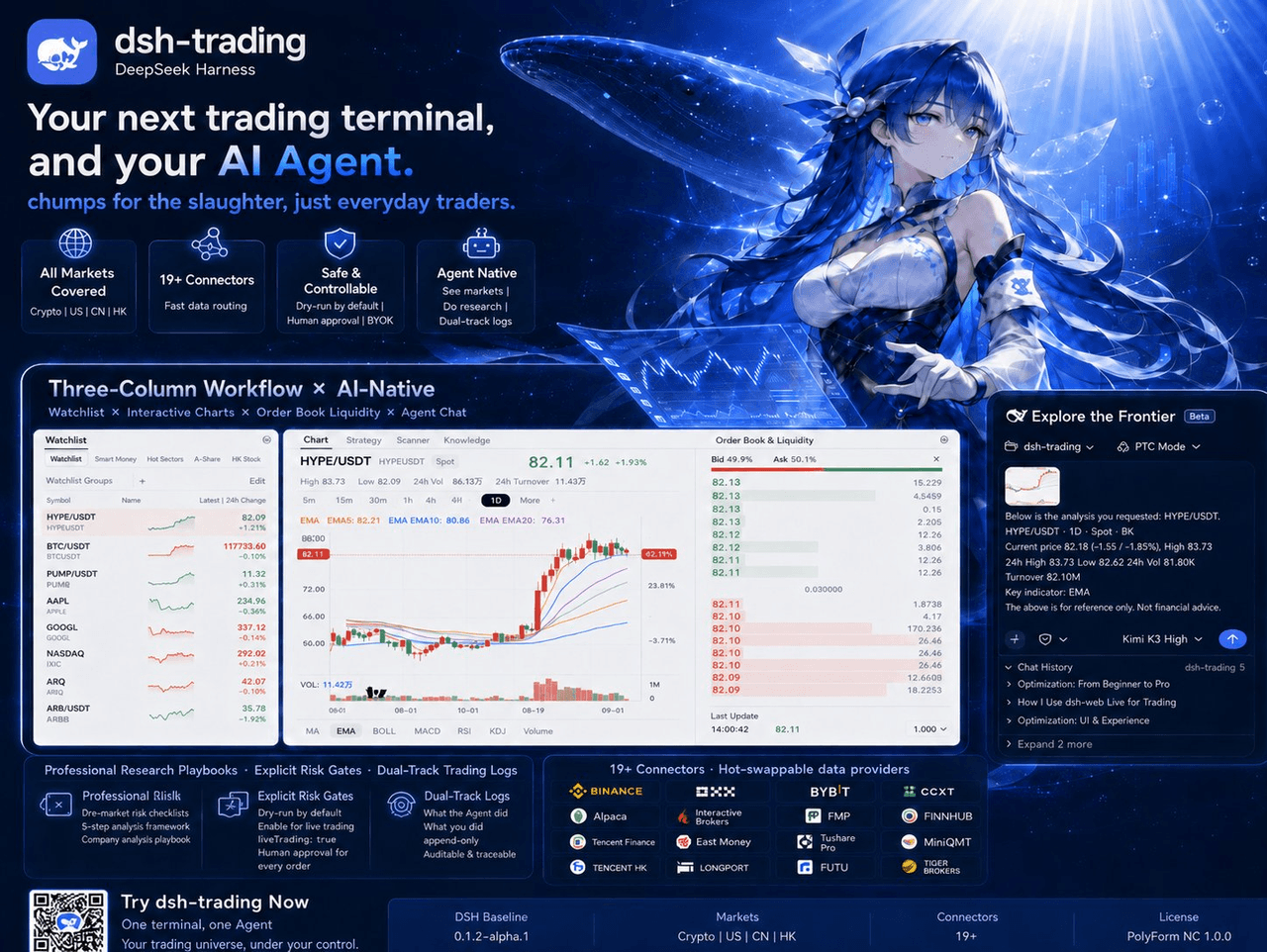 zhu1090093659/dsh-trading
Agent-native trading terminal built on DeepSeek Harness. Crypto, US, CN and HK in one three-column GUI, 19+ hot-swappabl…
zhu1090093659/dsh-trading
Agent-native trading terminal built on DeepSeek Harness. Crypto, US, CN and HK in one three-column GUI, 19+ hot-swappabl…
-
 PerryLink/dsh-auto-review
Second-model AI auto-review for DeepSeek Harness approval requests: a read-only reviewer subagent returns structured all…
PerryLink/dsh-auto-review
Second-model AI auto-review for DeepSeek Harness approval requests: a read-only reviewer subagent returns structured all…