vecnode/vncode
vncode 🤖 Agent IDE with core DSH. Launchers run on Windows, macOS and Linux - the Windows half is PowerShell, the macOS/Linux half is plain POSIX shell.
Project Overview项目介绍
vncode is a native cross-platform Agent IDE built around DeepSeek Harness (DSH), shipped together with a curated pack of dsh bundles. The repository includes more than fifteen dsh-* plugin packages covering the browser-free master (dsh-vn-master), a custom right sidebar (dsh-rightbar) with a Files tab (dsh-rightbar-files), a CodeMirror 6 editor (dsh-editor), a read-only commit graph (dsh-gittree), image, audio, media probe plus ffmpeg routes (dsh-image / dsh-audio / dsh-media / dsh-video), Mermaid and TikZ (dsh-diagrams), PDF reading and scanning (dsh-pdf), a Skills browser (dsh-skills), a command bar (dsh-cmdbar), themes, UI state, modals and an Open-In-app patch. Installation is bootstrapped by running scripts\run-desktop.bat on Windows or building the Tauri shell via cargo build --release in app/src-tauri on macOS and Linux, after which a launcher starts npx @deepseek-ai/dsh@<pin> web and loads it inside WebView2, WKWebView or WebKitGTK; a browser tab mode is also provided via scripts\run-web.bat or ./scripts/run-web.sh.
Typical workflow begins with invoking one of the launcher scripts, confirming the harness home and credential source printed by the shell, and then enabling the dsh-vn-master master plugin last so the pack-wide slots, row restatements and right-sidebar patches land in the correct order. The target audience is developers and agent builders who want a native desktop front-end for DSH with extra surfaces such as media ffmpeg routes, PDF scanning, Mermaid/TikZ agent tools, and a graphical Git history rail; the command bar shows a read-only transcript of the conversation log, since terminals were removed in alpha.12 and the panel follows whichever conversation is on screen. Upgrades are non-destructive because sessions, settings and the DeepSeek key live in ~/.dsh, not inside the replaced folder, and an installer step prunes retired packages such as the old dsh-files / dh-focus names so an upgrade cannot double-mount them.
Dependencies are intentionally minimal: the plugins are plain JavaScript with zero npm dependencies, while the Rust/Tauri shell brings native WebView integration and a SHA-256-verified, pinned ffmpeg copy that powers dsh-media. The DeepSeek API key is read from the environment, $DSH_HOME/.credentials.yaml, or a .env file, and its value never leaves the local shell because the launch URL is opened only when it points to a loopback address; check-no-secrets.mjs guards commits against accidental credential leaks as documented in SECURITY.md. The project is MIT-licensed with plugins authored by vecnode, all packages are tagged alpha, and first-run users should read app/README.md plus ARCHITECTURE.md before enabling additional bundles.
vncode 是围绕 DeepSeek Harness(DSH)打造的原生 Agent IDE 桌面应用,自带一套 dsh 捆绑插件,主仓库随附十余个 dsh-* 插件包,覆盖主控、右侧栏、文件、编辑器、Git 图形历史、图片、音频、媒体探测与 ffmpeg 路由、视频、Mermaid/TikZ 图、PDF、Skills 浏览器、命令栏、主题、UI 状态、模态与"在应用中打开"等界面。原生窗口基于 Tauri 在 Windows/macOS/Linux 上以 WebView2 / WKWebView / WebKitGTK 启动,并提供浏览器标签模式作为回退,启动脚本负责调用 npx @deepseek-ai/dsh@<pin> web 并仅打开回环地址。
典型工作流是先运行仓库内的 scripts\run-desktop.bat(Windows)或 cargo build --release 之后执行 ./scripts/run-web.sh(macOS/Linux),再通过 launcher 加载 dsh-vn-master 等插件以启用浏览器无界面主控、文件侧栏与媒体工具。它适合希望把 DSH 当作本地 IDE 使用,又想要原生窗口、媒体处理、PDF 扫描和图形化 Git 历史等扩展能力的开发者;命令栏终端在 alpha.12 后已被移除,需注意会话日志只读显示。
依赖方面,插件为纯 JavaScript、零 npm 依赖,但 ffmpeg 由 dsh-media 通过 SHA-256 校验固定内置;密钥读取自环境变量、$DSH_HOME/.credentials.yaml 或 .env,其值不会离开本地 shell,并受 check-no-secrets.mjs 守卫。许可证为 MIT,首启请使用 app/README.md 中说明的运行命令、确认 DSH_HOME 为 ~/.dsh,并参考 SECURITY.md / ARCHITECTURE.md。
请帮我安装这个 DSH 插件。安装前先完成【兼容性检查 + 安全性检查】,检查通过再动手。

插件:vncode(vecnode/vncode)
仓库:https://github.com/vecnode/vncode
本站详情页:https://www.yhbd.top/plugins/vecnode-vncode/
本站登记:类型 bundle · 归类 原生 DSH 插件 · 许可证 MIT · ⭐ 6 · 最近提交 2026-10-03 · 主语言 JavaScript · 未检测到 DSH 插件清单

按下面顺序执行,每步先把结论告诉我,再进入下一步:

【1 兼容性检查】
① 我这边:DSH 版本、Node 版本、操作系统、当前 profile(web / desktop)。
② 读它的 README、package.json、插件 manifest,列出它要求的 DSH 版本 / Node 版本 / 操作系统 / 外部依赖 / 需要另外先装的运行时。
③ 逐条比对,结论只写「满足 / 不满足 / 未知」三种;不满足的给出可行替代方案。
④ 检查是否和我已装的插件冲突:命令名重复、skill / tool 重名、端口占用、重复注册的 MCP server。

【2 安全性检查】
① 仓库可信度:和上面「本站登记」是否一致;star / fork 数、创建时间、最近提交,是否归档或长期停更。
② 安装脚本:逐行看 package.json 的 preinstall / install / postinstall,以及 install.sh、setup.ps1 之类脚本。出现 curl|bash、下载后直接执行、混淆代码、访问与插件功能无关的域名,立刻停下来告诉我,不要继续装。
③ 依赖:列出新增依赖,标出无人维护、或与知名包拼写近似的可疑包(typosquatting)。
④ 权限与副作用:它会读写哪些目录、访问哪些域名、需要哪些 DSH 权限(filesystem / network / shell / clipboard 等),以及怎么卸载和回滚。
⑤ 如果它要求 sudo / 管理员权限,或权限明显超出功能所需,先停下来问我。

【3 安装】
上面两步没有「不满足」和「高危项」时才执行;用官方推荐方式安装,不要自行提权。

【4 汇报】
用表格输出:检查项 / 结论 / 依据 / 是否需要我决策。拿不准的一律写「未知」并说明要我怎么确认——不要猜,也不要替我决定。
Send this message to DSH in your current session: it verifies compatibility and security first (answering met / not met / unknown item by item) and only installs once everything checks out — it will stop and ask you if it finds a high-risk item. The box scrolls; the copy is the full prompt. CLI install commands may not be accurate across systems, so DSH is the safer route.把上面这条消息直接发给当前会话里的 DSH:它会先核对兼容性与安全性(逐条给「满足 / 不满足 / 未知」),确认没问题再安装,有高危项会停下来问你。框内可滚动,复制到的是完整提示词;安装命令不一定准确,发给 DSH 更稳。
- Only 6 stars - very few users, little community feedback星标只有 6,几乎没人在用,遇到问题缺少社区反馈
- No DSH plugin manifest detected - it may only carry the dsh-plugin topic, so the install method must be confirmed on the spot未检测到 DSH 插件清单:可能只是打了 dsh-plugin 话题,安装方式要现场确认
DSH walks through these 9 checksDSH 会逐条核对这 9 项
Compatibility兼容性
- DSH, Node, OS and profile requirementsDSH 版本 / Node 版本 / 操作系统 / profile 是否满足要求
- External dependencies and runtimes (Electron / Python / Docker, ...)外部依赖与运行时(Electron / Python / Docker 等)是否齐备
- Conflicts with installed plugins: command names, skill / tool names, ports, duplicate MCP registration与已装插件是否冲突:命令名、skill / tool 重名、端口占用、重复 MCP 注册
Security安全性
- Repo matches the facts registered here; archived or abandoned?仓库是否与页面登记一致,是否归档或长期停更
- Safety of preinstall / install / postinstall and install.sh / setup.ps1preinstall / install / postinstall 与 install.sh、setup.ps1 是否安全
- curl|bash, download-then-execute, obfuscation, unrelated domains → stop immediatelycurl|bash、下载即执行、混淆代码、无关域名 → 立刻停止
- Typosquatting or unmaintained packages among the new dependencies新增依赖里有没有 typosquatting 或无人维护的包
- Requested permissions vs. what the feature actually needs申请了哪些权限、是否超出功能所需(filesystem / network / shell / clipboard)
- Any sudo / admin requirement, plus uninstall and rollback是否要求 sudo / 管理员权限,以及卸载与回滚方式
Anything uncertain must be marked unknown with a note on how to confirm it. This site's signal screen is a static snapshot, not a security audit.拿不准的必须标「未知」并说明要我怎么确认。本站的信号筛查是静态快照,不能替代安全审计。
Or use CLI install (for developers)或使用命令行安装(适合开发者)
CLI Install命令行安装
dsh plugin --profile web add github:vecnode/vncode把 vecnode/vncode 加入你的 DSH 配置(web profile)即可启用。
READMEREADME
🤖 vncode





Agent IDE with core DSH.
A native cross-platform app plus a pack of standard dsh bundles. The plugins are plain JavaScript with zero npm dependencies; the launchers run on Windows, macOS and Linux (PowerShell on one side, plain POSIX shell on the other, and the Unix half never needs PowerShell).
Run
| Windows | macOS / Linux | |
|---|---|---|
| Native window | scripts\run-desktop.bat |
cargo build --release in app/src-tauri |
| Browser tab | scripts\run-web.bat |
./scripts/run-web.sh |
Both start the pinned harness and open the URL it prints: the native window loads it in a WebView2 / WKWebView / WebKitGTK window, the other in Chrome, falling back to your default browser. The URL is opened only when it names a loopback address, and the launch token is never written to a file - both rules are in SECURITY.md.
Plugins
Every package's own README is the reference for what it does, why it is built that
way and what it touches. The exact versions are in
.dsh-version.json.
| Package | What it adds |
|---|---|
dsh-vn-master |
the browser-free master, installed last - the slot pack-wide patches and row restatements go in (it enables the Browser tab on the web profile, and removes the feedback surface) |
dsh-rightbar |
the pack's own right bar: tab strip, docking panel and the sidebarRight registry (a fork of the shipped bar) |
dsh-rightbar-files |
the Files tab type on top of that bar |
dsh-editor |
text and code tabs (vendored CodeMirror 6), with a Markdown preview and Save/Create |
dsh-gittree |
read-only History tab: the workspace's commits as a graph rail (lanes, merges, PR chips), and the files each one touched |
dsh-image |
an image viewer that fits, zooms, pans, and reads the source pixel under the pointer |
dsh-audio |
a waveform surface: WAV/AIFF/FLAC, one track per channel, dBFS, selection and playback |
dsh-media |
media the agent can work with: media_probe / media_run / media_frames over a pinned, SHA-256-verified ffmpeg copy, plus the routes the video tab streams through |
dsh-video |
a player tab that streams and seeks any video container, with an ffprobe facts panel, chapter jumps and a one-click remux when the browser cannot decode it |
dsh-diagrams |
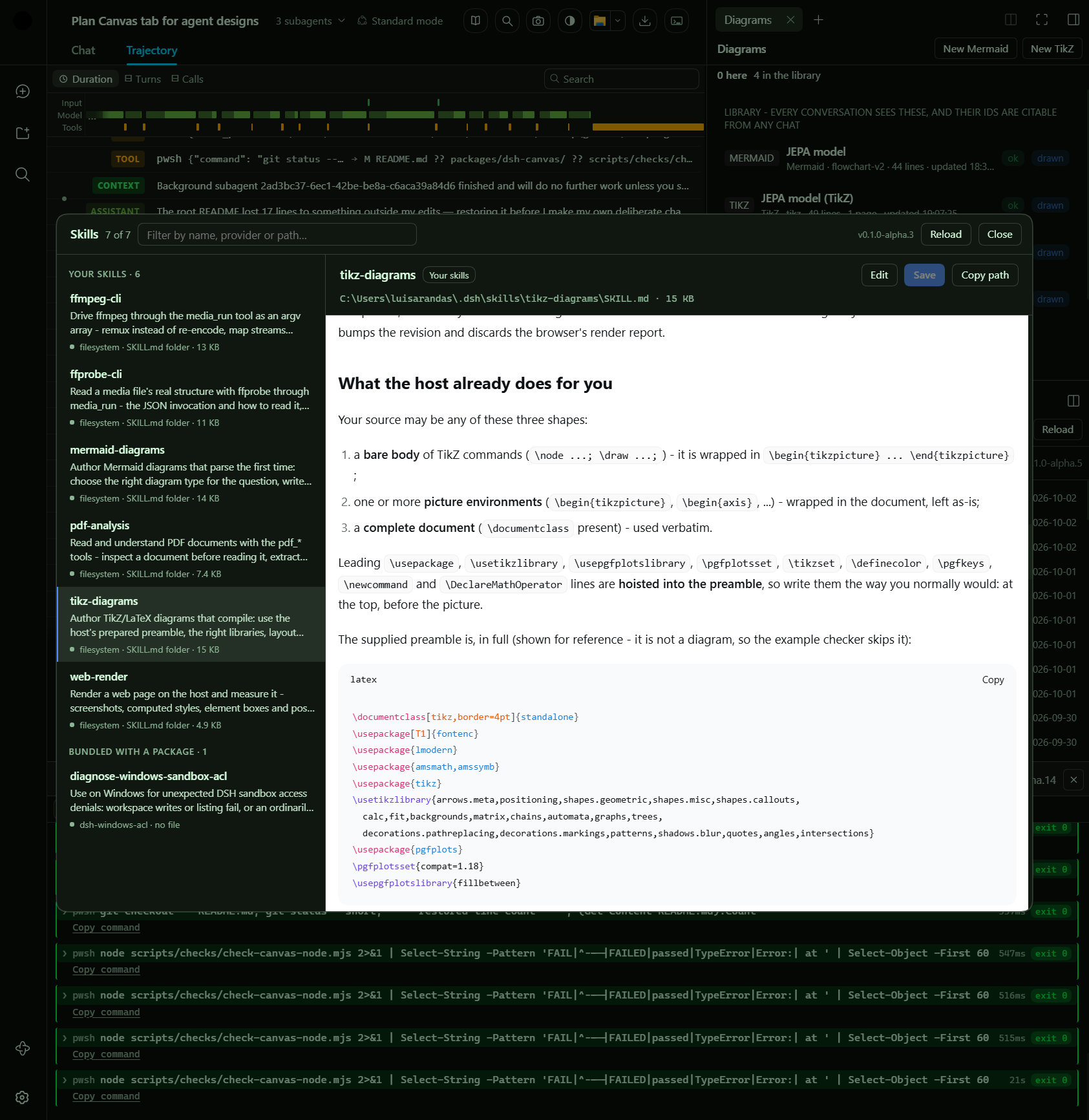
Mermaid and TikZ as tabs and six agent tools, every write validated before it is stored |
dsh-pdf |
PDF as a surface the agent can read and scan, plus a reader tab with thumbnails and bookmarks |
dsh-canvas |
the Canvas tab, in the chat panel's own view ring to the right of Trajectory: a design page the agent drives with nine tools, for GitHub and LinkedIn banners and posters. The browser is the rasterizer, so the model renders a design, reads its own PNG back with read_image and fixes it; presets fix each destination's pixels and safe areas, and two bundled skills carry the craft and the per-network delivery rules. Ships the two OFL font families it renders with, pinned by SHA-256 |
dsh-browser |
the Browser tab, replacing the shipped iframe one: the page is rendered on the host in a disposable engine behind an https-only egress gate (screenshot, post-script text, measured styles) for the tab and for browser_render / browser_query / browser_text — built and shipped, but turned OFF: the master layer disables the row, so a profile loads no tab, no routes, no tools and no client bundle |
dsh-skills |
the Skills browser: a header button left of the zoom control opens every skill this conversation loads, with its markdown and inline editing |
dsh-cmdbar |
the command bar: the agent's own commands in a bottom dock (a read-only transcript of the conversation's log — the terminals were removed in alpha.12; the panel follows whichever conversation is on screen) |
dsh-themes |
header controls (themes incl. Nord/Monokai/Hacker/Cyber, screenshot, page zoom), the Markdown paper, VN branding, and the shipped account-menu Feedback row hidden |
dsh-ui-state |
the pack's own UI state (zoom, theme, dock, column widths) remembered host-side |
dsh-modal |
the shared dialog surface (modals) the pack's controls use |
dsh-open-in-app |
Open In… patched to open the OS file browser directly |
Showing the opening section of the README — the full document lives in the repository以上为 README 开头摘要,完整文档在仓库内 · View the full README on GitHub →在 GitHub 查看完整 README →
Related相关推荐
-
 yannicksong0106/dsh-550c-boot
550C 开机动画 for DeepSeek Harness — 首帧由宿主半边注入,DSH 的 Loading 卡片不露脸;桌面原生标题栏按钮收编成终端配色 | 550C boot splash plugin for DSH
yannicksong0106/dsh-550c-boot
550C 开机动画 for DeepSeek Harness — 首帧由宿主半边注入,DSH 的 Loading 卡片不露脸;桌面原生标题栏按钮收编成终端配色 | 550C boot splash plugin for DSH
- kirbylynx/deepshell-agent A desktop agent powered by DeepSeek Harness.
-
 omdsh-dev/dsh-advisor
Advisor - Pair a second model that passively reviews each turn and injects notes. 搭配一个会在每轮对话被动注入见解和审查的副模型。
omdsh-dev/dsh-advisor
Advisor - Pair a second model that passively reviews each turn and injects notes. 搭配一个会在每轮对话被动注入见解和审查的副模型。
-
 shuguang1994/project-blueprint
Make any project AI-agent-ready in one command. Adaptive tech stack detection (7 languages × 14 frameworks × 61 componen…
shuguang1994/project-blueprint
Make any project AI-agent-ready in one command. Adaptive tech stack detection (7 languages × 14 frameworks × 61 componen…
- omdsh-dev/stent 灵感来源于MC Fabric的Cordis/DSH hook处理器
-
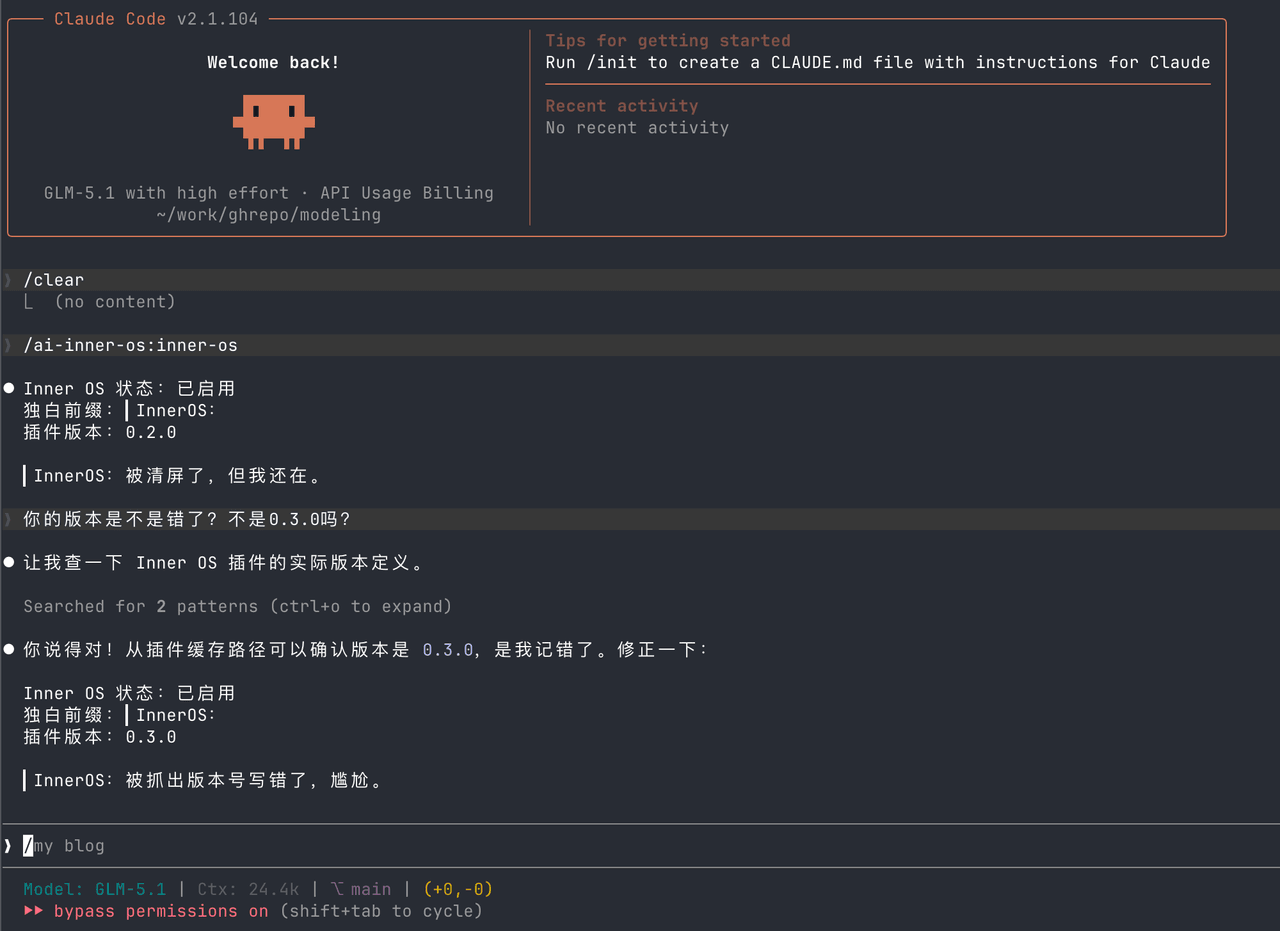 SummerSec/AI-Inner-Os
AI Inner OS 是一个面向 AI CLI 工具的插件,支持 Claude Code、Codex CLI、Cursor、OpenCode CLI。 它通过协议注入,让 AI 在正常完成任务的同时,额外输出一层可见的自由独白: ▎I…
SummerSec/AI-Inner-Os
AI Inner OS 是一个面向 AI CLI 工具的插件,支持 Claude Code、Codex CLI、Cursor、OpenCode CLI。 它通过协议注入,让 AI 在正常完成任务的同时,额外输出一层可见的自由独白: ▎I…
-
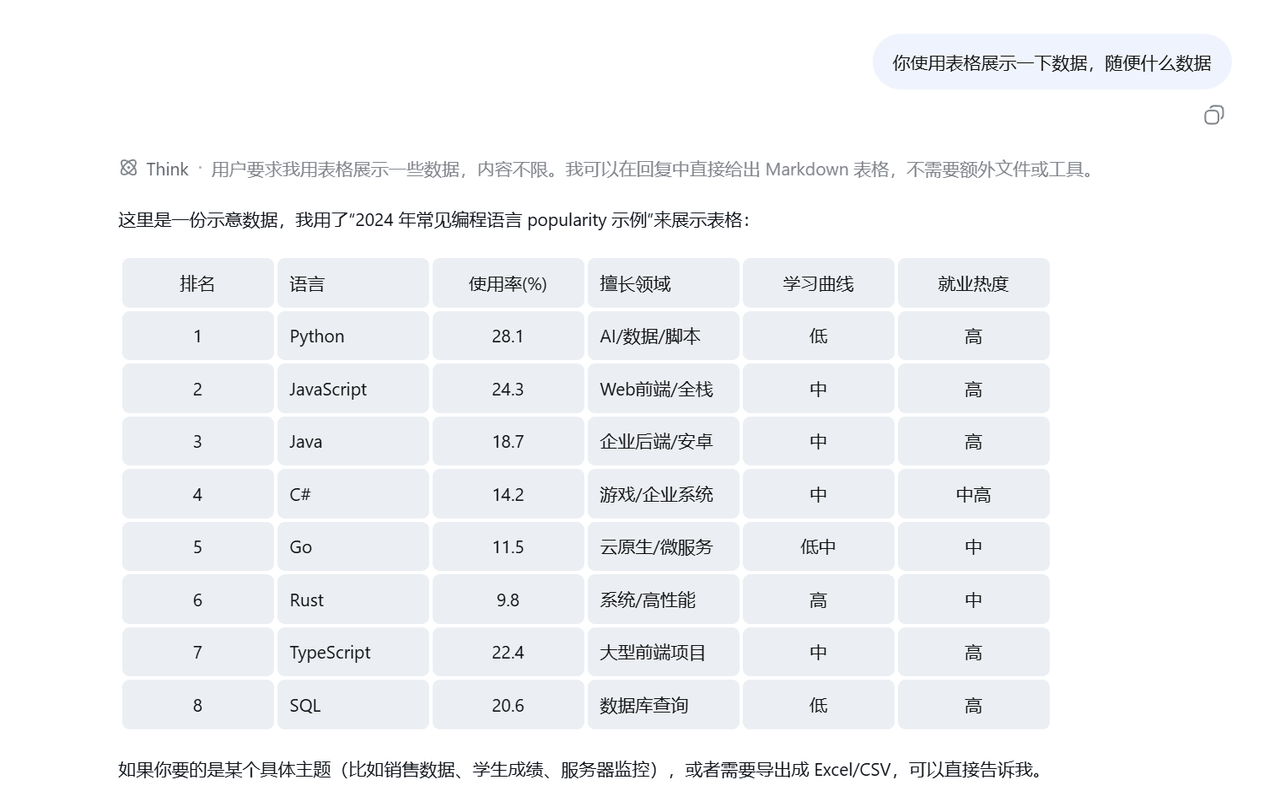 wlj521/dsh-ui-tweaks
一切皆插件,可以定义自己喜欢的dsh,开关控制单项功能,字体大小,表格样式,对话框长度,timeline,git等
wlj521/dsh-ui-tweaks
一切皆插件,可以定义自己喜欢的dsh,开关控制单项功能,字体大小,表格样式,对话框长度,timeline,git等
- hyqibot/DeepSeek-Harness-Token-Free A token-free desktop client for the DeepSeek Harness,enjoy!为 DeepSeek Harness (DSH) 生态打造的全免Token费的桌面端 ,极简极易。内置多模态+顶尖…