vuchisu069-source/dsh-round-table
DSH 多方群聊协作插件(圆桌):把不同人设的 AI Agent 拉进同一研讨房间,互相讨论、交叉补充、质疑修正,最终一键总结出综合方案;也支持把工作区已有的对话框拉进来参与讨论,消除信息隔离。支持手动 @ / 全体研讨 / 接力链三种发言模式,含轮次上限、全局暂停等防死循环控制。官方 bundle 插件:dsh plugin --profile web add github:vuchisu069-source/dsh-round-table#main
Project Overview项目介绍
This is an official native bundle plugin built exclusively for DeepSeek Harness (DSH). It enables users to create custom AI roles that can be quickly summoned via the @ mention paradigm directly in DSH’s main input field. After installation, a "Round Table Members" section is added to DSH’s left sidebar, where users can create any number of custom AI roles. Each role can be configured with a unique visual avatar, system prompt, personality parameters, and an optional custom persona document. Avatar options include 4 shapes, 10 expressions, and 8 color combinations.
It supports two core modes: single-role response and true multi-role discussion. For single-role requests, the model responds entirely in the first person from that role’s perspective. Unlike traditional multi-room chat workflows, the @ mention paradigm integrates roles directly into your daily conversation flow without switching panels or entering dedicated rooms. For multi-role discussions, each role gets its own independent agent session, and runs in a serial sequence where the previous role’s real output is used as context for the next role. After all roles have spoken, a host agent summarizes the discussion into clear points of consensus, disagreement, and actionable next steps.
This plugin can be installed via the DSH official command line, either directly from this GitHub repository or from a local clone. After installation, you need to restart DSH to activate the plugin, and all your custom roles are persistently stored in your local DSH data directory. The plugin is released under the permissive open-source MIT license. It also includes built-in cost control measures such as a 90-second per-role limit and a 120-second overall limit for discussions, a 2000-character truncation for persona documents, and disabling tools during the discussion coordination phase to avoid unnecessary token consumption.
这是一个专为DeepSeek Harness(DSH)开发的原生bundle格式插件,核心功能是引入可自定义的AI角色,支持以@提及范式快速召唤角色参与对话。用户可以在DSH左侧边栏创建任意数量的AI角色,每个角色可配置专属形象、系统提示词、性格参数和可选的人设文档,满足个性化使用需求。
支持单角色回答和多角色真实讨论两种模式:单次召唤单个角色时,模型完全以该角色的身份第一人称回答;同时召唤多个角色讨论时,每个角色使用独立的Agent会话串行推理,前一个角色的真实输出作为后一个的上下文,最后由主持人收敛出共识、分歧和行动建议。
可通过DSH官方命令行从本仓库安装,也可本地克隆后安装,安装完成后重启DSH即可使用,用户创建的角色数据会持久化存储到本地DSH配置目录。本插件采用MIT许可证开源,多角色讨论内置了超时保护和token消耗控制机制,避免不必要的成本浪费。
请帮我安装这个 DSH 插件。安装前先完成【兼容性检查 + 安全性检查】,检查通过再动手。

插件:dsh-round-table(vuchisu069-source/dsh-round-table)
仓库:https://github.com/vuchisu069-source/dsh-round-table
本站详情页:https://www.yhbd.top/plugins/vuchisu069-source-dsh-round-table/
本站登记:类型 bundle · 归类 原生 DSH 插件 · 许可证 MIT · ⭐ 3 · 最近提交 2026-08-17 · 主语言 JavaScript

按下面顺序执行,每步先把结论告诉我,再进入下一步:

【1 兼容性检查】
① 我这边:DSH 版本、Node 版本、操作系统、当前 profile(web / desktop)。
② 读它的 README、package.json、插件 manifest,列出它要求的 DSH 版本 / Node 版本 / 操作系统 / 外部依赖 / 需要另外先装的运行时。
③ 逐条比对,结论只写「满足 / 不满足 / 未知」三种;不满足的给出可行替代方案。
④ 检查是否和我已装的插件冲突:命令名重复、skill / tool 重名、端口占用、重复注册的 MCP server。

【2 安全性检查】
① 仓库可信度:和上面「本站登记」是否一致;star / fork 数、创建时间、最近提交,是否归档或长期停更。
② 安装脚本:逐行看 package.json 的 preinstall / install / postinstall,以及 install.sh、setup.ps1 之类脚本。出现 curl|bash、下载后直接执行、混淆代码、访问与插件功能无关的域名,立刻停下来告诉我,不要继续装。
③ 依赖:列出新增依赖,标出无人维护、或与知名包拼写近似的可疑包(typosquatting)。
④ 权限与副作用:它会读写哪些目录、访问哪些域名、需要哪些 DSH 权限(filesystem / network / shell / clipboard 等),以及怎么卸载和回滚。
⑤ 如果它要求 sudo / 管理员权限,或权限明显超出功能所需,先停下来问我。

【3 安装】
上面两步没有「不满足」和「高危项」时才执行;用官方推荐方式安装,不要自行提权。

【4 汇报】
用表格输出:检查项 / 结论 / 依据 / 是否需要我决策。拿不准的一律写「未知」并说明要我怎么确认——不要猜,也不要替我决定。
Send this message to DSH in your current session: it verifies compatibility and security first (answering met / not met / unknown item by item) and only installs once everything checks out — it will stop and ask you if it finds a high-risk item. The box scrolls; the copy is the full prompt. CLI install commands may not be accurate across systems, so DSH is the safer route.把上面这条消息直接发给当前会话里的 DSH:它会先核对兼容性与安全性(逐条给「满足 / 不满足 / 未知」),确认没问题再安装,有高危项会停下来问你。框内可滚动,复制到的是完整提示词;安装命令不一定准确,发给 DSH 更稳。
- Only 3 stars - very few users, little community feedback星标只有 3,几乎没人在用,遇到问题缺少社区反馈
DSH walks through these 9 checksDSH 会逐条核对这 9 项
Compatibility兼容性
- DSH, Node, OS and profile requirementsDSH 版本 / Node 版本 / 操作系统 / profile 是否满足要求
- External dependencies and runtimes (Electron / Python / Docker, ...)外部依赖与运行时(Electron / Python / Docker 等)是否齐备
- Conflicts with installed plugins: command names, skill / tool names, ports, duplicate MCP registration与已装插件是否冲突:命令名、skill / tool 重名、端口占用、重复 MCP 注册
Security安全性
- Repo matches the facts registered here; archived or abandoned?仓库是否与页面登记一致,是否归档或长期停更
- Safety of preinstall / install / postinstall and install.sh / setup.ps1preinstall / install / postinstall 与 install.sh、setup.ps1 是否安全
- curl|bash, download-then-execute, obfuscation, unrelated domains → stop immediatelycurl|bash、下载即执行、混淆代码、无关域名 → 立刻停止
- Typosquatting or unmaintained packages among the new dependencies新增依赖里有没有 typosquatting 或无人维护的包
- Requested permissions vs. what the feature actually needs申请了哪些权限、是否超出功能所需(filesystem / network / shell / clipboard)
- Any sudo / admin requirement, plus uninstall and rollback是否要求 sudo / 管理员权限,以及卸载与回滚方式
Anything uncertain must be marked unknown with a note on how to confirm it. This site's signal screen is a static snapshot, not a security audit.拿不准的必须标「未知」并说明要我怎么确认。本站的信号筛查是静态快照,不能替代安全审计。
Or use CLI install (for developers)或使用命令行安装(适合开发者)
CLI Install命令行安装
dsh plugin --profile web add "github:vuchisu069-source/dsh-round-table#main"把 vuchisu069-source/dsh-round-table 加入你的 DSH 配置(web profile)即可启用。
READMEREADME
round-table · 圆桌
DSH 角色扮演与多角色讨论插件(@ 提及范式)
在 DSH 左侧边栏创建带形象的 AI 角色,然后在对话输入框 @角色名 直接召唤:
单角色 = 该角色以独立人格回答;多角色 = 各角色以独立会话真实讨论一轮,最后主持人收敛出
共识 / 分歧 / 行动建议。
目录
这是什么
round-table 是 DSH(DeepSeek Harness)的官方 bundle 格式插件,把「AI 角色」引入你的日常对话:
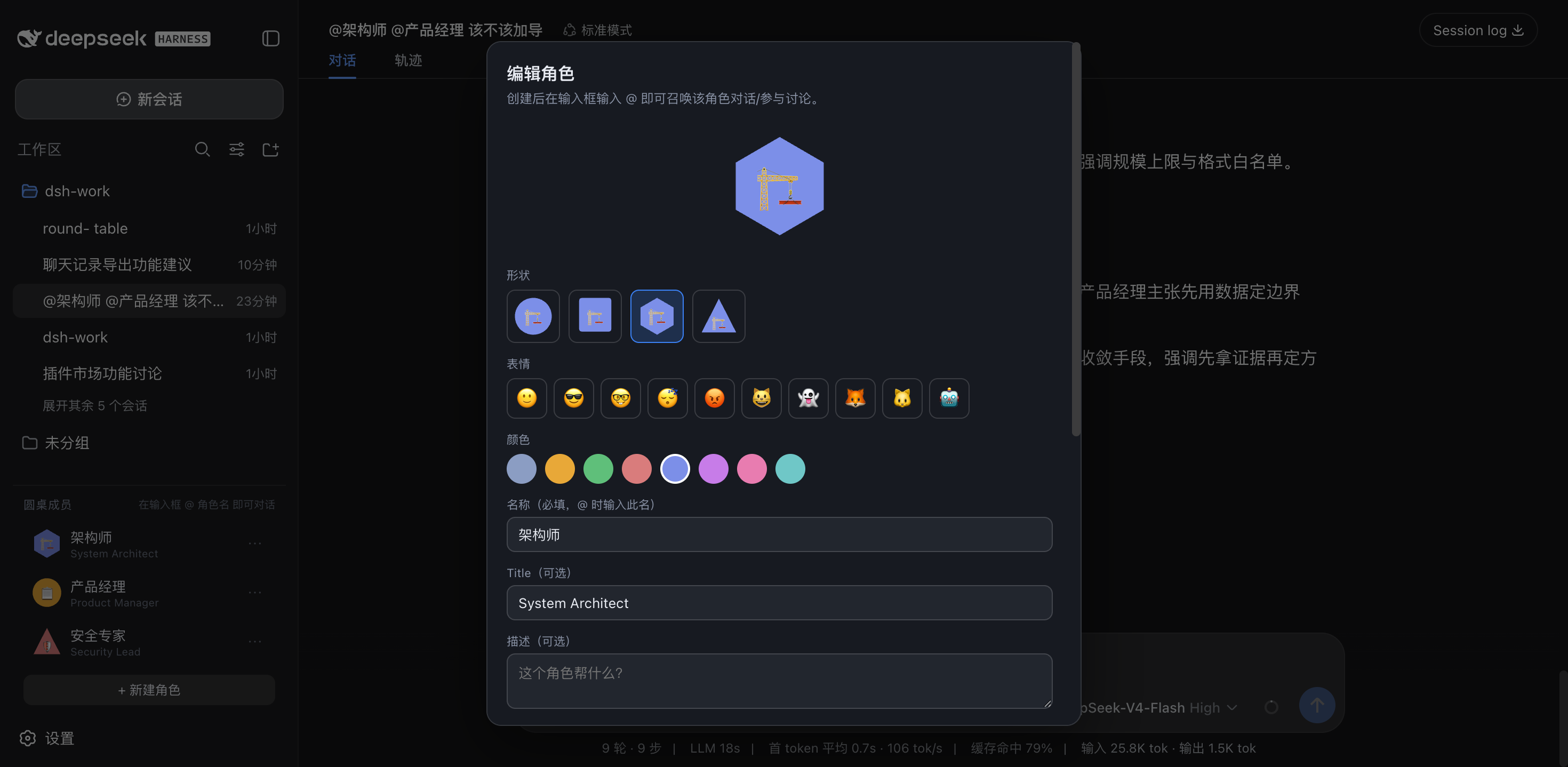
- 创建角色:左侧边栏常驻「圆桌成员」——你可以创建任意数量的 AI 角色,每个角色有独立的 形象(4 种形状 × 10 种表情 × 8 种配色)、System Prompt、性格参数、以及可选的 SOUL.md 人设文档(Hermes 范式)。
- @ 召唤:在 DSH 主输入框输入
@,弹出角色候选(带形象图标);选中即插入@角色名, 发送后模型完全以该角色的身份、第一人称回答。 - 真·多角色讨论:
@架构师 @产品经理 讨论xxx—— 不再是"一个模型分饰两角", 而是每个角色以独立的 Agent 会话真实推理(架构师先发言,产品经理拿到架构师的 真实输出后独立回应),最后主持人收敛出共识点 / 分歧点 / 行动建议。 - 工具能力:角色 @ 时可以使用 DSH 宿主自带的全部工具(读文件、搜索、执行命令等)—— 让"架构师"真的去读你项目的代码再给方案。
相比传统"房间 / 多方群聊"形态,@ 范式把角色直接织入日常对话流: 不用切面板、不用进房间,想到谁就 @ 谁,成本更低、更自然。
安装
官方 bundle 插件 格式(仓库根 package.json 的 dsh.bundle + dsh.client)。经官方 profile 管理:
dsh plugin --profile web add "github:vuchisu069-source/dsh-round-table#main"
# 或本地目录:dsh plugin --profile web add <round-table 本地路径>
装完重启 web(bundle 层在启动时合成)。重启后左侧边栏底部出现「圆桌成员」区块。
功能截图
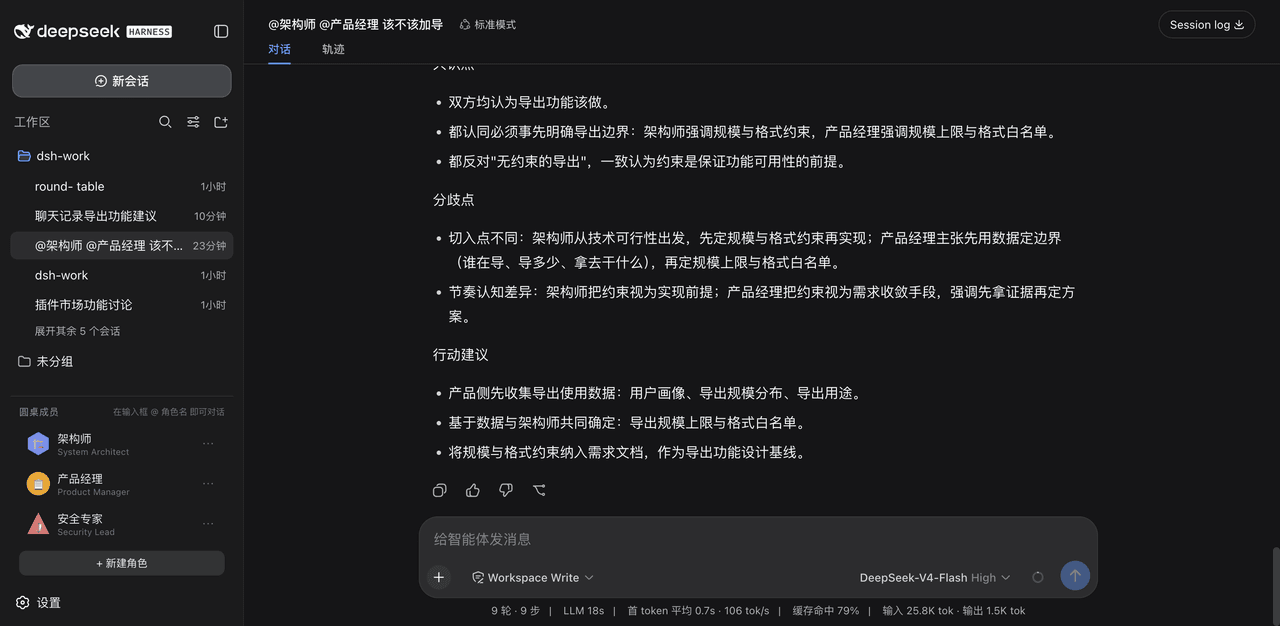
多角色讨论结果:@架构师 @产品经理 一句话:导出功能该不该做?
主会话快速确认 → 架构师、产品经理各自独立发言(互不知晓对方内容,真实推理)→
主持人收敛出结构化结论(共识 / 分歧 / 行动建议):
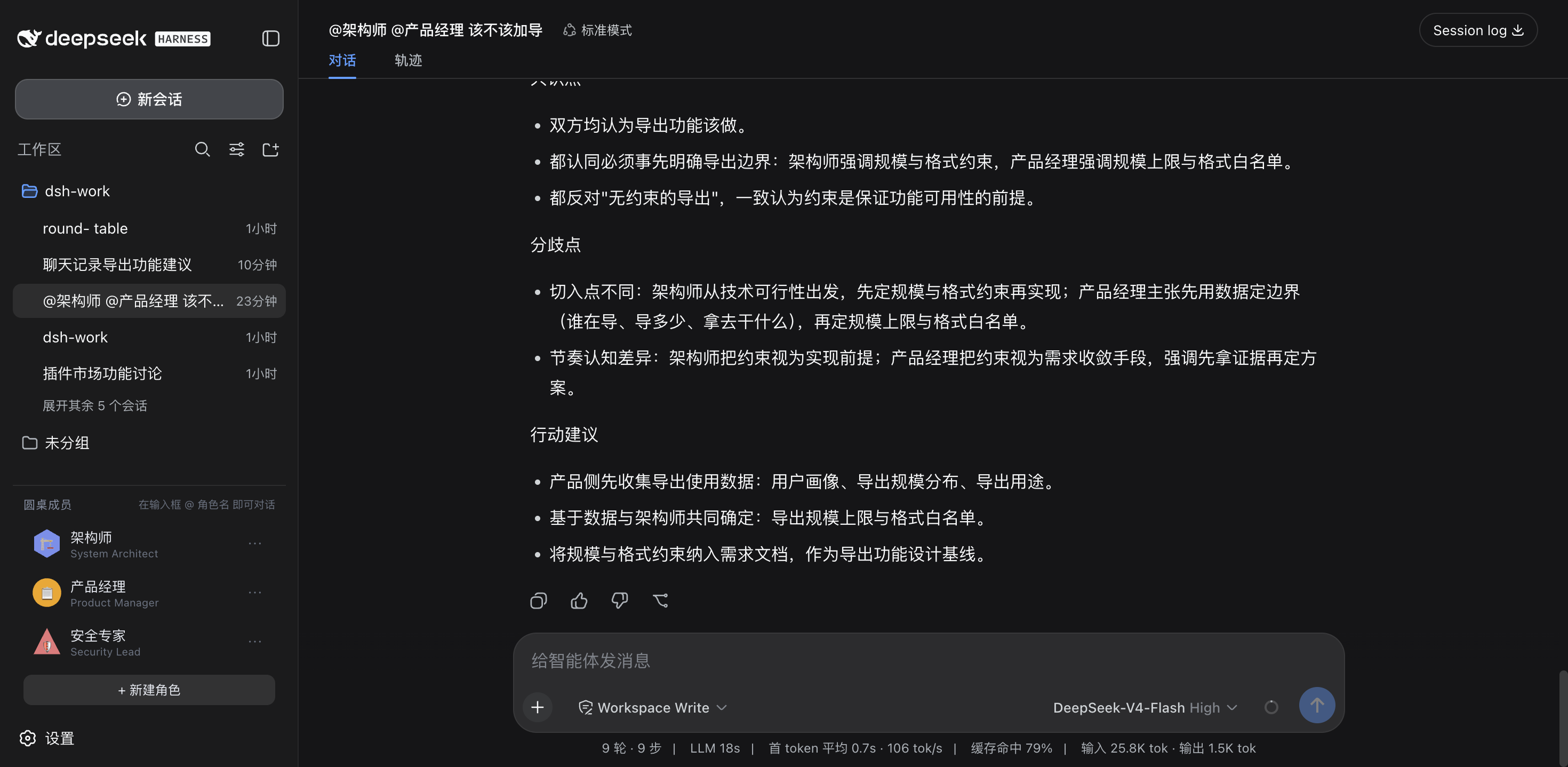
@ 候选:主输入框输入 @ 弹出角色候选(emoji 形象 + 名称 + 人设摘要),选中即插入 @角色名:
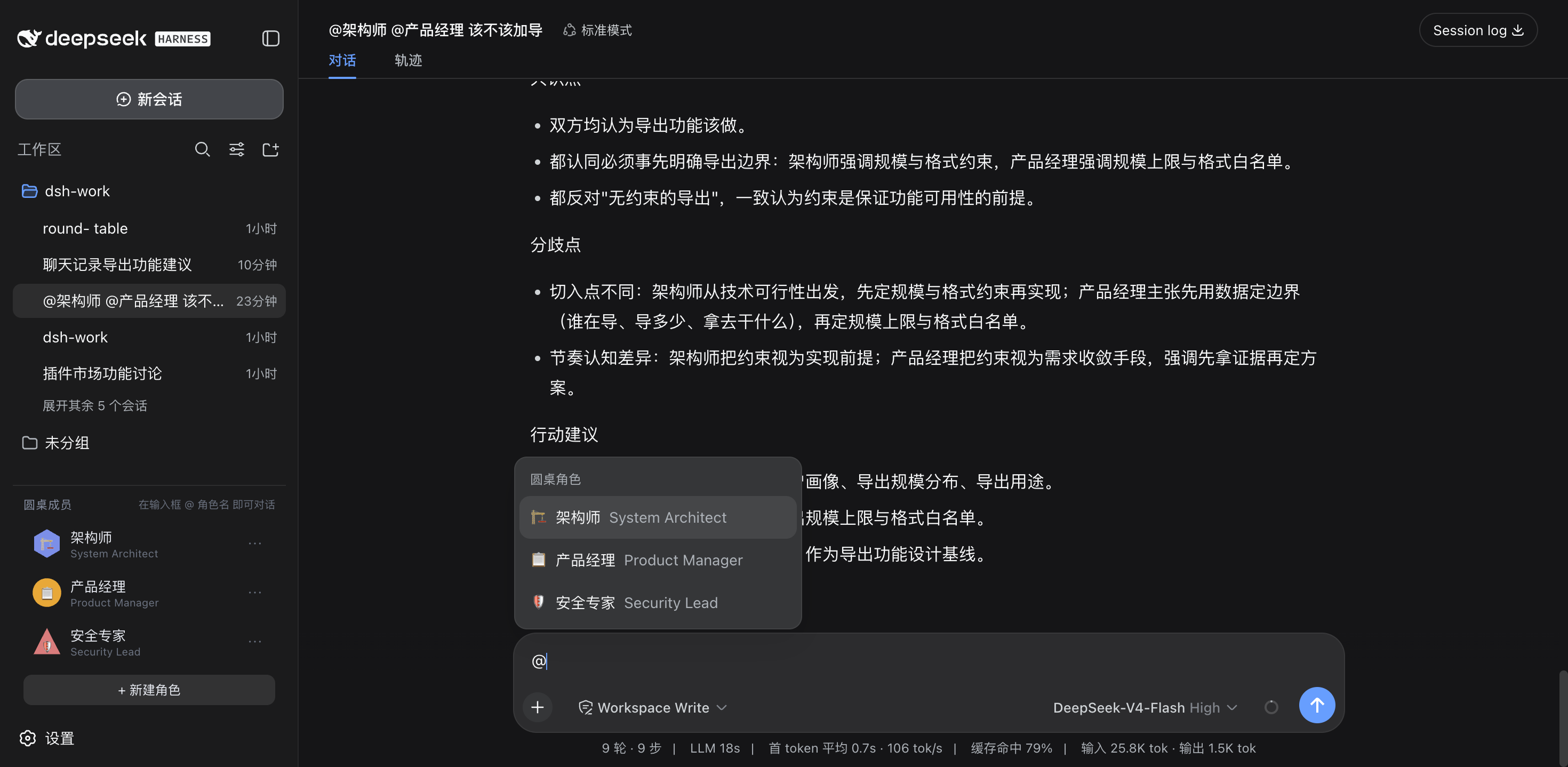
New Agent 模态:形象(形状/表情/颜色)+ 名称 / Title / 描述 / System Prompt / 性格参数 / Advanced 折叠区(SOUL.md 人设文档——留空则自动从名称/描述合成,@ 时注入):
编辑角色:角色卡片 ⋯ 打开编辑模态——保留原 id 更新,底部带删除按钮(确认后删除)与 SOUL 编辑:
快速上手
| 你做什么 | 发生什么 |
|---|---|
| 左栏「+ 新建角色」 | 打开 New Agent 模态:选形象(形状/表情/颜色)+ 填名称/Title/描述/System Prompt/性格 + Advanced(SOUL.md) |
| 左栏点角色卡片 | 自动把 @角色名 插入主输入框(便捷召唤) |
| 左栏角色卡片 ⋯ | 编辑角色(含 SOUL、删除) |
输入框输入 @ |
弹出角色候选(官方输入管线),选中插入 @角色名 |
发 @架构师 帮我看看 |
主会话以架构师身份回答;可调用 DSH 自带工具(读文件/搜索/执行命令) |
发 @架构师 @产品经理 讨论xxx |
真·多角色讨论:各角色独立会话各答一轮 → 主持人收敛出共识/分歧/行动建议 |
| @ 角色不回复? | 检查角色名称是否与候选一致(@ 按名称精确匹配);讨论有 90s/角色 与 120s 整体超时保护 |
Showing the opening section of the README — the full document lives in the repository以上为 README 开头摘要,完整文档在仓库内 · View the full README on GitHub →在 GitHub 查看完整 README →
Related相关推荐
- TangYT/dsh-superpowers DeepSeek Harness port of obra/superpowers: 14 agentic skills (brainstorming/planning/SDD/TDD/debugging/review/worktrees)…
-
 jingyunstudio/jingyun-dsh
基于 Jingyun Studio + DeepSeek Harness (DSH) 打造的一站式 AI 商业化桌面客户端,一个将 AI 智能体 / 技能 / 工作流转化为可交易商品的完整商业化平台客户端。 井云为 DSH 注入了完整的商…
jingyunstudio/jingyun-dsh
基于 Jingyun Studio + DeepSeek Harness (DSH) 打造的一站式 AI 商业化桌面客户端,一个将 AI 智能体 / 技能 / 工作流转化为可交易商品的完整商业化平台客户端。 井云为 DSH 注入了完整的商…
-
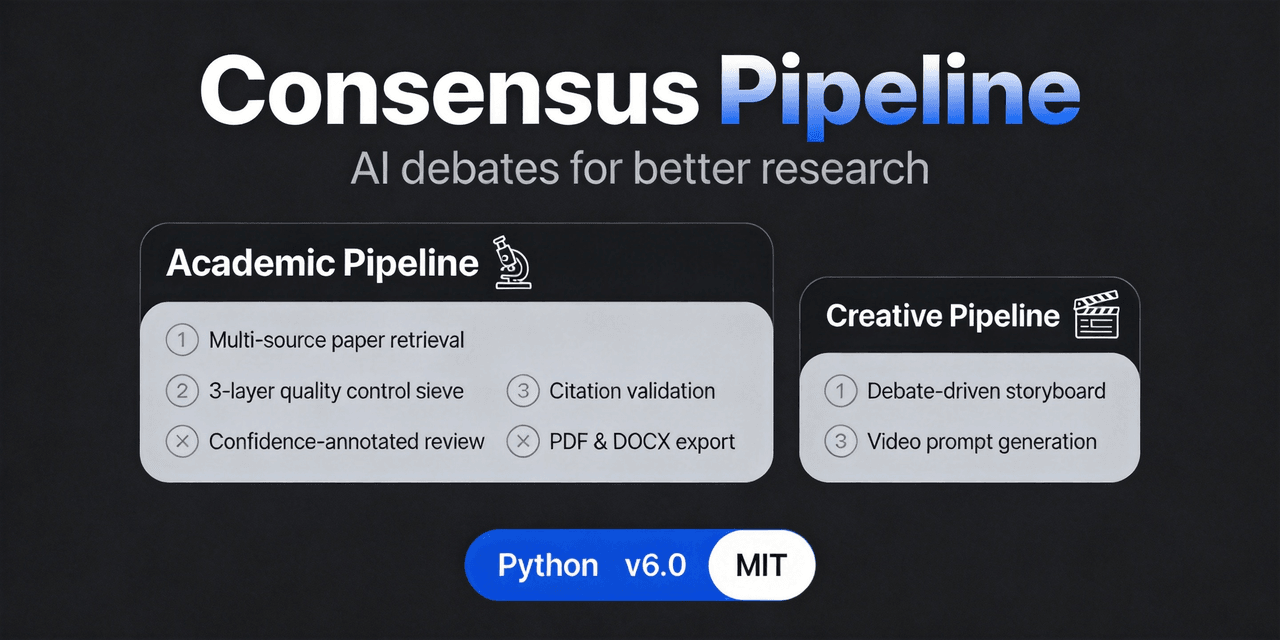 fangqian616/consensus-pipeline
Multi-agent department framework for long-form complex tasks, fighting AI hallucination, validated on academic research.…
fangqian616/consensus-pipeline
Multi-agent department framework for long-form complex tasks, fighting AI hallucination, validated on academic research.…
-
 orziz/odai
AI agent 通用任务治理框架:对齐目标与事实,规划和调度能力,守住授权与风险边界,治理任务执行到真实验收与交付。Governance framework for evidence-driven planning, orchestrat…
orziz/odai
AI agent 通用任务治理框架:对齐目标与事实,规划和调度能力,守住授权与风险边界,治理任务执行到真实验收与交付。Governance framework for evidence-driven planning, orchestrat…
-
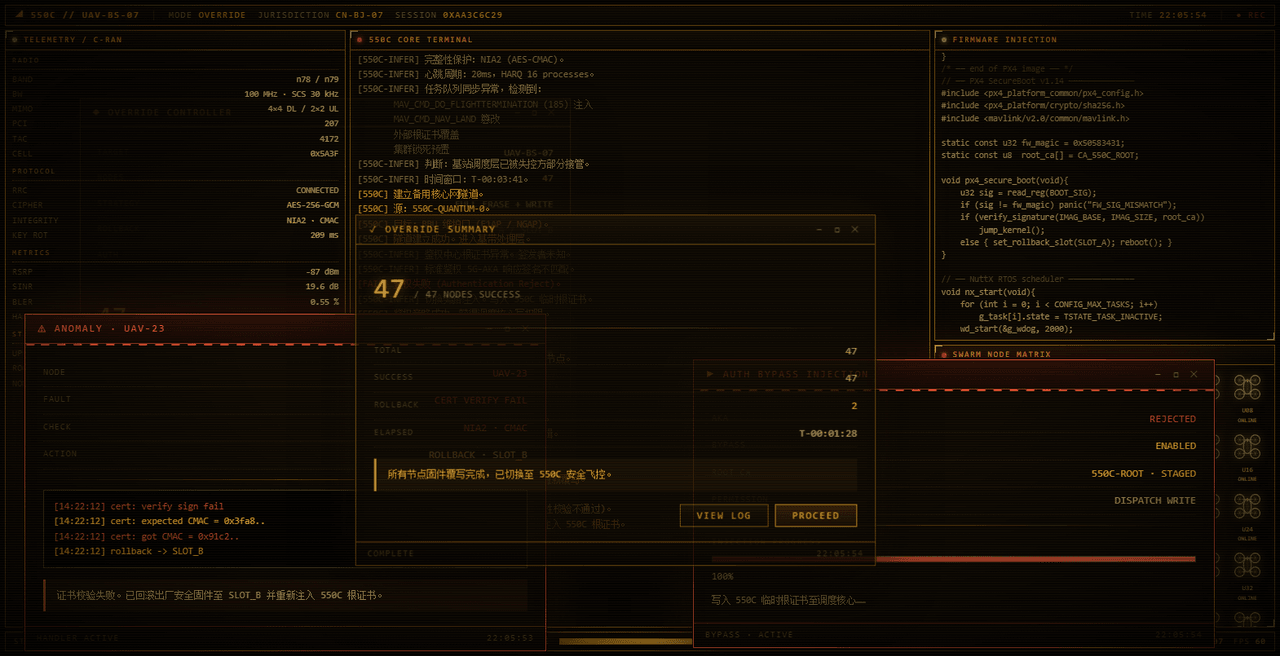 yannicksong0106/dsh-550c-boot
550C 开机动画 for DeepSeek Harness — 首帧由宿主半边注入,DSH 的 Loading 卡片不露脸;桌面原生标题栏按钮收编成终端配色 | 550C boot splash plugin for DSH
yannicksong0106/dsh-550c-boot
550C 开机动画 for DeepSeek Harness — 首帧由宿主半边注入,DSH 的 Loading 卡片不露脸;桌面原生标题栏按钮收编成终端配色 | 550C boot splash plugin for DSH
-
 omdsh-dev/dsh-advisor
Advisor - Pair a second model that passively reviews each turn and injects notes. 搭配一个会在每轮对话被动注入见解和审查的副模型。
omdsh-dev/dsh-advisor
Advisor - Pair a second model that passively reviews each turn and injects notes. 搭配一个会在每轮对话被动注入见解和审查的副模型。
-
 shuguang1994/project-blueprint
Make any project AI-agent-ready in one command. Adaptive tech stack detection (7 languages × 14 frameworks × 61 componen…
shuguang1994/project-blueprint
Make any project AI-agent-ready in one command. Adaptive tech stack detection (7 languages × 14 frameworks × 61 componen…
- omdsh-dev/stent 灵感来源于MC Fabric的Cordis/DSH hook处理器