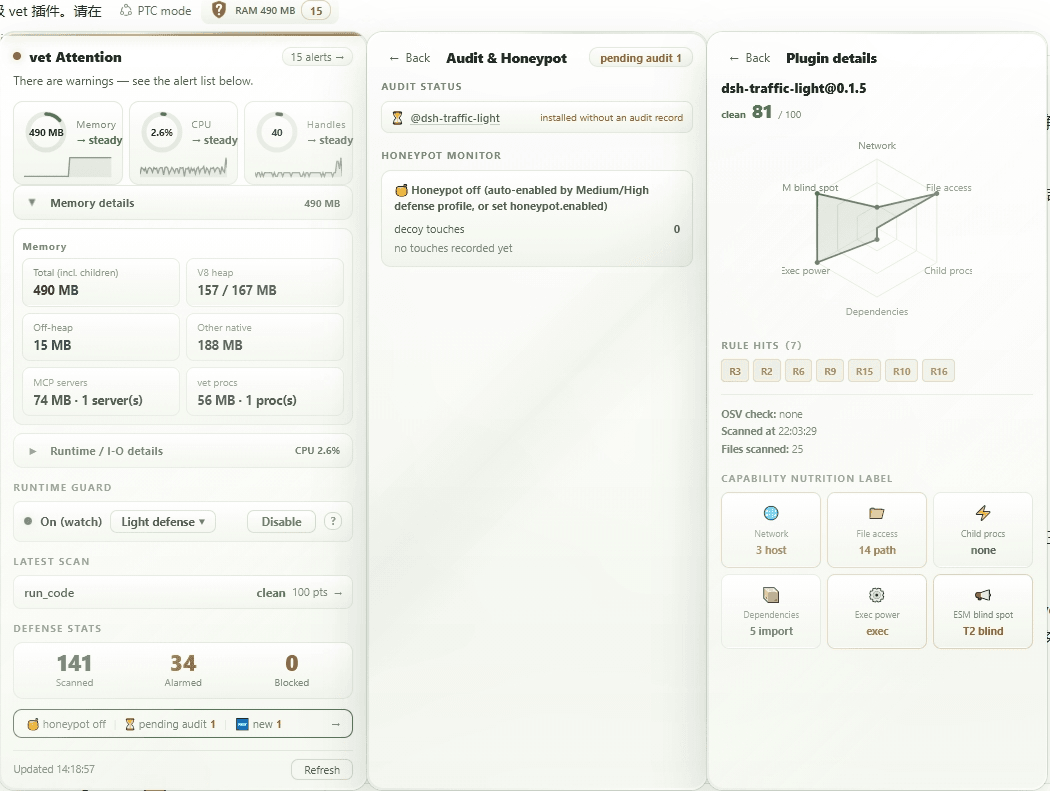
wulun811/dsh-plugin-vet
deepseek-harness 插件的信任管线:确定性静态扫描(11条规则)+ LLM驱动审计协议 + 两部分计分卡,可选运行时防护(T1哨兵 / T2 fs与child_process钩子)及蜜罐诱饵。仅监控并告警——vet 本身从不阻止或终止操作。
Project Overview项目介绍
This is a native DSH plugin built exclusively for the DeepSeek Harness ecosystem, acting as a security gate for third-party DSH plugins. It occupies the full trust pipeline from download scan to continuous runtime monitoring, runs static analysis on plugins before installation, and follows a structured audit protocol to generate a clear security verdict and scorecard. It does not host or distribute plugin catalogs itself, only provides the security checking layer. By default, it only alerts on issues rather than taking automatic blocking action, and all blocking and enforcement features require explicit user configuration to activate.
The plugin is intended for all DSH users and developers who install third-party plugins from the DSH ecosystem. It also includes a visual shield panel that displays the current security status of all installed plugins in the DSH web UI. The typical workflow starts with running a static scan on a downloaded plugin, then a human or AI model reviews the generated scorecard to decide whether to install the plugin. If enabled, the runtime guard will continue monitoring for suspicious activity after installation, and users can opt into honey pot traps that catch unauthorized access to sensitive files.
This plugin is released under the open source MIT license, requires Node.js version 22.19 or higher to build and run. It also includes self-scanning capability to ensure its own code meets the same security standards it enforces for other plugins. It supports all major desktop platforms including Linux, macOS, and Windows, though some advanced monitoring features only work on Linux and modern macOS versions. After initial installation, you must restart the DSH web client for the shield panel to load, and runtime monitoring is disabled by default to avoid unnecessary performance overhead.
这是一个专为DeepSeek Harness (DSH) 开发的原生安全网关插件,核心功能是对DSH插件进行安装前审计和运行时监控。它会按照预设的vet-audit-protocol规则对插件做静态检测,生成明确的审计结论和安全评分卡。默认仅做检查告警,不会自动卸载、阻断或修改任何内容,所有拦截动作都需要用户显式配置开启。
该插件面向所有使用DSH的开发者和普通用户,帮助他们在安装第三方插件前识别安全风险和质量问题。典型工作流程是:下载插件后先运行静态扫描,人工或模型根据评分卡做安装决策,开启运行时监护后会持续监控可疑操作,还支持配置蜜罐陷阱捕获未授权的文件访问行为。
该插件使用MIT许可证开源,要求Node.js版本不低于22.19,支持Linux、macOS和Windows全平台,部分高级监控功能仅在Linux和新版macOS可用,Windows平台仅开放基础功能。首次安装后需要重启DSH web客户端才能加载防护盾牌面板,运行时监护默认关闭,需要用户手动开启以避免性能开销。
请帮我安装这个 DSH 插件。安装前先完成【兼容性检查 + 安全性检查】,检查通过再动手。

插件:dsh-plugin-vet(wulun811/dsh-plugin-vet)
仓库:https://github.com/wulun811/dsh-plugin-vet
本站详情页:https://www.yhbd.top/plugins/wulun811-dsh-plugin-vet/
本站登记:类型 plugin · 归类 原生 DSH 插件 · 许可证 MIT · ⭐ 3 · 最近提交 2026-09-29 · 主语言 TypeScript

按下面顺序执行,每步先把结论告诉我,再进入下一步:

【1 兼容性检查】
① 我这边:DSH 版本、Node 版本、操作系统、当前 profile(web / desktop)。
② 读它的 README、package.json、插件 manifest,列出它要求的 DSH 版本 / Node 版本 / 操作系统 / 外部依赖 / 需要另外先装的运行时。
③ 逐条比对,结论只写「满足 / 不满足 / 未知」三种;不满足的给出可行替代方案。
④ 检查是否和我已装的插件冲突:命令名重复、skill / tool 重名、端口占用、重复注册的 MCP server。

【2 安全性检查】
① 仓库可信度:和上面「本站登记」是否一致;star / fork 数、创建时间、最近提交,是否归档或长期停更。
② 安装脚本:逐行看 package.json 的 preinstall / install / postinstall,以及 install.sh、setup.ps1 之类脚本。出现 curl|bash、下载后直接执行、混淆代码、访问与插件功能无关的域名,立刻停下来告诉我,不要继续装。
③ 依赖:列出新增依赖,标出无人维护、或与知名包拼写近似的可疑包(typosquatting)。
④ 权限与副作用:它会读写哪些目录、访问哪些域名、需要哪些 DSH 权限(filesystem / network / shell / clipboard 等),以及怎么卸载和回滚。
⑤ 如果它要求 sudo / 管理员权限,或权限明显超出功能所需,先停下来问我。

【3 安装】
上面两步没有「不满足」和「高危项」时才执行;用官方推荐方式安装,不要自行提权。

【4 汇报】
用表格输出:检查项 / 结论 / 依据 / 是否需要我决策。拿不准的一律写「未知」并说明要我怎么确认——不要猜,也不要替我决定。
Send this message to DSH in your current session: it verifies compatibility and security first (answering met / not met / unknown item by item) and only installs once everything checks out — it will stop and ask you if it finds a high-risk item. The box scrolls; the copy is the full prompt. CLI install commands may not be accurate across systems, so DSH is the safer route.把上面这条消息直接发给当前会话里的 DSH:它会先核对兼容性与安全性(逐条给「满足 / 不满足 / 未知」),确认没问题再安装,有高危项会停下来问你。框内可滚动,复制到的是完整提示词;安装命令不一定准确,发给 DSH 更稳。
- Only 3 stars - very few users, little community feedback星标只有 3,几乎没人在用,遇到问题缺少社区反馈
DSH walks through these 9 checksDSH 会逐条核对这 9 项
Compatibility兼容性
- DSH, Node, OS and profile requirementsDSH 版本 / Node 版本 / 操作系统 / profile 是否满足要求
- External dependencies and runtimes (Electron / Python / Docker, ...)外部依赖与运行时(Electron / Python / Docker 等)是否齐备
- Conflicts with installed plugins: command names, skill / tool names, ports, duplicate MCP registration与已装插件是否冲突:命令名、skill / tool 重名、端口占用、重复 MCP 注册
Security安全性
- Repo matches the facts registered here; archived or abandoned?仓库是否与页面登记一致,是否归档或长期停更
- Safety of preinstall / install / postinstall and install.sh / setup.ps1preinstall / install / postinstall 与 install.sh、setup.ps1 是否安全
- curl|bash, download-then-execute, obfuscation, unrelated domains → stop immediatelycurl|bash、下载即执行、混淆代码、无关域名 → 立刻停止
- Typosquatting or unmaintained packages among the new dependencies新增依赖里有没有 typosquatting 或无人维护的包
- Requested permissions vs. what the feature actually needs申请了哪些权限、是否超出功能所需(filesystem / network / shell / clipboard)
- Any sudo / admin requirement, plus uninstall and rollback是否要求 sudo / 管理员权限,以及卸载与回滚方式
Anything uncertain must be marked unknown with a note on how to confirm it. This site's signal screen is a static snapshot, not a security audit.拿不准的必须标「未知」并说明要我怎么确认。本站的信号筛查是静态快照,不能替代安全审计。
Or use CLI install (for developers)或使用命令行安装(适合开发者)
CLI Install命令行安装
dsh plugin --profile web add @jieai/dsh-plugin-vet把 wulun811/dsh-plugin-vet 加入你的 DSH 配置(web profile)即可启用。
READMEREADME
@jieai/dsh-plugin-vet — The security gate for DSH plugins
English | 中文



🔗 dsh.so plugin submission & security-report pages run vet-led scanning — view
🌐 Landing site: https://wulun811.github.io/dsh-plugin-vet/ — features, architecture, live dashboard numbers, trust boundaries and known limitations (bilingual, dark mode). Source in
site/.
Audit before install, guard at runtime. Run every DSH plugin through dsh-plugin-vet before mounting it: static rules produce a verdict (deterministic, unforgeable), the agent investigates sensitive points and quality issues following the
vet-audit-protocolskill (no one can substitute for that), and a final scorecard is handed to a human/model to decide.Positioning: a monitoring alarm, not an enforcer. vet only does "check → alarm → advise": checks at write time (static scan), watches at run time (runtime guard), and surfaces alarms (scorecard + GUI shield status light). In the default configuration vet never acts on your behalf — it never auto-uninstalls, never kills processes, never rewrites configs, and blocks nothing. Interception exists only in explicit, documented scopes: the N7 confirmation block wakes together with the runtime guard (
confirmBlock— credential-file deletion/overwrite and post-confirmation destructive ops throw onceruntimeGuard: watchis on, incl. when thehardenedtier or the shield toggle enables it), anddenymode / theparanoidtier roll back plugin loads and block per threshold. Every interception scope is deployer-visible and documented below; none is part of the default product identity. The final disposition is always decided by the user on their own DSH.
Showing the opening section of the README — the full document lives in the repository以上为 README 开头摘要,完整文档在仓库内 · View the full README on GitHub →在 GitHub 查看完整 README →
Related相关推荐
- kaotusi/dsh-task-notify DeepSeek Harness (DSH) system-level task notifications: approval required / awaiting reply / task finished (background j…
- xmwpoi/dsh-approval-center DSH 0.1.7-rc.2 的 Windows 审批与主对话通知插件:批准/拒绝、本轮完成与异常提醒、SQLite 审计;子代理通知关闭。GitHub Releases 分发。
-
 toby-bridges/api-relay-audit
Local security audit for AI API relays and LLM proxies: detects prompt injection, model substitution, tool-call rewritin…
toby-bridges/api-relay-audit
Local security audit for AI API relays and LLM proxies: detects prompt injection, model substitution, tool-call rewritin…
-
 saya-ch/dsh-mobile
DeepSeek Harness 的 Android App 与安全远程访问插件,支持局域网/远程连接和高度自定义的移动界面与扩展能力。
saya-ch/dsh-mobile
DeepSeek Harness 的 Android App 与安全远程访问插件,支持局域网/远程连接和高度自定义的移动界面与扩展能力。
-
 liguobao/ds-harness-remote
一个基于 DeepSeek Harness 插件机制构建的多端远程访问方案,通过安全、低延迟、端到端加密的 P2P 优先网络,支持从 PC、Android 和 Web 随时访问并操作远程 Harness 和 CodeX。 (A multi-…
liguobao/ds-harness-remote
一个基于 DeepSeek Harness 插件机制构建的多端远程访问方案,通过安全、低延迟、端到端加密的 P2P 优先网络,支持从 PC、Android 和 Web 随时访问并操作远程 Harness 和 CodeX。 (A multi-…
-
 PerryLink/dsh-auto-review
Second-model AI auto-review for DeepSeek Harness approval requests: a read-only reviewer subagent returns structured all…
PerryLink/dsh-auto-review
Second-model AI auto-review for DeepSeek Harness approval requests: a read-only reviewer subagent returns structured all…
-
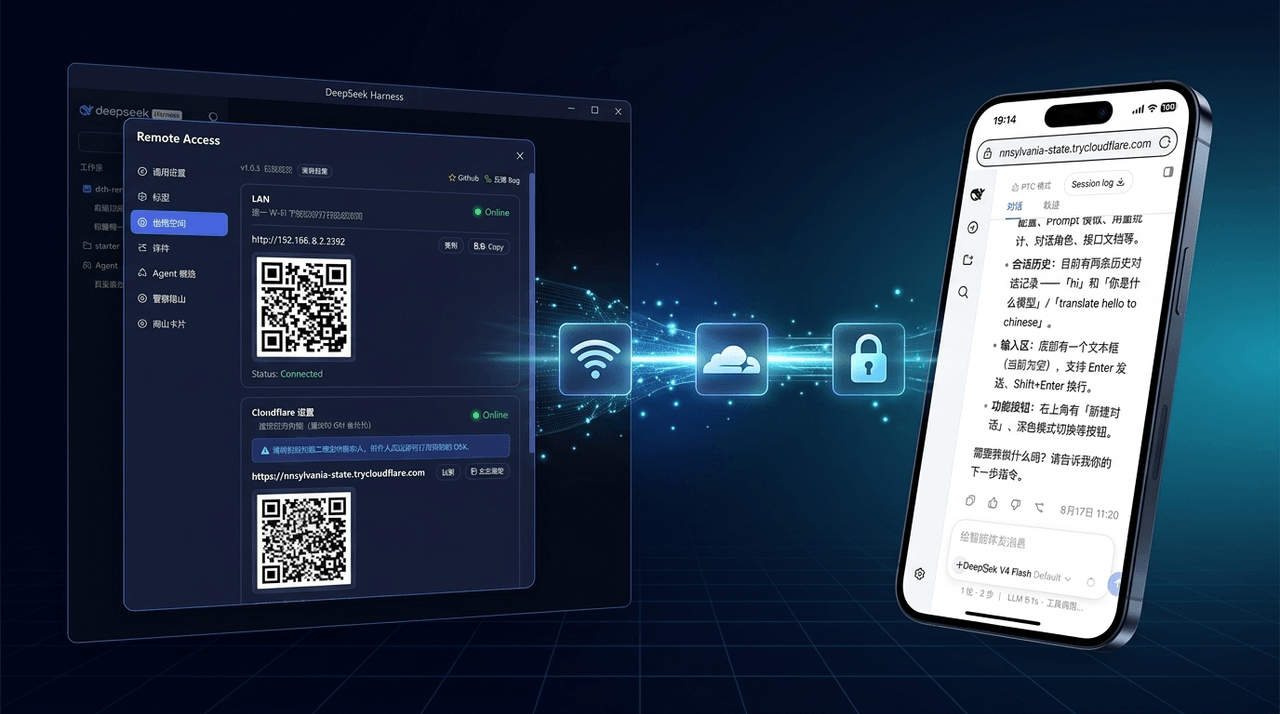 wenbin-wb/dsh-bridge
🚀 DeepSeek Harness 多通道远程访问与安全守护插件 | 局域网扫码直连、Cloudflare / 自建公网隧道、微信 / QQ / 飞书 / Telegram 机器人全生命周期对话 | 内置全协议访问安全认证、后台防篡改与…
wenbin-wb/dsh-bridge
🚀 DeepSeek Harness 多通道远程访问与安全守护插件 | 局域网扫码直连、Cloudflare / 自建公网隧道、微信 / QQ / 飞书 / Telegram 机器人全生命周期对话 | 内置全协议访问安全认证、后台防篡改与…
-
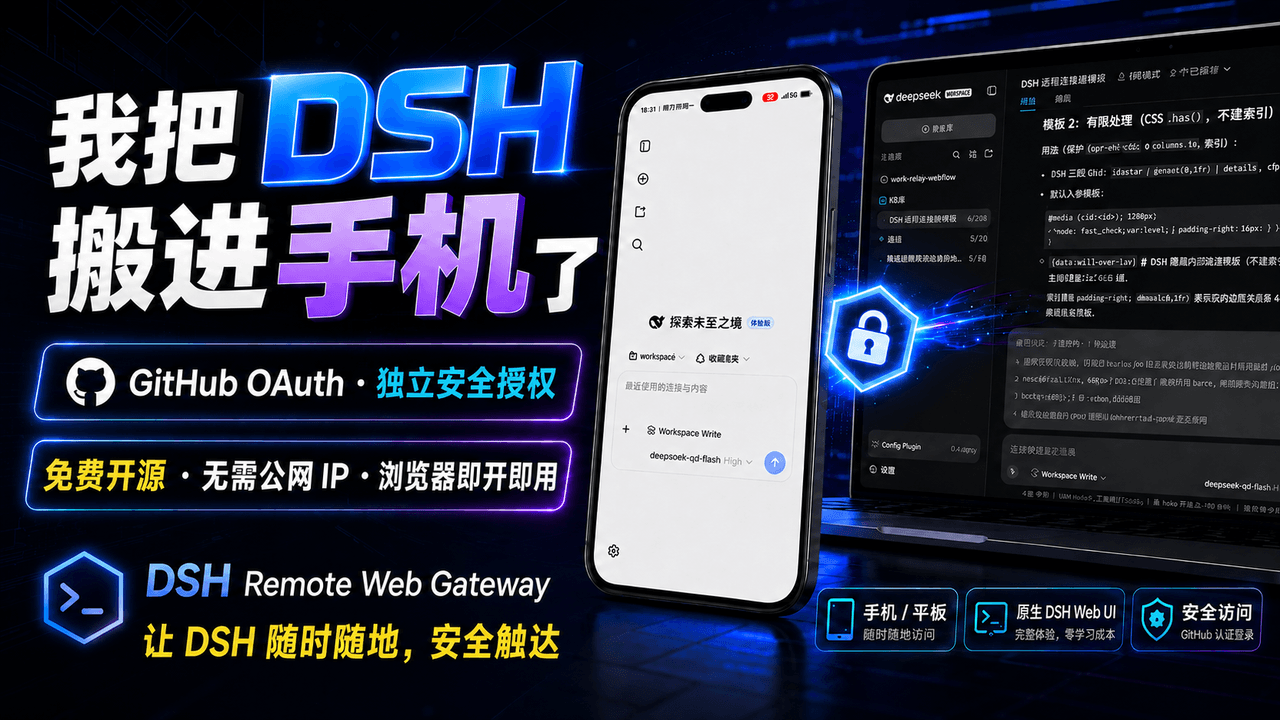 summer1238/dsh-remote-web-gateway
手机平板远程 DeepSeek Harness:扫码即可继续使用电脑上的 DSH,无需远程桌面 / SSH / 公网 IP,支持一次性配对、Github授权加密登录,独立设备授权与随时撤销,实现远程连接很简单,但安全才是我们所想要的。
summer1238/dsh-remote-web-gateway
手机平板远程 DeepSeek Harness:扫码即可继续使用电脑上的 DSH,无需远程桌面 / SSH / 公网 IP,支持一次性配对、Github授权加密登录,独立设备授权与随时撤销,实现远程连接很简单,但安全才是我们所想要的。