让 AI 助手在你的企业里跑起来Getting an AI Assistant Running in Your Business
给企业配上 AI 助手,远比多数教程说得简单。不需要工程师、不需要大笔预算、也不必计划好几周。真正需要的,是一个界定清晰的问题——而这恰恰是许多公司还没开始就卡住的地方。
Putting a business AI assistant in place is far simpler than most how-to articles imply. No engineer, no lavish budget, no multi-week planning exercise. The real requirement is a sharply defined problem — precisely the point where companies stall before doing anything at all.
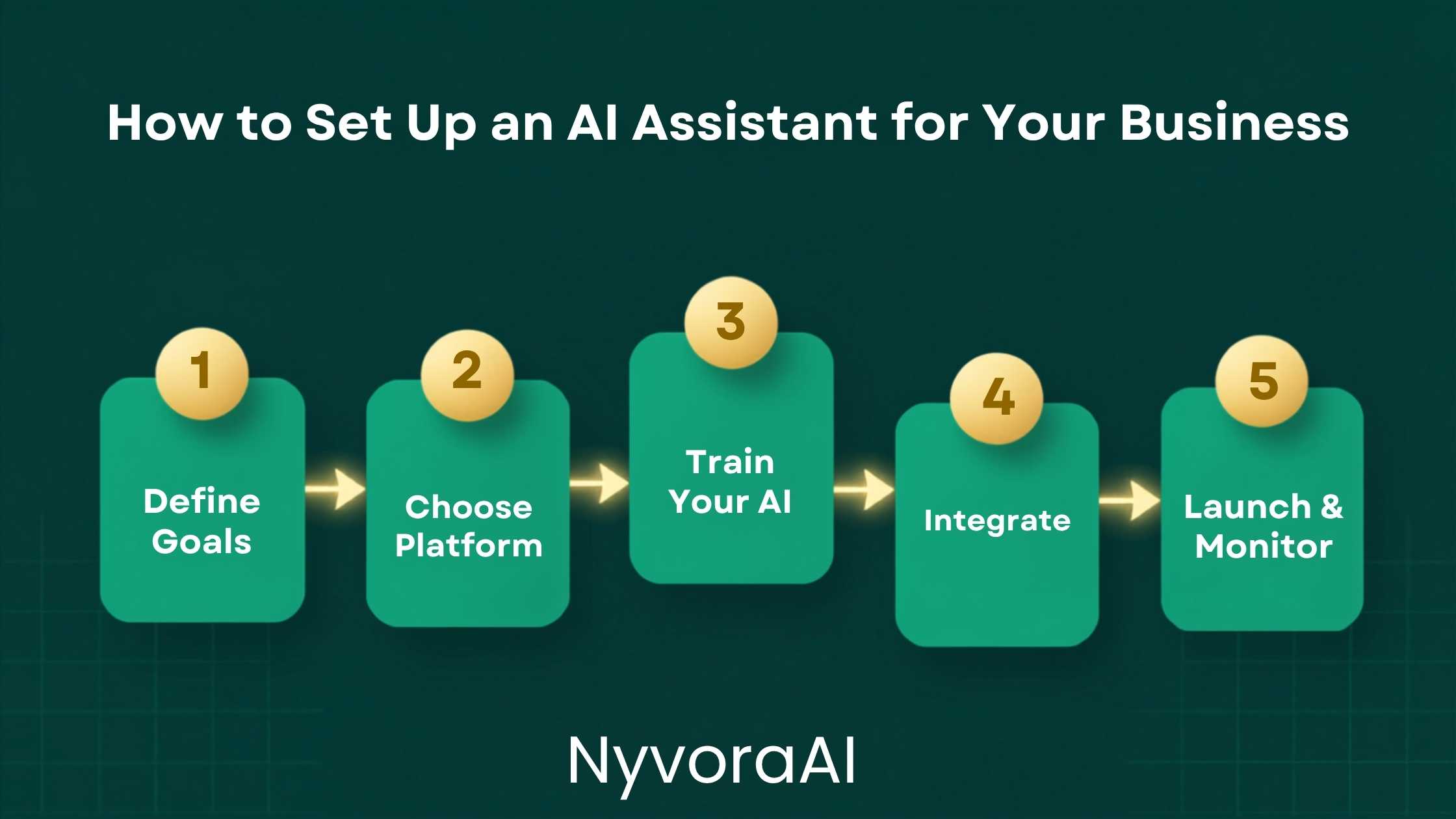
不少企业主觉得,像样的 AI 助手是拥有 IT 部门的大公司才玩得转的东西。这种底气上的差距可以理解:产品宣传要么面向企业采购方,要么面向只想跟机器人聊聊天的纯新手。真正的企业所处的中间地带,得到的指引反而最不清楚。
那就直说 2026 年部署 AI 助手到底包含什么:挑一件与实际工作匹配的工具;给足背景信息,让回答体现你的品牌和流程;把它接到团队已在用的软件上;在接触客户之前认真测试;之后持续观察和调校。这就是全部步骤,既不需要技术背景,也不需要超出小企业现有软件订阅开支的专项预算。
01简短回答
如果同样的十个问题每周都通过邮件或聊天涌来,AI 助手几秒内就能可靠作答,你不必再重复打字。如果团队反复起草同类文档、报告或消息,它能以极短时间完成初稿。这两类场景价值立竿见影,设置也确实简单。
面向客户的版本:选一个平台,写一份清晰的系统提示词,说明公司做什么、回答哪些问题、如何回答、何时转人工,再把它接到网站或消息渠道,用二十个真实问题测试。第一版到此为止,之后再持续优化。
02动任何工具之前先界定任务
这一步正好把企业分成两类:一类的 AI 助手最终人人都用,另一类花一周搭好、三天后就弃之不顾。在浏览平台或写下任何配置之前,先用大白话写清希望助手做什么——同样重要的是,绝不许它做什么。
具体至关重要。「处理客户问题」宽泛得无法配置;「解答发货时间、退货政策和尺码问题;其他情况引导客户发邮件到 support@」才是真正能搭建的目标。初始范围越窄,越快拿到有用成果,出问题时也越容易发现。
试试这个界定练习:花二十分钟翻看过去一个月的客户邮件或聊天记录,把出现两次以上的问题逐一列出。这份清单就是助手最初的岗位职责——上面的都可以自动化。任何需要真实判断、账户特定信息或敏感对话的事,暂时仍由人处理。
03当下企业助手最能创造价值的场景
小企业能在少数几类场景中持续快速获益,而每类的搭建要求略有不同;先确定类别,有助于选对工具、写对配置。
客户支持常见问题
内容与文案起草
日程安排与内部行政
内部知识库
04为任务选择合适的工具
工具选择主要取决于助手需要驻留在哪里、要与什么相连。下面是实用梳理,而非详尽的软件评测:
| 使用场景 | 合适的入门工具 | 技术要求 | 大致费用 |
|---|---|---|---|
| 网站聊天 | Intercom、Tidio、Crisp with AI | 无 | $30–$100/mo |
| 内部问答 | Notion AI、Guru 或 Claude API | 少量配置 | $10–$50/mo |
| 内容起草 | Claude 或 ChatGPT with custom instructions | 无 | $20/mo |
| 邮件处理 | Front、Help Scout with AI features | 无 | $25–$75/mo |
| 工作流自动化 | Make 或 Zapier + AI action step | 少量配置 | $20–$60/mo |
不必第一天就购买专门的 AI 平台。许多小企业先用配置妥当、带自定义指令的 Claude 或 ChatGPT,训练员工把它用于具体任务,在为任何集成付费之前就拿到了真实价值。先弄清真实需求,等效果被验证后再升级工具组合。
05用你的企业资料训练它——这一步人人都想省
是否提供了关于「你是谁」的充分背景,是助手真正代表企业、还是只会给出空泛答案的唯一最大分野。这步看似文书工作,其实是整套设置的核心,其余都不过是接通管道。
至少要交给 AI 这些信息:企业做什么、服务谁;品牌所用的语气和语言风格;它应回答哪些具体问题、如何回答;哪些话绝对不能说;以及什么情况下转交给人。每条越具体,产出越好。「我们亲切而专业」不如「我们直呼其名、不用感叹号,未经团队确认绝不对时间节点做承诺」。
如果助手要回答关于产品、政策或流程的事实性问题,它还必须能接触真实信息——要么粘贴进系统提示词,要么从已连接的知识库调取。拿不到你真实退货政策的 AI,会凭空编出一条听起来煞有介事的政策。我们关于如何核查 AI 生成内容的文章解释了其中利害,并说明如何在错误到达客户之前将其拦下。
06写一份有力的系统提示词——你最重要的一项配置
面向客户的助手中,系统提示词相当于每次对话前阅读的任务说明。它决定角色人设、回答范围、所用语气,以及触及知识边界时的做法。整个搭建过程中,没有什么比把它写好更有影响力。
下面这套结构适用于大多数小企业的客户支持助手:
判断草稿好不好,只需回答一个问题:一名新员工仅凭这份文档,能否应对客户最常带来的十种情形?能,说明提示词有效;不能,就继续打磨。提示词的质量塑造着 AI 的一切产出,所以在敲定任何系统提示词配置之前,值得一读我们关于如何为 AI 工具写出更好提示词的指南。
07把它接进你现有的工作流
一个待在没人记得查看的标签页里的助手,帮不了任何人。要真正省时,它必须住进团队已经在用的工具里,或者把现有流程中的某个人工步骤替代得足够明显,让采用自然发生。
最容易扎根的几种集成:把 AI 助手接到网站在线聊天窗口,让它在人工接手前先给出第一句回复;接到电子邮件收件箱,由它起草回复、人工批准后再发;或作为机器人加入内部沟通工具,回答员工常见的政策与流程问题。在多数现代平台上,这些都能靠简单的拖放连接器、不写代码完成。
如果你的企业已经在用 Zapier 或 Make 跑自动化,可以相当轻松地把一个 AI 步骤插进现有流程——例如,自动抓取新的客户咨询、交给 Claude 或 GPT、拿到回复草稿,再丢进收件箱等你批准后发送。这种轻量集成在每一笔咨询上都省时间,又不会把人完全移出环节。
企业若还想在内容和社媒方面获得 AI 帮助,我们的AI 用于社媒的分步指南专门讲如何把 AI 工具接入社媒排程流程;而对任何大规模生产书面内容的企业来说,用 AI 更快写博客文章的指南与这一侧的搭建相关。
08正式上线前认真测试
这一步被跳过的频率超过任何其他步骤——正因如此,遇到边缘情况时,助手会给客户错误信息、奇怪回复,或者干脆没反应。上线前测试不意味着点一遍演示,而是坐下来,拿着二十到三十个真实问题——包括古怪的、愤怒的,以及答案需要判断取舍的——逐一观察 AI 究竟怎么回应。
- 1
用你最常见的 20 个真实问题测试
1 从支持记录里抽取真实案例。别用假想题——真实问题会暴露出工整示例掩盖不住的漏洞。
- 2
故意尝试把它问崩
2 问些超出其范围的事,要求它许下承诺,打听竞争对手,看它在配置边缘如何表现。
- 3
让熟悉业务的人来审阅
3 每天直面客户的团队成员会比你更快发现语气问题和错误信息;陌生的眼睛能看到搭建者忽略之处。
- 4
先在低风险流量上小规模试运行
4 别一上线就投入流量最高的渠道。先选一个安静的触点,观察真实互动并调整,再扩大规模。
09让企业 AI 项目脱轨的错误
小企业 AI 助手部署中的失败,大多源于少数几个本可避免的错误。最常见的几种以及应对办法如下:
- 一次想覆盖太多场景。结果最快、最干净的企业,总是先做一件窄任务、做好后再扩展。让同一个 AI 同时承担客户支持、预约、内部 HR 问题和内容起草,往往意味着它哪件都做不好。
- 跳过知识库。拿不到真实政策、价格和产品细节的 AI,会编造听起来可信的答案;这些编造的答案会到达客户手中,这是严重的信任问题。请把真实信息喂给它。
- 没有转人工通道。每一个面向客户的 AI 助手,遇到投诉、账单问题或情绪低落的客户时,都需要一条清晰、即时的真人通道;什么都想自己扛、不肯转交的 AI,只会让需要真人对话的人更加恼火。
- 设好就忘在一边。AI 助手需要定期复查——头几个月至少每月一次。新产品、政策变动、常见新问题都要反映进配置,搭建不是一锤子买卖。
- 不告诉团队它的存在。团队若不清楚 AI 助手能做什么、不能做什么,就无法妥善处理转交,也无法在情况变化时更新系统提示词。
如果你的目标是把 AI 辅助编织进更宽泛的企业日常流程、而不只是单个触点,我们关于如何用 AI 工具搭建每日工作流的指南讲了如何系统化地做这件事。对于以写作为核心交付物的企业——代理商、顾问、自由职业者——我们关于自由职业写作中的 AI 应用的指南,与你如何定位和定价 AI 辅助团队产出的写作直接相关。
10常见问题
为企业搭建 AI 助手需要技术背景吗?
给小企业配一个 AI 助手要花多少钱?
AI 助手能承担我企业的客服工作吗?
给企业搭好 AI 助手需要多久?
企业在搭建 AI 助手时最容易犯什么错误?
11结语
为企业搭建 AI 助手,与其说是技术工程,不如说是思考工程。一旦弄清要让 AI 完成什么任务、在你的具体语境下什么才算好产出,实际配置——写系统提示词、连接工具、测试回复——都很直接。真正难的是在开始之前把这些界定得足够清楚。
从一个狭窄的场景起步;写一份给 AI 真实企业背景、而非空泛指令的系统提示词;在任何客户看到之前用真实场景测试;每月复查更新。这种简单、聚焦、迭代的做法,才能持续产出真正省时、又能很好地代表企业的助手,而不是制造需要收拾的新麻烦。
如今做得好的企业,并不是第一天就部署了复杂的 AI 系统。它们先做点小东西、把它做对,再由此扩展。这仍然是通向真正有用成果的最快路径,而且任何企业——无论规模大小、技术能力如何——都够得着。
Many owners assume a capable AI assistant belongs to larger firms with their own IT teams. The confidence gap makes sense: product marketing tends to target either enterprise procurement teams or total newcomers who simply want to chat with a bot. The practical middle — where genuine businesses actually sit — receives far less clear guidance.
So here's the straight version of what deployment means in 2026. Choose a tool matched to the actual job; supply enough background that answers mirror your brand and procedures; link it to the software your people already open; run genuine trials before any customer encounter; then watch performance and tune continuously. That's the entire recipe, and none of it calls for technical know-how or a special budget beyond what small companies already pay in subscriptions.
01Short Version
When the same ten questions arrive weekly by email or chat, an assistant answers them dependably within seconds and spares you the repetition. When your staff keeps producing the same documents, reports, and messages, it delivers rough drafts in far less time. These two areas offer instant value with genuinely easy setup.
For the customer-facing version: select a platform, draft a clear system prompt covering what the company does, which questions to handle, the manner of answering, and the moments that go to a human, then connect it to the site or messaging channel and run twenty genuine questions through it. Version one ends there; improvement follows.
02Define the Job Before Opening a Single Tool
This is exactly where winners and losers separate: some companies end up with an assistant everyone uses, while others burn a week on setup and walk away within days. Before browsing platforms or typing any configuration, state in ordinary words what the assistant should accomplish — and what it must never do.
Specificity is everything. "Manage customer questions" gives you nothing to configure. "Explain delivery times, returns, and sizing; for anything beyond that, direct shoppers to support@" is genuinely buildable. The tighter the opening scope, the quicker a useful result appears and the sooner malfunction becomes visible.
Try this definition exercise: give twenty minutes to the past month of customer mail and chat logs, listing every question seen more than twice. That list becomes the assistant's initial job description — all fair automation targets. Anything demanding real judgment, account-specific facts, or a delicate exchange remains human for now.
03Where Business Assistants Earn Their Keep Today
Small businesses see quick, consistent value in a handful of categories, each with slightly different setup needs; naming the category upfront steers both tool choice and configuration.
Customer Support FAQ
Content & Copy Drafting
Scheduling & Internal Admin
Internal Knowledge Base
04Match the Tool to the Task
Tool choice hinges mainly on where the assistant must live and what it must connect to. This is a practical sketch, not an exhaustive review:
| Use Case | Reasonable First Tool | Technical Requirement | Rough Cost |
|---|---|---|---|
| Chat widget on website | Intercom, Tidio, Crisp with AI | Nothing needed | $30–$100/mo |
| Internal question and answer | Notion AI, Guru, or Claude API | Only light configuration | $10–$50/mo |
| Drafting of written content | Claude or ChatGPT with custom instructions | Nothing needed | $20/mo |
| Handling incoming email | Front, Help Scout with AI features | Nothing needed | $25–$75/mo |
| Workflow automations | Make or Zapier + AI action step | Only light configuration | $20–$60/mo |
You needn't purchase a specialist platform on day one. Plenty of small companies begin with a properly set up Claude or ChatGPT using custom instructions, train staff to apply it to defined tasks, and capture real value before funding any integration. Discover genuine needs first; upgrade the toolkit once the case is proven.
05Train It on Your Business — the Step Everyone Rushes
Context about who you are is the single factor separating an assistant that genuinely represents the company from one that answers in vague generalities. The work feels clerical, yet it's the heart of setup; everything afterward is merely connecting pipes.
At minimum, hand over: what the business does and whom it serves; the voice and language the brand speaks in; the exact questions to handle and how; phrases and claims that are always off-limits; and the triggers for handing off to a person. Specificity drives quality. "We're friendly but professional" loses to "We use first names, avoid exclamation marks, and never promise timing without confirming with the team."
When factual answers about products, policies, or procedures are in scope, the assistant also needs the underlying information — embedded in the system prompt or fetched from a linked knowledge source. Without your genuine return policy on hand, it will fabricate one that sounds convincing. Our piece on fact-checking AI-generated content explains the stakes and shows how to catch errors pre-customer.
06Craft a Strong System Prompt — Your Highest-Impact Setting
For a customer-facing assistant, the system prompt acts as the briefing sheet read before every exchange. It fixes persona, answer scope, voice, and behavior at the edge of knowledge. Nothing else you configure will move results as much.
The structure below serves most small-business support assistants well:
Judge your draft with one test: could a newly hired employee, armed only with this document, navigate the ten situations customers present most? A yes means the prompt works; a no sends you back to refining. Prompt quality shapes every answer, so review our guide to writing better prompts for AI tools before locking any configuration.
07Hook It Into the Workflow Already in Motion
An assistant stranded in a forgotten tab helps nobody. Real savings appear when it lives inside tools the team already opens, or replaces a manual step so plainly that adoption takes care of itself.
The integrations that catch on fastest: the assistant as first reply in the website chat widget before staff take over; draft replies in the inbox awaiting human approval and send; or a bot inside internal chat answering routine policy and process questions. Most modern platforms build all three without code through simple drag-and-drop connectors.
Shops already running Zapier or Make can slot an AI action into live automations with little effort — say, grabbing a fresh inquiry, sending it through Claude or GPT, and landing the draft reply in the inbox for sign-off. Such light integrations trim work on every inquiry while keeping a human in the chain.
Companies seeking help on content and social will find our walkthrough of AI for social media focused on joining these tools to scheduling workflows, while teams producing written content at volume should consult the guide to drafting blog posts faster with AI.
08Test Seriously Before Going Live
No step is skipped more often, which is why assistants hand customers wrong facts, odd replies, or dead silence at the edges. Proper testing isn't clicking through a demo; it's working through twenty to thirty genuine questions — strange ones, angry ones, and ones requiring judgment — and watching the response to each.
- 1
Run the top 20 real questions at it
1 Draw genuine cases from support history. Real questions surface gaps that tidy hypotheticals hide.
- 2
Attack it on purpose
2 Push beyond its scope, demand a promise, ask about a rival, and watch behavior at the configuration's edges.
- 3
Have a business insider assess it
3 Daily customer-facing teammates catch tone slips and factual errors quicker than you; fresh eyes see what the builder missed.
- 4
Soft-launch on low-stakes traffic first
4 Avoid the busiest channel at launch. Pick a quieter touchpoint, study live exchanges, then scale.
09Mistakes That Derail Business Rollouts
Small-business failures cluster around a few avoidable errors. Here are the common ones, with evasion tactics:
- Chasing too many use cases together. The fastest, cleanest outcomes always come from one narrow job done right before widening. One assistant simultaneously covering support, booking, internal HR questions, and copy typically does all of them poorly.
- Skipping the knowledge layer. Without genuine policies, prices, and product facts, the model invents convincing answers that then reach customers — a serious breach of trust. Supply the real information.
- Missing escalation routes. Every customer-facing assistant needs an immediate, obvious path to a human whenever complaints, billing, or distressed customers appear; a bot that refuses to hand off angers people who need a live voice.
- Deploying once and walking away. Assistants require periodic review — at least monthly in the early months — so new products, policy shifts, and emerging questions reach the configuration.
- Keeping the team in the dark. Staff who don't know the assistant's scope can't handle escalations or revise the prompt when circumstances change.
If the goal is weaving AI into the whole business day rather than one touchpoint, our guide to building a daily workflow with AI tools provides the systematic design. For companies whose deliverable is writing — agencies, consultants, freelancers — the piece on AI for freelance writing work bears directly on positioning and pricing an AI-assisted team's output.
10Frequently Asked Questions
Must I be technical to deploy a business assistant?
What does a small-business assistant cost?
Can it genuinely run customer service?
How long does deployment take?
Which error trips up businesses most?
11Closing Thoughts
Deployment is less a technical project than a thinking one. Once the job and the standard for good output are clear, the mechanics — prompt writing, connections, response testing — are plain. The genuine difficulty lies in defining them sharply upfront.
Begin with one tight use case; write a prompt carrying real business context rather than vague direction; test on genuine situations pre-customer; review and refresh monthly. That simple, focused, iterative path reliably yields assistants that save time and represent the brand well instead of adding fresh headaches.
The companies succeeding today didn't launch sophisticated systems at the start. They built something small, made it work, and expanded — still the quickest route to genuine usefulness, available to businesses of any size or technical level.